Crop & Straighten
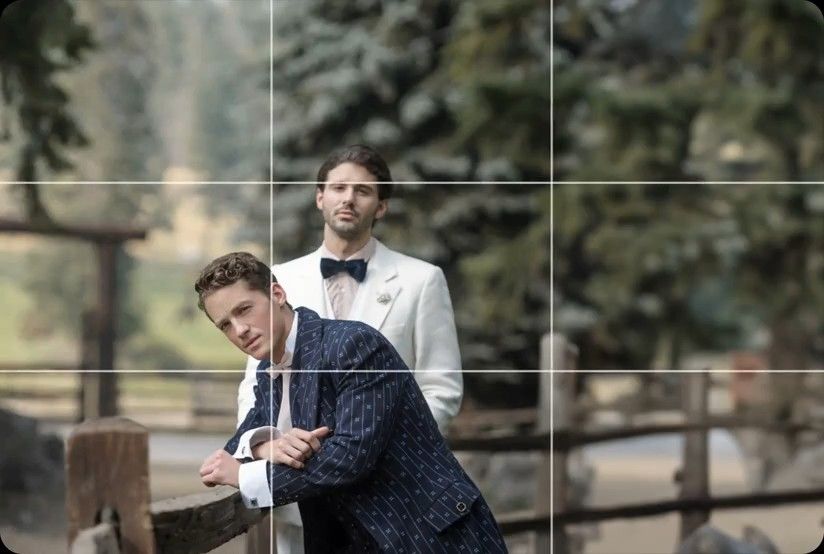
AI levels tilted horizons and crops every photo around its subject, automatically, across your whole shoot. Review and adjust every result in Lightroom Classic.

One good morning at a heron pond can leave you with 3,000 frames, most of them near duplicates. Imagen culls in batch and flags blurry frames, so you get to the sharp ones sooner.
Compatible with:


 No credit card required.





Rated 5 out of 5
“The term 'game changer' gets thrown out a lot, but for any busy photographer, this software will change your life.”
 Michael AntonyMichael Antony Photography, USA
Rated 5 out of 5
“My survival is due to Imagen… I would MARVEL at how little I had to adjust.”
 Charmi Patel PeñaWedding Photographer, USA
Rated 5 out of 5
“It’s so refreshing to start with a high level of quality, and it leaves me with much more energy to spend on my favorite photos.”
 Sam HurdSam Hurd Photography, USA
Rated 5 out of 5
“Discovering Imagen has been like someone inventing toilet paper. Simply essential and now life is unthinkable without it. I now know that those years of editing backlogs are a thing of the past. I'm truly grateful.”
 Sarah EdmundsPortrait & Wedding Photographer, Italy
Rated 5 out of 5
“It’s a must for me after my culling process. Love Imagen since day one.”
 Fer JuaristiFer Juaristi Photography, Mexico
Rated 5 out of 5
“Thanks to Imagen, I can actually enjoy editing… I have recovered hundreds of hours back.”
 Daniel AlonsoPeople TrueLove Tellers, Spain
Stop spending countless hours on repetitive editing tasks.
Focus on what matters most: your creativity and your clients.

Cut your post-production time dramatically with AI-powered automation.

Apply consistent edits across hundreds of photos in seconds, not hours.

Let AI identify and remove blurry shots, duplicates, and closed eyes automatically.

Edit entire events shoots or portrait sessions while you focus on your next creative work.
The problem
Shooting at 20 frames per second turns a ten second flight into 200 files. Scrubbing through them at 100 percent to check the eye takes longer than the shoot did.
Try for free
How Imagen helps
Imagen has batch culling and an AI filter for blur, plus free manual culling for the calls only you can make. Culling needs an editing plan on your account.
Try for free
AI levels tilted horizons and crops every photo around its subject, automatically, across your whole shoot. Review and adjust every result in Lightroom Classic.
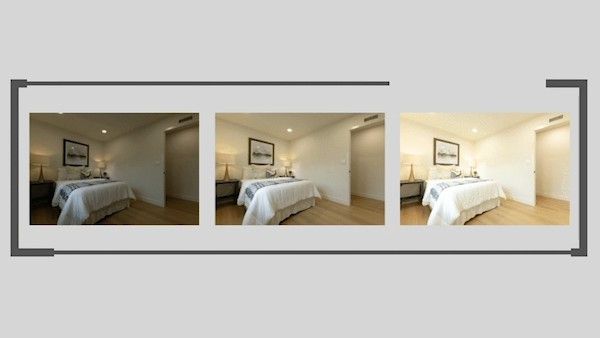
Automatically combine 3–9 bracketed exposures into one perfectly balanced photo using an AI HDR photo merge tool that handles indoor and outdoor lighting in one shot.

Smooth Skin finds every face, masks the skin and softens it automatically, so every portrait looks polished and natural without manual retouching.
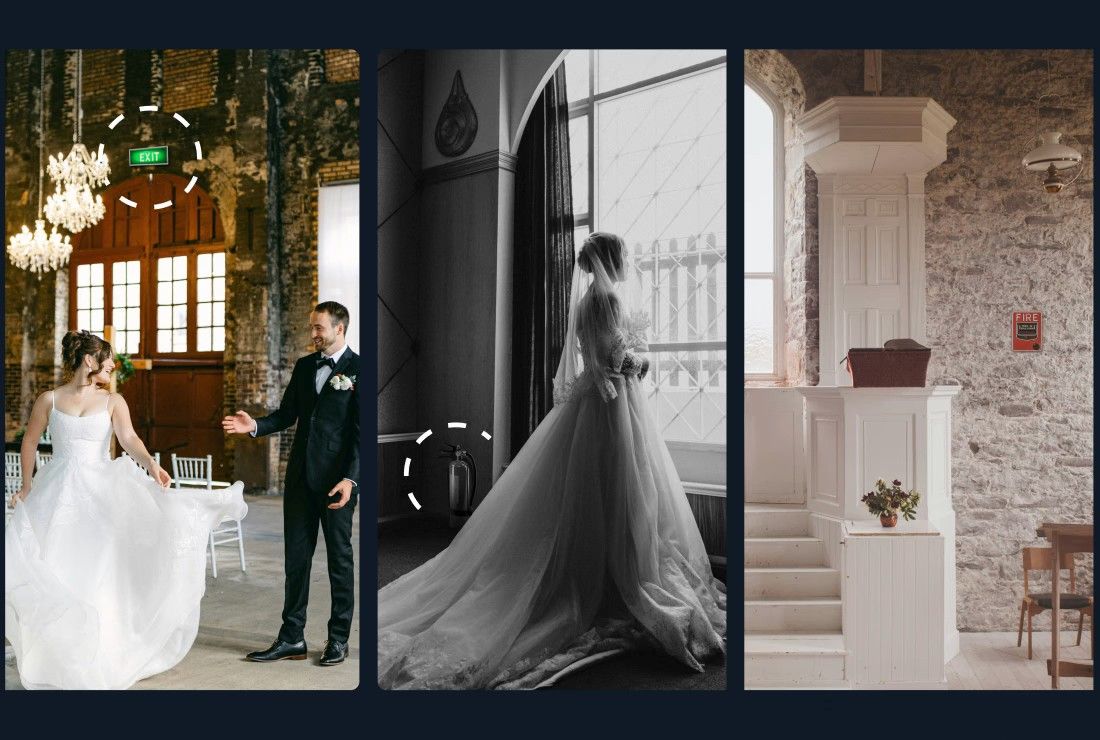
Object Removal automatically detects and removes exit signs, fire alarms, fire extinguishers, and fire stickers from your photos — across your entire gallery, in the cloud, without Photoshop.

Edit thousands of photos in your style automatically. Imagen's AI learns your editing preferences and applies them consistently across entire projects, so you deliver faster without losing your creative touch.
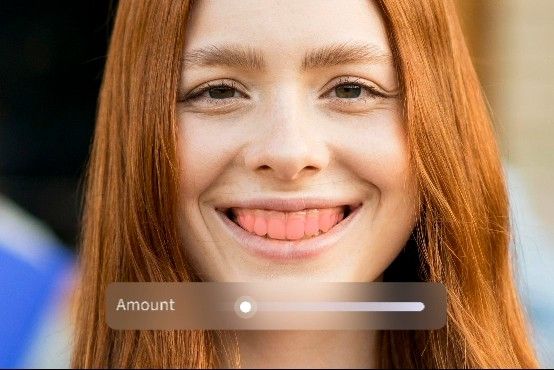
Whiten Teeth detects and brightens teeth in each photo automatically, so every smile looks its best without manual retouching.
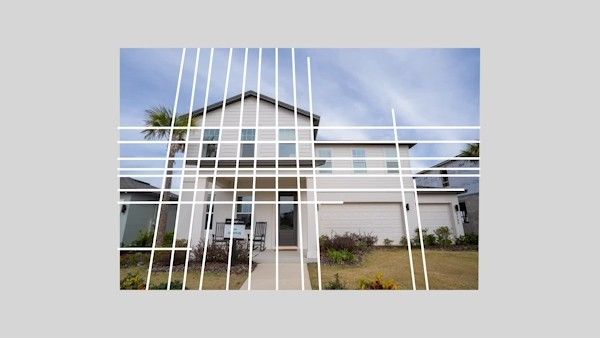
Automatically fix distorted lines and tilted horizons using an AI image perspective correction tool that analyzes each photo, with full control to review and adjust every result.

Automatically crop hundreds of portrait photos to a consistent frame using an AI portrait crop tool that detects each subject and places them perfectly — so every face lands exactly where it should.
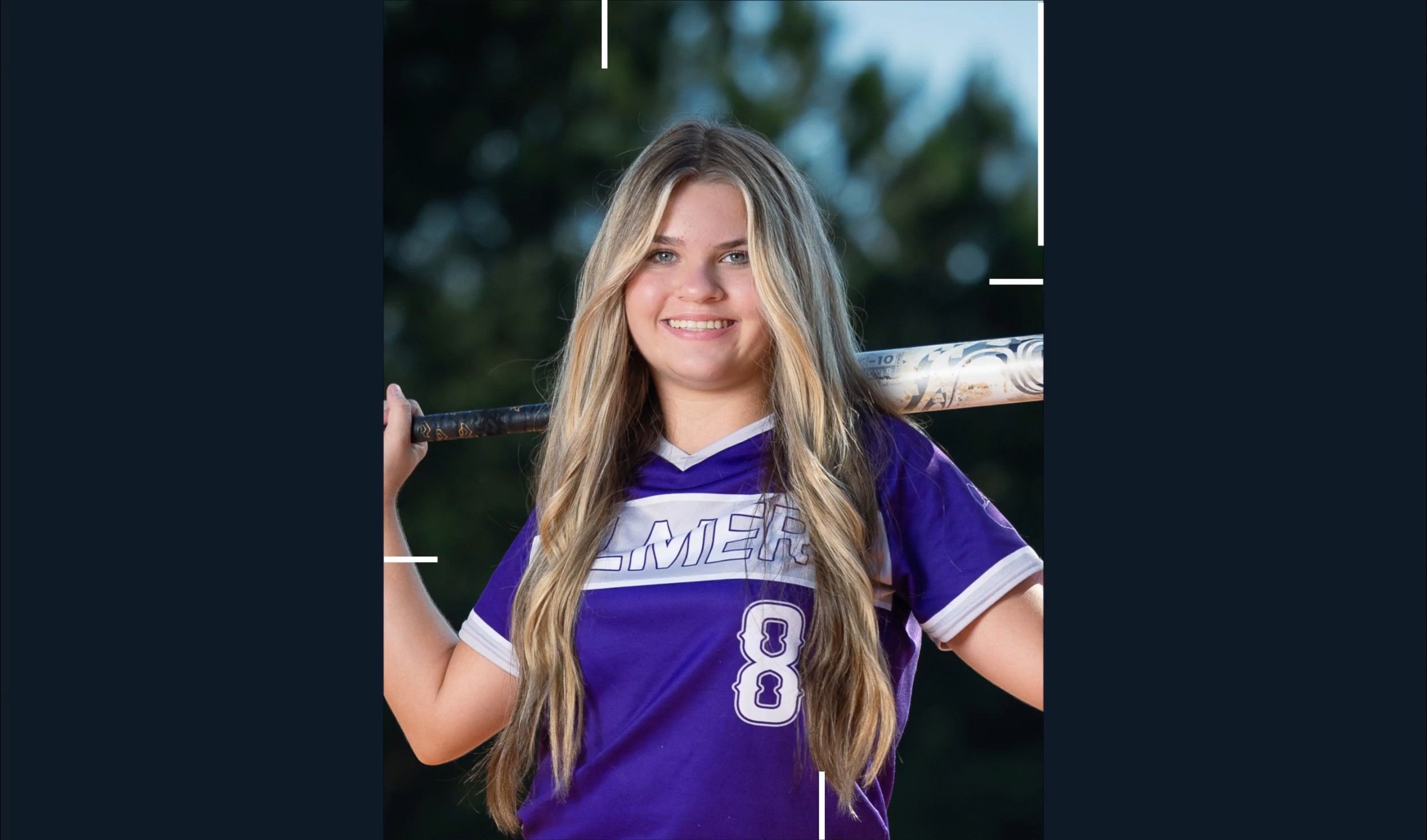
Automatically crop headshots with an AI headshot photo cropper that detects every subject and frames each shot consistently, with full control to review and adjust every result.
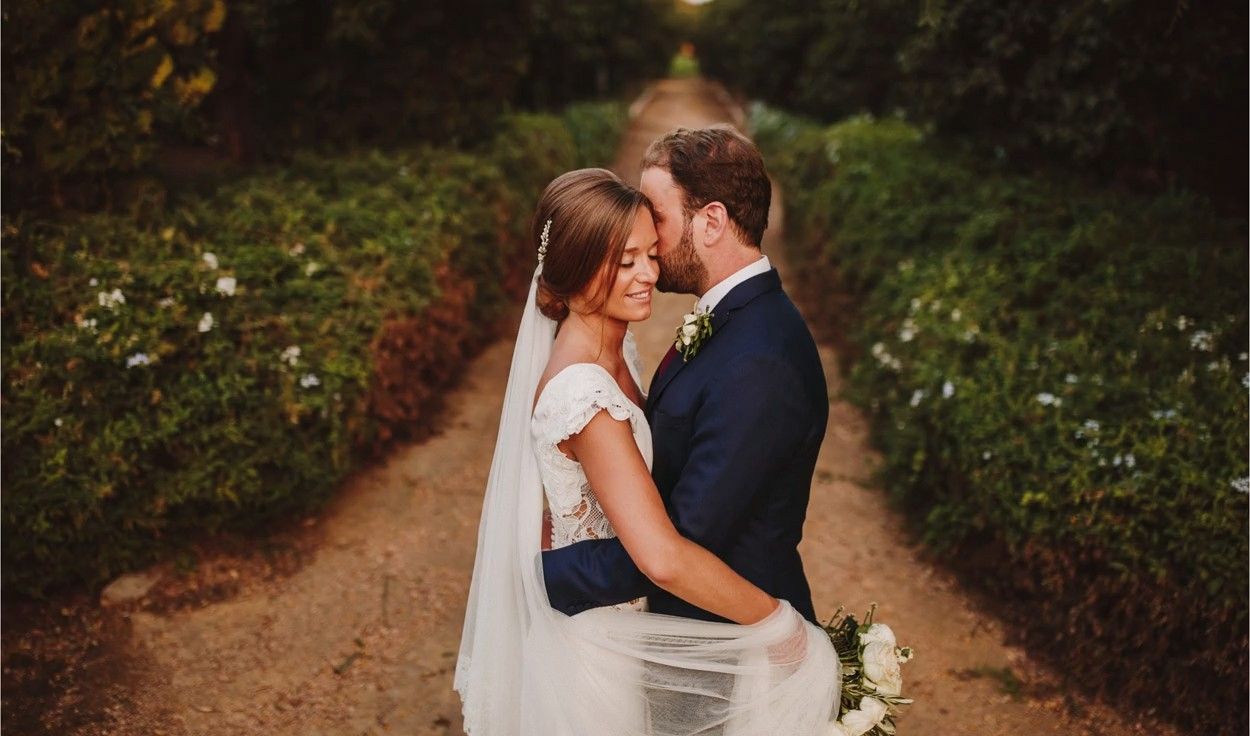
Mask the background in every photo automatically and adjust its exposure, color and texture on their own, so your subject stands out. Review and refine every result in Lightroom Classic.

Remove grain from high-ISO and low-light RAW photos automatically. Imagen sets the strength for each photo, keeps the detail and your editing style, and sends the results to Lightroom Classic.

Automatically extract subjects from any photo using an AI-powered background remover that keeps edges clean, detail sharp, and every result ready to review.

Balance bright windows with indoor subjects using an AI-powered tool that detects overexposed areas and pulls back highlights, with full control to review and adjust every result.

Export final JPEGs straight from Imagen to Pic-Time galleries or your local folder. Complete your entire workflow from camera to client, without switching apps.

Imagen's AI culling groups similar shots and keeps only the best. Duplicate Removal happens automatically, so you review fewer photos and deliver faster.

Imagen's AI analyzes every face in your photos and detects closed eyes automatically. Blink Detection flags the issue so you keep the shots where everyone looks their best.

Imagen's AI Subject Mask finds the main subject in every photo and adjusts it on its own, so it stands out. No manual brushwork, no repetitive masking: consistent results across your whole project, ready in Lightroom Classic.

Automatically detect the sharpest photos in every set using an AI-powered Sharpness Check that analyzes focus accuracy — so you cull faster and choose with confidence.

Automatically back up your original RAW files to secure cloud storage as you work — so your client photos are always protected, without any extra steps.

Store full-resolution photos at up to 75% smaller file size — so your photo storage goes 4x further, uploads faster, and your work stays protected without the cost of raw file bloat.

The Imagen API lets developers connect Imagen's AI editing engine directly to any app, platform, or workflow — so your photos get edited automatically, at any scale, without the desktop app.
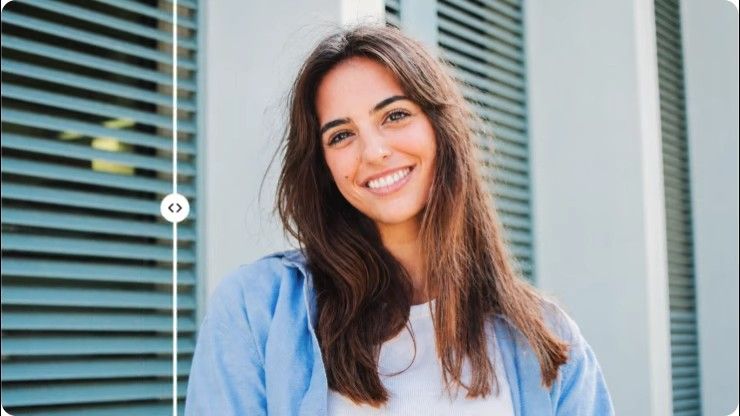
Stray Hair detects flyaways in each portrait and removes them automatically, so every photo looks polished without hours of manual retouching.

Face Retouch detects and corrects common skin imperfections in each portrait. Blemishes, under-eye shadows, uneven texture; so every photo looks polished without tedious manual work.
Get started with 1,000 free edits. Edit your projects faster without sacrificing quality.
Pay only for what you need
Starting at
US$0.05 / photo
US$7/monthly base fee
Any unused balance rolls over to next month as export credit
Rolls over as export credit
One simple price for unlimited use
Billed annuallyBilled monthly
US$129US$165 / month
Save US$432/year
* Looking for Imagen for Real Estate? The web app for real estate is priced separately. See real estate pricing
* Not sure which plan? Start with Pay-as-you-go and switch later.
Speed, consistency, and scale for high-volume businesses and studios
Talk to us
Custom plan
Ask us anything, connect with our customer success team.
We go beyond troubleshooting - we’re your partners in optimizing workflows and realizing your creative vision.
No credit card required.
It offers batch culling and an AI blur filter that flags soft frames, so you can set aside the obvious misses in a big burst. You then go through the rest with free manual culling and pick the best moments yourself. It narrows the pile without deciding which wing position or pose is your keeper. For long sessions at a hide, running the filter after each outing keeps the backlog from piling up across a whole weekend.
The AI filter flags blur in a frame, which catches missed focus and motion softness. It does not replace you checking that the eye is crisp on the frames you plan to deliver or print. Use the filter to clear out the clear misses, then zoom in on the survivors. Pair the filter with a quick 100 percent check on your top picks, which is where an eye that is slightly off focus shows up.
No. Imagen does not group or stack similar frames, so you still look at consecutive frames in a burst yourself. What helps is the blur filter removing the soft ones first, which leaves a much shorter run to compare for pose, wing position and background. That still saves real time, because ten sharp frames of a flight are much faster to compare than a hundred mixed ones.
Yes. Imagen works as one project where you cull, edit, review and export in any order. After culling, you can apply an AI Profile built from your past Lightroom Classic edits to the keepers, and the edits carry back to your Classic catalog. This setup suits photographers who tweak raptor or waterfowl shots in Lightroom Classic and want their usual look applied in bulk.
Culling needs an editing plan on Imagen, and on pay-as-you-go it is an add-on. Manual culling is free to use once you have access. Check the plan details on the Imagen pricing page, since which plan covers culling is the first thing to confirm. If you only want to cull and plan to edit elsewhere, ask the team which plan covers that before you sign up.
The blur filter looks for soft frames, so it applies to any fast moving subject: raptors, mammals, motorsport or athletes. It is not tuned to a species. The same approach of flagging blur, then picking the best moment yourself, carries across wildlife and action shooting. Photographers shooting both birds and other wildlife can run the same process and just adjust how strict they are with the flagged frames.




Start your free trial today - no commitment required