
 Excellent 4.8


 Compatibility
Crop and straighten photos in seconds
AI levels tilted horizons and crops every photo around its subject, automatically, across your whole shoot. Review and adjust every result in Lightroom Classic.
Try it now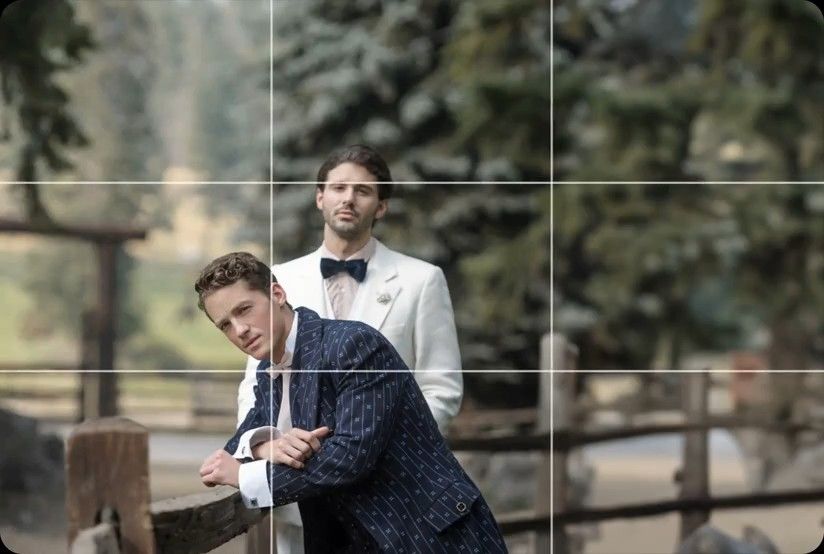
Why Photographers Choose Imagen

Faster Turnaround
Edits delivered in hours, and even minutes - not days.

Your Style, Always
Imagen learns your editing style and applies it consistently.

Here for You
Our team is here 24/7 with real, human support.

Complete Workflow
Cull, edit, store and deliver seamlessly, all under one roof.
AI cropping and straightening
Imagen straightens tilted photos and crops them around the subject, automatically, across your whole project. Review and adjust each result as needed.
Try it todayAuto-straighten tilted horizons
The AI levels tilted horizons and compositions in every photo, with no manual work per photo. Useful for landscapes, events, portraits and handheld shots.
Smart subject detection
The AI finds the main subject in each photo and crops to a 2x3 frame around it, trimming the background that doesn’t need to be there.
Consistent framing
Apply the same cropping and straightening across hundreds of photos without repetitive work in Lightroom.
Review and adjust
Review every crop in Lightroom Classic, change the framing or the angle, and finalize.
Reviews from those who know best.
Rated 5 out of 5
“The term 'game changer' gets thrown out a lot, but for any busy photographer, this software will change your life.”
 Michael AntonyMichael Antony Photography, USA
Rated 5 out of 5
“My survival is due to Imagen… I would MARVEL at how little I had to adjust.”
 Charmi Patel PeñaWedding Photographer, USA
Rated 5 out of 5
“It’s so refreshing to start with a high level of quality, and it leaves me with much more energy to spend on my favorite photos.”
 Sam HurdSam Hurd Photography, USA
Rated 5 out of 5
“Discovering Imagen has been like someone inventing toilet paper. Simply essential and now life is unthinkable without it. I now know that those years of editing backlogs are a thing of the past. I'm truly grateful.”
 Sarah EdmundsPortrait & Wedding Photographer, Italy
Rated 5 out of 5
“It’s a must for me after my culling process. Love Imagen since day one.”
 Fer JuaristiFer Juaristi Photography, Mexico
Rated 5 out of 5
“Thanks to Imagen, I can actually enjoy editing… I have recovered hundreds of hours back.”
 Daniel AlonsoPeople TrueLove Tellers, Spain
Frequently asked questions
How does Imagen straighten photos automatically?
The AI detects the horizon or the lines that should be level in each photo and rotates it to match, across your whole project. It works on landscapes, events, portraits and handheld shots, with no manual work per photo.
How does the AI decide where to crop my photos?
Crop analyzes each photo to find the main subject and crops to a 2x3 aspect ratio around it, trimming background that doesn’t add anything. Need another ratio? Portrait Crop centers the subject in 4x5, 2x3 or 5x7, and Headshot Crop lines up headshots in 1x1, 2x3 or 5x7.
Do Crop and Straighten learn from my own edits?
No. Your AI Profile learns your editing style, but Crop and Straighten are trained on a broad, general set of photos, so they frame and level every project the same consistent way. Your style stays in the edit; the composition rules stay predictable.
Can I adjust the crops after the AI processes them?
Yes. Every crop and angle comes back to Lightroom Classic, where you can change the framing, rotate further or go back to the original. You keep full control while skipping the repetitive work.
Does Straighten fix converging lines in architecture?
Straighten levels the horizon. To fix converging or leaning lines, such as walls in real estate and architecture photos, use Perspective Correction.
Can I straighten photos in bulk?
Yes. Imagen crops and straightens your whole project in one go, so a wedding or event of hundreds of photos comes back level and framed. See every tool on the AI photo editing tools page.

