
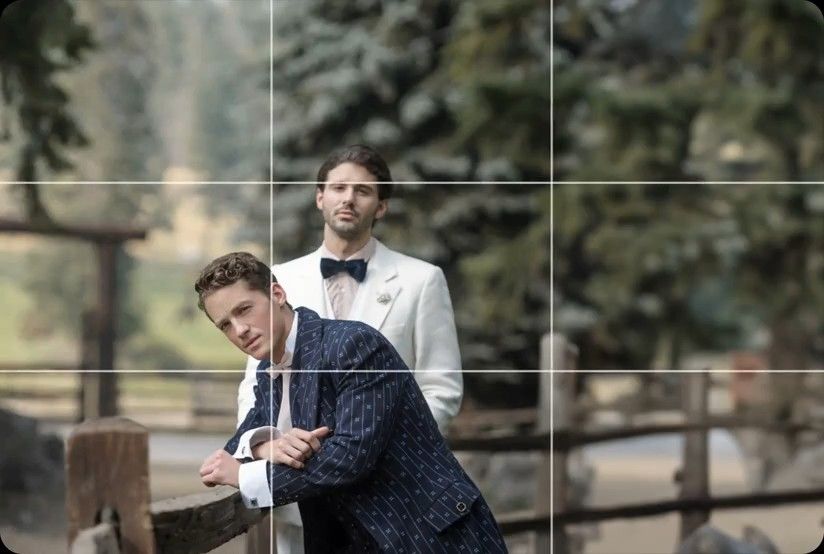
Crop & Straighten
AI levels tilted horizons and crops every photo around its subject, automatically, across your whole shoot. Review and adjust every result in Lightroom Classic.
 PromoEdit every listing this month for $10 - every tool included. Claim offer


Imagen's AI edits for color, light, and tone, not reality. We help real estate photographers edit ethically and deliver beautiful, compliant.
Compatible with:


 No credit card required.





Rated 5 out of 5
“The term 'game changer' gets thrown out a lot, but for any busy photographer, this software will change your life.”
 Michael AntonyMichael Antony Photography, USA
Rated 5 out of 5
“My survival is due to Imagen… I would MARVEL at how little I had to adjust.”
 Charmi Patel PeñaWedding Photographer, USA
Rated 5 out of 5
“It’s so refreshing to start with a high level of quality, and it leaves me with much more energy to spend on my favorite photos.”
 Sam HurdSam Hurd Photography, USA
Rated 5 out of 5
“Discovering Imagen has been like someone inventing toilet paper. Simply essential and now life is unthinkable without it. I now know that those years of editing backlogs are a thing of the past. I'm truly grateful.”
 Sarah EdmundsPortrait & Wedding Photographer, Italy
Rated 5 out of 5
“It’s a must for me after my culling process. Love Imagen since day one.”
 Fer JuaristiFer Juaristi Photography, Mexico
Rated 5 out of 5
“Thanks to Imagen, I can actually enjoy editing… I have recovered hundreds of hours back.”
 Daniel AlonsoPeople TrueLove Tellers, Spain
Stop spending countless hours on repetitive editing tasks.
Focus on what matters most: your creativity and your clients.

Cut your post-production time dramatically with AI-powered automation.

Apply consistent edits across hundreds of photos in seconds, not hours.

Let AI identify and remove blurry shots, duplicates, and closed eyes automatically.

Edit entire events shoots or portrait sessions while you focus on your next creative work.
Next-morning delivery
Culling and editing a 500-photo shoot takes just 20 minutes. Upload your brackets when you get home, and your client's gallery is ready to deliver before you've finished your first coffee.
Try for free
Brand consistency
Train a Personal AI Profile on your edits. Then, every photographer on your team uses it to deliver photos that look exactly like yours. You can grow your business without compromising quality.
Try for free
AI levels tilted horizons and crops every photo around its subject, automatically, across your whole shoot. Review and adjust every result in Lightroom Classic.
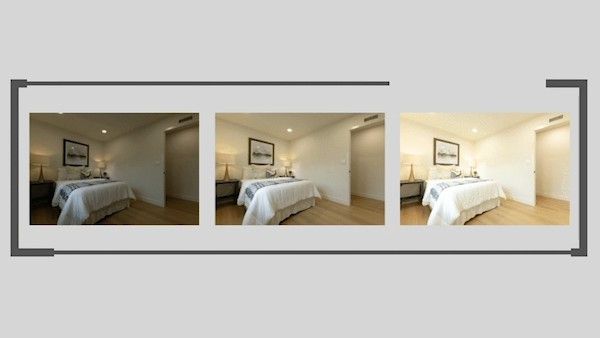
Automatically combine 3–9 bracketed exposures into one perfectly balanced photo using an AI HDR photo merge tool that handles indoor and outdoor lighting in one shot.
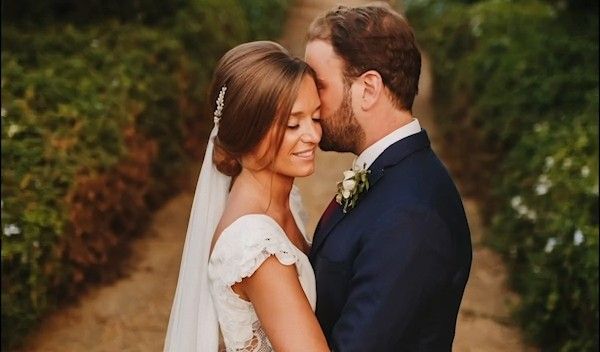
Smooth Skin finds every face, masks the skin and softens it automatically, so every portrait looks polished and natural without manual retouching.
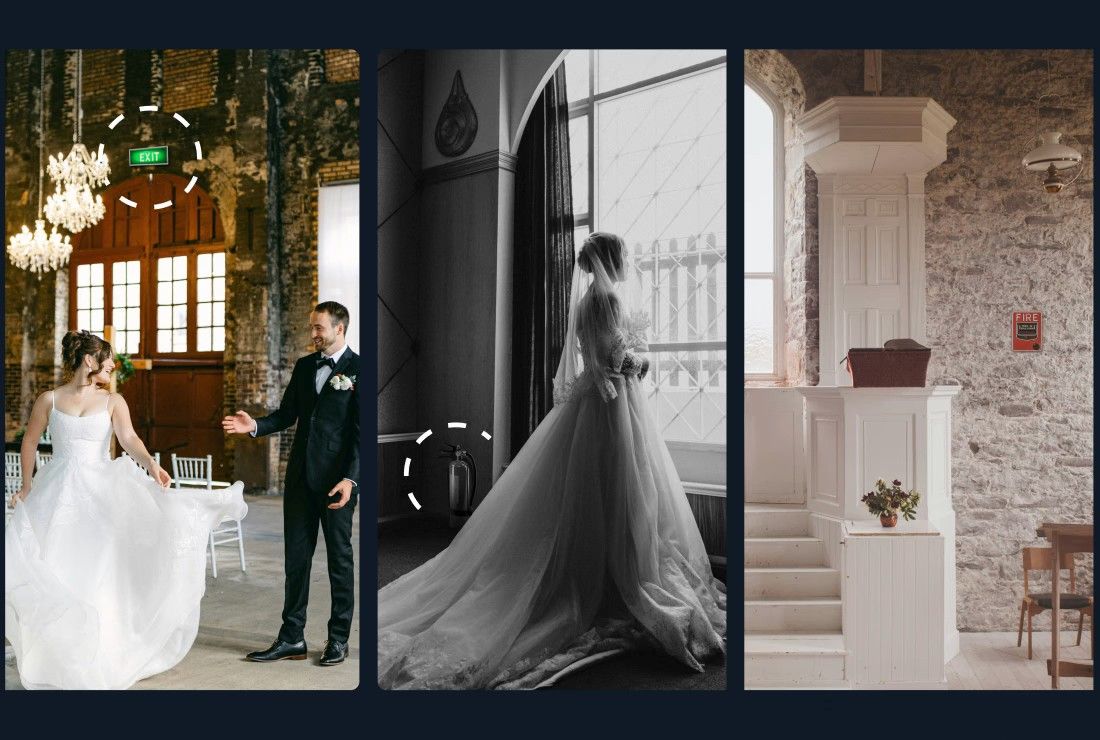
Object Removal automatically detects and removes exit signs, fire alarms, fire extinguishers, and fire stickers from your photos — across your entire gallery, in the cloud, without Photoshop.

Edit thousands of photos in your style automatically. Imagen's AI learns your editing preferences and applies them consistently across entire projects, so you deliver faster without losing your creative touch.

Whiten Teeth detects and brightens teeth in each photo automatically, so every smile looks its best without manual retouching.
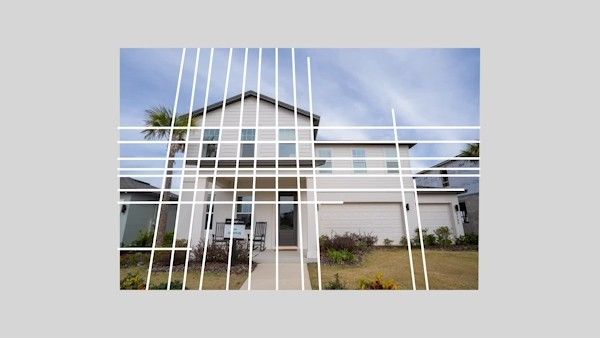
Automatically fix distorted lines and tilted horizons using an AI image perspective correction tool that analyzes each photo, with full control to review and adjust every result.

Automatically crop hundreds of portrait photos to a consistent frame using an AI portrait crop tool that detects each subject and places them perfectly — so every face lands exactly where it should.
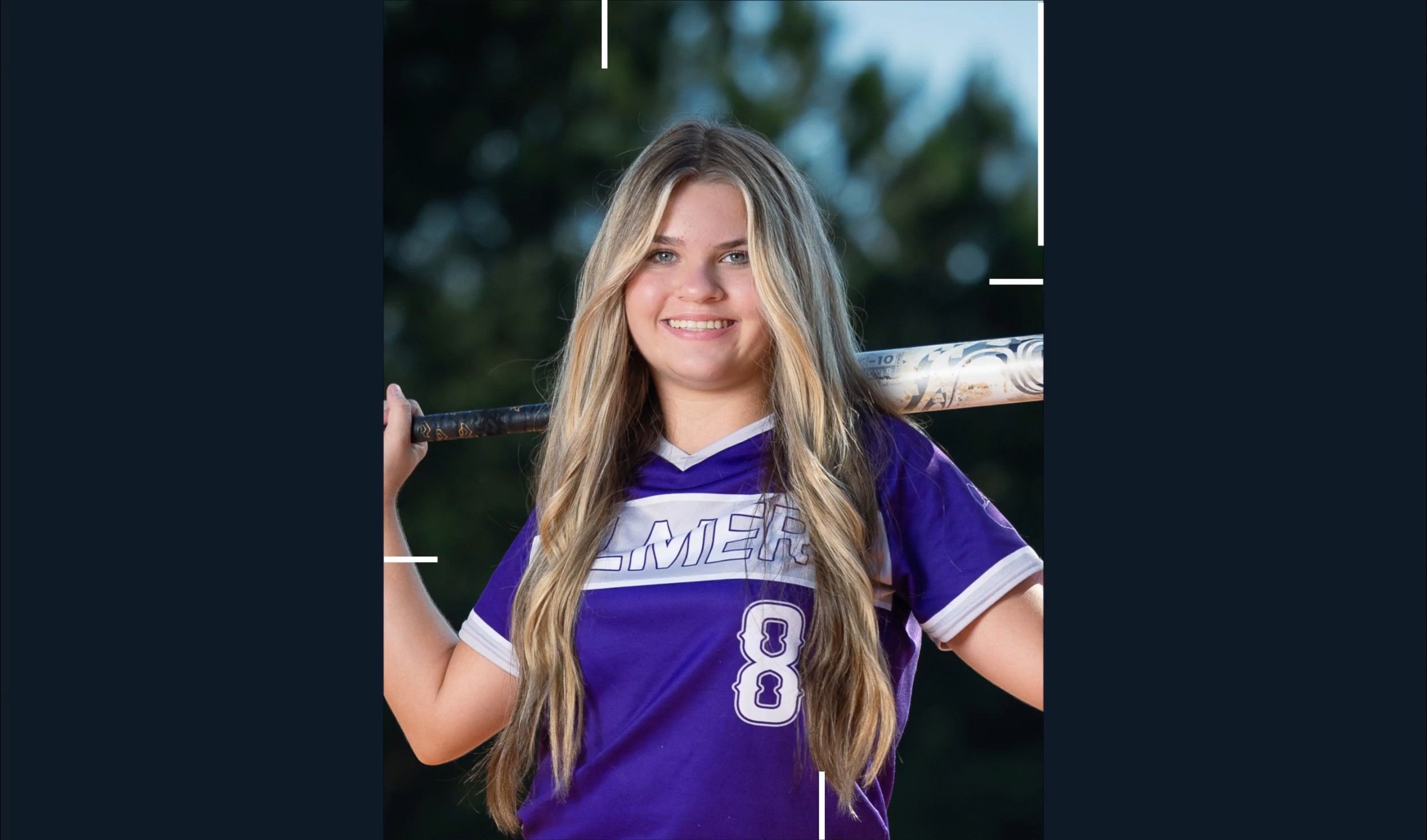
Automatically crop headshots with an AI headshot photo cropper that detects every subject and frames each shot consistently, with full control to review and adjust every result.
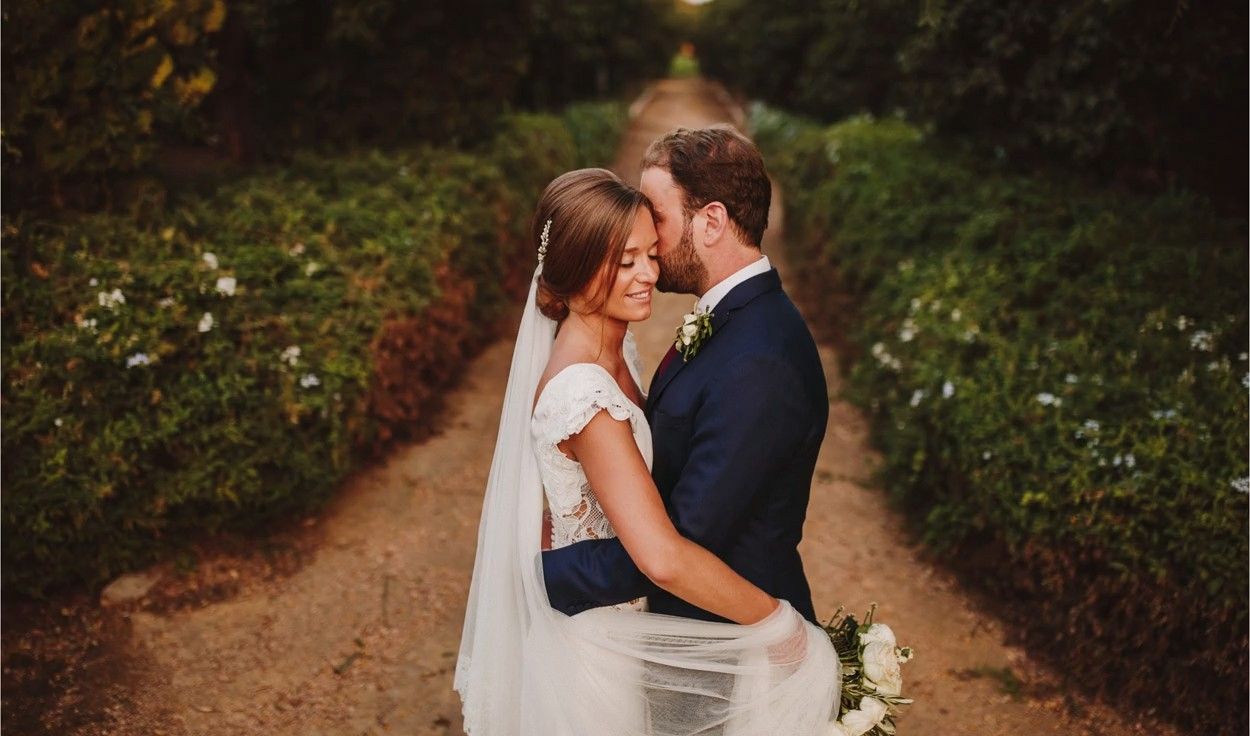
Mask the background in every photo automatically and adjust its exposure, color and texture on their own, so your subject stands out. Review and refine every result in Lightroom Classic.

Remove grain from high-ISO and low-light RAW photos automatically. Imagen sets the strength for each photo, keeps the detail and your editing style, and sends the results to Lightroom Classic.

Automatically extract subjects from any photo using an AI-powered background remover that keeps edges clean, detail sharp, and every result ready to review.

Balance bright windows with indoor subjects using an AI-powered tool that detects overexposed areas and pulls back highlights, with full control to review and adjust every result.

Export final JPEGs straight from Imagen to Pic-Time galleries or your local folder. Complete your entire workflow from camera to client, without switching apps.

Imagen's AI culling groups similar shots and keeps only the best. Duplicate Removal happens automatically, so you review fewer photos and deliver faster.

Imagen's AI analyzes every face in your photos and detects closed eyes automatically. Blink Detection flags the issue so you keep the shots where everyone looks their best.

Imagen's AI Subject Mask finds the main subject in every photo and adjusts it on its own, so it stands out. No manual brushwork, no repetitive masking: consistent results across your whole project, ready in Lightroom Classic.

Automatically detect the sharpest photos in every set using an AI-powered Sharpness Check that analyzes focus accuracy — so you cull faster and choose with confidence.

Automatically back up your original RAW files to secure cloud storage as you work — so your client photos are always protected, without any extra steps.

Store full-resolution photos at up to 75% smaller file size — so your photo storage goes 4x further, uploads faster, and your work stays protected without the cost of raw file bloat.

The Imagen API lets developers connect Imagen's AI editing engine directly to any app, platform, or workflow — so your photos get edited automatically, at any scale, without the desktop app.

Stray Hair detects flyaways in each portrait and removes them automatically, so every photo looks polished without hours of manual retouching.

Face Retouch detects and corrects common skin imperfections in each portrait. Blemishes, under-eye shadows, uneven texture; so every photo looks polished without tedious manual work.
No commitment. No contracts. Cancel anytime
First 30 days
$10for a whole month of editing
Up to 2,000 photos and every tool included for 30 days. After that, pay only for the photos you edit.
Claim offerAfter that
US$0.32/ photo
Prices in USD. Billed at the end of each month for that month’s edited photos.
Editing 25,000+ photos / year? Hear about our volume pricing, dedicated account manager and priority processing.
Not ready yet? Start with a limited free trial instead
Ask us anything, connect with our customer success team.
We go beyond troubleshooting - we’re your partners in optimizing workflows and realizing your creative vision.
No credit card required.
AB 723 is a California law, effective January 1, 2025, that requires a specific disclosure on any real estate photograph that has been digitally altered. This means if you're a photographer shooting properties for sale in California and you make alterations like removing power lines, adding green grass to a lawn, or changing structural features, you must ensure the image is marked. The law mandates a clear disclosure indicating the image has been altered from its original state. For you, this means adapting your workflow to include this disclosure, often as a watermark, on all relevant images to ensure your clients are in compliance. Failing to do so can create legal issues for the listing agent. This law is specifically about transparency in real estate marketing, ensuring potential buyers are aware when a photo doesn't represent the property's current, physical condition.
The law targets deceptive alterations that change the physical characteristics of a property or its surroundings. This includes actions like removing permanent fixtures such as power lines or fire hydrants, adding landscaping elements like trees or green grass that aren't there, or digitally repairing physical defects like cracks in a wall. Standard edits such as adjusting brightness, contrast, white balance, and lens distortion correction are generally not considered the kind of 'digitally altered' content AB 723 aims to regulate. However, the line can be blurry. The safest approach for compliance is to apply a disclosure to any image that has been changed beyond basic color and exposure correction. This ensures you and your client are fully protected under the California law. The goal is to prevent a potential buyer from being misled by the photography.
Yes, you do. The law applies to images used for marketing real estate properties located within California, regardless of where the photographer is based. If you are hired to photograph a home in Los Angeles but you live and work in Arizona, your photos for that California listing must meet AB 723 compliance standards. The critical factor is the location of the property being sold, not your personal or business location. You are responsible for providing your California-based clients with images that allow them to meet their legal disclosure obligations. Ignoring this because you're out of state is a significant risk and could damage your professional relationship with clients who rely on you for compliant, ready-to-use photography.
The law requires a clear disclosure but doesn't strictly mandate its format. However, a visible watermark stating "Image is Digitally Altered" or similar text is the most direct and widely accepted method to achieve compliance. It leaves no room for ambiguity and is permanently attached to the image file. While a disclosure could potentially be placed in the listing's text description, this separates the notice from the image itself, creating a risk of non-compliance if the text is omitted or overlooked. By applying a discreet but clear watermark directly on your digitally altered photos, you provide your clients with a file that is compliant by default. This is the most reliable way to ensure the necessary disclosure is always present with the image it describes, protecting both you and the agent.
Imagen helps by automating the application of your disclosure watermark across hundreds or thousands of photos at once. You can incorporate a specific watermark graphic or text into your Personal AI Profile. When you send a batch of photos to be edited, especially those you've flagged as digitally altered, the AI applies your edits and the watermark simultaneously. This keeps every single image that requires a disclosure for AB 723 compliance receives one consistently, without you having to open each file and apply it manually. This saves a massive amount of time and, more importantly, eliminates the risk of human error where an altered photo might be missed. It makes compliance a smooth part of your existing editing workflow rather than a tedious extra step.
The key difference is automation at scale and guaranteed consistency. While you can add a watermark manually in Lightroom, you have to remember to do it and apply it to the correct photos upon export, which introduces a risk of error. You might forget, apply the wrong one, or miss a digitally altered image. With Imagen, you integrate the watermark directly into your AI editing profile. This means the compliance step is automated and happens as part of the core edit. For a 35-photo shoot, every image you've designated as altered will get the correct disclosure watermark applied by the AI, every time. It removes the mental burden and the potential for costly mistakes, making your workflow for California-based clients faster and more reliable.
The legal responsibility for compliance with AB 723 falls on the person advertising the property, which is typically the real estate agent or broker. However, as the photographer, you play a critical role in this process. Your clients rely on you to provide assets that are ready for marketing. Delivering digitally altered images without the required disclosure puts your client at legal risk. To be a valuable partner, your best practice is to provide two sets of images: corrected-but-not-altered photos and a separate set of digitally altered photos that already include the compliance watermark. This proactive approach protects your client, demonstrates your professionalism and knowledge of California law, and helps prevent any liability issues from tracing back to your work. It's a shared professional responsibility.
Yes, you have full control over the watermark used for your AB 723 compliance needs. When you set up your AI Profile, you can upload your own custom watermark graphic. This can be a simple text layer that you create, stating "Digitally Altered" or any other text that satisfies the disclosure requirement, designed with your own branding, font, and transparency. You control the size, placement, and opacity. This keeps that while you are meeting the legal requirements for California real estate listings, the watermark itself remains consistent with your professional aesthetic. You don't have to use a generic, built-in watermark. Imagen's system is flexible, allowing you to create and apply a disclosure that is both compliant and uniquely yours.
A reliable workflow is to use your editing catalog's organizational tools. After you've done your culling, go through and identify any photos that will require significant changes, like sky swaps or object removal. As you identify them, apply a specific color label, like red, to these digitally altered images. For all other photos that only need standard color and exposure adjustments, you can leave them unlabeled or use a different color, like green. When you're ready to edit, you can send the 'red' batch to an Imagen AI Profile that includes your AB 723 disclosure watermark. You can send the 'green' batch to a profile without it. This separation ensures precise compliance and that a watermark is only applied where it's legally required.
You can prove compliance by establishing a clear and consistent workflow that you can explain to your clients. When you deliver the files, you can provide a document or email that outlines your process. For example: "All images provided have been edited for quality. A second folder, labeled 'Digitally Altered', contains images where elements have been changed, such as sky replacements. Per California AB 723, each of these photos includes a permanent watermark disclosure." By using an automated tool like Imagen to apply this watermark, you can confidently state that your process is systematic and not subject to manual error. This documented, repeatable system is your proof of professional diligence and helps build trust with your clients, showing them you're a partner in their legal compliance.





Start today - no installation, no commitment. Or book a 20-minute demo and we’ll process a sample batch using your own photos.
Get started