Key Takeaways
- Speed is the new currency: Real estate photography requires next-morning delivery. Efficient editing workflows are the only way to scale a business without burning out.
- Consistency wins listings: Agents trust photographers who deliver a reliable, cohesive look across every property, from condos to luxury estates.
- AI offers precision control: Imagen automates complex technical tasks like HDR merging and perspective correction. This allows you to maintain creative control while eliminating repetitive manual labor.
- Local integration is vital: Imagen is a desktop app that integrates directly with Lightroom Classic and Bridge. This bypasses the friction of web-based uploaders used by traditional outsourcing firms.
- Cost efficiency drives profit: Utilizing a personalized AI Profile drastically lowers the cost per listing compared to hourly manual editing or per-image outsourcing fees.
Introduction
Real estate photography is a unique beast. It sits at the intersection of architectural art and high-volume commercial production. You are not just taking pictures of houses. You are creating marketing assets that need to sell a lifestyle, and you need to do it yesterday. The pressure is immense. A typical shoot might happen at 2:00 PM, and the client expects print-ready images by 9:00 AM the next morning.
For years, this industry relied on a brute-force approach to post-production. You either stayed up until 2:00 AM blending exposures manually, or you sent your files to an overseas editing house and hoped for the best. Both methods have significant flaws. Manual editing creates a bottleneck that limits how many clients you can take on. Outsourcing introduces variables in consistency and communication that can damage your brand reputation.
The landscape has changed. Technology has evolved from simple filters to intelligent, learning systems. We are now in an era where AI tools can handle the heavy lifting of pixel-peeping technical fixes. This shift allows professional photographers to focus on composition, client relationships, and business growth. This article explores the depths of real estate photo editing, the technical challenges involved, and how tools like Imagen are redefining the workflow for modern professionals.
The Technical Foundations of Real Estate Photography
Before we dive into the editing workflow, we must address the capture phase. The quality of your raw data dictates the ceiling of your final edit. You cannot edit your way out of bad data.
The Dynamic Range Dilemma
Our eyes are miraculous instruments. You can stand in a dark living room and look out a bright sliding glass door to a sunlit pool. Your eyes adjust instantly, allowing you to see detail in the shadows of the couch and the highlights of the water simultaneously.
Camera sensors cannot do this. A single exposure will either expose for the room, blowing out the windows into pure white nuclear blasts, or expose for the windows, crushing the room into pitch blackness.
To solve this, professional real estate photographers use bracketing. You shoot a series of images—typically three to five—at different shutter speeds.
- 0 EV (Base Exposure): Captures the mid-tones of the room.
- -2 EV (Underexposed): Captures the details in the bright windows and light fixtures.
- +2 EV (Overexposed): Captures the details in the dark shadows and corners.
This technique provides the raw data needed to create a High Dynamic Range (HDR) image. However, simply capturing the brackets is only step one. The magic, and the pain, happens in post-production.
The Geometry of Architecture
Architectural photography follows strict rules regarding perspective. Vertical lines must be vertical. If a wall edge tilts, the room looks like it is falling over. This distortion occurs naturally when you tilt your camera up to capture a high ceiling or down to show a sunken living room.
In the field, you try to shoot level. But in tight powder rooms or grand foyers, tilting is often unavoidable. This means a significant portion of the editing process involves “transform” work. You must stretch and warp the image canvas to force those converging lines back into a perfect grid. Doing this manually for 40 images per listing is a massive time sink.
The Problem of Mixed Lighting
Color temperature is the third pillar of technical difficulty. A typical kitchen might have:
- Blue light (5600K) pouring in from the windows.
- Orange light (2800K) casting from tungsten pendant lights over the island.
- Green light (4000K) emitting from older fluorescent tubes under the cabinets.
Your camera creates a single global white balance. If you balance for the tungsten lights, the windows turn deep blue. If you balance for the windows, the interior turns aggressive orange. A skilled editor must neutralize these color casts to ensure the walls look white and the wood floors look natural.
The Traditional Editing Workflow: A Study in Friction
Let’s look at what a manual workflow looks like without AI assistance. This highlights exactly why the industry is moving toward automation.
1. Ingestion and Culling: You import 500 raw files from a shoot. You have to sort through 5-bracket sets to find the sharpest sequences. You check for flash misfires or blurry frames. This takes 30 to 60 minutes.
2. HDR Blending: You select your brackets and merge them. If you use standard software, you often get “ghosting” where trees moving in the wind create artifacts. You have to fix these manually.
3. Vertical Correction: You open the “Transform” panel. You draw guide lines on the door frames. You adjust the “Vertical,” “Horizontal,” and “Rotate” sliders until the grid looks right.
4. Window Masking: The HDR merge might look muddy. To get a crisp view, you layer in a darker exposure. You grab a brush tool and manually paint a mask over the window panes to reveal the view. You have to be careful not to paint over the window frames.
5. Color Grading: You use adjustment brushes to desaturate the blue cast on the ceiling near the window. You add warmth to the shadows. You adjust the overall vibrance to make the grass look green but not radioactive.
6. Final Touches: You clone out the vendor’s sign in the yard. You remove a stray cord. You swap a gray sky for a blue one.
A skilled editor takes about 5 to 10 minutes per photo to do this well. For a 40-photo listing, that is over 3 to 6 hours of work. If you shoot two homes a day, you simply do not have enough hours in the day to edit them yourself.
The Outsourcing Bottleneck
To escape the editing grind, many photographers outsource. They send their catalogs to editing teams overseas. This solves the time problem but introduces new friction.
Inconsistency: You often get a different editor every time you upload. One day your photos look bright and airy. The next day they look moody and contrasty. You spend time writing revision notes.
Turnaround Time: You have to wait 12 to 24 hours. If you shoot on Friday, you might not get photos until Monday unless you pay for weekend processing.
Cost: You pay per image. At $1.00 per image, a busy month costs you thousands of dollars in editing fees. This eats directly into your profit margins.
Enter Imagen: The AI Revolution
The industry is currently undergoing a paradigm shift. We are moving away from manual editing and remote outsourcing toward local, AI-driven processing. Imagen leads this shift. It is not just a filter. It is a desktop application that learns your specific editing style and applies it with mathematical precision.
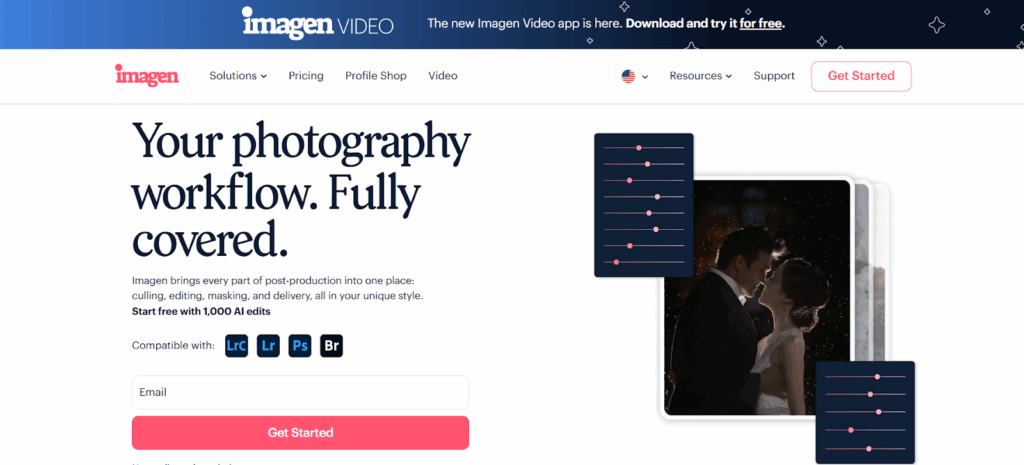
Imagen addresses the core challenges of real estate photography—Dynamic Range, Perspective, and Color—using advanced machine learning models. It does this while integrating directly into your existing software ecosystem, specifically Adobe Lightroom Classic, Lightroom, Photoshop, and Bridge.
Solving Dynamic Range with HDR Merge
Imagen tackles the bracketing challenge with its dedicated HDR Merge tool. This is a specific capability within the app designed for high-volume architecture work.
When you upload your catalog, Imagen identifies your bracketed sets. It doesn’t just overlay them. It analyzes the luminance data in each file. It understands that the darkest exposure contains the window detail and the brightest exposure contains the shadow detail.
It merges these files into a single, balanced DNG or JPEG. The AI is trained to avoid the “halo” effect often seen in bad HDRs. It produces a natural, clean base image that retains the view through the windows while keeping the interior bright and inviting. This happens automatically in the cloud processing stage. You do not need to manually stack or merge a single file.
Automating Geometry with Perspective Correction
We discussed the pain of fixing verticals manually. Imagen solves this with its Perspective Correction tool.
The AI analyzes the lines in the image. It distinguishes between architectural structural lines (walls, door frames, windows) and furniture lines (couches, rugs). It knows that walls should be straight up and down.
It applies the necessary transform adjustments to straighten the image. This feature is incredibly reliable. It ensures that every single image you deliver looks structurally sound. You save hours of tedious manual alignment. This capability transforms a technical chore into an automated background process.
Mastering the View with Window Pull
Windows sell homes. Agents always want the view to be clear. Traditionally, this required the “window pull” technique involving manual masking.
Imagen includes a sophisticated Window Pull capability. The AI detects the window areas in your frame. It identifies that these areas are likely overexposed in the base image. It then intelligently pulls data from the darker exposures (if you shot brackets) or recovers highlight detail to reveal the view.
This is significant because it mimics a high-end manual editing technique. The result is a window that looks clear and vibrant, not blown out white. It adds a premium feel to your listing photos without requiring you to touch a brush tool.
Perfecting the Exterior with Sky Replacement
You cannot control the weather, but you have to deliver blue skies. Imagen features a robust Sky Replacement tool.
This tool uses semantic segmentation to understand the image. It knows what is “sky” and what is “house,” “tree,” or “power line.” It masks out the gray, overcast sky and replaces it with a commercially appropriate blue sky.
Crucially, it adjusts the lighting of the foreground to match. It might warm up the house slightly to match the sunny look of the new sky. This integration ensures the photo looks realistic, not like a cut-and-paste job. This capability saves you from having to reschedule shoots due to bad weather.
The Power of the Personal AI Profile
The core of Imagen is the Personal AI Profile. This is what separates it from generic presets. A preset applies the same math to every photo. +50 Exposure. -20 Highlights. This doesn’t work in real estate because every room has different lighting.
Imagen learns. You feed the system about 3,000 of your previously edited photos. These are photos you edited manually to your exact standards.
The AI analyzes your editing decisions. It learns:
- “When the room is dark, they bump exposure by 1.5 stops.”
- “When there are mixed tungsten lights, they shift the white balance blue and desaturate orange.”
- “They like their grass to be vibrant but their walls to be neutral.”
It builds a profile that mimics your brain. When you send a new project to Imagen, it applies your style to every photo. It adjusts each image individually based on its specific lighting conditions, just like you would. This ensures consistency across your entire portfolio. Whether you shot the home or an associate photographer shot it, the final edit looks like your brand.
For photographers who don’t have 3,000 photos yet, Imagen offers Talent AI Profiles. These are pre-trained profiles built by industry-leading real estate photographers. Profiles like “Elegant Home” or “Clean & Crisp” give you an immediate, professional starting point. You can use these profiles and then tweak them over time to evolve them into your own personal style.
Step-by-Step Workflow: Using Imagen for Real Estate
Let’s walk through the practical workflow of using Imagen for a real estate shoot. This assumes you are using Adobe Lightroom Classic, the industry standard.
Step 1: Ingestion and Organization
Import your raw files into Lightroom Classic. Organize them into a folder structure that works for you (e.g., Address_Date).
Step 2: Culling with Culling Studio
Before you edit, you must cull. You need to remove the test shots and select the best brackets. Imagen integrates Culling Studio directly into the desktop app.
Open Imagen and create a “Culling” project. Point it to your Lightroom catalog. The AI groups your brackets automatically. Instead of seeing 500 images, you see 100 “stacks.” You can quickly review these stacks. The AI flags blurry images or shots where the flash didn’t fire. You confirm your selections. This process is vastly faster than culling in Lightroom because Imagen’s previews load instantly.
Step 3: Sending to Edit
Once culled, you move straight to the “Edit” phase within the same app. You select your AI Profile (Personal or Talent).
You then select the specific AI tools you need for this project:
- HDR Merge (essential for brackets).
- Perspective Correction (essential for interiors).
- Sky Replacement (if it was a cloudy day).
- Color Correction (standard).
You hit “Upload.” Imagen uploads the lightweight Smart Previews to the cloud. This is much faster than uploading huge RAW files to an outsourcer.
Step 4: The Coffee Break
Processing happens in the cloud. For a standard real estate project, this takes minutes, not hours. You can go make a coffee or answer emails. You do not need to babysit the computer.
Step 5: Review and Download
Imagen notifies you when the edits are ready. You click “Download to Review.” The app downloads the metadata (XMP files) directly to your local folder.
You open Lightroom Classic. The edits appear instantly. The brackets are merged. The walls are straight. The colors are correct.
Step 6: Final Polish and Export
You do a quick pass. Maybe you tweak the exposure on one dark bedroom. Maybe you adjust the crop on the front exterior. Because Imagen did 90% of the work, you are just polishing.
Imagen allows you to update your profile with these tweaks. You upload the final edits back to the system, and your Personal AI Profile gets smarter for the next job.
Finally, you export your JPEGs for delivery. Imagen even integrates with delivery platforms, smoothing the handoff to your client.
Operational Efficiency: The Business Case
Why switch to this workflow? It comes down to two metrics: Time and Money.
Time Savings
Manual editing a listing takes 90 minutes. Outsourcing takes 15 minutes of management plus a 24-hour wait. Imagen editing takes about 10 minutes of active management time. The processing happens while you do other things. You get the results back almost immediately. This allows you to deliver “Same Day” service without working late nights. Speed is a massive competitive advantage in real estate. Agents love getting photos back quickly because it lets them list the property sooner.
Cost Reduction
Outsourcing costs between $0.80 and $1.50 per image. For a 40-image listing, that is $32 to $60. Imagen charges a fraction of that per edit. The cost is calculated per image processed, but it usually lands significantly lower than human outsourcing rates. Over a year of shooting 200 homes, this savings adds up to thousands of dollars. You are keeping more profit from every single shoot.
Scalability
When you edit manually, your income is capped by your time. You can only shoot as many homes as you can edit. When you use Imagen, that cap is removed. You can shoot three homes a day, upload them all, and have them edited by the time you wake up. It allows you to scale your volume without scaling your labor costs or your stress levels.
Conclusion
The real estate photography market is not slowing down. Agents are demanding higher quality and faster speeds. To compete, photographers must adapt. The old ways of manual blending or relying on inconsistent overseas teams are becoming obsolete.
Imagen represents the future of this workflow. It is a comprehensive post-production platform that handles the specific, complex needs of real estate photography—HDR merging, perspective control, and color accuracy—with the speed and consistency of AI. It gives you the control of a local desktop app with the power of cloud processing.
By integrating Imagen into your business, you stop being a photo editor and start being a business owner. You reclaim your time. You improve your margins. And most importantly, you deliver a consistent, high-quality product that helps your clients sell homes faster.
Frequently Asked Questions
1. Is Imagen a web-based app? No, Imagen is a desktop application that you download and install on your Mac or Windows computer. It works locally with your files and Adobe software. The heavy processing happens in the cloud, but the interface and workflow are desktop-based.
2. Does Imagen work with single exposures, or do I have to shoot HDR? Imagen works with both. While the HDR Merge tool is designed for brackets, you can apply your AI Profile and tools like Perspective Correction to single exposures. This is great for flambient workflows or simple rental listings.
3. Can I use Imagen if I don’t use Lightroom Classic? Yes, Imagen supports an Extended Adobe Compatibility workflow. It works with Adobe Bridge, Photoshop (via Camera Raw), and Lightroom (Cloud). You can upload directly from folders, and Imagen will return XMP sidecar files with the edits.
4. How does the AI know my style? You teach it. By uploading your previously edited catalogs (about 3,000 photos), Imagen analyzes your editing patterns. It creates a Personal AI Profile that mimics your decisions on exposure, color, and contrast.
5. What if I don’t have 3,000 edited photos? You can start immediately with a Talent AI Profile. These are profiles created by top real estate photographers. You can also use a Lite Personal AI Profile, which requires fewer images (or a preset) to get started.
6. Does the Sky Replacement tool work on cloudy days? Yes. The Sky Replacement tool is specifically designed to detect gray or blown-out skies and replace them with realistic blue skies. It handles complex masking around trees and rooflines automatically.
7. Can I tweak the edits after Imagen is done? Absolutely. Imagen is non-destructive. It applies settings to your RAW files in Lightroom. You can adjust exposure, white balance, or any other slider just as if you had applied a preset.
8. Does the Window Pull feature require manual masking? No. The Window Pull feature in Imagen uses AI to detect windows and balance the exposure automatically. It recovers the view without you needing to paint masks manually.
9. How fast is the turnaround time? It is very fast. A typical real estate project processes in minutes. You do not have to wait overnight for your photos.
10. Is my data secure? Yes. Imagen takes security seriously. Your photos and data are processed securely in the cloud. You can also use the Cloud Storage feature to backup your high-resolution images.
11. Can I use Imagen on multiple computers? Yes, you can install the Imagen app on multiple machines. However, for the smoothest workflow, it is best to manage a specific project (culling, uploading, reviewing) on a single machine to avoid file path issues.
12. Does Imagen help with culling? Yes. Imagen includes Culling Studio, which uses AI to group brackets and identify blurry or bad shots. It streamlines the selection process before you even start editing.
13. What happens if I am not happy with the results? You have full control. You can tweak the photos in Lightroom. You can then upload those final tweaks back to Imagen to “Fine-tune” your profile. This teaches the AI your preferences, so it gets smarter and more accurate with every project you edit.