

Photo culling software for fashion photographers: A Complete 2026 Guide
Table of contents
- What Culling Actually Means for a Fashion Shoot
- The Features That Matter for Editorial and Lookbook Work
- Imagen: Cull the Take, Then Grade the Whole Set in One Flow
- Where Culling and Grading Hand Off to Specialized Retouching
- Handling Soft Frames, Detail Recovery, and Merged Exposures
- Building a Fast Fashion Culling and Editing Workflow
- Frequently Asked Questions
- What is photo culling software for fashion photographers?
- Can culling software pick the best pose and expression for me?
- Does culling software also retouch skin for beauty and fashion work?
- How much does Imagen cost, and is there a free trial?
- Will culling software fix soft or out-of-focus fashion frames?
Fashion shoots do not have a volume problem so much as a decision problem. A single editorial look can burn through 300 frames of nearly identical poses, and a full-day campaign with three looks, two models, and a moving light setup can leave you staring at 4,000 raw files by wrap. Photo culling software for fashion photographers exists to make that first ruthless pass fast, so you spend your energy choosing the one frame where the pose, the expression, and the fabric all land at once, instead of scrolling burst after burst. This guide walks through what culling software actually does for fashion work, how to pick a tool that fits your genre, and where automated culling and batch editing hand off to the more specialized retouching steps that beauty and fashion demand.
We will start with what “culling” means in a fashion context, move through the features that matter for editorial and lookbook work, and then look at how Imagen fits as a batch-first culling and grading layer. Along the way we will be honest about the jobs culling software does not do, because heavy skin work, compositing, and detail recovery are separate crafts with their own dedicated tools.
What Culling Actually Means for a Fashion Shoot
Culling is the process of narrowing a large take down to the selects worth editing. In many genres that is mostly about tossing blinks and misfires. Fashion is more demanding, because your near-duplicates are genuinely close. Across a burst of the same look, the model shifts a shoulder, the hair moves, the fabric catches the light differently, and the expression opens or closes by a fraction. Your job is not just to delete the obvious rejects. It is to compare a wall of strong frames and pick the best pose and expression for each look.
Good culling software supports that decision instead of replacing it. It groups near-identical frames together, flags the technically sound captures over the soft or badly exposed ones, and lets you rate, color-label, and filter at speed. The goal is to get from a full card to a tight select set without your eyes glazing over halfway through. For fashion, the frames that survive the cull then move into grading and retouching, so a clean, fast cull sets up everything downstream.
The Features That Matter for Editorial and Lookbook Work
Not every culling feature earns its keep in fashion. A few are close to essential. Fast, full-resolution preview matters, because you cannot judge a catchlight or a stray hair on a tiny thumbnail. Burst grouping matters, since it collapses those runs of similar poses into a single stack you can compare side by side. Reliable focus and sharpness detection helps you skip the frames where the eyes drifted soft, which is easy to miss at speed and painful to discover after you have already retouched the shot.
Rating and filtering flexibility rounds out the list. You want to flag your hero frames, mark the maybes, and hide the rejects, then hand only the keepers to your editing pipeline. For a lookbook where each product needs one clean, consistent frame, that filtered select list becomes the shot list for retouching. The less time you spend building it, the more time you keep for the parts of fashion work that genuinely need a human eye.
Imagen: Cull the Take, Then Grade the Whole Set in One Flow
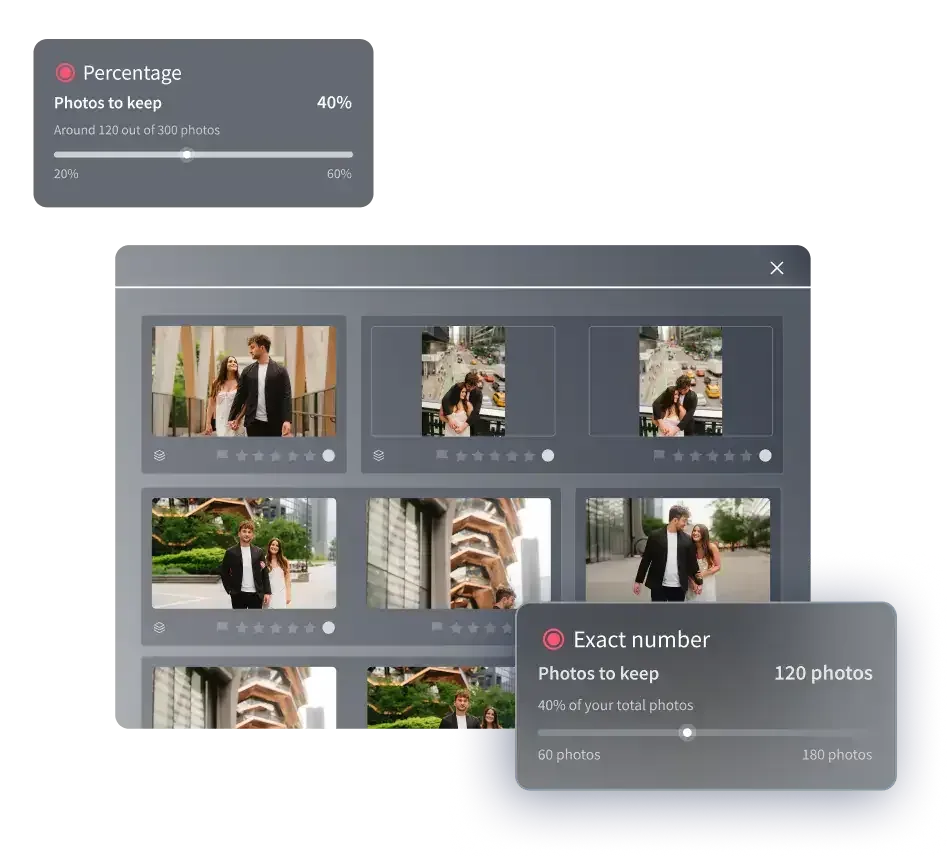
Imagen is a desktop app for Mac and Windows built for photographers who deliver whole shoots rather than single hero images. You download and install it, and the AI processing runs in the cloud, which matters when you are turning around an editorial or a campaign on a tight deadline. For fashion, its value shows up in two connected steps: culling the take, then applying a consistent grade across every frame that survives. You can use AI culling or skip it and cull manually for free, and AI filters such as blur and closed eyes help you narrow the shoot further.
The AI culling pass narrows those runs of near-duplicate poses, so the burst of a dozen almost-identical frames gets stacked and thinned before you spend a minute scrolling. You still make the final call on which pose and expression wins each look, but you make it against a shortlist instead of a wall. Then your Personal AI Profile applies color correction, exposure balancing, and white balance in your own consistent style across the entire select set. A look shot in window light and a look shot under strobes come back reading as one coherent story rather than a patchwork, which is exactly what an editorial spread or a lookbook needs. Imagen reports that the first batch finishes in under 10 minutes, so a large campaign gallery moves from raw to graded in a single short pass. Where individual frames need extra attention, the AI Assistant covers object removal and background or plate blur on a per-photo basis. You can see how the batch flow works, and try Imagen’s new Studio where you cull, edit and export in one project, on the Imagen site.
Pricing is pay-as-you-go, a monthly base fee plus a charge for the photos you export. Exploring Imagen’s tools is free, so you can run a real look through the cull and grade before you commit, and you pay only when photos leave Imagen. Two honest limits belong here. Imagen does not sharpen or deblur a soft capture, and it does not replace an entire background or run frequency-separation skin work. It culls, grades, and finishes what your camera actually recorded, and for volume and consistency across a fashion take, that is a strong fit.
Where Culling and Grading Hand Off to Specialized Retouching
Fashion is one of the genres where editing does not end at a consistent grade. High-end beauty and skin retouching, frequency separation, and compositing are their own crafts, done frame by frame, and they sit downstream of the cull and the batch grade rather than inside them. A dedicated skin-retouching tool that automates blemish cleanup, dodge and burn, and skin texture gives a retoucher a strong starting point they refine by hand. That work belongs to the one or two hero frames you pull from each look, not to the whole gallery.
The clean way to think about it is a pipeline. Cull the take to your selects, batch-grade the full set for a consistent look, then hand the chosen hero frame to a specialist skin retoucher or a layer-based compositor for the finishing that a magazine cover or a campaign key art demands. Trying to force one tool to do all of it is where photographers lose time. Matching each step to the tool built for it is where they get it back. Culling and grading are the volume layer. Beauty retouching and compositing are the craft layer, and they stay separate on purpose.
Handling Soft Frames, Detail Recovery, and Merged Exposures
A few fashion problems fall outside culling and batch grading entirely, and it helps to know that going in. If a frame missed focus, no culling tool and no batch grade will rescue it. Recovering fine detail, reducing noise from a high-ISO capture in a dim studio corner, or enlarging a file for a large print all belong to specialized detail-enhancement tools that sharpen, denoise, and upscale within limits, and even those cannot invent focus that was never there. Correcting lens distortion or perspective on a full-length fashion frame is a geometry task for a dedicated corrective tool. And when a final image needs genuine high-dynamic-range merging from a bracketed exposure set, that is a true bracket-merge step handled by dedicated software, not something a single-frame grade performs.
None of this diminishes the value of a fast cull and a consistent grade. It just marks the boundary honestly. Culling software and batch editing carry the volume of a fashion shoot from raw to a coherent, graded select set. The soft-frame recovery, the deep skin work, the compositing, and the exposure merging are separate steps with their own tools, and a realistic workflow plans for both layers rather than pretending one tool covers everything.
Building a Fast Fashion Culling and Editing Workflow
Start with volume and genre, because those two facts point straight at your setup. Fashion is high-volume capture with high-craft finishing, so the efficient path is a batch-first cull and grade followed by targeted retouching on the selects. Run the cull to thin your near-duplicates and pick the best pose per look, apply a consistent grade across the whole select set so the story reads as one, then route your hero frames to a dedicated skin retoucher or compositor for the finishing touches.
Most working fashion photographers run more than one tool, and that is the point rather than a compromise. A batch-first tool like Imagen removes the culling and grading bottleneck and finishes the first pass in under 10 minutes, which frees your hours for the choices and the retouching that actually need a human. If your volume work spills into weddings, events, or product-heavy color work, a few neighboring guides go deeper on the parts that eat the most time. See batch photo editing software for wedding photographers, photo culling software for wedding photographers, and color grading software for wedding photography. You can also browse the full library of photography workflow tips for more on culling, batch editing, and consistent color.
What’s new in Imagen: Imagen is now an intelligent, agentic Studio for professional photographers, with culling living in one project beside editing, review and export, in any order. Use AI culling to thin the bursts, or skip it and cull manually for free, with AI filters such as blur and closed eyes to help narrow the take. The Studio is rolling out gradually as a beta.
Frequently Asked Questions
What is photo culling software for fashion photographers?
It is software that narrows a large fashion take down to the frames worth editing. It groups near-identical poses, flags technically sound captures over soft or badly exposed ones, and lets you rate and filter at speed. For fashion, where near-duplicates are genuinely close, the tool supports your decision about the best pose and expression per look rather than making that call for you.
Can culling software pick the best pose and expression for me?
It narrows the field, but the final creative call stays yours. Tools like Imagen stack and thin runs of near-duplicate frames so you compare a shortlist instead of a full burst, and they flag the technically sound captures. You still choose the frame where the pose, expression, and fabric all land, because that judgment is the part of fashion work a human eye owns.
Does culling software also retouch skin for beauty and fashion work?
No. Culling and batch grading are the volume layer, and high-end skin retouching, frequency separation, and compositing are a separate craft done frame by frame. Imagen culls and applies a consistent grade across a whole set, then you hand your hero frames to a dedicated skin-retouching or layer-based tool for the beauty finishing a campaign or cover needs.
How much does Imagen cost, and is there a free trial?
Imagen is pay-as-you-go: a monthly base fee plus a charge for the photos you export. Exploring Imagen’s tools is free, so you can run a real fashion look through the cull and the batch grade before committing.
Will culling software fix soft or out-of-focus fashion frames?
No. If a frame missed focus, culling software will help you spot and skip it, but it cannot restore focus that was never captured. Sharpening, noise reduction, and upscaling belong to dedicated detail-enhancement tools, and even those work within limits. Imagen does not sharpen or deblur at all, so a soft frame needs a specialist tool if it is worth saving.
