

Color grading software for wedding photography: A Complete 2026 Guide
Table of contents
- What color grading means in a wedding context
- Why consistency across a full wedding is the real challenge
- What to look for in color grading software for weddings
- Building a reusable style profile for your weddings
- Where Imagen fits: batch color and tone grading for the whole shoot
- What color grading software does not fix
- A practical wedding color grading workflow
- How to choose the right tool for your weddings
- Frequently Asked Questions
- What is the best way to keep color consistent across a whole wedding?
- Can color grading software fix a blurry or out-of-focus wedding photo?
- How much does Imagen cost, and is there a free trial?
- Does color grading software work directly from RAW files?
- Should I use one tool or several for wedding color grading?
Color grading software for wedding photography exists to solve one specific problem: a single wedding is shot across many rooms, many light sources, and many hours, yet the gallery you deliver has to look like one continuous story. Ceremony light in a shaded garden, cocktail hour under warm bulbs, a first dance lit by moving LEDs, and a bright morning of getting ready all land on the same card, and the couple expects them to feel like one cohesive set. The right software lets you define a look once and carry that color and tone across every frame, so the whole day reads as a single, deliberate style rather than a patchwork of separate edits.
This guide walks through what color grading actually means for wedding work, why consistency is the hard part, what to look for in the software, and how a batch-first tool fits alongside the specialist apps you already know. The goal is a practical workflow you can run on your next wedding without spending the weekend at your desk.
What color grading means in a wedding context
Color grading is the deliberate shaping of color and tone to give a set of images a signature look. It is broader than a quick white balance fix. It covers how skin tones render, how warm or cool the shadows sit, how greens and whites behave in a garden or a ballroom, and how much contrast and lift you carry through the highlights. For weddings, grading is what turns a technically correct exposure into your recognizable style, the reason a couple hired you after seeing your portfolio.
The distinction that matters for software is between per-image color correction and a repeatable grade. Correcting one frame is easy in any editor. The challenge in wedding photography is applying that same intent to eight hundred or two thousand frames without hand-tuning each one, and without your look drifting as the light changes from ceremony to reception. Color grading software for wedding photography is judged on how well it holds a consistent grade across that entire range.
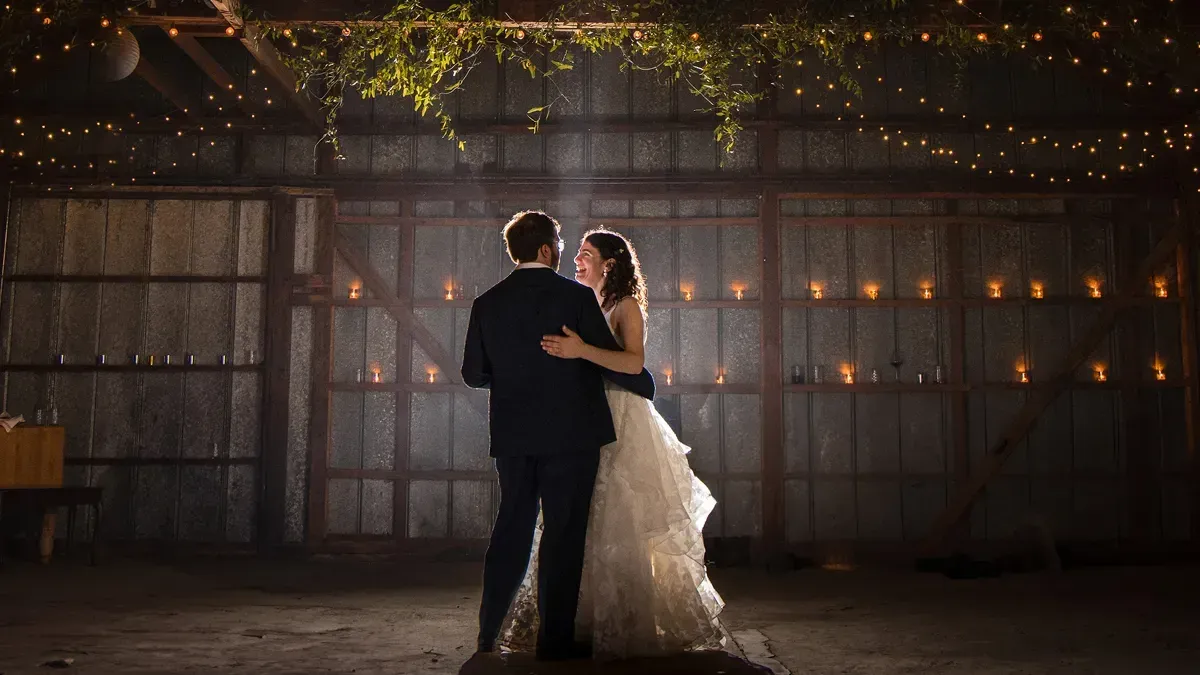
Why consistency across a full wedding is the real challenge
A wedding is a moving target for color. You start in soft window light during preparations, move to open shade or harsh sun for the ceremony, walk into mixed tungsten and daylight for the reception, and finish under colored uplighting on the dance floor. Each of those environments pushes white balance and skin tone in a different direction. If you grade each block in isolation, the gallery ends up looking like several different photographers shot it.
Manual grading can absolutely solve this, but it costs hours you rarely have during peak season. Copying settings from one frame to a hundred others breaks down the moment the light shifts, because a grade tuned for warm reception bulbs will look wrong on a shaded ceremony frame. This is exactly where software that learns and reapplies your intent, rather than just copying flat slider values, earns its place. The best tools adapt your look to each frame’s starting point while keeping the overall style constant, so the shaded ceremony and the tungsten reception come back looking like one gallery.
What to look for in color grading software for weddings
A few capabilities separate software that genuinely speeds up wedding grading from software that just relabels a basic filter. Weigh these against the way you actually shoot and deliver.
First, look for reusable style profiles. You want to define your look once and apply it to any future wedding, so your grade becomes a repeatable asset rather than a fresh decision on every gallery. Second, look for true batch application across a whole shoot, with the grade adapting per frame instead of pasting identical numbers. Third, prioritize full RAW support, because grading from RAW gives you the color latitude that skin tones and white dresses demand. Fourth, favor a workflow that folds culling and grading together, since narrowing thousands of frames is half the wedding backlog. Finally, consider whether the tool is a cloud web app or a heavy local install, because a browser-based tool lets you start grading without tying up your machine.
Building a reusable style profile for your weddings
The most valuable thing you can do for your wedding workflow is turn your look into a reusable style profile. Instead of rebuilding a grade from scratch on every gallery, you teach the software your preferences once, then apply that same profile to each new wedding. Your warm, film-inspired skin tones or your clean, editorial neutrals become a consistent signature that clients recognize before they even see your name.
A good style profile carries the decisions that define your brand: how you handle white balance in mixed light, how you render caucasian and darker skin tones fairly, how bright you keep a wedding dress without clipping detail, and how much you lift the shadows. Once that profile exists, grading a new wedding becomes a matter of applying it and reviewing the results, not starting over. That shift, from grading each gallery by hand to applying a saved look at scale, is where most wedding photographers recover their evenings.
Where Imagen fits: batch color and tone grading for the whole shoot
Imagen is a desktop app for Mac and Windows built for photographers who deliver whole shoots, which makes it a natural fit for wedding grading at scale, and its new Studio lets you cull, edit and export in one project. You download and install it, and the AI processing runs in the cloud. You point it at a full wedding, and it goes to work on the entire set rather than one frame at a time.
The core of Imagen is batch color and tone grading in your own consistent style. It applies color correction, exposure balancing, and white balance across every frame, adapting to each image’s starting light while holding your overall look constant. A ceremony shot in open shade and a reception shot under warm tungsten come back looking like one coherent gallery. You build that look into a reusable style profile, so the grade you love on this wedding is the grade you apply to the next one. Ready-made AI Profiles are there too, and more than one can be applied to a selected set of photos, which takes some processing time. Culling runs in the same flow, narrowing the bursts of near-identical frames before you spend time scrolling, and Imagen works directly from RAW. The first batch finishes in under 10 minutes, which is the difference between delivering this week and editing all weekend. When a single frame needs individual attention, the AI Assistant handles per-photo finishing such as object removal and background blur.
Pricing is pay-as-you-go: a monthly base fee plus a charge for the photos you export, and you see every edit in the gallery first, so you can grade a real wedding before you commit. It is worth being clear about the lane: Imagen grades and finishes what your camera recorded and holds your style across the set. It does not generate images from scratch or rescue a soft capture, which is the right expectation to set for any grading tool.
What color grading software does not fix
Grading shapes color and tone, but it is not a repair tool, and it helps to know where the boundary sits so you route the right frame to the right software. A grade will not restore focus on a soft or missed-focus frame, and it will not sharpen or deblur a capture that was never crisp. It also will not clean up heavy high-ISO noise or upscale a small crop for a large print. Those jobs belong to a dedicated detail-enhancement tool built for sharpening, denoising, and upscaling.
A few other tasks sit outside grading as well. Deep skin retouching on a hero portrait, the frequency-separation work that beauty and editorial images sometimes need, belongs in a dedicated retouching tool applied frame by frame. Full background replacement or complex compositing belongs in a layer-based editor. True HDR merging, where you blend a bracketed set into a single high-dynamic-range frame, is a separate bracket-merge step rather than a color grade. Distortion, perspective, and geometry correction are their own category too. A realistic wedding workflow grades and culls the whole set first, then sends the rare frame that needs deblurring, heavy retouching, or a composite to the specialist tool built for that job.
A practical wedding color grading workflow
Here is how the pieces fit together on a real wedding. Start by importing the full RAW set and running culling to narrow the near-duplicate bursts, so you are only grading the frames you intend to keep. Next, apply your reusable style profile as a batch grade across the whole gallery, letting the software adapt your look to the shaded ceremony, the mixed-light reception, and the bright preparations while keeping the style constant. Review the results as a set, checking that skin tones and the wedding dress read consistently from block to block.
With the gallery graded and coherent, move to exceptions. Pull the handful of frames that need per-photo finishing, an object removed from the background, a plate blurred, a twilight sky, and handle those individually. For simple manual tweaks, the built-in editor (Beta) offers sliders, crop and presets. Finally, route the true outliers to specialist software: the one frame you want to retouch heavily for the album cover, or the shot that needs sharpening. Grading the whole set first means those specialist steps are a short list, not the entire evening. That sequencing, batch grade and cull first, specialist work last, is what keeps a wedding turnaround measured in hours rather than weekends.
How to choose the right tool for your weddings
Start with your volume and how much of your look you want to systematize. If you shoot full weddings and want one consistent style applied fast across the whole gallery, a batch-first tool that builds reusable style profiles and works from RAW removes the real bottleneck and finishes the first pass quickly. If your priority is one immaculate hero portrait, a dedicated retouching tool rewards the time you invest per frame. If your problem is a soft or noisy capture, only a dedicated sharpening and upscaling tool addresses it, and even then within limits.
Most working wedding photographers end up running two tools rather than one. A common setup pairs a batch grading and culling tool for the fast, style-consistent pass across the whole wedding, then hands the rare frame that needs deep retouching, a composite, or heavy sharpening to a specialist app. The point is not to crown a single winner. It is to match each tool to the job it does best, and to stop paying for the hours your current grading routine wastes.
If weddings are your core work, a few related guides go deeper on the parts that eat the most time. See batch photo editing software for wedding photographers and photo culling software for wedding photographers. If you also shoot portraits, batch photo editing software for portrait photographers covers the same ideas for studio and location sessions. You can also browse the full library of photography workflow tips for more on batch editing, culling, and consistent color.
What’s new in Imagen: Imagen has grown into an intelligent, agentic Studio for professional photographers, with culling, editing, review and export together in one project, in any order. For wedding color, grade in your own style with a Personal AI Profile learned from your past edits, or start from a ready-made AI Profile. The Studio is rolling out gradually, starting as a beta.
Frequently Asked Questions
What is the best way to keep color consistent across a whole wedding?
The most reliable approach is to define your look once as a reusable style profile, then apply it as a batch grade across the entire gallery. Software that adapts your grade to each frame’s starting light, rather than pasting identical slider values, keeps a shaded ceremony and a warm-tungsten reception looking like one coherent set. Building the style once and reapplying it on every wedding is what holds your color consistent at scale.
Can color grading software fix a blurry or out-of-focus wedding photo?
No. Color grading shapes color and tone, but it cannot restore focus that was never captured, and it will not sharpen or deblur a soft frame. Those jobs belong to a dedicated detail-enhancement tool built for sharpening, noise reduction, and upscaling, and even those tools work within limits. A grading tool is for the look of your gallery, not for rescuing a missed-focus capture.
How much does Imagen cost, and is there a free trial?
Imagen’s pay-as-you-go plan pairs a monthly base fee with a charge for the photos you export. You see every edit in the gallery before you export, so you can grade a real wedding before you pay for any export, and the pricing page has the current rates. Imagen also offers a free trial.
Does color grading software work directly from RAW files?
The stronger tools do, and RAW support matters for weddings because it gives you the color latitude that skin tones and white dresses demand. Grading from RAW lets you recover highlight detail in a bright dress and balance mixed light without breaking skin tones. Imagen works directly from RAW and applies your grade across the full shoot in one batch.
Should I use one tool or several for wedding color grading?
Many professionals use two. A batch grading and culling tool handles the consistent look across the whole wedding, while a specialist tool takes on deep local retouching, complex compositing, or heavy sharpening when a single frame needs it. Grade and cull the full set first, then route the rare outlier to the specialist app, so your turnaround stays measured in hours rather than weekends.

