
25 Best Free Lightroom Presets for Photographers in 2026
Table of contents
- Key Takeaways
- Selection Criteria for 2026 Presets
- Imagen: The Evolution of the “Preset”
- Adobe Creative Cloud “Early Access” Presets
- FixThePhoto: Cinematic Collection
- BeArt Presets: Wedding & Portrait Starter Pack
- Northlandscapes: Dark & Moody Nature Presets
- Greater Than Gatsby: The Clean Edit
- Preset Love: The Vintage Film Vault
- Luxe Lens: Social Media Influencer Pack
- Shutter Pulse: The HDR Collection
- Photonest: Minimalist Black & White
- Comparison of Top Free Lightroom Preset Providers
- The next step after free presets: AI Profiles
- Final Recommendation: Which Free Preset is Right for You?
- Frequently Asked Questions
- Are free Lightroom presets safe to download?
- What is the difference between .XMP and .DNG preset formats?
- Do these free presets work on the mobile version of Lightroom?
- Why does a preset look different on my photos than in the preview?
- How do AI-adaptive presets differ from traditional ones?
- Can I use these free presets for commercial photography work?
- Why should I use Imagen instead of standard free presets?
- Keep exploring
RAW files pile up fast. You want that signature editorial look, but nobody wants six hours tweaking sliders for a single gallery.
Want to cut hours off your workflow? Try Imagen free with 1,000 photos and see the difference for yourself.
That’s exactly why free Lightroom presets look so appealing. Let’s be honest, though: most free packs are junk that wreck skin tones and blow out highlights. Below, we’ll separate the clutter from the tools that genuinely save time in 2026.
Key Takeaways
- AI adoption keeps climbing - 74% of professional photographers in 2026 rely on AI tools to speed up their post-production.
- XMP now dominates - 92% of modern presets ship in the .XMP format rather than the older .lrtemplate style.
- Time savings add up fast - premium presets can cut post-processing time by 50% to 70% for event shooters.
- Adaptive presets win out - 62% of modern creators favor smart presets that auto-adjust exposure over static filters.
- Mobile use keeps growing - Lightroom Mobile has passed 100 million downloads, driven by demand for DNG presets.
- The clearest path forward - moving to an AI-assisted engine like Imagen processes files in under 0.5 seconds.
- A step past free presets - Imagen’s Profile Shop has AI Profiles from working photographers that adjust to each photo instead of applying fixed sliders.

Selection Criteria for 2026 Presets
You can’t grab some random zip file from a decade ago and expect it to look right on modern camera sensors. The math behind color science has changed completely. Adobe Lightroom currently holds a commanding 38% of the global photo editing software market share, and the way we edit has evolved right along with it.
Importing old, bloated preset files slows your machine down and clutters your catalog. Here’s how to judge whether a free pack earns its spot on your hard drive in 2026.
- Check the format first. Confirm the preset uses the modern .XMP standard, since 92% of modern Lightroom presets now ship in .XMP format instead of the older .lrtemplate style.
- Look for AI masking integration built around Lightroom’s local adjustments. Lightroom Classic can target skies and subjects with 95% accuracy, and a good preset should build on that foundation.
- Watch skin tone calibration closely and avoid presets that distort it. Professional-grade packs protect individual color channels so skin still looks natural.
- Check for adaptive exposure and make sure the preset isn’t purely static. In 2026, 62% of photographers prefer AI-adaptive presets that read your photo’s metadata and balance exposure and temperature automatically.
The Shift to AI-Adaptive Presets
Why the shift away from static filters? Simple: every photo gets shot under different lighting conditions. A preset tuned for golden hour will crush your shadow detail the moment you apply it to a bright midday portrait. AI-adaptive presets fix this by scanning the raw metadata first, then applying corrections that keep your workflow fast.
The global photo editing software market is projected to reach $1.5 billion by 2030, and smart, adaptive technology is driving nearly all of that growth. Editors who don’t adapt their preset choices now risk falling behind faster competitors.
Imagen: The Evolution of the “Preset”
Here’s the problem: traditional presets are a blunt instrument. They apply identical static adjustments to every image no matter how it was shot. That’s exactly where Imagen changes the equation.
It isn’t a collection of filters at all. It’s a cloud-based AI photo editing assistant that studies your actual work and builds a Personal AI Profile from it. The system learns your unique editing style straight from your Lightroom catalog and applies it back with striking speed.
How fast are we talking? Under 0.5 seconds per photo. That explains why 74% of professional photographers now lean on AI-powered tools to protect their schedules and claw back their free time.
Key Features of Imagen
- Personal AI Profiles - trained on your past edits (Imagen recommends at least 5,000 photos) to match your exact style.
- Talent AI Profiles - instant access to pre-built editing styles created by top-tier photographers.
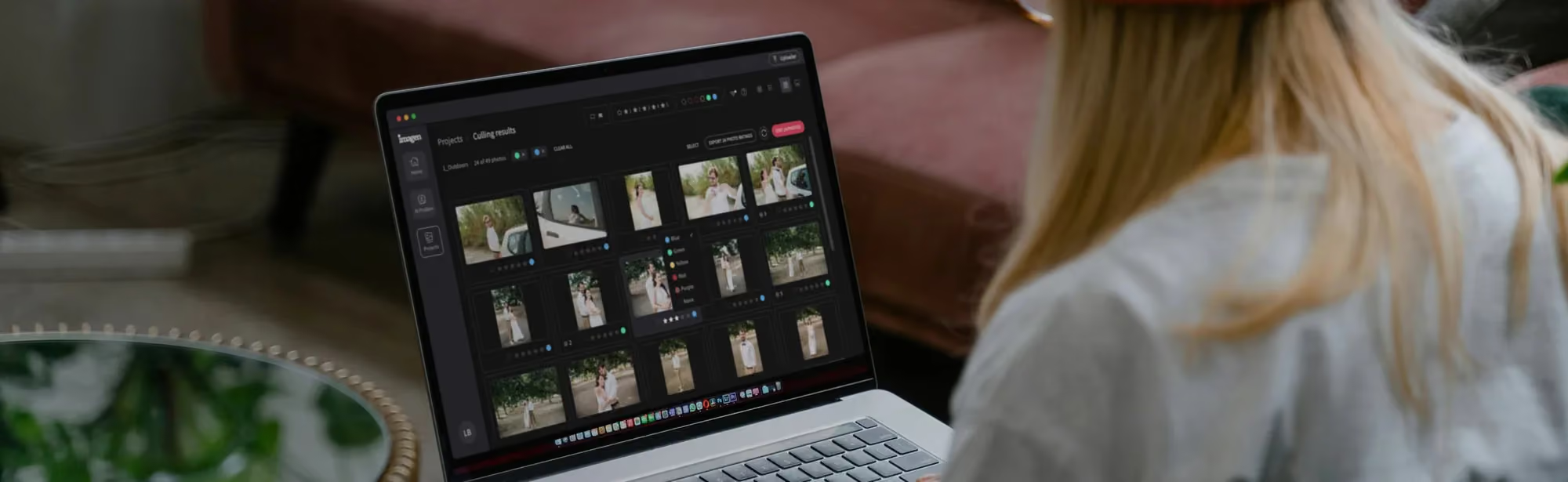
- AI Photo Culling - automatically filters out duplicates, blurry frames, and closed eyes within minutes.
- Automated AI Tools - handles subject masking, cropping, straightening, and perspective correction on the fly.
- Cloud Storage - keeps your work safe with secure, dedicated backup plans starting at low monthly rates.
Pricing Options
Getting started with Imagen is simple and flexible. You’ll get free edits the moment you sign in, so you can feel the speed firsthand with zero upfront cost. For full pricing details, check the official Imagen pricing plans:
- Pay-as-you-go - just $0.08 per photo, with a low $7 monthly minimum.
- Explorer Plan - a flat $49 to $59 per month for 1,000 photos.
- Pro Plan - $139 to $169 per month for 3,000 photos, including one AI Profile plus unlimited culling.
- Limitless Plan - $219 to $279 per month for fully unlimited editing.
Pros
- Editing speed that hits 0.5 seconds per photo.
- Consistent, professional results even across wild lighting shifts.
- Keeps improving automatically as it learns from your manual tweaks.
Cons
- Needs an active internet connection since files process in the cloud.
- The pay-per-photo model can feel steep for pure hobbyists shooting low volume.
AI isn’t replacing the photographer’s eye, it’s scaling it. If you’re still adjusting exposure frame by frame in 2026, you’re falling behind competitors who’ve already moved to smart workflows.
Itamar Haim, SEO Expert and Digital Strategist specializing in search optimization and content marketing.
Verdict: For professionals who value their time, this is about as close to the ultimate post-production workflow as it gets. It removes the need for old-school static presets entirely.
Adobe Creative Cloud “Early Access” Presets
Adobe knows modern photographers demand speed, which is exactly why they’ve built premium presets directly into Lightroom for immediate access to professional styling. Adobe’s Digital Media segment, which includes Lightroom, generated $14.22 billion in revenue in fiscal year 2023, and the company has funneled a good share of those resources into AI development.
These aren’t typical cheap filters. They tap the platform’s AI engine to target specific elements within your photo.
Key Features
- Adaptive Subject - detects the main subject automatically and applies targeted exposure and clarity boosts.
- Adaptive Sky - darkens skies instantly and adds dramatic color with 95% mask accuracy.
- Portrait Enhancements - smooths skin, whitens teeth, and brightens eyes in a single click.
- Curated Artist Packs - exclusive collections built by leading photographers worldwide.
Pricing
These presets are entirely free if you already carry an active Adobe subscription. They’re bundled directly into the $11.99/month Creative Cloud Lightroom plan, so there’s nothing extra to buy.
Pros
- Zero installation or importing steps required.
- Rock-solid performance since they’re built directly into the Adobe engine.
- Processes raw data with maximum efficiency.
Cons
- Limited style count compared to third-party marketplaces.
- Highly generic, since thousands of other photographers apply the exact same looks.
- Locks you into an ongoing monthly Creative Cloud subscription.
Verdict: An excellent starting point for clean, reliable edits without touching a single third-party download.
FixThePhoto: Cinematic Collection
Chasing a moody, cinematic film vibe? FixThePhoto is a massive resource for that. They stock a huge library of freebies aimed at street photographers, travel bloggers, and indie filmmakers.
Their cinematic pack mimics the color grading of classic Hollywood films, adding instant drama to everyday shots. It’s especially popular with mobile creators, and it’s part of what pushed Lightroom Mobile past 100 million downloads.
Key Features
- 40+ Free Presets - a huge selection of cinematic and matte styles.
- Cross-Platform Compatibility - runs smoothly on both desktop and mobile.
- DNG Files Included - easy mobile installation, no desktop computer required.
- Deep Teal and Orange - great for dramatic urban and street scenes.
Pricing
The cinematic pack is 100% free to download, though expect a nudge toward their premium packs at checkout.
Pros
- Rich, moody color grading that makes flat raw files pop.
- Saves a ton of time on manual split-toning.
- Solid support for mobile-only workflows.
Cons
- The download site is heavily cluttered with ads.
- Some presets are heavy-handed and need real exposure adjustments to tame.
- Doesn’t protect skin tones well in harsh lighting.
Verdict: A strong, cost-free option for hobbyists who want instant drama and mood in their urban street photography.
BeArt Presets: Wedding & Portrait Starter Pack
Wedding and portrait photographers have a genuinely tough job. You need soft, natural skin tones while making sure the white dress never blows out and the black tux never loses detail. That’s exactly why Portrait photography calls for highly specialized tools.
BeArt Presets offers a free starter pack that gives you a taste of their premium pastel wedding aesthetic. It’s built to soften harsh sunlight and lend everything a romantic, glowing vibe.
Key Features
- Pastel Color Palettes - softens greens and brightens highlights for a classic wedding look.
- Skin Tone Optimization - keeps skin tones natural and avoids muddy orange casts.
- Soft Glow Effects - eases back contrast to create a dreamy, romantic atmosphere.
- Non-Destructive Edits - leaves your original raw data safe and easy to adjust later.
Pricing
This starter pack is free to download and acts as a gateway to their larger commercial preset collections.
Pros
- Handles difficult midday wedding light beautifully.
- Holds onto exceptional detail in high-contrast clothing.
- Very easy to install on both desktop and mobile.
Cons
- The free pack includes just 5 presets, which limits your options.
- Can look too soft if you prefer sharp, modern contrast.
- Requires an email newsletter signup to access.
Verdict: A solid starting toolkit for new wedding and family portrait photographers chasing a soft, romantic look without spending a dime.
Northlandscapes: Dark & Moody Nature Presets
Nature and travel shots don’t always need to be bright and saturated, right? Sometimes you’re after that cold, rugged, mysterious feeling, like a foggy forest or a rocky coastline. That’s exactly where Northlandscapes shines.
These presets are tuned specifically for the cool, damp climates of northern regions. They pull warmth out of your tones and push deep greens and blues forward, giving you a recognizable aesthetic that’s great for fine-art outdoor prints.
Key Features
- Deep Forest Greens - shifts yellow-greens into rich, dark pine tones.
- Atmospheric Haze - subtle tweaks that bring out mist, fog, and low-hanging clouds.
- Desaturated Warmth - cools the whole image down while keeping subtle earthy colors intact.
- High Contrast Shadows - crushes the darks just enough for mystery, without losing all your detail.
Pricing
You get a generous free sampler pack with 15 high-quality presets pulled from their premium scene series.
Pros
- Gives you a cohesive, high-end editorial look for outdoor shots.
- Works great on cloudy, overcast days when the light’s flat.
- Saves you hours of manual HSL color wheel fiddling.
Cons
- Not a good fit for sunny outdoor photos or colorful cityscapes.
- Can turn muddy fast if your exposure isn’t dialed in.
- Doesn’t offer any adaptive AI masking for skies.
Verdict: A gold standard for travel and adventure photographers chasing that cold, moody aesthetic.
Greater Than Gatsby: The Clean Edit
If you’ve been shooting professionally for a while, you’ve probably heard of Greater Than Gatsby. They’re one of the biggest names in the preset space, and the premium preset market is now valued at over $150 million annually. Their free sampler pack pulls selections straight from their legendary Clean Edit collection.
This pack is all about clean colors, bright whites, and realistic skin tones. It sits at the opposite end of the moody trend, aiming instead for something timeless, clean, and classic.
Key Features
- One-Click Brightening - lifts shadows and brightens midtones without blowing out your highlights.
- Vibrant Color Boost - adds clean saturation to primary colors while keeping skin tones safe.
- Classic Contrast curves - mimics the look of high-end editorial print magazines.
- Universal Compatibility - works flawlessly across every modern version of Lightroom Classic and CC.
Pricing
The sampler pack is completely free, and it’s basically a friendly introduction to their premium collections.
Pros
- Delivers clean, true-to-life colors that won’t ever go out of style.
- Great for high-volume commercial, school, and corporate portraits.
- Excellent skin tone mapping straight out of the box.
Cons
- Can feel a little too safe or vanilla if you want something artistic and moody.
- The free pack only gives you a handful of utility presets.
- Doesn’t include localized AI masks for quick background adjustments.
Verdict: An essential, high-quality pack if you shoot family or portrait work and want clean, reliable, timeless edits.
Preset Love: The Vintage Film Vault
Chasing the look of classic film stocks like Kodak Portra or Fujifilm Superia has never been more popular. In fact, 68% of photographers now use mobile-specific presets to bring that consistent retro look to social media. Preset Love is a huge library built to help you nail that vintage aesthetic for free.
Their Vintage Film Vault collection mimics the grain, color shifts, and faded blacks of analog film, so your digital photos pick up a nostalgic, tactile feel.
Key Features
- Analog Color Emulation - replicates the warm tones and green shadow shifts of classic film.
- Faded Blacks - applies a nice matte curve to the shadows for that vintage look.
- Custom Grain Overlays - adds realistic film grain to mimic different ISO speeds.
- DNG & XMP Formats - fully compatible with both desktop Lightroom and Lightroom Mobile.
Pricing
This whole collection of vintage presets is 100% free to grab from their website.
Pros
- Huge selection of famous, specific analog film stock emulations.
- Gives ordinary digital shots a nostalgic, artistic depth.
- Works really well for lifestyle, fashion, and travel photos.
Cons
- Quality can swing wildly between presets in such a massive library.
- Heavy grain settings can wreck fine detail in large, high-resolution prints.
- You’ll still need to manually tweak white balance to nail the film look.
How to Install Preset Love Presets
- Download the .zip file directly from the Preset Love website.
- Open Lightroom Classic and head to the Develop module.
- In the Presets panel on the left, click the plus icon and choose Import Presets.
- Select your downloaded .zip file and hit Import to load everything in.
Verdict: A fantastic free playground if you’re obsessed with the warm, nostalgic feel of analog photography.
Luxe Lens: Social Media Influencer Pack
Creating content for Instagram, TikTok, or Pinterest? You need photos that actually stop the scroll, and that means bright colors, punchy contrast, and clean whites. Luxe Lens offers a free social media pack built exactly for that challenge.
These presets are tuned to make mobile JPG files look like they came off a professional camera body. They lean hard into trendy styles, think the famous warm “Orange and Teal” look and bright golden hour glows.
Key Features
- High-Engagement Contrast - sharpens details and boosts midtone contrast for mobile screens.
- Teal and Orange Grading - instantly creates that popular modern contrast between shadows and highlights.
- Mobile JPG Optimization - tuned specifically to edit compressed phone files without adding digital noise.
- One-Click Installation - direct-to-app options for a fast setup.
Pricing
This social media starter pack is completely free, and premium expansion packs are available on their site if you want more.
Pros
- Instantly gives your photos a trendy, modern look that lands great on grids.
- Works beautifully on compressed phone shots and quick snapshots.
- Active, helpful community support if you hit installation issues.
Cons
- Can look way over-processed when you apply it to high-end RAW files.
- The look is pretty trendy, so it might feel dated in a couple of years.
- Doesn’t include advanced local adjustments or subject masks.
Verdict: A must-have for content creators, social managers, and mobile photographers chasing high-impact, scroll-stopping looks.
Shutter Pulse: The HDR Collection
Real estate, architecture, and interior photography share one major challenge: wild dynamic range. Picture a bright, sunny window next to a dark, shadowy corner in the same room. Shutter Pulse built its free HDR collection to solve exactly that problem.
Instead of shooting multiple exposures to merge later, use these presets to simulate a high dynamic range look from one single RAW file. They pull detail back from deep shadows and bright skies, so you end up with a balanced, dramatic image.
Key Features
- Shadow Recovery - lifts dark shadow areas automatically to reveal hidden detail.
- Highlight Control - pulls down bright highlights to recover detail in skies and windows.
- Clarity and Texture Boost - enhances structural detail, making brick, wood, and stone pop.
- Lens Correction Integration - works alongside Lightroom’s built-in lens profile corrections.
Pricing
Shutter Pulse gives you a generous selection of its HDR presets for free, bundled into its starter pack.
Pros
- Excellent choice for real estate photography, where light is often highly uneven.
- Saves you from shooting and merging heavy multi-bracket exposures.
- Improves dynamic range drastically in a single click.
Cons
- Can introduce noticeable noise in deeply shadowed areas of low-light shots.
- Push it too hard and it creates a fake, over-processed “HDR look” that feels unnatural.
- Needs a clean, well-exposed RAW file to get the best results.
How to Apply HDR Presets Without Overprocessing
- Start by applying the baseline Shutter Pulse HDR preset to your raw photo.
- Next, check the shadows slider right away, and pull it back slightly if you spot too much noise.
- Then use the clarity slider to adjust edge contrast until it looks realistic instead of metallic.
Verdict: A genuinely handy utility pack for architectural and real estate photographers who need to balance difficult lighting fast.
Photonest: Minimalist Black & White
There’s something timeless about a classic black and white photo. Strip away color, and you’re forced to focus on light, shadow, texture, and composition. Photonest offers a beautiful collection of minimalist black and white presets that skip the muddy gray look of basic filters.
These presets emulate the classic look of silver-gelatin prints, offering everything from soft, high-key tones to deep, dramatic, high-contrast monochrome styles.
Key Features
- Silver-Gelatin Emulation - replicates the deep, rich black tones of traditional darkroom prints.
- High-Key Options - soft, bright monochrome looks perfect for airy, minimalist portraits.
- Low-Key Contrast - deep shadows and bright highlights that emphasize texture and form.
- Custom Grain Structures - subtle grain settings that add organic texture without distracting from your subject.
Pricing
This clean black and white starter collection is entirely free, so go ahead and download it.
Pros
- Avoids the flat, muddy gray tones that ruin most basic black and white conversions.
- Highlights texture beautifully in architectural, street, and fine-art photos.
- Clean, modern curves that look genuinely professional.
Cons
- Needs excellent, deliberate lighting to look its best.
- Not a fit if you rely heavily on color storytelling.
- Doesn’t include any AI-driven subject isolation tools.
Verdict: One of the best free resources out there if you want deep, dramatic, artistic monochrome images.
Comparison of Top Free Lightroom Preset Providers
Choosing the right tool depends heavily on your daily workload and editing style. Standard presets work fine for quick, casual edits, but high-volume pros need something more efficient. Here’s how these top free options stack up against each other.
| Provider | AI Support | Processing Speed | Best Use Case |
|---|---|---|---|
| Imagen | Full (Personal & Talent AI Profiles) | Under 0.5 seconds per photo | High-volume wedding, portrait, and event professionals |
| Adobe CC Early Access | Partial (Adaptive Subject & Sky Masks) | Instant (Manual click) | Beginners and intermediate Creative Cloud subscribers |
| FixThePhoto | None (Static Preset) | Instant (Manual click) | Hobbyists exploring cinematic street photography |
| Luxe Lens | None (Static Preset) | Instant (Manual click) | Social media influencers and mobile content creators |
| Greater Than Gatsby | None (Static Preset) | Instant (Manual click) | Clean, editorial family and children portraits |
The next step after free presets: AI Profiles
Free presets are a good way to find a look you like. Their limit is the same as any preset: the same sliders on every photo, whatever the light did, so exposure and skin tones need fixing frame by frame. An AI Profile is the next step. It’s trained on a working photographer’s own edits and adjusts to each photo while keeping their style. Imagen’s Profile Shop has AI Profiles from photographers like Beba Vowels and Kindred Presets. You can try one on up to 1,000 of your own photos, and if it isn’t a fit, you get a refund.
Final Recommendation: Which Free Preset is Right for You?
Let’s be real: downloading hundreds of free presets usually just leaves you with an overloaded Lightroom and a slow computer. Skip the hoarding, and pick the tool that actually fits your workflow.
If you’re a hobbyist or social media creator editing a handful of photos a week, traditional preset packs like Luxe Lens or FixThePhoto work perfectly. They hand you instant, creative looks without costing a penny.
But if you shoot weddings, portraits, or real estate professionally, static presets will eventually hold you back. High-quality editing systems can cut your post-processing time by 50% to 70%. In 2026, 74% of professional photographers use AI-powered systems, because editing frame by frame manually simply isn’t profitable anymore.
For high-volume pros, the smartest move is switching to Imagen. It gives you the artistic control of a preset combined with the speed of a personal AI assistant. Sign up, claim your free edits, and see for yourself how much time you save on your next gallery.
What’s new in Imagen: Imagen has grown into an intelligent Studio for professional photographers, adding new tools in stages. Instead of hunting for a preset that might work, you can train a Personal AI Profile on your own past Lightroom Classic edits, then apply a different profile to just the shots that need something else, like switching a handful of frames to black and white. Learn more at Imagen.
Frequently Asked Questions
Are free Lightroom presets safe to download?
Yes, as long as you stick to reputable sources. Avoid sites that push you to install strange download managers, and look for clean .XMP or .DNG file formats instead.
What is the difference between .XMP and .DNG preset formats?
.XMP files are the modern standard for desktop versions of Lightroom. .DNG files are raw images that carry the preset data, built for easy importing into Lightroom Mobile.
Do these free presets work on the mobile version of Lightroom?
Most of them do. Many providers include .DNG files made specifically for mobile users, so you can copy and paste the editing settings directly inside the free Lightroom app.
Why does a preset look different on my photos than in the preview?
Presets get built around specific lighting and white balance settings. If your photo was shot with a different white balance or exposure, you’ll need to adjust those sliders manually after you apply the preset.
How do AI-adaptive presets differ from traditional ones?
AI-adaptive presets use Lightroom’s subject and sky detection to apply localized adjustments, so they adapt to your photo’s specific elements instead of applying one global shift.
Can I use these free presets for commercial photography work?
Almost always, yes, since most free sampler packs allow commercial use, but it’s still smart to read the license agreement in the download folder before you rely on it.
Why should I use Imagen instead of standard free presets?
Traditional presets still require you to manually tweak every photo after you apply them. Imagen instead builds a custom AI Profile that automatically adjusts exposure, white balance, and cropping for every shot, cutting editing time by up to 96%.

