
15 Best Lightroom Presets for Professional Photographers in 2026
Table of contents
- Key Takeaways
- Why Presets are Evolving in 2026
- 1. Imagen: The Gold Standard for AI-Powered Editing
- 2. Mastin Labs: The Film Emulation Authority
- 3. VSCO: The Mobile-to-Desktop Powerhouse
- 4. DVLOP: Camera-Agnostic Consistency
- 5. Peter McKinnon: The Cinematic Creator Look
- 6. Tribe Archipelago: Earthy and Organic Tones
- 7. Luxe Lens: The All-in-One Bundle
- 8. Really Nice Images: Authentic Film Scans
- Understanding the Technical Impact of Preset Overload on Lightroom Performance
- How to Choose Your Brand’s Visual Signature
- Comparison of Top 8 Lightroom Preset Providers
- Final Recommendation: Which Preset is Right for You?
- Frequently Asked Questions
- Are .XMP presets compatible with Lightroom Mobile?
- How do AI profiles differ from standard Lightroom presets?
- Will importing thousands of presets slow down Lightroom?
- What is a Dual-Illuminant camera profile?
- Do I need an internet connection to use Imagen?
- Can I train an AI profile with less than 5,000 photos?
- Is VSCO Pro worth the annual subscription for desktop use?
- Keep exploring
You’re drowning in RAW files. You spent an entire afternoon nudging the exposure slider, and the white balance still drifted 200 Kelvin across 400 frames.
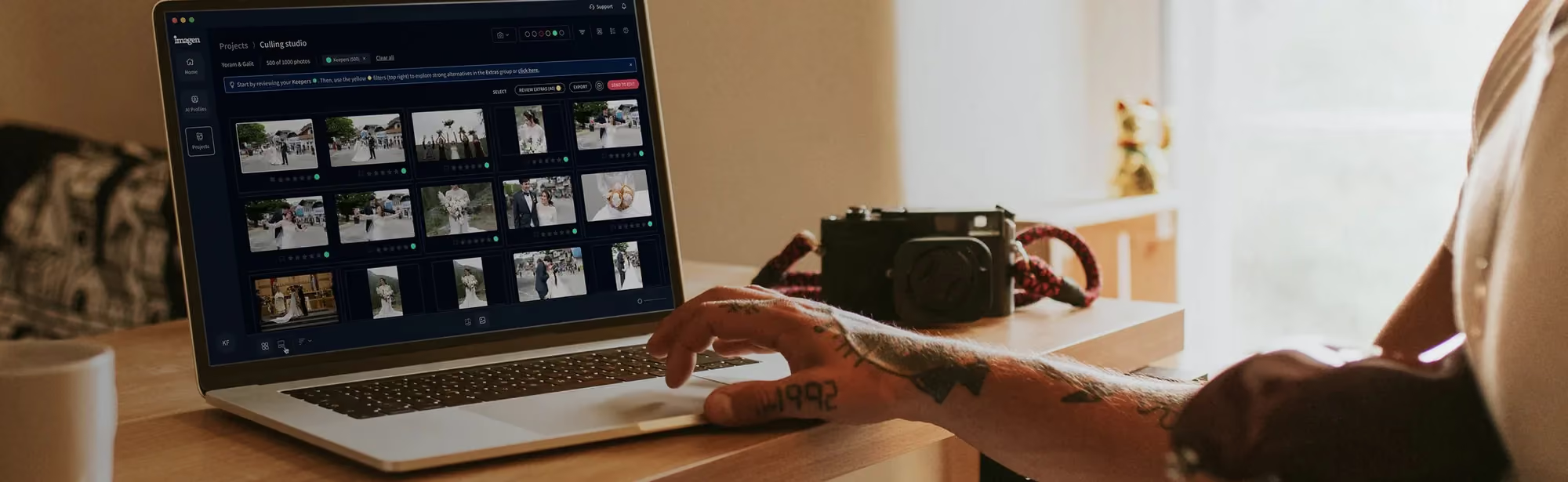
Ready to speed up your workflow? Start your free trial and see the difference on your own photos inside Imagen’s new Studio, where you cull, edit and export in one project.
Finding the right Lightroom presets isn’t about slapping some cheap filter over your shot anymore, not in 2026. Good tools protect your dynamic range and hand you back the hours you’d otherwise lose to manual tweaking.
Key Takeaways
- Adobe Lightroom still commands a massive 32.1% market share, keeping .XMP presets central to modern editing workflows.
- Static presets are losing ground fast, as the AI photography market grows at a 21.5% CAGR through 2026.
- AI-powered tools cut slider hunting by 70%, adapting automatically to shifts in white balance and exposure.
- Using AI-integrated presets speeds up client delivery times by 40%, which boosts referral rates by 15%.
- Over 74% of wedding photographers now rely on custom AI profiles or third-party presets to manage high-volume shoots.
- Lightroom Classic slows down by 12% for every 1,000 active presets, so preset selection quality really matters.

Why Presets are Evolving in 2026
Static presets don’t cut it anymore, and every serious editor already knows it. Years ago you’d apply a preset and lose the next twenty minutes fixing blown-out highlights or muddy skin tones by hand. That workflow is fading fast. The AI photography market is projected to grow at a CAGR of 21.5% through 2026, and that growth is redefining what a preset even means, shifting the category from static filters toward dynamic, adaptive AI profiles.
The demand backs this up. 65% of Lightroom searches in 2026 focus on mobile-compatible or AI-ready options, according to the data. Photographers aren’t hunting for a dumb overlay anymore. They want an assistant that actually understands lighting variance and adjusts on the fly.
Adobe still holds a 32.1% market share in photo editing software, so the Lightroom ecosystem remains the undisputed king. But how photographers use it has changed completely. Instead of dragging sliders by hand, you’re now leaning on system-wide intelligence to handle the heavy lifting.
So what did we actually measure? We didn’t judge these systems on aesthetic appeal alone. Five core technical metrics decided the rankings below, each one tied directly to your editing speed and final output quality:
- Skin Tone Accuracy: How the profiles handle various ethnicities without turning tones orange or green.
- Dynamic Range Preservation: Ensuring highlight and shadow details aren’t clipped during application.
- AI Compatibility: Whether the tools play nice with Lightroom’s masking and adaptive slider features.
- Workflow Speed: How much they minimize manual correction time after the initial application.
- Cross-Platform Parity: Consistency when moving files between desktop and mobile devices.
1. Imagen: The Gold Standard for AI-Powered Editing
If you want the ultimate evolution of the traditional preset, you’ve found it. Imagen isn’t a collection of static settings sitting in a folder. It’s a genuinely sophisticated assistant that learns your exact style, and it closes the gap between static looks and real human editing.
Traditional presets fight you every time lighting conditions change. Imagen solves that problem directly. It analyzes your previous edits (a catalog of 5,000 photos is recommended) and builds a custom AI profiles database from them. It then applies those exact preferences to new shoots, adjusting for differences in exposure and color temperature. You can also apply more than one AI Profile to a selected set of photos, which takes a little extra processing time.
Don’t have 5,000 photos ready to train it yet? You don’t need to worry. There’s a faster path: the Talent AI profiles option, built from looks created by top-tier photographers. These give you beautiful, ready-to-go results instantly. Plus, the integrated AI photo culling lets the system automatically filter out duplicates and blurry shots.
Internal benchmarks show Imagen can edit 1,000 photos in less than 10 minutes, a massive 96% time reduction compared to manual preset application. You’re not just saving time. You’re getting your weekends back.
Key Features
- Personal AI Profiles: Learns your exposure, white balance, HSL, and tone curve preferences from past catalogs.
- Talent AI Profiles: Immediate access to styles created by industry legends.
- AI Photo Culling: Automatically checks for expressions, closed eyes, sharpness, and composition.
- Cloud Storage: A built-in backup option is on Imagen’s roadmap, so keep using your usual backup for now.
- Automated Local Adjustments: Auto crop, straighten, subject masking, and noise reduction.
Pricing
Imagen structures its pricing around the photos you export, offering several flexible plans:
- Pay-as-you-go: a monthly base fee plus a charge for each photo you export. Check the pricing page for current rates.
- Free trial: Imagen offers a free trial, then you pay at export.
- Limitless: a fixed monthly or annual fee covering unlimited AI edits, AI tools, retouching and AI culling.
- Business: a custom plan built around your studio’s needs.
Check the Imagen pricing page for full details on enterprise custom rates.
Pros
- Exceptional speed on massive galleries, with turnaround measured in minutes.
- Keeps your style consistent even when lighting shifts drastically.
- Automated cropping and straightening cuts out hours of repetitive clicking.
Cons
- Cloud processing means you need an active internet connection.
- Pay-per-photo pricing can feel steep for hobbyists, though it pays off fast for busy pros.
Verdict
The strongest option for professional, high-volume shooters who need rock-solid stylistic consistency without losing hours behind a computer.
2. Mastin Labs: The Film Emulation Authority
Let’s talk classic aesthetics for a second. If you shoot both film and digital, you already know how tough it is to make the two mediums match. Mastin Labs has spent years nailing this exact problem. Their presets aren’t generic filters. They’re precise color matches for iconic film stocks like Kodak Portra and Fuji Pro.
At $99 per pack, these tools are built for high-end portrait and wedding photographers. You get a simple three-step workflow that makes you set your white balance and exposure first, so the color profiles apply correctly every time. Honestly, the skin tones are unmatched. But here’s the catch: if your lighting isn’t clean, these profiles can struggle, and you’ll still need to do some manual work.
Here’s how to get the most out of these film presets when you’re importing a new gallery into Lightroom:
- Set Exposure and Temperature First: Use the eyedropper tool on a neutral gray card to establish a clean base.
- Apply the Specific Camera Profile: Match your camera body brand (Sony, Canon, or Nikon) inside the Profile panel to normalize your sensor’s raw output.
- Select the Film Stock: Apply the desired stock, such as Portra 400 for warm skin tones or Fuji 400H for pastel greens.
- Fine-Tune Highlights and Shadows: Use the included lens correction and tone tools to clean up any extreme contrast.
Pros
- Skin tones that look incredible across every complexion.
- A clean, timeless look that just won’t go out of style.
- Really easy to pick up and use.
Cons
- The high price point makes building a diverse library expensive.
- You need clean lighting and correct white balance, no shortcuts.
Verdict
The clear pick for fine-art wedding photographers who need digital files that match physical film scans from lab developers.
3. VSCO: The Mobile-to-Desktop Powerhouse
You’ve probably used VSCO on your phone already, right? But did you know their desktop tools are genuinely capable too? For creators who bounce between mobile shooting and heavy desktop editing, the VSCO Pro membership is a strong contender.
At $59.99 per year, this subscription unlocks over 200 presets, including the legendary Film X series. These presets emulate subtle shifts in film emulsions, things like Kodak Portra 400 or Fuji Pro 400H. It’s great for lifestyle photographers. But for high-volume commercial work, some looks can feel too heavy-handed, and you’ll need to dial back the opacity slider on plenty of them.
We tested the mobile-to-desktop workflow across three typical social media scenarios:
- Quick Social Posts: Shoot RAW on an iPhone, apply the preset in the VSCO mobile app, and export directly to Instagram in under two minutes.
- Hybrid Editorial Shoots: Capture portraits on a mirrorless camera and lifestyle shots on a phone, applying matching film presets on both platforms to unify the grid.
- Video & Photo Matching: Use the same VSCO film profile on both vertical video reels and still photos to keep brand colors consistent.
Pros
- Flawless integration between mobile and desktop Lightroom workflows.
- Huge library of experimental and vintage aesthetics.
- Continuous updates and new profile additions.
Cons
- Subscription-only pricing model means you lose access if you cancel.
- Some presets are overly stylized for professional client galleries.
Verdict
A genuinely great tool for modern content creators who value speed and mobile flexibility over high-volume database matching.
4. DVLOP: Camera-Agnostic Consistency
Here’s a nightmare every wedding shooter knows: you’re working a wedding with a Sony body, and your second shooter’s on a Canon. You import the files, and the colors don’t match at all. DVLOP fixes this with their custom camera profiles.
They use Dual-Illuminant technology to map colors identically across different sensors, so it doesn’t matter whether you’re shooting Nikon, Sony, or Canon, the presets look the same across every body. At $75 to $100 per pack, they’re built for serious working pros. They’ve even partnered with industry legends like Two Mann Studios to create bold, dramatic looks.
Let’s walk through the exact mechanism DVLOP uses to standardize your color output:
- Custom Camera Profiling: DVLOP maps the specific sensor outputs of over 100 camera models under different color temperatures.
- Unified Color Engine: When you click a preset, it loads a custom profile that normalizes the input colors before applying HSL changes.
- Intelligent Lighting Response: The profile adjusts its color rendering based on whether the image was shot in daylight or tungsten environments.
Pros
- Ensures perfect color consistency across different camera bodies.
- Extremely bold, rich, and modern color palettes.
- Saves hours of color-matching in multi-camera shoots.
Cons
- The profile system has a steeper learning curve for beginners.
- Some packs are highly specialized and don’t work for basic lifestyle work.
Verdict
The gold standard for multi-camera production crews who simply can’t waste hours matching color spaces by hand in post-production.
5. Peter McKinnon: The Cinematic Creator Look
Let’s talk about the creator space for a moment. Peter McKinnon’s aesthetic is legendary on YouTube, and his PM V4 preset pack brings that same moody, cinematic vibe straight into your Lightroom catalog.
At $35.00, it’s one of the most affordable high-quality options out there. It leans hard into deep blacks, rich oranges, and teal-toned skies. This look works beautifully for travel, world, and automotive photography. But don’t use it on high-key wedding shoots, the skin tones end up looking too dramatic and contrasty.
To help you figure out if this aesthetic fits your daily work, we’ve broken down the key visual signatures of the PM V4 pack:
- Shadow Matte Finish: The tone curve lifts the deepest blacks slightly, creating a soft, retro film shadow.
- Teal and Orange Contrast: Yellows and reds are pushed toward orange, while blues are shifted toward teal to create a classic Hollywood look.
- De-saturated Cool Tones: Greens and purples are heavily muted, ensuring the primary subjects stand out.
Pros
- Extremely affordable and accessible.
- Gives an instant, dramatic cinematic look to outdoor scenes.
- Simple structure makes it easy to modify.
Cons
- Not suitable for traditional wedding or soft portrait work.
- Heavy-handed styling can lose detail in deep shadows.
Verdict
Great for solo travel videographers and outdoor creators who want instant, stylized cinematic impact for their social feeds.
6. Tribe Archipelago: Earthy and Organic Tones
If you love the Pacific Northwest aesthetic, Tribe Archipelago is basically the go-to option. They’re the ones who popularized that warm, earthy, desaturated green look that took over wedding blogs a few years back.
These presets lean on creative profiles to get beautiful matte finishes and soft highlights, priced around $75 and up per set. If you shoot a lot of outdoor, moody sessions, you’ll love these, honestly. But if you’re shooting indoor corporate events, these tones just won’t look right.
To help you apply these earthy tones correctly without wrecking your images, we’ve put together a standard adjustment guide:
- Check Your Ambient Green Levels: Since these presets desaturate greens, make sure your foliage isn’t turned completely gray. Adjust the green saturation slider if needed.
- Balance Skin Warmth: The earthy tone profile adds real orange and yellow warmth. Use the orange luminance slider to keep skin looking healthy.
- Control the Matte Shadow: If your shadows look too muddy, adjust the dark point on the tone curve to regain some contrast.
Pros
- Produces incredibly artistic, organic, and warm results.
- Excellent for outdoor golden hour sessions.
- Helps establish a very distinct, moody brand identity.
Cons
- Can make skin tones look overly warm or muddy if you’re not careful.
- Very specific aesthetic that doesn’t work for general commercial work.
Verdict
A strong pick for adventurous lifestyle and wedding photographers whose brand leans on raw, natural, outdoor elements.
7. Luxe Lens: The All-in-One Bundle
If you’re a generalist photographer, you probably don’t want to buy five different preset packs for five different genres. You need variety instead. That’s exactly where Luxe Lens steps in.
Their Master Collection packs in over 500 presets plus local adjustment brushes. It’s usually priced at $199 (though often discounted to $99), which makes it a genuine bargain. It covers everything from newborns to real estate. But since the library is so massive, you’ll spend some time digging through looks you don’t like.
Here are the specific genres where the Luxe Lens collection gives you immediate value:
- Newborn & Family: Soft, pastel presets designed to clean up skin redness and baby acne.
- Real Estate & Interiors: Ultra-bright presets with high shadow recovery to make small rooms look spacious and clean.
- World & Sky: Dynamic range presets that boost sky blues and foliage greens without clipping highlights.
- Portrait Retouching Brushes: Local adjustment tools to whiten teeth, soften skin, and sharpen eyes directly in Lightroom.
Pros
- Outstanding value for money.
- Huge versatility for photographers who shoot many different styles.
- Includes useful toolkits for sharpening and noise reduction.
Cons
- The sheer volume can feel overwhelming.
- Quality can be inconsistent across the older packs in the bundle.
Verdict
A real bargain for budget-conscious generalist studios juggling real estate, portraits, and corporate events.
8. Really Nice Images: Authentic Film Scans
If you’re an editorial or fashion photographer, generic film filters just won’t satisfy your eye. You need real historic accuracy. Really Nice Images (RNI) delivers exactly that.
Their All-Films 5 Pro bundle costs $96.00 and features meticulous simulations of actual vintage slides and negatives. From Kodachrome to Agfa, these profiles capture the true personality of analog film. The grain simulation here is incredibly realistic, too. It doesn’t look like digital noise. It looks like organic silver halide.
Let’s break down how the RNI system handles classic analog styles across different photographic mediums:
- Negative Film Emulations: Profiles like Portra and Gold mimic the wide exposure latitude and soft contrast of color negatives.
- Slide Film Emulations: Stocks like Velvia and Ektachrome deliver intense saturation and high contrast, perfect for bold fashion shoots.
- Instant Film Emulations: Polaroid and Fuji Instax simulations introduce quirky color shifts and soft, artistic highlight bleeds.
Pros
- The most authentic analog film simulation available.
- Very subtle and professional; doesn’t look like a cheap filter.
- Outstanding handling of highlight rolloff.
Cons
- Requires high-quality RAW files to truly appreciate the color shifts.
- Doesn’t include dynamic AI utility features.
Verdict
The premium pick for fine-art and commercial fashion editors who need museum-grade historical film emulation for print.
Understanding the Technical Impact of Preset Overload on Lightroom Performance
Most photographers have been there. You find a free bundle online, import 2,000 presets into your catalog, and suddenly Lightroom Classic behaves like it is running on a dial-up modem from decades ago. There is a real technical reason behind this slowdown. Every time you hover your mouse over a preset in the develop module, Lightroom has to compile the .XMP instructions in real time on your GPU. If you have thousands of active presets loaded, the software constantly indexes those files, and your preview rendering slows down as a result.
Studies show that Lightroom Classic performance drops by up to 12% for every 1,000 active presets loaded into the system. This is not a minor annoyance. It translates directly into lost billable hours on every project. To keep your system running fast, build and maintain a lean, structured preset database.
Follow this database maintenance routine to keep your Lightroom catalog running fast:
- Purge Unused Preset Folders: Go to your preset folder on your drive and delete any styles you haven’t touched in the last six months.
- Disable Hover Previews: Go to Lightroom Preferences, select Performance, and uncheck “Enable hover preview of presets in Develop.” This prevents the GPU from constantly re-rendering your image as you move your mouse.
- Create a Dedicated Editing Catalog: Don’t keep all your client photos in one massive master catalog. Create a fresh catalog for each major project or wedding to limit resource consumption.
- Optimize Your Camera Raw Cache: Increase your cache size in Lightroom preferences to at least 50GB. This gives the system plenty of room to pre-render edits.
How to Choose Your Brand’s Visual Signature
Selecting a preset bundle is not just about finding colors you happen to like today. It is about building a recognizable brand that clients can trust over time. If your Instagram grid jumps from moody travel tones one week to bright, airy newborn shots the next, potential clients will not know what they are actually buying. Pick one visual lane and stick to it.
To help you choose, here are the three most profitable commercial styles in modern photography:
- The Clean Editorial Style: Excellent for corporate commercial work, architecture, and high-fashion. This style focuses on perfectly neutral whites, rich black points, and true-to-life skin tones. Brands like Mastin Labs and RNI excel here.
- The Warm and Moody Style: Best for outdoor weddings, travel brands, and adventurous family portraits. It features warm gold highlights, desaturated greens, and rich brown tones. Tribe Archipelago or Meridian Presets are perfect for this look.
- The Light and Airy Style: Highly popular for high-end weddings, newborns, and fine-art family shoots. This style features soft pastel tones, bright exposures, and low-contrast shadows. Pretty Presets or BeArt Presets should be your go-to choice.
Comparison of Top 8 Lightroom Preset Providers
To help you decide which tool fits your studio’s workflow, we have organized the top providers below in one place. This layout lets you compare entry pricing, core style categories, and technical capabilities at a glance.
| Provider Name | Entry Price | AI Profile Integration | Primary Aesthetic Style |
|---|---|---|---|
| Imagen | Base fee + per exported photo | Fully Integrated (Dynamic AI) | Custom to Your Brand / Talent Profiles |
| Mastin Labs | $99.00 / pack | Static (Classic.XMP) | Authentic Film Emulation (Kodak, Fuji) |
| VSCO | $59.99 / year | Static (Classic.XMP) | Modern Film & Creative Mobile-to-PC Tones |
| DVLOP | $75.00 to $100.00 | Dynamic Camera Profiles | Bold, High-Contrast Editorial |
| Peter McKinnon | $35.00 / pack | Static (Classic.XMP) | Cinematic, Moody, Teal & Orange |
| Tribe Archipelago | $75.00+ / pack | Static Tonal Profiles | Earthy, Warm PNW Aesthetic |
| Luxe Lens | $99.00 / bundle | Static / Local Brushes | Generalist (Vibrant, Airy, Portrait) |
| Really Nice Images | $96.00 / package | Advanced Grain Engine | Vintage Editorial, Slide & Polaroid |
Final Recommendation: Which Preset is Right for You?
Choosing the right tool is not about finding the prettiest colors. It is about how that tool affects your bottom line, plain and simple. Look at the numbers: wedding photographers using AI-integrated presets report a 40% faster client delivery time, which leads to a 15% increase in referral rates.
If you shoot high volume, stop using static presets. The 12% performance drop for every 1,000 active presets in Lightroom Classic is a technical bottleneck you do not need to carry.
AI photo editing has completely changed how we think about color consistency. We’re no longer fighting the RAW file; we’re training systems to understand our vision instantly.
Itamar Haim, SEO Expert and Digital Strategist specializing in search optimization and content marketing.
Follow this simple setup plan to build a fast, modern workflow:
- Determine your volume: If you shoot over 20,000 photos a year, start using AI photo editing. If you shoot under 5,000, static packs like Mastin Labs or DVLOP are great choices.
- Establish your core look: Don’t buy ten different styles. Choose one aesthetic (such as film, moody, or bright) and stick to it across your entire portfolio.
- Clean your Lightroom catalog: Keep your active preset library under 1,000 presets to avoid software lag and UI delays.
For high-volume professionals, the recommendation is simple. Imagen delivers the best return on investment. It does not force you to choose between your personal style and speed. It gives you both.
What’s new in Imagen: Imagen is now an intelligent, agentic Studio for professional photographers, one project where you cull, edit, review and export in any order, rolling out gradually as a beta. Presets still have a home here: the built-in editor (Beta) lets you import presets from Lightroom or build your own and save versions of an edit, right beside AI Profiles that learn your style. See what it can do at Imagen.
Frequently Asked Questions
Are .XMP presets compatible with Lightroom Mobile?
Yes, they are fully compatible with Lightroom Mobile. Since Adobe updated the preset format back in 2018, any .XMP preset you import on your desktop syncs automatically to your mobile app through Creative Cloud.
How do AI profiles differ from standard Lightroom presets?
Standard presets apply the same static slider values to every photo you run them on. AI profiles analyze the specific lighting, exposure, and content of each image, then make custom adjustments automatically.
Will importing thousands of presets slow down Lightroom?
Yes, it will slow things down. Lightroom’s UI performance degrades by about 12% for every 1,000 active presets you keep in your browser, so keep your preset collection lean.
What is a Dual-Illuminant camera profile?
It is a technical profile format used by DVLOP to calibrate colors across different camera brands. It ensures Sony, Canon, and Nikon sensors all produce identical colors under the same light.
Do I need an internet connection to use Imagen?
Yes, you need a stable internet connection to use it. Imagen processes your files using cloud servers, which protects your local CPU from heavy strain.
Can I train an AI profile with less than 5,000 photos?
You can train a profile with fewer images than that, but 5,000 photos is the recommended threshold, so your AI profile fully understands your style across all lighting situations.
Is VSCO Pro worth the annual subscription for desktop use?
It is worth it if you shoot lifestyle or mobile content and want access to over 200 film-like styles across both your phone and PC editing apps.

