Key Takeaways
- Workflow First: A great gallery is useless without a solid post-production process. Imagen handles the heavy lifting of culling and editing on your desktop, ensuring your photos are perfect before you ever hit “upload.”
- Sales Engines: The top galleries in 2026 act as active sales teams. They use automated marketing campaigns to sell prints and digital downloads while you sleep.
- Client Experience: Mobile-responsive designs and seamless interfaces are now standard. Clients expect a premium, app-like experience when viewing their photos.
- Direct Integration: Platforms like Pic-Time integrate directly with Imagen. This creates a frictionless path from AI editing to client delivery.
- Diverse Options: Whether you need an all-in-one CRM like Sprout Studio or a design-forward portfolio like Format, there is a specialized tool for your business model.
We photographers know the feeling well. You just finished a marathon wedding shoot or a high-energy portrait session. The memory cards are full, and the adrenaline is fading. Now comes the real work. In 2026, the photography business isn’t just about taking great pictures. It is about how quickly and professionally you can deliver them. Clients today expect speed. They expect ease. And they expect a presentation that looks as good on their phone as it does on a 4K monitor.
Choosing the right online proofing gallery is critical. It is the storefront for your digital product. But before you even get to the gallery, you have to tackle the post-production mountain. This is where efficiency makes or breaks your profit margins. You need a workflow that gets you from raw files to polished JPEGs in record time.
This is where Imagen enters the chat. Imagen is not a cloud editor; it is a powerful desktop app that works locally with your Lightroom Classic, Lightroom, Photoshop, or Bridge catalogs. It uses AI to cull and edit your photos based on your unique style. It learns how you edit and applies those adjustments automatically. By the time you are ready to upload to one of the galleries listed below, Imagen has already done 90% of the work.
We tested the top platforms to see which ones stand out this year. Here are the 10 best online proofing galleries for photographers in 2026.
The Foundation: Perfecting Your Images Before the Upload
Before we dive into the gallery platforms, we need to talk about the files you are putting into them. A gallery is only as good as the images inside it. If you upload inconsistent edits or spend weeks tweaking colors, you are losing money.
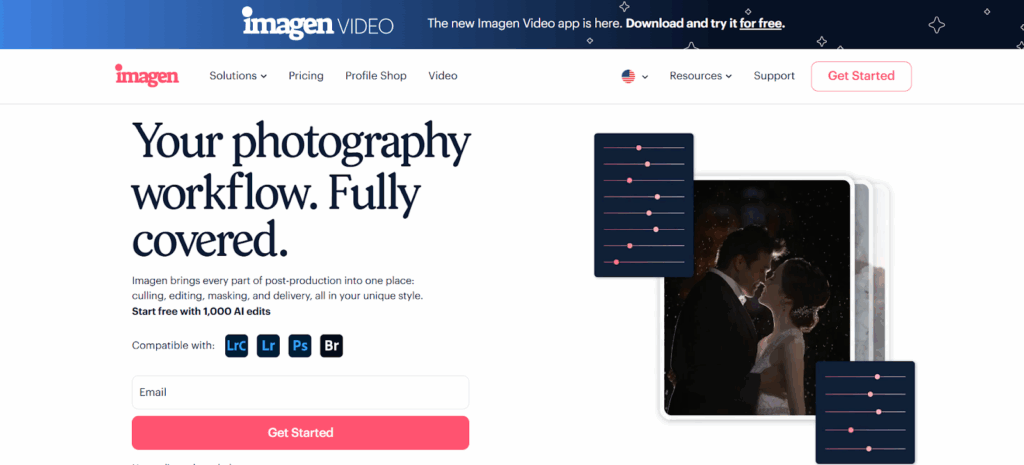
Imagen solves the post-production bottleneck. It allows you to deliver galleries faster than your competition. Here is how it works in your workflow:
- Culling: You import your shoot into Imagen. The AI analyzes every image. It groups duplicates and flags blurry shots or closed eyes. You review the selections and keep only the best. This saves massive amounts of storage space in your online gallery later.
- Editing: Imagen applies your Personal AI Profile to the selected photos. It adjusts color, exposure, and white balance exactly how you would. It even handles tasks like straightening and subject masking.
- Review: You do a quick pass in Lightroom to ensure everything looks perfect.
- Export: You generate your high-resolution JPEGs.
Now you have a pristine set of images ready for the web. This workflow ensures that when your clients open their gallery link, they see a cohesive, professional story.
1. Pic-Time
Pic-Time has secured its spot as a top contender for professional photographers in 2026. It balances beautiful aesthetics with powerful sales tools. If you want a platform that actively helps you make more money, this is a strong choice.
Why It Stands Out
Pic-Time understands that a gallery isn’t just a storage locker. It is a store. Their marketing automation platform is impressive. You can set up campaigns that run themselves. For example, the system can send emails to guests who viewed the gallery, offering them a discount on prints. It can remind clients about abandoned carts. It can even send anniversary gifts.
The Imagen Advantage
For Imagen users, Pic-Time offers a distinct advantage. Imagen has a direct integration with Pic-Time. This changes the game for your workflow.
Usually, you edit, export to a folder on your hard drive, and then open a browser to upload. With the Imagen and Pic-Time integration, you skip the middle steps. You review your AI edits in the Imagen desktop app. When you are happy, you click a button to upload the high-resolution photos directly to your Pic-Time gallery.
This seamless connection removes friction. It gets your photos to your clients faster. Speed impresses clients.
Key Features
- Marketing Automation: You can use pre-made campaigns to drive print sales without lifting a finger.
- Slideshows: You can create emotional slideshows with licensed music directly in the gallery.
- Global Print Labs: You have access to a massive network of professional labs around the world.
- Client Migration: You can easily move existing galleries from other platforms if you decide to switch.
Best For
This platform is ideal for wedding and portrait photographers who want to increase print sales and value a streamlined workflow with Imagen.
2. Pixieset
Pixieset remains a favorite for its focus on design and simplicity. It offers a suite of tools that work well together, including client galleries, a website builder, and a studio manager.
Overview
Pixieset makes your photos look good. The gallery layouts are clean and modern. You can customize the look to match your branding with ease. The user interface is intuitive for photographers and clients alike. Your grandma could figure out how to download photos from a Pixieset gallery.
Workflow Context
While Pixieset doesn’t have the direct upload integration that Pic-Time does, it fits perfectly into an Imagen workflow. You use Imagen to cull and edit your session locally. Imagen ensures your skin tones are perfect and your horizons are straight. Once you export your final JPEGs to your hard drive, you drag and drop them into the Pixieset uploader.
Because Imagen provides such consistent results, the grid view in Pixieset looks uniform and professional immediately. You don’t have to worry about one photo looking warmer than the next.
Key Features
- Store: You can sell prints, digital downloads, and custom products like greeting cards.
- Website Builder: You can build a portfolio website that seamlessly links to your client galleries.
- Studio Manager: You can handle contracts, invoices, and questionnaires in the same ecosystem.
- Mobile App: You can create personalized mobile apps for your clients to keep on their phones.
Best For
This is great for photographers who want an all-in-one ecosystem with a strong focus on minimal, beautiful design.
3. ShootProof
ShootProof puts you in the driver’s seat. It allows you to create stunning galleries and handle invoicing without taking a commission on your sales. You keep every penny of profit.
Overview
ShootProof is built for photographers who want autonomy. You can fulfill orders through their partner labs, or you can choose self-fulfillment. Self-fulfillment is a powerful feature. It allows you to use a local lab you trust or sell custom products that standard labs don’t offer. You set the rules.
Workflow Context
ShootProof integrates well with a high-volume desktop workflow. Imagen is the first step. You feed your RAW files into the Imagen desktop app. The AI culls the bad shots and edits the keepers. You export your proofs.
Since Imagen handles tedious tasks like cropping and color correction, you spend less time in Lightroom. This gives you more time to manage your business in ShootProof. You can upload your proofs quickly and start selling immediately.
Key Features
- No Commission Fees: You keep 100% of your profits on paid plans.
- Contracts and Invoices: You get built-in tools to handle the business side of things.
- Archiving: You can pay for archiving options to keep galleries online for years without cluttering your active storage.
- iPad App: You can collect email addresses and share photos offline at events.
Best For
This platform suits photographers who want maximum control over their profit margins and fulfillment processes.
4. CloudSpot
CloudSpot has a reputation for speed. It prides itself on being the fastest and easiest way to deliver photos. Its single-link delivery system simplifies the client experience significantly.
Overview
CloudSpot combines a storefront, a gallery, and a mobile app into one single link. This reduces friction for your clients. They don’t have to navigate multiple pages to view, download, and buy. The platform supports GIFs and video as well, making it a versatile choice for hybrid shooters.
Workflow Context
Speed is the priority for CloudSpot users. This aligns perfectly with the philosophy of Imagen. Imagen dramatically reduces your editing time. CloudSpot ensures you don’t lose that saved time during delivery.
Imagine shooting a wedding on Saturday. On Monday morning, you run the catalog through Imagen. By lunch, the edits are done. You export and upload to CloudSpot. Your clients get their full gallery in record time. This speed builds immense trust and value.
Key Features
- One Link: You send deliveries, galleries, and mobile apps all in one URL.
- Email Templates: You can customize emails for delivering galleries to match your brand voice.
- Storefront: You can sell prints and products easily.
- Watermarking: You have advanced watermarking tools to protect your images before purchase.
Best For
This is perfect for photographers who prioritize speed and want a simplified user experience for their clients.
5. Sprout Studio
Sprout Studio is a heavyweight. It is more than just a gallery; it is a full studio management suite. It combines a CRM, gallery hosting, invoicing, and scheduling into one robust platform.
Overview
If you feel overwhelmed by too many subscriptions, Sprout Studio is the answer. It handles everything from the initial inquiry to the final gallery delivery. The galleries are integrated into the client portal. This keeps everything organized in one place for your customer. They sign the contract, pay the invoice, and view their photos all in the same login.
Workflow Context
Using Imagen with Sprout Studio creates a powerful efficiency loop. Imagen handles the pixel-level work on your desktop. It ensures your files are ready for the professional presentation Sprout Studio offers.
You cull and edit with Imagen. You export the files. Then you upload them to Sprout. Since Imagen ensures consistency, you don’t have to worry about the gallery looking disjointed. You can focus on the client interaction features within Sprout.
Key Features
- All-in-One: You get CRM, galleries, scheduling, and bookkeeping tools.
- Email Marketing: It includes built-in tools for newsletters and automations.
- Design Proofing: You can use tools for album and design proofing to get client feedback.
- Lead Forms: You can embed forms on your site to capture new clients directly into the CRM.
Best For
This is the choice for photographers who want to run their entire business from a single dashboard.
6. SmugMug
SmugMug is a veteran in the industry. It is known for unlimited storage and robust security features. It is a solid choice for photographers who need a safe, reliable home for high-resolution images.
Overview
SmugMug offers unlimited photo and video storage. This is a massive benefit for high-volume shooters who worry about hitting data caps. It also allows for deep customization of your gallery site via HTML and CSS. If you have the technical skills, you can make a SmugMug site look exactly how you want.
Workflow Context
For volume shooters, Imagen and SmugMug make a great pair. Imagen excels at processing thousands of images quickly. It applies consistent edits across massive catalogs.
Once Imagen finishes processing a 3,000-image event, you can upload the full-resolution JPEGs to SmugMug without hesitation. You never have to worry about running out of space. This combo is perfect for event photographers who need to move fast and store a lot.
Key Features
- Unlimited Storage: You never worry about running out of space or paying for extra tiers.
- Customization: You get advanced code access for total site design control.
- Security: It offers password protection and right-click protection to keep images safe.
- Lightroom Plugin: You can upload directly from Lightroom Classic to save a step.
Best For
This serves high-volume event and sport photographers who need unlimited storage and solid security.
7. Zenfolio
Zenfolio utilizes automation to help run your business. It offers intelligent features that assist with selling and organizing photos. It has evolved significantly over the years to serve modern photographers.
Overview
Zenfolio is geared towards selling. It includes features like automated marketing campaigns and smart pricing suggestions. These data-driven tools help you maximize your revenue without guessing. The platform caters to various niches, including school and sports photography, with specific features for data management.
Workflow Context
Efficiency is the key with Zenfolio. Just as Imagen uses AI to learn your editing style and automate the subjective parts of editing, Zenfolio uses automation to handle the sales side.
You use Imagen to get the photos looking their best. You upload them to Zenfolio. Then, Zenfolio’s algorithms help put the right products in front of your clients. It is a hands-off workflow that allows you to focus on shooting rather than managing orders.
Key Features
- Smart Pricing: You get data-driven suggestions for product pricing to maximize profit.
- Client Campaigns: You can set up automated emails to boost sales during holidays.
- School & Sports: It includes specialized data features for volume work.
- Video Hosting: You can support video clips in galleries for hybrid coverage.
Best For
This platform is excellent for school, sports, and event photographers who need specialized selling tools.
8. PhotoShelter
PhotoShelter is a robust digital asset management tool that also serves as a proofing gallery. It is built for professionals who need to manage large archives and license images to commercial clients.
Overview
PhotoShelter is a favorite among editorial and commercial photographers. It offers powerful FTP upload capabilities. You can set detailed permission settings for different clients. It is less focused on selling prints to consumers and more on licensing and delivering files to commercial buyers or media outlets.
Workflow Context
Imagen is perfect for the commercial workflow where consistency is paramount. Commercial shoots often involve strict style guides. You can train an Imagen AI Profile to match a specific commercial look.
After Imagen applies your color correction and Straighten edits, you upload the files to PhotoShelter. Your commercial clients can then log in, search the archive using powerful metadata tools, and license the specific images they need.
Key Features
- FTP Upload: You have robust options for moving large numbers of files quickly.
- Licensing: It has built-in tools for rights-managed image sales.
- Client Proofing: You can create secure private galleries for selection.
- Search: It offers powerful image search capabilities for your entire archive.
Best For
This is the standard for commercial, editorial, and stock photographers needing asset management and licensing tools.
9. Format
Format is primarily a portfolio website builder that includes client proofing galleries. It is ideal for creative professionals who want a design-forward presentation.
Overview
Format focuses on aesthetics. Their templates are minimalist and designed to show off artistic work. The proofing section allows you to create private galleries for clients to review and favorite images. This is integrated seamlessly with your portfolio site, keeping your branding consistent.
Workflow Context
For artists who use Imagen to maintain a specific, stylized look across their work, Format provides the perfect canvas. Imagen ensures your personal style is applied consistently to every image. It handles the technical edits so you can focus on the creative grade.
When you upload to Format, the clean, distraction-free environment respects the integrity of your work. It presents the images exactly as you intended them to be seen.
Key Features
- Portfolio Themes: You get access to award-winning designs.
- Client Proofing: You can create simple, elegant private galleries.
- Store: You can sell prints and digital products directly.
- Video: You can host videos directly on your portfolio.
Best For
This is ideal for editorial and fine-art photographers who prioritize portfolio presentation.
10. Pixpa
Pixpa is an all-in-one platform for creators. It offers portfolio websites, client galleries, and a store. It is an affordable option that packs a lot of features into a small price tag.
Overview
Pixpa is great for photographers on a budget who do not want to sacrifice functionality. It offers unlimited images on client galleries (on specific plans) and a drag-and-drop website builder. It supports selling images as prints or downloads with zero commissions.
Workflow Context
Cost-effective workflows rely on efficiency. Imagen offers a high ROI by saving hours of editing time for a low cost per edit. Pairing Imagen with a value-packed platform like Pixpa maximizes your profit margins.
You get the speed and quality of AI editing with Imagen. You get the robust delivery tools of Pixpa. And you keep your overhead low. This allows you to deliver a premium result to your client without breaking the bank.
Key Features
- Zero Commissions: You keep all your revenue from sales.
- Mobile Gallery Apps: You can create custom apps for clients.
- Website Builder: It includes integrated portfolio building tools.
- 24/7 Support: You get reliable customer service when you need it.
Best For
This is a smart choice for budget-conscious photographers who need a comprehensive feature set.
13 Common Questions About Online Proofing Galleries
1. Do I need a proofing gallery if I just send a Dropbox link? Yes. A Dropbox link looks unprofessional and lacks sales functionality. A dedicated proofing gallery provides a branded experience. It protects your images with watermarks and download restrictions. It also automates print sales, which significantly increases your revenue per shoot.
2. Can I use Imagen directly with these galleries? Imagen is a desktop app that integrates with Adobe Lightroom and other editors. It processes your photos locally before they go to the gallery. However, Imagen has a direct integration with Pic-Time. This allows you to upload edited photos directly from the Imagen app to Pic-Time. For other galleries, you simply export your edited photos from Lightroom to a folder and upload them via the browser.
3. What is the difference between culling in a gallery vs. culling with Imagen? Culling in a gallery happens after you have uploaded all your photos. This wastes time and bandwidth uploading bad shots. Imagen offers AI culling on your desktop before you edit. It groups duplicates and identifies blurry photos or closed eyes. This allows you to select only the best shots to edit and upload. This saves massive amounts of time and storage space.
4. How does AI editing affect my gallery workflow? AI editing with Imagen drastically speeds up the time between the shoot and the gallery delivery. Instead of spending weeks editing, you can have a gallery ready in days or even hours. This speed delights clients. It often leads to higher sales because their excitement is still high when they see the photos.
5. Are these galleries secure? Yes. All the galleries listed use secure protocols (HTTPS). Most offer password protection for galleries. Many allow you to hide specific photos or make galleries exclusive to certain email addresses. They also offer watermarking to protect your intellectual property.
6. Do these galleries charge a commission on sales? It varies. Some platforms, like ShootProof and Pixpa, charge zero commission on their paid plans. Others, like the free tiers of Pic-Time or Pixieset, may charge a commission fee (usually around 15%) on sales made through the gallery. You need to check the specific plan details.
7. Can I sell digital downloads? Yes, all 10 platforms listed allow you to sell high-resolution or web-size digital downloads. You can usually set different prices for different resolutions. You can also offer them as part of a package deal with prints.
8. What happens to my photos if I stop paying for the gallery? Generally, if you cancel your subscription, your galleries will be taken offline. You may lose access to your data after a grace period. It is crucial to keep backups of your high-resolution images. Imagen offers a Cloud Storage solution where you can securely back up your optimized high-resolution photos directly from your desktop workflow.
9. Can clients favorite images for an album? Yes. Proofing galleries are designed for this specific interaction. Clients can create “favorites” lists. You can then view these lists on the backend to design albums or retouch specific selections for print.
10. How do I handle watermarks? Most galleries allow you to upload a custom watermark file (PNG). This is automatically applied to images when they are viewed online. You can typically configure the system to remove the watermark automatically when a client purchases a digital download or print.
11. Is mobile responsiveness important? Absolutely. A significant portion of clients will view their gallery for the first time on a smartphone. All the galleries listed in this article offer fully responsive mobile designs. Some, like CloudSpot and Pixieset, even allow you to save the gallery as a dedicated app on the client’s phone home screen.
12. Can I integrate these galleries with my website? Yes. Most galleries provide a way to embed a portfolio or link directly from your main website. Some, like Squarespace (not listed as a pure gallery but a website builder) or Format, have the website and gallery built into one platform. For standalone galleries like Pic-Time, you usually link via a “Client Access” button on your main site.
13. Why should I use a specialized gallery instead of Google Drive? Specialized galleries sell for you. They display your work in a beautiful grid, not a list of filenames. They send automated emails to remind clients to print. They offer holiday sales and visualize photos on walls. Google Drive is a file storage system; proofing galleries are sales and marketing platforms designed to grow your photography business.