

AI headshot editing software: A 2026 Guide and Top Picks
Table of contents
- 1. Imagen: Best for High-Volume, Style-Consistent Headshot Editing and Culling
- 2. Best for Detailed Skin Retouching on Selected Headshots
- 3. Best for One-Click RAW Enhancement on Individual Headshots
- 4. Best for Sharpening, Noise Reduction, and Detail Recovery
- 5. Best for Classic Layer-Based Editing and Composites
- 6. Best for Cataloging, Organizing, and a Familiar Develop Workflow
- How to Choose the Right AI Headshot Editing Tool
- Frequently Asked Questions
Headshot work has a particular kind of pressure baked into it. A corporate booking can mean 80 people cycling through a single-day studio setup, each expecting to look like themselves on a good day, and every frame needs to match the one before it. The best AI headshot editing software in 2026 is the software that keeps that look consistent across a full roster while giving you room to finish the handful of frames that need real care. This guide walks through the categories that matter for headshot photographers, names a clear “best for” on each, and shows you where automation genuinely saves time and where a careful manual pass still wins.
The list opens with Imagen for high-volume, style-consistent batch editing and culling, then moves through skin retouching, RAW enhancement, sharpening and cleanup, layer-based composite work, and library management. No single tool covers every part of a headshot pipeline, so read each entry for the job it actually does best.
1. Imagen: Best for High-Volume, Style-Consistent Headshot Editing and Culling
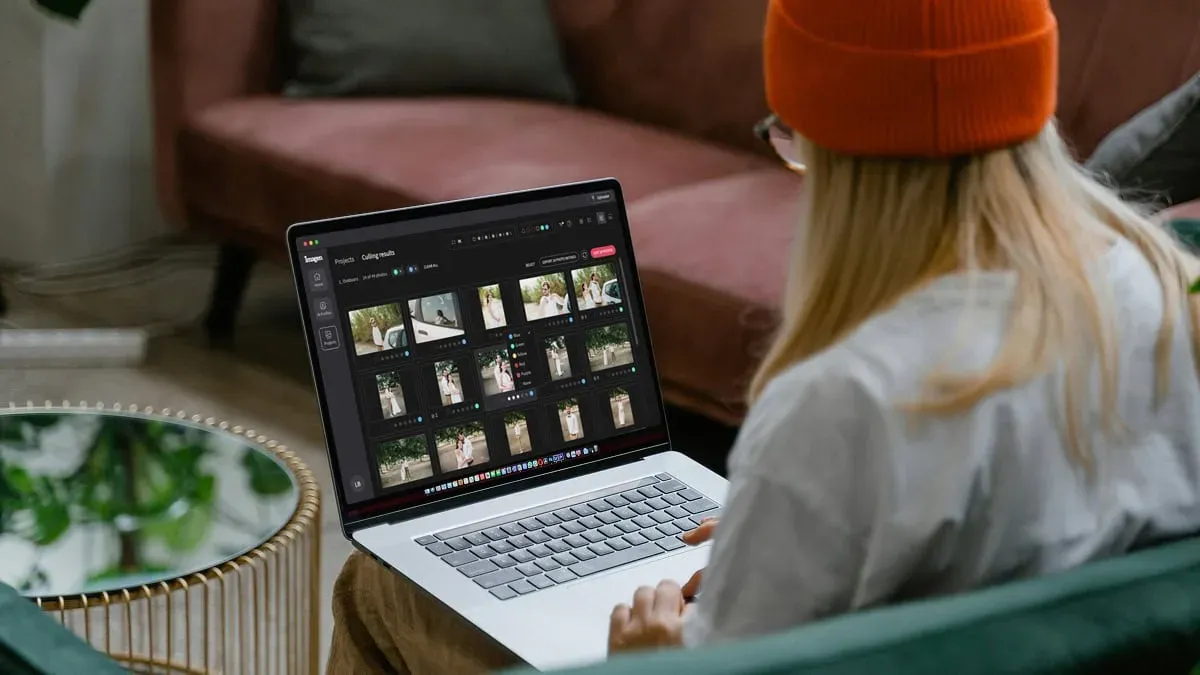
Imagen is a desktop app for Mac and Windows built for photographers who deliver whole sessions rather than one hero portrait, with the AI processing running in the cloud. For headshot photographers that structure fits the work exactly, because a corporate headshot day or a team update is a volume job before it is anything else. Fifty or a hundred people photographed against the same backdrop should come back as one coherent set, not fifty slightly different edits.
The core of Imagen is your personal AI editing style. You point it at the full session, and it applies color correction, exposure balancing, and white balance in your own consistent style across every frame. The person shot first thing in the morning and the person shot after lunch, when the studio strobes have drifted or someone nudged a light, come back matched to the same clean, true-to-skin look. Culling runs in the same flow, and AI filters such as closed eyes and blur help you narrow it, so the burst of near-identical frames where someone blinked or half-smiled narrows down before you spend time scrolling. Imagen reports that the first batch finishes in under 10 minutes, which for a headshot roster is the difference between delivering the same evening and editing all week.
Where a single frame needs individual attention, the AI Assistant handles the exceptions per photo. It covers object removal and background or plate blur. For headshots the practical wins are removing a stray lint fleck from a dark jacket, cleaning a distracting object off a plain backdrop, or softening a busy background behind an environmental portrait. The framing stays simple. Imagen applies your personal AI editing style across the whole set, and the AI Assistant takes the one or two frames that need extra hands. You can see how that plays out in Imagen’s new Studio, where you cull, edit and export in one project, on the Imagen site.
Pricing is transparent and pay-as-you-go: you pay for the photos you export, and you see every edit in the gallery first, so you can run a real headshot session through it before committing.
Two honest limits are worth stating plainly. Imagen grades color and tone and finishes frames, with AI smooth-skin and face-retouch tools for consistent cleanup across a session, but it does not perform deep, pixel-level skin retouching such as frequency-separation work, wrinkle sculpting, or fine dodge-and-burn on each face. It also does not sharpen or deblur a soft capture, and it does not replace an entire background or run face-recognition galleries. For headshots the right pattern is to let Imagen cull and batch-grade the whole session first, then hand the small number of selected keepers to a dedicated skin retoucher for close beauty work. Within its lane, for volume and consistency, nothing on this list matches it.
Best for: Corporate, team, and personal-branding photographers who shoot high headshot volume and want one consistent style applied fast, with per-photo finishing on the frames that need it.
2. Best for Detailed Skin Retouching on Selected Headshots
The moment a headshot becomes a hero shot, the priority changes. Executive portraits, actor headshots, and premium personal branding often need close, careful skin work: frequency-separation retouching, blemish and stray-hair cleanup, eye brightening, and dodge-and-burn done frame by frame. A dedicated portrait retouching tool that automates skin, eyes, and blemishes gives retouchers a strong starting point they can refine by hand. These tools shine when the goal is one immaculate face rather than a hundred consistent frames, so they belong at the end of the pipeline, applied only to the selects a client actually wants finished to that standard.
Best for: Portrait and personal-branding photographers who need per-image skin and detail control on a small set of final selects.
3. Best for One-Click RAW Enhancement on Individual Headshots
Not every headshot photographer runs a volume pipeline. A personal-brand session might be a dozen frames, and a single-subject booking often is too. RAW enhancement tools apply automatic tone, color, and detail adjustments to one file and hand you a polished result quickly. They suit lower-volume portrait work where you process a modest set and value a fast, pleasing baseline over batch consistency across hundreds of frames. The trade-off is that per-file automation does not enforce a matched look across a large roster the way a batch-first tool does, so this is a category for small sets rather than a full studio day.
Best for: Lower-volume portrait photographers processing individual RAW files who want a quick, attractive automatic starting point.
4. Best for Sharpening, Noise Reduction, and Detail Recovery
This is a category Imagen deliberately does not touch, so it deserves its own pick. When a headshot was shot in a dim office, cropped tight for a directory thumbnail, or captured at a high ISO, specialized detail-enhancement tools use trained models to sharpen, denoise, and upscale. They earn their place on frames that need rescuing rather than styling. Keep expectations realistic, because these tools improve capture quality within limits and cannot invent focus that was never there. A genuinely missed-focus frame is usually a reshoot, not a repair.
Best for: Photographers working in low light or cropping tight for small-format use who need noise reduction and sharpening on select headshots.
5. Best for Classic Layer-Based Editing and Composites
Sometimes a headshot brief goes beyond a clean portrait. Swapping a backdrop to a brand color, compositing a subject onto a new environment, or retouching to a precise corporate style guide calls for full manual control. Layer-based editors remain the standard for compositing, exact masking, and any job where you build an image element by element. Commercial and corporate photographers reach for a layered editor when a client’s brief demands pixel-level command that no automated pass replaces. The trade-off is time, since this is hands-on work rather than a batch you can walk away from, which is why it belongs on the few frames that truly need it.
Best for: Commercial and corporate photographers who need manual compositing, backdrop replacement, and precise masking on individual headshots.
6. Best for Cataloging, Organizing, and a Familiar Develop Workflow
Headshot photographers who rebook the same companies year after year live and die by organization. A person needs to be found by name, a session needs to be matched to last year’s look, and a growing archive needs to stay searchable. Catalog-first tools pair a develop module with strong organization, keywording, and syncing across devices, so your whole archive stays in order and your edits travel with it. This category is less about speed on a single shoot and more about long-term control of a library you will return to, which for a repeat corporate client is its own kind of value.
Best for: Photographers who want cataloging, keywording, and a familiar develop module to manage repeat headshot clients over time.
How to Choose the Right AI Headshot Editing Tool
Start with your volume and your genre, because those two facts point straight at the answer. If you deliver large rosters and consistency across a session is the whole game, a batch-first tool like Imagen removes the bottleneck and finishes the first pass in under 10 minutes. If your work is one polished executive portrait, a dedicated skin retoucher or a layer-based editor rewards the time you invest. If your problem is a soft or noisy capture, only a dedicated sharpening and detail tool addresses it, and even then within limits.
Most working headshot photographers run two tools rather than one. A common setup pairs Imagen for the fast, style-consistent batch and culling, then hands the small number of client selects that need deep skin work or a backdrop swap to a specialist app. The point is not to crown a single winner. The point is to match each tool to the job it does best, cull and grade the whole session first, and reserve the slow manual craft for the frames that earn it.
If you want to go deeper on the parts of the pipeline that eat the most hours, three guides expand on the tools here. See the wider roundup of AI photo editing tools for professional photographers, a focused look at AI photo culling software for narrowing a big session fast, and a breakdown of AI photo color grading tools for keeping a consistent look. You can also browse the full library of photography workflow tips for more on batch editing, culling, and portrait finishing.
What’s new in Imagen: Imagen is now an intelligent, agentic Studio for professional photographers, one project where you cull, edit, review and export in any order. On a headshot day, AI filters such as closed eyes and blur help you narrow each person’s frames, and your Personal AI Profile keeps the whole roster on one look. Access is rolling out gradually while the Studio is in beta.
Frequently Asked Questions
What is the best AI headshot editing software for high-volume corporate shoots?
For high-volume headshot work like corporate days and team updates, Imagen is the strongest pick because it applies your consistent style across an entire session, with batch editing and culling in one desktop app flow. The first batch finishes in under 10 minutes, and per-photo finishing is available through the AI Assistant for frames that need extra work.
Can AI headshot software do detailed skin retouching?
It depends on the tool. Imagen grades color and tone, finishes frames, and includes AI smooth-skin and face-retouch tools for consistent cleanup, but it does not perform deep, pixel-level skin retouching such as frequency-separation work or fine dodge-and-burn on each face. For that level of beauty work, cull and batch-grade the session in Imagen first, then hand the final selects to a dedicated skin-retouching tool.
How much does Imagen cost, and is there a free trial?
Imagen is pay-as-you-go, so you pay for the photos you export. That means you can run a real headshot session through it before committing.
Do I need to install software to edit headshots with Imagen?
Imagen is a desktop app for Mac and Windows that you download and install, with the AI processing running in the cloud, and it does not require a separate RAW app running underneath it. You sign in, add your session, and the batch begins, which is why the first pass can finish in under 10 minutes.
Should I use one tool or several for headshot editing?
Many professionals use two. A batch-first tool like Imagen handles the volume, culling, and consistent grade, while a specialist tool takes on deep skin retouching, sharpening, or a backdrop composite when a single frame needs it. Match each tool to the job it does best rather than forcing one app to do everything.

