
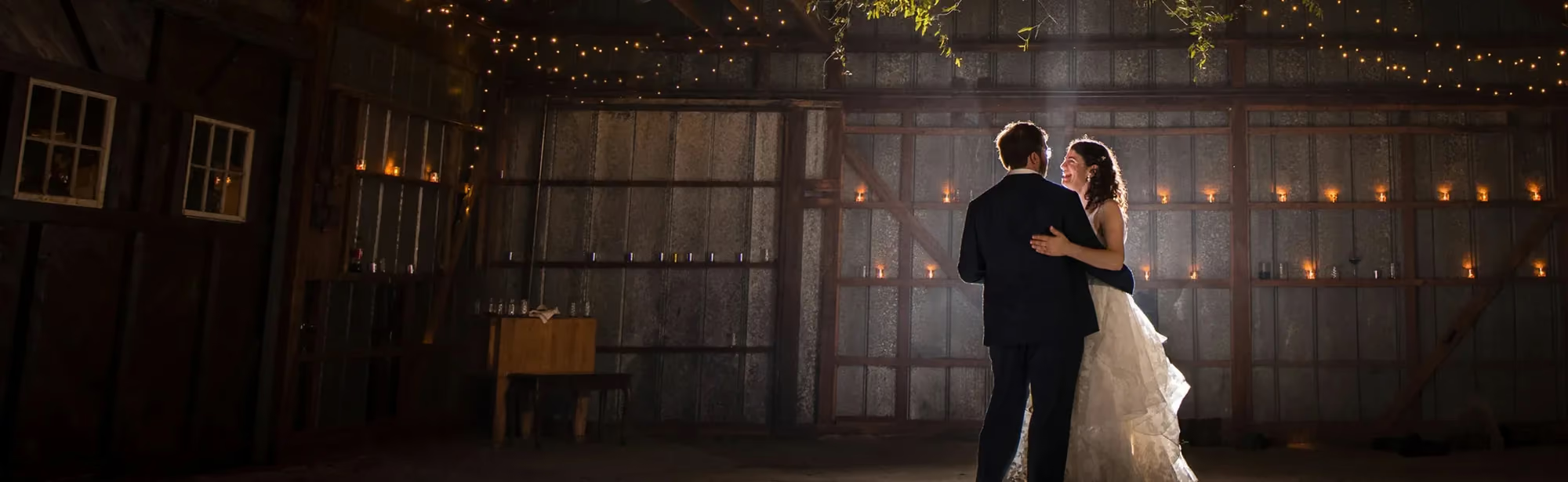
10 Popular Wedding Photography Editing Styles for 2026
Table of contents
- Key Takeaways
- Light & Airy (The Timeless Classic)
- Dark & Moody (Cinematic Storytelling)
- True-to-Color (The Naturalist)
- Fine Art Film (The Analog Emulation)
- Editorial & High Fashion
- Warm & Earthy (The Boho Aesthetic)
- High-Contrast Black & White
- Vintage 90s Flash
- Desaturated Matte
- Vibrant & Bold
- Hybrid Editing (The Best of Both Worlds)
- The Business of Editing: Scaling Your Brand in 2026
- Style Comparison & Recommendation
- Frequently Asked Questions
- Can I use multiple editing styles within a single wedding gallery?
- How does AI editing handle different lighting situations in the same wedding?
- Is the true-to-color style really more popular than moody styles in 2026?
- How many photos does a wedding photographer usually deliver?
- Will using AI editing profiles make my work look like everyone else’s?
- What’s the difference between an editing preset and an AI editing profile?
- How fast can I deliver a wedding gallery using automated editing tools?
- Keep exploring
Wedding photography’s moving fast these days. In 2026, couples expect polished, gallery-ready images, and they don’t want to wait months for delivery.
Ready to speed up your workflow? Step into Imagen’s new Studio, where you cull, edit and export in one project, and see how your favorite style looks on your own photos. Exploring is free, and you pay on export.
Finding the right balance between your creative vision and an efficient workflow takes real skill. Below, you’ll see how to match your editing style to what modern couples expect.
Key Takeaways
- Authenticity is leading - Over 62% of Gen Z couples now favor natural, true-to-color editing styles over heavily filtered trends.
- Speed drives reviews - Delivering your galleries within two weeks is the number-one way to secure 5-star client reviews.
- AI is the new standard - Roughly 74% of professional wedding photographers rely on AI editing to keep up with competitive turnaround demands.
- Software choices - Over 85% of working pros use Adobe Lightroom Classic as their main post-processing engine.
- Scale your business - Moving from manual editing to automated pipelines can save you up to 96% of your post-production time.
- Cost management - Blending smart AI profiles with your custom editing style keeps human outsourcing costs from eating into your margins.
Light & Airy (The Timeless Classic)
This look has dominated luxury weddings for over a decade. It reads like a sun-drenched garden party, all glowing skin, luminous highlights, and soft pastel tones.
If you shoot high-end outdoor estate weddings, this style opens the door to big-budget clients who want their day to feel like a classic romantic film. Achieving it, though, takes more than cranking up the exposure slider in Lightroom. You need tight control over your highlights, or details in the wedding gown will blow out completely.
When you’re delivering 400 to 800 edited images per wedding, adjusting these delicate balances by hand can turn into a full-time job fast. That’s why so many light-and-airy photographers lean on automated tools trained on low-contrast, pastel catalogs, keeping the look uniform across the whole gallery. Speed matters here, but so does quality. Here are the core elements:
- Increased exposure - Midtones and shadows are lifted significantly to remove harsh darkness.
- Muted colors - Greens are desaturated and shifted toward minty tones, while blues are softened.
- Glowing skin tones - Warm, creamy skin colors that look bright and flattering.
- Soft contrast - An overall low-contrast curve that keeps transitions between light and dark incredibly gentle.
Pricing is another factor worth watching closely. High-quality preset packs for light-and-airy looks run between $75 and $150. Automating the style instead, through custom profiles with Imagen, runs on pay-as-you-go pricing, a monthly base fee plus a charge for the photos you export, which keeps overhead low and frees you from hours of white balance adjustments. It’s simply the smarter business choice.
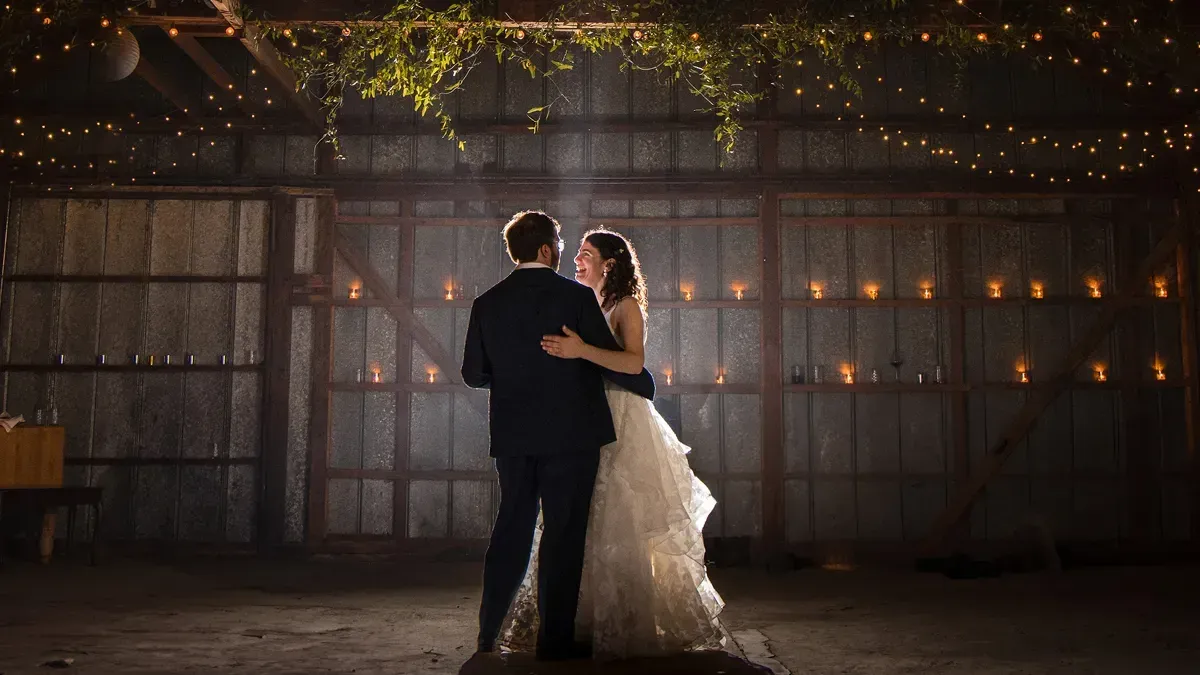
Dark & Moody (Cinematic Storytelling)
For couples chasing raw emotion and drama, dark-and-moody is the natural fit. The look leans on deep shadows, rich textures, and warm golden highlights, giving images the feel of stills pulled from an indie film.
This style doesn’t shy away from darkness. Instead, it uses contrast to pull the viewer’s eye straight to the emotional core of the shot. Its popularity is soaring among couples who want something different, and the data backs that up: search volume for “Film Aesthetic Wedding” has jumped 150% on Pinterest, a clear sign of the shift toward rich, moody, retro-inspired imagery.
If you shoot in historic cathedrals, industrial warehouses, or forest venues, this style plays up the unique character of the space in a way light-and-airy simply can’t match. But you’ve got to be careful here. Overdo the shadows and you’ll lose every detail in the groom’s suit. Here’s what defines this look:
- Crushed blacks - Shadows are pulled down, and the black point is slightly raised to give a matte look.
- Directional lighting - High contrast that emphasizes light coming from windows or single light sources.
- Warm, rich tones - Oranges, reds, and deep gold tones pop against dark, desaturated backdrops.
- Heavy vignetting - Subtle darkening of the image edges to pull the viewer’s focus to the center.
Standard moody preset packs run roughly $99, but they often struggle once lighting conditions change. Custom system training keeps that moody feel intact without turning indoor reception photos muddy. Nobody wants dance floor shots that read as dark and depressing rather than dramatic. Drama is the goal here, not poor exposure.
True-to-Color (The Naturalist)
A major shift is happening beneath the surface of the wedding industry. Stylized filters will always have a place, sure, but over 62% of Gen Z couples now actively prefer “authentic” or true-to-color photography. They want their wedding photos to look exactly like the day looked in real life.
If the bridesmaid dresses were a specific shade of sage green, couples want to see sage green, not a muted, desaturated gray. Getting a true-to-color look right takes real precision with white balance and skin tones. A heavy preset can’t mask bad exposure or a weird color cast from green grass, so every single image needs accurate calibration.
Here’s how to build a systematic true-to-color workflow in Lightroom:
- Set custom white balance - Use a grey card during the wedding day to ensure your colors are accurate from the start.
- Calibrate your monitor - You can’t edit true-to-color if your screen is displaying incorrect warmth or contrast.
- Match skin tones first - Keep the orange and red HSL sliders close to zero, adjusting only luminance to make skin look natural.
- Verify the greens - Keep your foliage looking green by avoiding the temptation to shift greens toward yellow or teal.
Editing true-to-color manually eats up a lot of time. Outsourcing to human editors typically costs $0.30 to $0.60 per image, which is why many modern pros automate the base color correction instead. That keeps white balance consistent across different camera bodies, and if you shoot with two different brands, you already know how hard matching colors by hand can be.
Fine Art Film (The Analog Emulation)
Analog film nostalgia is stronger than ever right now. Film has a tactile, organic quality that digital files often lack, but carrying dozens of rolls of medium-format film through a fast-paced wedding day isn’t always practical. That’s why digital film emulation has become such a massive trend.
This style emulates classic film stocks like Kodak Portra 400 or Fuji 400H, marked by soft contrast, green-leaning shadows, and fine organic grain that gives digital images a high-end feel. It’s a favorite for editorial, fashion-leaning weddings where the photographer wants a genuine high-art look. And with the AI in photography market segment growing 21% annually, matching these complex film curves across an entire gallery is remarkably simple now. You won’t need to spend hours adjusting the tone curve of every single image.
Here’s what defines the look:
- Analog grain - Subtle, realistic grain added to highlights and shadows alike.
- Fuji/Kodak tones - Soft, pastel colors with slightly warm highlights and cool, cyan-tinted shadows.
- Gentle highlight roll-off - Bright areas fade gently into white, avoiding harsh, digital clipping.
- Raised black point - Shadows are soft and gray rather than pure black.
High-end film emulation preset packs from companies like Mastin Labs or DVLOP generally run between $75 and $150. Pair these presets with automated tools, though, and you can apply those complex film curves to thousands of photos in minutes, a great way to offer a premium look without the cost of real film development. Your clients will love the timeless, artistic feel.
Editorial & High Fashion
Want your client’s wedding to look like a spread straight out of Vogue? This is the style for that. Editorial focuses on sharp details, high contrast, cool tones, and dramatic, direct lighting. It treats the wedding day less like a simple documentary and more like a high-fashion ad campaign.
This style demands flawless skin work and precise local adjustments. With the average US wedding photography package sitting at $2,900, offering an editorial, high-fashion style is a great way to justify premium pricing. But getting that clean, polished look takes real retouching skill. You can’t just slap on a generic filter and hope for the best.
Here are the essential steps to clean up your editorial wedding photos:
- Apply a high-contrast base - Keep your whites clean and your blacks rich and deep.
- Cool down the colors - Shift the overall white balance slightly cool, keeping skin tones warm.
- Use local adjustments - Sharpen details in jewelry, clothing textures, and hair while softening distracting background elements.
- Polished skin smoothing - Apply subtle, realistic skin smoothing to give that clean, high-fashion magazine finish.
Editorial editing gets tedious fast. Lightroom plans run $9.99/month, sure, but you’ll save real hours by letting advanced AI tools cull and sort your images first. Sorting through 3,000 photos by hand to find the sharpest, most fashionable moments can eat up an entire day. A solid AI photo culling system can chew through 1,000 images in roughly 5 minutes.
Warm & Earthy (The Boho Aesthetic)
Warm-and-earthy is basically the modern evolution of the classic bohemian look. It swaps cold, clinical blues for rich oranges, deep terracottas, and warm golden highlights. You’ll love it for outdoor, rustic, or destination weddings where the landscape plays a huge role in the day’s overall vibe.
This style is highly cohesive, so it’s a favorite among photographers who want a beautiful, unified social media grid. It plays beautifully with natural elements like wood, pampas grass, and dried florals. Just watch your skin tones, though. If you’re not careful, your subjects can end up looking way too orange.
Nobody wants their clients looking like they got a bad spray tan. Here’s what makes this warm aesthetic work:
- Golden hour warmth - Warm, amber tones infused into the highlights and midtones.
- Muted cool colors - Blues and purples are heavily desaturated or shifted toward warmer green tones.
- Rich greens - Foliage is shifted toward olive or warm forest green.
- Soft, matte shadows - Lifted black points that keep shadows looking warm and gentle.
Preset packs for this look generally run between $75 and $120. If you want consistency across your whole gallery, though, training a custom AI profile on your warm-and-earthy edits is a smart move. It keeps your warm tones steady under any lighting, whether you’re shooting in harsh desert sun or a dim forest. The system adjusts the colors to match your brand every time.
High-Contrast Black & White
Black-and-white photography never really goes out of style. Stripping away color forces the viewer to focus entirely on light, shadow, texture, and emotion, which is exactly why it’s an essential part of any professional wedding gallery. It adds instant gravitas to emotional moments like the first look or the parent dances.
In 2026, the trend has shifted away from flat, grey tones toward bold, high-contrast black-and-whites with rich blacks and crisp whites. An average gallery of 400 to 800 edited images should usually carry about 10% to 15% black-and-white photos to help tell the full story. Don’t overdo it, but a few well-placed monochrome shots really can make a huge impact.
Here’s how to pull off a beautiful, high-contrast black-and-white image in Lightroom:
- Convert to black and white - Don’t just desaturate; use Lightroom’s black-and-white mix panel for better control.
- Create a strong S-curve - Lift the highlights and drop the shadows in the tone curve to build deep, rich contrast.
- Adjust color luminance - Boost the luminance of yellow and orange channels to make skin tones look bright and clean.
- Add subtle grain - Introduce fine digital grain to add organic texture and prevent the image from looking flat.
Most preset systems and AI editing tools throw in high-quality black-and-white options at no extra charge. With smart platforms, you can set rules to automatically convert a slice of your gallery to black and white during editing, saving you the trouble of picking and converting each shot by hand. That way, your final delivery lands with the perfect mix of color and classic monochrome.
Vintage 90s Flash
A fun, nostalgic trend is taking over reception dance floors in 2026, the vintage 90s flash style. It emulates the raw, casual feel of old-school disposable cameras and Polaroid snapshots, with direct on-camera flash, hard shadows, high saturation, and intentional motion blur. It captures all the chaotic energy of the party.
This style is hugely popular with Gen Z couples who love the authentic, unpolished feel of party snapshots, a huge contrast to the perfect, curated photos from the rest of the day. It just makes the reception feel fun, alive, and real. And with the AI in photography market growing 21% annually, managing the high-contrast highlights of direct flash is easy to automate across your reception shots, so you won’t need to spend hours adjusting individual flash frames one by one. Here’s how to nail this party look:
- Direct, on-camera flash - Hard, sharp shadows cast directly behind the subjects.
- Vibrant colors - High saturation that makes reception outfits and dance floor lights pop.
- Intentional motion blur - Slow shutter speeds combined with flash to freeze subjects while blurring background lights.
- Cool, raw white balance - A slightly unpolished, cool white balance that looks like classic consumer film.
This style doesn’t need expensive presets. It’s mostly a shooting technique thing. That said, you’ll want a reliable tool to quickly batch-process the high-contrast lighting of these reception shots without blowing out skin details. Automated corrections keep skin tones natural while holding onto that raw, high-energy flash aesthetic, the best way to deliver a fun, nostalgic gallery.
Desaturated Matte
For photographers chasing a soft, romantic, gentle aesthetic, desaturated matte is a beautiful choice. Low saturation, flat contrast, and a raised black point give the images a soft, velvet-like finish, basically the exact opposite of high-contrast, punchy styles.
It leans on soft lighting and quiet, quiet moments. You’ll see it a lot in quiet elopements, small backyard weddings, and soft, natural-light portraits, and it creates that dreamlike, poetic look that feels incredibly romantic. Smart photo culling lets you quickly sort through your images, pick out the quietest, most emotional moments, and apply this soft look to build one cohesive, story-driven gallery. Here’s what defines the style:
- Raised black point - Pure blacks are turned into soft, charcoal-grey tones.
- Low saturation - Colors are muted and soft, creating a calm, quiet color palette.
- Softened highlights - Bright areas are pulled down to avoid harsh, distracting highlights.
- Velvet contrast - An overall flat tone curve that keeps transitions between light and dark incredibly gentle.
This look is easy to automate with personalized profiles. Once you train a personal profile with a smart system, you can scale this romantic look across every client without spending hours editing. It’s a great fit for introverted couples who want their photos to feel quiet and personal, not loud and flashy.
Vibrant & Bold
If you want your photos to look exactly like the day felt, choose vibrant and bold. This style combines high saturation, rich contrast, and bright, clean whites to make every color pop, and it works especially well for colorful, outdoor weddings filled with bright florals and vibrant decor.
This style stays popular largely because it looks great on mobile screens and social media grids, and it appeals to a wide range of clients, from young couples to older family members who simply love bright, clear photos. Automate your basic color correction, and you can deliver a vibrant gallery quickly, which helps you meet client expectations for a fast turnaround. Nobody wants to wait weeks for their wedding photos. Here are the core features of this style:
- High saturation and vibrance - Colors are boosted to make them look rich, bright, and alive.
- Crisp contrast - Deep blacks and bright whites that make images look sharp and clean.
- High clarity - Local contrast’s boosted to make textures and details stand out.
- Warm skin tones - Clean, glowing skin tones that look healthy and vibrant.
Vibrant-and-bold styles are easy to achieve with standard tools. Automate the look using built-in presets or smart profiles, and your post-production workflow stays fast and efficient, especially for large volumes of outdoor summer weddings where colors already run bright. You won’t need to spend hours adjusting the saturation of individual flower arrangements. Let the system handle it.
Hybrid Editing (The Best of Both Worlds)
Many photographers don’t want to limit themselves to a single editing style, and that’s exactly where hybrid editing comes in. It means combining different styles to suit different parts of the wedding day. You might, for example, use true-to-color for the ceremony, a fine art film look for the portraits, and a vintage flash look for the reception.
This approach gives you real creative freedom and lets you tell a more complete, dynamic story. But managing multiple styles across one wedding gallery can turn into a nightmare if you do it manually, switching back and forth between presets and color profiles for days on end. Here’s how to make a hybrid workflow work for your business:
- Group your photos by lighting - Sort your images into folders based on where they were shot to make style adjustments easier.
- Establish a unifying thread - Keep something consistent across all styles, like skin tone warmth or highlight brightness.
- Use smart batch-processing - Apply different profile rules to different groups of photos to save hours.
- Set clear expectations - Make sure your clients know they’ll receive a mix of styles by showing examples in your portfolio.
A hybrid editing style is a great way to show off your versatility and prove you aren’t a one-trick pony. You can handle the soft, romantic moments of the morning and the high-energy chaos of the dance floor with equal skill. This market is highly competitive, and offering a diverse range of looks helps you stand out from the crowd. Plus, it keeps the editing process fun and engaging for you as the creator.
The Business of Editing: Scaling Your Brand in 2026
Let’s talk about the business side of things. Running a photography business is not a hobby, and treating it like one costs you. If you’re spending forty hours a week editing photos, you don’t have time left to market your business, meet new clients, or shoot more weddings. You’re trading your time directly for money, and that’s a hard way to scale.
That’s why smart photographers look for ways to automate their post-production, and the numbers back them up. Moving from manual editing to automated pipelines can save you up to 96% of your post-production time, a massive difference. Imagine getting forty hours of your week back. What would you do with that time? You could book more clients, launch a new marketing campaign, or simply spend more time with your family. Here’s how automation changes your business math:
- Faster delivery times - Delivering galleries in two weeks instead of two months keeps clients happy and generates more referrals.
- Lower overhead costs - Smart tools cost a fraction of what you’d pay a human editor, keeping your profit margins high.
- Consistent quality - Automated profiles don’t get tired or make mistakes, ensuring every photo looks perfect.
- Reduced burnout - Spending less time in front of a computer screen keeps you excited about your work.
It comes down to working smarter, not harder. You don’t have to give up creative control to use automation. The best systems learn from your past work and mimic your unique style with real accuracy. You’re still the artist. You’re just using a faster tool to get the job done, the same shift photographers made decades ago when they moved from darkrooms to Lightroom. It’s simply the next logical step for the industry.
“The shifts we’re seeing in 2026 prove that couples want realism. They want to remember the day as it actually looked, not through a heavy filter that’ll feel dated in five years.”
Itamar Haim, SEO Expert and Digital Strategist specializing in search optimization and content marketing.
Style Comparison & Recommendation
Choosing your signature style comes down to balancing your personal artistic vision, your target demographic, and the types of venues you shoot most often. To help you decide, here’s a quick comparison of how these styles match up in 2026:
| Editing Style | Best Venue Type | Target Demographic | AI Editing Difficulty |
|---|---|---|---|
| Light & Airy | Outdoor Gardens & Estates | Luxury, Classic Couples | Low (Highly predictable) |
| Dark & Moody | Forests, Warehouses & Cathedrals | Alternative & Artistic Couples | Medium (Requires light consistency) |
| True-to-Color | Any Venue (Highly Versatile) | Gen Z & Classic Couples | Very Low (Simple calibration) |
| Fine Art Film | Editorial & Historic Venues | Fine Art & Design Lovers | Medium (Complex color curves) |
| Editorial | Modern Lofts & Urban Spaces | Fashion-Forward Couples | High (Requires custom masking) |
| Warm & Earthy | Deserts, Farms & Beaches | Boho & Destination Couples | Low (Highly cohesive) |
| Vibrant & Bold | Tropical & Colorful Outdoor Venues | Traditional & Commercial Couples | Very Low (Standard corrections) |
No matter which editing style becomes your signature look, consistency and speed remain key to running a successful photography business in 2026. Manually editing hundreds of photos per wedding will keep you stuck behind your computer screen instead of growing your brand, booking more clients, or simply enjoying your life.
By using a smart AI platform like Imagen, you can build a personal AI profile that learns your unique editing style. The system automatically handles exposure, white balance, tone curves, and HSL settings, editing 1,000 photos in under 10 minutes flat. Edited photos arrive in batches as they process, so you can start reviewing early frames while the rest finish. That means you can deliver perfect, cohesive galleries to your clients in record time. Head over to the Imagen pricing page to see just how affordable it is to automate your post-production workflow and start scaling your photography business today.
What’s new in Imagen: Imagen is now an intelligent, agentic Studio for professional photographers: one project where you cull, edit, review and export in any order. For style work, your Personal AI Profile learns from your past edits, and you can apply more than one AI Profile to a selected set of photos, which takes some processing time. The Studio is rolling out gradually as a beta.
Frequently Asked Questions
Can I use multiple editing styles within a single wedding gallery?
Yes, but keep things cohesive when you do. Most photographers deliver about 85% of their gallery in a signature style, true-to-color for example, and reserve secondary styles like high-contrast black-and-white or vintage flash for specific moments such as formal portraits or dance floor coverage. This keeps the gallery organized while still adding variety.
How does AI editing handle different lighting situations in the same wedding?
Advanced AI editing systems don’t just slap on a flat preset. They analyze each photo individually and adjust exposure, contrast, and white balance based on the unique lighting in that shot, keeping your overall editing style consistent across bright outdoor ceremonies and dark indoor receptions.
Is the true-to-color style really more popular than moody styles in 2026?
Yes, market research shows that 62% of Gen Z couples now prefer natural, authentic, true-to-color editing styles. Stylized looks like dark-and-moody still hold their own for specific branding, but true-to-color has become the dominant choice for modern couples who want a timeless, realistic look.
How many photos does a wedding photographer usually deliver?
On average, professional wedding photographers deliver between 400 and 800 fully edited photos per wedding. That final number depends mostly on the length of coverage, the guest count, and the specific package the couple chose. Deliveries move much faster once you stop doing everything by hand.
Will using AI editing profiles make my work look like everyone else’s?
Not if you use a personal AI profile. Platforms like Imagen train your AI profile on your own past Lightroom catalogs, so the AI learns and replicates your custom editing decisions, white balance choices, and color grading. Your unique artistic voice stays completely intact.
What’s the difference between an editing preset and an AI editing profile?
A preset applies the exact same exposure, contrast, and color values to every single photo, which means you still have to manually adjust each image afterward. An AI editing profile works differently. It analyzes each photo’s unique lighting and colors and applies smart, custom adjustments to hit your desired style consistently. It’s simply a more powerful approach.
How fast can I deliver a wedding gallery using automated editing tools?
Automated culling and editing tools let you finish post-production in minutes instead of days. Many photographers use these tools to deliver complete, polished wedding galleries within 48 hours, which drives a lot of those 5-star client reviews. You’ll love the extra free time it hands back to you.
