Key Takeaways:
- Imagen excels as a comprehensive post-production ecosystem, offering a Personal AI Profile that learns and replicates your unique editing style within Adobe Lightroom Classic.
- Snapify focuses on real-time event photography, utilizing proprietary hardware and software to facilitate instant image transfer, automated editing, and facial recognition delivery during the event itself.
- Imagen provides a flexible, software-only solution that integrates seamlessly with your existing gear and workflow (Lightroom, Photoshop, Bridge), whereas Snapify often requires specific hardware integration for its full “live” potential.
- For photographers who view their editing style as their brand signature, Imagen offers superior control and consistency compared to Snapify’s standardized, speed-focused automated adjustments.
- Imagen’s desktop-based Culling Studio allows for deep review and “Edit-while-culling” capabilities, giving professionals the ability to make artistic decisions before final delivery, unlike Snapify’s automated “straight-to-gallery” approach.
- While Snapify targets the “instant gratification” market of corporate events, Imagen serves the broader professional market (Weddings, Portraits, Real Estate) where high-end retouching and specific color grading are non-negotiable.
The landscape of professional photography is changing beneath our feet. If you have been in this industry for more than a decade, you remember the transition from film to digital. You remember the skepticism, the learning curve, and eventually, the realization that you couldn’t survive without it. We are at that precipice again. This time, it isn’t about the sensor in your camera; it is about the intelligence in your workflow.
As a professional photographer, I treat my time as my most expensive inventory. Every hour I spend chained to a desk is an hour I cannot sell to a client. This reality has driven the meteoric rise of AI-powered tools. We aren’t just looking for “shortcuts” anymore; we are looking for survival strategies. Two names often come up in the conversation about reclaiming our lives: Imagen and Snapify.
On the surface, they both promise speed. They both promise to use Artificial Intelligence to handle the heavy lifting. But as I have dug deeper into both platforms, I have realized they are building two very different futures. One is building a machine for instant distribution; the other is building a sanctuary for artistic post-production.
Here is my honest, deep-dive comparison of Snapify vs. Imagen.
What is Imagen?
Imagen is a powerhouse desktop application built for the photographer who refuses to compromise quality for speed. It is not a “filter,” and it is not a web toy. It is a serious post-production infrastructure designed to integrate with the tools we already trust: Adobe Lightroom Classic, Lightroom (CC), Photoshop, and Bridge.
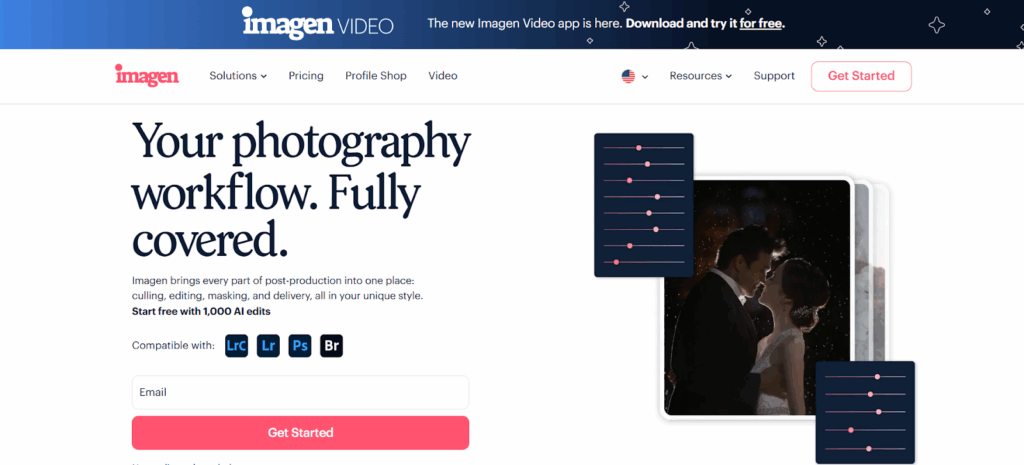
The core philosophy of Imagen is personalization. It understands that “good color” is subjective. A moody, cinematic wedding photographer defines a “good edit” very differently than a bright, airy family photographer. Imagen uses AI to learn your definition.
The Personal AI Profile
This is the heartbeat of the Imagen ecosystem. You don’t just log in and press a button; you teach it. By analyzing your previously edited Lightroom catalogs (typically around 2,000 images), Imagen builds a Personal AI Profile. This profile contains your artistic DNA. It learns how you handle white balance in mixed lighting. It learns how much contrast you like. It learns your specific approach to HSL sliders.
When you send a new wedding or portrait session to Imagen, it doesn’t guess. It edits the photos exactly how you would have edited them, but it does it in minutes rather than days.
A Complete Workflow Solution
Imagen has evolved beyond simple color correction. It now acts as a full-service digital assistant:
- Culling Studio: A dedicated space to select your keepers, utilizing AI to group duplicates and rate images based on focus and expression.
- Local Adjustments: It handles the tedious brushing and masking work, including Subject Mask and Smooth Skin.
- Crop & Straighten: It automatically applies crop and straighten adjustments to your images based on professional composition rules.
- Cloud Storage: It offers secure, optimized backup for your high-resolution files while you work.
The processing happens in the cloud to spare your computer’s CPU, but the interface and control remain firmly on your desktop. This hybrid approach gives you the speed of a supercomputer with the local control of a desktop app.
What is Snapify?
Snapify represents a different branch of the AI evolution. While Imagen focuses on the craft of post-production, Snapify focuses on the logistics of delivery. It markets itself as an “all-in-one” solution for event photographers who need to get photos to attendees immediately.
Snapify is built around the concept of “Real-Time.” Its workflow often involves specific hardware (like a dedicated data transfer device) that pushes images from your camera to the cloud instantly via 5G. Once in the cloud, the AI culls and edits the images automatically, then uses facial recognition to sort them for attendees.
The Snapify Philosophy
The driving force behind Snapify is instant gratification. In the world of corporate galas, marathons, and red-carpet events, the value of a photo decays rapidly. A photo delivered 10 seconds after it is taken is worth more to a guest than a photo delivered three days later.
Snapify automates the entire pipeline to achieve this. It culls (removes blurry shots), edits (applies standard color correction), and distributes (sends links to guests). It is an impressive logistical feat, but it fundamentally changes the role of the photographer from an artist to a capture-node in a distribution network.
The Feature Breakdown
To truly understand which tool belongs in your business, we need to break down the specific features that matter to professionals.
1. The Editing Engine: Your Style vs. The Machine’s Standard
This is the most critical distinction in this Snapify vs. Imagen battle.
Imagen’s Approach: The Clone of Your Brain Imagen starts with the assumption that you are the artist. The AI is the apprentice.
- Personalization: The Personal AI Profile is not a gimmick. It is a sophisticated learning model. If you change your editing style next year, you can update your profile. Imagen evolves with you.
- Talent AI Profiles: If you are just starting or want to experiment, you can access profiles created by world-class photographers. These aren’t just presets; they are AI brains that know how those photographers would handle your lighting conditions.
- Edit-Ability: Because Imagen sends the edits back to Lightroom as metadata (non-destructive), you have total freedom. You can tweak the exposure by 0.10 stops, and the file reacts exactly like a RAW file because it is your RAW file.
Snapify’s Approach: The Standardized Fix Snapify’s editing engine is designed for mass appeal and speed. It aims to make the photo “look good” by objective standards—correct exposure, neutral white balance, adequate contrast.
- Automation over Art: While Snapify produces clean, professional-looking images, it does not offer the deep stylistic cloning of Imagen. It is difficult to teach Snapify to emulate a “dark and moody” cinematic style with the nuance that Imagen captures.
- Destination: The edited images in Snapify are often destined directly for a web gallery or a guest’s smartphone. The workflow prioritizes the JPEG output. While you can access high-res files, the system is designed to bypass the meticulous “tweak-and-refine” stage that most fine-art photographers rely on.
Winner: Imagen. For the professional who sells their specific artistic vision, Imagen is the only choice that truly respects and replicates that vision.
2. The Culling Workflow
Culling is often described as the most painful part of photography. Both platforms tackle this, but in very different ways.
Imagen Culling Studio: The Strategic Partner Imagen integrates culling into the desktop experience.
- Intelligent Grouping: It stacks similar images (bursts) so you don’t have to view them individually.
- Semantic Analysis: The AI doesn’t just look at pixels; it looks at content. It knows if the bride’s eyes are closed. It knows if the focus missed the subject.
- Edit-While-Culling: This feature is revolutionary. You can choose to see your Personal AI Profile applied to the thumbnails as you cull. This saves massive amounts of mental energy. You don’t have to imagine what a flat RAW file will look like edited; Imagen shows you the potential final product immediately.
- Control: You make the final call. The AI suggests, but you decide.
Snapify AI Culling: The Gatekeeper Snapify’s culling is often a “black box” process designed to facilitate speed.
- Automated Filtering: The goal of Snapify is to get photos to the gallery now. Therefore, the culling engine acts as a strict gatekeeper, automatically rejecting blurry or bad shots to ensure only “good” photos hit the public feed.
- Speed Limit: While fast, this approach removes the photographer’s ability to save a “technically imperfect but emotionally perfect” moment. If the AI thinks a motion-blurred dancing shot is “bad,” it might not make the cut for the live gallery.
Winner: Imagen. The Culling Studio offers the perfect balance of AI assistance and human control. It respects that culling is a creative decision, not just a technical one.
3. Workflow and Integration
How does the software fit into your daily life?
Imagen: The Lightroom Classic Companion Imagen understands that for 90% of pros, Adobe Lightroom Classic is home base.
- Seamless Handshake: You don’t have to export JPEGs to use Imagen. You upload smart previews or catalog data. It is lightweight and fast.
- Metadata Magic: The edits return as XMP data or catalog adjustments. This keeps your file sizes small and your flexibility high.
- Desktop Power: Because it is a desktop app, it feels robust. It manages downloads, uploads, and backups in the background. You can continue shooting or working on other things while Imagen works.
Snapify: The Cloud-First Disruptor Snapify tries to replace the traditional workflow rather than integrate with it.
- Hardware Dependency: To get the full benefit of “Real-Time,” you often need to use Snapify’s hardware or app solutions to transmit data during the shoot. This requires a change in how you physically shoot.
- Web-Centric: Much of the management happens in a browser. While modern browsers are powerful, they lack the stability and shortcut-heavy workflow of a dedicated desktop asset manager like Lightroom or Bridge.
- Disconnection: If you want to take the images from Snapify and do heavy retouching in Photoshop later, you are often pulling them back out of their ecosystem, reversing the flow.
Winner: Imagen. It improves your existing workflow rather than forcing you to learn a completely new way of handling files.
4. Specialized AI Tools
Beyond basic editing, what else can the AI do?
Imagen:
- Subject Mask: Automatically selects the subject and can apply specific adjustments (like brightening the face or adding texture to the dress) separate from the background.
- Smooth Skin: This is a game-changer for wedding and portrait photographers. It smooths skin texture without making it look like plastic. It handles this automatically across thousands of images.
- Crop & Straighten: It fixes your horizons and tightens your compositions based on millions of professional examples.
Snapify:
- Facial Recognition Delivery: This is Snapify’s superpower. It can scan a crowd, identify faces, and deliver personal galleries to guests.
- QR Code Interaction: It excels at connecting physical attendees to digital assets.
Analysis: If you are selling prints or albums, Imagen’s skin smoothing and masking are essential. If you are selling brand exposure at a corporate event, Snapify’s facial recognition is essential. However, for the creation of the image itself, Imagen has the superior toolset.
The “Real-Time” vs. “High-End” Debate
This is where the choice becomes philosophical.
Snapify sells Speed. Ideally, the client has the photo before they leave the venue. This is incredible for social media buzz. However, speed has a cost. The cost is nuance. You cannot dodge and burn a photo in real-time. You cannot carefully grade the skin tones to match the ambient light in real-time.
Imagen sells Efficiency without Compromise. It reduces a 12-hour editing job to 20 minutes. For a wedding couple waiting 8 weeks for their photos, receiving them in 1 week is a miracle. They do not need them in 10 seconds. They would prefer them to be perfect rather than instant.
For most high-end photographers—wedding, boudoir, newborn, architectural—the “Real-Time” value proposition of Snapify is actually a detriment. We don’t want the client to see the raw reality immediately. We want them to see the polished magic. Imagen protects that magic while still delivering incredible speed.
Reliability and Stability
When you are processing 50,000 images a year, your software cannot crash.
Imagen is built on a rock-solid foundation. The desktop app is updated frequently, and the cloud architecture is enterprise-grade. It handles massive catalogs without choking. The support team is available 24/7, which is crucial when you are exporting a gallery at 2 AM.
Snapify, relying heavily on live connectivity and 5G uploads, introduces more points of failure. If the venue has bad reception, the “Real-Time” promise breaks. If the hardware dongle disconnects, the workflow stalls. Imagen works offline. You can upload your catalog when you get to Wi-Fi. It fits the reality of working photographers who often shoot in dead zones.
Pricing Models and ROI
Imagen:
- Pay-as-you-go: This is the most photographer-friendly model in the industry. You pay only for what you edit. No monthly fee hanging over your head during the slow season.
- Subscription: For the busy studios, this caps your costs and brings the per-image price down significantly.
- ROI: The calculation is simple. If Imagen saves you 10 hours of editing at a cost of $15, you have effectively hired a skilled editor for $1.50 an hour.
Snapify:
- Snapify’s pricing is often tied to the event or the storage/delivery volume. Because it combines delivery and hosting, it can be more expensive if you are only looking for editing. You are paying for the facial recognition and the speed tech.
Why The “Desktop” Matters
I want to emphasize this because it is often overlooked. Imagen is a desktop app. Why does this matter?
- Speed: Local hard drives are faster than internet browsers. Loading 4,000 smart previews in Imagen is instantaneous.
- Multitasking: The app runs in its own window. You can have Lightroom open on one screen and Imagen on the other.
- Security: Your original RAW files never have to leave your hard drive. Imagen only needs the smart previews (compressed versions) to do its magic. This is a massive security plus for high-profile clients.
Snapify’s cloud-heavy approach means you are often moving large amounts of data. While 5G is fast, it isn’t “local hard drive” fast.
The Verdict
If your business is:
- Running a photo booth at a festival.
- Shooting corporate headshots where immediate delivery is the contract.
- Covering a marathon where participants need to find their bib number instantly. Then Snapify is a tool worth investigating.
However, if your business is:
- Wedding Photography.
- Family & Senior Portraits.
- Real Estate & Architecture.
- Fine Art.
- Any genre where your style is your product.
Then Imagen is the undisputed champion.
Imagen has successfully bridged the gap between automation and artistry. It allows us to be prolific without being robotic. It gives us the tools to cull, edit, and refine our work at a speed that was impossible five years ago, all while keeping us firmly in the driver’s seat of our own aesthetic.
In the comparison of Snapify vs. Imagen, Snapify wins on transmission, but Imagen wins on photography. And at the end of the day, I am a photographer.
FAQ: Expanding on AI Workflows
1. Can Imagen replicate my exact editing style if I have a very complex look? Yes. Imagen’s Personal AI Profile is designed to learn complex editing behaviors. It analyzes over 2,000 of your previous edits to understand how you manipulate color, contrast, and exposure in various conditions. It essentially clones your decision-making process.
2. Does Snapify work with Adobe Lightroom Classic? Snapify can export to Lightroom, but its primary workflow is designed to bypass the desktop for speed. Imagen, on the other hand, is built for Lightroom Classic, integrating seamlessly to read and write metadata directly to your catalogs.
3. Is it safe to upload my client photos to the cloud with Imagen? Yes. Imagen prioritizes security. The desktop app usually uploads Smart Previews (which are much smaller and lower resolution than RAWs) for processing. The original high-res RAW files stay safely on your local hard drive.
4. How much time does Imagen actually save on a wedding? A typical wedding of 4,000 images might take a human editor 10 to 15 hours to cull and edit. Imagen can cull and edit that same job in under 30 minutes of active processing time. This allows you to deliver galleries weeks ahead of schedule.
5. Do I need to buy special hardware to use Imagen? No. Imagen is software that runs on your existing Mac or PC. It works with the cameras and lenses you already own. Snapify often utilizes specific hardware or cards for its real-time transmission features.
6. Can Imagen help me cull my photos? Absolutely. Imagen’s Culling Studio is a state-of-the-art culling tool. It groups duplicates, detects eye sharpness, and analyzes facial expressions to recommend the best shots. You can even see your edits applied while you cull.
7. What if I am a new photographer and don’t have previous edits to teach Imagen? Imagen offers Talent AI Profiles. These are pre-built profiles created by world-renowned photographers. You can use these immediately to get professional-looking results without needing your own training data.
8. Does Snapify offer skin smoothing? Snapify focuses on general global adjustments. Imagen offers a specific Smooth Skin AI tool that identifies faces and applies professional-grade skin softening, which is critical for portrait and wedding work.
9. Can I use Imagen for Real Estate photography? Yes. Imagen has specific capabilities for high-dynamic-range scenes often found in real estate. It also offers specific AI tools like Crop & Straighten which are vital for architectural lines.
10. Is Imagen a subscription service? Imagen offers both a “Pay-as-you-go” model and subscription plans. This flexibility is perfect for seasonal photographers who might not want a monthly bill during quiet months.
11. How does the “Subject Mask” feature work in Imagen? The AI automatically detects the main subject of the photo (people, pets, etc.) and creates a precise mask. It then applies local adjustments to that subject—like brightening the face or adding texture to the dress—to make them pop from the background.
12. Can I use Imagen on multiple computers? Yes. Since your Personal AI Profile lives in the cloud, you can log in to the Imagen desktop app on any computer and access your unique editing style instantly.
13. Does Imagen alter my RAW files permanently? No. Imagen is completely non-destructive. It writes instructions (metadata) that tell Lightroom how to display the image. You can always reset the photo to its original RAW state with one click.
