Finding a true professional real estate photographer can feel like a gamble. You type “professional real estate photographers near me” into a search engine and get dozens of results. They all have pretty photos. But how do you know who is truly a pro? How do you know who will show up on time, deliver stunning images, and make your listing look its best? As a professional photographer myself, I can tell you this: the right images are an investment that pays for itself, fast. This guide will show you exactly how to find, vet, and hire the perfect photographer for your listings.
Key Takeaways
- Professional photos are not a luxury. They are a core marketing tool that can help you sell properties faster and for more money. The “first impression” online is usually the only one you get.
- “Professional” means more than a fancy camera. A true pro has technical skills in lighting and composition, carries business insurance, and understands the speed of the real estate market.
- Always do a portfolio “deep dive.” Look for consistency across all photos in a gallery, not just one or two “hero shots.” Check for clean vertical lines and realistic window views.
- Speed is critical, but not at the cost of quality. The best photographers have a streamlined workflow. They use modern tools to deliver high-quality, consistent images, often within 24-48 hours.
- My own workflow relies on Imagen to succeed. I use Imagen‘s AI-powered desktop app to handle the most time-consuming parts of my job. This includes culling thousands of photos and applying my unique editing style, which the AI learned from me. This is how I guarantee consistency and next-day delivery for my clients.
Why You Can’t Afford to Skimp on Professional Real Estate Photography
In today’s market, your first showing doesn’t happen at the open house. It happens on a phone screen, probably while someone is scrolling on the couch. This is where your listing has to shine.
The “First Impression” is the Only Impression Online
Think about your own browsing habits. You swipe through dozens of images in minutes. What makes you stop? A stunning, bright, and welcoming photo. What makes you swipe past? A photo that is dark, blurry, or tilted.
Statistics back this up. Listings with professional photos get more clicks, more saves, and more showing requests. You are not just selling a house. You are selling a dream. A professional photographer knows how to capture that dream. They know how to make a space feel bright, open, and inviting. A bad photo just shows walls and carpet.
How Pro Photos Directly Impact Your Bottom Line
This is not just a theory. It is a fact. Studies from major real estate portals have shown a direct link between photo quality and sales results.
- Listings with high-quality photos sell faster. In some markets, we are talking about selling weeks faster than listings with poor photos.
- They sell for more money. Buyers perceive a home with beautiful, professional photos as being worth more. This can add thousands of dollars to the final sale price.
When you think about it, the cost of a professional photographer is tiny compared to the potential return. It is one of the highest-ROI marketing expenses you can have.
The Hidden Costs of “Cheap” Photography
I get it. Budgets are tight. It can be tempting to hire the cheapest photographer you can find or even try to take the photos yourself with your new phone. But this almost always costs you more in the long run.
What are the hidden costs?
- Low Engagement: Your listing gets fewer clicks. Buyers skip right over it.
- Fewer Showings: That low online engagement means your phone is not ringing for appointments.
- Price Reductions: The listing sits on the market. You and your client start getting nervous. The first step is often a price cut. That “saved” money on photography just cost your client ten thousand dollars or more.
- Brand Damage: If you are an agent, your listings are your resume. Cheap photos make you look cheap. It tells potential new clients that you cut corners.
Hiring a true professional is not just about this one listing. It is about building your brand, protecting your client’s equity, and getting the best possible result every time.
What Makes a Real Estate Photographer “Professional”?
This is the most important question. Lots of people call themselves professional. I believe the term “professional” comes down to three things: technical skill, business practices, and a reliable workflow.
It’s Not Just About the Camera (The “Gear Trap”)
A common mistake is thinking that an expensive camera makes a good photographer. This is just not true. A great camera in the hands of an amateur will still produce amateur photos.
A true professional understands the tools. They know which lens to use to make a small room feel spacious without looking distorted. They have backup gear in case something breaks. The gear is important, but it is the photographer, not the camera, that creates the shot.
Technical Skills: The Non-Negotiables
When I review a portfolio, I am looking for these core technical skills. Without them, nothing else matters.
Composition and Angles
- Straight Vertical Lines: This is rule number one. Walls, door frames, and window edges should be perfectly vertical. Tilted or leaning lines look sloppy and distort the room. A pro knows how to shoot to avoid this or how to fix it perfectly in post-production.
- Good Camera Height: The camera is usually set at eye level or slightly lower (around 4-5 feet). This gives a natural, “walking-in” feel. Photos taken too high or too low can make a space feel strange and unbalanced.
- Making Spaces Look Good: The goal is to show a room’s layout, features, and size. This means choosing the right angles (usually from a corner) to show the flow of the room.
Mastering Light (Natural, Flambient, HDR)
This is what truly separates the pros from the rest. Real estate is all about lighting.
- Natural Light: A pro knows how to use natural light, shooting at the right time of day to make a home feel bright and airy.
- HDR (High Dynamic Range): You will hear this term a lot. This involves taking multiple photos at different exposures (one dark, one medium, one bright) and blending them together. This is how you get those “perfect” shots where you can see both the bright, beautiful room and the view out the window, with no dark shadows or blown-out highlights.
- Flambient: This is a more advanced technique many top pros use. It combines “flash” and “ambient” light. The photographer takes one shot with the natural (ambient) light and another using an off-camera flash to fill in shadows and get perfect colors. They then blend these photos together. It creates a very clean, bright, and vibrant look.
Focus and Sharpness
Every single photo you receive should be sharp and in focus. Period. There are no excuses for blurry or out-of-focus images from a professional. This also includes “noise,” or that grainy look you see in photos taken in low light. A pro’s images should be clean.
The “Business” Side of Professionalism
A great artist who is a bad businessperson is a nightmare to work with. A true pro has their business locked down.
- Reliability and Turnaround Time: The real estate market moves at the speed of light. You need your photos now. The industry standard is a 24 to 48-hour turnaround. Ask about this upfront. A pro who takes a week to get you photos does not understand the business.
- Insurance: This is a non-negotiable. Your photographer must have General Liability Insurance. If they knock over a priceless vase or trip and damage the hardwood floor, you (and your client) need to be protected. Ask for a certificate of insurance.
- Licensing and Usage Rights: This is a big one. When you “buy” photos, you are usually buying a license to use them to market that specific property. The photographer typically still owns the copyright. This is normal. Just make sure the contract is clear. Can you use them for your personal marketing (like on your website’s “sold” gallery)? Can the agent use them, or just the brokerage? Get it in writing.
Where to Find Professional Real Estate Photographers Near You
Okay, so you know what to look for. Now, where do you find these pros?
Step-by-Step: Using Search Engines Effectively
That first “professional real estate photographers near me” search is a good start. But you can do better.
- Get Specific: Search for “[Your City] real estate photography,” “[Your County] property photographer,” or even “[Your Neighborhood] real estate video.”
- Look Past the Ads: The first few results are ads. They might be great, or they might just be good at marketing. Scroll down to the organic results and the map pack.
- Check Their Websites: Look at their portfolio. Does it look professional? Do they only shoot real estate? A photographer who shoots weddings, babies, and real estate might not be a specialist. Real estate photography is a very specific skill.
- Look for Reviews: Check their Google Business Profile for reviews from other agents.
Tapping Into Real Estate Networks
This is honestly the best way.
- Ask Your Brokerage: Your broker-in-charge or office manager has seen it all. Ask them for their top 2-3 recommendations.
- Ask Top Agents: Find the top-producing agents in your office or area. Look at their active listings. Who is shooting their photos? If their marketing looks amazing, find out who their photographer is.
- Visit a Local Broker’s Open: Look at the marketing materials. If the photos on the flyer are stunning, ask the listing agent who they used.
Using Professional Directories
There are several online directories dedicated to property photography. Searching for “real estate photographer directory” can bring up sites that vet their members. These can be a good source, but always do your own vetting.
Social Media Sleuthing
Instagram is a powerful visual search engine.
- Search Hashtags: Look up hashtags like #[yourcity]realestate, #[yourcity]realtor, and #[yourcity]realestatephotography.
- Analyze Posts: When you see a listing with great photos, check the caption. Often, the agent will tag their photographer. This is a direct line to a pro who is already working in your area.
The 5-Step Vetting Process: How to Hire the Right Pro
You have a list of 3-5 potential photographers. Now it is time to narrow it down. This is my personal vetting process.
Step 1: The Portfolio Deep Dive
Do not just glance at the homepage. Click into the full galleries for individual listings.
- Look for Consistency: Is every photo good, or just the first “hero shot”? I want to see a photographer who can make a small bathroom look clean and bright, not just the million-dollar kitchen. Consistency is more important than a single “wow” photo.
- Does Their Style Match Your Brand? Some photographers have a “light and airy” style. Others are “dark and moody.” Some are very natural, while others are vibrant and blue-skied. There is no “right” style, but there is a right style for you. Make sure their look matches your brand and the type of property you are selling.
- Check for Common Flaws:
- Warped Lines: Are the vertical lines perfectly straight?
- Bad Window Pulls: Does the view out the window look fake, like a cut-and-pasted cartoon? Or does it look natural?
- Weird Color Casts: Are the white walls actually white? Or do they look yellow (from indoor lights) or blue (from shadows)?
- Flash Glares: Do you see big, ugly reflections of the photographer’s flash in windows, mirrors, or stainless steel appliances?
Step 2: Check Their Service List
A modern listing needs more than just still photos. Does this photographer offer the full package?
- Drone Photography/Video: This is almost essential for properties with land, a great view, or a unique location.
- Video Walkthroughs: A stabilized, smooth video tour is hugely engaging.
- 3D Tours: Think Matterport. This lets buyers “walk” through the home virtually.
- Twilight Shots: These “dusk” shots with the lights on in the house can be absolutely stunning and are great for a hero image.
- Virtual Staging: Can they (or their editor) digitally add furniture to empty rooms?
Step 3: Ask About Their Process and Turnaround Time
This is a simple email or phone call.
- “What is your standard turnaround time for photos?” (Should be 24-48 hours).
- “How do you deliver the photos?” (It should be a simple online gallery with easy downloads).
- “What resolution do I get?” (You need high-resolution for print and a web-sized version for the MLS).
Step 4: Discuss Pricing and Packages
Price is important, but it should be the last thing you compare.
- How do they charge? Is it by square footage? By the number of photos? A flat rate per house?
- What is included? How many photos do you get? Is drone included?
- Are there travel fees?
- Do not just pick the cheapest. A photographer charging $100 when everyone else charges $250 is cutting corners somewhere. It might be in their insurance, their gear, their editing time, or their skill.
Step 5: The “Red Flag” Checklist
Watch out for these warning signs:
- Poor Communication: They take days to answer an email.
- No Contract: A pro will always use a simple contract that outlines the services, price, and usage rights.
- No Insurance: You already know this one. It is a deal-breaker.
- Bad or No Reviews: If you cannot find any agents who have had a good experience, that is a bad sign.
The Secret Weapon: How Top Pros Deliver Quality and Speed
Agents often ask me, “How can you possibly deliver 50 perfectly edited photos by tomorrow morning?” They think it must be a trick. It is not a trick. It is about having a rock-solid, efficient workflow.
This is the biggest challenge in my business. I might shoot three houses in one day. That can be thousands of RAW files. The bottleneck is not the photoshoot. It is the post-production: culling (choosing) the best photos and then editing each one.
My Old Workflow: The Manual Editing Grind
In the “old days,” my evenings were a nightmare.
- Manual Culling: I would import thousands of photos into Adobe Lightroom Classic. I would have to manually go through all my bracketed HDR shots, find the blurry ones, and pick the best angle. This took hours.
- Manual Editing: I would then apply a preset. But a preset never works perfectly on every photo. I would have to go photo by photo, adjusting the exposure on one, the white balance on another, and straightening the lines on a third. It was tedious.
- Outsourcing: I even tried outsourcing to a human editor. This can be a functional option, but it has challenges. You have to find a reliable editor. You have to train them on your style. Communication can be slow, especially with different time zones. And consistency can still be a problem. I found I was spending too much time re-editing my “edited” photos.
My New Workflow: How I Guarantee Consistency and Speed
My workflow changed completely when I found Imagen.
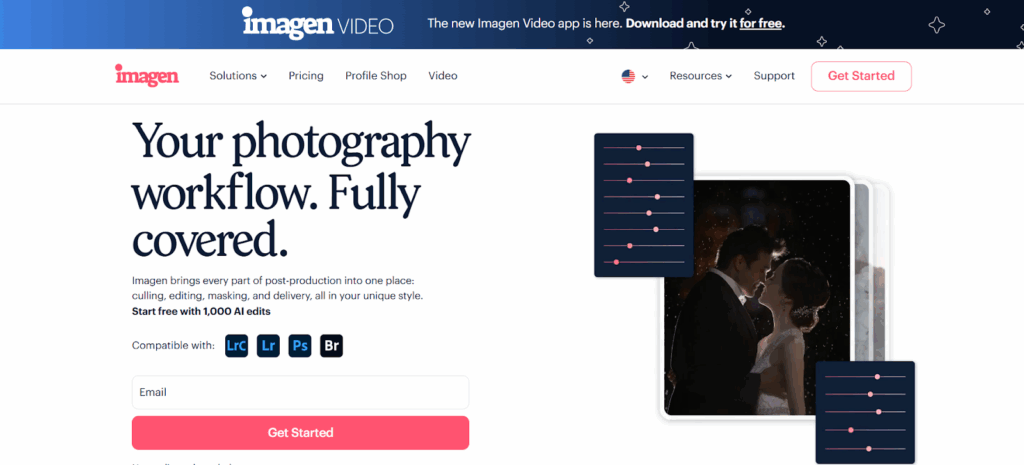
Imagen is a desktop app that I use. It is not a web-based program. It works directly with my Adobe Lightroom Classic catalogs, which is the industry standard. It uses AI to learn my style and automate the most time-consuming parts of my job. This is my secret.
Step 1: Culling Thousands of Photos in Minutes
First, I run my new shoots through Imagen‘s AI Culling feature. I do this right on my desktop. The AI scans all the photos and automatically:
- Groups similar photos and my bracketed shots.
- Finds blurry or out-of-focus photos.
- Finds photos with closed eyes (less of an issue in real estate, but a lifesaver for agent headshots).
- It then selects the best-of-the-best from each group for me.
What used to take me an hour now takes about five minutes. I just do a quick review and confirm the choices.
Step 2: Getting a Perfect Edit, in My Style
This is the magic. I did not want my photos to look like a generic filter. I wanted them to look like my edits.
Imagen lets you create a Personal AI Profile. To do this, I gave the app 3,000 of my previously edited photos from my Lightroom catalogs. The AI studied everything: how I handle exposure, my exact white balance preference, how I treat highlights and shadows, and my color choices.
Now, when I have a new project, I send the culled photos to Imagen. The app uploads them to its secure cloud for processing. Its AI analyzes each photo individually and applies my unique, learned style. It is not a blunt-force preset. It is an intelligent edit, just like I would do it myself, but at a speed of less than half a second per photo.
For photographers just starting out who do not have 3,000 edited photos, Imagen also offers Talent AI Profiles built by industry-leading photographers.
Step 3: Handling the Hard Stuff with AI Tools
This is where it gets really good for real estate. On top of my Personal AI Profile, I add Imagen‘s specific AI Tools.
- HDR Merge: For all my bracketed shots, Imagen automatically merges them into a single, perfectly balanced DNG file. This is a huge time-saver.
- Perspective Correction: Remember those all-important straight vertical lines? Imagen‘s AI finds all the vertical and horizontal lines and fixes them for me, perfectly, on every photo.
- Sky Replacement: This is a fantastic tool for real estate. If I have to shoot on a gray, overcast day, Imagen‘s AI can automatically replace the dull sky with a beautiful, natural-looking blue sky. It makes the exterior shots pop.
Step 4: My Final Review and Delivery
Because all the heavy processing happens in Imagen‘s cloud, my computer does not slow down. When the edits are done (usually in 10-20 minutes for a whole house), they download right back into my Lightroom Classic catalog as XMP files.
I open my catalog, and all the photos are culled and edited. I do a quick final review, make any tiny creative tweaks I want, and export the final JPEGs for the client.
As a final step, I use Imagen‘s Cloud Storage. This automatically backs up my Lightroom Classic catalogs and original RAW files. It gives me peace of mind that my clients’ photos are safe.
Why This Matters for You (The Real Estate Agent)
You might be thinking, “This is great for you, but why do I care how you edit?”
You care because this workflow is what allows me to confidently promise you a 24-hour turnaround. You care because this is how I guarantee every photo will be consistent and match my portfolio. The quality of my work does not go down when I get busy.
When you are vetting a photographer, ask them about their workflow. You do not have to ask if they use Imagen. But ask them: “How do you ensure consistency across all my photos?” and “How can you guarantee a 24-hour turnaround on every single job?”
The pros will have a good answer.
Preparing Your Listing for the Photographer
You can help your photographer create the best possible images. A great photo starts with a great scene. Please share a pre-shoot checklist with your clients.
A Pro Photographer’s Pre-Shoot Checklist
General (All Rooms):
- Declutter! Remove all personal items (family photos, kids’ artwork, magnets on the fridge).
- Clean: Floors, windows, countertops, and mirrors should be spotless.
- Lights: Replace all burned-out lightbulbs. Make sure all bulbs in a single fixture are the same color (e.g., all “soft white” or all “daylight”).
- Hide the ‘Living’: Hide trash cans, tissue boxes, remote controls, phone chargers, and pet supplies.
Kitchen:
- Clear everything off the countertops. A single bowl of fruit or a nice coffee maker is okay.
- Hide all soap dispensers, sponges, and dish towels.
- Remove everything from the outside of the refrigerator.
Bathrooms:
- Clear countertops completely. No toothbrushes, soap, or makeup.
- Hide all towels (except for one set of clean, folded decorative towels).
- Hide all toilet brushes, plungers, and scales.
- Put the toilet seat down.
Bedrooms:
- Make the beds perfectly.
- Clear all nightstands (a lamp is fine).
- Hide all clothes and laundry baskets.
Exterior:
- Mow the lawn and tidy the landscaping.
- Hide all garbage cans, garden hoses, and yard tools.
- Move cars out of the driveway and away from the front of the house.
- Arrange patio furniture neatly.
During the Shoot: What to Expect
A typical shoot for a standard home (around 2,500 sq ft) will take 60-90 minutes. For larger homes or with video/drone, it can take longer.
The best thing you or the homeowner can do is stay out of the way. The photographer will be moving methodically through the house, turning lights on and off, and moving quickly. Letting them work uninterrupted is the fastest way to get a great result.
Understanding Real Estate Photography Packages and Pricing
Pricing can vary a lot based on your location, the photographer’s experience, and the size of the property.
- Common Pricing Models:
- By Square Footage: This is very common. The price is tiered based on the home’s size (e.g., 0-2000 sq ft, 2001-3000 sq ft, etc.).
- By Number of Photos: Some photographers charge a flat rate that includes a set number of images (e.g., $200 for 25 photos).
- Flat Rate: A simple flat fee per property. This is less common.
- What’s Typically Included?
- The photographer’s time on-site.
- A set number of high-resolution, edited images.
- Web-sized versions for the MLS.
- A license to use the photos to market that property.
- Online gallery delivery.
- Add-Ons That Are Worth the Money:
- Drone: $75 – $150. Always worth it if there is land or a view.
- Twilight: $100 – $175. This is a separate visit at dusk. It adds a “wow” factor.
- Video: $200 – $500+. A 2-3 minute cinematic video is a powerful asset.
- 3D Tour: $100 – $250. Great for out-of-town buyers.
Conclusion: Your Next Step to a Perfect Listing
Finding a great real estate photographer near you is not just a task to check off your list. It is the most important marketing decision you will make for your listing.
Do not settle for “good enough.” Use this guide to find a true professional. Vet their portfolio for technical skill and consistency. Check their business practices for reliability and insurance. And ask them how they deliver high-quality work on a tight deadline.
Your clients deserve it, your brand depends on it, and your bottom line will thank you for it.
Frequently Asked Questions (FAQ)
1. How much do professional real estate photographers cost? This varies by location and experience. For a standard set of photos (25-35 images) for an average-sized home, you can expect to pay anywhere from $175 to $350. Larger homes, twilight shoots, and add-ons like drone and video will cost more.
2. How many photos do I need for a listing? A good range is 25-35 photos for a typical home. This is enough to show every key room (bedrooms, bathrooms, kitchen, living areas), the exterior (front and back), and any special features (pool, deck, garage). Too many photos (like 70) can be overwhelming.
3. What’s the difference between HDR and Flambient photography? HDR (High Dynamic Range) blends multiple photos of different exposures (dark, medium, bright) to capture both deep shadows and bright highlights, like a view out a window. Flambient blends a photo taken with natural (ambient) light with a photo taken using a flash. It often results in more vibrant colors and a cleaner, brighter look. Both are professional techniques.
4. Can you just “Photoshop” a messy room to look clean? No. Removing large items (like furniture or piles of clutter) is called “object removal” and it is very time-consuming and expensive. Do not rely on this. Decluttering the home before the shoot is the only way to guarantee a good result.
5. Why do my photos look different on the MLS than on the photographer’s website? The MLS (Multiple Listing Service) often compresses images to make them load faster. This can reduce the quality and sharpness. This is why a photographer should provide you with both high-resolution files (for print) and web-sized files that are already optimized for the MLS.
6. Do I really need drone photos? If the property has more than a tiny yard, sits on a nice piece of land, has a pool, is near the water, or has a great view, then yes. Drone photos are the best way to show a property’s context and location, which is just as important as the house itself.
7. How long does a real estate photoshoot take? For a standard home, expect the photographer to be on-site for 60 to 90 minutes. If you add drone, video, and a 3D tour, it could be two or three hours.
8. Should I be at the house during the shoot? You can be, but it is not necessary. As long as the photographer has access (via lockbox or a homeowner), they can get the job done. Many photographers prefer to work in an empty house so they can move quickly and efficiently.
9. What if it rains on the day of the shoot? Most photographers will still shoot the interior photos in the rain. The light inside can still be great. They will then schedule a quick return visit on a sunny day to capture the exterior shots and drone photos. Ask about their rain policy.
10. What is a “Personal AI Profile” you mentioned with Imagen? It is a feature within the Imagen desktop app. I fed it thousands of my past photos that I edited myself in Lightroom. The AI “learned” my specific style—my white balance, my color preferences, everything. Now, it applies that personal style to my new photos. It’s like having an assistant who edits exactly like me.
11. So you do not edit the photos at all? You let Imagen do it? That is a common question! Imagen does the heavy lifting. It applies about 95% of the edit, including complex things like HDR merging and perspective correction. I then do a final 5% review in Lightroom Classic to add any small, creative touches and give it my final stamp of approval before exporting for the client.
12. Can any photographer use Imagen? Yes, it is a tool available to any photographer. It is a desktop app that works with Lightroom Classic, Lightroom, Photoshop, and Bridge. But the results will be different for everyone. If a photographer trains a Personal AI Profile, the edits will match their unique style, not a generic “AI” style.
13. What is the single biggest red flag when hiring a photographer? A portfolio that is inconsistent. If you see one amazing twilight shot, but the rest of the photos are dark or have tilted lines, it means they got lucky on that one shot. You want a pro who delivers excellent, consistent results on every photo, in every house.
