

Portrait Photography Tips in 2026: The Definitive Guide
Table of contents
- Key Takeaways
- Mastering Advanced Lighting Setups
- Mastering the Psychology of Subject Posing
- Managing Your Photo Selection with Smart Tools
- Optimizing Your Post-Production Style
- Transitioning to Self-Service Client Booking
- Calculating and Reducing Client Acquisition Costs
- Structuring Usage-Based and Retainer Pricing
- Handling Corporate Clients in Decentralized Budgets
- Designing an Automated Client Onboarding Flow
- Future-Proofing Your Portrait Business with AI Tools
- Comparing Top Portrait Post-Production Tools
- Frequently Asked Questions
- What camera lens is best for portrait photography in 2026?
- How do I choose between natural light and studio strobes?
- What is the ideal aperture for shooting individual portraits?
- How do I handle a portrait client who is extremely camera-shy?
- Should I shoot portraits in RAW or JPEG format?
- How do I calibrate my monitor for accurate skin tones?
- What is the best way to back up my portrait catalog securely?
- How do I build a professional portrait portfolio from scratch?
- Keep exploring
You want portraits sharp enough to stop a viewer mid-scroll. Basic camera settings alone won’t get you there in 2026 though, not when client expectations and workflow technology have shifted this fast.
Want to speed up your workflow? Try Imagen and see how its new Studio lets you cull, edit and export your portrait sessions in one project. You pay at export, and you see every edit in the gallery first.
Whether you run a high-volume corporate headshot studio or a boutique portrait business, nailing the perfect shot only gets you halfway there. You still need to run a tight, profitable operation behind the scenes. And that’s exactly where most skilled photographers get stuck, talented behind the camera but overwhelmed by the business side. Below, you’ll find the systems that pair creative skill with sound business practice, the combination that wins the portrait market this year.
Key Takeaways
- 73% of modern clients prefer booking themselves over trading emails back and forth.
- AI photo culling tools can cut your selection and post-production time by as much as 96%.
- Customer acquisition costs (CAC) for portrait photographers climbed 22% year-over-year, which means retention matters more than ever.
- Studios that hit a 5:1 lifetime value (LTV) to CAC ratio grow at roughly twice the rate of everyone else.
- Corporate budgets have decentralized too: 55% of headshot spending now sits with individual department heads rather than IT or HR.
- Hybrid, usage-based packages line your pricing up with exactly what value each client actually consumes.
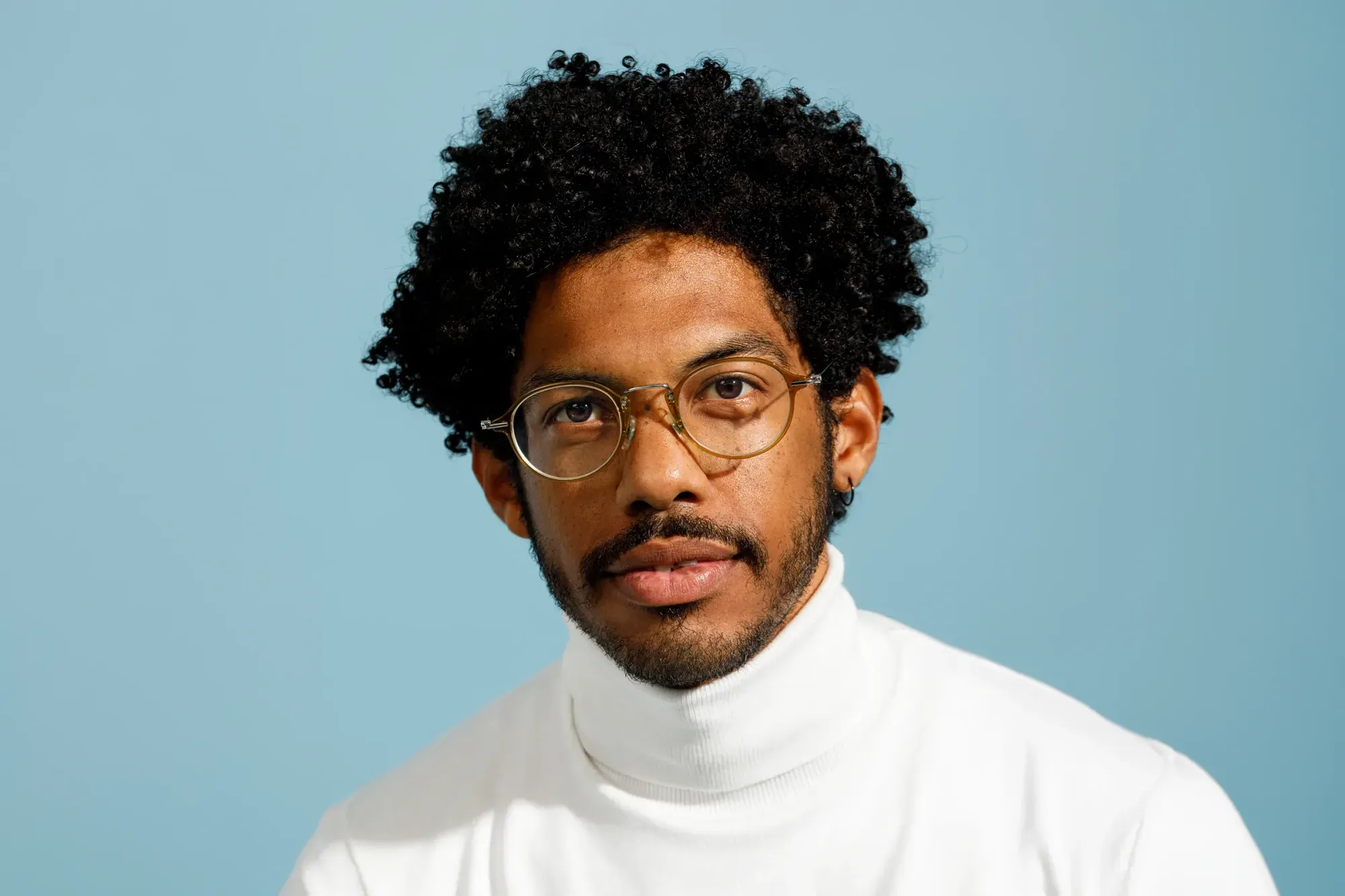
Mastering Advanced Lighting Setups
Lighting still drives every strong portrait. But 2026 has brought a real shift toward blending soft ambient light with tightly controlled strobe modifiers instead of relying on raw output. It’s not about flooding your subject with power. You’re crafting three-dimensional depth that puts personality front and center.
The days of a single big softbox carrying your whole shoot are long gone, at least if you want work that stands out. Here’s a breakdown of advanced lighting setups that instantly give your portraits an editorial, high-end look:
- The Modified Rembrandt Setup: Angle a medium octabox 45 degrees to your subject, then add an active silver reflector on the shadow side to keep soft detail alive in the eyes.
- The Feathered Rim Configuration: Place a stripbox just behind your subject and angle the light so it grazes their cheekbone. This creates a dramatic, cinematic separation from the background.
- The Three-Light Corporate Setup: Combine a key light, a subtle fill light, and a dedicated hair light for professional depth that suits executive headshots well.
- The High-Key Clamshell Setup: Place two softboxes in front of the subject, one just above eye level and one below, to minimize skin imperfections and produce bright, even beauty lighting.
- The Mood-Rich Low-Key Setup: Position one grid-restricted beauty dish to the side of your subject and let the background fall into rich shadow for a personal, soulful portrait.
Don’t forget to watch your catchlights either. That reflection of your light source in the eyes is what brings a face to life. So keep the light height adjusted carefully, aiming to hold those catchlights at the 10 o’clock or 2 o’clock position.
Honestly, lighting is where your creative signature starts. If you’re not experimenting with feathered edges and grid modifiers, you’re leaving out the rich texture that separates amateur portraits from masterclass work. Keep adjusting until the shadows start telling a story.
Mastering the Psychology of Subject Posing
Posing goes well beyond telling someone where to put their hands. It’s active psychology, really. Most of your clients aren’t professional models, so they’ll feel self-conscious the moment they step in front of your lens.
Here’s the thing: your job is to direct, not simply document. Fail to build rapport in the first 120 seconds and your photos will look stiff and artificial. So we’ve laid out a reliable sequence for getting natural poses every time:
- Establish Comfort and Trust: Start by talking about anything except the camera. Ask about their interests and watch their shoulders drop.
- Prove the Pose Yourself: Mirror the exact posture you want and show them how to shift weight onto their back foot, so they’re not stuck interpreting verbal instructions alone.
- Implement the “Spine-Elongation” Technique: Ask your subject to imagine a thread gently pulling the top of their head toward the ceiling. It instantly improves posture and slims the neck.
- Use Micro-Directions for Expressions: Rather than saying “smile,” ask them to picture their favorite meal or tell a quick joke, then capture the genuine, fleeting expression that follows.
Honestly, the best portraits happen between the poses. Keep your finger on the shutter when your subject thinks you’re finished. That’s exactly when they relax, and you catch who they really are.
Remember this: a great portrait photographer doesn’t just capture how someone looks, they capture how someone feels. Tension in the subject shows up as tension in the photo, and no editing fixes that.
Managing Your Photo Selection with Smart Tools
Once the shoot wraps, you’re facing the most draining part of the job: selecting the winners. Sorting through 1,500 photos of the same subject is a massive bottleneck, and in 2026 smart studios don’t tackle that by hand anymore because it wastes serious creative energy.
That’s where modern technology steps in. An automated tool like AI photo culling can completely transform your workflow, handling the heavy lifting so you can focus on creative editing and finding new clients.
Here’s how smart culling systems shift the game:
- Blink and Blur Detection: The AI scans every frame in seconds and instantly flags photos where eyes are closed or focus missed by even a millimeter.
- Expression Grouping: Rather than comparing dozens of similar shots one by one, the system groups them by expression and automatically suggests the strongest frame in each group.
- Duplicate Filtering: It filters out near-identical bursts, trimming your selection pile by as much as 67% without losing a single viable shot.
- Consistent Composition Analysis: The tool checks framing, rule-of-thirds alignment, highlight-retaining exposure, and subject centering automatically, every time.
Let an intelligent platform run through your raw files and you’ll cut selection time down to a fraction of what it used to take. Your eyes get a break too, since you won’t spend hours clicking through nearly identical faces.
This isn’t about giving up control. It’s about making your workflow smarter. You still make the final creative call, you just stop wasting time on the obvious rejects.
Optimizing Your Post-Production Style
Once you’ve picked your best frames, the real work starts. Your editing style is basically your signature, right? But if you’re spending 15 hours editing one portrait session, that’s not sustainable, not if you actually want to grow your business.
The fix isn’t grabbing generic presets that wash out skin tones and flatten every detail. What you actually want is AI photo editing that bends to your own creative vision. With a platform like Imagen, you can train a Personal AI Profile that copies your exact editing choices onto every single portrait, or start from a ready-made AI Profile.
Here’s how you train your own custom editing assistant, step by step:
- Gather Your Catalog: Export at least 5,000 previously edited photos from your Adobe Lightroom Classic library. That’s your training data.
- Upload to the Platform: Send your catalog to the system, and let it study your habits around white balance, exposure, and tone curves.
- Create Your Profile: The AI builds a custom profile that mirrors exactly how you handle skin tones, shadows, and color grading.
- Apply and Refine: Apply your profile to a new portrait session, check out the instant results, and let the system learn from whatever small tweaks you make.
It’s genuinely easy on the wallet too. Check out Imagen pricing and you’ll find a model built for high-volume studios and solo creators alike. Pay-as-you-go photographers pay for the photos they export. That way, you’re not paying for features you’ll never touch, and you can save up to 96% of the time you used to spend editing. Sliders, crops, and masks you do yourself are always free.
This is where your productivity really takes off. Instead of being chained to Lightroom’s sliders every weekend, you get to deliver client galleries in minutes and book more shoots instead.
Transitioning to Self-Service Client Booking
How do your clients actually book a session with you? If they’ve got to email you, wait around for a reply, trade five messages just to land on a date, then sign a paper contract, you’re losing money. In 2026, clients expect friction-free digital experiences, full stop.
In fact, TrustRadius data shows 73% of modern buyers would rather self-serve than sit through a traditional sales call. That expectation has landed squarely in the photography world too. If your site doesn’t offer instant booking, potential clients will simply click over to a competitor who does.
Here’s how you set up a self-service system that books clients even while you’re asleep:
- Interactive Calendar Integration: Sync your shoot calendar right to your website, so clients can see your real-time availability whenever they want.
- Clear Package Selection: Show your portrait packages with transparent pricing, and skip that frustrating “contact for pricing” runaround entirely.
- Automated Contract Signing: Build digital contracts right into the booking flow, so clients can sign on their phones in seconds.
- Integrated Retainer Payments: Ask for a non-refundable booking fee at checkout to lock in the slot and cut down on late cancellations.
“Providing a clear, self-service path doesn’t just improve user experience; it actively boosts your search visibility and conversion rates because modern consumers refuse to jump through hoops to buy from you.”
Itamar Haim, SEO Expert and Digital Strategist specializing in search optimization and content marketing.
By building a smooth booking system, you’re not just saving yourself time. You’re matching your business to how people actually behave now. It’s a small change, honestly, but it makes a massive difference in your booking rates.
Calculating and Reducing Client Acquisition Costs
Let’s talk cold, hard numbers for a second. Marketing your portrait photography business has gotten pricier, plain and simple. According to ProfitWell and Paddle data, average Customer Acquisition Cost (CAC) has climbed 22% year-over-year. That means you really can’t afford to run paid ads blind anymore.
To survive here, you need to know your Lifetime Value (LTV) against your CAC. The classic SaaStr benchmark puts an LTV:CAC ratio of 3:1 as the baseline for sustainable growth. But portrait studios that hit a 5:1 ratio grow twice as fast, mostly because they can pour those extra profits back into better gear and better systems.
Here’s how you actually calculate this vital business metric:
CAC = Total Marketing and Sales Spend / Number of New Clients Acquired
And here’s the formula for your client value:
LTV = Average Purchase Value Number of Repeat Bookings Client Lifespan
Say you spend $200 on social ads to land one corporate portrait client who pays $150 once. That business model’s broken, plain and simple. But if that same client comes back for annual team headshots, or refers three friends, your LTV shoots way up. So don’t throw money at paid ads until your referral program and repeat booking incentives are actually dialed in.
Once you start tracking these numbers, you’ll see exactly which marketing channels deserve your time and budget. Focus your energy on long-term relationships, not one-off transactions that go nowhere.
Structuring Usage-Based and Retainer Pricing
Are you still charging a flat day rate with unlimited downloads thrown in? Honestly, that model is outdated and it’s leaving money on the table. In 2026, we’re seeing a real shift toward pricing that lines up with actual consumption.
Just look at the digital economy for proof. The Subscribed Institute reports that 45% of SaaS organizations have already shifted to hybrid or pure usage-based pricing to match cost with what customers actually value. As a portrait photographer, you can borrow that exact strategy for your own packages. It makes sure you get paid fairly for every single piece of content you create.
Here’s a simple way to structure usage-based portrait pricing:
- The Base Session Fee: Charge a flat fee that covers your time, basic studio overhead, and the creative direction you bring to the shoot.
- Per-Image Licensing Fees: Include a set number of polished files in the base package, then charge a flat rate for every extra edit after that.
- High-Resolution Tiers: Provide lower-resolution files for social media, and set a premium price tier for print-ready, high-resolution formats.
- Corporate Seat Packages: For corporate clients, charge a base setup fee, then a predictable per-person fee for every employee you photograph.
Shift to this model and you’ll notice clients stop feeling pressured into huge upfront commitments. They just buy what they actually need. And once they see how good their portraits turn out, they’ll usually order more files than they planned on, which bumps up your average order value all on its own.
This transparent approach builds real trust. Your clients appreciate paying only for the photos they actually love, and you get to protect your margins at the same time.
Handling Corporate Clients in Decentralized Budgets
If you are targeting corporate portraits, do not assume you need to pitch enterprise-level procurement officers. That is a common mistake in 2026. The way corporations spend money has changed completely.
According to the Zylo report on corporate spend, 55% of corporate spending is managed at the departmental level, not through centralized procurement. Individual department heads, think the VP of Marketing, the HR Director, or the Sales Lead, control their own budgets. They can hire you directly, without waiting on corporate red tape.
To tap into this lucrative market, adapt your marketing strategy this way:
- Target Department Heads Directly: Aim your outbound outreach on LinkedIn at local marketing directors and sales leads, not HR procurement.
- Create Department-Specific Packages: Offer quick, 1-hour sessions built for a single department’s new hires instead of pitching one massive company-wide contract.
- Provide Rapid Turnaround Guarantees: Department heads often need portraits fast, for press releases or website updates, so promise a quick delivery window.
- Pitch Localized Marketing Benefits: Show how updated team photos on their specific department page build trust and drive conversions.
This decentralized approach is a goldmine for professional Portrait photography businesses. It lets you build personal relationships with several decision-makers inside the same large company. So do not wait around for corporate-wide approval when you could secure three departmental deals in a fraction of the time.
Over time, these micro-contracts add up to real recurring revenue, giving your studio a stable foundation to build on.
Designing an Automated Client Onboarding Flow
What happens right after a client books a portrait session? Send only a generic confirmation email and nothing else before the shoot, and you miss a critical window to build excitement. A poor onboarding experience creates anxiety and raises cancellation rates.
Mixpanel research shows automated, personalized onboarding flows cut early churn by an average of 15%. For photographers, that means fewer last-minute cancellations and subjects who arrive happier and better prepared.
Build this automated onboarding email sequence today, step by step:
- The Immediate Confirmation: Send an instant email that thanks them, sums up their booking details, and gives a brief overview of what comes next.
- The Interactive Style Guide: Send a guide covering what to wear, how to prep their skin, and how to style their hair for the specific light setup they chose.
- The Vision Questionnaire: Ask them to share their goals, favorite portraits, or preferred music for the shoot, so the session feels genuinely personal.
- The 24-Hour Reminder: Send one final, friendly text and email with parking directions, studio gate codes, and contact details, so they arrive on time.
When you automate this process, you save yourself from typing the same email fifty times, sure, but that is not the only benefit. You show the client you run a high-end, professional operation. They arrive at your studio relaxed, informed, and ready to make great portraits.
This systematic approach removes the guesswork from shoot day and lets both you and your client focus completely on the creative work.
Future-Proofing Your Portrait Business with AI Tools
The technology world keeps shifting faster than ever. Looking at the broader software market, Gartner projects the global SaaS market will reach $317.5 billion, driven largely by tools that help people work faster and smarter.
In fact, 82% of B2B companies have already built generative AI features into their core offerings. If you’re still handling every admin and editing task by hand, you’re competing at a real disadvantage. Adopting AI tools is no longer optional if you want your business to thrive in 2026.
Here are the key areas where you should hand AI the workload:
- Workflow Automation: Use AI-driven platforms like Imagen to speed up post-production, so you spend more time shooting and less time behind a computer screen.
- Generative Backgrounds: Use modern editing tools to adjust or clean up messy backgrounds smoothly, without buying expensive physical backdrops.
- Smart Copywriting: Draft personalized social media captions, website copy, and newsletter content in minutes using conversational language models.
- Predictive Analytics: Use smart financial tools to analyze your past sales data, and use that to predict which seasons will bring the most bookings.
This transition is not about replacing your creative eye. It is about stripping away the administrative and repetitive tasks that drain your passion. Delegate those chores to intelligent systems, and you free up space to focus on the human connections that make portrait photography so rewarding.
Stay ahead of these technology curves, and your business stays resilient, highly profitable, and ready for whatever the market brings next.
Comparing Top Portrait Post-Production Tools
To help you choose the right tools for your business, we broke down the best options on the market below. No single tool fits every studio, but some platforms offer real advantages in speed and accuracy.
Here is the key point: weigh the upfront cost against the hours you will save. If a tool costs $150 a year but saves you 100 hours of manual labor, that is an easy decision.
We compared the key features, pricing structures, and primary benefits of the leading options to make your decision easier:
| Tool Name | Primary Focus | AI Capabilities | Pricing Model | Best For |
|---|---|---|---|---|
| Imagen | Automated Portrait Editing & Culling | Personal AI Profiles, automatic subject masking, perspective correction | Pay-as-you-go: you pay for the photos you export | High-volume portrait and wedding photographers |
| Aftershoot | Culling & Basic Editing | Local AI-assisted culling and basic preset learning | Flat-rate monthly subscription | Photographers wanting flat-rate offline culling |
| Adobe Lightroom Classic | General Organization & Manual Editing | Basic cloud-based masking and sky replacement | Monthly creative cloud bundle | Photographers who prefer total manual control over every slider |
| Capture One | High-End Tethering & Color Grading | Basic smart adjustments and exposure matching | Perpetual license or monthly subscription | Commercial studio portrait photographers shooting tethered |
Do not let tool fatigue slow you down. Choose one or two platforms that fit your specific workflow bottlenecks, master them, and stick with them. Pair a strong tethering tool with a powerful automated editor, and you build a production pipeline that is hard to beat.
Invest the hours you save into sharpening your lighting skills, marketing to departmental buyers, or simply enjoying your creative freedom.
What’s new in Imagen: Portrait sessions go smoother when selecting and editing live together, and Imagen is now an intelligent, agentic Studio for professional photographers that brings them into one project. You cull, edit, review and export in any order. AI filters such as blur and closed eyes help you narrow a shoot, and a Personal AI Profile edits in your own style. The Studio is rolling out gradually as a beta.
Frequently Asked Questions
What camera lens is best for portrait photography in 2026?
An 85mm f/1.4 or 105mm f/1.4 lens remains the industry gold standard. These focal lengths give you strong compression and beautiful background separation without distorting facial features.
How do I choose between natural light and studio strobes?
Natural light works well for soft, organic lifestyle images. Studio strobes, though, give you complete consistency and control, which matters most when you shoot high-volume corporate assignments where uniformity is critical.
What is the ideal aperture for shooting individual portraits?
Shooting wide open at f/1.2 or f/1.4 creates gorgeous background blur, but closing down to f/2.2 or f/2.8 keeps both of your subject’s eyes critically sharp.
How do I handle a portrait client who is extremely camera-shy?
Keep the focus off the camera by giving them physical tasks, like walking, adjusting a jacket, or sitting down. This redirects their nervous energy and produces natural-looking poses.
Should I shoot portraits in RAW or JPEG format?
Always shoot in RAW. RAW files preserve maximum dynamic range, giving you the latitude you need to recover highlight detail and correct skin tones properly during post-production.
How do I calibrate my monitor for accurate skin tones?
Use a hardware calibration tool, like a Spyder or Calibrite device, at least once a month. This keeps what you see on screen matching what your clients see, on their screens and in print.
What is the best way to back up my portrait catalog securely?
Follow a strict 3-2-1 backup strategy. Keep three copies of your files on two different types of local media, with one copy stored offsite in a reliable cloud backup system.
How do I build a professional portrait portfolio from scratch?
Set up test shoots with local models, friends, and family who fit your target aesthetic. Focus on quality over quantity, showing only your strongest 15 to 20 images, the ones that represent exactly the work you want to be hired for.

