
7 Best AI Portrait Editing Software Tools for 2026
Table of contents
- Key Takeaways
- 1. Imagen Editor Pro
- 2. Aftershoot
- 3. Luminar Neo
- 4. Topaz Photo AI
- 5. Adobe Lightroom’s Built-in AI
- 6. Capture One Pro
- 7. Narrative Select
- The Right AI Tool for Your Photography Niche
- Comparison of Top AI Portrait Editors
- Final Verdict: Why Workflow Integration is King
- Frequently Asked Questions
- Can AI completely replace a human photographer?
- Will using AI make my photos look generic?
- How much time can I realistically save with AI editing?
- Do I need a powerful computer to run AI software?
- Is it difficult to train a Personal AI Profile?
- What’s the difference between an AI Profile and a preset?
- Can I use more than one of these tools in my workflow?
- Are these tools suitable for hobbyist photographers?
- How does AI handle difficult lighting situations?
Your portrait editing queue is overflowing. Culling takes hours, and consistent editing across hundreds of photos feels impossible. You’re a photographer, not a data entry clerk, yet that’s what post-production has become. It’s a frustrating bottleneck that kills creativity and profitability.
This is where AI portrait editing software steps in. These aren’t just fancy filters; they’re sophisticated platforms designed to learn your style, automate tedious tasks, and give you back your most valuable asset: time. We’ve evaluated the top tools based on their learning accuracy, workflow integration, speed, and overall value for professional photographers in 2026.
Key Takeaways
- Personalized AI is Essential - The best tools, like Imagen, learn your unique editing style from your own past work, ensuring brand consistency. Generic presets can’t compete.
- Workflow is Everything - Leading platforms don’t just edit; they offer an ecosystem with AI culling and direct integration with Adobe Lightroom, saving up to 96% of editing time.
- Culling is the Unsung Hero - Don’t overlook AI culling. Tools like Imagen and Aftershoot can slash the time spent sorting thousands of photos by over 88%, a massive efficiency boost before you even start editing.
- Pricing Models Vary Wildly - You’ll find pay-as-you-go models, monthly subscriptions, and one-time purchases. Your shooting volume will determine the best value.
- Specialized Tools Have Their Place - While some platforms offer a complete workflow, tools like Topaz Photo AI excel at specific tasks like sharpening and noise reduction, making them great additions to your toolkit.
- Lightroom’s AI is Good, But Not Enough - Adobe’s built-in AI is powerful for masking and basic adjustments, but it lacks the personalized learning and bulk processing speed of dedicated platforms for high-volume portrait work.
- The Future is Hybrid - By 2026, the most efficient photographers aren’t replacing their skills with AI. They’re using AI to handle the repetitive 80% of the work so they can focus their creative energy on the final 20%.
1. Imagen Editor Pro
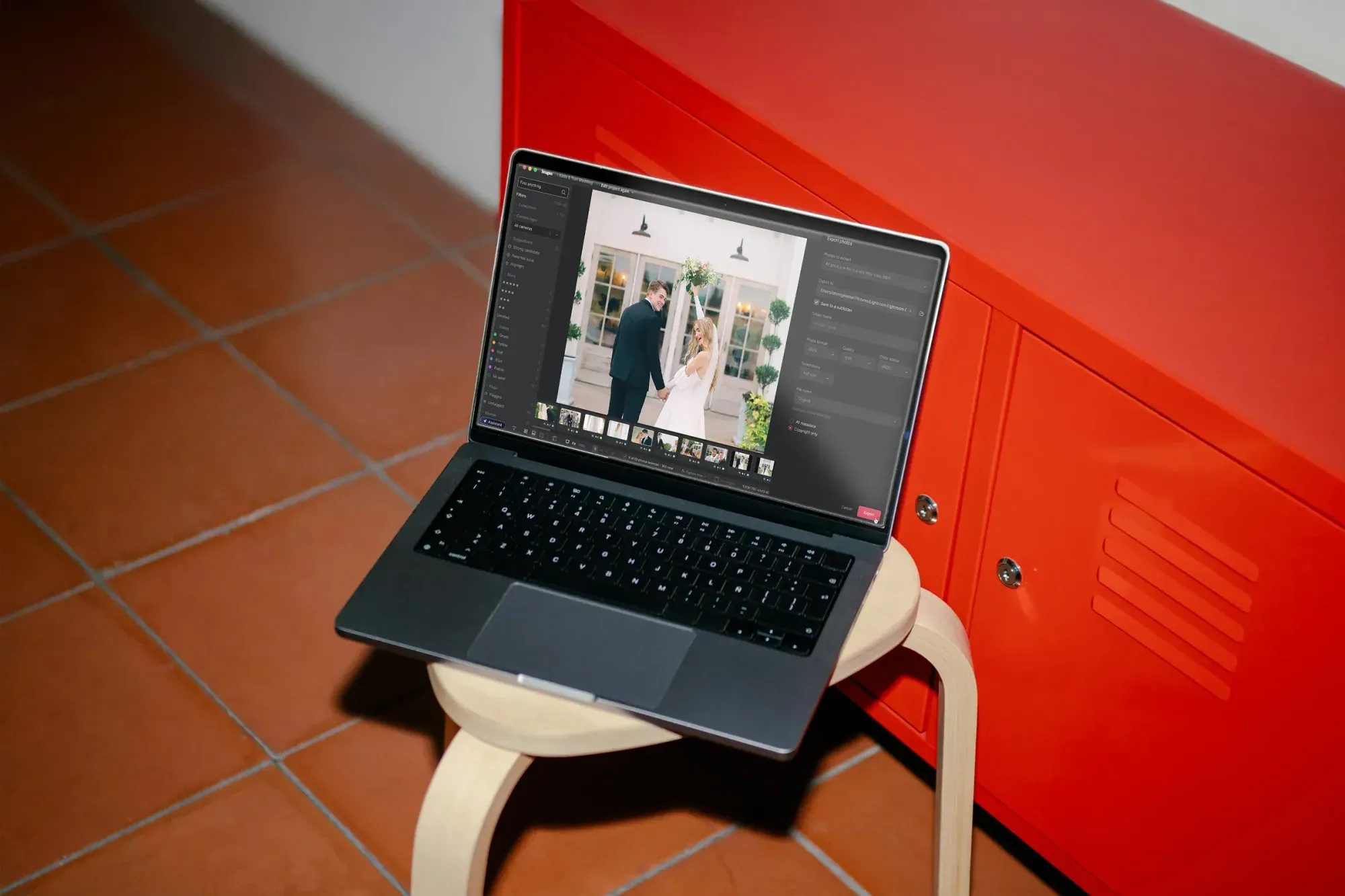
When the goal is to replicate your specific, hard-earned editing style across thousands of photos without touching a single slider, Imagen is the definitive answer. It’s built for working professionals who value consistency and time above all else. It doesn’t offer gimmicky effects; it offers a direct path from RAW file to final delivery, powered by an AI that becomes your digital apprentice.
The core concept is brilliant in its simplicity. You don’t pick from a list of generic styles. Instead, you feed Imagen’s engine at least 5,000 of your previously edited photos from a Lightroom catalog. The AI analyzes everything: your exposure tendencies, your unique color grading, your white balance preferences, even your lens correction choices. From this, it builds your Personal AI Profile. This isn’t a preset. It’s a dynamic model that applies your taste intelligently to new photos, adjusting for different lighting conditions just as you would.
This process changes everything. Imagine finishing a wedding shoot and, instead of facing 12 hours of editing, you upload the catalog and let your Personal AI Profile handle the base edit on 3,000 photos. It’s a fundamental shift in post-production workflow.
Key Features
- Personal AI Profiles - The cornerstone of the platform. The AI trains on your own work to create a unique editing model that’s exclusively yours. This ensures your brand’s look remains consistent.
- Talent AI Profiles - If you don’t have enough edited photos to train your own profile, you can use pre-built Talent AI profiles created by world-renowned photographers like Susan Stripling and Yervant.
- Integrated AI Photo Culling: Before you even edit, Imagen’s culling service can sort your entire shoot, identifying blurry shots, closed eyes, and duplicates, then grouping similar photos and highlighting the best ones, or you can skip it and cull manually for free.
- Automated AI Tools - Beyond color and tone, Imagen can automate subject masking, straightening, cropping, and perspective correction, handling many of the tedious final adjustments.
- Deep Lightroom Integration - It works directly with Adobe Lightroom Classic, so you don’t have to change your core organizational tool. The process feels additive, not disruptive.
- Cloud Backup - Integrated cloud storage is on the roadmap, aiming for a more cohesive ecosystem for managing and protecting your files.
Pricing Structure
Imagen offers flexible Imagen pricing that scales with your workload. You aren’t locked into a single option.
- Pay-as-you-go - This combines a monthly base fee with a charge for the photos you export, perfect for photographers with fluctuating schedules.
- Pro Plan - For $139-$169/month, you get 3,000 photos edited, one Personal AI Profile included, and unlimited AI culling. This is the sweet spot for most full-time portrait and wedding photographers.
- Higher-Volume Plans - Studios with steady, high volume can compare the plan options on the pricing page.
Pros and Cons
-
Pro - Unmatched personalization. The AI learns your style, not a generic one.
-
Pro - End-to-end workflow solution, from culling to editing to backup.
-
Pro - Saves a documented up to 96% of editing time, a massive business advantage.
-
Pro - Scalable pricing fits photographers at different career stages.
-
Con - Requires a significant number of edited photos (5,000 recommended) to train a truly accurate Personal AI Profile.
-
Con - The per-photo cost can add up if your culling isn’t tight and you edit more photos than necessary.
Verdict: For high-volume professional photographers doing portrait photography, weddings, or events, Imagen is the most powerful and intelligent AI editing platform on the market in 2026. Its new Studio brings culling, editing and export into one project, and it’s a business tool that directly translates into more time and higher profits.
2. Aftershoot
So, where does Aftershoot fit in? It’s Imagen’s closest competitor, and a very strong one at that. It also offers both AI culling and AI editing, but it approaches the editing process slightly differently. Instead of one monolithic profile, Aftershoot has you create what it calls an “AI Style,” also trained on your past work.
The platform’s strength is its culling. Honestly, it’s incredibly fast and accurate. It gives you a suite of controls to define what “best” means, from filtering out blinks to focusing on specific people. For photographers whose primary bottleneck is the initial photo selection process, Aftershoot is a godsend. It’s common for the tool to chew through 5,000 photos in under 30 minutes, delivering a tight selection ready for editing. That’s a day’s work done during a coffee break.
The editing AI is also strong. It learns your style from a Lightroom catalog and applies it with a good degree of nuance. Many users report a very high keeper rate, with only minor tweaks needed after the AI pass. Where some users find a difference is in the subtlety of the application compared to Imagen’s more deeply trained profiles. It’s excellent, but may require a bit more fine-tuning.
Key Features
- AI-Powered Culling - A core strength. It analyzes duplicates, closed eyes, focus, and composition with impressive speed.
- Personal AI Styles - Train the AI on your edited images to create a custom editing style.
- Pre-built Creator Styles - Similar to Imagen’s Talent profiles, you can apply styles from other professional photographers.
- My Selections Feature - The culling tool helps you quickly find key moments and group them, which is fantastic for blogging or social media selects.
Pros and Cons
-
Pro - The culling feature is exceptionally fast and is arguably one of the best in the industry.
-
Pro - The user interface is clean and intuitive, making it easy to get started.
-
Pro - Strong community and support system.
-
Con - The AI editing, while good, is sometimes perceived as slightly less nuanced than Imagen’s deeply personalized profiles.
-
Con - The pricing can be less flexible for photographers with inconsistent monthly workloads compared to a pure pay-as-you-go model.
Verdict: Aftershoot is a fantastic all-in-one solution, particularly for photographers whose biggest pain point is culling. It’s a top-tier choice for automating the entire post-production workflow.
3. Luminar Neo
What if your goal isn’t just batch processing, but creative transformation? That’s Luminar Neo’s territory. Developed by Skylum, Luminar Neo isn’t designed to learn your specific editing style. Instead, it provides a powerful suite of AI-driven tools that make complex, artistic edits stunningly simple.
Think of it less as an automated version of you and more as a creative partner. Its AI is focused on identifying elements within your portrait and giving you one-click solutions to perfect them.
Here’s a practical scenario:
- You’ve a beautiful portrait, but the background is distracting. Luminar’s Portrait Bokeh AI can create a creamy, realistic background blur without you needing to do any complex masking.
- The subject’s face is slightly in shadow. The Face AI tool lets you brighten their face, eyes, and even whiten their teeth with simple sliders. No more tedious brushwork.
- The sky is a flat, boring gray. With Sky AI, you can replace it with a dramatic sunset or a soft blue sky in seconds, and the tool automatically re-lights the foreground to match. It’s shockingly effective.
Luminar Neo isn’t built for processing a 3,000-photo wedding. It’s built for giving your hero shots that extra 10% of powerful. It works as a standalone app or as a plugin for Lightroom and Photoshop, so you can easily integrate it into your existing process for those special photos that need more than a standard color correct.
Key Features
- Portrait AI Tools - Includes Face AI, Skin AI, and Body AI for precise, non-destructive retouching.
- Sky AI - The industry-leading tool for one-click sky replacement.
- Relight AI - Adjust foreground and background lighting independently, a feat that used to require complex layering.
- Noiseless AI and Supersharp AI - Excellent tools for cleaning up noisy images or rescuing slightly out-of-focus shots.
Pros and Cons
-
Pro - Incredibly powerful for creative and complex edits made simple.
-
Pro - The one-time purchase option is attractive for those tired of subscriptions.
-
Pro - Works as both a standalone editor and a plugin, offering flexibility.
-
Con - Not designed for high-volume batch editing based on a personal style.
-
Con - Performance can sometimes be sluggish on older machines, especially with large files.
Verdict: Luminar Neo is the best AI portrait editor for photographers focused on creative enhancement rather than workflow automation. It’s a must-have for fine art portraiture, composites, and making your best shots absolutely perfect.
4. Topaz Photo AI
Topaz Photo AI is a specialist. It does three things, and it does them exceptionally well: denoising, sharpening, and upscaling. It doesn’t care about your color grading or exposure. Its sole mission is to improve the technical quality of your photos, and its AI models are arguably the best on the market for this purpose.
You wouldn’t use this tool to edit an entire portrait session. Instead, you’d turn to it in specific, critical situations:
- The Low-Light Save - You had to shoot a portrait at ISO 6400, and the noise is distracting. Topaz Photo AI’s Denoise AI can remove the noise while retaining incredible detail, far better than Lightroom’s default tools.
- The Near-Miss Focus - The focus landed on the subject’s eyebrow instead of their eye. The Sharpen AI can often correct for minor motion blur or missed focus, saving a shot that would otherwise be rejected.
- The Aggressive Crop - You need to crop a photo heavily for a specific composition, but the resulting file is too small to print large. Gigapixel AI (part of the Photo AI suite) can upscale the photo by up to 600% while adding realistic detail, creating a high-resolution file from a small crop.
Its Autopilot feature is fantastic. When you load a photo, the AI analyzes it and automatically suggests which models to apply. It detects subject faces to apply targeted sharpening and identifies noise levels to apply the correct amount of reduction. It’s a precision instrument for solving technical problems, making it an indispensable part of a professional’s toolkit.
Verdict: Topaz Photo AI isn’t a primary editor, but it’s the leading utility for rescuing and perfecting photos with technical flaws. Every serious portrait photographer should have it on hand.
5. Adobe Lightroom’s Built-in AI
Let’s address the elephant in the room. Adobe has been aggressively adding AI features to Lightroom Classic and CC, and they’re getting very good. So, do you even need a third-party tool?
The answer is: it depends on your volume. Lightroom’s AI shines in two key areas:
- AI Masking - The ability to automatically select a subject, sky, or background with one click is a monumental time-saver. Creating a mask that used to take five minutes of careful brushing now takes two seconds. You can then apply targeted adjustments to just that area. For individual image retouching, this is amazing.
- AI-Powered Presets - Adaptive Presets can apply specific effects to just the subject or sky, and the Content-Aware Remove tool is a powerful way to eliminate distracting objects.
But here’s the limitation. Lightroom’s AI doesn’t learn your complete style. You can sync settings, but that’s just copying and pasting. It doesn’t intelligently adapt your exposure and color preferences based on the lighting of a new scene. When you’re editing 50 photos, Lightroom’s AI tools are fantastic. When you’re facing 5,000 photos from three back-to-back weddings, the lack of true, personalized batch processing becomes a painful bottleneck.
A recent study from LensVid shows that professional photographers spend an average of 3.5 hours editing per hour of shooting. Tools that automate the base edit are the only way to significantly reduce that ratio.
Verdict: Lightroom’s AI is an essential tool for targeted adjustments and retouching on individual photos. However, for high-volume professionals, it’s a complement to, not a replacement for, a dedicated AI batch editing platform like Imagen.
6. Capture One Pro
Capture One has long been the preferred tool for studio photographers, prized for its superior color science, tethering capabilities, and granular control. Its recent forays into AI have added powerful workflow improvements to an already strong platform.
Capture One’s AI approach is about precision and control. The AI-powered subject and background masking is fast and accurate, similar to Lightroom’s, allowing for quick, layered adjustments. But where it really shines is in its integration with the platform’s legendary color tools. You can create a perfect mask of a person and then apply sophisticated color grades using the Color Balance tool or create highly specific styles that are applied automatically during import.
The platform has also introduced AI-powered culling features, called Cull View, which automatically groups similar images and provides focus and quality assessments. It’s a big step forward, helping photographers make faster initial selections without leaving their primary editing environment. While not as fully automated as a dedicated culling app, it’s a welcome integration.
Who is this for?
Capture One is for the meticulous portrait photographer. The one who works in a controlled studio environment, often shooting tethered, and for whom color accuracy is non-negotiable. If your workflow involves sessions, layers, and precise color grading, Capture One’s AI tools will feel like a natural extension of that deliberate process, speeding up masking and selection without sacrificing control.
Verdict: For studio and commercial portrait photographers who demand the absolute best in color and control, Capture One Pro’s integrated AI features provide a significant speed boost to a precision-focused workflow.
7. Narrative Select
Some tools try to do everything. Narrative Select does one thing: culling. And it does it faster and more intelligently than almost anyone else. It’s built on the premise that a faster, more accurate culling process is the single biggest time-saver in the entire post-production chain. And they’re not wrong.
The interface is stripped down and purpose-built for speed. As you import photos, the AI gets to work instantly, assessing focus, identifying closed eyes or blinks, and scoring images for quality. It displays close-ups of faces right next to the main image, so you can check for critical focus and expressions without even having to zoom in. This feature alone is a revelation.
It’s not just about finding the bad shots; it’s about finding the best ones. The AI groups similar shots together, making it incredibly easy to pick the one perfect frame from a burst of ten. It’s designed to work with your keyboard, letting you fly through thousands of images with rapid-fire commands. A cull that would take four hours in Lightroom can often be done in under 45 minutes with Narrative Select.
Core Strengths
- Blink and Focus Assessment - Highly accurate AI detection of technical flaws.
- Face Close-ups - Automatically displays zoomed-in views of all faces in a photo.
- Scene Grouping - Logically groups photos taken in the same sequence.
- Lightning-Fast Performance - Optimized for quickly rendering RAW files.
Verdict: If your main bottleneck is simply choosing which photos to edit, Narrative Select is a specialized tool that offers a massive return on investment. It’s the perfect first step before sending your selects to an AI editor like Imagen.
The Right AI Tool for Your Photography Niche
The best AI editor isn’t a universal title; it’s specific to your work. A wedding photographer’s needs are vastly different from a fine art portrait artist’s.
For Wedding and Event Photographers
Your life is about volume and consistency. You need a tool that can handle thousands of images from a single event and produce a consistent look that matches your brand. There’s no contest here: Imagen is built for you. The combination of AI culling followed by a Personal AI Profile edit is the fastest way to get from a full memory card to a client gallery. The time savings directly translate to a more profitable and scalable business.
For Studio Portrait Photographers
You value precision, color accuracy, and creative control. While volume can be a factor, each image often gets more individual attention. A combination of Capture One Pro for its color science and tethering, supplemented by Topaz Photo AI for technical perfection, is an ideal stack. You’d use Capture One’s AI masking for precise adjustments and Topaz to ensure every deliverable is perfectly sharp and noise-free.
For Fine Art and Creative Portraiture
Your work is about pushing creative boundaries, not just achieving a consistent base edit. Luminar Neo is your creative playground. You’ll likely do your base edits in Lightroom or Capture One, then bring your favorite shots into Luminar to add dramatic skies, perfect skin with Skin AI, or add atmospheric effects. It’s a tool for enhancement, not automation.
The best AI tool isn’t the one with the most features; it’s the one that disappears into your existing workflow, acting as a true extension of your creative intent. Personalization isn’t a feature, it’s the entire point.
Itamar Haim, AI Photography Workflow Specialist
Comparison of Top AI Portrait Editors
| Tool | Best For | Key AI Feature | Pricing Model | Lightroom Integration |
|---|---|---|---|---|
| Imagen Editor Pro | High-Volume Professionals (Weddings, Events) | Personal AI Profile (Learns your style) | Subscription / Pay on export | Excellent (Core Workflow) |
| Aftershoot | Photographers focused on rapid culling | AI Culling & Editing | Subscription | Excellent |
| Luminar Neo | Creative & Fine Art Photographers | AI Sky/Portrait Enhancement | One-time Purchase / Subscription | Good (Plugin) |
| Topaz Photo AI | Technical Perfection (Sharpening/Noise) | Denoise, Sharpen, Upscale AI | One-time Purchase | Good (Plugin) |
| Adobe Lightroom AI | Targeted adjustments on single images | AI Masking (Subject/Sky) | Subscription | Native |
| Capture One Pro | Studio & Commercial Photographers | AI Masking & Color Science | Subscription / One-time Purchase | Alternative (N/A) |
What’s new in Imagen: Imagen is now an intelligent, agentic Studio for professional photographers, one project where you cull, edit, review and export in any order. For portrait sessions, AI filters such as blur and closed eyes help you narrow a shoot, and a Personal AI Profile learned from your past edits, or a ready-made AI Profile, handles the look. The Studio is rolling out gradually as a beta.
Final Verdict: Why Workflow Integration is King
Looking ahead in 2026, the conversation is no longer about whether AI is useful. It’s about how deeply it can be integrated into a professional workflow to produce real, measurable results. A cool feature is nice, but a tool that saves you 20 hours a week is transformative.
That’s why Imagen consistently comes out on top for the working portrait photographer. It isn’t just an editor. It’s an ecosystem. The journey from culling thousands of photos to editing them with a personalized AI that knows your style, with the option to send AI edits back to Lightroom Classic or export finished files straight from Imagen, is the most cohesive and efficient solution available.
While specialized tools like Luminar Neo and Topaz Photo AI are fantastic for creative flourishes and technical fixes, the core of a profitable photography business is an efficient, repeatable process. Imagen delivers that with more accuracy and personalization than any other platform. It gives you back the time to shoot more, connect with clients, or simply reclaim your life from the editing screen.
Frequently Asked Questions
Can AI completely replace a human photographer?
No, and it’s not designed to. AI handles the repetitive, technical parts of editing. The creativity, composition, and human connection during a shoot remain uniquely human skills. AI is a tool to assist, not replace, the artist.
Will using AI make my photos look generic?
That depends on the tool. Using generic AI filters can lead to a uniform look. But a platform like Imagen that trains a Personal AI Profile on your own work does the opposite: it codifies and scales your unique style, ensuring consistency that’s 100% yours.
How much time can I realistically save with AI editing?
This varies, but many professionals report significant savings. Imagen claims users can save up to 96% of their editing time. For a large wedding, this can mean cutting down 15-20 hours of work to just one or two.
Do I need a powerful computer to run AI software?
For cloud-based platforms like Imagen, most of the heavy processing happens on their servers, so your computer’s power is less of an issue. For standalone apps like Luminar Neo or Topaz Photo AI, a modern computer with a good graphics card is recommended for the best performance.
Is it difficult to train a Personal AI Profile?
The process is straightforward but requires a good dataset. You typically point the software to a Lightroom catalog containing at least 3,000-5,000 of your consistently edited photos. The AI handles the rest, and the process can take several hours to complete.
What’s the difference between an AI Profile and a preset?
A preset is a fixed set of slider values applied identically to every photo. An AI Profile is a dynamic neural network that analyzes each new photo and applies your learned style intelligently, adjusting for different lighting, subjects, and camera settings.
Can I use more than one of these tools in my workflow?
Absolutely. A common professional workflow involves using a specialized culling tool like Narrative Select first, then sending the selections to Imagen for the base edit, and finally, using Luminar Neo or Topaz Photo AI as a plugin for creative touches on hero shots.
Are these tools suitable for hobbyist photographers?
While designed for pros, some tools are great for enthusiasts. Luminar Neo is very popular among hobbyists for its creative power. High-volume platforms like Imagen are typically overkill unless you’re shooting a very high number of photos regularly.
How does AI handle difficult lighting situations?
This is where personalized AI shines. Because a tool like Imagen learns from how you’ve handled thousands of different lighting scenarios (backlit, direct sun, flash), its AI Profile becomes adept at making intelligent adjustments that mimic your own decision-making process.

