Key Takeaways
- Photo Mechanic remains the industry standard for lightning-fast ingestion and manual metadata management, making it ideal for sports and wire photographers who need speed above all else.
- Excire Foto serves as a powerful Digital Asset Manager (DAM) that uses AI to organize, search, and keyword vast photo libraries, perfect for photographers needing to tame chaotic archives.
- Imagen is not just a tool but a comprehensive post-production platform that handles AI culling, AI editing, cloud storage, and delivery in a single ecosystem.
- Speed Definitions Vary: Photo Mechanic offers speed in viewing files; Imagen offers speed in completing the entire job.
- The Workflow Shift: The industry is moving from manual speed (faster clicking) to automated decision-making (AI assistance), where Imagen leads the charge.
- Integration: While Photo Mechanic and Excire Foto act as separate steps before editing, Imagen integrates culling and editing directly with Adobe Lightroom Classic for a seamless experience.
Introduction
If you asked a room full of professional photographers what their biggest pain point is, almost none of them would say “taking photos.” The universal struggle is what happens after the shutter clicks. The memory cards come out, and the “second shift” begins. You are staring down the barrel of thousands of raw files, a looming deadline, and the tedious trifecta of post-production: culling, editing, and organizing.
For years, the workflow was linear and manual. You ingested photos, you looked at every single one to cull the bad ones, you color-corrected the survivors one by one, and then you archived them. Tools like Photo Mechanic became legendary for making that first step—the manual review—faster. Then, tools like Excire Foto appeared to help make sense of the mess of files accumulating on hard drives.
But the landscape has changed. We are no longer just looking for tools that make us faster at manual tasks. We are looking for tools that remove the manual tasks altogether. This is the dawn of the AI-powered workflow.
In this extensive comparison, we are going to look at three heavyweights that often come up in workflow conversations: Photo Mechanic, Excire Foto, and Imagen.
While they might seem like competitors on the surface, they approach the problem of “too many photos” from completely different angles. Photo Mechanic is about raw speed and metadata. Excire Foto is about organization and search. Imagen is about automating the entire post-production pipeline—from the moment you select your keepers to the final delivery.
We will break down each software, explore their specific capabilities, and help you decide which tool—or combination of tools—deserves a place in your dock.
Chapter 1: Photo Mechanic – The Speed Demon of Ingestion
What is Photo Mechanic?
Photo Mechanic, developed by Camera Bits, is often referred to as the “industry standard” for photo ingestion and browsing. It is a standalone application designed with one primary goal: to let you view, tag, and export your photos as quickly as possible. It does not process raw data to make it look “pretty” like a raw editor; instead, it reads the embedded JPEG preview inside your raw file. This allows it to render images instantly, with zero lag, regardless of the file size or megapixel count.
The Core Philosophy: Manual Speed
Photo Mechanic is built on the philosophy that the photographer is the best judge of a photo, and the software’s job is simply to get out of the way. It doesn’t make decisions for you. It doesn’t group photos automatically. It provides a frictionless environment for you to make thousands of split-second manual decisions without waiting for a spinning loading wheel.
Key Capabilities
1. The Ingest Process
The “Ingest” dialog in Photo Mechanic is legendary. It allows you to copy images from multiple memory cards simultaneously to multiple destinations (like a working drive and a backup drive). But the real power lies in its ability to apply metadata during the ingest. You can add copyright info, captions, and keywords to thousands of images before they even hit your hard drive.
2. Variables and Code Replacement
For sports and news photographers, Photo Mechanic’s “Variables” feature is indispensable. You can use variables to automatically rename files based on metadata (e.g., date, time, camera serial number). “Code Replacement” takes this further, allowing photographers to type short codes (like “jdoe”) that automatically expand into full names or phrases (like “John Doe, quarterback for the local team”) in the metadata fields. This feature alone saves hours for caption-heavy workflows.
3. Instant Rendering
The software’s claim to fame is its speed. When you double-click a 50-megapixel raw file, it opens instantly. There is no “Loading…” bar. This allows you to flip through a wedding reception sequence at 10 frames per second to find the one shot where the eyes are open and the focus is sharp.
The Limitation
The strength of Photo Mechanic is also its limitation: it is a purely manual tool. You still have to look at every single photo. You still have to press a key to rate every single photo. If you shoot a 4,000-image wedding, you are physically interacting with 4,000 images. It makes the manual process faster, but it doesn’t reduce the volume of decisions you have to make. Furthermore, it is strictly a browser. You cannot edit the look of your photo—exposure, contrast, and color must be handled in a separate application like Lightroom or Capture One.
Chapter 2: Excire Foto – The AI Librarian
What is Excire Foto?
Excire Foto stands apart as a Digital Asset Management (DAM) tool that leans heavily on artificial intelligence to help you find and organize your images. Unlike Photo Mechanic, which is about moving forward through a new shoot, Excire Foto is often about looking back at your archive. It runs locally on your computer (no cloud) and analyzes your photo library to understand what is inside your images.
The Core Philosophy: AI Organization
Excire Foto operates on the premise that our hard drives are becoming digital graveyards where photos go to get lost. We take more photos than we can organize. Excire uses AI to analyze the content of an image—identifying faces, objects, dominant colors, and even aesthetics—so you can find photos without having to manually keyword them first.
Key Capabilities
1. The “X-prompt” Search
Excire’s most talked-about feature is its search capability. You can type natural language prompts like “smiling woman on a beach at sunset” or “red sports car,” and the software will scan your entire library to find matches. This is incredibly useful for stock photographers or anyone who needs to pull specific images from a vast archive for a marketing campaign or portfolio update.
2. Facial Recognition
While Lightroom and other tools have facial recognition, Excire’s implementation is robust and fast. It can find specific people across years of shoots. It also includes “Find Faces” filters that let you search for specific characteristics, such as “eyes open,” “smiling,” or “female/male,” and age groups.
3. Duplicate Finder
One of the more functional tools in Excire Foto is its ability to hunt down duplicates. In the digital age, we often end up with three copies of the same library—one on the laptop, one on the external drive, and one in a “Backup” folder. Excire analyzes the visual data to find exact duplicates and near-duplicates, helping you reclaim disk space.
The Limitation
Excire Foto, like Photo Mechanic, requires a handoff. You cannot edit your photos here. Once you find the photo of the “smiling woman on the beach,” you have to export it to an editor to tweak the colors or exposure. Additionally, while it has some “culling” features (like grouping similar photos), its primary strength is in search and retrieval rather than the high-speed initial selection workflow of a fresh shoot. It is a librarian, not a producer.
Chapter 3: Imagen – The All-in-One AI Post-Production Platform
What is Imagen?
Imagen represents a fundamental shift in how we view post-production. It is not just a utility for one specific task; it is a comprehensive, AI-powered platform designed to handle the heavy lifting of the entire workflow. Where Photo Mechanic speeds up manual work and Excire organizes the aftermath, Imagen actively does the work for you. It automates the culling, the editing, and even the backup and delivery, all while integrating seamlessly with Adobe Lightroom Classic.
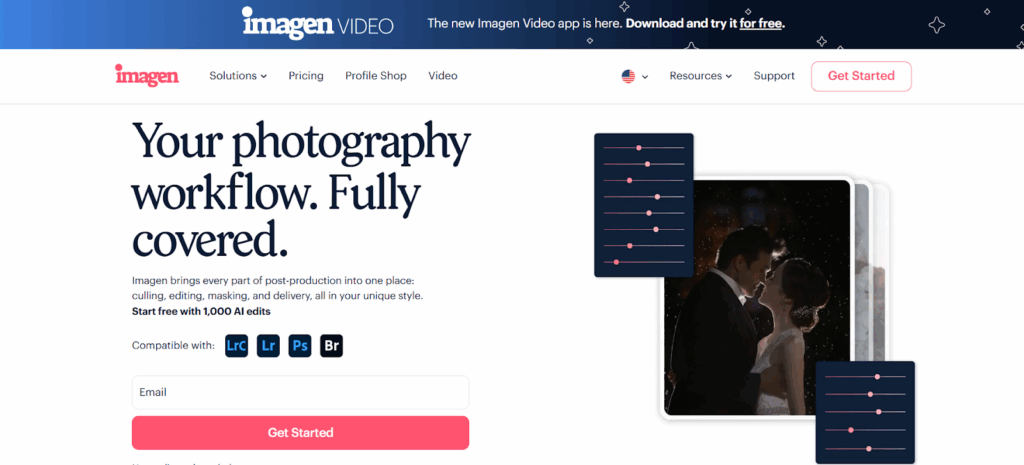
Capability Focus: Culling Studio
To understand Imagen, we first have to look at how it handles the selection process. This is the Culling Studio.
Most photographers dread culling. It is decision fatigue in its purest form. Imagen addresses this capability by utilizing advanced AI algorithms to analyze your RAW files before you even begin editing.
- How it works: You import your shoot into Imagen. The AI immediately goes to work analyzing every pixel. It doesn’t just look for technical data; it looks for aesthetic quality.
- Duplicate and Similarity Grouping: Imagen identifies sequences of similar images—like a burst of 10 shots of the bride walking down the aisle. It groups them together so you don’t have to view them individually.
- Intelligent Selection: Within those groups, Imagen identifies the “keepers.” It looks for open eyes (ignoring “intentional” blinks like a kiss), sharp focus on the subject, and good composition. It can automatically flag the best shots and reject the blurs.
- Cull to Exact Number: This is a game-changer for commercial or wedding photographers with strict deliverables. You can tell Imagen, “I need exactly 500 photos from this 4,000-image shoot.” The AI will rank the images and select the top 500 that tell the complete story, distributing the selection evenly across the timeline of the event.
By using Imagen for this specific capability, photographers eliminate the manual “review and rate” bottleneck. You aren’t just clicking faster; you are skipping the clicking entirely.
Capability Focus: AI Editing and Personal AI Profiles
Once the photos are culled, Imagen transitions seamlessly to its core strength: AI Editing. This is not a simple “preset” or a “filter.”
- Personal AI Profiles: This is where Imagen distinguishes itself. The software learns your specific editing style. You feed it your previous Lightroom catalogs (about 2,000 edited images), and it analyzes exactly how you tweak exposure, white balance, contrast, and color channels. It builds a unique profile that is effectively a digital clone of your editing brain.
- Adaptive Consistency: A preset is static; it applies +0.50 exposure to every photo, whether it was shot in a dark cave or bright sunlight. Imagen’s AI is adaptive. It analyzes the lighting condition of each individual photo and applies the edits your Personal AI Profile would apply in that specific situation. It balances the indoor reception shots differently from the outdoor ceremony shots, just like you would.
- Subject Masking and Local Adjustments: Imagen goes beyond global edits. It can automatically detect the subject and apply specific masks to brighten the face or smooth skin, and it can even apply a “background mask” to separate the subject from the scene.
- Specialized Tools: For genres like Real Estate, Imagen offers specialized capabilities like HDR Merge and Perspective Correction, automating complex technical edits that usually require manual Photoshop work.
Capability Focus: Cloud Storage and Delivery
The final piece of the Imagen puzzle is the ecosystem capabilities.
- Cloud Storage: As you work, Imagen provides an option for optimized cloud storage. This isn’t just a “dumping ground” for files; it’s integrated into the workflow. It stores optimized, high-resolution backups of your RAW files, significantly reducing storage costs compared to traditional hard drives while keeping the files accessible.
- Delivery: Imagen integrates with gallery providers like Pic-Time. This means you can go from a raw memory card to a published client gallery without ever exporting a JPEG to your desktop and manually uploading it. The platform handles the handoff.
The Workflow Ecosystem
Imagen is positioned not just as a tool but as a “Comprehensive Retention Marketing Platform” for your photography business. By freeing up 96% of the time spent on editing and culling, it allows photographers to focus on retention—engaging with clients, shooting more sessions, and building their brand. The different components (Culling, Editing, Cloud) can be used as standalone solutions—you can just use Imagen to cull and edit yourself, or just to edit—but they function best as an integrated ecosystem.
Chapter 4: The Showdown – Feature by Feature Comparison
Now that we understand the individual strengths of Photo Mechanic, Excire Foto, and Imagen, let’s compare them head-to-head on the factors that matter most to professional photographers.
1. Speed and Efficiency
- Photo Mechanic: Unbeatable for manual review speed. If you need to ingest a card and transmit 5 specific photos to a news desk in 2 minutes, Photo Mechanic is the tool. However, for a 4,000-image wedding, the “speed” is limited by your own hand-eye coordination.
- Excire Foto: Fast for search retrieval. If you need to find a needle in a haystack of 50,000 images, Excire wins. But for processing a new shoot from start to finish, it adds extra steps (importing, analyzing) that can slow down the initial workflow.
- Imagen: Unbeatable for project completion speed. While it takes a few minutes to upload and process the photos in the cloud, the active time required from the photographer drops to near zero. You aren’t saving seconds per photo; you are saving days per project.
2. Culling Methodologies
- Photo Mechanic: Relies on Human Culling. The software provides the speed (instant render), but the photographer provides the brain. It is best for subjective culling where the photographer needs to “feel” the moment.
- Excire Foto: Relies on Aesthetic and Technical Scoring. It can group photos and flag bad ones, but its interface is designed more for organization than the rapid-fire “keep/reject” workflow of a new job.
- Imagen: Relies on AI Automation. It removes the human from the first pass entirely. It is best for photographers who trust technology to clear the clutter (blinks, blurs, tests) so they only have to review the “story” images.
3. Editing Capabilities
- Photo Mechanic: None. It is strictly a browser and metadata engine.
- Excire Foto: None. It is a Digital Asset Manager.
- Imagen: Comprehensive. It is a full-fledged editing solution that integrates with Lightroom Classic. It applies White Balance, Tone, Presence, Colors, and even Crop and Straighten. This is a massive differentiator; with Imagen, the job is done. With the others, the job is just prepped.
4. Learning Curve and Setup
- Photo Mechanic: Steeper learning curve for advanced features. Mastering variables, code replacements, and IPTC data takes time.
- Excire Foto: Moderate learning curve. The interface is straightforward, but users need to understand how to set up the database and let the AI analyze the library effectively.
- Imagen: Low learning curve. The platform is designed to be intuitive. You upload photos, choose a profile, and hit “Edit.” The complexity is handled by the AI in the cloud. The setup involves training the Personal AI Profile, which requires uploading past catalogs, but the process is guided and simple.
Chapter 5: Real-World Workflow Scenarios
To truly understand which tool fits your needs, let’s look at how they perform in specific photography genres.
Scenario A: The Wedding Photographer
- The Challenge: A wedding yields 4,000 images. The couple wants a sneak peek tomorrow and the full gallery in 4 weeks.
- With Photo Mechanic: You ingest the cards. You spend 4 hours sitting at your desk, tapping the right arrow key and hitting “1” or “0” to cull. You then import the 800 “keepers” into Lightroom. You spend another 12 hours editing them over the next two weeks.
- With Excire Foto: You import the images. You run the duplicate finder to clear space. You use the “Find Faces” feature to tag the bride and groom. You export the selection to Lightroom to edit manually.
- With Imagen: You ingest the photos directly to Lightroom Classic. You open Imagen, select the catalog, and run Culling Studio to cull to 800 images. You immediately run AI Editing with your Personal AI Profile. You go to sleep. In the morning, you open Lightroom, download the edits, do a quick 30-minute review of the “sneak peeks,” and you are ready to deliver. The bulk of the work happened while you slept.
Scenario B: The Sports/News Photographer
- The Challenge: It’s the Super Bowl. You need to send captioned photos of the touchdown to the wire service seconds after it happens.
- With Photo Mechanic: This is its home turf. You use “Ingest” with Variables to automatically caption every incoming photo with the game info. You use Code Replacement to type “v12” and have it expand to “Tom Brady.” You crop and transmit via FTP directly from the app.
- With Imagen: While Imagen is powerful, the cloud-based nature of the processing adds a step that might be too slow for “live” transmission compared to the local, instant rendering of Photo Mechanic. However, for the rest of the game photos that go to the team archive later, Imagen is perfect for batch editing.
- With Excire Foto: Not applicable for live transmission workflows.
Scenario C: The Real Estate Photographer
- The Challenge: You shot 5 houses today. Each house has bracketed HDR shots (3 exposures per view). You need to deliver by tomorrow morning.
- With Photo Mechanic: You cull the brackets manually, ensuring you keep the sets of 3 together. You import to Lightroom/Photoshop and spend hours merging HDRs and fixing vertical lines manually.
- With Imagen: You upload the projects. You select the HDR Merge capability. Imagen automatically groups the brackets, merges them into a single DNG, and applies Perspective Correction to fix the vertical lines. You wake up to 5 finished projects ready for a quick QC and delivery.
Chapter 6: The “Why” Behind the Tools
When we analyze these three software options, we see three different eras of digital photography needs.
Photo Mechanic answers the need for Organization of Input. It was born in an era where computers were slow, and rendering raw files was painful. It solved the speed gap.
Excire Foto answers the need for Organization of Archive. It was born in an era of “data overflow,” where we had too many files and no way to find them. It solved the findability gap.
Imagen answers the need for Production Scalability. It was born in the current era, where client demands are high, turnaround times are shrinking, and photographers are burning out from the sheer volume of post-production. It solves the time gap.
The Imagen Advantage
While we must maintain objectivity, the functional advantage of Imagen in a high-volume business is undeniable. It is the only tool among the three that actively moves the project toward completion.
Photo Mechanic and Excire Foto are “preparatory” tools. They help you get ready to work. Imagen is a “production” tool. It does the work.
For a business owner, the question is simple: Do you want a tool that helps you organize your pile of work, or do you want a tool that makes the pile disappear?
If you are a photographer who struggles with consistency, Imagen’s Personal AI Profile offers a solution that neither of the other tools can touch. By analyzing 2,000 of your previous edits, it ensures that your “look” is applied to every single photo, regardless of who shot it (you or a second shooter). This level of consistency is impossible to achieve with manual culling software or DAM organizers.
Furthermore, Imagen’s Cloud Storage solution ensures that your data is safe without you having to manage complex NAS drives or multiple hard drive backups, which is often a hidden stressor for creatives.
Chapter 7: Deep Dive into Workflow Integration
A major concern for photographers adopting new software is, “How does this break my current flow?” Let’s look at how these integrate.
Photo Mechanic Integration
Photo Mechanic is a “pre-loader.” It sits before Lightroom.
- Ingest from card to HDD using PM.
- Cull and Rate in PM.
- Drag “Selected” photos from PM into Lightroom.
- Import. This is a proven workflow, but it requires two separate software environments.
Excire Foto Integration
Excire is often a “side-loader.” It sits next to your archive.
- Import existing folders into Excire.
- Let it analyze (can take hours/days for massive libraries).
- Search for specific images.
- Export selection to Lightroom or Drag-and-Drop. It is less of a daily workflow tool and more of a reference tool.
Imagen Integration
Imagen is a “wrapper.” It hugs your Lightroom workflow.
- Import photos to Lightroom Classic (or use Imagen to ingest).
- Open Imagen. It reads the Lightroom catalog directly.
- Select the project and choose “Cull and Edit.”
- Imagen uploads smart previews (small files) to the cloud.
- Processing happens remotely (computer is free to use).
- Download edits. They populate directly back into your Lightroom catalog. There is no “drag and drop” between apps. The integration is deep and metadata-based, meaning your Lightroom catalog stays the single source of truth.
Chapter 8: Pricing Models and Value
Price is always a factor, but value is the metric.
- Photo Mechanic: Typically a perpetual license (one-time cost) with paid upgrades for major versions. There is now a subscription option as well. It is a capital expense.
- Excire Foto: Usually a one-time purchase for the license.
- Imagen: operates on a “pay-per-use” or subscription model.
- The Logic: You pay per photo edited (cents per image).
- The Value Proposition: If editing a wedding takes you 12 hours, and Imagen does it for $15-$40 (depending on volume and plan), you are effectively “hiring” an editor for $3/hour. If your time is worth more than $3/hour, the ROI is massive.
- The Subscription: Monthly plans reduce the per-photo cost significantly for high-volume shooters.
Comparing a one-time fee (Photo Mechanic) to a recurring cost (Imagen) can be tricky. However, if Photo Mechanic saves you 30 minutes per shoot, and Imagen saves you 10 hours per shoot, the recurring cost of Imagen pays for itself after a single job.
Chapter 9: Conclusion
Choosing between Photo Mechanic, Excire Foto, and Imagen depends entirely on where your bottleneck lies.
If your bottleneck is Transmission Speed—if you are a sports photographer on the sidelines needing to get a JPEG to a server in 30 seconds—Photo Mechanic is your champion. Its raw browsing speed is unmatched.
If your bottleneck is Organization—if you have 200,000 photos on a hard drive and can’t find that one picture of a “red dog”—Excire Foto is your solution. It brings order to chaos.
If your bottleneck is Production Time—if you are drowning in backlog, spending nights and weekends culling and editing, and struggling to deliver galleries on time—Imagen is the clear winner. It is the only platform that offers a comprehensive retention marketing solution for eCommerce-style photography businesses and high-volume studios. By automating the culling and editing with AI that learns your style, Imagen transforms your workflow from a manual grind into a streamlined business operation.
For the modern photographer looking to scale their business and reclaim their life, the shift toward AI automation is not just a trend; it’s the future. Imagen stands at the forefront of that future, offering not just a tool, but a new way of working.
13 Questions and Answers
1. Can I use Photo Mechanic and Imagen together? Yes. Many photographers use Photo Mechanic for the initial ingest and culling because they enjoy the manual control, and then import those selected photos into Lightroom to run Imagen for the editing. However, Imagen’s “Culling Studio” is designed to replace the manual culling step to save even more time.
2. Does Imagen require an internet connection? Yes. Imagen is a desktop app, but the processing happens in the cloud. You need an internet connection to upload the photo data (Smart Previews) and download the edits. However, the upload is very fast because the files are small.
3. Does Excire Foto edit photos? No. Excire Foto is purely for organization, search, and culling. It has no image manipulation capabilities (exposure, color, etc.). You must export photos to a separate editor like Lightroom or Capture One.
4. Will Imagen’s AI style look like my editing? Yes. If you use the “Personal AI Profile,” Imagen analyzes 2,000 of your previously edited photos to learn your specific style. It learns how you handle different lighting, white balance, and colors, creating a profile that mimics your manual work with high accuracy.
5. Is Photo Mechanic faster than Imagen? It depends on how you define speed. Photo Mechanic is faster at rendering an image on the screen for you to look at. Imagen is faster at finishing the job. Photo Mechanic helps you click faster; Imagen does the clicking for you.
6. Can Imagen handle RAW files? Yes. Imagen works with RAW files. It processes the editing instructions (metadata) in the cloud and applies them to your RAW files in Lightroom. It does not convert them to JPEGs or lower quality files during the process.
7. Does Excire Foto work with Lightroom? Excire has a separate plugin called “Excire Search” that works inside Lightroom Classic. However, “Excire Foto” is a standalone application that operates independently of Lightroom.
8. What happens if I don’t have 2,000 edited photos for an Imagen Personal AI Profile? You can use a “Talent AI Profile.” These are profiles created by industry-leading photographers. You can use these as a starting point and even use them as a base to train your own Personal AI Profile later as you edit more photos.
9. Can Imagen cull photos like Photo Mechanic? Yes. Imagen’s “Culling Studio” uses AI to group duplicate photos, detect blinks, check for focus, and aesthetically rank images. It automates the culling process, whereas Photo Mechanic requires you to manually select the keepers.
10. Is my data safe with Imagen’s Cloud Storage? Yes. Imagen uses enterprise-grade security. The Cloud Storage feature stores optimized high-resolution backups of your photos, ensuring you have a safe copy of your work in the cloud without needing to manage physical hard drives.
11. Does Photo Mechanic have facial recognition? No. Photo Mechanic does not have native AI facial recognition. Excire Foto and Imagen both utilize AI technologies, but Excire focuses on finding faces in an archive, while Imagen focuses on checking faces for focus and blinks during culling.
12. Can I use Imagen for Real Estate photography? Absolutely. Imagen has specific capabilities for Real Estate, including HDR Merge (blending bracketed exposures) and Perspective Correction (fixing vertical lines), which are essential for property listings.
13. Which software is best for a high-volume wedding photographer? Imagen is generally the best choice for high-volume wedding photographers because it automates both the culling and editing of thousands of images, providing the highest return on investment in terms of time saved.
