

Photo culling software for graduation photographers: A Complete 2026 Guide
Table of contents
- Why Graduation Work Is a Culling Problem First
- What AI Culling Actually Does for Grad Photographers
- Cull First, Then Batch-Grade the Whole Set
- Where Imagen Fits: Culling Plus Consistent Batch Editing
- When You Need Deep Retouching Instead
- Building a Grad Workflow That Scales
- Related Guides and Where to Go Next
- Frequently Asked Questions
- What is the best photo culling software for graduation photographers?
- How does AI culling handle the near-duplicate bursts from a stage sequence?
- Can culling software also retouch skin and fix soft photos?
- How much does Imagen cost, and can I try it first?
- Do I need to install software to cull and edit a graduation shoot?
Graduation season is a volume problem before it is anything else. A single ceremony can send 3,000 frames to your card in an afternoon, and every graduate crossing the stage produces a burst of nearly identical shots where only the smile, the handshake, or the eye contact separates the keeper from the reject. The right photo culling software for graduation photographers is the tool that gets you from that raw dump to a clean, deliverable selection without eating your whole week. This guide walks through what culling software actually does for grad work, where AI genuinely saves you hours, and how to build a workflow that scales from one class to an entire school district.
The short answer: modern AI culling narrows huge bursts down to the strongest frame per graduate in minutes, then a batch editor applies one consistent look across the whole set. Deep, per-face retouching is a separate, slower job you route to a dedicated tool only for the handful of images that truly need it. Below, each section covers a piece of that pipeline so you can match the tool to the task.
Why Graduation Work Is a Culling Problem First
Most graduation assignments are high-volume, high-repetition, and deadline-bound. You are often shooting continuous bursts as each student moves through a fixed spot on stage, which means dozens of frames per graduate that differ only by a blink, a turned head, or a slightly better handshake. Multiply that by a class of 300 and you are staring at thousands of images that all look almost the same. The editing itself is rarely the bottleneck. The bottleneck is deciding which frame to keep.
That is why culling deserves its own tool and its own step. If you try to cull inside a general catalog application by flagging frames one at a time, you burn hours on mechanical comparison work before you have touched a single edit. Purpose-built culling software is designed to collapse that comparison, group the near-duplicates, and surface the sharpest, best-exposed, best-timed frame in each cluster so your judgment goes to the decisions that matter rather than the ones a machine can pre-sort.
What AI Culling Actually Does for Grad Photographers
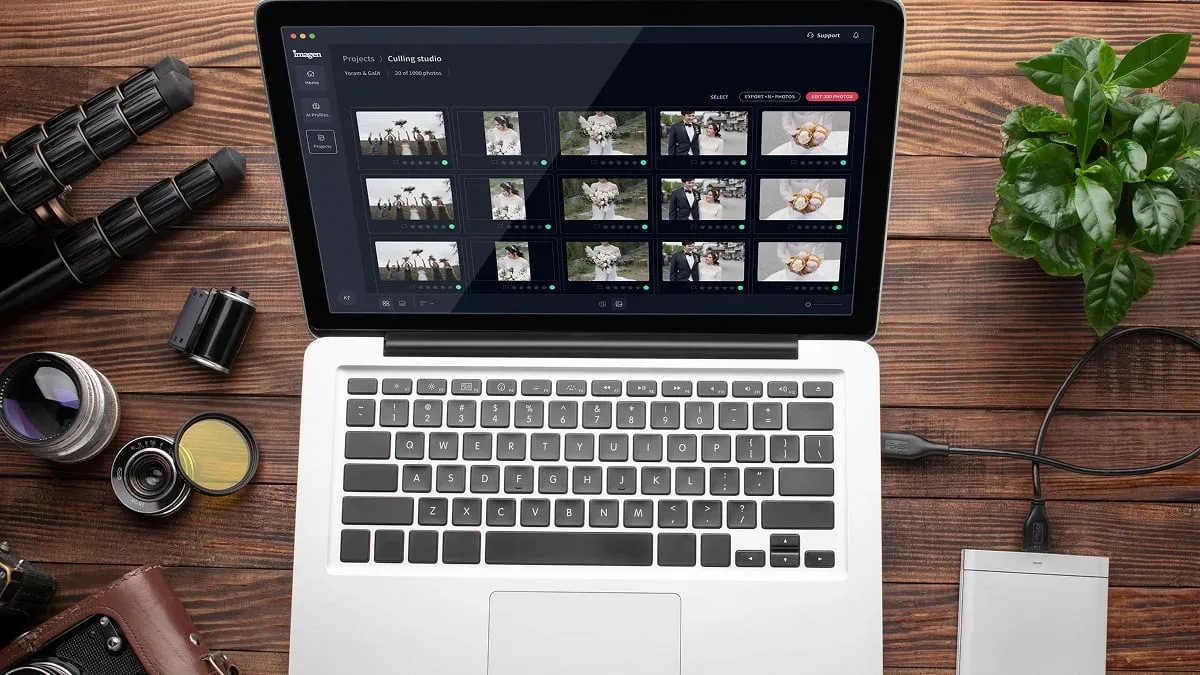
AI culling looks at a large set of images and does the tedious first pass for you. It detects near-duplicate bursts, evaluates sharpness and focus, and flags frames where the subject blinked or looked away, then narrows each cluster to the strongest candidates. For graduation work, where the same pose repeats hundreds of times with tiny variations, this is exactly the kind of pattern a trained model handles well. You still make the final call, but you make it on a shortlist instead of the full card.
The practical payoff shows up on turnaround. When the culling pass runs at volume, you can hand a proof gallery to a school days sooner, which matters when families are waiting and the next ceremony is already on your calendar. The goal is not to remove your taste from the process. The goal is to spend your taste on the frames worth choosing between, and to let software clear the obvious rejects and blinks before you ever look.
Cull First, Then Batch-Grade the Whole Set
Culling is only half the volume problem. Once you have your selects, every one of them still needs color correction, exposure balancing, and white balance so the whole gallery looks like one coherent set rather than a patchwork. Stage lighting is notoriously uneven, with hot spotlights, colored gels, and shadowed wings all in the same sequence, so a graduate shot at the edge of the stage can look nothing like one shot dead center even though they crossed seconds apart.
This is where a batch editor earns its place right after culling. Instead of correcting each frame by hand, you apply your own consistent style across the entire selection in one pass, so exposure and color land the same way on every graduate. That combination, cull the take down to the keepers and then grade the keepers as one set, is what actually collapses a multi-day grad edit into an afternoon. It also protects your look. When one style travels across the whole gallery, a school sees a professional, uniform result instead of a set of images that were clearly edited at different times in different moods.
Where Imagen Fits: Culling Plus Consistent Batch Editing
For graduation photographers who live in that cull-then-grade rhythm, Imagen is built for exactly this lane, and its new Studio lets you cull, edit and export in one project. It is a desktop app for Mac and Windows that you download and install, with the AI processing running in the cloud. You point it at a full shoot, and its AI culling narrows the near-duplicate bursts down toward the strongest frames, while your Personal AI Profile applies color correction, exposure, and white balance in your own consistent style across the entire set. A graduate shot under a warm spotlight and one shot in the cooler wings come back looking like one gallery. Imagen reports that the first batch finishes in under 10 minutes, which is the difference between delivering a class this week and next.
Where a single frame needs individual attention, the built-in editor (Beta) lets you fine-tune the exceptions per photo before export. Pricing is pay-as-you-go, a monthly base fee plus a charge for the photos you export, and you see every edit in the gallery before you export, so you can run a real ceremony through it before committing. Two honest limits are worth stating plainly: Imagen does not sharpen or deblur a soft or missed-focus capture, and it does not act as a proofing and delivery gallery. It culls the take, grades the set, and offers AI smooth-skin and face-retouch tools for consistent cleanup, and it does that fast.
When You Need Deep Retouching Instead
Some grad deliverables go beyond a clean, consistent gallery. A cap-and-gown portrait headed for a large print, a composite class board, or a hero image for a school’s marketing may need close, careful work: frequency-separation skin edits, blemish and stray-hair cleanup, or a background swapped out entirely. That is genuinely different work from culling and batch grading, and it belongs to a different category of tool.
For per-face skin retouching, reach for a dedicated portrait retouching tool that automates skin, eyes, and blemishes as a starting point you refine by hand. For a soft or slightly out-of-focus capture you still want to save, only a specialized sharpening and detail-enhancement tool can help, and even then within limits, because no software invents focus that was never recorded. For full background replacement or compositing a class board, a layer-based editor gives you the pixel-level control that job demands. The honest framing is a two-stage workflow: cull and batch-grade the whole set first, then hand the rare frame that needs it to the specialist tool built for that exact task. None of these categories replaces culling, and culling does not replace them.
Building a Grad Workflow That Scales
A repeatable graduation pipeline looks the same whether you shoot one class or a district. Ingest the full card, run the AI culling pass to collapse the bursts and clear the blinks and misses, then review the shortlist and lock your selects per graduate. From there, apply your consistent batch grade across the entire selection so the gallery reads as one set. Only after that do you pull the handful of images destined for large prints or composites and send them to a retoucher or a detail-enhancement tool. Finally, deliver through your proofing gallery of choice, since culling and editing software is not itself a delivery platform.
The reason this order matters is simple. Every minute you spend hand-comparing near-identical frames or hand-matching color across a stage sequence is a minute you are not spending on the next booking. Let the culling software clear the obvious, let the batch editor carry your look, and reserve your hands-on time for the few frames and the final delivery that genuinely need a human touch. That is how a solo shooter covers a full graduation season without drowning in the volume.
Related Guides and Where to Go Next
Graduation, wedding, and event work all share the same high-volume culling and batch-grading challenge, so the same tooling logic carries across them. For more on the batch side, see batch photo editing software for wedding photographers. For a deeper look at culling large sets, read photo culling software for wedding photographers. And to get your consistent look dialed in, see color grading software for wedding photography. You can also browse the full library of photography workflow tips for more on culling, batch editing, and finishing.
What’s new in Imagen: Imagen is now an intelligent, agentic Studio for professional photographers, one project where you cull, edit, review and export together, in any order. For graduation culling, AI filters such as blur and closed eyes help you narrow a big shoot, and you can always skip AI culling and cull manually for free. It is rolling out gradually as a beta.
Frequently Asked Questions
What is the best photo culling software for graduation photographers?
The strongest fit for graduation work is a tool that pairs AI culling with consistent batch editing, because grad shoots are high-volume and full of near-identical bursts. Imagen narrows those bursts toward the best frame per graduate and then applies your consistent style across the whole set in one pass, with the first batch finishing in under 10 minutes. You still make the final selection, but on a shortlist rather than the full card. AI culling is optional, since you can also cull manually for free.
How does AI culling handle the near-duplicate bursts from a stage sequence?
AI culling groups the near-duplicate frames from each graduate, evaluates sharpness and focus, and flags blinks or turned heads, then surfaces the strongest candidates in each cluster. Because a stage sequence repeats the same pose hundreds of times with tiny variations, this is a pattern trained models handle well. The result is that you review a shortlist per graduate instead of scrolling every frame on the card.
Can culling software also retouch skin and fix soft photos?
No. Culling and batch editing narrow the set and apply a consistent color and exposure look, but they do not do per-face skin retouching, and Imagen specifically does not sharpen or deblur a soft or missed-focus capture. For close skin work use a dedicated portrait retouching tool, and for a soft frame use a specialized detail-enhancement tool, keeping in mind that no software can restore focus that was never captured.
How much does Imagen cost, and can I try it first?
Imagen is pay-as-you-go, with a monthly base fee plus a charge for each exported photo. You see every edit in the gallery before you export, so you can run a real graduation ceremony through the culling and batch pass before committing. Imagen also offers a free trial.
Do I need to install software to cull and edit a graduation shoot?
Imagen is a desktop app for Mac and Windows that you download and install, and the AI processing runs in the cloud. You open it, add your shoot, and the culling and batch pass begins, even on a large grad set.

