

Photo culling software for automotive photographers: A Complete 2026 Guide
Table of contents
- Why automotive shoots create a culling bottleneck
- What to look for in culling software for cars
- How AI culling narrows a large automotive take
- From culling to a consistent batch grade across the lineup
- Where automotive editing needs a dedicated, separate step
- Building an efficient automotive culling-to-delivery workflow
- Frequently Asked Questions
- What is the best type of photo culling software for automotive photographers?
- Can culling software fix blurry or noisy automotive photos?
- How does batch editing keep a car lineup looking consistent?
- How much does Imagen cost, and is there a free trial?
- Does Imagen replace car backgrounds or merge HDR brackets?
Photo culling software for automotive photographers is any tool that helps you sort a large vehicle shoot down to the keepers fast, so you spend your time delivering cars instead of scrolling through near-identical frames. If you shoot dealership inventory, detailing studios, launch events, or editorial car features, the real bottleneck is rarely the edit itself. It is the pile of exposures waiting to be reviewed. A single lineup of twenty vehicles, photographed from a dozen angles each with interior and detail frames, can leave you with a card holding well over a thousand images. This guide explains what culling software actually does for automotive work, what to look for, and how culling connects to the batch grading that gives a whole lineup one consistent look.
The short version is this. Good culling software reads a shoot, groups the near-duplicate bursts, and flags the sharpest and best-exposed frame in each set, so you accept or reject in minutes rather than hours. Once the take is narrowed, a batch editing pass applies your color and tone in one consistent style across every car, and the handful of frames that need heavy manual work go to a dedicated tool afterward. Below, each section walks through one part of that pipeline for a car shooter specifically.
Why automotive shoots create a culling bottleneck
Automotive photography is a volume game in a way that surprises people who have not shot it. A dealership listing needs full exterior coverage, wheels, badges, the engine bay, the dash, the seats, the trunk, and the odometer, and it needs that for every unit on the lot. Studio and detailing work multiplies the frames again, because reflective paint and chrome push you to bracket exposures and to reshoot angles until the reflections behave. Rolling and panning shots, where you chase a moving car to blur the background, only earn one or two sharp keepers out of a burst of twenty.
All of that adds up to enormous take sizes with heavy redundancy. You are not looking for creative variety in most of those frames. You are looking for the one cleanest version of a shot you deliberately captured several times. That is exactly the problem culling software is built to solve, because a machine can compare a burst of similar frames far faster than your eye can, and it never gets tired halfway through the fourth vehicle of the day.
What to look for in culling software for cars
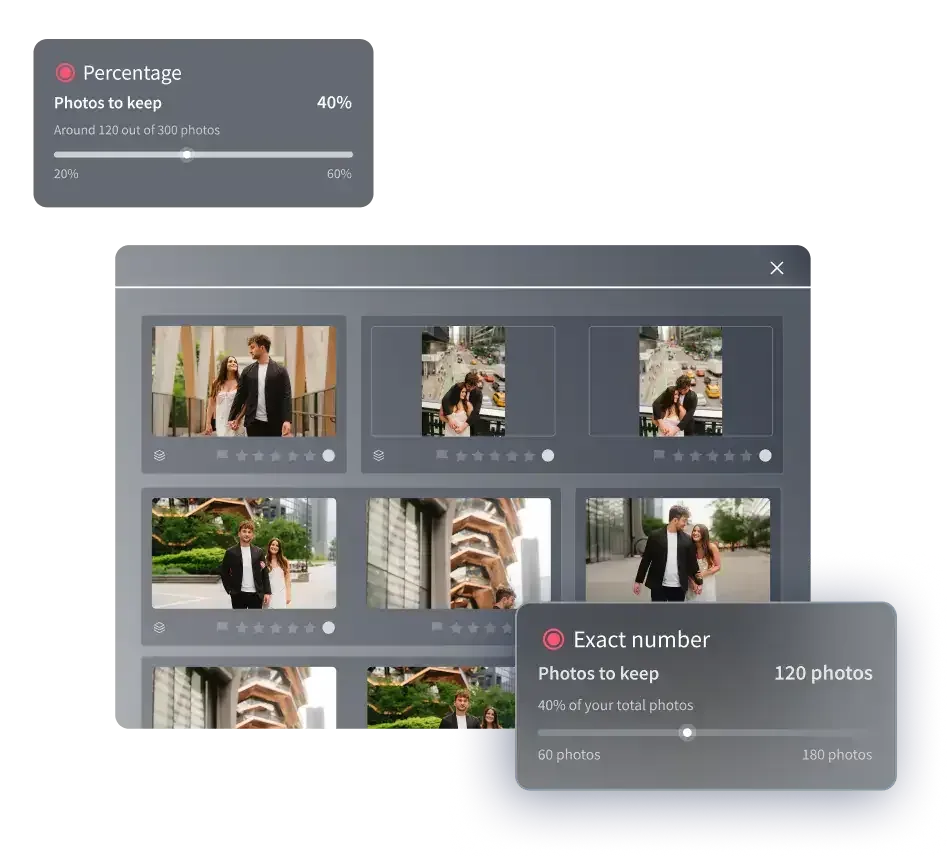
Not every culling feature matters equally for automotive work, so it helps to prioritize. Start with duplicate and burst grouping, because that is where your car shoots hide most of their waste. A tool that clusters visually similar frames and surfaces the strongest one in each cluster saves the most time on the exposures and angle repeats a vehicle shoot produces.
Sharpness and focus detection comes next. For rolling shots and detail macros, you want the software to rank frames by critical focus so a slightly soft panning frame drops below the tack-sharp one automatically. Closed-eye detection, a staple of wedding and portrait culling, matters less here, though it still helps on shots with people leaning against a car.
Then consider how the culling connects to the rest of your pipeline. RAW support is not optional for automotive work, because you need the full latitude of the file to recover highlight detail on bright paint and shadow detail in wheel wells. Cloud or web-based tools let you start culling on a laptop the moment cards are offloaded, without waiting for a heavy desktop application to index everything first. Finally, look at whether the tool can hand off cleanly to a batch editor, so the frames you keep move straight into grading rather than through a manual export dance.
How AI culling narrows a large automotive take
AI culling works by analyzing each frame for technical quality and by comparing frames within a shoot to find the near-duplicates. On an automotive job, the software looks at a burst of eight nearly identical three-quarter front shots, measures focus and exposure on each, and points you at the one worth keeping. It does the same across your bracketed exposures, your interior sequences, and your wheel details.
The value is not that the machine makes the final creative call for you. The value is that it does the tedious first pass, turning a thousand-frame card into a few hundred candidates you can review with intent. You stay in control of the selects, but you start from a shortlist instead of a raw dump. For a photographer billing per vehicle or working against a same-day dealership deadline, that first pass is often the difference between finishing tonight and finishing tomorrow.
It is worth being realistic about limits. Culling software identifies the best frame you captured. It cannot rescue a shot that missed focus entirely, and it does not sharpen or denoise the file for you. Those are separate jobs, handled later and by different tools, which the next sections cover.
From culling to a consistent batch grade across the lineup
Culling is only half the workflow. Once you have your selects, every car in the lineup still needs to look like it belongs in the same gallery, shot under the same light, graded to the same standard. Doing that by hand, frame by frame, is where automotive editing quietly eats a full day. This is the layer where Imagen fits an automotive shooter well, now as a Studio where you cull, edit and export in one project.
Imagen is a desktop app for Mac and Windows, with the AI processing handled in the cloud, and you do not need a desktop catalog application running underneath it. It can handle the culling pass to narrow your near-duplicate bursts, or you can cull manually for free, and then your Personal AI Profile applies your own color correction, exposure, white balance, and tone in a consistent style across the entire set. You build a reusable style profile once, and every future shoot comes back matched to it, which is precisely what a dealership account or a detailing brand wants across hundreds of units. A car photographed in a shaded bay and one shot under bright showroom lighting come back looking like one coherent gallery rather than a patchwork. Imagen works directly with your RAW files, and its AI Assistant can handle per-frame touches such as removing a stray cone or a reflection artifact.
Pricing is pay-as-you-go, with a monthly base fee plus a charge for the photos you export, and exploring the tools is free, so you can test it on a real shoot. The honest framing is that Imagen owns the cull-and-consistent-grade layer of the pipeline, the part that scales with volume, and it hands the rare heavy-manual frame to a dedicated tool, which is what the next section is about.
Where automotive editing needs a dedicated, separate step
A batch grade solves consistency and volume, but some automotive tasks are genuinely manual craft and belong to specialized tools used as a separate step. It is worth naming them plainly so you build the right stack rather than expecting one app to do everything.
The first is full background replacement and compositing. Many dealerships want the car cleanly cut out and dropped onto a pure white or branded backdrop, and that cutout-and-composite job is the domain of a dedicated background-replacement service or a layer-based editor, not a batch grader. The second is true HDR bracket-merging, where several bracketed exposures of a reflective car body are combined into one balanced frame. That merge is a distinct process handled by dedicated bracket-merging software. The third is deep detail recovery, meaning sharpening a slightly soft frame, reducing high-ISO noise from a dim garage, or upscaling for a large print. Those live in a specialized detail-enhancement tool, and even then within limits, because no tool invents focus that was never captured. Heavy per-panel retouching, such as erasing every scratch and swirl mark on a used vehicle by hand, is likewise manual work for a layer-based editor.
The practical takeaway is a division of labor. Cull the take and batch-grade the whole set first, so the entire lineup is consistent and delivery-ready, then route the handful of frames that need compositing, bracket-merging, or deep retouching to the specialist tool that does that one job well.
Building an efficient automotive culling-to-delivery workflow
Put the pieces together and a repeatable pipeline emerges. Offload your cards and let culling software group the bursts and surface the sharpest, best-exposed frame in each cluster, so you approve selects in minutes. Move those keepers into a batch editor that applies your reusable style across every vehicle in one pass, giving the whole lineup a matched look without per-frame labor. Finally, pull the few frames that need a white-background composite, an HDR merge, or manual retouching into the dedicated tool for that task, and deliver.
The reason this order matters is that it puts the automated, high-volume steps first and reserves your hands-on time for the frames that truly need it. A dealership photographer running fifty cars a week cannot hand-edit every frame, but with culling and batch grading carrying the volume, the manual work shrinks to a manageable handful. That is how you protect both your turnaround time and your signature look at the same time.
If you want to go deeper on the individual stages, these related guides cover the same building blocks in adjacent genres. Read our overview of batch photo editing software for high-volume shoots, our breakdown of photo culling software and how AI selects keepers, and our walkthrough of color grading software for a consistent style. You can also browse the full library of photography workflow tips for more on culling, batch editing, and delivery.
What’s new in Imagen: Imagen is now an intelligent, agentic Studio for professional photographers. You can cull, edit, review and export in one project, in any order, using AI culling to narrow a large lineup, and AI filters such as blur help you narrow it down further. The Studio is rolling out gradually as a beta.
Frequently Asked Questions
What is the best type of photo culling software for automotive photographers?
The strongest fit for automotive work is culling software that groups near-duplicate bursts, ranks frames by focus and exposure, and supports RAW files directly. Vehicle shoots produce large takes with heavy angle and bracket repetition, so burst grouping and sharpness detection save the most time. A tool that also connects culling to a batch grading pass, like Imagen, keeps the whole pipeline in one flow.
Can culling software fix blurry or noisy automotive photos?
No. Culling software identifies the sharpest, best-exposed frame you actually captured, but it does not sharpen a soft frame or remove high-ISO noise. Those tasks belong to a dedicated detail-enhancement tool used as a separate step, and even that works within limits and cannot restore focus that was never there. Cull first, then route the rare problem frame to a specialist tool.
How does batch editing keep a car lineup looking consistent?
Batch editing applies the same color, exposure, white balance, and tone across every frame in a shoot from a reusable style profile. For automotive work that means a car shot in a shaded bay and one under bright showroom light come back matched to one look. Imagen builds this style profile once and applies it across the whole set, so a dealership account stays consistent across hundreds of units.
How much does Imagen cost, and is there a free trial?
Imagen is pay-as-you-go, with a monthly base fee plus a charge for the photos you export. Exploring the tools is free, so you can run it on a real vehicle shoot before committing. It is a desktop app for Mac and Windows, so you download and install it.
Does Imagen replace car backgrounds or merge HDR brackets?
No. Imagen focuses on culling and consistent batch color and tone grading, plus per-frame touches like object removal through its AI Assistant. Full background replacement, cutout compositing onto a white backdrop, and true HDR bracket-merging are separate manual jobs handled by dedicated tools. The efficient approach is to cull and batch-grade the whole set first, then send those specialist frames to the right tool.
