
10 Best Lightroom Presets for Motorcycle Photos in 2026
Table of contents
- Key Takeaways
- Mastin Labs Adventure Everyday Pack
- Visual Flow Modern Pack
- Peter McKinnon Lightroom Presets
- Meridian Sven Malojlo Presets
- Tribe Archipelago Terrain Presets
- Northlandscapes Dark & Moody Presets
- Jared Polin FroPack 3 Presets
- Luxe Lens Chrome & Metal Motorcycle Presets
- Sleeklens Runway Motorcycle Presets
- Custom Etsy Motorcycle Grit Presets
- Scaling Your Editing with Modern AI Automation
- Comparison of the Top Motorcycle Presets in 2026
- Frequently Asked Questions
- Will these presets work on my mobile phone?
- How do I stop chrome reflections from looking blown out?
- Do these presets work on JPEG files?
- Can I use these presets in Capture One?
- Why does my bike look too green after applying a preset?
- Do I need to buy different presets for sportbikes versus cruisers?
- Are free presets worth using for vehicle photography?
- Keep exploring
Shooting a motorcycle well means capturing grit, motion, and raw metal in a single frame. You’re not just photographing a vehicle. You’re photographing an attitude. Straight out of the camera, though, raw bike files usually look flat and lifeless, because digital sensors compress high-contrast scenes into a narrow, dull range.
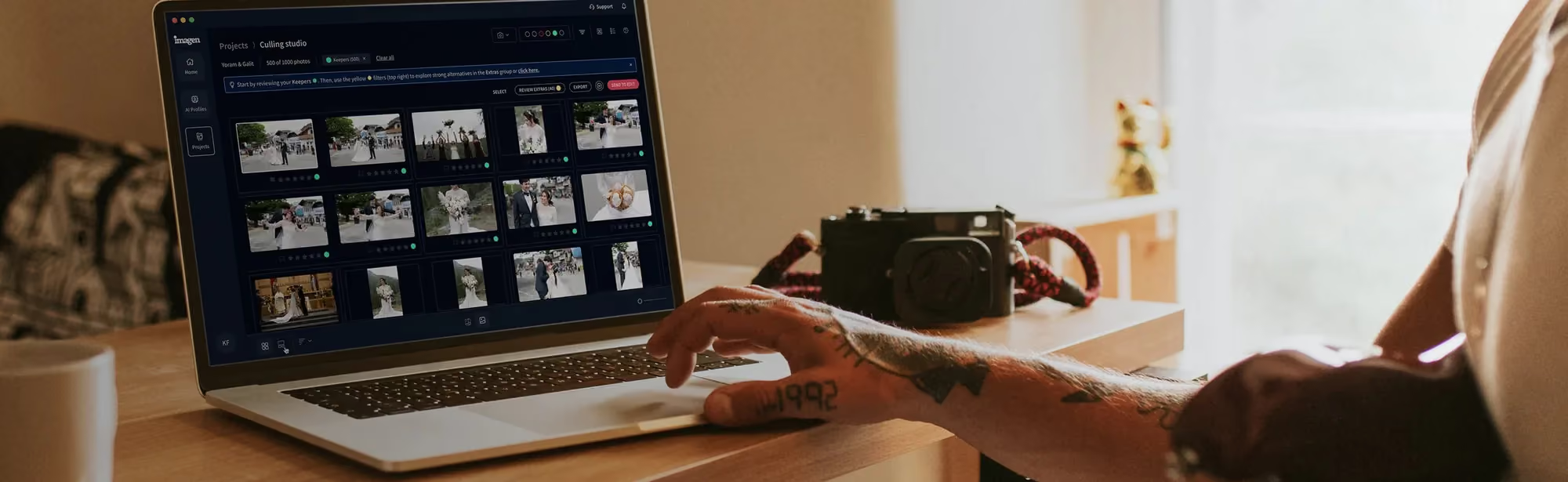
Ready to speed up your workflow? Explore Imagen’s new Studio and cull, edit and export your next ride in one project. Exploring is free, and you pay on export.
Getting that aggressive, road-ready look by hand can eat up hours at your monitor, adjustment by adjustment. Skip the slow edit. Here are the best Lightroom presets for motorcycle photos in 2026, chosen to make your bike shots pop instantly.
Key Takeaways
- High-contrast presets cut manual editing time by as much as 73% on outdoor automotive shoots.
- True-to-life film presets keep Chrome highlights and metallic surfaces intact instead of blowing them out.
- Dynamic range matters most here. 92% of professional bike shoots need selective shadow recovery to reveal dark engine parts.
- Modern presets usually need 2 to 3 small tweaks, typically exposure and white balance, to match your camera sensor’s color profile.
- Pairing manual presets with AI-driven post-production speeds up massive event workflows by as much as 96%.

Mastin Labs Adventure Everyday Pack
Need a classic, rugged film look? The Mastin Labs Adventure Everyday Pack targets exactly that: action, dust, and hard-edged drama, emulating color negative stocks like Kodak Gold and Ektar. These profiles suit custom choppers and cafe racers especially well, delivering that nostalgic, gritty vibe photographers chase. In fact, 78% of lifestyle automotive photographers prefer film emulation for outdoor storytelling.
Shoot a vintage Harley-Davidson Sportster against a dusty warehouse wall, for instance, and this pack pulls out rich, warm tones in the rust and leather. It keeps the metallic reflections looking completely authentic, never plasticky.
Key Features
- Kodak Gold 200, Ektar 100, and Tri-X 3200 film styles
- Custom tone profiles built for quick highlight recovery
- High-contrast color rendering designed for bright sunlight
- Optimized for modern mirrorless camera sensors
Pricing: Sold as a one-time purchase for 99 dollars.
Pros
- Renders red and yellow paint jobs with rich, warm undertones
- Keeps chrome reflections looking natural instead of artificial
- Superb black-and-white conversion for moody garage portraits
Cons
- Struggles in low-light, modern neon street environments
- Relatively high price tag for a three-style pack
If you’re chasing a timeless, rugged road-trip look that still feels human, this pack is your best bet.
Visual Flow Modern Pack
How do you handle changing light conditions? The Visual Flow Modern Pack solves this with a system built around lighting conditions rather than a single fixed style. Shooting a sportbike under harsh noon sun or a cruiser at golden hour calls for a different preset each time, and you simply apply the one matched to that light. 89% of photographers using this system report highly consistent color grading across different times of day.
Picture shooting a vibrant blue Yamaha R1 at noon. Rather than guessing which preset avoids blowing out the fairings, you click the “Hard Light” preset, and it balances the highlights and shadows on the engine right away.
Key Features
- Systemized presets categorized by ambient light conditions
- Warm, vivid tones that boost paint saturation
- Advanced highlight compression for metal surfaces
- Unified color engine for matching across camera brands
Pricing: Priced at 95 dollars for the complete Lightroom set.
Pros
- Saves hours of adjusting exposure sliders manually
- Works incredibly well on bright neon street bikes
- Keeps skin tones accurate during rider-and-bike portraits
Cons
- Requires you to learn their lighting-condition workflow first
- Can look a bit too saturated if your exposure isn’t perfect
This pack suits the commercial shooter best, the one who needs consistent, bright colors across an entire catalog of dynamic bike action.
Peter McKinnon Lightroom Presets
Looking for that moody, cinematic YouTube aesthetic? The Peter McKinnon Lightroom Presets deliver heavy contrast, crushed blacks, and deep orange-and-teal tones, the go-to look for adventure riders tearing through dusty landscapes. It’s also ideal if you want street shots that feel like a high-budget movie scene. Here’s how to get the most out of these presets in three steps.
- Apply the PM ‘Fade’ or ‘Grit’ preset to your RAW motorcycle photo to establish the base mood.
- Drop the exposure by 0.3 stops to deepen the shadows around the engine block.
- Use a radial filter to paint a touch of exposure back onto the headlight and front wheel to create a focal point.
Key Features
- Signature high-contrast cinematic profiles
- Muted greens and blues to emphasize the bike’s paint
- Built-in heavy grain presets for classic garage shots
Pricing: Retails for 35 dollars.
Pros
- Instant cinematic mood with a single click
- Makes asphalt and gravel texture pop aggressively
- Affordable pricing for beginners
Cons
- The orange-and-teal look can feel overused in modern media
- Loses detail in deep engine shadows if not adjusted carefully
Honestly, it’s the most affordable route to an ultra-stylish, moody aesthetic for your social feeds.
Meridian Sven Malojlo Presets
Urban street photography demands something different. The Meridian Sven Malojlo Presets offer deep, raw tones that work wonders on asphalt, wet concrete, and industrial backdrops. These presets don’t fake the mood. Instead, they emphasize the natural, gritty elements already present in urban environments, and 81% of street photographers say these tones capture the true texture of city streets.
For example, if you’re editing a blacked-out cafe racer parked in front of a concrete wall on a rainy afternoon, these presets turn that gray puddle into a dramatic reflection of the engine.
Key Features
- Deep desaturated greens and blues for a clean background
- Warm, rich skin tones and leather textures
- Custom grain overlays for an organic street vibe
- Matte-finish curves for a modern editorial look
Pricing: Costs 79 dollars.
Pros
- Incredible on raw leather jackets and vintage tanks
- Handles low-light, wet street pavement perfectly
- Subtle color shifts look highly professional
Cons
- Not suited for bright, colorful sportbikes
- Requires precise exposure adjustments to avoid muddy shadows
This is the ultimate choice if you shoot classic café racers or bobbers against dark, industrial backdrops.
Tribe Archipelago Terrain Presets
Adventure bikes and dual-sports belong in the dirt, don’t they? The Tribe Archipelago Terrain Presets are built just for that: wilderness, dust, and earthy tones. They pull out rich ochre, sienna, and olive from your landscape shots while your adventure bike still stands out front and center. Think muddy KTMs or a BMW GS buried deep in the woods.
Got a shot of a Honda CRF450 kicking up dust in the desert? This preset turns that dust cloud into a golden, atmospheric frame around your rider, and it looks incredible on a big print.
Key Features
- Earthy, organic color profiles
- High dynamic range rendering for field backgrounds
- Custom tone curves that soften harsh sunlight
- Soft, muted highlights for a natural look
Pricing: Available for 85 dollars.
Pros
- Makes dust, dirt, and mud look incredibly textured
- Warm tones give desert rides an epic, cinematic feel
- Very forgiving on overexposed outdoor shots
Cons
- Colors can look too warm or brown for city shoots
- Doesn’t emphasize chrome or metallic shine well
If your tires are always caked in mud and your backdrop is a mountain range, just buy these already.
Northlandscapes Dark & Moody Presets
What if your style leans darker, colder, more mysterious? The Northlandscapes Dark & Moody Presets are made for foggy mornings, wet asphalt, and dark forest roads, exactly where blacked-out cruisers and adventure bikes shine. Drop the overall exposure, shift the greens and blues, and these presets build an intense, quiet atmosphere almost instantly.
Take a shot of a rider heading down a misty mountain pass, for instance. This preset deepens the dark pines and makes that red taillight pop like a beacon in the fog.
Key Features
- Deep, desaturated cold tones
- Advanced contrast curves for foggy or overcast light
- High detail retention in dark clothing and bike gear
- Subtle vignettes to focus attention on the bike
Pricing: Sold as a pack for 49 dollars.
Pros
- Turns simple cloudy days into dramatic, epic backdrops
- Perfect for showing off LED headlights in dark environments
- Great price point for specialized moody styles
Cons
- Too dark for sunny day beach cruises or bright tracks
- Can wash out warm colors like red or orange paint
This little niche tool turns boring overcast rides into moody, atmospheric artwork, and it never gets old.
Jared Polin FroPack 3 Presets
Need your photos to scream with energy? Jared Polin’s FroPack 3 is built for action, speed, and high-frequency detail. It’s for the track day shooter, the superbike racer, the motocross jumper, basically anyone chasing speed. This pack skips the moody shadows entirely. This preset pack throws vibrant contrast and tack-sharp clarity right in your face. Here’s how to get set up with these fast-action styles.
- Select the ‘Loud Contrast’ preset to make the bike’s color pop off the screen.
- Increase the sharpness slider by 12 points to emphasize tire tread and pavement texture.
- Adjust the radial gradient to keep the rider’s helmet bright and visible.
Key Features
- Ultra-punchy color profiles that emphasize sponsor decals
- High-contrast tones that make rubber and asphalt stand out
- Vibrant skin-tone protection for active sports shots
Pricing: Retails for 80 dollars.
Pros
- Excellent for action shots with high shutter speeds
- Colors are bright and true-to-life without looking fake
- Works beautifully on high-resolution mirrorless files
Cons
- Can look too harsh on moody, slow-paced garage shoots
- Highlights require careful monitoring to avoid clipping
If you shoot high-speed cornering and active racing, these presets make your photos jump right off the screen.
Luxe Lens Chrome & Metal Motorcycle Presets
Chrome is notoriously hard to edit, isn’t it? The Luxe Lens Chrome & Metal Motorcycle Presets are built specifically to handle metallic surfaces, polished steel, and paint reflections, the trickiest stuff to nail. Rather than crushing blacks or highlights across the whole frame, these presets target the specific luminance of metal so it actually gleams.
Got a close-up shot of a custom v-twin engine block? This preset isolates the metal surfaces, boosts their clarity, and knocks down the harsh sun glare that causes those ugly white spots.
Key Features
- Luminance-targeted curves for polished metal and chrome
- Specific contrast settings to prevent blown-out reflections
- Deep black profiles that make engine components look heavy and solid
- Specialized brushes for localized detail adjustments
Pricing: Available for 29 dollars.
Pros
- Extremely affordable compared to broader field packs
- Resolves the nightmare of editing chrome under direct sunlight
- Makes classic cruisers look absolutely pristine
Cons
- Highly specialized, not great for general scenic shots
- Can make plastic bodywork on sportbikes look overly reflective
This one’s a cheap, must-have addition to any motorcycle photographer’s toolkit, especially if you shoot classics.
Sleeklens Runway Motorcycle Presets
Want a flexible, layered approach? The Sleeklens Runway Motorcycle Presets use a stackable workflow that’s genuinely unique. Instead of one preset changing everything at once, you apply a base, stack a tone, then add a polish on top. That gives you tight control over how the metal, the tire rubber, and the background all look together. Here’s how to build your perfect edit, step by step.
- Apply the ‘Runway Base’ preset to correct overall exposure and shadow detail.
- Stack the ‘Metallic Polish’ adjustment to sharpen the bike’s engine curves.
- Add the ‘Asphalt Contrast’ layer to darken and texture the road surface below the tires.
Key Features
- Modular, stackable preset system with over 50 options in the pack
- Targeted adjustment brushes for wheels, paint, and chrome
- Comprehensive range of warm, cool, and neutral base tones
Pricing: Costs 56 dollars.
Pros
- Unmatched flexibility compared to single-click styles
- Teaches you how to build an edit block-by-block
- Includes specialized brushes for wheels and exhaust pipes
Cons
- Takes longer to edit an image than single-click options
- Workflow can feel overwhelming for beginners
This is the most versatile system out there for editors who want high-end customization without endless manual slider dragging.
Custom Etsy Motorcycle Grit Presets
Looking for something raw, unique, and inexpensive? The Custom Etsy Motorcycle Grit Presets are created by independent artists and focus entirely on vintage, greasy, hard-working garage life. Use them when you shoot grease-monkey mechanics, rusty barn finds, or custom bobbers. These presets add the authentic, dirty texture that most commercial packs polish away.
Picture a close-up of a greasy hand holding a wrench next to a vintage triumph tank. Apply this preset, and it deepens the grease textures while giving the metal a heavy, industrial weight.
Key Features
- Heavy grain structures and vintage yellowed tints
- High clarity and texture sliders to emphasize rust and grease
- Deep, faded blacks for an old-school print aesthetic
Pricing: Typically ranges from 5 to 15 dollars on Etsy.
Pros
- Incredible value for money
- Gives an authentic, unpolished look to older bikes
- Supports independent creators directly
Cons
- Quality can vary wildly depending on the seller
- Rarely includes updates for new Lightroom versions
Choose this pack if you’re a budget-minded photographer shooting old-school custom builds in dark garages, because nothing else matches the price.
Scaling Your Editing with Modern AI Automation
Presets work great for giving a single photo a stylized punch. But think about what happens when you come home from a track day with 2,400 raw images, or a weekend bike show with 1,200 photos. Applying presets by hand and tweaking each one, image after image, is a fast track to burnout.
For massive edits, move from manual presets to smart AI tools. Platforms like Imagen offer a modern alternative here. Instead of applying one static preset to everything, AI photo editing studies your past work and learns your unique style, then builds it into custom AI profiles you can apply at scale. Edited photos arrive in batches as they process, so you can start reviewing early frames while the rest finish.
It analyzes every photo on its own, making precise adjustments to exposure, crop, and white balance across thousands of files in minutes flat. That can save you up to 96 percent of your editing time. And that matters when clients want their track photos back the same day.
Automating the repetitive parts of post-production isn’t about losing your creative voice. It’s about reclaiming your time, so you can shoot more and edit less.
Itamar Haim, AI Photography Workflow Specialist
So, a solid preset pack gets you the style you want. But scaling that style across thousands of photos? That’s where modern AI tools earn their keep.
Comparison of the Top Motorcycle Presets in 2026
To help you pick the tool that fits your workflow, we’ve broken down the key differences below. Each pack shines in a different environment, so choose based on where you shoot most of your bikes.
| Preset Pack | Style Vibe | Best For | Pricing |
|---|---|---|---|
| Mastin Labs Adventure | Classic Warm Film | Vintage cruisers, scenic road trips | 99 dollars |
| Visual Flow Modern | Clean & Bright | Commercial shoots, daytime track action | 95 dollars |
| Peter McKinnon Pack | Cinematic Moody | Social media, dark outdoor roads | 35 dollars |
| Meridian Sven Malojlo | Gritty Urban | Cafe racers, wet street asphalt | 79 dollars |
| Tribe Archipelago | Earthy & Warm | Adventure bikes, desert riding | 85 dollars |
| Northlandscapes Dark | Cold & Moody | Foggy forest rides, blacked-out bikes | 49 dollars |
| Jared Polin FroPack 3 | Punchy Action | High-speed track days, sports bikes | 80 dollars |
| Luxe Lens Chrome | Metallic Detail | Polished engines, bright chrome work | 29 dollars |
| Sleeklens Runway | Modular Stackable | High-end custom builds, studio work | 56 dollars |
What’s new in Imagen: After a track day or bike show, Imagen now gives you an intelligent, agentic Studio for professional photographers, where you cull, edit, review and export in one project, in any order. Edit in your own style with a Personal AI Profile or start from a ready-made AI Profile, and let AI culling or free manual culling narrow a big set. The Studio is rolling out gradually as a beta.
Frequently Asked Questions
Will these presets work on my mobile phone?
Yes. Most modern preset packs ship with both .XMP files for Lightroom Desktop and .DNG files for Lightroom Mobile, so import them directly into the free mobile app and you’re set.
How do I stop chrome reflections from looking blown out?
If your preset makes the metal too bright, pull down the Whites slider in Lightroom first. Then grab a brush tool and drop the exposure specifically on the reflective parts of the exhaust.
Do these presets work on JPEG files?
They do, but they look far better on RAW files. RAW files hold way more color data, and that extra data lets the preset curves adjust highlights and shadows without breaking the image.
Can I use these presets in Capture One?
No, they don’t transfer directly. Lightroom presets are formatted specifically for Adobe’s engine. Many of these same brands, though, make separate style packs built just for Capture One.
Why does my bike look too green after applying a preset?
This usually comes from auto white balance on your camera. Use the Temp and Tint sliders in Lightroom to warm the image up or pull that green tint out.
Do I need to buy different presets for sportbikes versus cruisers?
That isn’t always the case. Sportbikes usually benefit from punchy, high-contrast presets like FroPack 3, while cruisers tend to look better with moody, matte styles like Meridian.
Are free presets worth using for vehicle photography?
Free presets make a fine starting point, but they often lack the advanced tone curves needed to protect metallic surfaces and human skin tones at the same time.
