

How to Edit Chinese Wedding Photos with AI in 2026
Table of contents
- Start with a Clean Import and Backup
- Cull the Guest-Heavy Take Fast
- Build Your Personal Style Once, Then Apply It Everywhere
- Handle Tea-Ceremony Indoor Light
- Protect Saturated Reds and Golds Without Clipping
- Keep Qipao and Gown Fabric Detail Sharp
- Balance Mixed Banquet Lighting
- Retouch Portraits and Group Shots at Volume
- Export and Deliver the Full Gallery
- What AI Editing Does and Does Not Do
- Frequently Asked Questions
To edit Chinese wedding photos with AI, you split the work in two: let AI cull the huge guest-heavy take and apply your color and tone across every frame, then finish the hero shots by hand. A tool like Imagen learns your personal editing style from your Lightroom or Capture One catalog and applies it consistently across the whole day, so the deep ceremonial reds, the gold jewelry, and the mixed banquet light all stay true while you skip the manual slider grind. This guide walks the real workflow from import to delivery, names the tools that fit each step, and shows where automation actually saves you the most time.
A Chinese wedding stretches an editor in ways a simple ceremony never does. You shoot a morning door game, a personal tea ceremony indoors, a red qipao and a white gown on the same bride, and a banquet that can run past twenty tables of guests. The frame count climbs fast, the reds and golds sit at the edge of clipping, and the light jumps from soft window glow to warm hotel tungsten in the same hour. That mix of scale, color, and light is exactly where a smart AI workflow earns its keep. For a wider look at the tools, see our roundup of the best AI Chinese wedding photo editing software.
Start with a Clean Import and Backup
Before any AI touches your files, get organized. Import every raw file from the door games, the tea ceremony, the portraits, and the banquet into one catalog in Lightroom Classic or Capture One, and back up before you edit a single frame. Card failure on a long wedding day is a real risk, so copy your files to two drives and confirm both open cleanly.
- Import raw files, not JPEGs, so you keep the full latitude to recover bright banquet spotlights and deep tea-room shadow.
- Apply lens corrections and a baseline profile on import so you save a full pass later.
- Tag each segment, from the door game through the tea ceremony to the banquet, so every part stays searchable.
- Keep the whole wedding in one catalog so your AI tool can read the entire set at once.
A clean catalog is the foundation for everything after it. If your files sit scattered across folders, batch tools cannot read them as one coherent shoot, and your color consistency falls apart between the tea ceremony and the reception.
Cull the Guest-Heavy Take Fast
A full Chinese wedding with a big banquet can leave you with 4,000 to 8,000 raw frames, and the first job is to cut that down to the images you will actually deliver. AI culling reads your set and flags the sharp, well-exposed, open-eyed frames while grouping the near-duplicates you shot in bursts during the tea ceremony toasts and the table rounds at dinner.
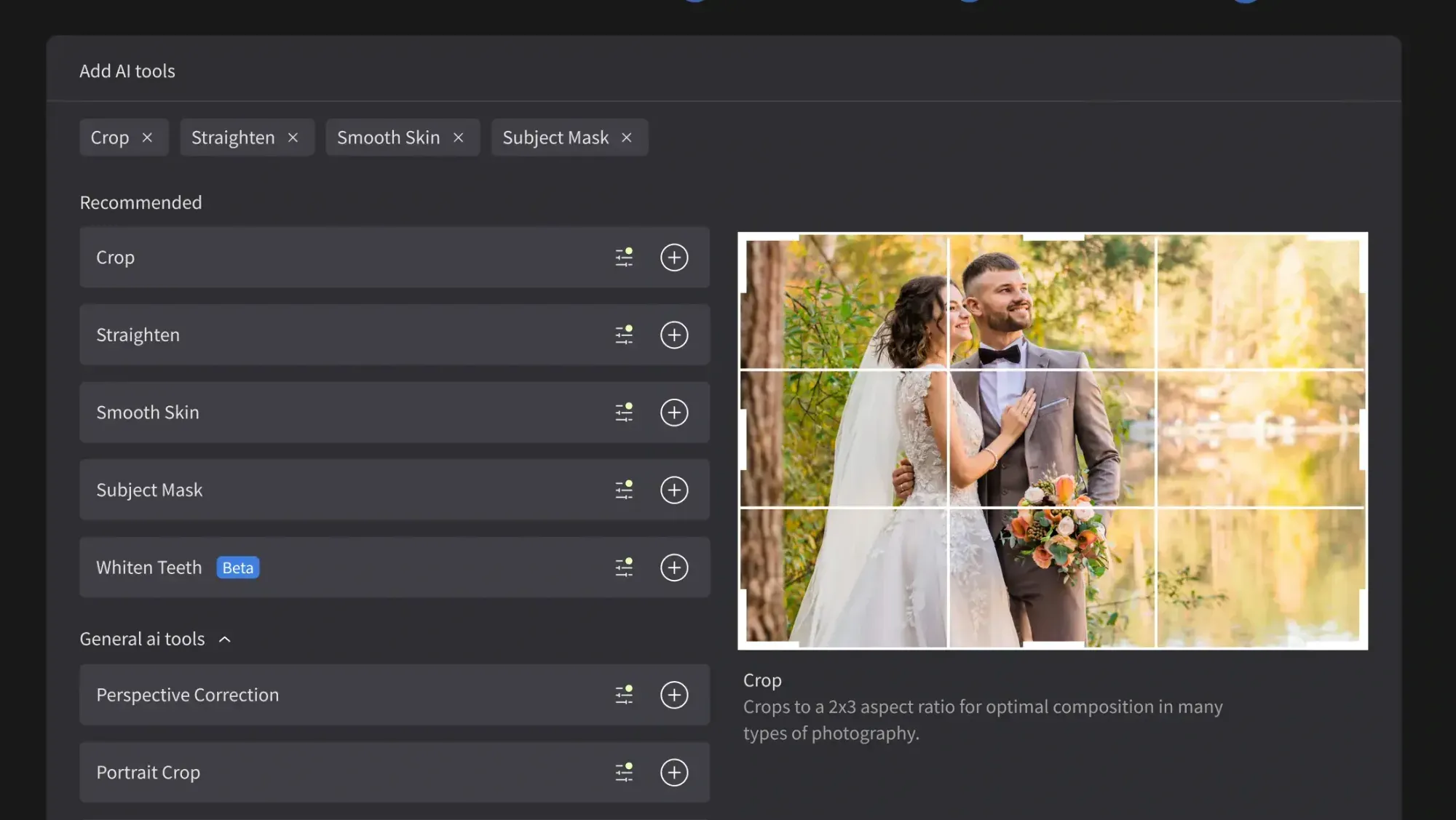
Imagen includes AI culling in the same workflow as its color and retouching, so you cull, edit, and finish without exporting between tools. You can also skip AI culling and cull manually for free. Aftershoot is another real option that focuses on AI culling and duplicate detection, and many photographers pair it with a separate editor. Whichever you use, culling first means you never waste color and retouching time on frames that will never leave your drive.
Review the AI picks rather than trusting them blindly. You know which candid of the bride serving tea to her grandmother matters and which blurred banquet frame does not, so treat the cull as a strong first pass you confirm, not a final verdict.
Build Your Personal Style Once, Then Apply It Everywhere
The core of an AI Chinese wedding workflow is consistency at volume. Instead of dragging sliders on thousands of frames, you teach the tool your look once and let it apply that look across the whole shoot. Imagen builds a personal profile from your own past edits in your Lightroom or Capture One catalog, so it learns how you handle warm skin tones, how deep you take the ceremonial reds, and how you balance a soft tea-room window against a bright banquet hall.
Once that profile is trained, Imagen applies your edit per frame across every segment, reading the content of each image rather than pasting one flat preset. That matters at a Chinese wedding, where a single preset that looks right on a daylit tea ceremony will wreck a spotlit banquet toast. The AI adjusts exposure, white balance, and tone image by image while still landing on your signature look. Edited photos arrive in batches as they process, so you can start reviewing early frames while the rest finish.
This is the step that turns a lost week into an afternoon. You still make the creative call on your style, but you make it once instead of several thousand times.
Handle Tea-Ceremony Indoor Light
The tea ceremony is one of the most emotional parts of the day, and it usually happens in the toughest light. You are often in a family living room or a hotel suite with a small window, warm lamps overhead, and deep shadow in the corners where the elders sit. A frame that looks neutral on the bride can turn muddy and orange two steps back at the tea table.
Because Imagen adjusts white balance and exposure per image, it handles those indoor shifts as it works through the set, holding your target look even when you move from the window to the lamplit corner. For the few frames where mixed household light stains skin, you still finish by hand in Lightroom or in Imagen’s built-in editor (Beta). The point is that AI clears the routine light fixes so your manual time goes only to the tricky handful.
Protect Saturated Reds and Golds Without Clipping
The red qipao, the gold bridal bangles, the double-happiness decor, and the crimson tea set are the heart of the images, and they are also the easiest colors to ruin. Deep reds clip to a flat blob when you push saturation too far, and warm metallic gold blows out to plain white if you lift exposure carelessly. Preserving detail in those tones is the difference between a rich gallery and a cartoonish one.
- Edit reds and golds in a raw file so you keep the full color data before any conversion.
- Watch the red channel on your histogram, since reds clip long before the overall image looks blown.
- Let your trained AI profile carry your saturation choices, so every frame gets the same restrained treatment.
- On hero frames, pull the highlights on the gold bangles by hand to recover the sparkle the global edit flattened.
When your Imagen profile is trained on your own careful red and gold handling, it repeats that restraint across the whole shoot, which is far safer than a heavy preset that crushes color the same way on every image. You get consistency without sacrificing the detail that makes the qipao silk and the jewelry read as real.
Keep Qipao and Gown Fabric Detail Sharp
A Chinese bride often wears two very different outfits, and each one tests your editing in its own way. The embroidered red qipao carries fine gold thread and raised texture that flat contrast will smear, while the white gown holds delicate lace and folds that blow out the moment you overexpose. Your edit has to protect both across the same set of portraits.
Because Imagen applies your trained look per image, it treats the dark saturated qipao and the bright white gown differently instead of forcing one exposure on both. That keeps the embroidery legible and the lace clean without you resetting sliders every time the bride changes. On your very best portraits, you can still finish the fabric by hand, lifting texture on the qipao or recovering a hot fold on the gown where it counts most.
Balance Mixed Banquet Lighting
The banquet is where light turns chaotic. A hotel ballroom layers warm tungsten, colored stage washes on the couple, spotlights during the grand entrance, and the flicker of a champagne tower or a projected video wall. Each source pushes white balance in a different direction, and a table shot that looks neutral can turn orange or magenta one row over.
Because Imagen adjusts white balance and exposure per image, it handles those banquet shifts as it works through the set, holding your target look even when the stage light jumps between toasts. For the few frames where colored spotlights stain skin, you still finish by hand with a targeted correction. The AI clears the bulk of the routine light work so your manual time goes only to the frames that fight you.
Retouch Portraits and Group Shots at Volume
After color, portraits need retouching, and a Chinese wedding produces a lot of them. You have close bridal portraits in both outfits, large family groups around the tea table, and candid frames of guests table by table at the banquet. AI retouching handles the first pass across all of them, smoothing skin gently, cleaning minor blemishes, and evening out tone while keeping the look natural.
Imagen includes AI retouching in the same connected workflow as culling and color, so your portraits move through skin and blemish cleanup without a separate export. For deeper, frame-by-frame retouching on your very best bridal shots, many editors still finish in Photoshop, and dedicated retouching tools remain a real option for that fine work. The efficient path is to let AI do the volume pass and reserve hand retouching for the handful of images that will hang on a wall.
Keep the retouching honest. Light skin cleanup and even tone read as professional, while over-smoothing erases the texture that makes a portrait feel human, so dial the effect back until it looks like the person on their best day.
Export and Deliver the Full Gallery
Once your color and retouching pass is done and you have confirmed the hero frames by hand, it is time to export and deliver. Because a Chinese wedding moves through clear stages, clients usually want the gallery organized by segment, so structure the export around that.
- Export full-resolution JPEGs for the client gallery and keep the edited raw files archived for reprints.
- Batch a web-sized set for social sharing so the couple can post quickly after the wedding.
- Organize the delivery into folders by stage, from the door game and tea ceremony through the banquet, so the story reads in order.
- Confirm your color profile stays embedded so the reds and golds look the same on every screen.
Delivering a consistent, well-organized gallery within days rather than weeks is often what turns a happy couple into a referral. The whole point of building this AI workflow is to get there without burning your week on sliders. For a full step-by-step version of this process, see our detailed Chinese wedding photo editing workflow guide, and browse more editing walkthroughs on our photography tips hub.
What AI Editing Does and Does Not Do
It helps to be clear about the line an honest AI editor holds. Imagen edits, culls, and retouches the real photos you shot. It does not invent a tea ceremony, swap the banquet decor, add guests who were not there, or generate a qipao, a gown, or jewelry that never existed on the day. Your gallery stays a true record of the actual wedding, only cleaner and more consistent.
On price, Imagen runs pay-as-you-go, so you pay for what you export. Exploring the tools is free, which is enough to test them on a real segment before you commit. Competing tools price differently, from subscriptions to per-image credits, so weigh how your volume fits each model.
What’s new in Imagen: Imagen is now an intelligent, agentic Studio for professional photographers, built around a single project where you can cull, edit, review and export in whatever order the day calls for. For a guest-heavy Chinese wedding, the Assistant can find the photos you ask for in plain language, such as the banquet table shots, and act on them while you steer. The Studio is rolling out gradually as a beta.
Frequently Asked Questions
Can AI keep my Chinese wedding photos consistent across the tea ceremony and banquet?
Yes, and consistency is the main reason to use it. Imagen learns your personal editing style and applies it per frame across the door game, the tea ceremony, the portraits, and the banquet, so the whole set lands on the same look even though the light and venues changed.
How does AI protect the reds and golds without clipping?
You train the AI on your own careful color handling, then it repeats that restraint on every frame. Working from raw files and watching the red channel keeps the deep qipao crimson and the metallic gold from flattening, while your hero frames still get a hand pass to recover the bangle sparkle.
Does AI editing replace manual retouching?
No, it handles the bulk work and frees you for the details. AI culls, applies your color, and does a first retouching pass, then you finish the top bridal portraits by hand in Photoshop or your editor of choice. That split gives you speed and full control over the images that matter most.
Will AI change or invent parts of my photos?
Imagen edits, culls, and retouches the real photos you shot. It does not invent decor, swap the venue, or add people who were not there, so the gallery stays true to the actual wedding day.
Ready to edit your next Chinese wedding faster? Open Imagen’s new Studio and see your own style applied to a full set, from first cull to final export.
