

How to Edit Bridal Portrait Photos with AI in 2026
Table of contents
- Start with a clean import and a fast cull
- Build your bridal editing style once
- Batch the color and exposure across the full set
- Retouch skin and dress detail without overdoing it
- Hold detail in the white dress
- Per-photo finishing on the hero frames
- Export and deliver a consistent gallery
- What AI automation saves you on a bridal edit
- Frequently Asked Questions
- Start editing your next bridal set with AI
To edit bridal portrait photos with AI, you build a personal editing style once, then let AI cull the shoot, apply that style across every frame, and retouch skin and dress detail in one pass. Imagen learns your look from your Lightroom or Capture One catalog and repeats it across a full wedding set, so the whole gallery matches instead of drifting frame to frame. This guide walks the real workflow a wedding photographer runs, from import to export, and shows where AI carries the slow steps for you.
Bridal portraits are unforgiving. The dress is bright white, the skin needs to stay natural, and clients notice when one photo looks warmer or brighter than the next. The steps below give you a repeatable process, honest notes on where each tool fits, and practical numbers you can act on today.
Start with a clean import and a fast cull
A single bridal session can run 600 to 1,500 frames once you count the veil shots, the detail work, and the safety duplicates. Import everything into Lightroom or Capture One first, back it up to a second drive, and only then start choosing keepers. Culling by hand eats the first hour of every edit, so this is the first place AI earns its keep.
Imagen runs AI culling directly on your catalog. It flags closed eyes, soft focus, and near-duplicate bursts, then ranks the frames so you review a short list instead of the full take. You stay in control and confirm the final selects, but you skip the tedious first sweep, and if you would rather cull by hand, you can skip AI culling and cull manually for free. For a bridal portrait set, that usually means cutting 1,200 raw frames down to a workable 300 in minutes rather than hours.
Aftershoot is another real option photographers use for this step, and it also groups and ranks images for quick review. Pick whichever culling flow fits your catalog, and keep the goal simple. You want a tight, deduplicated select list before you touch a single slider.
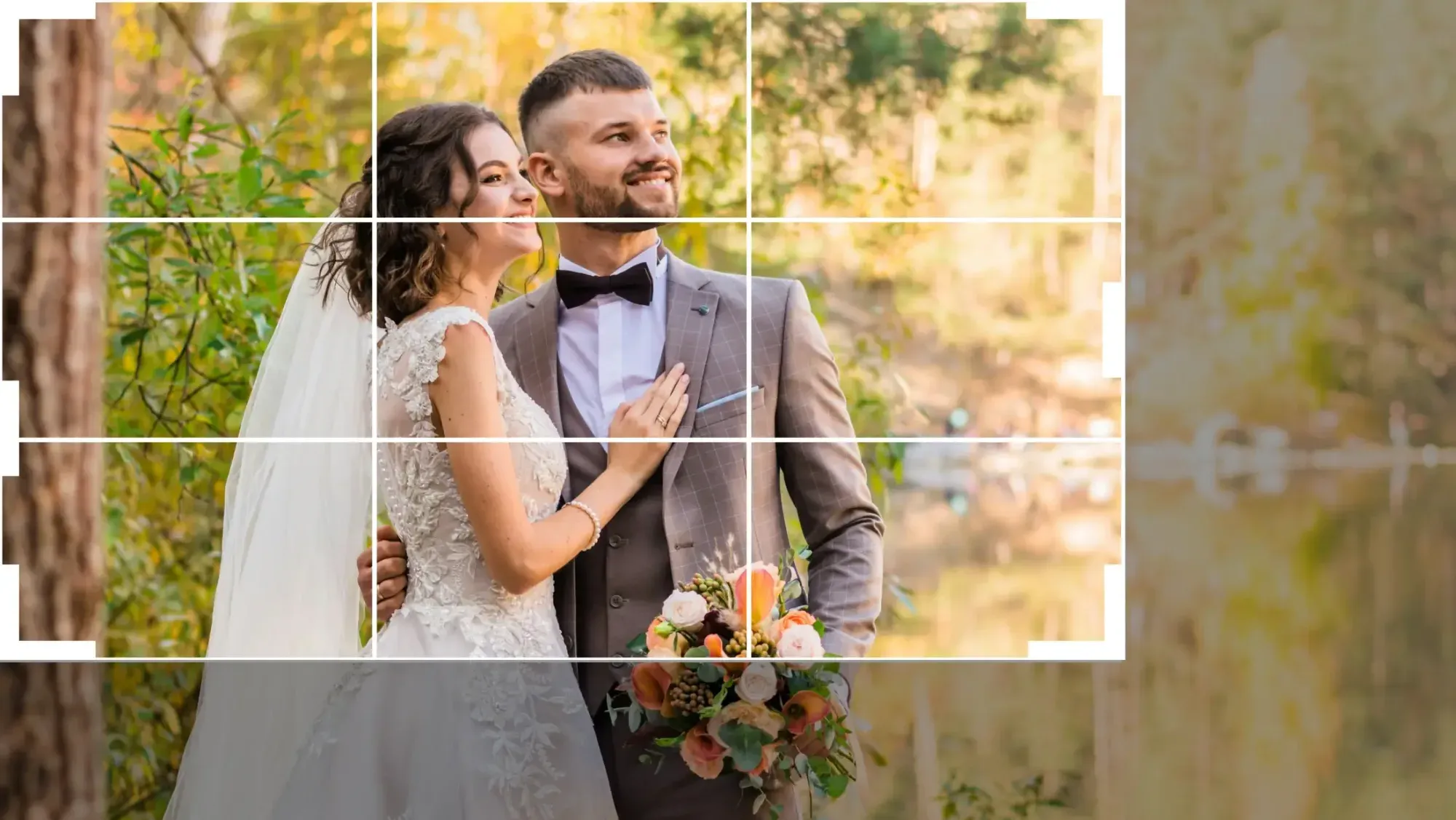
Build your bridal editing style once
The core of AI bridal editing is teaching the tool your look instead of chasing sliders on every photo. Imagen builds a Personal AI Profile from your own past edits, so it learns how you handle white dresses, warm skin, and soft window light. You train it once on a catalog of images you already edited the way you like, and it then applies those decisions across new shoots. A ready-made AI Profile is also available if you want a starting point.
This matters more for bridal work than almost any other genre. Wedding galleries are judged as a set, and a personal style profile keeps exposure, white balance, and tone consistent from the first-look portrait to the last dance. Here is what a solid bridal style profile locks in:
- White balance that keeps the dress clean white without going blue or cream.
- Skin tones that stay warm and natural across shade, sun, and mixed indoor light.
- Highlight recovery that holds detail in the lace, beading, and veil.
- A consistent contrast and color signature that reads as your brand.
It helps to know what this tool is and is not. Imagen edits, culls, and retouches the real photos you shot. It does not generate scenes, invent a different dress, swap models, or build fake backgrounds. Your creative choices stay yours, and the AI just applies them at scale.
Batch the color and exposure across the full set
Once your style is set, apply it to the entire cull in one batch. This is the step that turns a full day of manual editing into a review job. Imagen runs your personal profile across all 300 selects, matching exposure and color so the gallery reads as one coherent set instead of frames edited on different days. Edited photos arrive in batches as they process, so you can start reviewing early frames while the rest finish.
Even color across a set is the hardest thing to get right by hand, because the light shifts as the day moves. The bride steps from a shaded getting-ready room into open sun, then into a warm reception hall, and each space pushes the white balance somewhere new. A batch pass built on your own style pulls those frames back toward a single look, so you spend your time on fine adjustments rather than starting each photo from zero.
Work through the batch review in a clear order:
- Scan the full set at thumbnail size to catch any frame that reads too bright or too dark.
- Correct white balance on the dress first, since it anchors the whole image.
- Check skin tone against the dress so the bride does not look ruddy or pale.
- Nudge exposure on the outliers so the whole gallery sits in the same tonal range.
- Confirm the detail shots of rings, shoes, and florals match the portrait color.
Lightroom and Capture One remain the home for this work, and Imagen works alongside both as the automation layer that does the first heavy pass. You can send AI edits back to Lightroom Classic as XMP or export finished JPG, TIFF, or PNG files straight from Imagen, so you keep every tool you already trust and simply skip the repetitive part.
Retouch skin and dress detail without overdoing it
Bridal retouching lives on a fine line. Clients want clean, glowing skin, but they do not want a plastic face that erases every freckle and pore. The goal is honest skin that looks like the bride on a very good day. AI retouching gets you most of the way there and leaves the taste calls to you.
Imagen includes AI retouching in the same connected workflow, so after culling and style, it can smooth skin, reduce stray flyaway hairs, and clean small blemishes across the batch. Because it works on your real captures, it refines what is already there rather than repainting the face. You then spot-check the close portraits by hand for the final polish.
Dedicated retouching tools like Retouch4Me are also common in high-end bridal work, with separate models for skin, dodge and burn, and stray hair. Many photographers run a fast AI pass for the full gallery, then use a specialist tool on the handful of hero frames that get printed large. Keep these principles in mind for any tool you choose:
- Preserve skin texture, since a little grain reads as real and flattering.
- Keep retouching consistent across the set so one portrait does not look smoother than the next.
- Protect the dress detail, because heavy smoothing can blur lace and beading.
- Leave the eyes and lips sharp so the face keeps its life.
Hold detail in the white dress
The white gown is the technical centerpiece of every bridal portrait, and it is easy to blow out. Once the highlights clip, the lace and folds turn into a flat white shape with no texture. Your edit needs to keep that detail while still letting the dress feel bright and clean.
The best defense starts in camera, so expose to protect the highlights and pull the shadows up later. In the edit, a style profile trained on white dresses already knows to hold the highlights back and keep the beading visible. When you review the batch, zoom into the dress on your hero frames and confirm the texture survived. If a frame lost detail, recover the highlights and lift the whites gently until the fabric reads again.
Consistency is the quiet win here. When every frame in the gallery holds the same clean white, the set looks professional and cohesive, and the bride sees her dress rendered the same way in every shot. That is exactly what a personal style profile applied across the batch delivers.
Per-photo finishing on the hero frames
After the batch pass, a small group of images deserves individual attention. These are the frames that go on the album cover, the wall print, and the social announcement. Budget your hand-editing time here, where it changes the final product most.
For each hero frame, refine local exposure, clean any distraction in the background, and do the final skin polish at full resolution. Because the batch already set your base look, this stage is fast and focused. You are refining a strong starting point, not rescuing a raw file. Most photographers spend two to five minutes per hero image at this stage instead of the fifteen it takes to build an edit from scratch.
If you want a deeper look at the tools built for this genre, our roundup of the best AI bridal portrait photo editing software in 2026 compares the leading options side by side. For a broader walkthrough of the full process, the AI bridal portrait photo editing guide for 2026 covers the same ground in more detail. You can also browse more workflow articles on the Imagen tips hub.
Export and deliver a consistent gallery
The final step is export, and consistency carries through here too. Set your export presets once for web previews, full-resolution prints, and album files, then run the whole gallery through in one pass. Because your color and tone already match across the set, the exported files land as a unified collection.
Deliver the gallery in the sizes your clients actually use. A typical bridal delivery includes high-resolution files for printing, sized-down JPEGs for sharing, and a few select images prepped for the client’s social posts. Keep your color profile consistent across all three so the images match wherever they land.
What AI automation saves you on a bridal edit
Add up the time savings across the workflow and the case for AI editing gets concrete. Culling drops from an hour to minutes. The batch color pass replaces a full day of frame-by-frame work with a focused review. Retouching runs across the set in one pass instead of one face at a time. You still make every creative call, but you make it once and let the AI carry it forward.
Imagen prices this on a simple pay-as-you-go model, where you pay for what you export. Exploring the tools is free, which is enough to run a full bridal session through the workflow and judge the results on your own images. Competing tools price on their own terms, whether that is a monthly subscription, a per-image credit, or a one-time license, so weigh those models against how many weddings you shoot.
The practical takeaway is that AI shifts your time from mechanical work to creative decisions. You spend your hours choosing the hero frames and perfecting the album, not dragging the same sliders across 300 near-identical photos.
What’s new in Imagen: Imagen is now an intelligent, agentic Studio for professional photographers. The bridal workflow above becomes one project where you cull, edit, review, and export together, in any order. When the batch comes back, the built-in editor (Beta) offers sliders, a histogram, crop and straighten, and presets for fine-tuning the white dress, though not every tool is inside it yet. The Studio is rolling out gradually as a beta.
Frequently Asked Questions
Can AI keep my personal editing style on bridal portraits?
Yes, and this is the point of using AI for bridal work. Imagen learns your style from your own edited Lightroom or Capture One catalog, then applies your white balance, skin tone, and contrast choices across a full shoot. The result matches the way you already edit, so the gallery looks like your brand rather than a generic preset.
Will AI retouching make the bride look fake?
It will not if you set it up with restraint. Good AI retouching smooths and cleans the real skin in your photo while preserving texture, so the bride looks natural. You should still spot-check your close hero portraits by hand, and you can dial the effect back on any frame that starts to look too smooth.
How do I keep the white dress from blowing out?
Expose to protect the highlights in camera, then recover them in the edit so the lace and beading keep their texture. A style profile trained on white dresses holds the highlights back automatically across the batch. When you review, zoom into the dress on your hero frames to confirm the detail survived.
Does Imagen generate or change the photos I shot?
No, Imagen edits the real photos you captured. It culls, applies your style, and retouches your actual frames, and it does not invent scenes, swap the dress, or replace the people in your images. Every image stays a genuine photo of your clients.
Start editing your next bridal set with AI
The fastest way to judge this workflow is on your own photos. Train a style profile on a set you already love, run a full bridal session through culling, batch color, and retouching, and compare the time against your usual process. Try Imagen free in its new Studio, where you cull, edit, and export in one project, and see how your next wedding gallery comes together.
