

How to Edit Boho Wedding Photos with AI in 2026
Table of contents
- Define the Boho Look Before You Touch a Slider
- Import, Back Up, and Cull the Full Gallery
- Batch the Base Color with Your Own Style
- Refine Tone, Skin, and the Film-Like Finish
- Retouch Portraits Without Losing the Natural Feel
- Keep the Whole Gallery Consistent
- Export and Deliver the Finished Boho Gallery
- Frequently Asked Questions
To edit boho wedding photos with AI, you build one warm, earthy, film-like look in Lightroom or Capture One, then let an AI tool learn that look from your catalog and apply it across the full gallery while it also culls and retouches. This gives you the relaxed matte finish, muted greens, and soft natural light that define the boho style, and it turns a multi-day edit into a same-week delivery. The rest of this guide walks the real workflow step by step, and it shows exactly where Imagen automates the slow parts without inventing anything in your frames.
Boho weddings live outdoors in golden light, among pampas grass, textured linens, and desert or garden tones. The editing job is to protect that mood at scale, keep skin natural, and stay consistent from the first-look through the last dance. AI handles the repetitive color and cleanup work so you spend your hours on the ten hero images that need a human eye.
Define the Boho Look Before You Touch a Slider
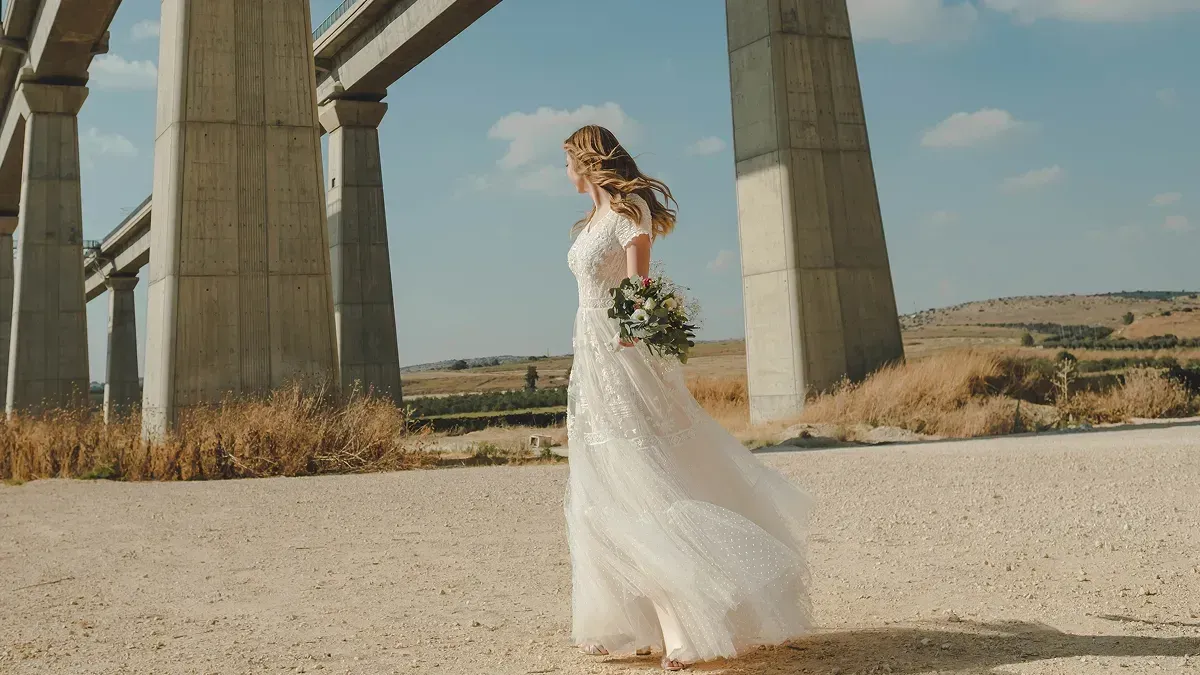
The boho palette is warm and earthy rather than bright and punchy. You lean into terracotta, sand, sage, and dusty rose, and you pull saturation out of the harsh blues and greens that fight the mood. A soft film-like tone comes from lifted shadows, a gentle matte roll-off in the blacks, and grain that reads as texture instead of noise. Nail this recipe on a handful of frames first, because every automation step later depends on a clear reference.
Here are the traits that make an edit read as boho:
- Warm white balance that keeps skin golden without going orange.
- Muted greens and desaturated blues so foliage and sky sit back.
- Lifted, slightly matte shadows for that relaxed film finish.
- Soft natural light with highlights pulled down to hold detail.
- Fine grain and gentle texture that flatter linen, lace, and dried flowers.
Import, Back Up, and Cull the Full Gallery
A boho wedding day easily produces 3,000 to 6,000 frames. Start by importing everything into Lightroom or Capture One, then back up to two locations before you edit a single photo. Culling is the first real time sink, and it is where AI earns its keep. Imagen’s AI culling scans the full set, flags closed eyes and soft focus, groups near-duplicate bursts, and suggests the strongest frame in each group so you approve selections instead of scrubbing one by one. You can also skip the AI pass and cull manually for free.
Work through culling in a clear order:
- Import all cards and verify the count matches your shot log.
- Run AI culling to remove blinks, misses, and repeated frames.
- Review the suggested picks and keep the ones that hold the story.
- Rate the ten to fifteen hero frames that deserve manual finishing.
Aftershoot is another real tool photographers use for automated culling, and it works well for high-volume selection. The advantage of keeping culling inside one connected system is that the same tool then colors and retouches the frames you kept, so your gallery never leaves a single workflow.
Batch the Base Color with Your Own Style
This is the step that used to take days. Instead of copying one preset across thousands of frames and fixing each mismatch by hand, you let Imagen learn your personal editing style, as a Personal AI Profile, from your Lightroom or Capture One catalog. It studies how you actually adjust exposure, white balance, tone curves, and color in your boho work, then applies that style consistently across the entire shoot. The result respects each frame’s own light, so a shaded ceremony and a sunlit portrait both land on the same warm, muted look. Edited photos arrive in batches as they process, so you can start reviewing early frames while the rest finish.
Because Imagen matches your taste rather than a generic filter, the earthy palette stays yours. It edits the real photos you shot, and it does not invent scenes, backgrounds, florals, or people. That honesty matters for a wedding, where the couple expects the day they lived, not a synthetic version of it. You get a fully edited base gallery in a fraction of the usual time, ready for a quick human pass in Imagen’s built-in editor (Beta), or in Lightroom Classic after you send the AI edits back as XMP.
If you prefer a manual base, a preset pack from a boho-focused creator gives you a subscription or one-time license starting point, though you still color-correct every frame yourself. The trade is speed and consistency, which is where learned-style automation pulls ahead on large galleries. You can compare the leading options in our roundup of the best AI boho wedding photo editing software for 2026.
Refine Tone, Skin, and the Film-Like Finish
With the base color set, refine the qualities that sell the boho mood. Pull the greens of grass and foliage toward a muted sage so they support the couple instead of competing. Warm the shadows a touch, then add the matte roll-off in the blacks that gives film its relaxed feel. Keep skin tones natural and slightly warm, and resist crushing contrast, since boho reads soft rather than sharp.
Texture is part of the story here. Linen suits, macrame backdrops, and dried-flower bouquets all benefit from a light grain that flatters fabric weave. Add grain globally at a low amount, then check it against skin so faces stay clean. This is also the moment to confirm your muted-green and warm-highlight choices hold up across indoor and outdoor frames, because boho weddings move between both all day.
Retouch Portraits Without Losing the Natural Feel
Boho portraits should look lived-in, so retouching stays gentle. Imagen’s AI retouching handles the repetitive cleanup across your portrait set, smoothing skin at a natural strength, softening stray flyaway hair, and evening out blemishes while keeping pores and texture intact. It works on the real faces in your frames, and it does not swap models, reshape bodies, or generate anything that was not there. You set the intensity, review a batch, and adjust before it runs the rest.
For the ten to fifteen hero images, finish by hand in your editor of choice. Photoshop remains the standard for detailed cleanup like removing a distracting sign or dodging and burning a couple’s faces in golden light. Retouch4Me is another real option many wedding photographers pair into their pipeline for portrait cleanup, sold on a per-plugin license model. Let AI carry the volume, then reserve your manual time for the frames the couple will print large.
Keep the Whole Gallery Consistent
Consistency is the mark of a professional boho gallery. A single delivered set can span getting-ready shots in soft window light, a ceremony under trees, and a reception after dark, and all of them need to feel like one story. Because your style was learned once and applied across every frame, the warm earthy tone carries through automatically, so you are checking rather than rebuilding.
Do a final consistency pass with these checks:
- Scan the gallery as thumbnails to catch any frame that jumps warmer or cooler.
- Confirm skin tones match between shaded and sunlit portraits of the same people.
- Verify the matte shadow finish reads the same indoors and outdoors.
- Check that muted greens stay muted across every environment.
For a deeper build from ingest to delivery, follow our full boho wedding photo editing workflow for 2026, and browse more editing guides on the Imagen valuable tips hub.
Export and Deliver the Finished Boho Gallery
Export in two versions so the couple gets both a web set for sharing and full-resolution files for printing. Keep sharpening modest, since heavy sharpening fights the soft boho finish, and export sRGB for online galleries. When the color, retouching, and culling all run inside one connected workflow, you move from full cards to a delivered gallery in days instead of weeks, and you protect the mood the couple hired you for.
Imagen runs on pay-as-you-go pricing: you pay for the photos you export. You see every edit in the gallery before you export, so you can test the learned-style edit on a real boho gallery first. Competitor tools price on subscriptions, one-time licenses, or per-image credits, so weigh those models against your volume.
Ready to speed up your boho wedding edits while keeping every frame honestly yours? Try Imagen, now a Studio where you cull, edit and export in one project, and edit your first gallery.
What’s new in Imagen: Imagen is now an intelligent, agentic Studio for professional photographers, one project where you cull, edit, review and export in any order. To edit boho wedding photos, you can apply your Personal AI Profile to the gallery, then export finished JPG, TIFF or PNG files straight from Imagen, or send the AI edits back to Lightroom Classic as XMP for finishing. The Studio is rolling out gradually as a beta.
Frequently Asked Questions
Does AI change what actually happened at the wedding?
No, and this matters for weddings. Imagen edits, culls, and retouches the real photos you shot, so it adjusts color, tone, and skin on your actual frames. It does not invent scenes, backgrounds, florals, guests, or moments, so the delivered gallery is the day the couple lived.
How does AI keep the boho look consistent across thousands of photos?
You define your warm, earthy, film-like style once, and the tool learns it from your Lightroom or Capture One catalog. It then applies that style across the full shoot while respecting each frame’s own light, so a shaded ceremony and a sunlit portrait land on the same muted, relaxed finish.
How much does it cost to edit a boho wedding with Imagen?
Imagen uses pay-as-you-go pricing: you pay for the photos you export and see every edit in the gallery first, so you can work through a real gallery before deciding.
Do I still need Lightroom or Capture One?
Yes, you keep your catalog in Lightroom or Capture One, since that is where your style lives and where you finish hero frames. AI automates the culling, base color, and retouching, and you handle final creative decisions on the images that need a human touch.

