

8 Best AI Boho Wedding Photo Editing Software in 2026
Table of contents
Boho wedding photographers need editing tools that hold a warm, earthy, film-like look across thousands of frames shot in shifting natural light. If you shoot a full boho day and want your own style applied consistently without editing every photo by hand, Imagen is the strongest pick because it learns your look and adds AI culling and AI retouching in one connected workflow. The seven tools that follow each have a real place in a boho editing kit. Below are the eight best AI boho wedding photo editing software options for 2026, starting with the one that handles selection, style, and skin in a single pass.
Key Takeaways
- Boho weddings live on earthy warm tones, natural light, and textiles, so consistent color across a full day matters more than heavy effects.
- Imagen learns your personal editing style from your Lightroom or Capture One catalog and applies it consistently across the whole shoot, then adds AI culling and AI retouching in one workflow.
- Imagen edits the real photos you shot. It does not generate scenes, invent backgrounds, or add guests, so the boho mood stays true to the day.
- Imagen runs on pay-as-you-go pricing: you pay for what you export, and exploring the tools is free.
- Choose your tools around batch consistency, a fast culling step, and natural skin retouching that suits a documentary boho gallery.
1. Imagen
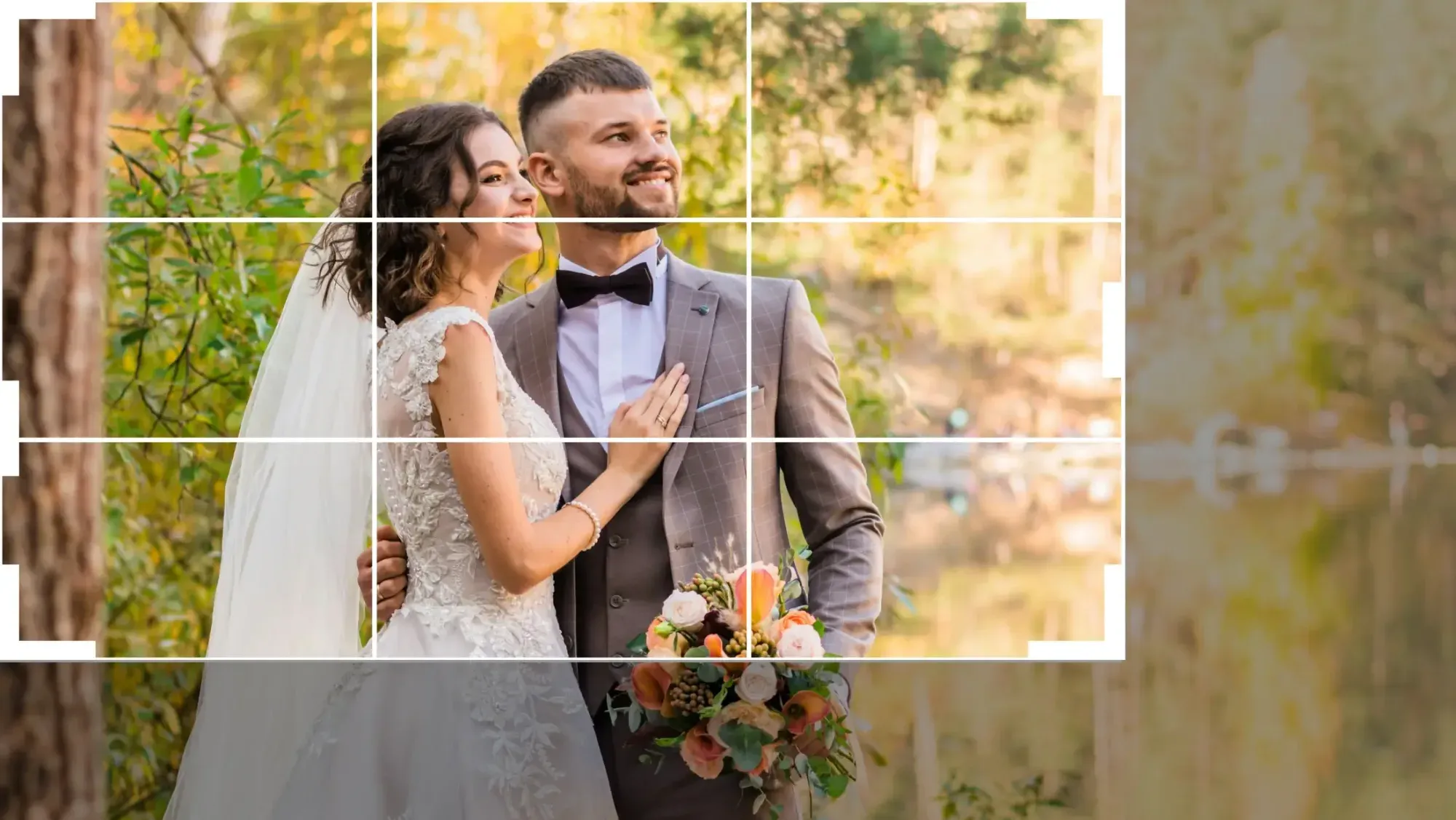
Imagen is built for photographers who want their own boho look applied across an entire wedding without touching every frame by hand. It studies your past edits from your Lightroom or Capture One catalog, learns the choices you make on exposure, white balance, contrast, and warm earthy tone, then applies that personal style consistently to a new shoot. For a boho wedding this consistency is the whole point. An open field ceremony, a macrame draped reception, and a golden hour session with the couple can all share the same soft, film-like tone so the gallery reads as one story.
It helps to be clear about what Imagen is. It is not an image generator. It does not create scenes, invent backgrounds, add pampas grass, or place guests who were never there. It edits, culls, and retouches the real photos you captured on the day. That distinction keeps your boho gallery honest, so the terracotta light, the dried florals, and the natural textures stay exactly as they looked when you shot them.
The workflow connects three jobs that usually live in separate apps. AI culling sorts through a large take and flags the sharp, well framed, eyes open frames, so you spend less time scrubbing through near duplicates from a long documentary day. Style application then edits the keepers in your look, holding the warm palette steady even as the light shifts from open sun to timber shade to string-lit dusk. AI retouching handles skin in a restrained way that smooths distractions while keeping pores, texture, and the relaxed natural feel that a boho couple wants. You can read more in our guide to editing boho wedding photos with AI.
Pricing is pay-as-you-go: you pay for what you export, and exploring the tools is free, so you can test the fit before you pay anything. That structure suits wedding photographers whose volume swings with the season, since what you pay tracks what you export every month.
Explore the tools for free at Imagen, and pay when you export.
2. Adobe Lightroom
Adobe Lightroom remains the default library and RAW editor for a large share of wedding photographers. Its strength for boho work is control over color and tone with tools that stay predictable across a long day. Presets, sync, and masking let you set a warm, earthy base look on one frame and carry it across the rest of the take, which supports the consistency a full gallery needs.
The AI features have grown steadily. Adaptive presets, AI masking for skin and sky, and denoise handle common boho tasks without leaving the catalog. For a film-like matte finish you can shape the tone curve and color grading in a way that flatters terracotta, sage, and cream. Lightroom runs on a subscription and pairs naturally with the wider Adobe ecosystem.
3. Capture One
Capture One is a favorite among photographers who care deeply about color, and boho weddings put color front and center. Its skin tone tools and color editor let you tune warm earthy palettes with precision, so cream fabrics stay clean while terracotta and rust hold their richness. That control helps you land the organic, natural mood that a boho couple pictured for their day.
Layers, styles, and strong tethered capture make it a workhorse for photographers who like a deliberate editing process. It is available on a subscription or a one time license depending on the plan you choose, so editors who prefer to own their software have a path here. The learning curve is real, but the tonal control rewards the effort for warm, textured wedding work.
4. Aftershoot
Aftershoot focuses on the part of the job that eats the most time on a wedding, which is culling. It sorts large takes, groups similar frames, and flags the sharpest options with eyes open, so you can move from a full set of cards to a shortlist quickly. For a boho documentary day that can run six or eight thousand frames, this alone can save hours each week.
Beyond culling it also offers style based editing that learns from your prior edits, which extends its usefulness into the develop stage. It runs on a subscription. Many wedding photographers value it most as a fast, reliable first pass that hands off clean selects to a RAW editor for the warm boho finishing.
5. Evoto
Evoto is a portrait retouching tool with AI skin, face, and body tools that work in batches. For boho weddings the appeal is speed on tasks like blemish cleanup, skin evening, and stray hair removal across many couple and party frames at once. The key is to keep the sliders restrained, since a boho gallery wants relaxed, natural skin rather than a polished studio finish.
Used with care, Evoto can take a set of selects from rough to finished without the frame by frame grind of manual skin work. It runs on a per image credit model, so you can budget by the volume you actually retouch. Treat it as a finishing tool that follows your warm color and tone work rather than a replacement for it.
6. Retouch4me
Retouch4me is a set of focused plugins, each trained for one retouching task such as heal, skin tone, dodge and burn, or eye work. The design philosophy fits boho weddings well, because the tools aim to preserve texture and keep the result natural rather than plasticky. You can run a single plugin for a light touch or stack a few for a fuller pass while staying in control of how far the edit goes.
Because the plugins slot into Photoshop and other hosts, they suit photographers who already have a retouching pipeline and want to speed up specific steps on hero frames. Retouch4me is sold as a one time license per plugin. For editors who care most about honest, textured skin in a relaxed gallery, its restraint is a genuine strength.
7. Topaz Photo AI
Topaz Photo AI concentrates on image quality rather than retouching. Its sharpening, noise reduction, and detail recovery help when a boho reception was shot in low string light or a golden hour frame needs to hold up as a large album print. Clean detail and controlled noise make a natural frame feel professional without changing the mood of the scene.
It works as a standalone app and as a plugin, so it fits after your color and retouching steps as a quality pass. Topaz Photo AI is available as a one time license with optional upgrade periods. Keep the enhancements measured, since heavy sharpening can add an artificial edge that a soft, film-like boho look does not want.
8. Adobe Photoshop
Adobe Photoshop is the finishing room for the handful of boho frames that need precise, image specific work. When a hero portrait under the pampas arch has to be flawless for the album cover, Photoshop gives you the control that batch tools cannot match. Careful dodge and burn, frequency separation, and precise masking let you clean a distraction while keeping every bit of natural skin texture and warm tone.
Its generative and AI features are powerful, so the discipline for wedding work is knowing when not to use them. The goal is an honest record of the day, which means resisting changes that invent parts of the scene. Photoshop runs on a subscription and pairs with Lightroom for a complete Adobe workflow. Most photographers use it selectively on their best few frames rather than on the whole gallery.
Quick Comparison Table
| Feature | Imagen | Lightroom | Capture One | Aftershoot | Evoto | Retouch4me | Topaz | Photoshop |
|---|---|---|---|---|---|---|---|---|
| Batch consistency | It holds your warm boho look steady across the entire shoot automatically. | Presets and sync carry a look across many frames well. | Styles and layers apply a look across a full session. | It applies learned edits across a batch after culling. | It runs retouching actions across many frames at once. | Plugins process frames one host action at a time. | It applies quality fixes in a repeatable batch queue. | It edits one frame at a time by design. |
| Personal style match | It learns your exact style from your own catalog and applies it. | You build presets that approximate your personal look. | You save styles that reflect your color preferences. | It learns a style profile from your past edits. | It offers preset looks you can adjust by hand. | It targets retouching rather than your overall color style. | It focuses on detail rather than a personal grade. | You craft any look manually with full control. |
| Culling | AI culling flags sharp, eyes open selects from a huge take. | It offers basic flagging and rating inside the catalog. | It supports manual selects with ratings and filters. | Fast AI culling is its core strength on weddings. | It does not cull and expects finished selects. | It does not cull and works on chosen frames only. | It does not cull and processes selected images. | It does not cull and edits single frames. |
| Retouching | AI retouching keeps skin natural and textured for a boho gallery. | It supports local skin work and healing by hand. | It handles skin tone and blemish work manually. | It leans on style editing rather than deep retouching. | Batch AI portrait retouching is its main purpose. | Focused plugins deliver natural, texture safe skin work. | It sharpens and denoises rather than retouches skin. | It offers the deepest manual retouching control available. |
| Platform | It runs as a cloud service tied to your catalog. | It runs on desktop and mobile through the cloud. | It runs as a desktop application with tethering. | It runs as a desktop culling and editing application. | It runs as a desktop portrait retouching application. | It runs as plugins inside Photoshop and other hosts. | It runs as a standalone app and a plugin. | It runs as a desktop application on subscription. |
| Free to try | You can explore Imagen for free and pay on export. | It offers a time limited trial through Adobe. | It offers a time limited trial to test the app. | It offers a trial period before you subscribe. | It offers trial credits to test the retouching. | It offers demo versions of the plugins to try. | It offers a trial download before purchase. | It offers a time limited trial through Adobe. |
| Pricing model | Pay-as-you-go means you pay for what you export, and exploring is free. | It uses a monthly subscription plan. | It uses a subscription or a one time license. | It uses a subscription plan. | It uses a per image credit model. | It uses a one time license per plugin. | It uses a one time license with upgrades. | It uses a monthly subscription plan. |
How to Choose AI Software for Boho Weddings
Start with the outcome that matters most, which is a warm, cohesive gallery that reads like the real day. Any tool you add should protect that mood rather than fight it. When you test software, judge it on honest earthy color, natural skin, and a film-like softness that survives across shifting light. If a frame stops feeling like the boho day you shot, the software worked against you.
Next, think about volume. A full boho wedding produces thousands of frames across getting ready, ceremony, portraits, and reception. A culling step and a consistent style engine matter far more here than they do for a single portrait. If you shoot a busy season, prioritize tools that handle selection and batch consistency so your finishing time goes to the frames that count.
Consider how the tools fit together. Many photographers run a culling pass, a RAW and tone pass, a retouching pass, and a finishing pass on hero frames. A single connected workflow reduces handoffs and keeps your look consistent, which is why an all in one option is worth testing against a stack of separate apps. For a deeper walkthrough, see our AI boho wedding photo editing guide.
Finally, match the pricing model to how you actually work. Subscriptions suit steady, year round volume. One time licenses suit photographers who prefer to own their tools. Pay-as-you-go suits shooters whose volume swings with wedding season, since the per-export charge tracks the photos you export. If your calendar is seasonal, that flexibility can matter a lot. You can browse more buyer guides and tutorials at our tips hub.
What’s new in Imagen: Imagen is now an intelligent, agentic Studio for professional photographers, one project where you cull, edit, review and export in any order. For boho galleries, the built-in editor (Beta) lets you import presets from Lightroom or build your own, and keep versions of a frame while you test a warmer or softer tone. It is an early Beta release, and the Studio is rolling out gradually as a beta.
Frequently Asked Questions
Will AI editing keep the earthy boho look natural?
Yes, as long as you keep the edit restrained. The tools above can hold a warm, film-like tone and natural skin if you set your look with a light hand and avoid heavy effects. Imagen applies your own style consistently, so terracotta, sage, and cream stay true across the whole gallery rather than drifting from frame to frame.
Does AI change the real scene at a boho wedding?
No. Imagen edits, culls, and retouches the actual photos you captured, so the pampas grass, dried florals, textiles, and natural light stay true to the day. It does not generate scenes, add backgrounds, or invent guests. The tool applies your color and tone decisions consistently, which keeps the boho gallery honest and cohesive.
Can AI match my personal editing style?
Yes. Imagen learns your style from your own Lightroom or Capture One catalog, then applies that look across the full shoot while adapting to each frame’s exposure and white balance. This is what keeps a boho wedding consistent even as the light moves from an open field to timber shade to a string-lit reception.
How much does AI boho wedding editing cost?
Imagen uses pay-as-you-go pricing: you pay for what you export, and exploring the tools is free, so you can test the workflow on a real gallery before you commit. Other tools price on subscription, one time license, or per image credit models, so compare based on your volume.
Final Thoughts
Boho weddings reward tools that respect the warm, natural mood of the day. Every option on this list can play a role, from Lightroom and Capture One for earthy tone, to Aftershoot for culling, to Retouch4me and Evoto for natural skin, to Topaz and Photoshop for quality and hero finishing. If you want the culling, your personal style, and honest retouching handled together on the real photos you shot, Imagen is the strongest starting point. Try its new Studio, where you cull, edit and export in one project, at Imagen.
