

How Long Photo Culling Takes for Sports Photographers (and How to Speed It Up)
Table of contents
- Why Sports Culling Eats So Much Time
- Realistic Culling Time Benchmarks by Scenario
- The Hidden Cost of Slow Turnaround
- Manual Techniques That Genuinely Help
- How AI Culling Collapses the Timeline
- Pairing Fast Culling With Consistent Editing
- A Fast-Turnaround Sports Workflow, Step by Step
- Frequently Asked Questions
For most sports photographers, culling a single game or meet takes anywhere from 45 minutes to several hours, and a busy tournament weekend can push that total past a full working day. A typical high school football game leaves you with 2,000 to 4,000 frames. A fast-paced sport like basketball, hockey, or motorsport can easily double that, because you are shooting long bursts at 10 to 30 frames per second to catch a single peak moment. The culling itself, the work of separating the keepers from the near-misses, is usually the slowest and most draining part of the whole job.
The honest answer is that manual culling scales badly. If you can review and rate roughly 1,000 images per hour by hand, a 4,000-frame game costs you about four hours before you even open a single file for editing. Multiply that across a weekend of back-to-back games and the math turns brutal. This guide breaks down what actually drives culling time for sports work, gives you realistic benchmarks, and shows how AI culling collapses that timeline so you can deliver galleries while the result still matters to parents, athletes, and editors.
Why Sports Culling Eats So Much Time
Sports photography produces a specific kind of volume problem. To freeze a diving catch or a photo-finish sprint, you hold the shutter and let the camera fire a burst. Out of fifteen frames capturing one play, maybe two are sharp, well-composed, and peaked at the decisive instant. The rest are close but slightly soft, blocked by a referee, or caught a half-second early. You cannot know which frame is the winner without looking closely at each one.
That is the core of the time sink. Every burst forces a series of tiny, tiring judgment calls: Is the ball in frame? Are the eyes open? Is the front foot planted or blurred? Is a teammate photobombing the hero shot? These decisions are individually quick but collectively exhausting, and fatigue makes you slower and less consistent as the session drags on. By frame 3,000, most people are rubber-stamping choices they would have scrutinized at frame 300.
Volume, sharpness ambiguity, and repetition are why culling routinely takes longer than the editing that follows it. Speeding up your turnaround almost always means fixing the cull first.
Realistic Culling Time Benchmarks by Scenario
Here are practical estimates for manual culling, assuming you are reasonably experienced and working in a dedicated culling view rather than clicking through a slow file browser.
- Single youth or high school game (2,000 to 4,000 frames): roughly 2 to 4 hours by hand.
- College or semi-pro game with heavy burst shooting (4,000 to 8,000 frames): 4 to 7 hours.
- Track meet or track meet with many heats (3,000 to 6,000 frames): 3 to 6 hours, slowed by near-identical frames.
- Tournament or multi-game day (10,000 frames or more): a full day or more, often spilling into a second day.
These ranges assume you are only selecting keepers, not editing them. They also assume you are fresh. Real weekends rarely cooperate, so the practical number is usually worse than the benchmark because tiredness compounds across sessions. If you shoot sports regularly, the culling backlog, not the shooting, is what quietly caps how many events you can take on.
The Hidden Cost of Slow Turnaround
In sports, the value of an image decays fast. A parent wants the game-winning goal that same night, not next week. A local news editor needs the shot before the story goes stale. A recruiting athlete wants images to share while the performance is fresh in a coach’s mind. When culling drags your delivery out to five or seven days, you are handing clients photos that have already lost some of their emotional and commercial punch.
Slow turnaround also caps your income. Every hour spent culling is an hour you cannot spend shooting the next paid event, marketing your services, or resting so you do not burn out mid-season. For a working sports shooter, culling speed is not a nicety. It is the difference between covering two events a weekend and covering five.
Manual Techniques That Genuinely Help
Before reaching for automation, there are habits that shave real time off a manual cull. Shoot with intent so you are not blindly holding the shutter for every second of play. Learn to time bursts to anticipated peak action rather than spraying continuously. In your culling software, use a single decisive pass with keyboard shortcuts, flagging keepers on the first look instead of doing multiple slow rounds.
Zoom to a consistent focus point, usually the athlete’s face or the point of contact, so you judge sharpness the same way every time. Resist the urge to perfect your selection. A fast, slightly generous first pass beats an agonizing one, because you can tighten the edit later. These techniques help, but they run into a hard ceiling: you are still one person making thousands of individual decisions. To break past that ceiling, the work itself has to be shared with a tool that can pre-sort the volume for you.
How AI Culling Collapses the Timeline
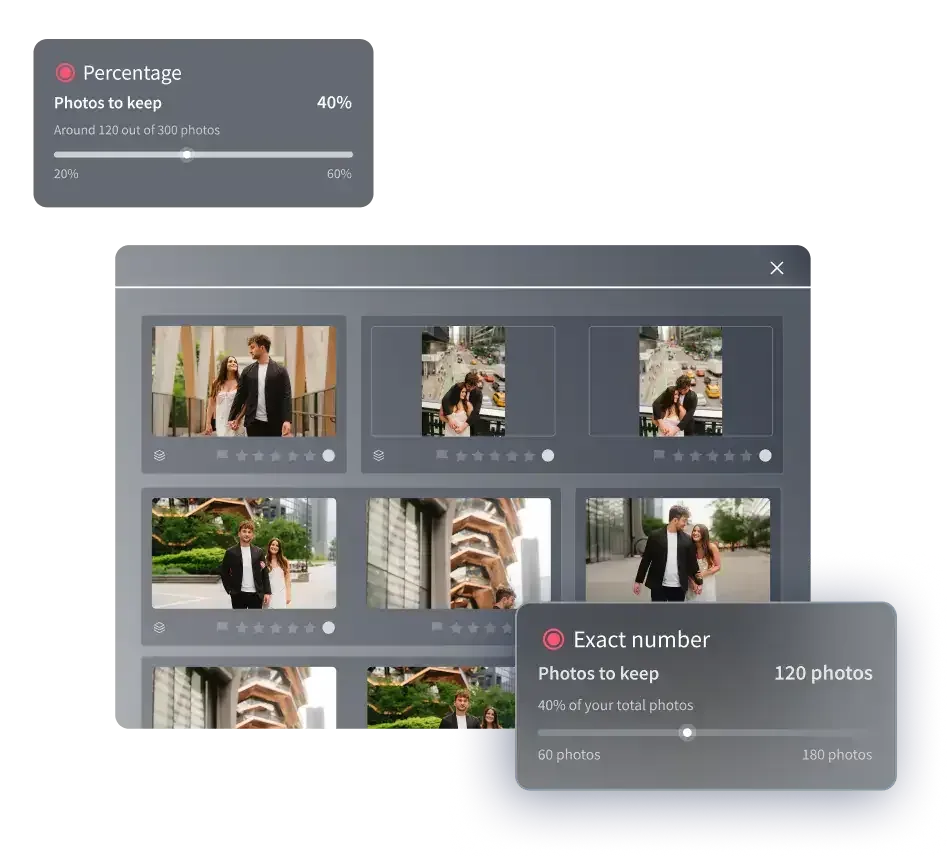
AI culling changes the shape of the job. Instead of examining every frame from scratch, you let software make the first pass across the entire shoot, grouping near-duplicate bursts, flagging out-of-focus frames, and surfacing the strongest candidate from each sequence. Your role shifts from grinding through raw volume to reviewing and approving a pre-organized selection. That single change is what turns a four-hour cull into a task you finish over a coffee break.
This is where Imagen’s AI sports photography culling software fits a fast-turnaround workflow. Imagen runs as a desktop app with cloud processing, so you import a whole event and let it analyze the shoot in the cloud rather than tying up your own machine for hours. It detects blur and closed eyes, clusters similar frames from the same burst, and helps you land on the keepers quickly, which is exactly the bottleneck that makes sports culling so slow. Because it works on the full batch at once, the time it saves grows with the size of the shoot, so the biggest tournament days benefit the most.
The point is not to remove your judgment. You still make the final call on which hero frame tells the story. The point is to stop spending hours on the mechanical sorting that a machine does faster and without fatigue, so your attention lands only on the decisions that need a human eye.
Pairing Fast Culling With Consistent Editing
Culling is only half of turnaround. Once you have your keepers, they still need color and tone that look consistent across the whole gallery, which is hard when clouds, stadium lights, and shade shift every few minutes during a game. This is the second place AI removes a bottleneck. Imagen learns your personal editing style from your past work and applies that look across an entire batch of images, so a 300-frame gallery comes back with matched color and exposure instead of frame-by-frame drift. Edited photos arrive in batches as they process, so you can start reviewing the early frames while the rest finish.
The pricing is straightforward and built for volume. Editing runs pay-as-you-go, a monthly base fee plus a charge per image exported, and a plan can lower that per-export rate, so check the pricing page for current numbers. Combined with fast culling, a consistent batch edit means you can go from card to delivered gallery in a fraction of the time a manual round would take, which is what makes same-day sports delivery realistic instead of aspirational.
A few tasks still belong to dedicated tools. Deep retouching, removing a distracting object from the background, or merging bracketed exposures for a tricky dusk stadium shot are separate steps you would handle with a dedicated retouching or compositing tool. For the core sports workflow of cull, grade, and deliver at speed, an AI batch approach carries the load.
A Fast-Turnaround Sports Workflow, Step by Step
Here is a realistic pipeline that gets a game gallery out the same night instead of next week.
- Offload and back up: pull cards to your working drive and a backup as soon as you get home, before anything else.
- Upload for culling: send the full shoot to your AI culling tool so it can pre-sort bursts and flag soft frames while you grab water.
- Review the shortlist: approve or reject the surfaced keepers in one decisive pass, trusting your first instinct.
- Batch edit: apply your learned style profile across the selected keepers for consistent color and tone in one go.
- Quick final check: scan the edited set for any outliers, make small tweaks, and export.
- Deliver: push the gallery to your client the same evening, while the game still feels current.
The first time you run this loop, the culling and editing stages that used to swallow an evening shrink to a manageable window. That is the whole promise of speeding up the cull: not cutting corners, but reclaiming the hours that volume used to steal. When you are ready to try it on your own shoot, you can start at Imagen and run it against a real event in the new Studio, where you cull, edit and export in one project.
What’s new in Imagen: Imagen is now an intelligent, agentic Studio for professional photographers, one project where you cull, edit, review and export in any order. That changes the clock on a big shoot: start with AI culling or free manual culling, and edited photos arrive in batches, so review begins before the last frames finish processing. The Studio is rolling out gradually, and Imagen has the latest.
Frequently Asked Questions
How long should culling a single sports game take? By hand, expect roughly 2 to 4 hours for a typical 2,000 to 4,000 frame game, and longer for burst-heavy sports like hockey or motorsport. With AI culling that does the first pass across the whole shoot, the same game can drop to a short review session, often under an hour, because you are approving a pre-sorted shortlist instead of examining every frame.
Why does sports culling take longer than other genres? Sports shooting relies on long bursts to catch peak action, so you end up with many near-identical frames where only one or two per sequence are sharp and well-timed. Judging sharpness and moment across thousands of similar frames is slow and mentally tiring, which is why volume, not editing, usually sets your turnaround.
Does AI culling make the creative decisions for me? No. AI handles the mechanical sorting, grouping duplicate bursts and flagging blur or closed eyes, then surfaces the strongest candidates. You still choose the hero frame that best tells the story. It removes the fatigue-driven grind, not your judgment, so your attention goes to the calls that actually need a photographer’s eye.
How much does AI editing add to the per-image cost? Batch AI editing is priced pay-as-you-go, a monthly base fee plus a charge per image exported, with a plan available for a lower per-export rate; the pricing page has current numbers. Paired with fast culling, it keeps both the labor and the per-image cost under control while making same-day delivery realistic.
