

Color grading software for fashion photography: A Complete 2026 Guide
Table of contents
- What color grading actually means for fashion work
- The features that matter most for fashion shooters
- How AI batch grading fits the fashion workflow
- Imagen for consistent batch grading across a fashion shoot
- Where heavy retouching and compositing belong instead
- Building a fashion grading pipeline that scales
- Related guides and where to go next
- Frequently Asked Questions
- What is the best type of software for color grading a fashion shoot?
- Can color grading software also retouch skin for beauty and fashion images?
- How much does Imagen cost, and is there a free trial?
- Does color grading software work with RAW files from a fashion shoot?
- How do I keep a consistent look across studio and location frames?
Fashion photography lives or dies on a consistent look. A lookbook, an editorial spread, or a campaign shot across a full day needs every frame to share the same tone, the same skin rendering, and the same color signature, even when the light shifted from a studio strobe in the morning to window light by mid-afternoon. Color grading software for fashion photography is what turns a card full of raw captures into a coherent set that reads as one deliberate story. This guide walks through what to look for, how a batch grading workflow actually saves you hours, and where a dedicated tool for heavy retouching or compositing still belongs in your pipeline.
The short answer is that the right software for fashion work does two things well. It applies your signature grade across an entire shoot fast, and it keeps that grade stable from the first frame to the last. Below you will find the criteria that matter, the workflow that fashion shooters lean on in 2026, and honest guidance on which jobs a color grading tool handles and which jobs belong to a separate specialist step.
What color grading actually means for fashion work
Color grading is not a single slider. For fashion, it is the combination of white balance, exposure balancing, and color tone that gives your images their identity. A muted, desaturated editorial look, a warm and glowing commercial feel, a cool high-contrast runway aesthetic, these are all grades. The grade is the reason a viewer can tell one photographer’s campaign from another’s before they read a single credit.
In practice, grading a fashion shoot means making a hundred or more frames agree with each other. The model turns, the light angle changes, a cloud passes, and suddenly two frames from the same setup no longer match. Good color grading software lets you define the look once and push it across every frame so the shift disappears. That is different from editing a single hero image to perfection. It is about consistency at volume, which is exactly the pressure a fashion delivery puts on your time.
The features that matter most for fashion shooters
When you evaluate color grading software for fashion photography, a few capabilities separate a tool you will actually use from one that slows you down. Look for batch application first, because grading one frame at a time does not scale to a lookbook. Look for the ability to work from your own style rather than a generic filter, since a borrowed preset rarely matches the mood a client briefed. Look for white balance and exposure correction that hold up across mixed lighting, because studio and location frames need to land in the same place.
RAW support is non-negotiable for fashion, where you need the full latitude of the file to pull highlight detail out of a white garment or lift shadow tone in a dark set. A tool that grades your RAW files directly preserves the range you paid for when you shot tethered. Finally, consider where the software runs. A cloud based tool that works in your browser means you can start grading from any machine without a heavy local install, which matters when you move between a studio workstation and a laptop on set.
How AI batch grading fits the fashion workflow
The biggest change in the last few years is that grading a full shoot no longer has to be a manual, frame by frame chore. AI batch editing tools learn your personal grading style and then apply it across an entire shoot, matching color, exposure, and white balance to the look you have defined. For fashion, this is the difference between delivering a campaign the same night and grading through the weekend.
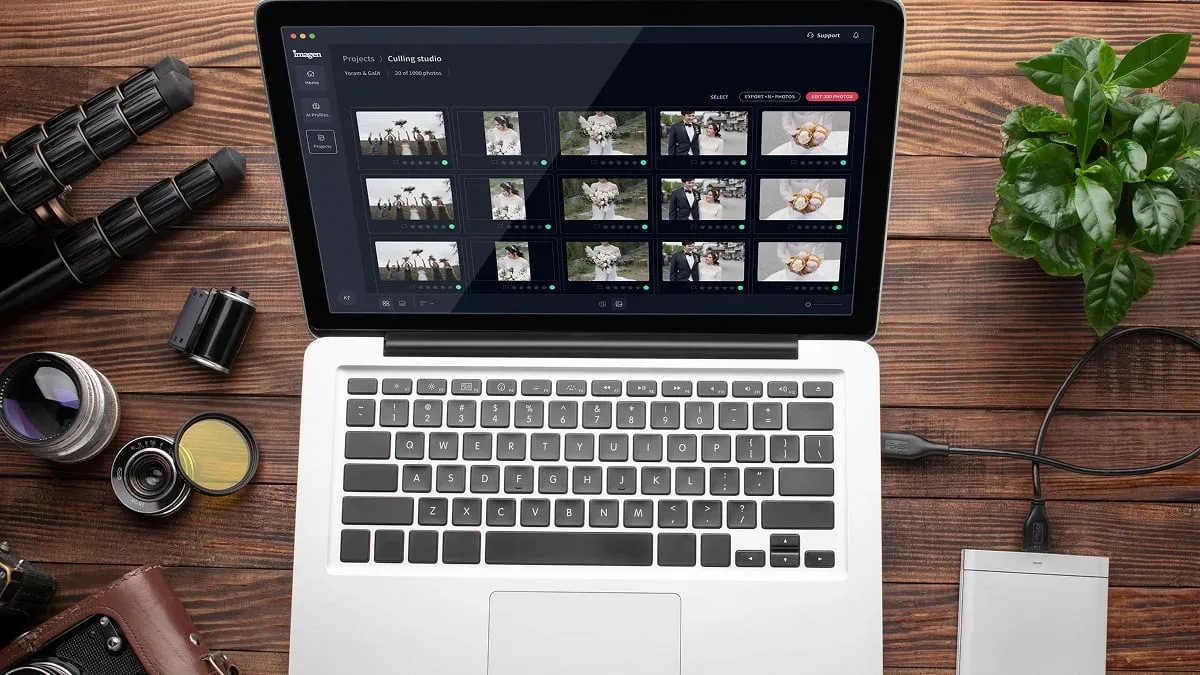
Here is how it fits a typical fashion job. You shoot the campaign, import the take, and let the software cull the near duplicate frames from each pose so you are working with selects rather than the full burst. Then you apply your batch grade so every frame carries the same tone and skin rendering. What comes back is a coherent set, not a patchwork of separately edited images. From there you hand the two or three hero frames that need deep, hands on retouching to a specialist step, which we will cover below. The grading layer does the heavy lifting of consistency, and your finishing time goes only to the frames that truly need it.
Imagen for consistent batch grading across a fashion shoot
Imagen is a desktop AI photo editing app for Mac and Windows built for photographers who deliver whole shoots rather than single images. You download and install it, and the AI processing runs in the cloud. For fashion work, its core is your personal AI style, which applies color correction, exposure balancing, and white balance in your own consistent look across every frame of a shoot. A frame lit by studio strobe and a frame caught in window light come back looking like one deliberate grade, which is exactly the consistency a lookbook or campaign demands. You can try it in Imagen’s new Studio, where you cull, edit and export in one project.
The workflow pairs well with fashion volume. AI culling narrows the near identical frames from each pose before you grade, so you spend your attention on selects. Where an individual frame needs extra attention, the built-in editor (Beta) lets you fine tune it before export. Pricing is pay as you go, a monthly base fee plus a charge for the photos you export, and you see every edit in the gallery first, so you can test the batch on a real shoot.
Two limits are worth stating plainly so you route the right work to the right place. Imagen does not sharpen or deblur a soft capture, and it does not do full background replacement or composite work. It includes AI smooth-skin and face-retouch tools for consistent cleanup across a set, though high end frequency separation on a single hero frame can still go to a dedicated retouching tool. It grades and finishes what your camera actually recorded and does it consistently at volume. For the fashion job of applying one signature look across an entire set fast, that is precisely the lane it is built for.
Where heavy retouching and compositing belong instead
Fashion has a second half that batch grading does not cover, and being honest about it keeps your pipeline sane. High end beauty and skin retouching, the kind that uses frequency separation to smooth texture while preserving pores, along with dodge and burn to sculpt light on the face, is per image craft. It belongs in a dedicated retouching tool where an artist works one frame at a time to a client’s exact brief. The same is true for compositing, where you build an image from multiple plates, replace a background entirely, or extend a set. That is layer based work for a specialist editor, not a batch pass.
Detail recovery is its own separate step too. If a frame is soft, noisy from a high ISO set, or needs upscaling for a large print or billboard, that job goes to a dedicated sharpening and enhancement tool, and even then within the limits of what the capture holds. The productive way to think about it is a two layer pipeline. First, cull and batch grade the whole set so it is consistent and delivered. Then hand the handful of hero frames that carry the campaign to a retoucher or a compositor for the deep, manual finishing. The grade makes the set coherent, and the specialist step makes the hero images flawless. Neither replaces the other.
Building a fashion grading pipeline that scales
Put the pieces together and a fashion pipeline in 2026 looks like this. You shoot, ideally tethered so you can check the grade direction on set. You import and cull to selects. You apply your signature batch grade so the full set shares one tone, one skin rendering, and one color signature. You review, flag the hero frames, and route those to your retoucher or compositor for beauty work, skin, or composite finishing. Then you deliver the graded set and drop in the finished heroes.
The reason this order works is that consistency is cheap to enforce early and expensive to fix late. Grading first means every frame already agrees before anyone touches a single face by hand. It also means your retoucher receives frames that are already color correct, so their work starts from the right base tone rather than fighting a mismatched grade. For a working fashion photographer, the payoff is simple. You stop spending your evenings dragging sliders across near identical frames, and you spend your creative time only where it changes the final campaign.
Related guides and where to go next
If your work also spans other high volume genres, a few companion guides go deeper on the parts that eat the most time. See color grading software for wedding photography for the event angle on consistent tone across a long day, batch photo editing software for wedding photographers for the mechanics of grading a full shoot at scale, and photo culling software for wedding photographers for narrowing large takes before you grade. You can also browse the full library of photography workflow tips for more on batch editing, culling, and color consistency.
What’s new in Imagen: Imagen is now an intelligent, agentic Studio for professional photographers, where you cull, edit, review and export in one project, in any order. For grading, your Personal AI Profile carries your look across a campaign, and edits can go back to Lightroom Classic as XMP or out as finished JPG, TIFF or PNG files. It is rolling out gradually as a beta.
Frequently Asked Questions
What is the best type of software for color grading a fashion shoot?
For fashion work, the most useful tool is one that applies your signature grade across an entire shoot in a single batch rather than one frame at a time. Batch color grading software matches white balance, exposure, and color tone to your defined look across every frame, which is what keeps a lookbook or campaign consistent. Imagen does this in a desktop app for Mac and Windows, with the AI processing running in the cloud and the built-in editor (Beta) available for frames that need extra work. Send the AI edits back to Lightroom Classic as XMP, or export finished JPG, TIFF or PNG files straight from Imagen.
Can color grading software also retouch skin for beauty and fashion images?
Batch color grading and deep skin retouching are two different jobs. Grading software makes your whole set consistent in tone and color, but high end frequency separation skin work, dodge and burn, and compositing are per image craft that belong in a dedicated retouching or layer based tool. Imagen grades and finishes the batch and does not perform frequency separation skin retouching, so the workflow is to grade the full set first, then hand the hero frames to a specialist retoucher.
How much does Imagen cost, and is there a free trial?
Imagen’s pay as you go plan has a monthly base fee plus a charge for exported photos. You see every edit in the gallery before you export, so you can grade a real fashion shoot and see the consistency before committing. Imagen also offers a free trial.
Does color grading software work with RAW files from a fashion shoot?
RAW support matters for fashion because you need the full latitude of the file to hold highlight detail in bright garments and lift shadow tone in dark sets. Imagen grades RAW files directly in the desktop app, so you keep the range you captured while applying a consistent look across the shoot. It does not sharpen or deblur a soft capture, so a missed focus frame still needs a dedicated detail tool.
How do I keep a consistent look across studio and location frames?
The reliable way is to define your grade once and apply it as a batch across every frame, so studio strobe shots and location window light shots land in the same tone. A batch grading tool corrects white balance and exposure to your look automatically rather than leaving you to match each frame by hand. This is exactly what Imagen’s Personal AI Profile is built to do across a full fashion shoot.

