Real estate photography in 2026 demands speed, consistency, and flawless execution. Agents expect listing photos to be ready the next morning, regardless of the weather or lighting conditions during the shoot. As photographers, we need tools that can handle high-dynamic-range scenes, correct vertical lines, and balance color temperatures without keeping us glued to our screens until midnight. This list breaks down the top tools available today, focusing on how they fit into a professional workflow to save you time and help you scale your business.
Key Takeaways
- AI drives efficiency: Artificial intelligence has moved beyond simple filters to handle complex tasks like window pulls and perspective correction automatically.
- Desktop power meets cloud speed: The most effective workflows now combine local desktop applications for asset management with cloud processing for heavy lifting.
- Consistency is currency: For real estate professionals, delivering a consistent look across a whole property or portfolio is more valuable than perfecting a single hero shot.
- Specialized tools win: General photo editors are being outpaced by software specifically trained on real estate data, offering features like dedicated sky replacement and HDR merging.
- Scalability matters: The best solutions allow photographers to handle high-volume seasons without hitting a bottleneck or needing to hire immediate help.
1. Imagen
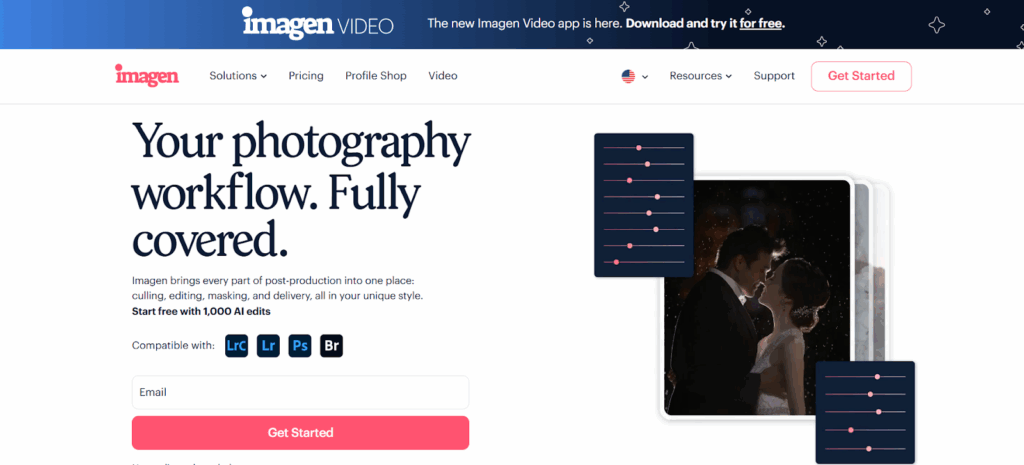
Imagen operates as a desktop application that integrates directly with Adobe Lightroom Classic. It utilizes cloud-based processing to apply edits based on a photographer’s specific style. This structure allows for a high-volume workflow where the heavy processing happens remotely, freeing up the photographer’s local machine.
The Personal AI Profile
The core of Imagen is the Personal AI Profile. This feature analyzes your previous edits—specifically looking at around 2,000 edited images—to learn your editing style. It looks at parameters such as White Balance, Exposure, Contrast, and Color adjustments. Once trained, this profile applies edits to new catalogs that mimic your manual work. This ensures consistency across diverse lighting conditions, which is critical for real estate galleries where flow from room to room matters.
For photographers who do not yet have a large catalog of edited images, Imagen offers Talent AI Profiles created by industry professionals. These can serve as a baseline editing style which you can then tweak and fine-tune over time.
Real Estate Specific Capabilities
Imagen includes a suite of tools developed specifically for the challenges of real estate photography. These features address the most time-consuming aspects of manual editing.
HDR Merge
High Dynamic Range (HDR) is standard in real estate to balance bright windows with darker interiors. Imagen’s HDR Merge tool automates the blending of bracketed exposures.
- How it works: You upload your bracketed sets (usually 3 or 5 exposures). The software aligns the images and blends them to retain highlight details in the windows and shadow details in the room corners.
- Workflow benefit: This eliminates the need to manually stack and merge photos in Lightroom or Photoshop, which can take significant time per image. The result is a natural-looking, balanced image that avoids the “crunchy” or over-processed look of older HDR methods.
Window Pull
Balancing interior light with exterior views is often the hardest part of real estate editing. A “window pull” typically involves manually masking the window and brushing in a darker exposure.
- The Solution: Imagen automates this mask detection. It identifies window panes and the overexposed view through them. It then “pulls” the detail from the darker bracket in the set to reveal the view.
- Precision: The AI handles complex mullions and window frames, reducing the need for meticulous manual brushing. This feature is particularly useful for luxury listings where the view is a selling point.
Sky Replacement
Gray or blown-out skies can lower the appeal of an exterior shot. Imagen includes a Sky Replacement tool specifically for real estate.
- Functionality: It detects the sky area, including tricky spots between tree branches or roof trusses. It replaces the dull sky with a chosen set of blue skies or distinct cloud formations.
- Control: The replacement allows for adjustments to ensure the lighting on the house matches the new sky, maintaining realism.
Perspective Correction
Vertical lines must be perfectly straight in architectural photography. Leaning walls make a room look unstable or unprofessional.
- Automation: The Perspective Correction tool analyzes the structural lines in the image. It automatically applies transform adjustments to fix keystoning and vertical convergence.
- Consistency: This ensures that every shot in the gallery, from the bathroom to the grand foyer, has aligned verticals without manual cropping and transforming on every single photo.
Workflow Integration
You start by importing your photos into Adobe Lightroom Classic. You then open the Imagen desktop app and select the catalog. You choose your AI Profile and the specific AI tools you want to run (like Crop, Straighten, or HDR Merge). The app uploads the necessary data (Smart Previews or Raw files) to the cloud.
Processing speeds are roughly 0.5 seconds per photo. Once complete, you download the edits back into Lightroom Classic. The changes appear as non-destructive metadata adjustments. You can then review the photos, make any final tweaks, and export them for delivery. This hybrid model—desktop interface with cloud power—provides the stability of a local app with the speed of a server farm.
Why It Works for Professionals
Real estate photographers often shoot multiple properties a day. The ability to offload the culling and editing process allows for business growth. You spend less time behind a computer and more time shooting or marketing your services. The consistency provided by the AI profile builds trust with real estate agents who know exactly what “look” to expect every time.
2. Adobe Lightroom Classic
Adobe Lightroom Classic remains a staple in the real estate photography industry. It acts as a comprehensive Digital Asset Management (DAM) system and a powerful non-destructive editor. It allows photographers to organize thousands of images into catalogs, folders, and collections, which is essential when managing multiple listings per week.
Manual Control and Precision
Lightroom Classic gives you granular control over every aspect of an image. For real estate, the Transform Panel is crucial. It offers “Guided” Upright tools where you can draw lines along the walls to force them vertical. This manual control is often necessary for tricky shots where automatic detection might fail, such as in rooms with slanted ceilings or non-standard architecture.
HDR and Panorama Merging
Lightroom has built-in HDR merging capabilities. You can select your brackets and use “Photo Merge > HDR” to create a DNG file that retains all the data of the original raw files. This allows for deep shadow recovery and highlight protection. While it requires manual selection and processing time on your local machine, the quality is high and fully editable.
Masking Capabilities
Recent updates have introduced advanced masking to Lightroom. You can use “Select Sky” or “Select Subject” (useful for highlighting a fireplace or island feature) to apply local adjustments. For real estate, using linear gradients to darken a bright ceiling or brighten a dark floor is a daily task that Lightroom handles effortlessly.
Pros and Cons for Real Estate
- Pros: Industry standard, robust organization, powerful local adjustments, massive ecosystem of presets and plugins.
- Cons: Can be slow with large catalogs, HDR merge taxes the local computer’s processor, and requires significant manual input for best results.
3. Adobe Photoshop
Adobe Photoshop is the heavy lifter for real estate photographers. While Lightroom manages the bulk of the workflow, Photoshop is used for complex tasks that require pixel-level manipulation. It is a layer-based editor, meaning you can stack multiple images and adjustments on top of each other.
Advanced Compositing
Sometimes an automated HDR merge isn’t enough. Professional photographers often use “flambient” techniques—blending ambient light shots with flash shots. Photoshop allows you to layer these exposures. You can use masking to paint in the flash shot over the window frames to get a perfect view, or paint in the ambient shot on the floors to avoid flash reflections.
Object Removal
Real estate listings often have unwanted distractions: a garden hose in the yard, a car in the driveway, or a reflection of the photographer in a mirror. Photoshop’s Generative Fill and Content-Aware Fill tools are unmatched for removing these objects. You simply select the object and let the software generate a background that matches the surrounding texture and lighting.
Sky Replacement
Photoshop features a dedicated Sky Replacement tool that works well for architectural shots. It allows you to import your own sky library and adjust the “shift edge” and “fade edge” parameters to ensure the new sky blends naturally with trees and rooflines.
Pros and Cons for Real Estate
- Pros: Unlimited creative control, best-in-class object removal, essential for high-end “flambient” blending.
- Cons: Steep learning curve, destructive workflow (if not careful), slower for batch processing entire homes.
4. Luminar Neo
Luminar Neo positions itself as a creative editor that leverages AI to simplify complex tasks. For real estate photographers who want to add a bit of “pop” or artistic flair to their listings, it offers several unique tools.
Sky AI and Relight AI
Similar to other tools, Luminar Neo has a robust Sky AI feature. What sets it apart is the Relight AI tool, which builds a 3D map of the image. This allows you to adjust the lighting of the foreground and background independently. In real estate, this helps when you have a brightly lit exterior view and a darker interior; you can brighten the “near” field without blowing out the “far” field.
Structure AI
The Structure AI tool is useful for bringing out details in textures like brick, stone, and wood floors. Unlike standard clarity or sharpening, which can introduce noise or halos, Structure AI attempts to recognize objects and apply detail enhancement only where it makes sense, keeping smooth areas (like walls or skies) clean.
Power Line Removal
A frequent annoyance in exterior photography is power lines crossing the frame. Luminar Neo has an automated tool designed to detect and remove these lines. While it may require manual cleanup on complex backgrounds, it can save minutes of cloning work on simple sky backgrounds.
Pros and Cons for Real Estate
- Pros: Easy-to-use AI sliders, effective power line removal, creative relighting options.
- Cons: Cataloging features are less robust than Lightroom, and can be resource-intensive on older computers.
5. Capture One
Capture One is favored by high-end architectural and interior photographers. It is known for its exceptional tethering capabilities and color science.
Tethered Shooting
For luxury real estate or architectural digest-style shoots, photographers often shoot “tethered,” meaning the camera is connected to a laptop. Capture One provides the fastest and most stable tethering connection. This allows the photographer (and client) to view the image on a large screen immediately, checking focus, lighting, and composition in real-time.
Color Editor
Capture One’s Color Editor offers precise control over specific color ranges. This is vital when dealing with mixed lighting sources, such as warm tungsten interior lights mixing with cool daylight from windows. You can isolate the orange cast and desaturate or shift it without affecting the wood tones of the floor.
Keystone Correction
Like Lightroom, Capture One has dedicated Keystone correction tools. You can fix vertical and horizontal perspective issues manually. The “Keystone” tool allows you to draw guides on the image to snap lines straight.
Pros and Cons for Real Estate
- Pros: Superior color rendering, industry-leading tethering, and powerful layer-based local adjustments.
- Cons: Higher price point, steeper learning curve for users coming from Lightroom, fewer third-party presets.
6. Aurora HDR (Skylum)
Aurora HDR was a dedicated HDR software that has largely been integrated into Skylum’s other offerings (like Luminar Neo extensions), but it remains a reference point for tone mapping. It focuses specifically on the challenges of merging disparate exposures.
Tone Mapping Technology
The core function is to take a set of brackets and compress the dynamic range into a single viewable image. It offers various algorithms to handle “ghosting”—where moving objects like trees or cars appear in different spots across exposures. Effective de-ghosting is essential for exterior real estate shots on windy days.
Detail Enhancement
The software excels at pulling out micro-contrast and texture. For real estate, this can emphasize the quality of materials used in a home, such as marble countertops or slate roofing. However, care must be taken not to overdo this, as it can lead to an unrealistic “HDR look.”
Batch Processing
It supports batch processing, allowing you to dump folders of bracketed shots and have the software automatically group and merge them. This is a time-saver for volume shooters.
Pros and Cons for Real Estate
- Pros: specialized de-ghosting, powerful detail extraction, batch capabilities.
- Cons: Can easily produce over-saturated results if sliders aren’t managed carefully, and limited non-HDR editing tools.
7. Enfuse (Lightroom Plugin)
Enfuse is not a standalone app but a plugin for Lightroom Classic (often utilized via the LR/Enfuse interface). It takes a different mathematical approach to merging photos compared to traditional HDR.
Exposure Fusion vs. HDR
Traditional HDR creates a 32-bit intermediary file and then “tone maps” it. Enfuse uses “Exposure Fusion,” which simply takes the best pixels from each exposure (good highlights from the dark shot, good shadows from the bright shot) and weights them together.
Natural Results
The primary advantage of Enfuse for real estate is that it produces very natural-looking results. It rarely creates the halos or radioactive colors associated with bad HDR. The interiors look realistic, retaining contrast and depth.
Ease of Use
Since it lives inside Lightroom, the workflow is seamless. You stack your brackets, select them, and run the plugin. It exports a Tiff or Jpeg file back into the catalog. It requires very few parameter tweaks to get a good result.
Pros and Cons for Real Estate
- Pros: Very natural look, inexpensive, simple workflow within Lightroom.
- Cons: Slower than some standalone apps, lacks advanced de-ghosting controls, requires Lightroom.
8. Photomatix Pro
Photomatix Pro is one of the original HDR software solutions. It offers robust tools for merging brackets and has evolved to include features specifically for real estate photographers.
Fusion vs. Tone Mapping
Photomatix offers both “Exposure Fusion” (for natural looks) and “Tone Mapping” (for more dramatic looks). Real estate photographers generally prefer the “Exposure Fusion” methods, specifically the “Interior” and “Interior 2” presets, which are tuned to handle window light effectively.
Batch Processing
The software has a powerful batch processing mode. You can set it to watch a folder, automatically detect bracketed sets based on time taken, merge them, and save them. This allows for a “set it and forget it” workflow where you can process a whole shoot while doing other tasks.
Finishing Tools
It includes basic finishing tools for color correction and cropping, though most users will still bring the merged file back into Lightroom or Photoshop for the final polish.
Pros and Cons for Real Estate
- Pros: Trusted algorithms for interiors, powerful batch automation, dedicated real estate presets.
- Cons: The Interface feels dated compared to modern AI tools, requires a separate app launch.
9. BoxBrownie
BoxBrownie is a service-based platform rather than a software you run yourself. You upload your raw images, and their team of editors processes them for you.
Pay-Per-Image Model
This model works well for real estate agents or photographers who shoot low volume or do not want to learn editing. You pay a flat fee per image for enhancement. This includes white balancing, vertical correction, and window masking.
Virtual Staging
BoxBrownie is widely known for its virtual staging. You upload a photo of an empty room, and they digitally add furniture, rugs, and decor. This helps buyers visualize the potential of a vacant property.
Day to Dusk
They also offer “Day to Dusk” services where they take a daytime exterior photo and digitally alter it to look like a twilight shot, adding glowing windows and a sunset sky. This is a high-value service for listing heroes.
Pros and Cons for Real Estate
- Pros: No editing skills required, access to virtual staging, 24-hour turnaround.
- Cons: Can become expensive at high volumes, less control over the specific stylistic choices of the edit, and waiting time for results.
10. Phixer
Phixer is a hybrid solution combining a mobile app with a professional editing service. It is designed for speed and ease of use, targeting real estate agents and high-volume photographers.
App Integration
The Phixer app allows users to shoot directly on their phone or control a camera, then upload immediately for processing. This reduces the friction of transferring files to a computer before uploading.
Outsourced Editing Teams
Like BoxBrownie, the actual editing is done by teams of humans (often augmented by software). They handle the standard real estate requirements: blending, straightening, and color correction.
Scalability
Because it is a service, you can scale up your shooting volume without needing to spend more time editing yourself. You are trading money for time.
Pros and Cons for Real Estate
- Pros: Very fast workflow, mobile convenience, reliable standard of quality.
- Cons: Recurring cost per project, less artistic control than doing it yourself, dependent on internet connection for all steps.
Criteria for Choosing the Best Real Estate Photo Enhancement in 2026
Selecting the right tool depends on your business model, volume, and technical skill. Here are the critical factors to consider.
Turnaround Time
In real estate, speed is paramount. Listings go live quickly.
- Software (Imagen, Lightroom): Offers the fastest turnaround. You can process a shoot in minutes or hours immediately after getting home.
- Services (BoxBrownie, Phixer): Usually have a 12-24 hour turnaround. This works for next-day delivery but limits same-day delivery options.
Consistency
A real estate gallery must look cohesive. The kitchen shouldn’t look warm and yellow while the living room looks cool and blue.
- AI Profiles (Imagen): Excel here because they apply the same mathematical “logic” to every photo based on your training data.
- Manual Editing: Consistency depends entirely on the editor’s fatigue levels and attention to detail.
- Services: Consistency can vary depending on which individual editor picks up your job, though reputable services have quality control checks.
Cost vs. Value
Calculate the cost per image and the cost of your time.
- Subscription: Tools like Lightroom and Photoshop require a monthly fee.
- Per-Image: Services charge per photo. If you shoot 30 photos a house, this adds up fast.
- Hybrid: Imagen charges a small fee per edit. You must weigh this against the hours saved. If you save 5 hours a week editing, is that worth the cost? Usually, the answer is yes.
Scalability
Can the solution handle your busy season?
- Desktop-only (Photoshop): Hard to scale. If you get 5 shoots in a day, you will be editing all night.
- Cloud/AI (Imagen): Highly scalable. Uploading 5 shoots takes the same effort as uploading one. The processing happens in parallel in the cloud.
- Services: Scalable, but costs rise linearly with volume.
Comprehensive Guide: How to Enhance Real Estate Photos
Producing top-tier real estate photos starts before you even open the software. Here is a guide to the technical workflow.
1. Shooting for the Edit
Modern editing software relies on good data.
- Bracketing: Always shoot brackets for interiors. A standard set is 3 or 5 shots, spaced 2 stops apart (-2, 0, +2). This captures the details in the bright windows and the dark corners.
- Tripod: Essential. For HDR merge to work perfectly, the camera must not move between exposures.
- Flash: Even with good software, using a flash (bounce flash off the ceiling) helps normalize color casts and adds “pop” to the image that software loves to work with.
2. Managing Verticals
- In-Camera: Use a tilt-shift lens or a geared head to get the camera perfectly level.
- In-Post: Use tools like the Perspective Correction in Imagen or the Transform panel in Lightroom. Always verify that the vertical lines of walls, door frames, and cabinets are parallel to the side of the image frame.
3. Balancing Color Temperature
Interiors often have “mixed lighting”—warm light bulbs and cool window light.
- The Goal: A neutral balance. You don’t want the room looking orange or the windows looking deep blue.
- Technique: Use local adjustment brushes to desaturate the blue in the windows or cool down the orange on the floors. Advanced tools like Capture One’s Color Editor make this easier.
4. The Window Pull
If the HDR merge doesn’t perfectly resolve the view:
- Manual Method: Layer the dark exposure over the base exposure in Photoshop. Select the window glass with the Polygon Lasso tool. Feather the selection slightly (1-2 pixels). Apply a layer mask to reveal the dark exposure.
- AI Method: Use the Window Pull tool in Imagen. It automates this masking process, saving minutes per image.
5. Delivery
- Resolution: Most MLS (Multiple Listing Services) require images around 2000-3000 pixels on the long edge. Delivering full-resolution 20 megapixel files is often unnecessary and slows down upload times.
- Format: JPEG is the standard. Ensure quality is set to around 80-85% to keep file sizes manageable without visible artifacts.
Frequently Asked Questions
1. Do I need to shoot raw format for real estate? Yes. Raw files contain significantly more data than JPEGs. This data is crucial for recovering highlights in windows and shadows in dark rooms. Editing software has much more latitude to correct white balance and exposure with Raw files.
2. How many exposures should I shoot for HDR? For most residential properties, 3 exposures (-2, 0, +2) are sufficient. For high-contrast scenes, such as a dark room with direct sunlight streaming through a door, 5 exposures (-4, -2, 0, +2, +4) will ensure you capture the full dynamic range.
3. What is the difference between “Flambient” and HDR? HDR blends multiple ambient exposures. “Flambient” blends ambient exposures with flash exposures. Flambient typically produces more accurate colors because the flash overpowers the color casts from room lights, but it requires more gear and on-site time.
4. Can AI replace manual editing completely? For 95% of standard MLS listings, yes. AI tools can now handle color, exposure, and blending to a professional standard. However, for high-end luxury architectural photography, manual intervention is still needed for artistic decisions and precise object removal.
5. How do I fix orange color casts from light bulbs? You can fix this by adjusting the white balance towards blue/cool. If this makes the windows look too blue, use a local adjustment brush to desaturate the windows or select the orange color range and reduce its saturation.
6. Is sky replacement necessary for every exterior shot? No. If the natural sky is blue and pleasant, keep it. Sky replacement is for days when the weather is overcast, gray, or raining. A blue sky improves the emotional appeal of the listing.
7. Why do my HDR photos look “fuzzy” or “soft”? This is often due to camera movement between shots. Ensure your tripod is sturdy and use a remote trigger or 2-second timer to avoid shaking the camera when pressing the shutter button. Also, check your ISO; high ISO introduces noise which can reduce sharpness.
8. What is “ghosting” in HDR? Ghosting occurs when something moves between your bracketed frames, like a ceiling fan spinning or a tree blowing in the wind. When merged, the object appears semi-transparent or in multiple places. Good HDR software has “de-ghosting” features to fix this.
9. How do I handle reflections in mirrors? The best way is to position yourself so you aren’t in the reflection. If that’s impossible, take a shot from the same angle without you in it (using a remote) and mask yourself out in Photoshop. Or, use generative fill to remove your reflection.
10. Should I edit photos on a laptop or desktop? A desktop with a color-calibrated monitor is preferred for accuracy. Laptops can be used, but ensure the screen brightness isn’t set to auto-adjust, as this can mess up your perception of the image’s exposure.
11. How long should editing a real estate shoot take? With manual methods, a 30-photo shoot might take 60-90 minutes. With AI tools like Imagen, the active time can be reduced to 10-15 minutes of review and minor tweaking.
12. What is “Virtual Staging”? Virtual staging is the digital addition of furniture and decor to photos of empty rooms. It helps buyers understand the scale and potential of a space. It is typically done by services like BoxBrownie or specialized staging apps.
13. Do I need to correct lens distortion? Yes. Wide-angle lenses used in real estate often curve straight lines near the edges of the frame (barrel distortion). Most editing software has “Lens Profile Corrections” that fix this automatically based on your lens model.
Conclusion
The landscape of real estate photo enhancement has shifted dramatically. We have moved from the era of manual HDR blending and tedious window masking to an age of intelligent automation. Tools like Imagen lead this charge by combining the power of cloud computing with the control of a desktop workflow, specifically targeting the pain points of real estate photographers.
While staples like Lightroom and Photoshop remain essential for asset management and heavy retouching, the bulk of the “heavy lifting”—the color correction, the blending, the straightening—is now best handled by AI. Choosing the right tool comes down to valuing your time. In 2026, the photographer who spends less time editing and more time shooting is the one who scales.
