

Best photo editing software for headshot photography: A 2026 Guide and Top Picks
Table of contents
- 1. Imagen: Best for High-Volume, Style-Consistent Batch Editing and Culling
- 2. Best for Detailed Skin Retouching on the Hero Frame
- 3. Best for One-Click RAW Enhancement on Individual Files
- 4. Best for Sharpening, Noise Reduction, and Detail Recovery
- 5. Best for Classic Layer-Based Editing and Composites
- 6. Best for Cataloging, Organizing, and a Familiar Develop Workflow
- How to Choose the Right Headshot Editing Software
- Frequently Asked Questions
- What is the best photo editing software for high-volume headshot photography?
- Can headshot editing software retouch skin automatically?
- How much does Imagen cost, and is there a free trial?
- Do I need to install software or run Lightroom to use Imagen?
- Should I use one editing tool or several for headshots?
Headshot work rewards two things that pull in opposite directions: a single flattering face and a whole gallery that looks like it came from one photographer. A corporate team shoot can run 60 people through the chair in an afternoon, an actor session fills a card with looks and expressions, and a conference badge day ends with hundreds of near-identical frames waiting for a matching grade. The best photo editing software for headshot photography in 2026 is the software that keeps every portrait consistent, handles the volume without eating your evening, and still leaves room for the careful skin work that a hero frame deserves. Below you will find the categories worth your attention, each with a clear “best for” so you can match the pick to the work you actually shoot.
The list opens with Imagen, which earns the top spot for high-volume, style-consistent batch editing and culling across a full headshot session, then moves through strong options for detailed skin retouching, one-file RAW enhancement, sharpening and detail recovery, classic layer work, and catalog-first organizing. No single tool wins every category, so read each entry for the job it does best.
1. Imagen: Best for High-Volume, Style-Consistent Batch Editing and Culling
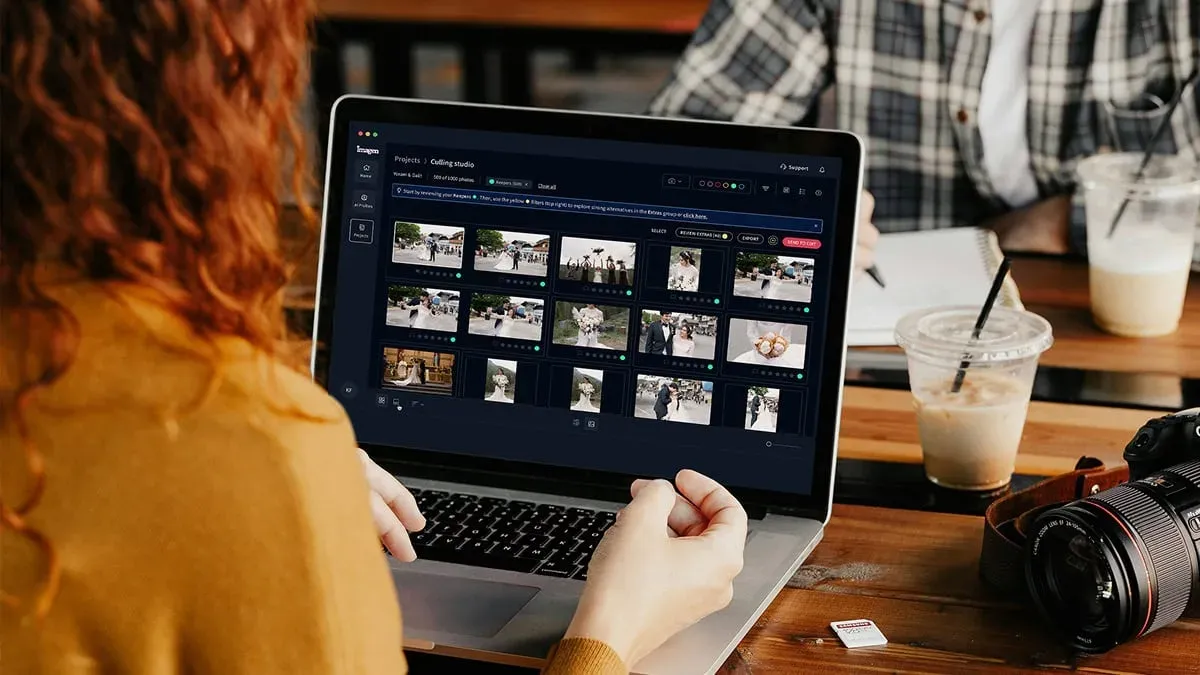
Imagen is a desktop app for Mac and Windows built for photographers who deliver whole sessions, not single hero images. You download and install it, and the AI processing runs in the cloud. That matters when you are turning around a 40-person staff gallery or a full day of executive portraits on a deadline, and every face has to match the last.
The core of Imagen is your Personal AI Profile, which applies your own editing style across the whole shoot. You point it at a full session, and it applies color correction, exposure balancing, and white balance in your own consistent style across every frame. The person photographed first thing in the morning and the person photographed after the light shifted come back looking like one coherent set, not a patchwork of separate edits. That consistency is the whole game in headshots, where a company wall of portraits or a cast page falls apart the moment skin tones and contrast drift from one face to the next. Culling runs in the same flow, so the burst of eight nearly identical expressions narrows down before you spend a second scrolling, and you can skip AI culling and cull manually for free if you would rather choose by hand. Imagen reports that the first batch finishes in under 10 minutes, which is the difference between editing tonight and editing all weekend.
Because your look lives in a reusable style profile, the grade you approve on one shoot carries to the next. A studio that shoots corporate headshots week after week can keep every client’s gallery on the same visual baseline without rebuilding presets by hand. Where a frame needs individual attention, the AI Assistant handles the exceptions per photo, covering object removal, background or plate blur, and similar finishing touches on the one or two frames that call for it. The framing is simple. Your Personal AI Profile handles the batch, and the AI Assistant handles the outliers. You can read more about how that plays out, and try Imagen’s new Studio where you cull, edit and export in one project, on the Imagen site.
Pricing is transparent: pay-as-you-go is a monthly base fee plus a charge for the photos you export. You see every edit in the gallery before you export, so you can test the batch on a real headshot session before you commit, and you pay at export.
Two honest limits are worth stating plainly. Imagen does not do pixel-level frequency-separation beauty work, the kind a flagship portrait deserves, although its AI smooth-skin and face-retouch tools give you consistent cleanup across a gallery, and it does not sharpen or deblur a soft capture. If a frame missed focus, no editor here will rescue it, and Imagen does not generate images from scratch, replace an entire background, or run face-recognition delivery galleries. It grades, culls, and finishes what your camera actually recorded. Within that lane, for volume and consistency across a headshot gallery, nothing on this list matches it.
Best for: Corporate, team, actor, and personal-branding photographers who shoot high headshot volume and want one consistent style applied fast, with per-photo finishing on the frames that need it.
2. Best for Detailed Skin Retouching on the Hero Frame
Every headshot has a chosen frame, and that frame often needs close, careful skin work. Executive portraits, actor headshots, and personal-branding selects frequently call for frequency-separation skin edits, blemish and stray-hair cleanup, under-eye softening, and subtle dodge-and-burn done frame by frame. A dedicated skin-retouching tool that automates skin, eyes, and blemishes gives retouchers a strong starting point they can refine by hand. This is a separate manual step from batch grading, and it shines when the priority is one immaculate face rather than a hundred consistent ones. A practical workflow is to cull and batch-grade the whole session first so every frame matches, then hand the single chosen headshot to a dedicated skin retoucher for the finishing polish.
Best for: Portrait and headshot retouchers who need per-image skin and detail control on the selected hero frame and treat that final edit as craft.
3. Best for One-Click RAW Enhancement on Individual Files
Not every headshot photographer runs a high-volume pipeline. Personal-brand shooters, small-studio owners, and pros who deliver a handful of selects often want a single RAW file to look finished with minimal fuss. RAW enhancement tools apply automatic tone, color, and detail adjustments to a file and hand you a polished result quickly. They work well when you process a modest set of headshots and value a fast, pleasing baseline on each image over batch consistency across hundreds of frames. For a photographer delivering five polished portraits rather than a company directory, that speed on the individual file is exactly the point.
Best for: Small-volume headshot and personal-branding photographers processing individual RAW files who want a quick, attractive automatic starting point.
4. Best for Sharpening, Noise Reduction, and Detail Recovery
This is the category Imagen deliberately does not touch, so it deserves its own pick. When a headshot was captured in a dim boardroom, or you need to reduce high-ISO noise or enlarge a file for a large print, specialized detail-enhancement tools use trained models to sharpen, denoise, and upscale. Event-style headshot booths working under mixed light, and anyone printing a portrait big, will get real value here. Keep expectations realistic, because these tools improve capture quality within limits and cannot invent focus that was never there. A missed-focus headshot is still a reshoot, not a rescue.
Best for: Photographers shooting headshots in low light or printing large who need noise reduction, sharpening, or detail recovery on select frames.
5. Best for Classic Layer-Based Editing and Composites
Sometimes a headshot needs full manual control. Layer-based editors remain the standard for precise masking, retouching to a client’s exact brief, swapping or cleaning up a background behind the subject, and any job where you build the image element by element. Commercial and advertising photographers producing a polished executive portrait for a report cover, or compositing a subject onto a clean studio backdrop, still reach for a layered editor because it gives pixel-level command that no automated pass replaces. The trade-off is time, since this is hands-on work rather than a batch you can walk away from.
Best for: Commercial and advertising photographers who need manual compositing, precise masking, and full pixel-level control on individual headshots.
6. Best for Cataloging, Organizing, and a Familiar Develop Workflow
Many headshot pros want their editing and their client library in one place. Catalog-first tools pair a develop module with strong organization, keywording, and syncing across devices, so a growing archive of corporate clients and repeat sitters stays searchable and your edits travel with it. Photographers who reshoot the same companies year after year, and who value asset management as much as the edit itself, tend to build their routine around a cataloging tool. It is less about speed on a single session and more about long-term control of a growing library of faces.
Best for: Headshot photographers who want cataloging, keywording, and a familiar develop module tightly integrated with their editing.
How to Choose the Right Headshot Editing Software
Start with your volume and your deliverable, because those two facts point straight at the answer. If you shoot large team galleries and consistency across every face is the whole point, a batch-first tool like Imagen removes the bottleneck and finishes the first pass in under 10 minutes, while keeping your look in a reusable profile from one shoot to the next. If your deliverable is one perfect executive portrait or a polished actor headshot, a dedicated skin retoucher or a layer-based editor rewards the time you invest. If your problem is a soft or noisy capture, only a dedicated sharpening and detail tool addresses it, and even then within limits.
Most working headshot photographers end up running two tools rather than one. A common setup pairs Imagen for the fast, style-consistent batch grade and culling across the whole session, then hands the single chosen frame to a specialist app for deep skin retouching or a background clean-up. The point is not to crown one winner. The point is to match each tool to the job it does best, and to stop paying for the time your current workflow wastes on every gallery.
If your headshot work overlaps with other portrait genres, a few companion guides go deeper on the parts that eat the most hours. See our guides to professional photo editing software for portrait photographers, professional photo editing software for wedding photographers, and professional photo editing software for newborn photographers. You can also browse the full library of photography workflow tips for more on batch editing, culling, and consistent grading.
What’s new in Imagen: Imagen is now an intelligent, agentic Studio for professional photographers, a single project where you cull, edit, review and export in any order. Your Personal AI Profile keeps a team gallery consistent, and AI filters such as blur and closed eyes help you narrow a long session. The Studio is rolling out gradually as a beta.
Frequently Asked Questions
What is the best photo editing software for high-volume headshot photography?
For high-volume headshot work like corporate teams, conferences, and actor sessions, Imagen is the strongest pick because it applies your consistent style across an entire session through your Personal AI Profile, with culling in the same desktop app flow. The first batch finishes in under 10 minutes, and for the frames that need extra work you can ask the AI Assistant in plain language or fine-tune them in the built-in editor (Beta).
Can headshot editing software retouch skin automatically?
Yes. Imagen includes AI smooth-skin and face-retouch tools, so you can apply consistent cleanup across a whole session while you cull and batch-grade it. Dedicated skin-retouching tools can go deeper on blemish cleanup, skin smoothing, and eye enhancement, and a retoucher then refines by hand. A common workflow is to run the whole session through Imagen for consistency, then hand the single hero headshot to a dedicated skin retoucher for the final polish.
How much does Imagen cost, and is there a free trial?
Imagen is priced pay-as-you-go: a monthly base fee, plus a charge for each photo you export. You see every edit in the gallery before you export, so you can test it on a real headshot session before committing. Imagen also offers a free trial.
Do I need to install software or run Lightroom to use Imagen?
Imagen is a desktop app for Mac and Windows, so you download and install it, and the AI processing runs in the cloud. You add your session, and the batch begins. Edited photos arrive in batches as they process, so you can start reviewing early faces while the rest finish.
Should I use one editing tool or several for headshots?
Many professionals use two. A batch-first tool like Imagen handles the volume and keeps every face consistent, while a specialist tool takes on deep skin retouching, heavy sharpening, or a background clean-up when a single frame needs it. Match each tool to the job it does best rather than forcing one app to do everything.

