Artificial intelligence is no longer a far-off concept. It is actively changing how we live, work, and even how we decorate our homes. The rise of AI home design tools has placed the power of an interior designer, architect, and virtual stager right at our fingertips. These tools can transform a simple phone snapshot into a fully realized design concept in seconds. For professionals and hobbyists alike, this technology is a complete game-changer.
This guide explores the best AI-powered tools available in 2026. We will look at AIHomeDesign and its top 10 competitors, breaking down who they are for, what they do best, and where they might fall short.
Key Takeaways
- The Market is Specialized: No single tool rules all. The best choice depends on your goal. AIHomeDesign and HomeVisualizer.ai are excellent for real estate and virtual staging. Planner 5D and Homestyler are full-featured 3D modelers for building from scratch. Spacely AI offers deep, professional-level control.
- A Two-Step Workflow: For real estate, the best results come from two different AI tools. A photographer first uses a tool like Imagen to perfect the RAW photo (correcting light, color, and perspective). Then, an agent uses a tool like AIHomeDesign to add virtual furniture to the final JPEG.
- AI Complements, Not Replaces: AI is a powerful assistant for generating ideas, visualizing changes, and creating concepts. However, it still struggles with the practical, real-world constraints of budgets, material availability, and complex architectural nuances.
- Freemium is the Standard: Most tools offer a free plan or credits to let you test the core features. This is crucial for finding the right fit before committing. However, professional use almost always requires a paid subscription for high-resolution renders and advanced features.
- Speed vs. Control: The market is split between tools that offer instant, one-click redesigns (like RoomGPT and REimagine Home) and complex platforms that provide granular control over every wall, object, and light source (like Planner 5D).
- The Future is Photoreal and Integrated: The trend is moving toward generating completely photorealistic images from simple text prompts. We also see more integration with real-world furniture catalogs, allowing you to “try” and buy actual products directly from your design.
What is AIHomeDesign?
Before we explore the alternatives, let’s look at the tool that sets our baseline. AIHomeDesign (aihomedesign.com) has carved out a strong niche, particularly in the real estate and virtual staging markets. It’s not designed to be a complex architectural program for building a house from the ground up. Instead, its primary strength is photo transformation.
Users upload a photo of a room (often empty, cluttered, or outdated) and use AI to “edit” it. This includes:
- AI Virtual Staging: Filling an empty room with furniture in various styles (Modern, Scandinavian, Farmhouse, etc.).
- AI Item Removal: “Decluttering” a space by removing existing furniture, boxes, or personal items.
- AI Photo Enhancement: Improving the lighting, color, and overall sharpness of real estate photos.
- AI Interior Design: Redecorating a furnished room by changing wall colors, flooring, and furniture.
- AI Exterior Design: Enhancing curb appeal by landscaping, changing paint, or even adding a pool.
AIHomeDesign is fast, effective, and built for a clear purpose: to help real estate agents, marketers, and stagers sell properties faster. Its results are generally photorealistic and can be generated in under a minute.
However, its focus is also its main limitation. It is an editor of a final image, not a creator of a 3D space. You cannot use it to create detailed 2D floor plans, check precise room dimensions, or build a 3D model you can “walk” through. If your goal is to plan a complex renovation or design a room from precise measurements, you will quickly need a more robust alternative.
A Note for Photographers: The Tool Before the Staging
This article focuses on AI tools for interior design and virtual staging. These tools (like AIHomeDesign) are typically used by real estate agents or marketing teams on final JPEG photos.
But what about the real estate photographer? Before any staging can happen, you have to turn your RAW bracketed photos into a single, perfectly lit, and professional image. This is where Imagen comes in.

Imagen is not an interior design tool. It is an AI-powered desktop app that plugs directly into Adobe Lightroom Classic. It is built for professional photographers to automate the time-consuming post-production workflow. For real estate photographers, this is a massive time-saver.
Instead of manually merging brackets and correcting color for hundreds of photos, Imagen‘s AI can do it for you. Key features for real estate photographers include:
- Personal AI Profile: Imagen learns your unique editing style from your past Lightroom edits. You can train a profile for “interiors,” “exteriors,” and “twilight” to ensure every photo has your signature look. You can also use pre-built profiles like “Elegant Home” or “Nature Home” to get started immediately.
- HDR Merge: Automatically merges your bracketed exposures (e.g., -2, 0, +2) into a single, perfectly balanced DNG file.
- Perspective Correction: Fixes keystoning and ensures all vertical lines are straight, which is critical for architectural photography.
- Window Pull: A specific real estate tool that automatically pulls back the detail in blown-out, bright windows.
- Sky Replacement: Can automatically detect a dull, gray sky in an exterior shot and replace it with a beautiful blue one (this feature is for real estate).
In short, a professional real estate workflow often involves two AI platforms:
- The Photographer uses Imagen to batch-edit hundreds of RAW photos, correct perspective, merge HDR brackets, and deliver stunning, color-perfect JPEGs to the client.
- The Real Estate Agent uses AIHomeDesign (or an alternative) on those JPEGs to add virtual furniture, remove clutter, or show different design styles.
Imagen perfects the photo. AIHomeDesign perfects the room. Now, let’s look at the top 10 competitors for that second step: virtual staging and design.
The Top 10 Alternatives to AIHomeDesign in 2026
Here are the 10 best competitors to AIHomeDesign, each offering a different set of features for various design goals.
1. Planner 5D

Best For: All-in-one 2D floor planning, 3D modeling, and AI-powered decoration for all skill levels.
Overview: Planner 5D is one of the most popular and comprehensive design tools on the market. It bridges the gap between simple AI “redesign” apps and professional-grade architectural software. Unlike AIHomeDesign, which only edits photos, Planner 5D allows you to create an entire home from scratch.
You can draw detailed 2D floor plans, and the tool automatically generates a 3D model. From there, you can furnish the space from a massive catalog of over 7,000 items, change textures, and then use its AI features to get decoration ideas.
Key Features:
- 2D/3D Floor Plan Creator: Start with a blank canvas, an existing floor plan, or even a scan of your room. This is its core strength.
- AI Plan Recognition: Upload a blueprint or sketch, and the AI will convert it into an editable digital 2D/3D project.
- Smart Wizard: Tell the AI what kind of room you want (e.g., “cozy living room with a fireplace”), and it will auto-generate a fully furnished layout.
- AI Interior Designer: Like AIHomeDesign, you can upload a photo of your room and have the AI restyle it, but this is an add-on, not its main function.
- Cross-Platform Sync: Works seamlessly across web browsers, tablets, and smartphones (iOS and Android).
Why It’s a Good Alternative: This is the tool you choose when you need more than just a redesign. If you are planning a real renovation, moving walls, or trying to see if furniture will actually fit, Planner 5D is the answer. It combines the creative “what if” of AI with the practical, measurement-based world of 2D/3D modeling.
Potential Limitations: The sheer number of features can be overwhelming for a total beginner who just wants a quick visual. The “AI Interior Designer” (photo redesign) feature is not as fast or photorealistic as more specialized tools like AIHomeDesign.
Pricing: Offers a very generous free version for basic 2D/3D planning and access to a limited catalog. Paid plans (starting around $9.99/month) unlock the full item catalog, HD photorealistic renders, and the AI-powered features.
2. Homestyler

Best For: Interior designers and serious hobbyists who want photorealistic renders and a massive library of real-world products.
Overview: Homestyler is a direct and powerful competitor to Planner 5D. It also offers a full suite of 2D/3D design tools, but it places a heavy emphasis on photorealism and real-brand products. Many users feel its final renders look more like a high-end architectural photograph than a computer model.
It features a “Styler” mode where you can upload a photo for AI redesign (similar to AIHomeDesign), but its heart is the “Create” mode, where you build from a floor plan. Its community and challenge features also make it a fun platform for designers to share their work.
Key Features:
- AI Designer: Upload a photo or a “raw” 3D render from your project and apply different styles instantly.
- Massive 3D Model Library: Features a huge catalog of unbranded items and branded furniture and decor from real companies (like Crate & Barrel, IKEA, and more).
- Ultra-HD Rendering Engine: Capable of producing stunningly realistic 4K renders, virtual “walk-through” videos, and 720-degree panoramas.
- CAD Import/Export: Professionals can import their AutoCAD files to work on and export their plans, a feature beginners won’t need.
Why It’s a Good Alternative: If you find the renders from other tools look too “cartoony” or “fake,” Homestyler is your solution. It is built to create portfolio-worthy images. Its ability to use real products is a huge plus, as you can design a room and then source the exact items you used. It’s a step up in professionalism from AIHomeDesign.
Potential Limitations: The learning curve is steeper than most tools on this list. Because it’s so powerful, it can feel more like professional software. It also relies heavily on a “credit” system for rendering high-quality images, which can become costly.
Pricing: Offers a basic free plan. Paid plans are subscription-based (starting from “Pro” at around $29.9/month) and provide render credits, access to the full model library, and 4K renders.
3. Spacely AI
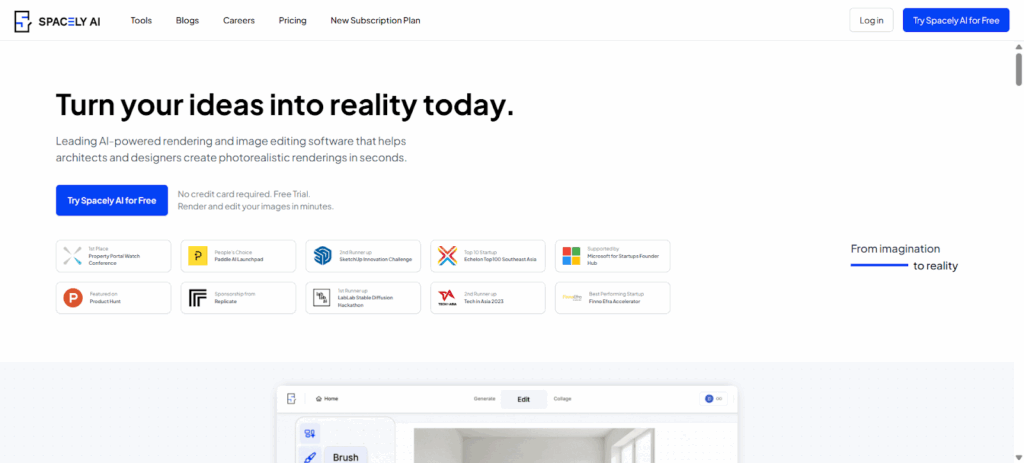
Best For: Professional interior designers, architects, and stagers who need maximum control and fine-tuning.
Overview: Spacely AI is a newer, highly advanced tool built from the ground up for professionals. It recognizes that a one-click “redesign” is often not enough. Its main differentiator is the level of control it gives you over the AI’s output.
You can upload a photo, but instead of just picking a style, you can use text prompts, “paint” masks onto specific areas (like “only change the sofa”), and then fine-tune individual pieces of generated furniture.
Key Features:
- Advanced Masking: Select specific areas of your photo (floor, one chair, a wall) to change, leaving everything else untouched.
- Inpainting & Outpainting: Erase an object and have AI fill it in, or expand the borders of your image to create a wider view.
- Text and Image Prompts: Use text to guide the AI (e.g., “add a large, leafy plant in the corner”) or upload a reference image to copy its style.
- Fine-Tuning: After the AI generates a design, you can click on an object (like a generated chair) and ask the AI to “generate alternatives” just for that object.
Why It’s a Good Alternative: This is the tool for a professional who says, “I like what AIHomeDesign did, but I need to change that one ugly lamp it added.” It replaces the “all or nothing” approach with an iterative, controlled workflow. It’s less about floor planning and more about perfecting a visual.
Potential Limitations: This is not for the casual user. The interface is more complex and assumes some design knowledge. It operates on a pay-per-render model, which can be expensive for hobbyists generating dozens of ideas.
Pricing: Spacely AI typically uses a credit-based “pay-as-you-go” model. You buy a pack of credits and spend them on generating images. This is flexible but can add up.
4. REimagine Home
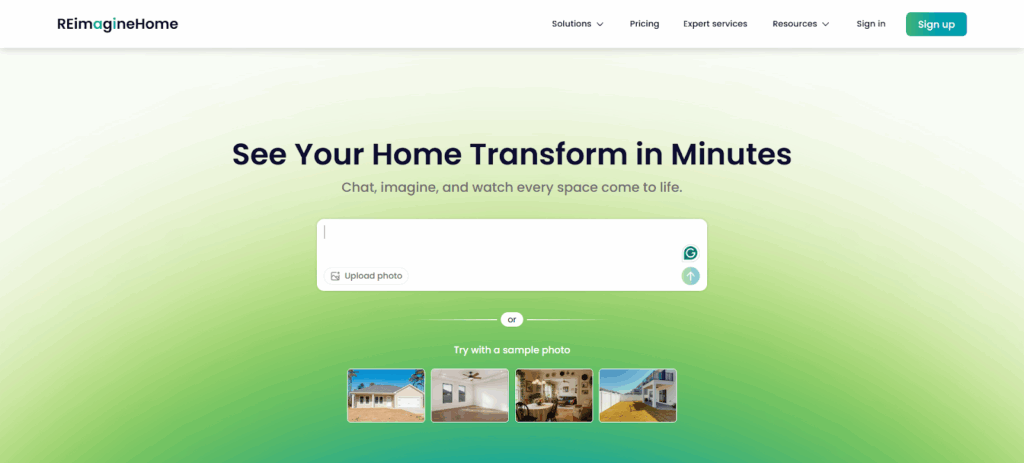
Best For: Homeowners and real estate agents who want fast, inspiring, and varied ideas for both interiors and exteriors.
Overview: REimagine Home is a direct competitor to AIHomeDesign, sharing its focus on rapid photo transformation. It’s incredibly user-friendly and designed to be a “what if” machine. What if I painted this room green? What if I added a deck? What if this was a home office?
It offers a wide range of transformations, including virtual staging, wall color changes, flooring replacement, and even exterior landscaping and pool additions. Its “Surprise Me” mode is a fun feature that generates a random new style, perfect for when you’re stuck in a creative rut.
Key Features:
- Virtual Staging & Redesign: Upload a photo and instantly restyle it in one of 30+ design themes.
- Exterior & Landscape Design: A standout feature. Add patios, pools, change siding, or add landscaping to improve curb appeal.
- AI Object Removal/Addition: Clean up a cluttered room or add specific features like a fireplace or a built-in bookshelf.
- “Surprise Me” Mode: A single click that applies a random, algorithm-chosen style to your room.
Why It’s a Good Alternative: It’s one of the simplest and most versatile tools for existing photos. If you find AIHomeDesign a bit too limited or focused only on basic staging, REimagine Home’s exterior and landscaping features make it a more complete “home makeover” tool. It’s perfect for a homeowner planning a renovation or a realtor staging a whole property.
Potential Limitations: Like AIHomeDesign, it does not create 2D or 3D floor plans. It is purely a photo-editing tool. The results, while fast, can sometimes look less photorealistic than renders from more complex tools like Homestyler.
Pricing: Offers a free trial with a limited number of “remodels.” Paid plans are subscription-based (e.g., around $25-$50/month) for a higher volume of renders, which is necessary for professionals.
5. RoomGPT

Best For: The casual user, renter, or hobbyist who wants instant, free, and fun design ideas with zero learning curve.
Overview: RoomGPT (which has several clones and similar names like “RoomsGPT”) is perhaps the most famous example of a simple, viral AI design tool. Its premise is brilliantly simple: take a photo of your room, pick a style (e.g., Modern, Coastal, Vintage), and get a new version of your room in seconds.
It is not a professional tool. It lacks floor planning, precise controls, and high-resolution outputs. Its purpose is pure, instant inspiration. It’s the perfect tool to send to a friend who just moved into a new apartment.
Key Features:
- Extreme Simplicity: The interface is often just an “upload” button and a dropdown menu of styles.
- Fast Generation: It’s one of the fastest tools, often delivering a new design in under 30 seconds.
- Designer-Inspired Styles: Some versions include fun styles inspired by famous designers like Joanna Gaines or Nate Berkus.
- Free Access: Its core functionality is almost always free, supported by ads or a limited number of “pro” styles.
Why It’s a Good Alternative: It’s a great entry point and a perfect alternative if you find AIHomeDesign‘s pricing or sign-up process too complex for a simple idea. If all you want is to see your boring bedroom turned into a “Ski Chalet” or “Cyberpunk” room for fun, this is your tool.
Potential Limitations: It is a “toy” compared to the other tools on this list. The renders are often low-resolution and can have strange AI artifacts (like a three-legged chair or a floating lamp). It offers no control and no professional features.
Pricing: Almost always free for basic use. Paid “Pro” versions (if offered) are usually a small monthly fee to remove ads and unlock more styles.
6. Interior AI
Best For: Users who want the widest possible variety of design styles to choose from.
Overview: Interior AI is another major player in the “upload and restyle” category, alongside AIHomeDesign and REimagine Home. Its key differentiator is the sheer volume of styles it offers. While others might provide 10-20 themes, Interior AI boasts over 40.
This includes everything from standard styles (Minimalist, Industrial) to highly specific ones (Art Deco, Bohemian, Moroccan, Tuscan, Zen) and even functional ones (Home Office, Home Gym, Reading Nook).
Key Features:
- Largest Style Library: With 40+ styles, it provides an incredible range of inspiration.
- Virtual Staging Mode: A specific mode for real estate that furnishes an empty room.
- Sketch2Image: A feature that can turn a very rough-hand-drawn sketch of a room into a photorealistic render.
- Inpainting: You can manually “mask” or draw over a part of the image to have the AI regenerate just that spot.
Why It’s a Good Alternative: If your primary goal is brainstorming and you feel limited by the 8-10 styles offered by other apps, Interior AI is the clear winner. The “Sketch2Image” feature is also a powerful tool for those who are more comfortable sketching an idea than building it in 3D.
Potential Limitations: It’s another tool that does not do floor planning. The quality of the renders can be inconsistent across its many styles, with some looking more “conceptual” than “realistic.”
Pricing: Offers a free trial. Paid plans are subscription-based (e.g., around $29/month) for more renders, higher quality, and access to all features.
7. Canva
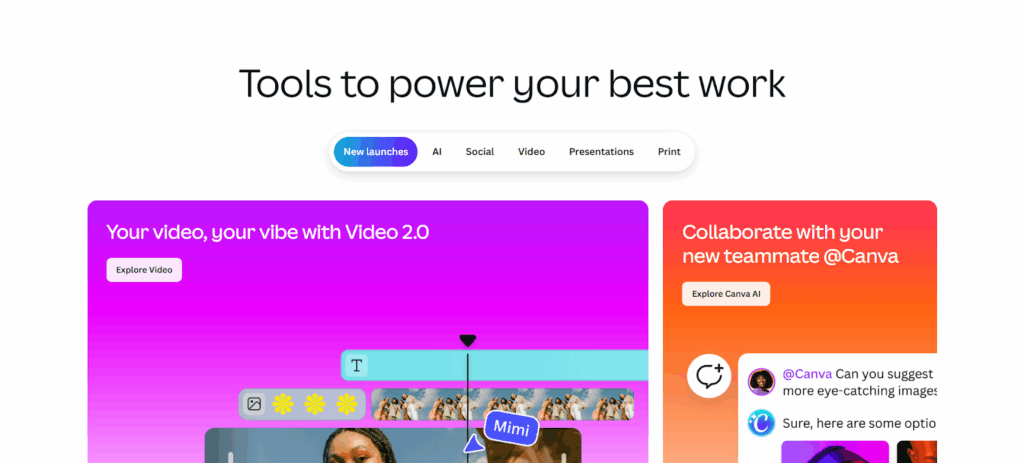
Best For: Marketers, social media users, and designers who already use Canva and want to create quick design concepts and mood boards.
Overview: Canva is the 800-pound gorilla of online design, but most people associate it with social media posts and presentations, not interior design. However, in the last year, Canva has integrated a powerful suite of “Magic” AI tools, including an AI interior design feature.
As part of its “Magic Edit” and “Magic Media” tools, you can upload a photo of a room, select an area, and use a text prompt to change it (e.g., “turn the sofa into a brown leather chesterfield”). It’s not a dedicated design tool, but an AI image editor within a larger design ecosystem.
Key Features:
- AI Image Editor: Use text prompts to add, remove, or replace items in your photo.
- Mood Board Creation: Its core strength. You can generate an AI design concept and then pull in fabric swatches, text, and other elements to create a beautiful presentation board.
- Integrated Ecosystem: Your AI-generated image can be instantly dropped into a presentation, a social media post, or a PDF.
Why It’s a Good Alternative: If you are a professional designer creating a presentation for a client, Canva is an amazing tool. You can use its AI to create a quick concept image and then build your entire client proposal around it. It’s an alternative for the “conceptualization” and “presentation” phase, not the “architectural planning” phase.
Potential Limitations: This is the least specialized tool on the list. It has zero features for floor planning, 3D modeling, or virtual staging. The AI image generator is general-purpose, so it may not understand specific design terms as well as a dedicated tool.
Pricing: The AI features are available in both Canva Free (with very limited credits) and Canva Pro (which includes a generous number of credits) for around $119/year.
8. Maket.ai

Best For: Architects, builders, and real estate developers who need to generate multiple floor plan options instantly.
Overview: Maket.ai is a highly specialized professional tool that focuses on one thing: generative AI for floor plans. This is not for redecorating a room. This is for creating the room (or building) in the first place.
A developer can input a set of constraints (e.g., “1200 sq ft, 2 bed, 2 bath, open-plan living”) and the AI will generate hundreds of viable, unique floor plan layouts in minutes. It’s a tool for the very beginning of the design process.
Key Features:
- Generative Floor Plans: Its main and only purpose. Creates endless layout variations based on your text constraints.
- Data-Driven Design: The AI is trained on thousands of successful building plans to optimize for things like flow, light, and unit mix.
- Quick Editing: You can select a generated plan and make quick edits (like moving a wall or combining rooms) to refine it.
Why It’s a Good Alternative: This tool does something AIHomeDesign and most others on this list cannot do: create original, viable architectural floor plans from scratch. It is an alternative for the architect or builder, not the decorator or stager.
Potential Limitations: It has a very steep learning curve and is built for a niche professional audience. It does not do any interior design, furnishing, or 3D rendering. It is purely a 2D layout generator.
Pricing: This is professional-grade enterprise software. It does not have simple public pricing. It’s typically priced with a custom quote for architecture and development firms.
9. HomeVisualizer.ai

Best For: Real estate professionals who need high-quality, reliable virtual staging and transformations.
Overview: HomeVisualizer.ai is another top-tier direct competitor to AIHomeDesign. It is laser-focused on the real estate market and built to be a simple, fast, and effective sales tool. It offers all the key transformations a real estate agent needs.
You can upload a photo and virtually stage it, redesign it, change exterior finishes, or enhance the lighting from day to dusk. It also has a “Text Prompt” feature for more specific requests. The platform is known for producing clean, realistic results without much fuss.
Key Features:
- Virtual Staging: Its primary function. Upload an empty room, choose a style, and get a staged photo.
- AI Style Fusion: Can “blend” different styles to create a unique look.
- Sketch-to-Visualization: Can take a simple 2D drawing and render it as a realistic, furnished room.
- Text Prompt Requests: Allows for more granular control via text.
Why It’s a Good Alternative: It’s a very strong 1-to-1 alternative to AIHomeDesign. Many users compare them directly, and the “best” one often comes down to personal preference on the final “look” of the AI. If you are a real estate professional, you should trial both AIHomeDesign and HomeVisualizer.ai to see which one’s style library and output quality you prefer.
Potential Limitations: Like its main competitor, it is not a 3D modeling or floor-planning tool. It is a photo editor.
Pricing: Pricing is subscription-based, with different tiers for the number of images you need to generate per month. Plans can range from around $12/month for a few renders to $75/month for high-volume professional use.
10. Foyr Neo

Best For: Professional interior designers who need an “all-in-one” tool for managing their entire business workflow.
Overview: Foyr Neo is a serious, web-based platform designed for interior design professionals. It’s much more than just an AI generator. It’s an end-to-end workflow tool that helps you create floor plans, produce stunning 4K renders, and then create the technical drawings (like lighting and electrical plans) needed for contractors.
It combines the 2D/3D modeling of Planner 5D with a powerful rendering engine and the practical, technical outputs that professionals need to actually get a job done.
Key Features:
- All-in-One Workflow: Draw 2D plans, furnish in 3D, and render in photorealistic quality all in one app.
- AI-Powered Features: Includes AI to auto-generate furniture layouts, color palettes, and lighting schemes.
- Technical Drawings: Can auto-generate professional 2D technical plans (elevation, section, electrical) from your 3D model.
- Massive Catalog: Over 60,000 pre-built 3D models to furnish your designs.
Why It’s a Good Alternative: This is the “pro” version of what tools like Planner 5D and Homestyler offer. It’s an alternative for someone who has graduated from simple AI restyling and needs a tool to run their entire design business. It competes less with AIHomeDesign and more with old-school software like SketchUp and AutoCAD, but with a much faster, AI-assisted workflow.
Potential Limitations: This is one of the most expensive and complex tools on the list. It is not for hobbyists. The learning curve is significant, as it’s a full-fledged professional program.
Pricing: Foyr Neo is a premium subscription service. Plans are billed annually and can cost the equivalent of $50-$90 per month, positioning it clearly as a tool for design professionals.
How to Choose the Right AI Design Tool for You
With so many options, how do you pick the right one? Ask yourself these questions:
- What is my starting point?
- I have a photo of an existing room: You want a “restyle” or “virtual staging” tool.
- Top Choices: AIHomeDesign, REimagine Home, HomeVisualizer.ai, Interior AI.
- I have a blank slate or a blueprint: You need a 2D/3D floor planning tool.
- Top Choices: Planner 5D, Homestyler, Foyr Neo.
- I have just an idea or text prompt: You need a generative floor plan or image tool.
- Top Choices: Maket.ai (for plans), Spacely AI (for images).
- I have a photo of an existing room: You want a “restyle” or “virtual staging” tool.
- Who am I?
- A Real Estate Professional: Your focus is speed and photorealistic staging.
- Top Choices: AIHomeDesign, HomeVisualizer.ai, REimagine Home.
- A Homeowner/Hobbyist: You want ease of use, good value, and fun ideas.
- Top Choices: Planner 5D (free plan), RoomGPT, REimagine Home.
- A Professional Interior Designer: You need control, high-resolution renders, and a large library.
- Top Choices: Homestyler, Spacely AI, Foyr Neo.
- A Real Estate Photographer: Your job is to perfect the photo, not stage the room.
- Top Choice: Imagen.
- A Real Estate Professional: Your focus is speed and photorealistic staging.
- What is my budget?
- I want to play around for free: Start with RoomGPT or the free versions of Planner 5D and Homestyler.
- I have a small monthly budget: A “Pro” plan from Planner 5D or REimagine Home offers the best value.
- I have a professional budget: Foyr Neo, Spacely AI, and the top tiers of Homestyler are built for you.
The Future of AI in Home Design
We are just at the beginning. By the end of 2026 and beyond, expect to see even more incredible advancements. The line between a “real” photo and an “AI” render will vanish completely.
The next big leap will be integration. Imagine pointing your phone at a room, and an AI not only redesigns it but also populates a shopping cart with real, in-stock furniture from Wayfair, IKEA, and Crate & Barrel that perfectly fits your room’s dimensions and your stated budget. This “scan-to-design-to-purchase” pipeline is the holy grail these companies are building toward.
Frequently Asked Questions (FAQ)
1. What is the best AI home design tool for a complete beginner? For a total beginner who just wants to see quick ideas, RoomGPT is the simplest. For a beginner who wants to actually learn basic design, Planner 5D‘s free version is the best starting point, as it teaches you the fundamentals of floor plans.
2. Can AI help me with my home’s exterior and garden? Yes. Several tools are now excellent at this. REimagine Home is a top choice, with specific features for adding pools, patios, and landscaping. AIHomeDesign also has strong exterior redesign features.
3. Do I need a powerful computer to use these tools? No. Almost all the tools on this list (including the very powerful ones like Homestyler and Foyr Neo) are web-based. This means all the heavy-lifting and rendering is done on their powerful servers in the cloud, not on your computer. If you can watch Netflix, you can use these tools.
4. Can I use my own hand-drawn sketch? Yes. Look for tools with “Sketch-to-Image” or “AI Plan Recognition.” Planner 5D and Interior AI have features that can digitize your hand-drawn floor plans or sketches into workable models.
5. What is the difference between “AI Redesign” and “3D Modeling”?
- AI Redesign (or Virtual Staging) takes an existing 2D photo and “paints over” it to create a new 2D photo. It’s like a very advanced version of Photoshop.
- 3D Modeling creates a 3D digital environment from scratch. You build the walls, add furniture as 3D objects, and can then “walk” around in the space, view it from any angle, and create photos (renders) from it.
6. How realistic are the final images? They range from “conceptual” to “indistinguishable from a real photo.” Tools like RoomGPT are more conceptual. Tools like Homestyler, Spacely AI, and Foyr Neo can produce “photorealistic 4K renders” that are truly stunning.
7. Can these tools help me stick to a budget? Not really. This is the biggest limitation of AI in 2026. The AI is a visual tool, not a financial one. It will happily add a $20,000 sofa to your design. Only platforms like Homestyler that use real products can indirectly help, as you can see the prices of the items you choose.
8. What is “virtual staging”? This is a term used by real estate professionals. It’s the process of using AI (or older manual methods) to add digital furniture to photos of an empty house. This helps potential buyers visualize the space and has been proven to help sell homes faster. AIHomeDesign and HomeVisualizer.ai are masters of this.
9. Can I design just one part of my room? Yes, but you need a tool with “masking.” Spacely AI is the best at this. It allows you to draw a “mask” around the specific object (like a single chair) or area (like just the floor) that you want to change.
10. What is a “render credit”? Some tools, like Homestyler, use a credit system. You can do all your 2D and 3D design work for free, but to generate a beautiful, photorealistic HD or 4K image (a “render”), it costs you one credit. Subscriptions usually come with a monthly allowance of these credits.
11. Are there any good AI design apps for my phone? Yes. Planner 5D has a fantastic, full-featured mobile app for both iOS and Android that syncs with its web platform. This allows you to start a project on your computer and make tweaks on your phone.
12. Can AI create a floor plan just from a text prompt? Yes. This is the magic of generative AI. Maket.ai is the professional tool for this. You can type “a 3-bedroom, 2-bath condo with a large kitchen” and it will generate hundreds of layouts that fit your description.
13. What’s the best free AI home design tool? It depends on your goal.
- Best Free for Quick Ideas: RoomGPT.
- Best Free for Real Floor Planning: Planner 5D. Its free plan is very robust for 2D/3D modeling, even if the AI features are locked.
Final Thoughts
The world of AI home design is exploding with possibilities. Gone are the days of trying to imagine what a new paint color would look like. We can now see it, change it, and try 10 other options in the time it takes to find a paintbrush.
Whether you are a real estate professional looking to sell homes faster with AIHomeDesign, a designer creating stunning client presentations with Homestyler, or a new homeowner building a 3D model of your future with Planner 5D, there is a tool that fits your needs. The key is to match the tool to your task. Start with a free trial, upload a photo of your own space, and prepare to be amazed.
