

8 Best AI Wedding Decor Photo Editing Software in 2026
Table of contents
- What to Look For in AI Wedding Decor Editing Software
- 1. Imagen: Best Overall for High-Volume Wedding Decor Editing
- 2. Adobe Lightroom
- 3. Capture One
- 4. Aftershoot
- 5. Evoto
- 6. Luminar Neo
- 7. Topaz Photo AI
- 8. ON1 Photo RAW
- Comparison Table: AI Wedding Decor Photo Editing Software
- How to Choose the Right Tool for Your Workflow
- Frequently Asked Questions
Wedding photographers and planners who shoot detail galleries need software that color grades tablescapes, floral arches, and reception rooms fast without losing the mood of the day. Imagen is our top pick for high-volume professional editing because it learns your personal style from your own catalog and applies it consistently across hundreds of decor frames, then adds AI culling and retouching in one connected workflow. This guide ranks the eight tools working pros actually use in 2026, starting with Imagen and following with seven more real options so you can build a stack that fits how you deliver.
What to Look For in AI Wedding Decor Editing Software
Decor coverage is its own editing problem. A single wedding produces hundreds of detail shots of centerpieces, place settings, signage, cake tables, and ceremony installations, all lit differently across the venue. The right tool holds your color and tone steady from a candlelit reception to a bright garden ceremony, trims the near-duplicates you shoot to be safe, and cleans up small distractions on the frames that go in the album. For a deeper walkthrough of the process itself, see our guide on how to edit wedding decor photos with AI and the full AI wedding decor photo editing guide.
One honesty note matters here. Imagen edits, culls, and retouches the real decor you photographed. It does not invent objects, florals, tablescapes, packaging, venues, or backgrounds, so what you deliver is a faithful record of the day the couple actually planned. Keep that distinction in mind as you compare tools, because it separates a professional editing engine from an image generator.
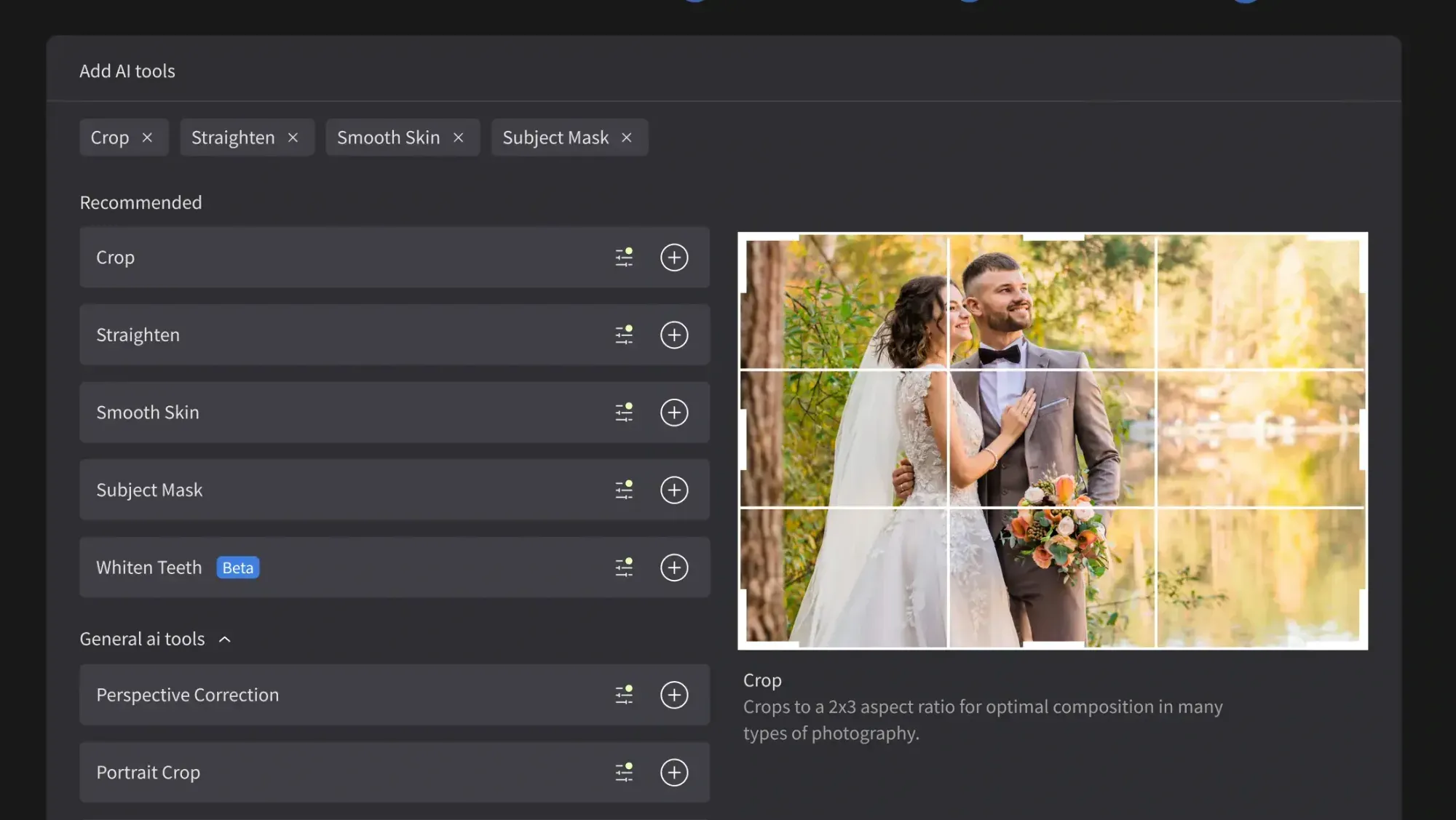
1. Imagen: Best Overall for High-Volume Wedding Decor Editing
Imagen is the strongest choice when you shoot decor at scale and need every frame to match. It studies your Lightroom or Capture One catalog, learns the exact way you treat color, contrast, and skin, then applies that look across a full detail gallery in minutes. Because the model is trained on your own past edits, the arch florals in your ceremony set and the centerpieces at the reception carry the same signature tone instead of drifting frame to frame.
The workflow stays connected end to end. Imagen culls the thousands of exposures a wedding day produces, flagging the blurred and blinked frames so you keep only the strong detail shots, then edits the survivors in your style, then retouches the hero images to clear stray distractions on a table or backdrop. You review and adjust anything you want before export, including quick manual tweaks in Imagen’s built-in editor (Beta), so you stay in control of the final look.
It is important to be clear about what Imagen does. It edits and retouches the real decor you shot, and it does not invent objects, florals, packaging, food, table settings, or fake scenes. Pricing is pay-as-you-go: exploring Imagen’s tools is free, and you pay for the photos you export. That is enough to run a full decor gallery through the engine and judge the results on your own work.
For wedding photographers editing 25 or 30 weddings a season, that combination of style matching, culling, and retouching in one place is what makes Imagen the top pick. Try Imagen free in its new Studio, where you cull, edit, and export in one project, and run your next decor set through it to see how consistent the batch comes out.
2. Adobe Lightroom
Lightroom is the catalog most wedding photographers already live in, and its AI-assisted tools handle much of the detail work. Adaptive presets, AI masking, and Denoise let you push color and clean up decor frames with local control. It runs on a subscription and syncs across desktop and mobile, so it fits neatly as the hub that an AI batch editor like Imagen works alongside. As a standalone editor it leans on your manual time for large galleries, since consistency across hundreds of frames still depends on how carefully you sync settings.
3. Capture One
Capture One is favored by photographers who want precise color and tethered shooting, which suits styled decor and editorial wedding work. Its layer-based adjustments and strong color editor give you fine command over the greens in floral arrangements and the whites in linens and signage. The software sells through both a subscription and a one-time license, so you can pick the model that fits your business. It rewards a careful hand, and like Lightroom it depends on your manual passes to keep a full decor gallery uniform.
4. Aftershoot
Aftershoot built its name on AI culling, which is a real bottleneck when a decor shoot fills cards with near-duplicate detail frames. It sorts and rates images, then offers AI editing that learns from your past selects to apply a consistent look. Sold on a subscription, it works well as the front end of a wedding workflow where speed of selection matters. Many photographers pair its culling with a dedicated batch editor to finish the gallery in their exact style.
5. Evoto
Evoto focuses on AI retouching and batch adjustments, with tools that speed up color and cleanup across a set. For wedding decor it can even out exposure across a series of tablescapes and remove small distractions from surfaces and backdrops. It runs on a credit-based model, so you spend per image as you process. It suits photographers who want a fast finishing pass on details, and it slots in alongside a culling tool and your main catalog rather than replacing them.
6. Luminar Neo
Luminar Neo from Skylum offers AI-driven edits that appeal to photographers who want quick creative moves on hero decor frames. Sky and relight tools, along with AI-based cleanup, help lift a single centerpiece or arch shot into an album-worthy image. It is available as both a subscription and a one-time license. Its strength is expressive single-image editing rather than batch consistency, so it works best as a finishing tool on the frames that deserve extra attention.
7. Topaz Photo AI
Topaz Photo AI concentrates on image quality: sharpening, noise reduction, and upscaling powered by AI models. That focus is useful for decor shots taken in dim reception halls where noise creeps in, or for cropping tight on a place setting and needing to hold detail. It sells on a one-time license with optional upgrades. Topaz is a quality-repair specialist rather than a full editor, so photographers run it as one step in a stack alongside their color grading and culling tools.
8. ON1 Photo RAW
ON1 Photo RAW combines a catalog, RAW processing, and AI-based masking and retouching in one application. For wedding decor it gives you layered edits, presets, and cleanup tools without a separate library manager. It offers both a subscription and a one-time license, which appeals to photographers who prefer to own their software. As an all-in-one it covers a lot of ground, though large detail galleries still ask for careful preset syncing to stay consistent from frame to frame.
Comparison Table: AI Wedding Decor Photo Editing Software
| Capability | Imagen | Lightroom | Aftershoot | Evoto |
|---|---|---|---|---|
| Batch consistency | It matches your look across a full decor gallery in minutes. | It holds settings when you sync them across the set by hand. | It applies a learned look after its AI sorts your selects. | It evens out a batch through per-image credit processing. |
| Personal-style match | It learns your exact style from your own Lightroom or Capture One catalog. | It relies on presets and profiles you build and apply yourself. | It trains on your past selects to mimic your editing choices. | It offers presets and adjustments rather than deep style learning. |
| Culling | It culls thousands of frames and flags the weak ones automatically. | It uses flags and stars that you assign during your own review. | It leads the field on AI culling as its core feature. | It centers on retouching and does not focus on culling. |
| Retouching | It retouches real photographed decor and clears small distractions on hero frames. | It offers AI masking and healing that you apply per image. | It adds AI edits, with retouching handled lightly compared to culling. | It specializes in AI retouching and fast cleanup passes. |
| Platform | It works with Lightroom and Capture One catalogs on desktop. | It runs on desktop and mobile with cloud sync. | It runs as a desktop culling and editing application. | It runs as a desktop retouching application. |
| Free trial | It is free to explore and charges on export. | It offers a time-limited free trial through Adobe. | It provides a trial period for new users to test culling. | It lets you test the tool before you buy credits. |
| Pricing model | It charges pay-as-you-go: exploring is free, and you pay for the photos you export. | It bills on a recurring subscription. | It bills on a recurring subscription. | It bills on a per-image credit basis. |
How to Choose the Right Tool for Your Workflow
Match the tool to the volume you shoot. If you deliver galleries with hundreds of decor frames every week, an engine that learns your style and edits the whole set at once saves the most time, which is where Imagen leads. If you work slowly on a handful of styled shoots, a manual editor like Capture One or a creative finisher like Luminar Neo may be enough on its own.
- High-volume pros: Pair Imagen for style-matched batch editing, culling, and retouching with your existing catalog as the hub.
- Selection-first shooters: Lead with Aftershoot for culling, then run a batch editor to finish the gallery in your look.
- Detail and quality repair: Add Topaz Photo AI for noise and sharpening on frames shot in dim reception light.
- Manual purists: Stay in Lightroom or Capture One and lean on presets, accepting more hands-on time per gallery.
Most working photographers build a stack rather than trust one tool for everything. For more on where each step fits, browse the wider library on our valuable tips hub, then test your top pick on a real decor set before you commit.
What’s new in Imagen: Imagen is now an intelligent, agentic Studio for professional photographers, built around one project where you cull, edit, review, and export in any order. For a big decor gallery, AI filters such as blur and closed eyes help you narrow the take, and a Personal AI Profile learned from your past edits carries your look across tablescapes and arches. The Studio is rolling out gradually as a beta, and you can read more at Imagen.
Frequently Asked Questions
What is the best AI wedding decor photo editing software in 2026?
Imagen is the best overall choice for high-volume professional work because it learns your personal editing style from your own catalog and applies it consistently across a full decor gallery, then adds AI culling and retouching in the same workflow. Photographers who shoot fewer styled sets may also do well with Capture One or Aftershoot depending on their priorities.
Does AI editing software change what the decor actually looked like?
A professional editing engine like Imagen edits, culls, and retouches the real decor you photographed, and it does not invent objects, florals, table settings, or backgrounds. It adjusts color, tone, and small distractions so the gallery stays faithful to the day the couple planned rather than generating something that was never there.
How much does AI wedding decor editing cost?
Imagen uses a pay-as-you-go model: exploring its tools is free, and you pay for the photos you export. Other tools charge through subscriptions, one-time licenses, or per-image credits, so the right fit depends on how many galleries you edit each month.
Can I keep using Lightroom or Capture One with these tools?
Yes, and most photographers do. Imagen works directly with your Lightroom or Capture One catalog, so it fits into the software you already use as the batch editing, culling, and retouching layer while your catalog remains the hub for organizing and exporting the finished decor gallery.
