

8 Best AI Supplement Photo Editing Software in 2026
Table of contents
Selling vitamins, protein powders, and gummies online means your product photos carry a heavy load. Buyers judge a supplement by how clean the label looks, how accurate the brand color reads, and how consistent every jar appears across a catalog that can run into hundreds of SKUs. Plastic tubs throw glare, glass bottles bounce reflections, and a color that drifts even slightly can make a trusted formula look off. The right AI photo editing software helps you fix exposure, hold label detail, control reflections, and keep every image consistent from the first bottle to the last. This guide walks through eight real tools that supplement brands actually use in 2026, starting with our top pick and covering what each one does well for product work. Every recommendation here is honest about what the tool can and cannot do, so you can match the software to the way your studio and store operate.
Key Takeaways
- Imagen is our top pick for supplement catalogs because it learns your personal editing style and applies it consistently across an entire shoot, then adds AI culling and AI retouching in one connected workflow.
- Imagen edits, culls, and retouches the real photos you shot. It is not an image generator, so it never invents products, labels, or fake scenes.
- Pricing runs pay-as-you-go: a monthly base fee plus a charge for each photo you export. Sliders, crops, and masks you do yourself are always free.
- For supplement work, prioritize accurate label and brand color, reflection control on plastic and glass, clean backgrounds, and batch consistency across large SKU counts for Amazon and DTC stores.
- The other seven tools each serve a role, from full manual control in desktop editors to fast background replacement in browser apps.
| Tool | Best for | Pricing model |
|---|---|---|
| Imagen | Style-consistent editing, culling, and retouching across large supplement catalogs | Pay-as-you-go: monthly base fee plus export charge |
| Adobe Lightroom | Color-accurate raw editing and batch presets | Subscription |
| Adobe Photoshop | Detailed label cleanup and reflection retouching | Subscription |
| Capture One | Tethered studio capture with precise color control | Subscription or one-time license |
| Photoroom | Fast background removal and clean packshots | Freemium |
| Pixelcut | Quick mobile and web product edits | Freemium |
| Luminar Neo | AI-assisted enhancement with a simple interface | Subscription or one-time license |
| Topaz Photo AI | Sharpening, noise reduction, and upscaling | One-time license |
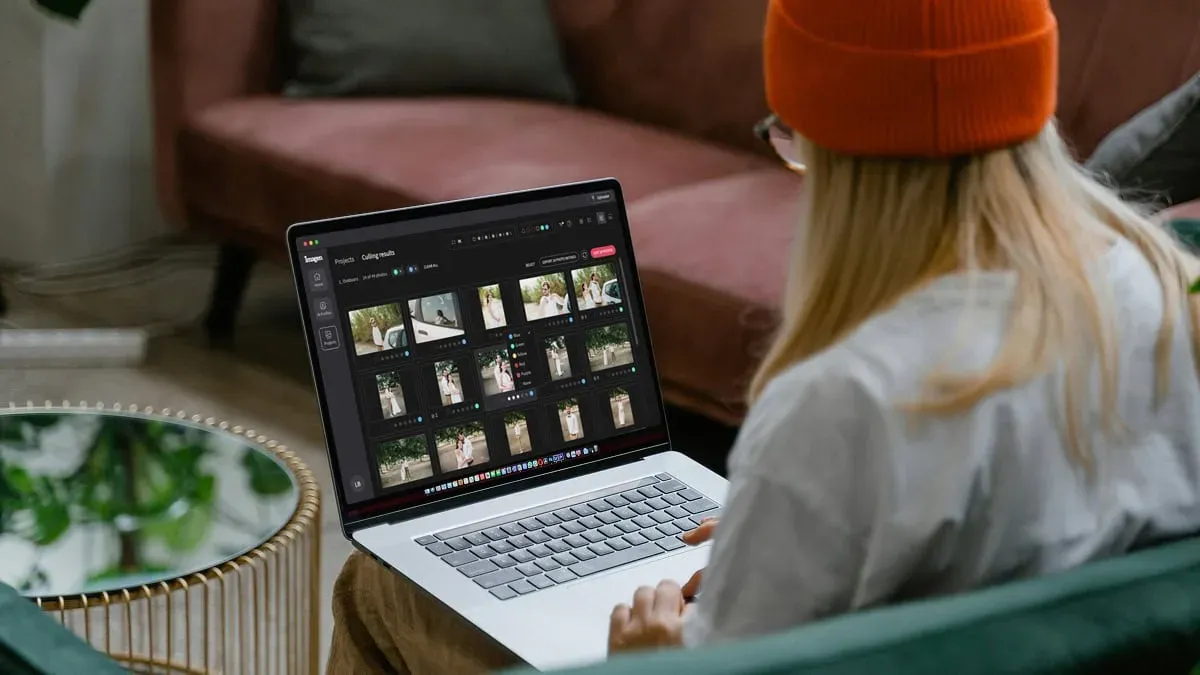
1. Imagen
Imagen is built for photographers and studios that shoot high volumes and need every frame to look the same. Instead of applying a generic filter, it learns your personal editing style from your own Lightroom or Capture One catalog, then applies that look consistently across an entire shoot. For a supplement brand that photographs dozens of vitamin bottles, protein tubs, and gummy jars in a single session, this means the white background stays the same white, the brand red stays the same red, and exposure holds steady from the first SKU to the last. When the edits are done, you can export finished JPG, TIFF, or PNG files straight from Imagen, or send the edits back to Lightroom Classic.
The workflow connects three jobs that usually live in separate apps. AI culling sorts through the raw take and flags the strongest frames, which saves hours when you shoot each product from several angles. AI editing applies your style with correct exposure and color accuracy. AI retouching handles cleanup such as dust on a glossy tub or a smudge on a glass bottle. Because these steps run in one connected flow, you move from memory card to finished catalog without bouncing between tools.
It is important to be clear about what Imagen does. It edits, culls, and retouches the real product photos you actually shot. It works on exposure, color accuracy, and cleanup. It is not an image generator, and it does not invent products, labels, or fake scenes. For a category where label accuracy and truthful representation carry legal and trust weight, that honesty matters. What you photograph is what your customer sees, only cleaner and more consistent.
Pricing is pay-as-you-go, which fits the uneven rhythm of catalog work: a monthly base fee plus a charge for each photo you export. You see every edit in the gallery before you export, so you can try it on a real batch of your own bottles and see how the style transfer holds before you commit. Start at the Imagen website.
2. Adobe Lightroom
Adobe Lightroom is a long-standing choice for product photographers who care about color accuracy. Its raw processing gives you fine control over white balance, tone curves, and individual color channels, which helps when a brand color needs to match a physical package exactly. For supplement catalogs, the calibrated color tools and profile options let you keep a protein tub the same shade across every angle and every SKU.
Lightroom also handles batch work well. You can build a preset from one corrected bottle and sync it across an entire folder, then fine-tune outliers by hand. Masking driven by AI selects a subject or background so you can adjust the product and its setting separately. Pricing follows a subscription model. Lightroom rewards a bit of learning, but for studios that want repeatable, color-true results it remains a dependable base.
3. Adobe Photoshop
Adobe Photoshop is the tool to reach for when a supplement image needs detailed work that a global adjustment cannot fix. Reflections on a glass bottle, a stray highlight on a plastic lid, or a wrinkle in a foil seal all respond to its precise retouching tools. The healing and clone features let you clean a label without touching the printed text, which protects the accuracy that supplement buyers rely on.
Photoshop also gives you layered control over backgrounds, shadows, and composites, so you can place a clean bottle on a pure white field for Amazon or build a lifestyle scene for a DTC page. Generative and selection features driven by AI speed up masking and fills. It runs on a subscription model. The trade-off is time, since detailed hand work per image adds up across a large catalog, which is why many teams pair it with a faster batch editor for the bulk of the work.
4. Capture One
Capture One is favored in studio product photography for its tethered capture and precise color handling. When you shoot supplement bottles directly into the software over a cable, you see each frame on a large screen at full quality, which makes it easier to catch a reflection or a color shift before you move to the next SKU. That live feedback saves reshoots on a busy catalog day.
Its color editing is granular, with tools that let you isolate and adjust a single hue without disturbing the rest of the frame. This helps when a brand green needs to match while the surrounding packaging stays neutral. Capture One offers both a subscription and a one-time license, which gives studios flexibility on how they pay. It suits teams that run controlled shoots and want tight command over capture and color from the start.
5. Photoroom
Photoroom is a browser and mobile app aimed at fast background work. For supplement sellers who need a clean white or transparent background on every bottle, its automatic subject cutout removes the setting in seconds and lets you drop in a consistent backdrop. That speed matters when marketplace rules call for pure white product shots across a wide catalog.
Beyond cutouts, Photoroom offers batch editing so you can apply the same background and sizing to a group of jars at once, which supports catalog consistency for Amazon and DTC stores. It also includes simple shadow and resize tools to help images meet listing requirements. Pricing is freemium, with a free tier and paid plans for higher volume and extra features. It is a practical option when your main need is clean, uniform packshots rather than deep color grading.
6. Pixelcut
Pixelcut is another web and mobile editor built around quick product edits. It handles background removal, resizing, and simple enhancements, which makes it useful for small supplement brands that manage their own listings without a dedicated studio. You can photograph a gummy jar on a phone, cut out the background, and prepare a clean image for a store page in a short session.
Its templates and batch features help maintain a consistent look across a modest catalog, and the interface stays approachable for sellers who are not photographers. Pricing is freemium, so you can test the basics before upgrading for higher output. Pixelcut works best for speed and convenience on smaller catalogs, while larger operations with strict color needs will likely pair it with a more color-accurate tool.
7. Luminar Neo
Luminar Neo focuses on AI-assisted enhancement with an interface that stays simple. Its tools can adjust exposure, remove distractions, and clean up a frame without a steep learning curve, which appeals to supplement sellers who want polished images without mastering a full professional editor. For a plastic tub that needs brighter, cleaner presentation, its enhancement features do useful work with a few clicks.
It also includes tools to reduce reflections and refine detail, which helps on shiny supplement packaging. Luminar Neo is available as a subscription or a one-time license, giving buyers a choice on cost structure. It sits between fast browser apps and heavy professional software, making it a reasonable middle option for brands that want more control than a cutout tool but less complexity than a layered editor.
8. Topaz Photo AI
Topaz Photo AI specializes in image quality repair rather than styling. Its strengths are sharpening, noise reduction, and upscaling, which come into play when a supplement photo is slightly soft, shot at higher sensitivity, or needs to be enlarged for a zoom view without losing crispness on the label text. Clear, legible labels help buyers trust what they are ordering.
Because it runs as a one-time license, it can be an economical addition to a workflow that already handles color and background elsewhere. Many teams use it as a finishing pass to recover detail on bottles or to boost resolution for large marketplace images. Topaz Photo AI is not a full catalog editor, so it works best alongside a primary tool rather than as your only software.
What to look for in supplement photo editing software
Supplement photography has needs that general product editing does not always cover. Label accuracy comes first, since customers read ingredients, dosages, and brand names directly from your images, and any edit that distorts printed text erodes trust. Choose software that lets you clean a bottle without altering the label. Brand color fidelity is close behind, because a formula recognized by its packaging color must read the same on every SKU and every angle.
Reflection control is a practical daily concern. Plastic tubs and glass bottles both bounce studio light, and you want tools that reduce glare while keeping the surface looking natural. Clean backgrounds matter for marketplace compliance, where a pure white field is often required. Finally, batch consistency is what separates a smooth catalog from a patchy one. When you list hundreds of SKUs, the ability to apply one consistent look across the full set, rather than editing each image from scratch, saves the most time and produces the most professional store.
For a wider view of the category, see our guides to the best AI ecommerce photo editing software and the best AI Amazon product photo editing software. Photographers building a broader toolkit can also review the best AI photo editing software for photographers, and you can browse more resources on the Imagen tips hub.
How to choose the right tool for your catalog
Start with your volume and your goal. If you shoot large catalogs and want every image to match while saving hours of manual work, a style-learning workflow like Imagen fits because it culls, edits, and retouches in one flow on the real photos you captured. If you run controlled studio sessions and want precise capture and color from the start, Capture One or Lightroom give you that command. If your main task is clean packshots on white for a marketplace, a background app like Photoroom or Pixelcut moves fastest.
Consider how your tools work together. Many supplement brands pair a fast, consistent batch editor for the bulk of the catalog with a detailed editor like Photoshop for the few images that need reflection cleanup, and a quality tool like Topaz Photo AI for sharpening or upscaling. Match the pricing model to your cadence too. Pay-as-you-go suits seasonal or uneven shooting, a subscription suits steady monthly output, and a one-time license suits a fixed budget. Test on a real batch of your own bottles before you commit, since the right fit depends on how your studio and store actually run. When you are ready to try style-consistent editing at scale, explore Imagen’s new Studio, where you cull, edit, and export in one project, at the Imagen website.
What’s new in Imagen: Today’s Imagen is an intelligent, agentic Studio for professional photographers: one project where you cull, edit, review, and export in whatever order the shoot needs. For a supplement catalog with bottles, tubs, and pouches, more than one AI Profile can be applied to a selected set of photos, which takes some processing time. Use AI culling, or skip it and cull manually for free. Access is rolling out gradually during the beta.
Frequently asked questions
Can AI photo editing keep my supplement labels accurate?
Yes, when you use editing software rather than an image generator. Tools like Imagen work on the real photos you shot, adjusting exposure, color, and cleanup while leaving the printed label intact. This keeps ingredient lists, dosages, and brand names truthful, which is essential for supplement listings that customers read closely before buying.
How do I keep brand color consistent across hundreds of SKUs?
Use a workflow that applies one consistent look across the whole catalog. Imagen learns your personal editing style and applies it across an entire shoot, so a brand color reads the same on every bottle. Color-accurate editors like Lightroom and Capture One also let you build and sync presets to hold color steady across a large set.
What is the best way to control reflections on plastic and glass?
Reflection control starts on set with lighting, then editing refines the result. Detailed editors such as Photoshop let you retouch glare on a lid or bottle by hand, while enhancement tools like Luminar Neo can reduce reflections more quickly. For a large catalog, a batch editor keeps the corrected look consistent so you do not fix each frame from scratch.
Is Imagen an image generator?
No. Imagen edits, culls, and retouches the real product photos you captured. It does not invent products, labels, or fake scenes. It improves exposure, color accuracy, and cleanup on your actual images, which is why it fits a category where honest representation of the product matters. Start a free trial at the Imagen website.

