

8 Best AI Ecommerce Photo Editing Software in 2026
Table of contents
Running an online store means shooting hundreds of product photos and making every one look clean, consistent, and true to the item on the shelf. The right AI editing tool speeds up the tedious parts of that job, from white background cleanup and color accuracy to shadow removal and batch consistency across a large SKU set. This guide ranks eight tools that ecommerce teams actually use in 2026, starting with Imagen, which learns your personal editing style and applies it across an entire shoot so your storefront and marketplace listings stay visually uniform. Every pick below works on real photos you shot, and we flag exactly what each one is best for.
Key Takeaways
- Imagen learns your catalog style and applies it consistently across a full shoot, and it also handles AI culling and AI retouching in one connected workflow.
- Imagen edits real product photos for exposure, color accuracy, and cleanup. It does not generate products, fake scenes, or invented backgrounds.
- Background removal tools like Photoroom and Pixelcut are strong when you need clean white or transparent backgrounds fast for marketplace listings.
- Adobe Lightroom, Photoshop, and Capture One remain the reference tools for precise color, retouching, and tethered studio work.
- Match the tool to your bottleneck: batch consistency, background cleanup, detail retouching, or fast turnaround at scale.
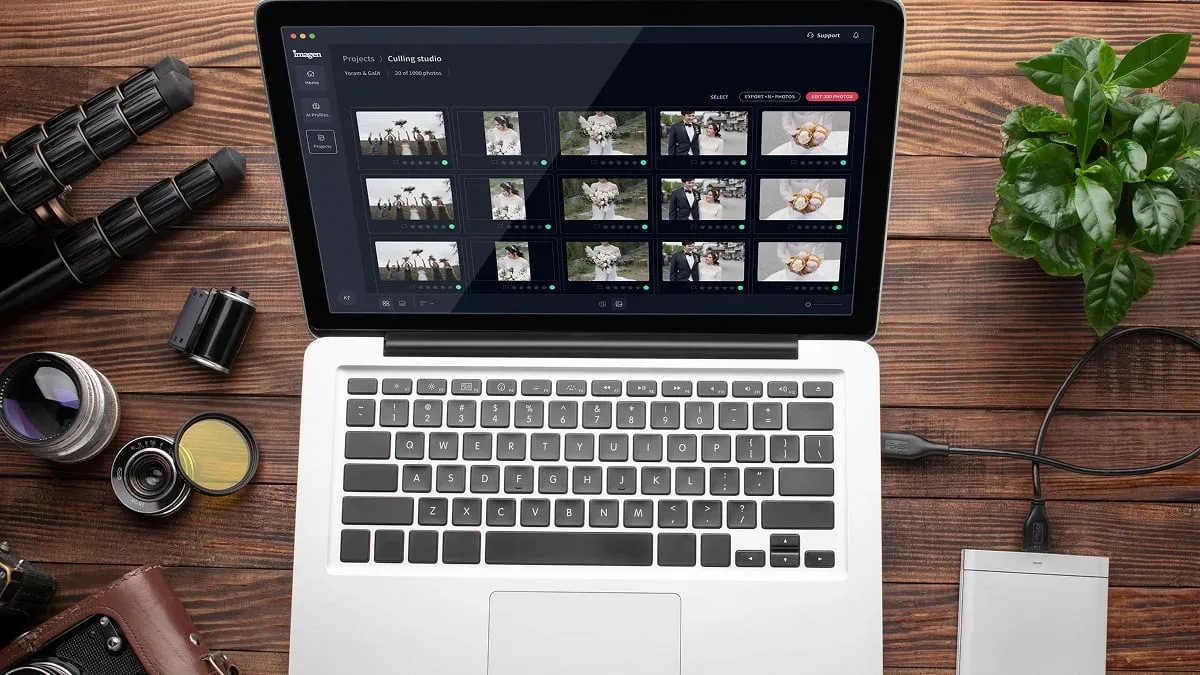
1. Imagen
Imagen is built for photographers and studios that shoot in volume and need every frame to match. It studies your own edits from your Lightroom or Capture One catalog, learns the look you already apply by hand, and then reproduces that personal style across an entire product shoot automatically. For ecommerce catalogs, that means your white backgrounds, exposure, and product color stay consistent from the first SKU to the last, without you touching each image one at a time.
What makes Imagen practical for online stores is that culling, editing, and retouching live in one connected workflow. It sorts through large sets to flag the keepers, applies your style edits, and cleans up common issues so your listings look polished. You can also skip AI culling and cull manually for free. Imagen works on the real photos you captured, correcting exposure, color, and blemishes. It is not an image generator, so it never invents products, scenes, or artificial backgrounds, which keeps your catalog honest and accurate.
Pricing follows a pay on export model: pay-as-you-go photographers pay at export and see every edit in the gallery first, so you can run a real batch through before committing.
2. Adobe Lightroom
Adobe Lightroom is a long-standing choice for product photographers who care about accurate color and repeatable results. Its raw processing gives you precise control over exposure, white balance, and tone, which matters when a shopper needs to trust that the color on screen matches the item that arrives. For ecommerce catalogs, the preset and sync features let you apply one corrected look across a full set of images, keeping a large SKU list uniform.
Lightroom also handles library management well, so you can keep thousands of product shots organized by collection, season, or campaign. Its AI masking helps isolate a product from its surroundings for targeted adjustments. Lightroom runs on a subscription model. It is a dependable pick when color fidelity and a tidy, searchable catalog are your priorities.
3. Adobe Photoshop
Adobe Photoshop is the tool to reach for when a product image needs detailed, pixel-level work. For ecommerce, that usually means clean shadow removal, precise background replacement to pure white, dust and blemish cleanup on glossy surfaces, and compositing a product onto a consistent studio backdrop. Its selection and masking tools give you the control that automated batch tools cannot always match on tricky items like reflective glass or fine jewelry.
Photoshop also supports actions, which let you record a cleanup routine once and replay it across many files for a measure of batch consistency. It sits on a subscription model. Photoshop is best when you need hands-on retouching precision for hero shots, rather than speed across an entire catalog at once.
4. Capture One
Capture One is favored in studio environments where tethered shooting and color accuracy drive the workflow. When you photograph products directly into the software, you see each frame on a large screen instantly, which helps you nail exposure and background evenness before the shoot moves on. Its color editing tools are detailed, giving you fine control over product hues so a red bag reads as the exact red buyers will receive.
For catalogs, Capture One offers styles and copy-paste adjustments that carry a corrected look across a set. It is available through both a subscription and a one-time license, depending on the plan you choose. Capture One is a strong fit for studios that shoot tethered and want tight control over color from capture through export.
5. Photoroom
Photoroom focuses on fast background work, which is exactly the bottleneck for many marketplace sellers. It removes the background from a product photo in a moment and lets you drop in a clean white or transparent backdrop that meets listing requirements on major platforms. For sellers who shoot on a phone or in a small setup, this turns a rough snapshot into a tidy catalog image quickly.
Beyond background removal, Photoroom offers batch processing so you can standardize a group of product shots to the same backdrop and framing. It runs on a freemium model, letting you try the basics before upgrading for volume features. Photoroom is best when your main need is clean, consistent backgrounds produced at speed.
6. Pixelcut
Pixelcut is another background-first tool aimed at small sellers and social commerce. It handles background removal and clean product cutouts, then helps you place items on plain or branded backdrops for a uniform storefront look. Its templates make it easy to produce listing images and promotional graphics from the same product photo, which saves time when you sell across several channels.
For ecommerce work, the batch and resizing features help you output the same product in the dimensions each marketplace expects. Pixelcut uses a freemium model, so you can test cutouts before paying for advanced options. It is a practical choice for mobile-first sellers who want quick, consistent product images without a desktop editing suite.
7. Luminar Neo
Luminar Neo blends AI-assisted editing with a friendly interface, which suits sellers who want strong results without deep manual work. Its tools handle exposure, color, and cleanup, and its background and object removal features help tidy up product shots that were captured in a busy space. For catalogs, that means you can lift a product out of a cluttered setting and present it against a cleaner backdrop.
Luminar Neo also offers presets that carry a look across a set of images for a degree of consistency. It is sold through both a subscription and a one-time license, so you can pick the arrangement that fits your budget. Luminar Neo is a good middle ground for sellers who want capable editing with a gentle learning curve.
8. Topaz Photo AI
Topaz Photo AI concentrates on image quality repair, which helps when your source product photos are soft, noisy, or shot in low light. It sharpens fine detail, reduces noise, and upscales resolution, so a small or slightly blurry product image can be brought up to the crisp standard that catalog and marketplace listings demand. For items where texture matters, like fabric weave or metal finish, that added clarity can make a listing more convincing.
Topaz Photo AI supports batch processing, so you can run a folder of product shots through the same enhancement in one pass. It is available as a one-time license. Topaz Photo AI is best used alongside a color and background tool, handling the sharpness and resolution side of your ecommerce workflow.
Quick comparison of the top tools
| Tool | Best for | Pricing model |
|---|---|---|
| Imagen | Consistent style across a full shoot, plus culling and retouching | Pay-as-you-go: pay on export |
| Adobe Lightroom | Accurate color and organized catalogs at scale | Subscription |
| Adobe Photoshop | Detailed retouching and background replacement | Subscription |
| Capture One | Tethered studio shooting and color control | Subscription or one-time license |
| Photoroom | Fast clean backgrounds for listings | Freemium |
| Pixelcut | Mobile-first cutouts and templates | Freemium |
| Luminar Neo | AI-assisted editing with an easy interface | Subscription or one-time license |
| Topaz Photo AI | Sharpening, noise reduction, and upscaling | One-time license |
How to choose the right AI ecommerce photo editing tool
Start by naming your real bottleneck. If you shoot large volumes and struggle to keep every SKU looking the same, prioritize a tool that carries a consistent style across a whole set, like Imagen, Lightroom, or Capture One. If your main pain is cleaning up backgrounds for marketplace rules, a dedicated background tool such as Photoroom or Pixelcut will save the most time. If your captures need sharpening or noise cleanup, Topaz Photo AI addresses that specific gap.
Next, weigh your team and workflow. Studios that shoot tethered lean toward Capture One, while teams already living in the Adobe ecosystem often stay with Lightroom and Photoshop. Solo sellers who work from a phone tend to prefer Photoroom or Pixelcut. If you want culling, editing, and retouching handled together on real photos, Imagen covers that connected flow and learns your personal look so results stay on brand.
Finally, match the pricing model to your volume. Pay-as-you-go suits variable output, subscriptions suit steady daily work, and one-time licenses suit sellers who want a fixed cost. Test with a real batch before you commit, since your own product types reveal how each tool handles color, shadows, and edges. For related niches, see our guides on the best AI catalog photo editing software, the best AI apparel photo editing software, and the broader best AI photo editing software for photographers. You can also browse the full tips hub for more workflow guides.
What’s new in Imagen: Product catalogs depend on every SKU matching, so Imagen is now an intelligent, agentic Studio for professional photographers, one project where you cull, edit, review and export in any order. Pick your Personal AI Profile or a ready-made AI Profile for a consistent look, then export finished JPG, TIFF or PNG files straight from Imagen. The Studio is rolling out gradually as a beta.
Frequently asked questions
Does AI editing change what my product actually looks like?
It depends on the tool. Editing software like Imagen, Lightroom, and Capture One corrects exposure, color, and cleanup on the real photo you shot, so the item stays accurate. Imagen in particular is not an image generator and never invents products or fake scenes. Accurate color builds buyer trust and reduces returns, so keep edits honest to what ships.
Which tool is best for keeping a large catalog consistent?
For batch consistency across many SKUs, Imagen learns your personal style and applies it across a full shoot, which keeps backgrounds, exposure, and color uniform. Lightroom and Capture One also carry a corrected look across sets through presets and styles. The right pick depends on whether you want the process automated or prefer manual control.
Can I get clean white backgrounds without a studio?
Yes. Photoroom and Pixelcut remove backgrounds and place products on clean white or transparent backdrops, which meets the listing rules on most marketplaces. They work well even for photos captured on a phone, so a small setup can still produce tidy, consistent listing images.
Is there a way to try these tools before paying?
Many offer a trial. Imagen offers a free trial, then you pay at export, so you can run a real batch through first. Photoroom and Pixelcut use freemium plans, and other tools offer trial periods. Testing with your own product photos is the fastest way to judge fit.
Final thoughts
The best AI ecommerce photo editing software is the one that clears your biggest bottleneck while keeping your product images accurate. For teams that shoot in volume and want culling, editing, and retouching in one connected flow with a consistent look across every SKU, Imagen is the standout choice, and its new Studio lets you cull, edit and export in one project, with the free trial to prove it on a real batch. Pair it with a background tool or a sharpening tool if your workflow needs those, and you will have a setup that keeps your storefront clean and your listings trustworthy. Start editing with Imagen today.

