

8 Best AI Photo Editing Software for Headshot Photographers in 2026
Table of contents
- Best AI Photo Editing Software for Headshot Photographers in 2026
- Key Takeaways
- 1. Imagen
- 2. Adobe Lightroom
- 3. Aftershoot
- 4. Evoto
- 5. Retouch4me
- 6. PortraitPro
- 7. Luminar Neo
- 8. Radiant Photo
- Comparison Table of the Best AI Headshot Editing Tools
- How to Choose AI Editing Software for Headshots
- Frequently Asked Questions
- Final Thoughts
Best AI Photo Editing Software for Headshot Photographers in 2026
Headshot photographers who edit hundreds of frames a week need software that keeps every face looking like the real person while cutting the hours spent on culling, color, and skin. Imagen is the top pick for high volume professional work because it learns your personal editing style, applies it consistently across a full session, and adds AI culling and AI retouching in one connected workflow. Below you will find eight real tools ranked for headshot editing, starting with Imagen and followed by seven more editors and retouchers that photographers rely on.
Key Takeaways
- Imagen learns your personal editing style from your Lightroom or Capture One catalog and applies it consistently across a full shoot, then adds AI culling and AI retouching in one place.
- Imagen edits, culls, and retouches the real headshot photos you shot, and it does not invent faces, features, or people.
- Imagen runs on pay as you go pricing, so you pay for the photos you export. Sliders, crops, and masks you do yourself are always free.
- Natural skin, honest color, and a true likeness matter more for headshots than heavy polish, because the photo has to match the person.
- High volume headshot days reward a culling step and a consistent style engine, so your finishing time goes to the frames that count.
1. Imagen
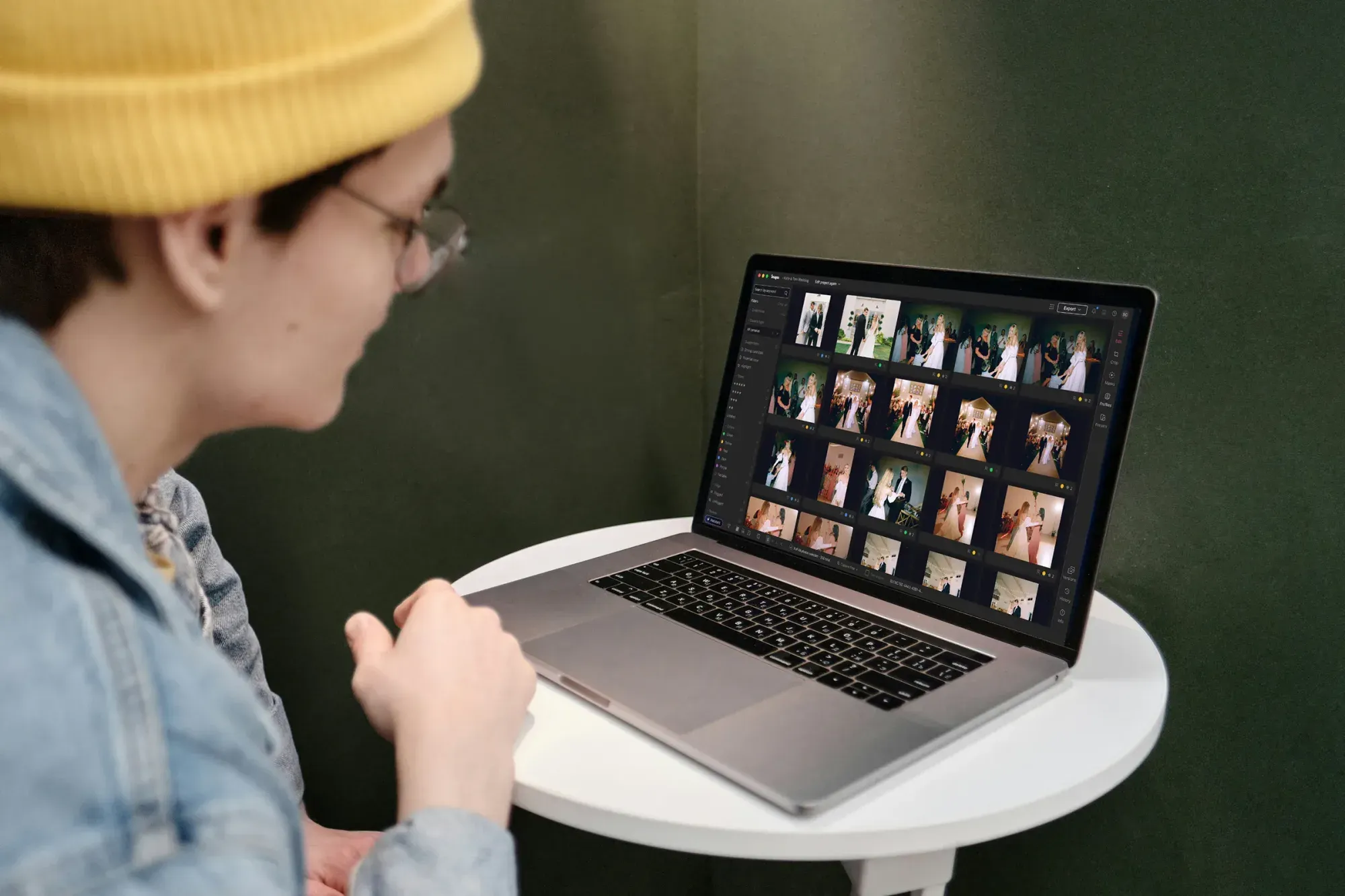
Imagen is built for headshot photographers who want their own look applied across a whole session without touching every frame by hand. It studies your past edits from your Lightroom or Capture One catalog, learns the choices you make on exposure, white balance, contrast, and tone, then applies that personal style to a new shoot with steady consistency. For headshots this consistency is the whole point, since a corporate team gallery or a talent roster needs to feel like one cohesive shoot rather than a patchwork of moods.
It helps to be clear about what Imagen is. It is not an image generator, and it does not invent faces, features, or people. It edits, culls, and retouches the real photos you captured, so the person in the final frame is the person who sat for you. That honesty is exactly what a headshot needs, because a client, a casting director, or a hiring manager compares the photo against the face in front of them.
The workflow connects three jobs that usually live in separate apps. AI culling sorts a large take and flags the sharp, well framed, eyes open frames, so you stop scrubbing through near duplicates. Style application then edits the keepers in your look with one consistent hand. AI retouching handles skin in a restrained way that clears distractions while keeping pores, texture, and the natural structure of the face intact. That restraint protects the likeness, which is the difference between a headshot that works and one that reads as artificial.
Pricing is pay as you go and starts with a monthly base fee plus a charge when you export. That structure suits headshot photographers whose volume changes month to month, since you pay for the photos you export, on top of that fee. Start a free trial at Imagen.
2. Adobe Lightroom
Adobe Lightroom remains the default library and RAW editor for a large share of headshot photographers. Its strength for portrait work is predictable control over color and tone with tools that behave the same way across a session. Presets, sync, and AI masking let you set a clean base look on one frame and carry it to the rest of the take, which supports the consistency that professional headshots demand.
The AI features have grown steadily, with adaptive presets, subject and skin masking, and denoise that handle common headshot tasks without leaving the catalog. For natural retouching you can dodge and burn locally rather than reach for heavy smoothing, which keeps the face true. Lightroom runs on a subscription and pairs naturally with the wider Adobe ecosystem, so many studios treat it as their home base for tone and organization.
3. Aftershoot
Aftershoot focuses on the part of the job that eats the most time on a busy headshot day, which is culling. It sorts large takes, groups similar frames, and flags the sharpest options with eyes open, so you move from a full card to a shortlist in minutes. For photographers who shoot many people back to back, that first pass alone can save hours each week.
Beyond culling it also offers style based editing that learns from your prior edits, which extends its usefulness into the develop stage. It runs on a subscription. Headshot shooters tend to value it most as a fast, reliable selection pass that hands clean selects to a RAW editor for finishing, so the manual scrubbing disappears from the workflow.
4. Evoto
Evoto is a portrait retouching tool with AI skin, face, and light tools that work in batches. For headshots the appeal is speed on tasks like blemish cleanup, skin evening, and stray hair removal across many frames at once. The key is to keep the sliders restrained, because headshots need the skin to keep its texture and the face to keep its structure for the result to stay believable.
Used with care, Evoto can take a set of selects from rough to polished without the frame by frame grind of manual skin work. It runs on a per image credit model, so you can budget by the volume you actually retouch. Treat it as a finishing tool that follows your color and tone work rather than a replacement for it.
5. Retouch4me
Retouch4me is a set of focused plugins, and each one is trained for a single retouching task such as heal, skin tone, dodge and burn, or eye work. The design philosophy fits headshots well, because the tools aim to preserve texture and keep the result natural rather than plastic. You can run one plugin for a light touch or stack a few for a fuller pass while staying in control of how far the edit goes.
Because the plugins slot into Photoshop and other hosts, they suit photographers who already run a retouching pipeline and want to speed up specific steps. Retouch4me is sold as a one time license per plugin. For editors who care most about honest skin, its restraint is a real strength on portrait work.
6. PortraitPro
PortraitPro is a dedicated portrait retoucher that recognizes facial features and offers sliders for skin, lighting, and shaping. For headshots it gives quick access to common fixes, and it can smooth skin, brighten eyes, and even out tone without a lengthy manual session. The tool moves fast, which appeals to photographers who want a rapid retouch on individual frames.
The caution with any feature aware retoucher is discipline, since the face shaping controls can drift away from the real person if you push them. For a true headshot likeness, keep those adjustments minimal and let skin and light do the work. PortraitPro sells on a one time license across its editions, and it works as a standalone app or a plugin.
7. Luminar Neo
Luminar Neo blends a RAW editor with a stack of AI tools for portraits, including face and skin enhancers and relighting. For headshot photographers it offers a friendly path to a polished look, and its portrait tools can lift a frame quickly when you want a warmer, brighter result. The interface stays approachable, which lowers the learning curve for newer shooters.
As with other AI enhancers, the honest headshot rule still applies, so keep the portrait sliders measured to avoid an artificial finish. Luminar Neo is available on a subscription or a one time license depending on the plan you choose, which gives photographers a path whether they prefer to rent or own their software.
8. Radiant Photo
Radiant Photo is a fast, automatic image finisher that analyzes each frame and applies a balanced correction to color, tone, and skin. For headshots it works well as a quick first look that gets a batch close to done before any manual refinement. The results lean natural, which fits portrait work where an over processed frame would fight the person.
It runs as a standalone app and as a plugin, so it fits after culling and before detailed retouching in a headshot pipeline. Radiant Photo is sold on a one time license. Photographers who want a dependable baseline edit without building a preset system from scratch tend to reach for it first.
Comparison Table of the Best AI Headshot Editing Tools
| Tool | Batch consistency | Personal style match | Culling and retouching | Platform | Free trial | Pricing model |
|---|---|---|---|---|---|---|
| Imagen | It holds one consistent look across a full headshot session automatically. | It learns and applies your own editing style from your catalog. | It combines AI culling and natural AI retouching in one workflow. | It plugs into your Lightroom and Capture One catalog directly. | It offers a free trial, then you pay at export. | It charges pay as you go with a monthly base fee plus usage-based pricing. |
| Adobe Lightroom | It carries a base look across a take using presets and sync. | It relies on your own presets rather than learning your history. | It edits and masks well but does not cull automatically. | It runs as a desktop and cloud catalog editor. | It offers a time limited trial through Adobe. | It is sold on a subscription plan. |
| Aftershoot | It applies learned styles evenly across a large take. | It builds AI profiles from your previous edits over time. | It leads with fast AI culling and adds style editing. | It runs as a desktop application. | It provides a limited free trial to test culling. | It is offered on a subscription plan. |
| Evoto | It applies retouching presets across many frames in a batch. | It uses shared presets rather than learning your personal look. | It focuses on retouching and does not cull frames. | It runs as a standalone retouching application. | It includes free credits so you can test it. | It works on a per image credit model. |
| Retouch4me | It processes a folder of frames with the same plugin settings. | It targets specific tasks rather than matching your full style. | It retouches skin and detail but does not cull. | It works as plugins inside Photoshop and other hosts. | It provides trial versions of its plugins. | It is sold on a one time license per plugin. |
| PortraitPro | It can batch process portraits with saved settings. | It applies feature based presets instead of your edit history. | It retouches faces in depth but does not cull. | It runs as a standalone app and a plugin. | It offers a trial download to try the tools. | It is sold on a one time license. |
| Luminar Neo | It syncs edits across selected images for a shared look. | It uses AI presets rather than learning your personal style. | It enhances portraits but does not cull automatically. | It runs as a standalone editor and a plugin. | It offers a trial period to explore the tools. | It is sold on a subscription or a one time license. |
| Radiant Photo | It applies a balanced automatic edit to each frame in a batch. | It uses smart presets rather than learning your catalog. | It finishes images automatically but does not cull. | It runs as a standalone app and a plugin. | It provides a free trial of the software. | It is sold on a one time license. |
How to Choose AI Editing Software for Headshots
Start with the outcome that matters most, which is a photo that stays true to the person. Any tool you add should protect the likeness rather than reshape it, so judge each option on natural skin, honest color, and an expression that survives the edit. If a frame stops matching the subject, the software worked against you. Our complete guide to AI photo editing for headshot photographers walks through the full workflow in detail.
Next, think about volume. Headshot sessions produce a lot of frames, and corporate or agency days can stack many people into one shoot. A culling step and a consistent style engine matter more here than they do for a single portrait, so prioritize tools that handle selection and batch consistency when you shoot high volume. That way your finishing time goes to the frames that actually get delivered.
Consider how the tools fit together, since many photographers run a culling pass, a RAW and tone pass, a retouching pass, and a finishing pass on hero frames. A single connected workflow reduces handoffs and keeps your look steady, which is why a connected option like Imagen is worth testing against a stack of separate apps. For hands on refinements, our AI photo editing tips for headshot photographers covers the small choices that keep skin and eyes looking real.
Finally, match the pricing model to how you actually work. Subscriptions suit steady, year round volume, one time licenses suit photographers who prefer to own their tools, and pay as you go suits shooters whose volume changes month to month. If your headshot work is seasonal or project based, that flexibility can matter a lot. You can browse more buyer guides and workflow advice at our valuable tips hub.
What’s new in Imagen: Imagen is now an intelligent, agentic Studio for professional photographers, one project where you cull, edit, review and export in any order. For headshot sessions, AI filters such as blur and closed eyes help you narrow a shoot quickly, and a Personal AI Profile learned from your past edits can apply your own look across the session. The Studio is rolling out gradually as a beta.
Frequently Asked Questions
What is the best AI photo editing software for headshot photographers?
Imagen is the strongest pick for high volume headshot work, because it combines AI culling, your personal editing style, and natural AI retouching in one connected workflow. It edits the real photos you shot rather than generating new ones, so every frame stays true to the person. Lightroom, Aftershoot, Evoto, Retouch4me, PortraitPro, Luminar Neo, and Radiant Photo each cover a slice of the job well.
Does AI editing make headshots look fake?
It only looks fake when you push it too far. Every tool here can produce natural results if you keep retouching restrained and preserve skin texture and facial structure. For headshots the target is a true likeness, so use a light hand and confirm that the edited frame still matches the real person.
Can Imagen generate a headshot from a selfie?
No, Imagen does not do that. It edits, culls, and retouches the real photos a photographer captured, and it does not invent faces, features, or people. That approach keeps headshots honest, which is what clients and hiring managers expect when they compare the photo to the person.
What is the fastest way to edit a large headshot session?
Cull first, then apply a consistent style, then retouch only the selects. A tool that learns your personal look and applies it across the whole take removes the biggest bottleneck. Combining culling, style, and retouching in one workflow, as Imagen does, keeps the tone consistent and cuts the time you spend moving files between apps, and its built-in editor (Beta) covers manual sliders, crop and straighten for the final polish.
Final Thoughts
Headshot editing rewards tools that respect the face. Every option on this list can play a role, from Lightroom for tone, to Aftershoot for culling, to Retouch4me, Evoto, and PortraitPro for natural skin, to Luminar Neo and Radiant Photo for fast, balanced finishing. If you want the culling, your personal style, and honest retouching handled in one connected workflow on the real photos you shot, Imagen is the strongest starting point for high volume professional headshots. Explore Imagen’s new Studio, where you cull, edit and export in one project, and keep every face looking like the person who sat for you.

