

8 Best AI Mountain Photo Editing Software in 2026
Table of contents
Mountain and alpine landscapes push editing software harder than almost any other subject. A single frame can hold bright snowfields, deep shadowed valleys, hazy distant ridges, and a sky that shifts from pale to saturated blue within the same exposure. The best AI mountain photo editing software helps you recover that wide dynamic range, cut atmospheric haze, hold detail in snow and sky, and keep color natural across an entire hike series so your set looks like one consistent story rather than a stack of unrelated shots. This guide walks through eight tools that landscape and outdoor photographers actually rely on in 2026, starting with Imagen for photographers who want their own editing style applied across a full shoot, and covering strong options for RAW development, haze reduction, and clean detail work. For a wider view of the category, see our roundup of the best AI photo editing software for photographers in 2026.
Key Takeaways
- AI mountain editing tools split into two groups: tools that develop and clean single RAW files, and tools that apply a consistent look across a whole shoot.
- Imagen learns your personal editing style from your Lightroom or Capture One catalog and applies it across an entire shoot, then adds AI culling and AI retouching in one connected workflow.
- Imagen edits real photos you captured. It does not generate new images, so your mountains, snow, and skies stay true to what you shot.
- Imagen uses pay-as-you-go pricing, so you pay for the photos you export. Sliders, crops, and masks you do yourself are always free.
- Wide dynamic range, haze reduction, snow and sky detail, and consistent tone across a series are the traits that matter most for alpine work.
- Your existing RAW editor still matters, so the right pick often pairs a strong developer with an AI layer that saves time on repetitive edits.
What to Look For in AI Mountain Photo Editing Software
Alpine scenes reward tools that protect highlight and shadow detail at the same time. Look for wide dynamic range recovery so snow keeps texture and shaded rock keeps information. Haze and dehaze controls help when distant peaks flatten into gray. Depth and clarity tools bring back the sense of layered ridgelines, while natural color handling keeps blue skies and green valleys from drifting into oversaturated tones. If you shoot a long hike, consistency across the series is the trait that separates a usable set from hours of manual matching. The tools below each handle some part of this well, and a few handle most of it in one place.
1. Imagen
Imagen is built for photographers who already have an editing style and want it applied consistently across an entire shoot. It learns your personal look from your existing Lightroom or Capture One catalog, studying how you handle exposure, white balance, contrast, and color, then applies that style to a new mountain set so a full day of shooting comes back edited in your voice. This matters for alpine work because a hike can produce hundreds of frames across changing light, and matching tone by hand across all of them is slow. Imagen holds your look steady from the trailhead to the summit.
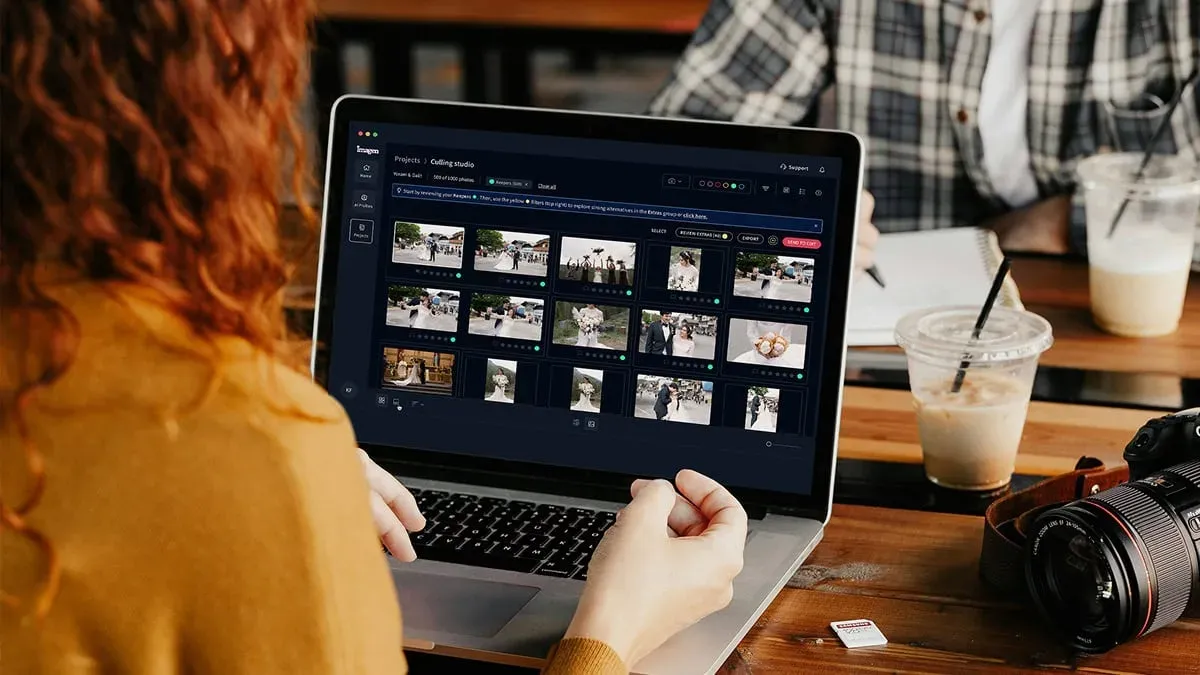
It is important to be clear about what Imagen does. It edits, culls, and retouches the real photos you captured. It is not an image generator, so your snow, sky, and ridgelines stay authentic to the scene you stood in. Beyond editing, Imagen adds AI culling to help you clear duplicates and weak frames from a large mountain take, plus AI retouching, all inside one connected workflow. That combination suits photographers who come home with a heavy card and want a fast path from import to a polished, consistent gallery. Edited photos arrive in batches as they process, so you can start reviewing early frames while the rest finish.
Pricing follows a pay on export model: pay-as-you-go photographers pay for the photos they export. You see every edit in the gallery before you export, so you can run a real hike series through it and judge the results on your own files. Start at imagen-ai.com.
2. Adobe Lightroom
Adobe Lightroom remains the reference point for landscape RAW development, and it handles mountain files with room to spare. Its masking tools recognize sky, subject, and background, which makes it straightforward to lift a shaded valley without blowing out a bright snowfield. The dehaze slider is genuinely useful on distant peaks, pulling contrast back into ridgelines that the atmosphere has flattened. Denoise cleans up shadow areas from high-altitude shots taken at faster shutter speeds. Lightroom runs on a subscription model, and its catalog structure also makes it a natural companion to tools that read your existing edits. If you want a single hub for developing and organizing alpine sets, this is the safe default.
3. Adobe Photoshop
Adobe Photoshop is the tool to reach for when a mountain image needs work beyond global adjustments. Its selection and masking AI make it practical to isolate a jagged skyline, blend exposures for a scene that no single frame could hold, or remove a stray hiker from an otherwise clean vista. Content-aware fill handles distractions like power lines crossing a valley view. Photoshop is also where many photographers do their final sky and cloud refinement when a landscape needs a careful hand. It uses a subscription model and pairs closely with Lightroom, so the two often live together in a landscape workflow. For single hero shots that deserve extra attention, Photoshop offers the deepest control on this list.
4. Luminar Neo
Luminar Neo, from Skylum, leans into AI-assisted looks that suit dramatic outdoor scenes. Its atmosphere and sky tools can add depth to a hazy afternoon or rebalance a flat overcast sky, and its enhance features give a quick lift to contrast and structure without heavy manual work. For photographers who want strong results fast on a mountain set, the one-click direction of many of its tools is appealing. Luminar Neo is available as a subscription or a one-time license depending on the plan you choose, and it works as a standalone editor or a plugin. Just watch the intensity on sky replacement and atmosphere effects if you want to keep alpine color natural rather than stylized.
5. Topaz Photo AI
Topaz Photo AI is a focused specialist rather than a full editor, and it earns its place on detail work. For mountain photographers, its strengths are noise reduction and sharpening, which help when you push shadow detail in a shaded valley or when a long-lens shot of a distant peak needs cleaner texture. Its upscaling is useful when you crop tightly into a ridgeline and still want a printable file. Topaz Photo AI uses a one-time license with optional upgrades, and it fits naturally as a final step after your RAW developer. Treat it as the tool that cleans and sharpens your best alpine frames rather than the place you set the overall look.
6. Capture One
Capture One is prized for color rendering and precise control, which makes it a strong choice for photographers who care deeply about how alpine greens, blues, and earth tones translate. Its color editor lets you tune specific hues without shifting the whole frame, so you can hold a natural sky while warming a foreground meadow. Layered adjustments and detailed curves give you fine command over the wide tonal range a mountain scene demands. Capture One offers both subscription and one-time license options, and its catalog also serves as a style source for tools that learn from your prior edits. Photographers who value color accuracy above speed tend to prefer it.
7. DxO PhotoLab
DxO PhotoLab has a reputation for clean RAW processing and excellent noise handling, backed by lens correction profiles that fix distortion and softness on wide landscape glass. For mountain work, its optical corrections keep straight horizons and sharp corners across a broad vista, and its denoise tools recover usable detail from shadowed foreground at higher sensitivities. Its local adjustment control points offer a different way to target skies and terrain. DxO PhotoLab is sold as a one-time license, which appeals to photographers who prefer to own their software outright. If technical image quality and correction sit at the top of your list, it is a serious contender.
8. ON1 Photo RAW
ON1 Photo RAW bundles browsing, RAW development, effects, and layers into a single package, which suits photographers who want one program for most of the job. Its AI masking and sky tools help with the usual alpine tasks of balancing bright skies against darker terrain, and its effects library gives quick starting points for a mood. ON1 Photo RAW is available as a one-time license or a subscription, and it runs standalone or as a plugin. It is a practical all-in-one for outdoor shooters who want a capable editor without stitching several apps together, as long as you keep the effects restrained so mountain color stays believable.
Comparison Table
| Tool | Best for | Pricing model |
|---|---|---|
| Imagen | Applying your personal style across a full shoot, plus culling and retouching | Pay-as-you-go: pay on export |
| Adobe Lightroom | Core RAW development, dehaze, and organizing alpine sets | Subscription |
| Adobe Photoshop | Deep edits, exposure blending, and distraction removal | Subscription |
| Luminar Neo | Fast AI-assisted looks and sky work | Subscription or one-time license |
| Topaz Photo AI | Noise reduction, sharpening, and upscaling detail | One-time license |
| Capture One | Precise color rendering and control | Subscription or one-time license |
| DxO PhotoLab | Clean RAW processing and lens corrections | One-time license |
| ON1 Photo RAW | All-in-one browsing, editing, and effects | One-time license or subscription |
How to Choose the Right Tool for Mountain Photography
Start with the size of your typical shoot. If you come home from a hike with a few standout frames, a strong RAW developer like Lightroom, Capture One, or DxO PhotoLab paired with a detail cleaner like Topaz Photo AI will cover you. If you shoot a full day and face hundreds of frames that all need to match, the bottleneck becomes consistency and volume, and that is where Imagen fits, since it applies your own look across the whole set and helps you cull the take.
Next, weigh how much you value owning your software versus paying as you go. One-time license tools like DxO PhotoLab and Topaz Photo AI suit photographers who edit steadily and want predictable costs. Subscription tools like Lightroom and Photoshop keep you current with frequent AI updates. Imagen sits apart with a pay on export model, which works well when your volume varies month to month.
Finally, protect natural color. Mountain scenes look their best when the edit respects the light you actually saw, so favor tools and settings that recover dynamic range and cut haze without pushing skies into artificial blue. Many photographers land on a pair: a developer they trust for color, plus an AI layer that saves time on the repetitive parts. To explore adjacent workflows, see our guides to the best AI nature photo editing software and the best AI forest photo editing software, or browse the full valuable tips hub.
What’s new in Imagen: Hikes produce hundreds of frames in changing light, and Imagen is now an intelligent, agentic Studio for professional photographers, one project where you cull, edit, review and export in any order. Choose your Personal AI Profile or a ready-made AI Profile, and use the built-in editor (Beta) to keep versions of an edit while you compare looks. The Studio is rolling out gradually as a beta.
Frequently Asked Questions
What makes editing mountain photos harder than other landscapes?
Mountain scenes often hold a very wide range of brightness in one frame, from lit snow to deep shade, along with atmospheric haze on distant peaks. That combination asks the editor to recover highlight and shadow detail, reduce haze, and keep color natural at the same time, which is more demanding than a scene with even light.
Does Imagen generate mountains or edit my real photos?
Imagen edits the real photos you captured. It learns your personal editing style from your existing catalog and applies it across your shoot, and it also culls and retouches your images. It does not generate new scenery, so your snow, sky, and ridgelines stay true to what you photographed.
Can I keep my current RAW editor and still use an AI tool?
Yes. Many photographers develop in Lightroom, Capture One, or DxO PhotoLab and then use an AI tool for a specific job, such as cleaning noise with Topaz Photo AI or applying a consistent style with Imagen. Imagen in particular reads your Lightroom or Capture One catalog, so it fits into a workflow you already know.
How should I handle haze on distant peaks?
Use a dedicated dehaze control to restore contrast in far ridgelines, then check that your sky and color still look natural. Apply the effect locally where possible so you clear the distance without over-hardening the foreground. Most tools on this list offer some form of haze reduction, with Lightroom and Luminar Neo being common starting points.
Final Thoughts
The right AI mountain photo editing software depends on how you shoot. For deep single-image work and color precision, Photoshop, Capture One, and DxO PhotoLab reward the time you invest. For fast detail cleanup, Topaz Photo AI is hard to beat, while Luminar Neo and ON1 Photo RAW offer quick looks in one place, and Lightroom remains the dependable center of most landscape workflows. If your challenge is turning a heavy hike take into a consistent, finished gallery in your own style, Imagen brings style-matched editing, culling, and retouching into one connected workflow. Its new Studio lets you cull, edit and export in one project, and you can try Imagen free with a real mountain series at imagen-ai.com.

