

8 Best AI Magazine Photo Editing Software in 2026
Table of contents
Magazine photography carries a heavy load. A single cover has to hold attention on a crowded newsstand, feel current, and read cleanly in both print and digital formats. Feature spreads then need to match that cover in tone, color, and finish across dozens of frames shot over hours. The right editing software helps you build a polished color grade, keep skin natural through high-end retouching, hold print-ready sharpness, and carry one cohesive look across an entire story. This guide compares eight tools that photo editors, retouchers, and art directors rely on for editorial work in 2026, starting with Imagen and moving through the established names in the field. Each entry explains what the tool does well for magazine imagery and where it fits in a real production workflow.
Key Takeaways
- Magazine work rewards consistency, so the best tools carry one look across an entire feature rather than fixing frames one at a time.
- Imagen learns your personal editing style from your existing catalog and applies it across a full shoot, then adds AI culling and AI retouching in one connected flow.
- Lightroom and Capture One remain the core catalog and tethering platforms for editorial teams.
- Photoshop and Retouch4me cover the pixel-level retouching that cover images demand.
- DxO PhotoLab, Luminar Neo, and Topaz Photo AI each solve a focused problem: raw quality, creative looks, and sharpness recovery.
- Imagen prices on a pay-as-you-go basis: you pay for the photos you export. Sliders, crops, and masks you do yourself are always free.
- Competitor pricing models range across subscription, one-time license, per-image credits, freemium, and quote-based plans.
- Most editorial studios combine two or three of these tools rather than relying on a single application.
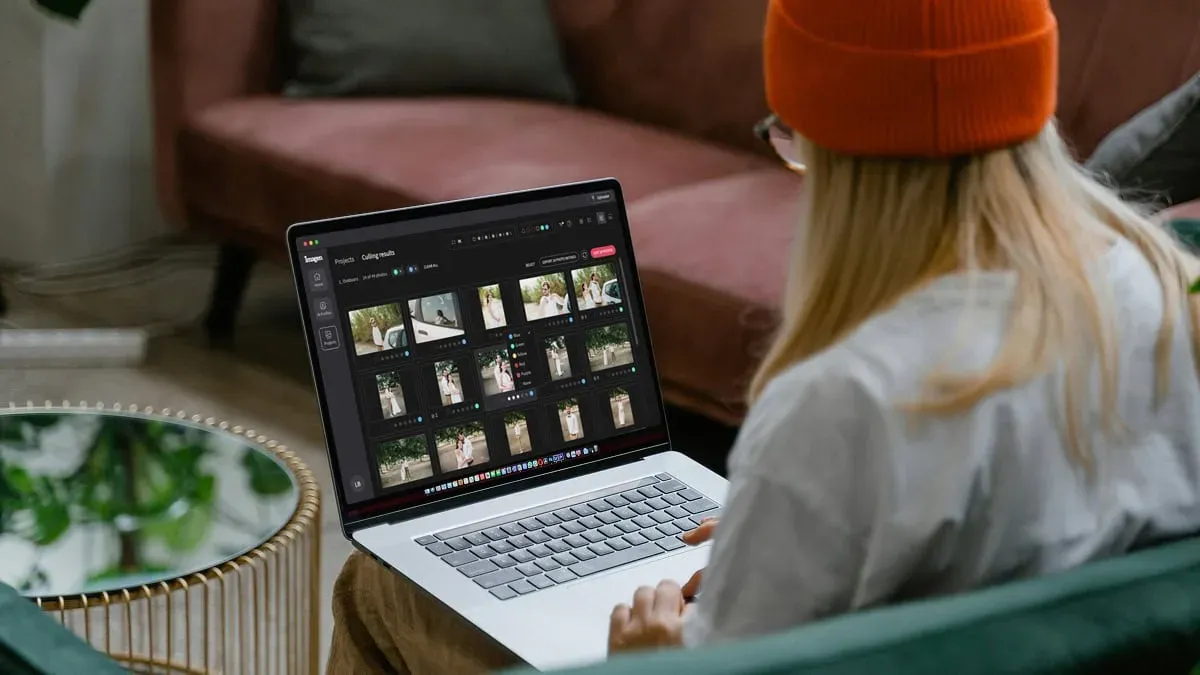
1. Imagen
Imagen is an AI photo editing platform built for photographers who shoot large volumes and need a repeatable look. It learns your personal editing style from your own Lightroom or Capture One catalog, then applies that style consistently across an entire shoot. For magazine work, this matters because a feature spread often runs to hundreds of frames captured in changing light, and hand-matching each one is slow. Imagen studies how you already handle exposure, white balance, tone, and color, then carries those decisions forward so the full set feels like one story.
The platform combines three stages in one connected workflow. AI culling reviews the take and helps you narrow a large shoot down to the frames worth keeping, which saves time before the grade even begins. AI editing applies your learned style to those selects, and frames that need a manual finish can be tweaked in the built-in editor (Beta), with sliders, crop and straighten, and versions. AI retouching then handles skin cleanup, blemish removal, and other portrait refinements that cover and feature imagery require. It is important to be clear about what Imagen does. It edits, culls, and retouches the real photos you shot, adjusting exposure, color, and skin and cleaning up distractions. It is not an image generator, and it does not invent subjects or fake scenes. The output stays true to what happened in front of the camera, which keeps editorial credibility intact.
Pricing is pay-as-you-go: you pay for the photos you export, and you see every edit in the gallery first, so you can look around before committing. For editorial photographers who deliver consistent, print-ready sets on tight deadlines, that combination of learned style, culling, and retouching in one place is the main draw.
You can try it at Imagen.
2. Adobe Lightroom
Adobe Lightroom is the catalog and raw processing hub that many editorial teams organize their work around. It handles import, keywording, and rating, then gives you a full set of tonal and color controls for building a grade. For magazine assignments, its masking tools stand out. AI-assisted selections for subject, sky, and background let you shape light on a cover portrait without leaving the raw environment, and those adjustments stay non-destructive. Preset syncing and copy-paste of develop settings help push a base look across a feature, though matching every frame by hand still takes attention.
Lightroom also connects tightly to Photoshop for round-trip editing when a frame needs deeper retouching. Its cloud and desktop versions share a library, which suits teams that review selects across locations. Lightroom runs on a subscription model. For editors who want a stable, well-supported base for color and organization, it remains a dependable starting point in the magazine workflow.
3. Adobe Photoshop
Adobe Photoshop is the standard for pixel-level work, and cover imagery is where it earns its place. Frequency separation, dodge and burn on curves, and precise liquify control give retouchers the finesse that high-end portraits demand. Its layer system lets you build complex composites for conceptual covers, blend multiple exposures, and clean backgrounds without touching the underlying frame. Generative and content-aware fill can extend backgrounds or remove distractions, which helps when a layout needs breathing room around a headline.
For print, Photoshop offers full control over color space, soft proofing, and output sharpening, so files land press-ready. The trade-off is time. Detailed magazine retouching in Photoshop is careful, manual work, which is why many studios pair it with faster tools for the bulk of a set and reserve Photoshop for hero frames. It runs on a subscription and remains the deepest editor on this list.
4. Capture One
Capture One has a strong following in editorial and fashion studios, where tethered shooting and color control are central. Its live tethering is fast and reliable, letting art directors judge frames on a large screen as the shoot happens. The color editor gives fine control over individual hues, which helps when a cover needs specific skin rendering or a controlled palette across a spread. Layers and local adjustments are flexible, and the raw processing produces clean, detailed files suited to large print reproduction.
Capture One also supports styles and session-based organization that fit the way editorial shoots are structured. Consistency across a feature is achievable through copying adjustments and applying styles, though it still relies on your manual judgment frame by frame. It is offered through subscription and one-time license options depending on the plan. For studios that value tethering and precise color, it is a core editorial platform.
5. DxO PhotoLab
DxO PhotoLab is known for the quality of its raw conversion and noise handling. Its denoising and lens correction models are built from extensive camera and lens testing, which pays off when a magazine shoot includes frames captured at high ISO in dim venues or backstage. Recovering clean detail from those files protects print sharpness, and the optical corrections keep lines and edges accurate for cover and spread reproduction.
PhotoLab focuses on getting the most out of the source file rather than on catalog management or retouching, so it often sits early in a workflow, feeding cleaner raws into Lightroom, Capture One, or a retouching stage. Its local adjustment tools and color controls are capable, and its output holds up well for demanding print use. DxO PhotoLab is sold as a one-time license. For editors who prioritize raw quality and clean high-ISO results, it is a valuable specialist.
6. Luminar Neo
Luminar Neo leans toward creative looks and speed. Its AI tools for relighting, sky work, and portrait enhancement let you build a distinctive mood quickly, which suits feature imagery that calls for a stylized treatment rather than a documentary one. Portrait tools can refine skin and facial features with sliders, giving a fast route to a polished result when a spread needs a soft, editorial finish. Templates and presets help set a consistent tone across related frames.
Luminar Neo works both as a standalone editor and as a plugin for Lightroom and Photoshop, so it can slot into an existing pipeline for the frames that need its creative controls. It is less focused on catalog depth and heavy print production, so most editorial users treat it as a look-building layer rather than a full hub. It is available through subscription and one-time license options. For a quick creative grade, it is a practical addition.
7. Topaz Photo AI
Topaz Photo AI concentrates on image quality recovery: sharpening, denoising, and upscaling. For magazine work, its value shows when a frame is soft, noisy, or needs to be enlarged for a full-bleed spread. The sharpening models can recover fine detail in eyes, hair, and fabric, and the upscaling holds structure when a file has to fill a large printed page. This makes it a useful rescue and finishing tool alongside your main editor.
Because it focuses on quality rather than grading or organization, Topaz Photo AI usually runs near the end of a workflow, cleaning and sharpening selects after the color grade is set. It works as a standalone application and as a plugin for Lightroom and Photoshop. Topaz Photo AI is sold as a one-time license. For print-ready sharpness and clean detail on hero frames, it fills a specific and useful role.
8. Retouch4me
Retouch4me is a set of focused AI plugins built for high-end retouching, and cover portraits are exactly its target. Individual tools handle skin cleanup, dodge and burn, frequency separation, and cleanup of stray hair or dust, each trained to mimic the way professional retouchers work. Instead of a single slider, you apply the specific plugin the frame needs, which keeps skin texture natural rather than plastic, a distinction that matters for close-up editorial portraits.
The plugins run inside Photoshop and other hosts, so they speed up manual retouching rather than replacing the editor entirely. This suits studios that already work in a layered Photoshop pipeline and want to shorten the hours a magazine cover normally takes. Retouch4me is sold through one-time license purchases per plugin. For teams that retouch skin at a high standard and want to keep that natural finish, it is a strong specialist choice.
Comparison Table
| Tool | Best for | Pricing model |
|---|---|---|
| Imagen | Consistent style, culling, and retouching across a full shoot | Pay-as-you-go: pay for the photos you export |
| Adobe Lightroom | Catalog, raw grading, and organization | Subscription |
| Adobe Photoshop | Deep pixel-level retouching and composites | Subscription |
| Capture One | Tethered editorial shooting and color control | Subscription or one-time license |
| DxO PhotoLab | Raw quality and high-ISO noise handling | One-time license |
| Luminar Neo | Fast creative looks and relighting | Subscription or one-time license |
| Topaz Photo AI | Sharpening, denoising, and upscaling for print | One-time license |
| Retouch4me | High-end skin retouching plugins | One-time license |
How to Choose the Right Magazine Photo Editing Software
Start with your biggest constraint. If you shoot large editorial volumes and struggle to keep a feature consistent, prioritize a tool that carries one look across the full set and reduces frame-by-frame matching. If your bottleneck is the cover retouch, weight your choice toward the pixel-level and skin tools instead. Most magazine studios end up combining a catalog platform, a retouching layer, and a quality tool rather than choosing one application for everything.
Consider where each tool sits in the pipeline. Raw quality tools like DxO PhotoLab belong early, feeding clean files forward. Catalog platforms like Lightroom and Capture One organize and grade the take. Style and culling tools like Imagen speed the move from a full shoot to a graded, retouched set. Photoshop and Retouch4me handle the hero frames, and Topaz Photo AI finishes sharpness before print. Thinking in stages keeps the workflow efficient.
Test on your own images before you commit. A style-learning tool should be judged on your actual catalog, and a retouching tool on your real cover portraits. Match the pricing model to how you work too, since a per-photo or per-image approach suits variable project volume while a subscription or one-time license suits steady output. For a broader view across categories, compare the general roundup of the best AI photo editing software for photographers and the focused guide to editorial photo editing software. You can also explore adjacent niches like fashion photo editing tools or browse the full tips hub for more comparisons.
What’s new in Imagen: Imagen is now an intelligent, agentic Studio for professional photographers: you cull, edit, review and export together in one project, in any order. For a magazine feature, the assistant can find photos by what is in them when you ask in plain language, then act on them while you steer, and ready-made AI Profiles sit alongside your own style. The Studio is rolling out gradually as a beta. Explore it at Imagen.
Frequently Asked Questions
What is the best AI tool for consistent editing across a magazine feature?
Imagen is built for this specific problem. It learns your personal editing style from your existing catalog and applies it across an entire shoot, so a feature spread of hundreds of frames reads as one cohesive story. It also adds AI culling and AI retouching in the same workflow, which shortens the path from a full take to a finished, print-ready set.
Do these AI tools generate fake images or alter what the camera captured?
Imagen does not generate images. It edits, culls, and retouches the real photos you shot, adjusting exposure, color, and skin and cleaning up distractions without inventing subjects or scenes. The other tools on this list are editors and plugins that refine your captured frames as well, though tools with generative features should be used with editorial standards in mind.
Can I keep skin looking natural on a cover portrait?
Yes. Retouch4me and Photoshop give retouchers fine control to clean skin while preserving texture, which keeps close-up portraits believable. Imagen also applies AI retouching that handles blemish removal and skin cleanup while following the style you already use, so the result stays consistent with your look across the shoot.
How much does Imagen cost to try?
You see every edit in the gallery before you export. Pricing is pay-as-you-go: you pay for the photos you export.
Conclusion
Magazine photography asks for a polished grade, natural retouching, print-ready sharpness, and a look that holds across an entire feature. No single tool covers every stage perfectly, which is why most editorial studios build a small stack that fits their workflow. Lightroom and Capture One anchor organization and color, Photoshop and Retouch4me handle hero-frame retouching, and DxO PhotoLab, Luminar Neo, and Topaz Photo AI each solve a focused problem. If your priority is carrying one consistent style across a full shoot while culling and retouching in the same place, Imagen is the strongest fit, and you can try its new Studio, where you cull, edit and export in one project, at Imagen, paying for the photos you export.

