

8 Best AI Editorial Photo Editing Software in 2026
Table of contents
Editorial photography lives or dies by consistency. A fashion story or a magazine feature needs refined color grading, natural high-end skin retouching, and a cohesive mood that holds from the opening spread to the last frame, all while staying print-ready. The right AI photo editing software helps you get there faster without flattening the look you worked to create on set. This guide ranks eight tools that editorial photographers and retouchers actually use in 2026, starting with the one that learns your personal style and applies it across an entire shoot. For each pick you will find what it does well, where it fits in an editorial workflow, and the pricing model so you can plan a budget before you commit.
Key Takeaways
- Imagen learns your personal editing style from your Lightroom or Capture One catalog and applies it consistently across a full shoot, with AI culling and AI retouching in one connected workflow.
- Imagen edits, culls, and retouches the real photos you shot. It is not an image generator and does not invent subjects or fake scenes.
- Imagen pricing is pay-as-you-go: you pay for the photos you export. Sliders, crops, and masks you do yourself are always free.
- Adobe Lightroom and Capture One remain the core catalogs for color grading and tethered editorial capture.
- Adobe Photoshop, Retouch4me, and Topaz Photo AI handle the pixel-level retouching and cleanup that editorial covers demand.
- Match the tool to the job: catalog and grade, then retouch, then finish for print.
1. Imagen
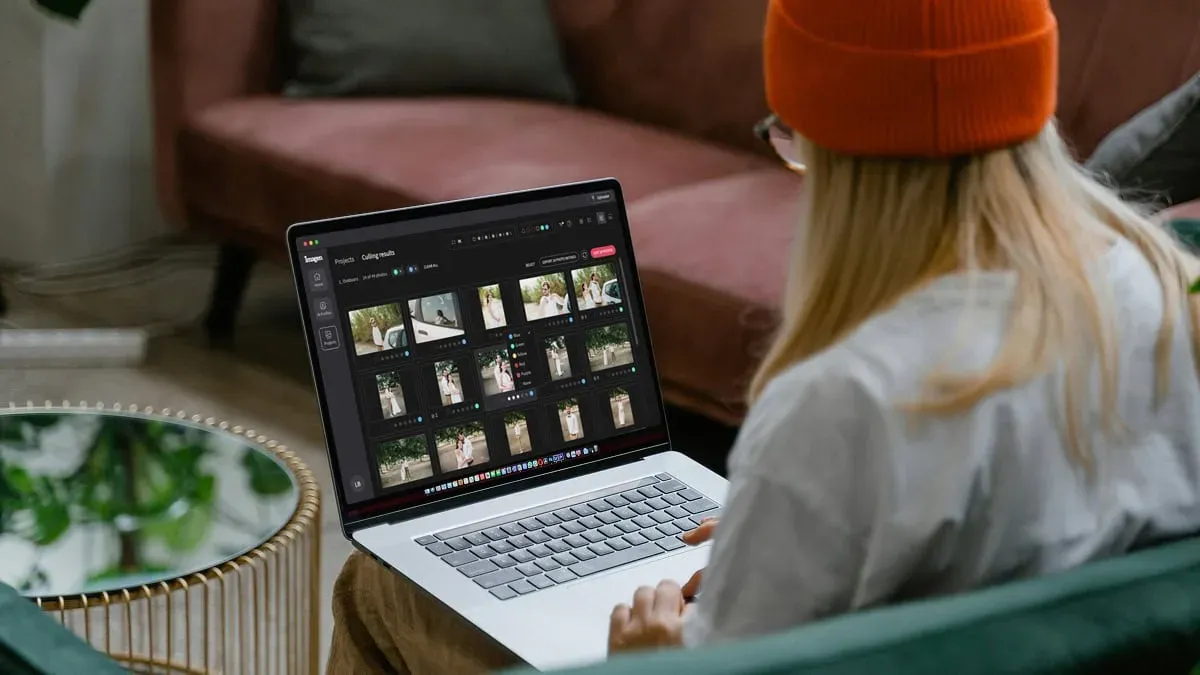
Imagen is an AI photo editing tool built around your own style rather than a set of generic presets. It studies your Lightroom or Capture One catalog, learns how you handle exposure, color, contrast, and tone, and then applies that same treatment across an entire editorial shoot. For a fashion story shot over several looks and lighting setups, that means the whole set arrives with one coherent mood instead of frame-by-frame drift. You stay in control of the creative direction while the repetitive work moves off your plate.
The workflow connects three jobs that editorial photographers usually juggle across separate apps. Imagen culls large take counts down to the strongest frames, edits them in your style, and runs AI retouching for natural high-end skin, cleanup, and refinement. It works on the real photos you captured, adjusting exposure, color, and skin without inventing subjects or fabricating scenes. That distinction matters for editorial and print, where authenticity and trust are part of the assignment. You can also skip AI culling and cull manually for free.
Pricing is pay-as-you-go: you pay at export, and you see every edit in the gallery first, so you can get a feel for the pipeline before deciding. For photographers who shoot high volume and need a repeatable, consistent look, Imagen is the most complete editorial fit on this list.
2. Adobe Lightroom
Adobe Lightroom is the catalog that most editorial workflows are built on. Its raw processing, masking, and color tools give you the precise control that a magazine grade requires, and AI-assisted masking now selects skin, sky, and subjects quickly so you can push a refined look without hand-painting every selection. For cohesive color across a shoot, Lightroom presets and profile syncing keep a series aligned, and its print module produces the export quality editors expect.
Lightroom is a strong choice when you want deep manual control over the grade and a mature library to organize large editorial takes. The tradeoff is time. Applying and refining a look across hundreds of frames is still largely manual, which is why many photographers pair Lightroom with a style-learning tool for the bulk pass. Pricing model: Subscription.
3. Adobe Photoshop
Adobe Photoshop is the finishing room for editorial covers and hero frames. When a shot needs frequency separation for skin, dodge and burn to sculpt light, liquify for wardrobe adjustments, or a composited background, Photoshop is where that pixel-level work happens. Its AI features, including generative fill and neural filters, speed up cleanup and extend backgrounds, though careful editorial retouchers apply them with restraint to keep skin and texture believable.
Photoshop is best for the small number of frames that carry a story, the ones that need bespoke retouching rather than a batch treatment. It is less suited to processing an entire shoot, so treat it as the specialist tool at the end of the pipeline. Pricing model: Subscription.
4. Capture One
Capture One is a favorite in fashion and studio editorial for its color rendering and tethered capture. Shooting directly into the software on set lets the team review color, skin, and mood in real time, which keeps a story on track before anyone leaves the studio. Its layered adjustments and color editor give retouchers granular control over tone, which is exactly what refined editorial grading calls for.
Capture One suits photographers who want the strongest possible starting color and a tethered workflow for controlled shoots. It has a learning curve, and like Lightroom, applying a consistent look across a full set still takes hands-on time. Pricing model: Subscription or one-time license, depending on the plan you choose.
5. DxO PhotoLab
DxO PhotoLab is known for its raw conversion, optical corrections, and noise reduction. For editorial work shot in low light or at high ISO, its denoising keeps skin smooth and detail intact, which protects the print quality a magazine spread needs. Camera and lens profiles correct distortion and vignetting automatically, giving you a clean, technically accurate base before you grade.
PhotoLab is a good pick when image quality at the file level is the priority and you want the cleanest possible raw starting point. It is more of a processing engine than a full retouching suite, so it tends to sit early in an editorial pipeline. Pricing model: One-time license.
6. Luminar Neo
Luminar Neo leans into AI-driven adjustments for skin, portrait enhancement, and atmospheric effects. Its tools can smooth skin, adjust facial lighting, and relight a scene, which gives editorial photographers a fast way to test a mood or a beauty pass without heavy manual work. The interface is approachable, so it is quick to try ideas before committing to a full retouch.
Luminar Neo fits photographers who want expressive, mood-forward edits and a lighter learning curve. For strict high-end editorial, you will want to keep its automatic effects subtle so skin stays natural and print-ready. Pricing model: Subscription or one-time license.
7. Topaz Photo AI
Topaz Photo AI focuses on image quality repair: sharpening, noise reduction, and upscaling. For editorial, that means rescuing a slightly soft frame, cleaning a high-ISO capture, or enlarging a file for a large print or a double-page spread while holding detail. It runs as a standalone app and as a plugin, so it drops into a Lightroom or Photoshop pipeline without disruption.
Topaz Photo AI is best treated as a quality-recovery step rather than a grading or retouching tool. Use it when a hero frame needs more resolution or cleaner detail than the raw file delivers. Pricing model: One-time license.
8. Retouch4me
Retouch4me is a set of AI plugins built specifically for high-end skin retouching and cleanup, which puts it squarely in editorial and beauty territory. Separate modules handle skin, dodge and burn, cleanup, and other tasks, each trained to mimic the choices a professional retoucher would make. Because the tools respect skin texture rather than blurring it, results hold up under the scrutiny that print editorial invites.
Retouch4me suits photographers and retouchers who want to automate the tedious parts of a beauty pass while keeping a natural finish. It works as a plugin inside Photoshop, so it slots into an existing finishing workflow. Pricing model: Per-image credits or one-time license, depending on the module.
Editorial Photo Editing Software Compared
| Tool | Best for | Pricing model |
|---|---|---|
| Imagen | Consistent full-shoot editing in your style, plus culling and retouching | Pay-as-you-go: pay for the photos you export |
| Adobe Lightroom | Catalog, color grading, and library management | Subscription |
| Adobe Photoshop | Cover and hero frame retouching and compositing | Subscription |
| Capture One | Studio color and tethered editorial capture | Subscription or one-time license |
| DxO PhotoLab | Raw conversion, optical corrections, and denoising | One-time license |
| Luminar Neo | AI mood, portrait, and relighting effects | Subscription or one-time license |
| Topaz Photo AI | Sharpening, noise reduction, and upscaling | One-time license |
| Retouch4me | High-end skin retouching and cleanup plugins | Per-image credits or one-time license |
How to Choose Editorial Photo Editing Software
Start with the shape of your work. Editorial photographers rarely need one tool that does everything. They need a pipeline where each stage feeds the next, so the practical question is which stage costs you the most time and where automation protects rather than degrades the look.
- Consistency across a shoot. If your biggest challenge is holding one mood across hundreds of frames, a style-learning tool like Imagen does the heavy lifting while keeping your creative signature.
- Color foundation. For the strongest starting color and tethered capture, Capture One or Lightroom anchor the grade.
- Skin and finishing. High-end skin work belongs to Photoshop and Retouch4me, where you can keep texture natural for print.
- File quality. When a frame needs cleaner detail or more resolution, DxO PhotoLab and Topaz Photo AI recover quality without touching the grade.
- Budget model. Decide whether a subscription, a one-time license, or pay-as-you-go pricing matches how often you shoot and how large your volumes run.
A common editorial setup pairs a catalog tool for grading, a style-learning tool for the bulk pass, and a dedicated retoucher for the frames that carry the story. Try tools on a real set rather than sample images, since editorial skin, wardrobe color, and lighting reveal how well an edit actually holds. For a wider view of the category, see our guide to the best AI photo editing software for photographers, and for adjacent niches read our picks for magazine photo editing software and beauty photo editing software. You can also browse the full library of guides on our tips hub.
What’s new in Imagen: Imagen is now an intelligent, agentic Studio for professional photographers, where you cull, edit, review and export together in one project, in any order. For editorial stories, the built-in editor (Beta) adds manual sliders, a histogram, crop and straighten, and versions, so a last tweak on a cover frame can happen in place. It is an early release, and the Studio is rolling out gradually. Read more at Imagen.
Frequently Asked Questions
Does AI editing keep skin natural for editorial and print?
It can, if you choose tools built to respect skin texture. Imagen and Retouch4me aim for a natural high-end finish rather than a smoothed plastic look, which is what print editorial demands. The key is to keep automatic effects restrained and review hero frames closely before you deliver.
Can one tool handle a whole editorial shoot?
Imagen comes closest by combining culling, style-consistent editing, and AI retouching in one connected workflow. Even so, many photographers still send a handful of cover frames to Photoshop or Retouch4me for bespoke finishing. Think in terms of a pipeline rather than a single app.
Will AI editing change my personal style?
With a style-learning tool it should reinforce your style, not replace it. Imagen learns from your existing Lightroom or Capture One catalog and applies your own choices across the set. You remain the creative director and can adjust any frame after the batch pass.
Do these tools generate fake images?
Imagen does not. It edits, culls, and retouches the real photos you shot, adjusting exposure, color, and skin without inventing subjects or scenes. That authenticity matters for editorial work, where readers and editors trust that the image reflects what happened on set.
Conclusion
Editorial photography rewards consistency, natural skin, and a mood that carries across a full story. The eight tools here cover every stage of that work, from raw conversion and color grading to skin retouching and print-ready finishing. If your priority is a coherent look across an entire shoot with culling and retouching in one place, Imagen is the strongest editorial fit, and its new Studio lets you cull, edit and export in one project, and you pay at export. Start editing with Imagen and see how a style-learning workflow holds your look from the first frame to the last.

