

8 Best AI Commercial Photo Editing Software in 2026
Table of contents
Commercial photography lives and dies on consistency. A brand campaign, a product catalog, or a lifestyle shoot for a client can run into thousands of frames, and every one of them has to match the same look, hit the same color targets, and clear the same retouching bar before it reaches an art director. The right AI photo editing software helps studios and agencies move from raw capture to polished delivery faster, without letting quality drift across a large set. This guide walks through eight tools that commercial photographers actually use in 2026, what each one does well, and how to pick the one that fits your workflow and your turnaround demands.
Key Takeaways
- Commercial work rewards tools that keep a single look consistent across an entire deliverable set, not just one hero image.
- AI editing splits into two camps: tools that edit the real photos you shot, and tools that generate or invent imagery. This guide focuses on the first camp for client work.
- Imagen learns your personal editing style from your existing Lightroom or Capture One catalog and applies it across a full shoot, then adds AI culling and AI retouching in one connected flow.
- Adobe Lightroom and Capture One remain the core catalog and color engines that most commercial studios build on.
- Topaz Photo AI, DxO PhotoLab, Retouch4me, and Aftershoot each solve a focused problem: image quality, optical correction, retouching, or culling.
- Imagen offers pay-as-you-go pricing: you pay for the photos you export. Sliders, crops, and masks you do yourself are always free.
- Match the tool to your bottleneck. If culling and consistent grading eat your week, an automation-first tool pays off fastest.
1. Imagen
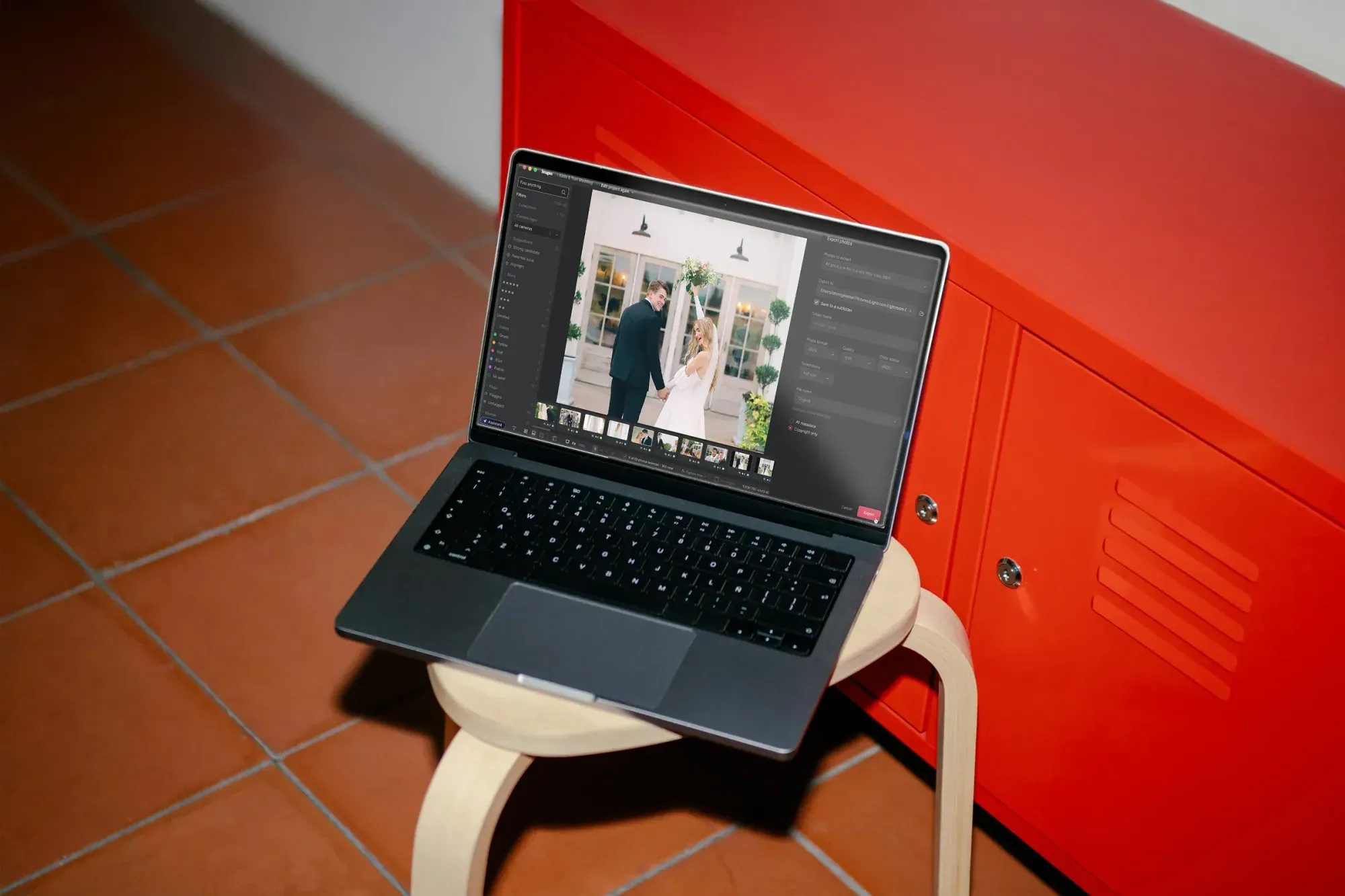
Imagen is built for photographers who need their own look reproduced at volume. Instead of applying a generic preset, it learns your personal editing style directly from your Lightroom or Capture One catalog, studying how you handle exposure, white balance, tone, and color across the images you already finished. Once it understands your style, it applies those decisions consistently across an entire shoot, which is exactly the problem commercial photographers face when a campaign spans hundreds or thousands of frames that all need the same treatment.
The workflow connects three jobs that usually live in separate apps. Imagen culls your take with AI, flagging duplicates and weaker frames so you review a tighter selection. It edits the keepers in your style, handling exposure, color, and tone. It also performs AI retouching and cleanup on real photographs, smoothing skin, removing distractions, and tidying frames you actually shot. This matters for client turnaround because a large lifestyle or product set can move from import to a near-final grade in a single pass, leaving you to refine rather than start from scratch. Edited photos arrive in batches as they process, so you can start reviewing early frames while the rest finish.
One point worth stating plainly for commercial buyers: Imagen edits the real images you captured. It is not an image generator, and it does not invent subjects, props, or fake scenes. That keeps it safe for brand and client work where the deliverable has to be an honest photograph of the actual product, model, or location. Pricing is pay-as-you-go: you pay at export, and you see every edit in the gallery first, so you can judge the results on your own catalog before you commit.
Try it at Imagen.
2. Adobe Lightroom
Adobe Lightroom is the catalog and raw processing hub that a large share of commercial studios organize their work around. It handles ingestion, keywording, and non-destructive editing at scale, and its masking tools have grown smarter with AI subject, sky, and background selection that speed up local adjustments. For campaign work, the ability to sync settings across a selection and to build a repeatable develop preset library keeps a look consistent from frame to frame.
Lightroom shines when your team already runs on the Adobe ecosystem and needs tight round-tripping to Photoshop. Its cloud and desktop versions let you edit across devices and hand files to collaborators. The tradeoff for high-volume commercial shooters is that consistency still depends on your own discipline with presets and sync, so pairing it with an automation layer often makes sense. Lightroom uses a subscription pricing model.
3. Adobe Photoshop
Adobe Photoshop remains the finishing room for high-end commercial retouching. When a hero product shot or a cover image needs pixel-level compositing, frequency separation, dodge and burn, or precise color work, Photoshop is where art directors expect the final craft to happen. Its AI features, including generative fill and neural filters, speed up masking and cleanup, though careful commercial teams keep generative edits within honest bounds so the deliverable still represents the real product.
Photoshop is less suited to processing an entire catalog, since it works image by image rather than across a set. In practice it pairs with a catalog tool that handles the bulk grade, leaving Photoshop for the select frames that justify manual attention. It runs on a subscription pricing model, usually bundled with Lightroom in a photography plan.
4. Capture One
Capture One is a favorite in commercial and studio environments, especially for tethered shooting during product and fashion campaigns. Its color handling and skin tone rendering are widely praised, and its layers and advanced color editor give retouchers fine control over a look before anything leaves the raw stage. For a client sitting in on a shoot, live tethered capture with instant styling helps approve direction on the spot.
Capture One supports styles and copy-paste adjustments that carry a grade across a session, which helps consistency on large sets. Its learning curve is steeper than some rivals, and that depth is the point for studios that want maximum control. It is available on both subscription and one-time license models, depending on the plan you choose.
5. DxO PhotoLab
DxO PhotoLab is prized for optical corrections and raw quality. Its lens and camera profiles correct distortion, vignetting, and aberrations with precision, and its denoising is a benchmark for recovering clean detail from high-ISO frames. For commercial work shot in mixed or low light, that clean base can raise the quality floor of an entire set before you even start grading.
PhotoLab works best as a raw processing and correction step, feeding cleaner files into your catalog or finishing tool. It is not a full culling or client-delivery system on its own, so it tends to sit alongside Lightroom or Capture One rather than replacing them. DxO PhotoLab uses a one-time license model.
6. Topaz Photo AI
Topaz Photo AI focuses on image quality repair: noise reduction, sharpening, and upscaling driven by trained models. For commercial deliverables that need to hold up at large print sizes or on billboards, its upscaling can add usable resolution, and its denoise and sharpen tools rescue frames that would otherwise miss the quality bar. It runs as a standalone app and as a plugin inside Lightroom and Photoshop.
Topaz is a targeted quality tool rather than a full editing pipeline, so you apply it to selected frames that need the lift rather than an entire catalog by default. Batch processing helps when a set shares the same issue. Topaz Photo AI uses a one-time license model with optional paid upgrade periods.
7. Retouch4me
Retouch4me is a set of AI retouching plugins that automate the repetitive parts of high-end retouching. Individual tools handle skin smoothing, dodge and burn, frequency separation, cleanup of stray hairs, and eye and teeth work, each trained on a specific task. For beauty and fashion campaigns where retouching consumes the bulk of post-production hours, these tools cut the manual grind while keeping a natural result.
The plugins run inside Photoshop and other hosts, which fits a commercial finishing workflow where a retoucher still directs the final look. You typically buy the specific modules you need rather than one bundle. Retouch4me uses a one-time license model per plugin.
8. Aftershoot
Aftershoot is built around AI culling and editing for photographers who shoot large volumes. Its culling engine reviews a full take, flags duplicates and closed eyes, and helps you narrow thousands of frames to a workable selection quickly. It also offers AI editing that learns from your past edits to apply a consistent style, which supports faster client turnaround on big sets.
Aftershoot leans toward event and high-volume shooters, though its culling speed is useful for any commercial team drowning in frame counts. Like other automation tools, it works best when you feed it a body of your own finished edits to learn from. Aftershoot uses a subscription pricing model.
Commercial AI Photo Editing Software Compared
| Tool | Best for | Pricing model |
|---|---|---|
| Imagen | Your personal style applied across a full shoot, plus AI culling and retouching | Pay-as-you-go: pay for the photos you export |
| Adobe Lightroom | Catalog, raw processing, and preset-driven consistency | Subscription |
| Adobe Photoshop | High-end finishing and compositing on hero frames | Subscription |
| Capture One | Tethered studio capture and advanced color control | Subscription or one-time license |
| DxO PhotoLab | Optical corrections and raw denoising | One-time license |
| Topaz Photo AI | Noise reduction, sharpening, and upscaling | One-time license |
| Retouch4me | Automated high-end retouching plugins | One-time license |
| Aftershoot | High-volume AI culling and style-based editing | Subscription |
How to Choose the Right Tool for Commercial Work
Start with your actual bottleneck rather than the feature list. If your week disappears into culling thousands of frames and grading them to a house look, an automation-first tool that learns your style and consistency across the set will return the most time. If your challenge is the final craft on a handful of hero images, a finishing tool matters more than a batch engine. Most commercial studios end up running two or three of these together, with a catalog tool at the center.
Weigh consistency next. Client campaigns are judged on how uniform the set looks, so favor tools that reproduce a defined look across many images instead of asking you to hand-tune each frame. Then consider honesty and compliance. Brand and product work needs deliverables that represent the real subject, which is why tools that edit your captured photos fit better than image generators for most client contracts.
Finally, factor in cost structure against your volume. A per-photo model can suit variable freelance and agency work where output rises and falls, while a subscription or one-time license may suit a studio with steady throughput. Test on a real shoot before you commit, since results on your own catalog tell you more than any spec sheet. For a broader view across categories, see our guides to the best AI photo editing software for photographers, the best AI advertising photo editing software, and the best AI ecommerce photo editing software. You can also browse our full library of photography tips and guides.
What’s new in Imagen: Imagen is now an intelligent, agentic Studio for professional photographers: one project where you cull, edit, review and export in any order. For commercial shoots, the assistant can find the frames a client asked for when you describe them in plain language, and edited photos arrive in batches so you can start reviewing early frames while the rest finish. The Studio is rolling out gradually as a beta. Learn more at Imagen.
Frequently Asked Questions
Does AI editing replace a professional retoucher for commercial work?
No. AI editing handles the repetitive volume, culling, consistent grading, and first-pass retouching, so your retoucher spends time on the select frames that need real craft. On high-end campaigns, the human still directs the final look and signs off on the deliverable.
Do these tools generate fake images or edit my real photos?
The tools in this guide are focused on editing the real photographs you captured, adjusting exposure, color, and retouching. Imagen in particular edits, culls, and retouches your actual shots and does not invent subjects or scenes, which keeps it appropriate for brand and client contracts.
How does Imagen keep a look consistent across a large campaign?
Imagen learns your personal editing style from your existing Lightroom or Capture One catalog, then applies those same decisions across an entire shoot. Because the style comes from your own finished work, the grade stays uniform whether the set has one hundred frames or several thousand.
Can I try commercial AI editing before paying?
Yes. Imagen offers a free trial, so you can judge the results on your own catalog first. After that, pricing is pay-as-you-go: you pay for the photos you export.
Conclusion
The best commercial AI photo editing setup in 2026 is rarely one app. Most studios combine a strong catalog engine like Lightroom or Capture One with targeted tools for correction, retouching, and quality repair, then add an automation layer that keeps the whole deliverable consistent and moves it toward the client faster. If your biggest pain is reproducing your own look across large sets while culling and retouching eat your schedule, Imagen’s new Studio brings those jobs together in one project, where you cull, edit and export your way, and it learns your style from the work you already trust. Test it on a real shoot at Imagen, where you pay for the photos you export.

