

8 Best AI Baby Photo Editing Software in 2026
Table of contents
Newborn and baby sessions leave you with hundreds of tender frames that all look similar, and every one needs gentle handling. Skin should stay soft and true, colors should feel natural rather than pushed, and the culling has to move fast so you can deliver galleries while the memory is still fresh for the family. The right AI editing software takes the repetitive work off your plate and keeps your look consistent from the first frame to the last. This guide walks through eight tools that baby and newborn photographers rely on in 2026, starting with Imagen, and explains where each one fits so you can match a tool to the way you already shoot.
Key Takeaways
- Imagen learns your personal editing style from your own catalog and applies it across an entire baby session, then adds AI culling and AI retouching in one connected workflow.
- Culling tools such as Aftershoot help you sort through delicate, near-duplicate frames quickly so you spend less time choosing keepers.
- Retouching-focused tools like Evoto and Retouch4me handle soft skin work, while Lightroom and Capture One remain the backbone for RAW color and tone.
- Imagen is described by how you pay, which is on export. Competitor pricing is described by model, since plans change often.
- Choose based on where your time actually goes, whether that is culling, color consistency, or skin retouching.
1. Imagen
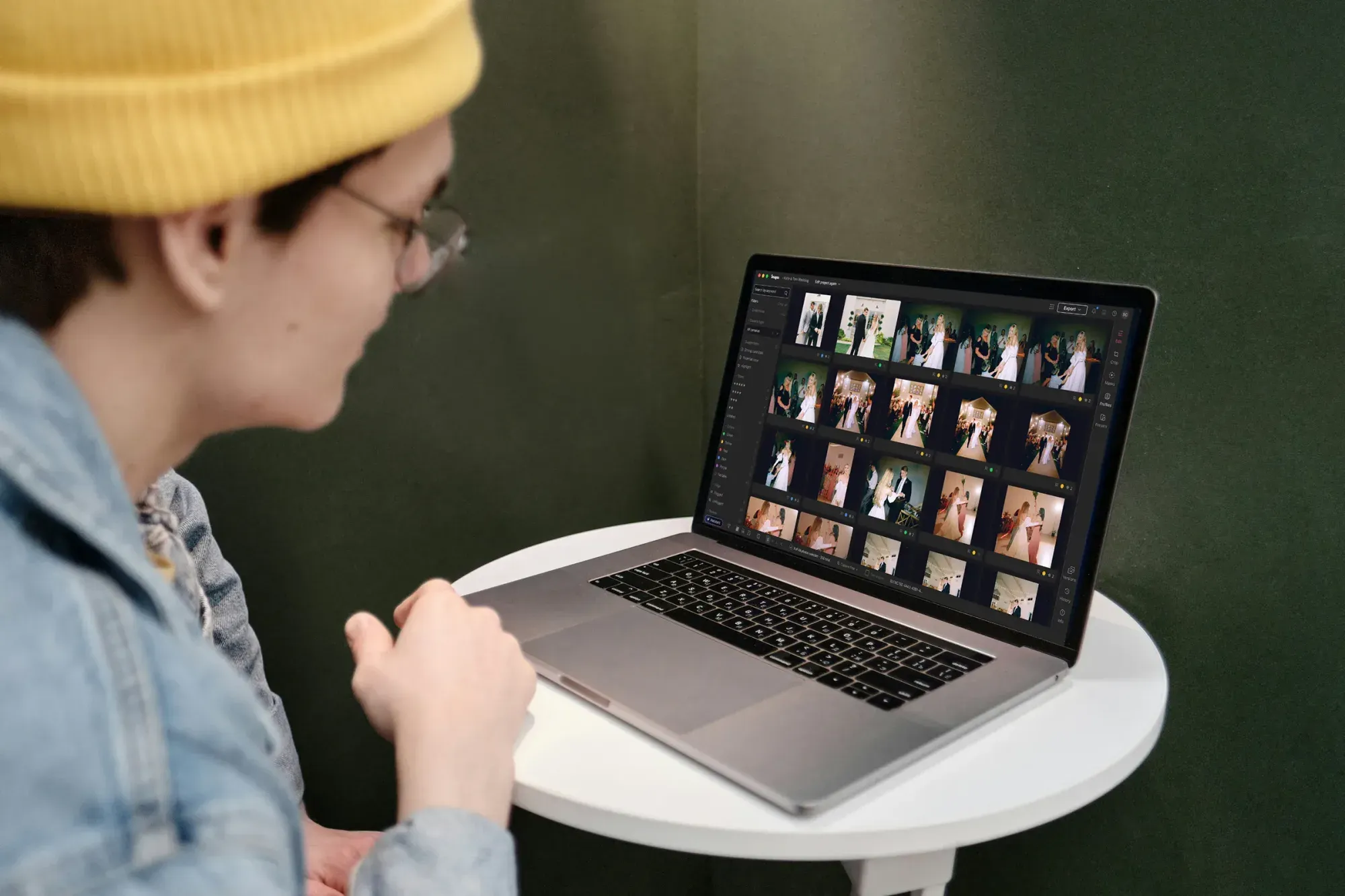
Imagen is a desktop Studio for Mac and Windows, built for photographers who want their own style applied at volume, which makes it a strong fit for baby and newborn work. Instead of pushing a generic filter, Imagen studies your existing edits in Lightroom or Capture One and builds a personal profile from the choices you already make. When you feed it a full session, it applies that profile consistently across every frame, so a soft, warm nursery look carries from the opening shots to the final wrapped poses without you touching each image by hand.
It is important to be clear about what Imagen is. It is not an image generator. It edits, culls, and retouches the real photographs you shot, so the baby in the delivered gallery is the baby the parents held during the session. On top of the style engine, Imagen includes AI culling that flags closed eyes and soft focus across delicate frames, and AI retouching that smooths skin gently while keeping newborn texture intact. Having culling, editing, and retouching in one connected flow means a session moves from import to near-final without hopping between separate apps.
Pricing is pay-as-you-go: a monthly base fee plus a charge for the photos you export, with current rates on the pricing page. You pay at export, and you see every edit in the gallery first. That structure suits baby photographers whose volume rises and falls with the season, since your export charge still scales with what you actually process. You can start at https://imagen-ai.com/.
2. Aftershoot
Aftershoot began as an AI culling tool and has grown to include AI editing that mirrors your style. For baby sessions, its culling is the standout. Newborn shoots produce long runs of nearly identical frames as you wait for the right expression, and Aftershoot groups those clusters, marks the sharpest options, and flags blinks so you can accept a tidy set of keepers in minutes. Its editing side then applies AI profiles trained on your past work, which keeps color and tone steady across a gallery.
Photographers who feel buried by selection more than by editing tend to get the most from Aftershoot. It runs on a subscription model, and it pairs well with a dedicated retouching step for the closest crops.
3. Evoto
Evoto is a retouching-first editor with AI tools aimed at skin, tone, and portrait cleanup. For baby photography, its value shows up in the finishing pass. Evoto can even out delicate skin, soften minor redness and dry patches that newborns often have, and adjust color in a way that keeps the result gentle rather than plastic. It works on batches, so you can apply a consistent skin treatment across a set of selects instead of editing each frame from scratch.
Evoto uses a per-image credit model, which lets you scale spending to session size. It is a good match for photographers who want portrait retouching handled inside one app after their color edits are done elsewhere.
4. Adobe Lightroom
Adobe Lightroom remains the reference point for RAW editing, and many baby photographers build their entire workflow around it. Its AI-assisted masking can select a subject, background, or skin with a click, which speeds up the soft, targeted adjustments that flatter newborn portraits. Denoise handles the higher ISO you often need in a dim nursery, and presets let you save a house look you can reuse across clients.
Lightroom is subscription based and integrates tightly with the wider Adobe ecosystem. It also happens to be the catalog that tools like Imagen and Aftershoot read from, so it usually sits at the center of a modern baby-editing setup even when other tools do the heavy lifting.
5. Topaz Photo AI
Topaz Photo AI focuses on image quality repair, and it earns a place in baby work for its noise reduction and sharpening. Nursery light is often soft and low, which pushes ISO up and introduces grain in the very frames parents want to print large. Topaz cleans that noise while preserving fine detail like eyelashes and soft hair, and it can recover sharpness on frames that landed slightly soft when a baby shifted.
Topaz Photo AI is sold as a one-time license, which appeals to photographers who prefer to own a tool rather than rent it. Think of it as a targeted quality pass you run on your final selects rather than a full editing suite.
6. Luminar Neo
Luminar Neo is an AI-driven editor known for creative and portrait tools that are simple to apply. Its skin and portrait features can smooth and brighten in a few clicks, and its relighting and atmosphere tools give you room to shape mood in a nursery scene. For baby photographers who want a gentle, approachable editor with strong one-click results, Luminar Neo lowers the learning curve compared with a full RAW workstation.
It runs on a subscription and also works as a plugin alongside Lightroom, so you can lean on its portrait tools without abandoning your existing catalog. It fits photographers who value speed and creative presets over deep manual control.
7. Capture One
Capture One is prized for its color rendering and tethered shooting, both of which matter in a controlled baby studio. The color engine gives you precise, natural skin tones, and the layer-based local adjustments let you refine specific areas with care, which suits the soft, deliberate look of newborn portraits. Tethering lets you review frames on a large screen during the session so you can confirm focus and expression before the baby settles.
Capture One is available on a subscription, and its style and preset system helps you keep a consistent look across a gallery. It appeals to studio-based baby photographers who want maximum control over color and tone.
8. Retouch4me
Retouch4me is a set of focused AI plugins, each trained to do one retouching job well. The skin, tone, and heal plugins are the relevant ones for baby work, since they automate the gentle cleanup that would otherwise take careful manual dodging and healing. Because each plugin targets a single task, you can build a light retouching stack that softens skin and removes small blemishes while keeping the natural texture that makes newborn images feel real.
Retouch4me plugins are sold as one-time licenses per module and run inside Photoshop or as standalone tools. They suit photographers who already have a strong color workflow and want to automate only the retouching portion.
At-a-Glance Comparison
| Tool | Best for | Pricing model |
|---|---|---|
| Imagen | Personal style applied across a full session, plus culling and retouching | Pay-as-you-go: monthly base fee plus export charge |
| Aftershoot | Fast culling of delicate, near-duplicate frames | Subscription |
| Evoto | Portrait and skin retouching in batches | Per-image credits |
| Adobe Lightroom | RAW color, masking, and catalog management | Subscription |
| Topaz Photo AI | Noise reduction and sharpening on low-light frames | One-time license |
| Luminar Neo | Simple, creative portrait editing | Subscription |
| Capture One | Precise color and tethered studio shooting | Subscription |
| Retouch4me | Automated, task-specific skin retouching | One-time license |
What to Look for in AI Baby Photo Editing Software
Baby photography puts specific demands on an editor, so a few qualities matter more than a long feature list. Gentle skin handling comes first. Newborn skin has fine texture, occasional redness, and soft tones, and you want software that smooths without erasing the character that makes a portrait feel human. Tools that let you dial back the strength of retouching give you that safety margin.
Consistency is the second quality. A baby gallery reads best when every frame shares the same color and tone, so a tool that applies your look uniformly across a session saves you from frame-by-frame drift. This is where a style-learning engine helps, because it carries your decisions everywhere at once.
Culling speed is the third. Newborn sessions generate many similar frames, and the faster you can separate keepers from blinks and soft focus, the sooner families receive their gallery. Finally, consider how the tool fits your existing catalog. Software that reads your Lightroom or Capture One library slots into your routine instead of forcing you to rebuild it. You can compare broader options in our guide to the best AI photo editing software for photographers.
How to Choose the Right Tool
Start by finding where your time actually goes. If you spend most of a session sorting through near-identical frames, a culling-first tool such as Aftershoot returns hours to your week. If culling is manageable but color takes forever, a style engine like Imagen that applies your look across the full shoot is the bigger win, and it folds culling and retouching into the same flow so you are not stitching apps together.
Next, decide how much retouching your clients expect. Studios that deliver polished newborn portraits benefit from a dedicated skin tool like Evoto or Retouch4me layered on top of their color edits. If you shoot in dim nurseries, add a quality tool such as Topaz Photo AI for clean, printable files. Think about pricing structure too. Pay-as-you-go suits variable seasonal volume, while a one-time license favors steady output and long-term ownership.
Most working baby photographers end up combining two or three tools rather than betting on one. A common pattern pairs a RAW catalog like Lightroom or Capture One with a style and culling engine, then finishes close crops with a retouching plugin. If your work extends beyond newborns, our roundups of the best AI kids photo editing software and the best AI family photo editing software cover neighboring niches, and you can browse the full library on our tips hub.
What’s new in Imagen: Imagen is the same product you know, now grown into an intelligent, agentic Studio for professional photographers. You cull, edit, review, and export in one project, in whatever order suits the session. For newborn galleries, you can apply your own Personal AI Profile or a ready-made AI Profile, and the built-in editor (Beta) is there for gentle manual touch-ups. See the details at Imagen, as the Studio rolls out gradually.
Frequently Asked Questions
Will AI editing make baby skin look fake?
It should not, as long as you control the strength. The tools in this guide edit the real photograph rather than generating a new one, and most let you scale retouching down so soft newborn texture stays intact. A light touch keeps skin natural while still evening out redness and dry patches.
Can these tools keep my style consistent across a whole session?
Yes. A style-learning engine like Imagen studies your past edits and applies that profile to every frame in a session, so a warm nursery look stays steady from the first frame to the last. Preset systems in Lightroom and Capture One offer a manual version of the same idea.
Do I need separate tools for culling and retouching?
Not always. Imagen brings culling, editing, and retouching into one connected workflow, which reduces the app hopping. Some photographers still prefer a dedicated culling tool or a specialized retouching plugin for the closest crops, so the right answer depends on your volume and client expectations.
How can I try one of these before committing?
You pay at export, and you see every edit in the gallery first, so you can judge the results on your own images before you commit. Many of the other tools offer trials as well, so test a tool on an actual baby shoot rather than sample files before you decide.
Final Thoughts
The best AI editing tool for baby photography is the one that removes your biggest bottleneck while protecting the gentle, natural feel that families cherish. Imagen’s new Studio stands out because it learns your personal style and carries it across an entire session, then handles culling, editing, and export together in one project, all on transparent pay-as-you-go pricing. The other seven tools each own a clear strength, from Aftershoot on culling to Retouch4me on skin, and many photographers combine a few of them. Try Imagen free at https://imagen-ai.com/ and see how your own newborn galleries come together faster.

