

Beginner Portrait Retouching for Sports Photographers: Where to Start
Table of contents
- What portrait retouching means for a sports photographer
- Start with the fixes that matter most
- Know what to leave alone
- Consistency is the real challenge, not any single face
- How Imagen speeds up sports portrait retouching
- What per-image pricing means for your quotes
- Know when a job is not retouching at all
- A simple beginner workflow, start to finish
- Frequently asked questions
If you shoot sports, most of your day is action: the field, the court, the podium, the press wall. But somewhere in every assignment there is a stack of people pictures too. Team headshots, media-day portraits, roster photos, a winner leaning into a close-up after the final whistle. Those are the frames that need light retouching, and if you have never done it before, the honest starting point is small and repeatable: even out the skin, calm the sweat shine and the flush that stadium light exaggerates, and keep every athlete looking like themselves across the whole set.
This guide walks a beginner through that first workflow for sports portraits, in order. It covers what retouching actually means for athlete headshots and media-day close-ups, what to fix and what to leave alone, how to stay consistent across a full roster without editing each face by hand, and where an AI batch tool removes the slow part. It also draws a clear line around the jobs that are not retouching at all, so you do not waste time forcing the wrong tool to do heavy work.
What portrait retouching means for a sports photographer
Retouching has a reputation for being fussy, beauty-magazine work. For sports portraits it is much more grounded than that. You are not remaking a face. You are cleaning up the small distractions that pull the eye away from a strong, confident athlete: a patch of shine on a forehead under bright arena lighting, a bit of redness from exertion or cold, a temporary blemish, an uneven skin tone across the cheeks and neck.
Think of it as the same care you would give any professional portrait, applied to people who happen to be athletes. A team headshot for a program guide, a media-day portrait for a press kit, a podium close-up for a recap gallery: each one is a person looking at a camera, and each one benefits from clean, even skin that reads well in print and on screen. The action frames from the same shoot, the ones of players mid-play on the field, do not need this at all, and pretending they do is a good way to waste an evening. Retouching lives with the portraits.
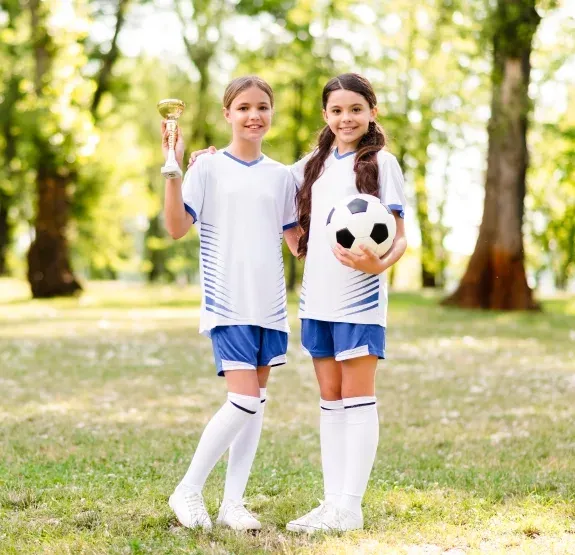
Start with the fixes that matter most
Beginners tend to over-complicate the first pass. You do not need a dozen techniques. For sports portraits, a short list handles the vast majority of frames.
Even out the skin first. Athletes under stadium or gym lighting often show uneven tone, with warm flush across the cheeks and cooler patches elsewhere. Gentle skin smoothing that keeps texture, rather than blurring it into plastic, calms that unevenness without making anyone look airbrushed. Next, take down the shine. Sweat and bright key lights create hot spots on foreheads, noses, and cheekbones, and easing those back is often the single biggest improvement in a sports headshot. Then handle the temporary blemishes and spots: a healing scratch, a stray mark, the kind of thing that would be gone in a week and should not define a season’s portrait. Finally, de-redden where exertion or weather has left skin flushed, so the athlete looks composed rather than overheated.
That is the whole beginner toolkit for skin: even the tone, kill the shine, remove temporary spots, calm the redness. Master those four moves and your portraits already look professional.
Know what to leave alone
The fastest way to look like an amateur is to over-retouch. It is also the fastest way to cross an ethical line that matters in sports, where athletes are real public figures and the picture is a record. So the beginner rule is restraint, and there are specific things you should not do.
Do not reshape bodies or slim anyone down. Do not change facial structure, narrow a jaw, or reshape a nose. Do not add heavy makeup that was not there. And do not add or remove objects to rebuild the scene. Your job is to present the athlete cleanly and honestly, not to invent a different person. Keeping skin texture visible, leaving natural features intact, and stopping while the retouch still looks like the real athlete is what separates a professional edit from an obvious one.
Consistency is the real challenge, not any single face
Here is the part beginners underestimate. Retouching one headshot well is not hard. Retouching forty of them so they all match is where the difficulty, and the time, actually lives. A team roster shot on media day might run to dozens of athletes, all photographed in the same session but all with slightly different skin tones, sweat levels, and flush. If you edit each one by feel, the set drifts. One player looks warmer, another looks flatter, and lined up in a program or on a team page the mismatch is obvious.
The goal is a set that looks like it came from one careful hand. Every athlete gets the same quality of skin work, the same even tone, the same restrained shine reduction, so the roster reads as a unified group. That is a volume problem, and volume problems are exactly what pull a beginner’s weekend into Sunday night. The answer is not more speed per face. It is a workflow where the same treatment is applied consistently across the whole set, and you review rather than rebuild.
How Imagen speeds up sports portrait retouching
This is where an AI batch editor changes the math. Imagen is a photo editor for professionals that learns your personal editing style and applies it across a whole shoot at once, including skin work. Instead of retouching each media-day portrait individually, you define how you want skin to look, then let that treatment run across every athlete in the session: automated skin smoothing that keeps texture, blemish and spot removal, shine reduction, and de-reddening of flushed tones, applied in your style rather than a generic preset.
For high-volume people work, that batch approach is built for exactly this bottleneck. Imagen’s skin retouching software for volume shoots is designed to carry consistent skin retouching across a full roster or a long media day, so forty headshots share one look without you touching forty faces. You still stay in control: you review the set, adjust the outliers, and deliver. What you skip is the repetitive per-frame labor that makes retouching feel like a chore. It works on your RAW files in a desktop app that does the AI processing in the cloud, and edited photos arrive in batches as they process, so you can start reviewing early frames while the rest of a roster finishes.
It is worth being precise about what this covers. The batch skin work covers evening skin tone, smoothing while preserving texture, removing temporary blemishes, easing shine, and calming redness. It does not reshape bodies, restructure faces, add heavy makeup, or composite objects in and out, and it should not, because those are not honest retouching for athlete portraits in the first place.
What per-image pricing means for your quotes
Predictable cost matters when you are pricing a job, especially a high-volume one like a full team’s media day. With an export-based charge you can multiply the current rate by your expected delivered count and know your editing overhead before you send the quote. Imagen’s pay-as-you-go option is a monthly base fee plus a charge for the photos you export, with no per-frame surprises.
For a sports shooter delivering a few hundred to a few thousand portrait frames across a season, that predictability makes it easy to fold retouching into a package rather than guessing at hours. A roster of fifty athletes has a known editing cost, which is far more comfortable than pricing by how long the skin work might take. When you want to try it or set up your style profile, start at the Imagen homepage, where the new Studio lets you cull, edit and export in one project.
Know when a job is not retouching at all
An honest workflow draws a clear line between skin retouching and heavier image work, because they are different jobs handled in different places. Skin retouching, tone evening, and shine reduction across a set of portraits are batch jobs that an AI editor does well at scale. Reconstructing a background, lifting an athlete onto a different scene, or compositing and relighting arbitrary elements is manual compositing work, and it belongs in a dedicated compositing tool, handled one frame at a time by hand.
The same goes for a few other tasks that get confused with retouching. Genuinely reshaping a body or a face is not something you should be doing to athlete portraits at all, for the honesty reasons above. Heavy geometry correction or perspective repair on a wide shot is a separate, dedicated step. Keeping these off your retouching plate is not a limitation; it is what keeps the fast, high-volume skin work fast. Most sports shoots produce only a handful of frames, if any, that need anything beyond clean, consistent skin.
A simple beginner workflow, start to finish
Put it together and the whole thing is short. First, separate the portraits from the action frames, because only the people shots need retouching. Second, cull the portraits down to the keepers, so you are never retouching a frame you will not deliver. Third, define your skin look once: how even you want the tone, how far to pull the shine, how much texture to keep. Fourth, apply that treatment across the whole set in one batch pass rather than face by face. Fifth, review the result, fix the outliers by hand, and deliver a roster that matches.
That ordered approach is what turns retouching from an intimidating skill into a repeatable part of the job. You are not learning a hundred techniques. You are learning four skin fixes, a rule about restraint, and a batch workflow that keeps a whole team consistent. Start there, deliver a clean and honest set, and the polish will look like it took far more effort than it did.
What’s new in Imagen: Imagen is now an intelligent, agentic Studio for professional photographers, one project where you cull, edit, review and export in any order. For media-day portraits, AI filters such as blur and closed eyes help you narrow a long roster, and a Personal AI Profile learned from your past edits keeps every athlete’s look consistent. The Studio is rolling out gradually as a beta.
Frequently asked questions
Do sports action photos need skin retouching?
No. Retouching lives with the portraits, the team headshots, media-day close-ups, and podium press shots, where an athlete is looking at the camera and clean, even skin matters. Action frames of players mid-play on the field do not need skin work, and treating them as if they do just wastes time. Sort your take into portraits and action first, and retouch only the portraits.
What should a beginner fix first on an athlete’s face?
Start with four moves: even out uneven skin tone, take down sweat and light shine on the forehead and cheeks, remove temporary blemishes or marks, and calm the redness that exertion or weather leaves behind. Those four handle the large majority of sports portraits. Keep skin texture visible rather than blurring it, so the result looks like a real athlete and not an airbrushed one.
How do I keep a whole team’s headshots looking consistent?
Define your skin treatment once and apply it across the entire set instead of editing each face by feel. Consistency, not any single portrait, is where roster retouching gets slow, because dozens of athletes photographed in one session still have different tones and shine. A batch editor that learns your style can carry one look across every frame, so you review outliers rather than rebuild each headshot.
What retouching should I avoid on athlete portraits?
Athletes are real public figures and the portrait is a record, so honest retouching stays at the skin level: even the tone, ease the shine, remove temporary spots, calm the flush. Heavier image manipulation belongs to a different, dedicated tool and is usually the wrong call for sports portraits anyway.
