

Batch photo editing software for fashion photographers: A Complete 2026 Guide
Table of contents
- Why Fashion Work Needs Batch Editing, Not Frame-by-Frame
- Batch Color Grading Across a Lookbook or Campaign Take
- Culling the Take Before You Grade
- Where Imagen Fits in a Fashion Workflow
- The Specialist Steps Batch Software Does Not Replace
- Building a Two-Layer Fashion Workflow
- How to Choose Batch Editing Software for Fashion
- Frequently Asked Questions
Fashion photographers rarely deliver a single frame. A lookbook runs to dozens of looks, an editorial fills a card with variations of the same pose, and a campaign day can end with thousands of exposures across changing light. Batch photo editing software for fashion photographers is the layer that turns that volume into a clean, consistent gallery without you grading each frame by hand. The right tool applies your look across an entire set in one pass, narrows the near-duplicate bursts, and hands the rare hero frame off to whatever specialist step it needs. This guide walks through what batch editing actually solves for fashion work, where it stops, and how to build a workflow that keeps your color and your deadline intact.
The short answer: for high-volume, style-consistent grading and culling across a shoot, a batch-first tool like Imagen removes the bottleneck and finishes the first pass fast. For the close, per-frame craft that fashion also demands, such as high-end skin retouching or compositing, you keep a dedicated specialist in the chain. The point is to match each job to the tool built for it.
Why Fashion Work Needs Batch Editing, Not Frame-by-Frame
Fashion is a volume genre disguised as a craft genre. Yes, the final selects get intense attention, but before you ever reach them you have to process the whole take. A single lookbook might cover twenty outfits with ten to fifteen frames each, and the client wants the entire set to read as one cohesive story. Grading each of those frames individually is where hours disappear, and it is also where consistency breaks, because a color choice you made at frame 40 rarely matches the one you made at frame 400.
Batch editing flips that. You define your look once, as a reusable style, and the software applies color correction, exposure balance, and white balance across every frame in the set. A look shot near a window and the same look shot deeper in the studio come back matched, so the gallery holds together before you start selecting. That consistency is not a nice-to-have in fashion. It is the deliverable.
Batch Color Grading Across a Lookbook or Campaign Take
The core job for fashion is applying one coherent grade across a full take. When you shoot a campaign, the mood is set by color: the warmth of the skin tones, the depth of the blacks, the way a specific palette carries from the first look to the last. Doing that by hand means copying settings frame to frame and hoping nothing drifts. A batch grade removes the guesswork by learning your style and applying it uniformly, so the whole campaign shares one visual signature.
This is where a batch tool earns its place in fashion specifically. You are not asking the software to invent a look. You are asking it to reproduce yours, consistently, at scale, across hundreds of frames that were captured under shifting light. Exposure evens out, white balance settles, and the color story stays intact from the opening frame to the close. What used to be a weekend of matching becomes a single automated pass you can review rather than build from scratch.
Culling the Take Before You Grade
Before grading comes selection, and fashion produces a punishing number of near-identical frames. A model holds a pose while you fire a burst, then shifts slightly and you fire again. Multiply that across every look and you have a card full of frames that differ by a blink or a hand position. Culling software narrows those bursts for you, grouping the near-duplicates so you review a tighter set instead of scrolling through everything twice.
Culling and batch grading belong in the same flow. You narrow the take, then apply your style to what survives, and the two steps together are what make same-day or next-day delivery realistic for a big shoot. If you shoot weddings or events alongside fashion, the culling problem looks similar, and the deeper mechanics carry over. For a focused walkthrough on that side of the work, see the guidance on photo culling software for wedding photographers.
Where Imagen Fits in a Fashion Workflow
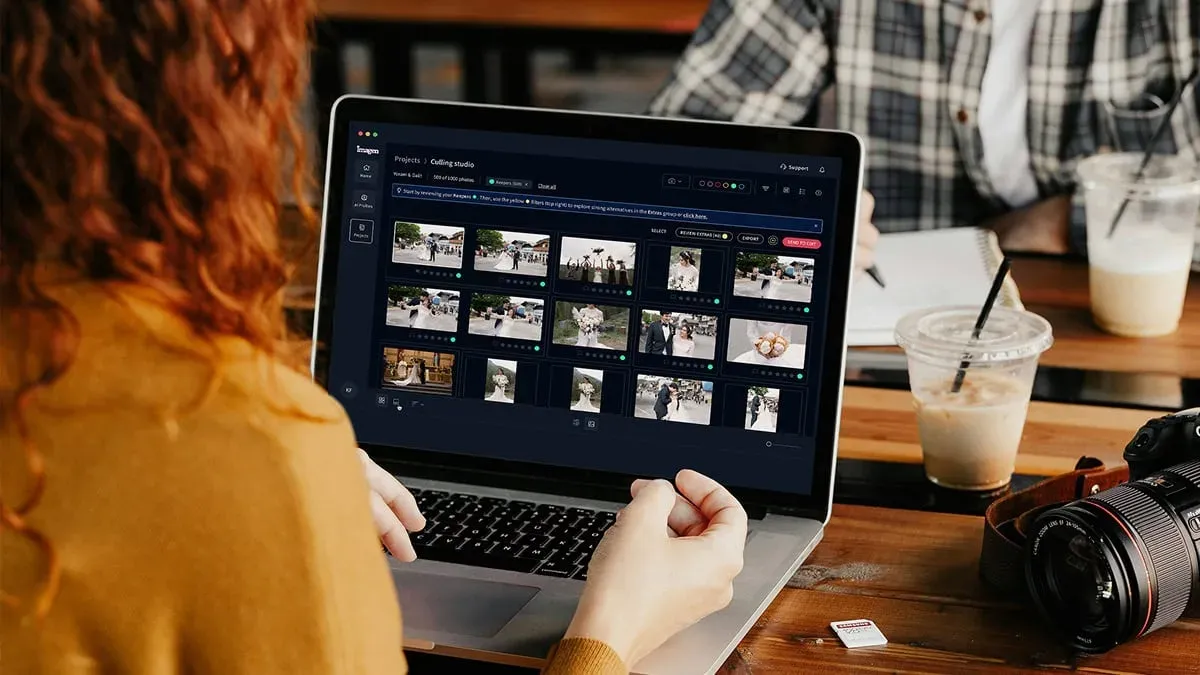
Imagen is a desktop app for Mac and Windows built for photographers who deliver whole shoots rather than single hero images. You download and install it, and the AI processing runs in the cloud. Edited photos arrive in batches as they process, so you can start reviewing early looks while the rest finish. For fashion, its genuine lane is exactly the two jobs above: cull the take, then apply a consistent batch color and tone grade in your own reusable style across the entire set. Your personal AI style handles the grade and culling narrows the bursts, so you spend your time on the frames that matter.
For the frames that need individual attention, the built-in editor (Beta) lets you fine-tune each one before export. That is useful for fixing the color or exposure on one standout frame from a look. Pricing is pay-as-you-go, a monthly base fee plus a charge for the photos you export, and you see every edit in the gallery before you export, so you can run it on a real lookbook before you commit. You can see how the batch pass works, and try Imagen’s new Studio where you cull, edit and export in one project, on the Imagen site.
Two limits are worth stating plainly, because fashion runs into them. Imagen does not sharpen or deblur a soft capture, and it does not upscale, so a frame that missed focus needs a dedicated detail tool, although it includes AI denoise for noisy frames. It also does not replace a full background or composite elements together. Its AI smooth-skin and face-retouch tools handle consistent cleanup across a set, while deep frequency-separation work on a single hero frame can go to a dedicated retouching tool. Within its lane, batch grade and culling and light per-frame finishing, it is fast and consistent. Outside that lane, you route the work to a specialist, which the next sections cover.
The Specialist Steps Batch Software Does Not Replace
Fashion has a set of jobs that live outside batch editing entirely, and treating them as separate steps keeps your expectations honest. High-end beauty and skin retouching, the frequency-separation work that makes editorial skin look flawless, is per-frame craft done by hand or with a dedicated retouching tool. It happens on your final selects, one immaculate face at a time, not across a whole take. A batch grade prepares those selects with consistent color, then a retoucher takes over.
Compositing and full background replacement are their own discipline too. When a campaign calls for a model dropped onto a new plate, or elements combined into a built image, that is layer-based work in a dedicated compositing tool, not something a batch pass does. The same goes for recovering detail: if you need to sharpen a soft frame, reduce high-ISO noise from a dim backstage capture, or upscale for a large print, those are specialized detail-enhancement jobs with their own tools and their own limits. And when a shoot relies on bracketed exposures merged into a true high-dynamic-range frame, that HDR bracket-merging is a distinct step handled by software built for it. Batch editing grades what your camera recorded; these steps reach beyond that, and each one deserves the right dedicated tool.
Building a Two-Layer Fashion Workflow
Most working fashion photographers end up running two layers rather than one, and that is the efficient setup. The first layer is volume: cull the take and apply your consistent batch grade across the full lookbook or campaign, so the entire set is selected and color-matched fast. The second layer is craft: hand the final selects to the specialists, whether that means a retoucher for skin, a compositing artist for a built frame, or a detail tool for a print-size enlargement.
The reason to split it this way is that each layer is bad at the other’s job. A frame-by-frame retouching pass will never keep pace with a thousand-frame campaign, and a batch grade will never deliver editorial-grade skin on a hero shot. Run the batch first so everything shares one look, then invest your hands-on time only where it pays off, on the handful of frames that actually go to print or to the client’s cover. That is how you protect both your style and your turnaround.
How to Choose Batch Editing Software for Fashion
Start with the jobs you actually repeat. If your bottleneck is grading and selecting large sets to a consistent look, prioritize a batch-first tool that learns your style and finishes the first pass quickly, then reviews rather than rebuilds. Check that it handles your RAW files, that it culls near-duplicates, and that it lets you finish individual frames when one needs a stray object removed or a background softened. A free hands-on pass on a real shoot tells you more than any feature list, so run it on one lookbook and judge the consistency of the output.
Then be clear about what you will keep as separate steps. Skin retouching, compositing, background replacement, sharpening, denoising, upscaling, and true HDR bracket-merging are specialist jobs, and no batch tool should be expected to cover them. Choosing well means picking a strong batch layer and pairing it with the specialists you already trust, not hunting for one app that claims to do everything. To go deeper on the two pieces that eat the most hours, see the guidance on batch photo editing software for wedding photographers and on color grading software. You can also browse the full library of photography workflow tips for more on culling, batch editing, and delivery.
What’s new in Imagen: Imagen is now an intelligent, agentic Studio for professional photographers, so a lookbook can move through culling, editing, review and export together in one project, in any order. Apply your Personal AI Profile across the set, and add more than one profile to a selection when a look calls for it, which takes some processing time. It is rolling out gradually as a beta.
Frequently Asked Questions
What is batch photo editing software for fashion photographers?
It is software that applies your editing choices, such as color correction, exposure, and white balance, across an entire shoot at once rather than frame by frame. For fashion work, it lets you grade a full lookbook or campaign take to one consistent look and narrow the near-duplicate bursts through culling, so the whole set reads as a coherent story before you review it.
Can batch editing keep a consistent look across a whole lookbook?
Yes, that is its main purpose. A batch tool learns your style and applies it uniformly to every frame, so a look shot near a window and the same look shot deeper in the studio come back matched. Imagen does this through your Personal AI Profile, applying your reusable style across the set so the color story stays intact from the first frame to the last.
Does batch editing software handle high-end skin retouching?
No, that is a separate specialist step. Frequency-separation beauty retouching is per-frame craft done on your final selects, not something a batch grade performs across a whole take. The efficient approach is to batch grade and cull the full set first for a consistent look, then hand the handful of hero frames to a dedicated retoucher for detailed skin work.
How much does Imagen cost, and is there a free trial?
Imagen’s pay-as-you-go plan has a monthly base fee, and you pay for the photos you export. You see every edit in the gallery before you export, so you can run it on a real lookbook or campaign take before committing. Imagen also offers a free trial.
What editing jobs should stay outside a batch tool?
Keep skin retouching, compositing, full background replacement, sharpening, noise reduction, upscaling, and true HDR bracket-merging as separate specialist steps. Batch software grades and selects what your camera recorded, so a soft or missed-focus frame, a built composite, or a print-size enlargement each needs its own dedicated tool with its own limits.

