Portrait photography is a delicate dance between technical precision and emotional connection. As photographers, we spend hours behind the lens capturing the perfect spark in a subject’s eyes, only to face the daunting mountain of post-production. The arrival of the AI Portrait Editor has fundamentally shifted this landscape. It isn’t just about “fixing” photos; it’s about reclaiming the time we need to actually be creative.
Imagen stands at the forefront of this revolution, offering a desktop-based solution that integrates directly into the workflows we already use, like Lightroom Classic and Photoshop. By learning your specific artistic voice, it handles the heavy lifting of color correction and enhancements while leaving the creative soul of the image entirely in your hands.
Key Takeaways
- Personalized Workflow: Imagen creates a Personal AI Profile based on your past edits, ensuring consistency that generic presets can’t match.
- Desktop Efficiency: As a desktop application, Imagen processes photos in the cloud while allowing you to work locally with Lightroom, Photoshop, and Bridge.
- Advanced Retouching: Beyond color, tools like Smooth Skin, Subject Mask, and Whiten Teeth automate the most tedious parts of portrait retouching.
- Scalability: Whether you are editing a single headshot or a gallery of a thousand wedding guests, Imagen maintains a speed of roughly 0.5 seconds per photo.
- Creative Control: AI is a collaborator, not a replacement. You always have the final word on every slider and adjustment.
The Evolution of Portrait Retouching
We’ve all been there—staring at a gallery of 500 portraits, knowing that each skin tone needs to be perfect and every stray hair or blemish needs attention. Traditionally, this meant manual labor that could take days. Early automation attempts relied on static presets, but those often failed when lighting conditions changed even slightly.
An AI Portrait Editor represents the next generation of this craft. Instead of applying a “one-size-fits-all” filter, the AI analyzes each individual frame. It understands exposure, contrast, and skin values, making adjustments that feel organic to that specific moment. Imagen takes this a step further by building a profile that actually mimics your hand. It doesn’t just edit; it edits like you.
Why Imagen is the Essential AI Portrait Editor
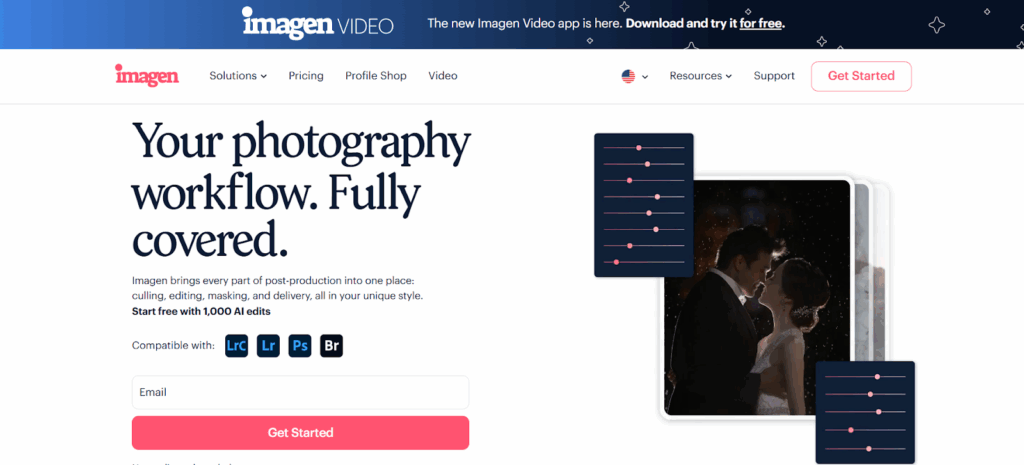
When we talk about professional-grade editing, we need reliability. Imagen isn’t a web-based tool where you’re at the mercy of browser stability. It is a robust desktop application. While the processing happens in the cloud to save your local CPU and GPU from melting, the interface and file management stay right where you need them.
Seamless Integration with Industry Standards
Most of us live in Adobe Lightroom Classic or Photoshop. Imagen doesn’t ask you to change your home. It works with:
- Lightroom Classic
- Lightroom (Desktop)
- Adobe Photoshop (Camera RAW)
- Adobe Bridge
By using Extended Adobe Compatibility, you can upload folders or catalogs, let the AI work its magic, and then download the metadata back into your software. You’ll see the sliders move in real-time as if you’d spent hours tweaking them yourself.
Deep Dive: The Power of the Personal AI Profile
The “why” behind Imagen‘s superiority lies in its ability to learn. Generic presets are static; they don’t care if a photo was shot at high noon or during the golden hour. A Personal AI Profile is dynamic.
How the Learning Process Works
By uploading 2,000 of your previously edited photos (original RAW or JPEG files with their metadata), you provide the AI with a “textbook” of your style. The AI studies your habits:
- How much warmth do you like in your shadows?
- How do you handle highlights on different skin tones?
- What is your preferred contrast-to-exposure ratio?
Starting Without a Massive Backlog
If you don’t have 2,000 photos yet, Imagen offers several entry points:
- Lite Personal AI Profile: Built from a single preset and a short style survey. It edits exposure and white balance while using your preset for other settings.
- Talent AI Profiles: These are pre-built profiles from world-class photographers. You can use these as a base and eventually “duplicate” them to start your own personalized profile.
The Culling Studio: Reclaiming Your Selection Process
Before you even get to the AI Portrait Editor, you have to deal with the “selection” phase. Culling is often the most mentally draining part of being a photographer. Imagen includes an integrated Culling Studio that mimics the human selection process.
“Culling In” vs. “Culling Out”
Most photographers are used to “culling out”—deleting the bad shots. Imagen encourages “Culling In,” where you focus on selecting and rating the best shots. The AI helps by:
- Grouping similar photos: It identifies bursts of shots and flags the best one based on sharpness and composition.
- Face Recognition: It detects subjects and ensures their eyes are open.
- Blur Detection: It automatically identifies out-of-focus images.
- Kiss Recognition: For wedding photographers, it knows that some “eyes closed” moments are intentional and keeps them.
Advanced Portrait Tools: Beyond Color Correction
A true AI Portrait Editor needs to handle more than just exposure. Portraiture often requires “local” adjustments that are incredibly time-consuming to do manually. Imagen provides a suite of additional AI tools designed specifically for these challenges.
1. Smooth Skin
Retouching skin is a fine art. You want to remove distractions without making the subject look like a plastic doll. The Smooth Skin tool identifies skin texture and applies natural softening while preserving essential details like pores and beauty marks.
2. Subject Mask
The Subject Mask tool automatically identifies the people in your frame and creates a mask. This allows the AI to apply specific local adjustments—like increasing exposure or clarity—to the person without affecting the background. It creates an instant 3D “pop” that used to take minutes of brushing per photo.
3. Portrait AI Crop
Uniformity is key for headshots and school portraits. The Portrait AI Crop centers the subject and applies consistent aspect ratios (like 4×5), ensuring every image in a gallery looks cohesive. It identifies the subject’s face and ensures proper head-to-ceiling ratios across the entire batch.
4. Whiten Teeth
This tool identifies teeth and applies a subtle, natural brightening. It’s consistent and eliminates the need to zoom in on every single smiling subject in a high-volume shoot.
Scaling for High Volume: School and Sports Photography
If you are a volume photographer, the AI Portrait Editor is your best friend. Imagine handling 1,500 school portraits in a single afternoon. Manual editing would be impossible.
Consistency Across Environments
Whether you are shooting in a gym with fluorescent lighting or on a field under shifting clouds, Imagen ensures that the final skin tones remain consistent. Because the AI analyzes each photo individually rather than applying a blanket filter, it can compensate for slight exposure changes or white balance shifts between subjects.
The ROI of Speed
For a portrait studio, time is literally money. If Imagen can reduce your editing time by 96%, you aren’t just saving time; you are increasing your capacity. You can take on more clients, deliver galleries faster, and improve your referral rate. In a competitive market, a 24-hour turnaround for a portrait session is a massive differentiator.
Secure Your Legacy: Cloud Storage and Backup
Editing is only half the battle; keeping your data safe is the other. Imagen offers an integrated Cloud Storage solution specifically designed for photographers.
| Feature | Imagen Cloud Storage | External Hard Drives |
| Accessibility | Accessible from any computer with Imagen | Physical connection required |
| Security | Industry-standard encryption (AES-256) | High risk of physical failure |
| Integration | Backs up automatically during edit | Manual backup required |
| Optimization | RAW files compressed by 75% with no loss | Full size required |
Backup While You Work
When you upload a project for editing, Imagen can automatically back up high-resolution versions of your photos. This “set it and forget it” approach ensures that even if your local drive fails, your client’s session is safe in the cloud.
Step-by-Step: Your Workflow with Imagen
Processes can seem complex until you break them down. Here is how you actually use Imagen to transform your portrait workflow.
- Preparation: Import your photos into Lightroom Classic or organize them in a folder for Bridge/Photoshop.
- Create a Project: Open the Imagen desktop app and click Create a Project. Choose “Edit.”
- Select Your Source: Point Imagen to your Lightroom catalog or the specific folder of RAW or JPEG images.
- Choose Your Profile: Select your Personal AI Profile (or a Talent Profile).
- Add AI Tools: This is where you toggle on Smooth Skin, Subject Mask, and Straighten.
- Upload: Imagen uploads the metadata and low-res previews. Your original RAW files stay safely on your hard drive.
- Cloud Processing: Sit back. The AI edits about 1,000 photos in roughly 5 minutes.
- Download & Review: Once finished, download the edits. Open your catalog in Lightroom, and you’ll see the adjustments applied.
- Fine-Tuning: Make any small tweaks you desire. Upload these “Final Edits” back to Imagen. Once you’ve uploaded 2,000 tweaks, you can “Fine-tune” your profile to make it even more accurate.
Addressing the Challenges and Limitations
While the AI Portrait Editor is a game-changer, it’s important to understand its boundaries.
- The Learning Curve: Building a truly accurate Personal AI Profile requires a consistent editing style. If your portfolio is a mix of wildly different looks, the AI might struggle initially. It’s often best to have separate profiles for “Wedding,” “Studio Portrait,” and “Outdoor Action.”
- Hardware vs. Cloud: While the heavy processing is in the cloud, you still need a computer that supports modern Adobe software and a stable internet connection for the metadata transfer.
- The “Uncanny Valley”: Over-reliance on tools like Smooth Skin can lead to images that look “too perfect.” It is vital to use the adjustment sliders within your editing software to find the right balance for your brand.
Imagen vs. Traditional Alternatives
When we look at other options in the market, they often fall into two categories: generic presets or manual outsourcing.
Generic Presets and In-App AI
Traditional software providers often offer “AI-enhanced” sliders within their own ecosystems. These are functional but lack the personalization of a dedicated platform. They operate on broad logic—”all portraits should look like this”—rather than your specific artistic DNA. These tools are often part of a larger suite and aren’t specialized for the high-volume, style-sensitive needs of professional photographers.
Manual Outsourcing
Outsourcing to human editors is another route. While effective, it is expensive (often $0.30 to $0.50 per photo) and the turnaround time can be days or weeks. Imagen offers the speed of a machine (0.5s per photo) with the “soul” of your own editing style at a fraction of the cost.
Security: Protecting Your Intellectual Property
As professionals, we are right to be protective of our data. Imagen utilizes a Zero Trust network architecture. This means:
- No Long-term Passwords: Access is handled via one-time passwords (OTP) sent to your email.
- Encryption: Data is encrypted in transit (HTTPS/TLS 1.2+) and at rest.
- Ownership: You own all data you provide. Imagen personnel do not access your photos unless specifically required for technical support with your explicit consent.
Summary of the Imagen Advantage
In a world where clients expect instant gratification and perfect results, an AI Portrait Editor is no longer a luxury—it’s a necessity. Imagen provides the professional-grade accuracy, deep personalization, and workflow integration required to stay competitive. It honors your creative vision while giving you back the most precious resource you have: your time.
Questions & Answers
Is Imagen a cloud-based web app? No. Imagen is a desktop application. You install it on your Mac or PC. While it uses the cloud for processing power to ensure speed, your file management and workflow interactions happen on your desktop.
Does Imagen replace the need for Lightroom? Not at all. Imagen is designed to work with Lightroom Classic, Lightroom, and Photoshop. It automates the adjustments within those programs, moving the sliders so you don’t have to.
How many photos do I need to create my own profile? For a Personal AI Profile, you need 2,000 edited photos in a consistent style. If you don’t have that many, you can use a Lite Personal AI Profile or a Talent AI Profile to get started immediately.
Can I use Imagen for JPEG files? Yes. Imagen supports RAW, JPEG, TIFF, and DNG formats. Just ensure your AI Profile matches the file type you are editing (RAW profiles for RAW photos, etc.).
Will the AI make my photos look like everyone else’s? No. Because the Personal AI Profile is built from your specific past edits, the results are unique to your artistic voice. It mimics your style, not a generic standard.
What happens if I don’t like an edit the AI made? You have 100% control. Once you download the edits into Lightroom or Photoshop, you can adjust any slider. You can also upload those adjustments back to Imagen to “fine-tune” your profile for future projects.
How fast is the editing process? On average, Imagen edits at a rate of 0.5 seconds per photo. A gallery of 1,000 images typically takes about 5 minutes to process.
Does Imagen handle skin retouching? Yes. With the Smooth Skin AI tool, it can automatically identify and soften skin texture while maintaining a natural, professional look.
Can I use Imagen on multiple computers? Yes, you can install the app on different machines. However, for culling, you must review results on the same computer where you started the project. You can also share your Personal AI Profile with up to three other accounts.
Is there a free trial? Yes. Every new user gets 1,000 free AI edits to test the platform and see how it handles their specific style.
Does Imagen work for real estate or only portraits? While it is an incredible AI Portrait Editor, Imagen also has specialized tools for real estate, including HDR Merge, Perspective Correction, and Sky Replacement.
Can I back up my photos using Imagen? Yes. Imagen offers Cloud Storage plans that allow you to securely back up your photos and editing data directly while you cull and edit.
Does the AI understand local adjustments? Yes. Tools like Subject Mask and Whiten Teeth are “local” adjustments. The AI identifies specific parts of the image (the person or the teeth) and applies edits only to those areas.
