As a professional photographer, your passion is capturing moments, telling stories, and creating art. But what about the hours spent behind a computer screen, culling thousands of images and making repetitive edits? That part of the job, while necessary, can often feel like a barrier to the creative process. For years, post-production has been a time-consuming, and let’s be honest, sometimes tedious part of our workflow. But what if there was a way to reclaim that time, to get back to the parts of your business you truly love, without sacrificing the quality and personal style that define your work? The good news is, there is. Artificial intelligence is no longer a futuristic concept; it’s a practical, powerful tool that is transforming the photography industry, and it’s more accessible than you might think.
Key Takeaways
- Reclaim Your Time: AI editing automates the most time-consuming parts of post-production, like culling and color correction, cutting editing time by up to 96%. This allows you to focus on shooting, client relationships, and growing your business.
- Maintain Your Unique Style: Advanced AI tools learn your specific editing preferences to create a personalized editing profile. This ensures every photo is edited in your signature style, maintaining consistency across entire galleries.
- Increase Efficiency and Scalability: By handling bulk edits in a fraction of the time it takes to do manually, AI allows you to take on more projects without getting bogged down. It’s a game-changer for managing high-volume shoots like weddings, events, or school portraits.
- Consistency is Key: AI delivers a level of consistency that is difficult to achieve manually, especially over long editing sessions. Every image receives the same careful attention, ensuring a cohesive look for your clients.
- You’re Still in Control: AI is a tool, not a replacement for your creative vision. The best AI platforms allow for fine-tuning and final adjustments, giving you the final say on every image.
- An Integrated Workflow: Modern AI solutions offer more than just editing. They provide a complete ecosystem for culling, editing, cloud storage, and even client delivery, simplifying your entire post-production process.
The Dawn of a New Era: AI Editing for Photographers
For decades, the digital photography workflow has been relatively unchanged. We shoot, we import, we cull, we edit, we export, and we deliver. The tools have gotten better, of course. Cameras have become more powerful, and software like Adobe Lightroom Classic has given us incredible control over our images. Yet, the fundamental process has remained largely manual and time-intensive.
Think about a typical wedding. You might come home with three to five thousand images. The first step is culling—sifting through all those shots to find the best ones. You’re looking for open eyes, sharp focus, genuine emotion, and weeding out the duplicates and misfires. This process alone can take hours, even for an experienced photographer.
Then comes the editing. While every photographer has their own unique style, the initial steps are often similar: color correction, exposure adjustments, and applying a consistent look across the entire gallery. For a wedding with 800 final images, this can mean days of work. It’s a labor of love, but it’s labor nonetheless. This is where AI editing steps in, not as a threat to creativity, but as a powerful assistant.
What Is AI Photo Editing and Why Does It Matter?
At its core, AI photo editing uses sophisticated algorithms to analyze your photos and apply edits automatically. But this isn’t about applying a generic, one-size-fits-all filter. The true power of modern AI editing lies in its ability to learn your personal style.
Imagine having a junior editor who has studied every photo you’ve ever delivered. They know exactly how you like your highlights, how you treat skin tones in different lighting conditions, and the specific color palette that defines your brand. This is what a tool like Imagen does. By analyzing a large collection of your previously edited photos, it builds a Personal AI Profile that edits new photos just as you would.
This matters for several key reasons:
- Time Savings: This is the most obvious benefit. What used to take days can now be done in minutes. You upload your RAW files, and the AI gets to work, applying your unique style to the entire shoot.
- Consistency: We’ve all been there. After hours of editing, fatigue sets in, and it becomes harder to maintain a consistent look. AI doesn’t get tired. It applies your style with perfect consistency from the first photo to the last.
- Freedom to Create: By handing off the repetitive tasks, you free up mental energy for the more creative aspects of editing. You can focus on the hero shots, experiment with new techniques, or simply spend more time shooting.
- Business Growth: A faster turnaround time is a huge competitive advantage. You can deliver galleries to clients sooner, leading to happier clients and better reviews. It also means you have the capacity to take on more work without burning out.
Imagen: Your AI-Powered Post-Production Partner
While the concept of AI editing is exciting, the practical application is what truly matters. How does it fit into a real-world photography workflow? Let’s take a closer look at Imagen, a platform designed by photographers, for photographers, that has quickly become a leader in the AI editing space.
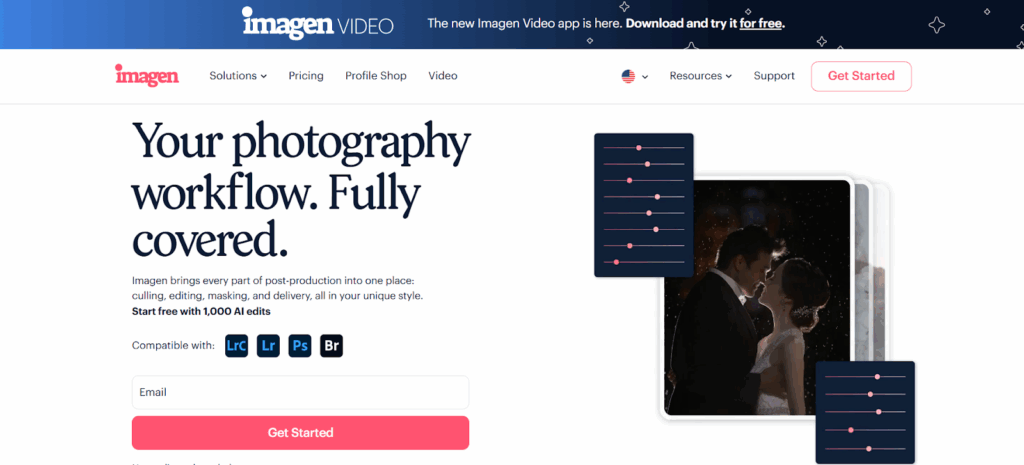
Imagen is a desktop app that integrates seamlessly with your existing Adobe Lightroom Classic workflow. It’s not a replacement for Lightroom, but rather a powerful extension of it. The process is straightforward: you use Imagen to apply the initial, time-consuming edits, and then you can make your final tweaks in Lightroom, just as you always have.
The Heart of Imagen: Your Personal AI Profile
The foundation of Imagen’s power is the Personal AI Profile. To create your profile, you upload at least 3,000 of your previously edited photos directly from your Lightroom Classic catalogs. Imagen’s neural network analyzes these images to understand every nuance of your editing style—from basic exposure and white balance to your specific HSL adjustments.
Once your profile is trained, you can apply it to new shoots. Imagen will analyze each new photo individually and apply your learned style, taking into account the specific lighting conditions and content of that image. It’s a dynamic process that goes far beyond what a simple preset can do. A preset applies the same static settings to every photo, regardless of the starting point. An AI Profile, on the other hand, intelligently adapts the edit to each specific photo, aiming for the result you would have achieved manually.
What if you don’t have 3,000 edited photos, or you want to experiment with a different style? This is where Talent AI Profiles come in.
Talent AI Profiles: Learn from the Best
Imagen has collaborated with some of the world’s top photographers to create a collection of Talent AI Profiles. These are pre-trained profiles that allow you to apply the signature look of renowned artists to your own work. It’s a great way to get started with AI editing immediately, and it can also be a source of inspiration. You can even use a Talent AI Profile as a starting point and then fine-tune it with your own final edits to gradually make it your own.
More Than Just Editing: A Complete Workflow Solution
Imagen has evolved beyond just an editing tool into a comprehensive post-production platform. Here are some of the other key features that streamline a photographer’s workflow:
AI Culling
Just like with editing, culling is a major time-sink. Imagen’s AI Culling feature tackles this by analyzing your entire shoot and doing the heavy lifting for you. It groups similar photos, identifies shots with closed eyes or poor focus, and gives you a culled gallery ready for your review. You always have the final say, but the initial, tedious sorting process is handled for you. A particularly innovative feature is the ability to Cull with Edited Previews. This allows you to see the photos with your AI Profile applied during the culling process, which helps in making decisions based on the final look of the image.
Cloud Storage
Losing client photos is a photographer’s worst nightmare. Imagen offers integrated Cloud Storage, providing a secure backup for your RAW files. As you upload a project for culling or editing, Imagen can automatically back up your high-resolution photos to the cloud. This provides peace of mind and simplifies your backup strategy.
Seamless Integration
The beauty of Imagen is that it works with the tools you already know and love. It’s compatible with Lightroom Classic, Lightroom, Photoshop, and Bridge. The process feels like a natural extension of your existing workflow, not a disruptive new system you have to learn from scratch.
The Landscape of AI Editing Tools
While Imagen has established itself as a leader, especially with its focus on learning a photographer’s personal style, it’s helpful to understand the broader landscape. The world of AI photo editing is diverse, with different tools focusing on different aspects of the process.
Here’s a look at some of the other players in the field:
- Adobe Lightroom’s AI Features: Adobe has been integrating more AI features directly into Lightroom. Tools like “Select Subject” and “Select Sky” use AI to create precise masks, which can be a huge time-saver for local adjustments. Lightroom’s “Auto” button has also improved significantly, offering a more intelligent starting point for edits. However, it doesn’t learn your specific style in the same deep way that Imagen’s Personal AI Profile does. It’s more of a generalized “good” edit.
- Skylum Luminar Neo: Luminar Neo is a standalone editor and plugin that is heavily focused on AI-powered tools. It offers features like “Sky AI” for replacing skies, “Portrait AI” for retouching, and “Enhance AI” for overall image improvement. Luminar is excellent for creative effects and making dramatic changes quickly. Its approach is less about learning a subtle, personal editing style and more about providing powerful, easy-to-use tools for specific tasks.
- Topaz Labs: Topaz Labs offers a suite of AI-powered applications, each specializing in a specific area of image enhancement. “DeNoise AI” is renowned for its noise reduction capabilities, “Sharpen AI” excels at recovering detail, and “Gigapixel AI” is used for enlarging images without losing quality. These are highly specialized tools that are often used in conjunction with a primary editor like Lightroom. They are less about the overall creative edit and more about technical perfection.
- Evoto: Evoto is another AI-powered editor with a strong focus on portrait retouching. It offers advanced features for skin smoothing, blemish removal, and facial feature adjustments that can be applied in batches. It’s a powerful tool for portrait and fashion photographers who need to perform detailed retouching on a large number of images.
While each of these tools has its strengths, Imagen’s approach is unique in its holistic focus on the professional photographer’s entire post-production workflow. The deep learning of a Personal AI Profile, combined with integrated culling and cloud storage, creates a truly end-to-end solution designed to save time and enhance consistency without sacrificing the photographer’s individual artistic voice.
Putting It All into Practice: Best Practices for an AI Workflow
Integrating AI into your workflow is about working smarter, not harder. Here are some practical tips to get the most out of a tool like Imagen.
- Invest in Your Personal AI Profile: The quality of your Personal AI Profile depends on the quality of the images you use to train it. Be selective. Choose catalogs that represent your best, most consistent work. If you have different styles for different types of shoots (e.g., indoor vs. outdoor, color vs. black and white), create a separate profile for each.
- Cull First, Then Edit: While you can upload an entire shoot for editing, you’ll save on editing credits and processing time if you cull first. Use Imagen’s AI Culling to get a head start, then do a quick final review before sending the selected images to be edited.
- Trust, but Verify: AI is incredibly powerful, but it’s not infallible. Once your edits are downloaded back into Lightroom, do a quick scroll-through of the gallery. You’ll likely find that 95% of the images are perfect, but a few might need a minor tweak to the exposure or white balance. This final quality control step is still much faster than editing everything from scratch.
- Fine-Tune Your Profile: Your style evolves over time. Imagen allows you to fine-tune your Personal AI Profile with your most recent edits. After you’ve made your final tweaks to an edited gallery in Lightroom, you can upload those changes back to Imagen. This keeps your profile up-to-date with your latest creative choices.
- Leverage AI for Different Genres:
- Wedding and Event Photography: This is where AI truly shines. The ability to process thousands of photos with a consistent style is a massive advantage.
- Portrait Photography: AI tools like Subject Mask and Smooth Skin can automate a significant portion of the retouching process.
- Real Estate Photography: For real estate, consistency is crucial. AI can ensure that all photos in a listing have the same clean, bright look. Tools like Perspective Correction and HDR Merge are invaluable.
- Volume Photography (Schools, Sports): When you have to edit hundreds of similar portraits, AI can handle the repetitive cropping and color correction, saving an incredible amount of time.
Conclusion
The role of a photographer is evolving. In a competitive market, efficiency is just as important as artistry. AI editing is not about removing the artist from the equation; it’s about empowering the artist to be more productive and creative. It’s about automating the repetitive, mechanical tasks so that you can focus on what truly matters: creating beautiful images and building a successful business.
Tools like Imagen are leading this charge, offering a sophisticated yet user-friendly platform that respects the photographer’s unique style. By embracing AI, you’re not just saving time; you’re investing in the future of your craft and your business. You’re making a choice to spend less time clicking sliders and more time behind the lens, where your passion truly lies.
Frequently Asked Questions (FAQ)
1. Will AI editing make my photos look generic? No, not with a tool like Imagen. The entire premise of the Personal AI Profile is to learn your unique style. The goal is for the AI-edited photos to look exactly like you edited them yourself, just much faster.
2. Do I lose creative control when using AI? Not at all. AI handles the initial, time-consuming edit. You always have the final say. You can download the edits back into Lightroom Classic and make any adjustments you see fit. The AI does the heavy lifting, but you’re still the creative director.
3. Is AI editing difficult to learn? Platforms like Imagen are designed to be intuitive and integrate into your existing workflow. If you’re comfortable with Lightroom Classic, you’ll find the process of uploading a project and applying a profile to be very straightforward.
4. How many photos do I need to create a Personal AI Profile? Imagen recommends a minimum of 3,000 edited photos to create a robust and accurate Personal AI Profile. The photos should be from your Lightroom Classic catalogs and represent a consistent editing style across various lighting conditions.
5. What if I have multiple editing styles? You can create multiple Personal AI Profiles. For example, you could have one profile for your color images, another for black and white, and perhaps a third for a specific “light and airy” style you use for outdoor portraits.
6. Does AI work with any type of photo file? Imagen works with RAW, JPEG, and DNG files. For the best results, it’s always recommended to shoot in RAW, as this gives the AI the most data to work with, just as it does for manual editing.
7. How much does AI editing cost? Pricing models vary. Imagen uses a pay-per-photo model, which is very flexible. The cost is typically a few cents per image. When you consider the amount of time saved, the return on investment is significant for a professional photographer.
8. Is my data and are my photos secure? Reputable companies like Imagen take data security very seriously. They use secure servers (like Amazon Web Services) and do not claim any ownership over your images. Your photos are used to train your private profile and are not shared.
9. Can AI handle complex edits like skin retouching or object removal? Yes, to an extent. Imagen offers AI tools like “Smooth Skin” and “Subject Mask” that can automate parts of the retouching process. For more complex tasks like object removal, you would typically still use a tool like Photoshop after the initial AI edit.
10. What’s the difference between an AI Profile and a preset? A preset applies a fixed set of adjustments to any photo, regardless of its starting point. An AI Profile is dynamic; it analyzes each photo individually and applies a custom edit to achieve a consistent result that matches your style. For example, it will adjust the exposure on an underexposed photo differently than on an overexposed photo to arrive at your preferred final brightness.
11. Does Imagen replace Lightroom? No. Imagen is a desktop app that works with Lightroom Classic, Photoshop, and Bridge. It is a tool to speed up the editing process, but Lightroom remains the hub for your photo management and final adjustments.
12. How long does it take for the AI to edit my photos? It’s incredibly fast. Imagen can edit thousands of photos in a matter of minutes. The upload and download times will depend on your internet connection, but the actual AI editing process is very quick.
13. Can I try it before I commit? Yes. Most AI editing platforms offer a free trial. Imagen, for example, gives you 1,000 free AI edits so you can test the process and see the results with your own photos before subscribing.
