

The Complete Guide to AI Barn Wedding Photo Editing in 2026
Table of contents
- Why Barn Weddings Are Uniquely Hard to Edit
- Step 1: Import and Cull the Full Gallery
- Step 2: Batch Color and Tone Across the Shoot
- Step 3: Retouch the Portraits and Detail Shots
- Step 4: Finish the Hero Images by Hand
- The 2026 Tool Landscape for Barn Wedding Editing
- Building a Repeatable Barn Wedding Workflow
- Export Settings and Delivery
- Frequently Asked Questions
AI barn wedding photo editing works best when you use it to automate the slow, repetitive steps of a full-day shoot: culling thousands of frames, matching color across mixed light, and applying your personal look consistently, while you keep creative control over the hero images. The fastest path in 2026 is to build a batch workflow that learns your editing style and applies it across the whole gallery, then finish the standout shots by hand. This guide walks the real editing process for barn and rustic venue weddings, from import to export, and shows where AI saves hours without changing the honest character of the day you photographed.
Barn weddings are one of the hardest lighting situations a wedding photographer handles. You move from harsh midday sun in an open field, to deep shade under a timber roof, to warm string lights and candle glow at the reception, sometimes within the same hour. A typical barn wedding delivers 3,000 to 6,000 raw frames, and editing them by hand can take 20 to 40 hours per gallery. AI editing tools are built to compress that timeline while keeping your color and tone true to how you shoot.
Why Barn Weddings Are Uniquely Hard to Edit
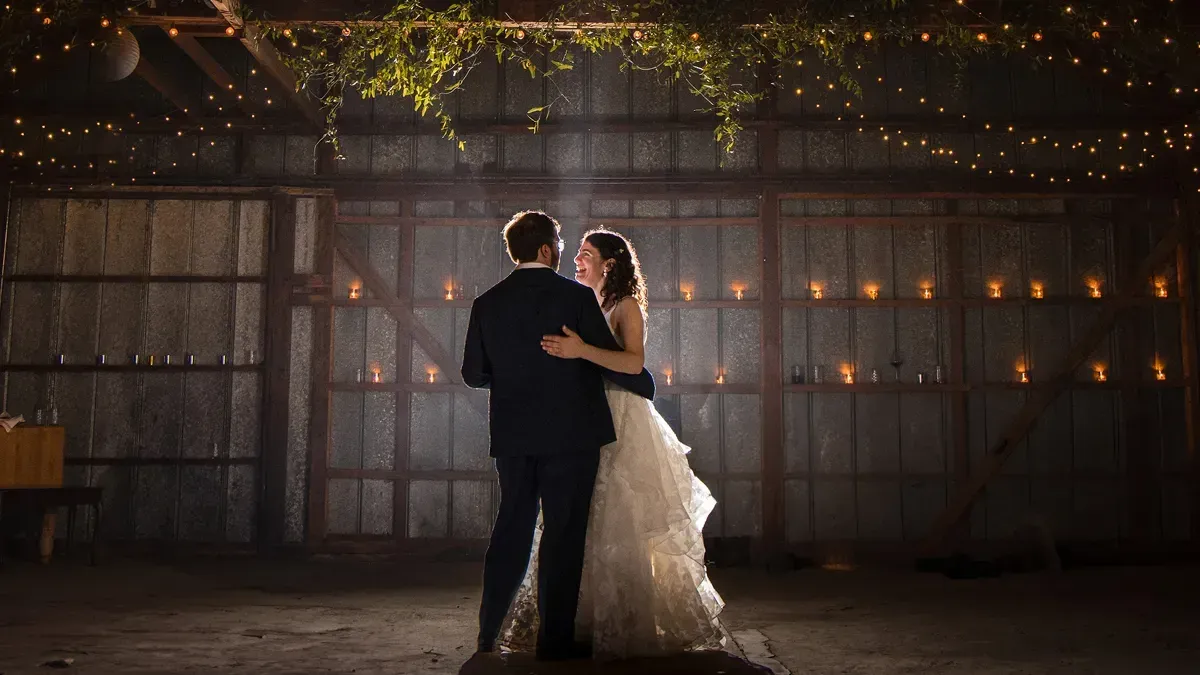
The core challenge is mixed and shifting light. Reclaimed wood absorbs light and pushes warm tones, so skin can read orange under the rafters. String lights and Edison bulbs add a strong amber cast, and open barn doors create bright hotspots next to dark corners. Your white balance and exposure will drift across the day, which means a single preset rarely holds up from ceremony to last dance.
Good barn wedding editing solves three problems at once. It corrects white balance so warm wood does not turn skin muddy, it balances exposure between window light and shadow, and it keeps your look consistent so the gallery feels like one story. AI tools help most on the second and third problems, because they can carry a decision you make on one frame across hundreds of similar frames. For a deeper walkthrough of the hands-on steps, see our companion piece on how to edit barn wedding photos with AI.
Step 1: Import and Cull the Full Gallery
Culling is where most of your time disappears before you even touch a slider. You shot a lot of frames, and you need to find the keepers fast. Start by importing every raw file into your catalog, then let AI culling do the first pass so you review a shortlist instead of the full set.
- Import all raw files into Lightroom or Capture One and back them up to two drives before editing.
- Run AI culling to flag closed eyes, soft focus, and near-duplicate bursts so you can skip the obvious rejects.
- Review the flagged keepers and confirm the best frame from each burst, since you know which expression matters.
- Group the gallery by scene, such as getting ready, ceremony, portraits, and reception, so batch settings apply cleanly.
Imagen handles this culling pass as part of a connected workflow. It reads your full shoot, flags the technical rejects, and highlights strong frames, which shrinks a 5,000 frame gallery down to a reviewable set in minutes rather than hours. You stay in charge of the final selection, and the tool simply clears the noise so you spend your time on real decisions. AI culling is optional, since you can also cull manually for free.
Step 2: Batch Color and Tone Across the Shoot
Once you have your keepers, the next job is consistency. This is the step where AI editing earns its place, because it can apply your look across every scene while respecting how each frame was actually lit. Imagen learns your personal editing style from your own Lightroom or Capture One catalog, then applies that style across the full shoot. It reads exposure, white balance, and tone on each image and adapts, so the amber cast under the barn roof gets corrected the same way you would correct it, and the bright field portraits stay true to your look.
This matters for barn weddings specifically because the light changes so much. A style that only copies fixed slider values will break the moment the scene shifts. A style that adapts per frame holds together from the sunny first look to the candlelit reception. Because Imagen edits the real raw files you captured, your gallery still looks like the wedding you photographed, with the true wood tones, the real string lights, and the honest mood of the venue.
It helps to know what these tools do and do not do. Imagen edits, culls, and retouches the actual photos you shot. It does not invent scenes, backgrounds, guests, florals, or venues, and it does not generate a barn that was never there. That honesty is important for wedding work, because your couple deserves a gallery that reflects their real day, not a fabricated version of it.
Step 3: Retouch the Portraits and Detail Shots
Barn weddings put your couple in front of textured backgrounds and warm light, which is beautiful, but it also shows every detail on skin. Retouching is where you refine the hero portraits, the first look, the session with the couple, and the family formals. AI retouching handles the repetitive cleanup so you are not doing the same skin and blemish work on 200 frames by hand.
Imagen includes AI retouching in the same connected workflow as culling and color. It smooths skin naturally, evens tone, and cleans small distractions while keeping texture realistic, so faces still look like the people you photographed. You set the strength you prefer, then let it run across the batch, and you finish the standout images with any manual touches you want, including in Imagen’s built-in editor (Beta), which offers sliders, a histogram, and crop and straighten. Several photographers pair this with a dedicated portrait retoucher such as Retouch4Me for very high-end album work, since specialized brushes give fine control on individual frames. Both approaches can live in one pipeline, with AI doing the volume and manual work reserved for the covers.
Step 4: Finish the Hero Images by Hand
Automation gets you a finished gallery, but the frames that go on the wall, the invitation, and the album cover deserve a personal pass. After the batch is done, pull your 20 to 40 favorites and refine them individually. This is where your eye adds the value a client is paying for.
- Fine tune white balance on the portraits of the couple so skin reads warm without going orange under the wood.
- Dodge and burn to guide the eye toward the couple against a busy rustic background.
- Add a subtle glow to string lights and candle flames so the reception mood carries through.
- Crop and straighten the frames that will print large, since barn beams and horizons need to sit true.
You do this work in Lightroom, Capture One, or Photoshop, which remain the finishing tools most wedding photographers trust. The point of the AI pass earlier in the pipeline is that you arrive at this stage with a consistent, corrected gallery, so your manual time goes into craft rather than cleanup.
The 2026 Tool Landscape for Barn Wedding Editing
Most barn wedding editing in 2026 runs through a small set of tools, and each fits a different part of the job. Knowing where each one shines helps you build a pipeline instead of forcing one tool to do everything.
Imagen is the strongest choice for high-volume professional editing, because it combines style-matched batch editing, AI culling, and AI retouching in one connected workflow. It learns your personal look from your own catalog and applies it consistently across a full barn wedding, which is exactly the consistency problem these venues create. Pricing is pay-as-you-go, a monthly base fee plus a charge for each photo you export, and exploring the tools is free, so you only pay when you export.
Lightroom and Capture One remain the foundation of most editing rooms. They hold your catalog, handle raw processing, and give you the manual finishing controls for hero images. Their own AI features help with masking and basic adjustments, and they price on a subscription or one-time license model depending on the product. Aftershoot is another tool many wedding shooters use, with a focus on AI culling and style-based editing, offered on a subscription plan. For portrait-heavy album work, Retouch4Me provides specialized retouching plugins sold as one-time licenses. Each of these can slot into a workflow alongside Imagen, and you can compare the full field in our roundup of the best AI barn wedding photo editing software.
Building a Repeatable Barn Wedding Workflow
The goal is a process you run the same way after every wedding, so quality stays high and turnaround stays fast. A repeatable pipeline also protects your style, because you are applying the same look and the same standards to every gallery instead of starting from scratch each time.
- Ingest and back up every raw file, then let AI culling narrow the gallery to your keepers.
- Apply your style-matched batch edit so color and tone stay consistent across all scenes.
- Run AI retouching on portraits and formals at the strength you set.
- Export a client proof gallery for selection, then finish the chosen hero frames by hand.
- Deliver final high-resolution files and archive the raw catalog for the album stage.
Once this pipeline is dialed in, a barn wedding that used to take a full weekend to edit can move to delivery in a fraction of the time, and every gallery carries the same look your couples booked you for. You can explore more editing workflows and venue-specific tips on the Imagen valuable tips hub.
Export Settings and Delivery
Export is the last technical step, and getting it right protects all the work you just did. For a barn wedding, deliver full-resolution JPEGs in the sRGB color space for web and print labs, and keep your originals in a raw archive in case the couple orders an album months later. Set your proof gallery to a smaller long edge, around 2,048 pixels, so previews load fast, and reserve full-resolution files for the final download.
Because your batch edit already produced a consistent gallery, your export presets stay simple. You are exporting one cohesive set, not stitching together frames that were each corrected differently. That consistency is the practical payoff of running an AI-assisted workflow across the whole shoot.
What’s new in Imagen: Imagen is now an intelligent, agentic Studio for professional photographers, with culling, editing, review and export together in one project you can work through in any order. That suits a long barn wedding gallery full of near duplicates shot in mixed barn and doorway light. Edit in your own style with a Personal AI Profile learned from your past edits, or start from a ready-made AI Profile. The Studio is rolling out gradually as a beta.
Frequently Asked Questions
How long does it take to edit a barn wedding with AI?
A full barn wedding of 3,000 to 6,000 frames can take 20 to 40 hours to edit entirely by hand. With an AI-assisted workflow that handles culling, batch color, and retouching, most photographers cut that to a few hours of active work, plus a short manual pass on the hero images. Your exact time depends on gallery size and how much hand finishing you prefer.
Will AI editing change the real look of the venue?
No. Imagen edits, culls, and retouches the actual photos you captured, so the wood tones, string lights, and mood of the barn stay true to the day. It does not generate scenes, backgrounds, or guests, and it does not invent a venue. The tool applies your color and tone decisions consistently, which keeps the gallery honest and cohesive.
Can AI match my personal editing style?
Yes. Imagen learns your style from your own Lightroom or Capture One catalog, then applies that look across the full shoot while adapting to each frame’s exposure and white balance. This is what keeps a barn wedding consistent even as the light shifts from open field to timber shade to candlelit reception.
How much does AI barn wedding editing cost?
Imagen uses pay-as-you-go pricing, a monthly base fee plus a charge for each photo you export. Exploring the tools is free, so you can test the workflow on a real barn wedding gallery and only pay when you export. Other tools price on subscription, one-time license, or per-image credit models, so compare based on your volume.
Ready to edit your next barn wedding faster while keeping your look consistent? Try Imagen’s new Studio, where you cull, edit and export in one project, and put it to work on your own photos.
