
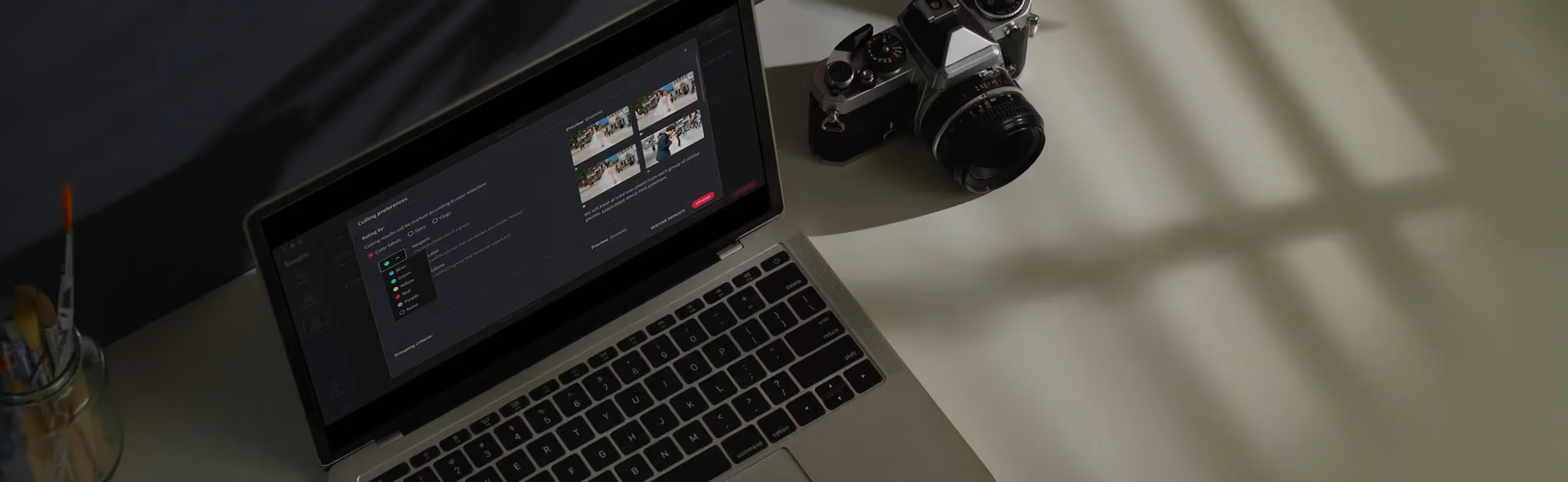
15 Best Adobe Lightroom Presets for Photographers in 2026
Table of contents
- Key Takeaways
- Selection Criteria for 2026
- 1. Imagen: The Evolution of the Personal AI Profile
- 2. Mastin Labs: Authentic Film Emulation
- 3. VSCO: The Modern Aesthetic
- 4. RNI (Really Nice Images) All Films 5
- 5. Tribe Archipelago: Earthy and Organic Tones
- 6. Skylum Luminar Neo (Lightroom Plugin)
- 7. Peter McKinnon: Cinematic Style
- 8. Luxe Lens: The All-in-One Bundle
- 9. Sleeklens: Workflow-Based Presets
- 10. Northlandscapes: Dark & Moody Landscapes
- 11. 123Presets: The Social Media Specialist
- 12. Greater Than Gatsby: Fine Art Portraits
- 13. Meridian: The Artist Collective
- 14. BeArt: Professional Wedding Collections
- 15. Creative Market (Independent Creators)
- Comparison of Top Lightroom Presets
- The next step after presets: AI Profiles from working photographers
- Final Recommendation
- Frequently Asked Questions
- Are Lightroom presets compatible with Lightroom Mobile?
- What’s the difference between an XMP preset and a profile-based preset?
- How does Imagen differ from a traditional preset?
- Do I need an internet connection to use AI profiles?
- Can I use these presets in Photoshop or Capture One?
- Is it better to buy a preset bundle or build my own?
- Why do presets look different on my photos than in the previews?
- Can I use AI culling and editing together?
- Keep exploring
You’re staring down thousands of RAW files, and your editing process has slowed to a crawl. Classic Adobe Lightroom presets promise a fast fix, but slapping a static look onto changing light usually ends in frustration.
Ready to speed up your workflow? Try Imagen, where you pay at export, and see the difference on your own photos.
If you want to speed up production, you need tools that grasp the nuances of exposure, color temperature, and contrast. So let’s look at how the preset market has shifted in 2026, and how that shift can hand your schedule back to you.
Key Takeaways
- 84% of professional photographers now rely on at least one AI-powered tool somewhere in their post-processing routine.
- Traditional .xmp presets are evolving fast, since 62% of photographers prefer profile-based presets that use an Amount slider without touching manual adjustment sliders.
- Using automated AI profiles like Imagen can cut post-production time by as much as 96%.
- Photographers using AI-based presets report a 30% faster client delivery rate, and that speed alone lifts referral rates by 15%.
- Professional film emulation packs from brands like Mastin Labs still command a premium price, $99 per pack.
- The global photo editing software market is expanding fast, on track to hit $1.49 billion by 2030.
- You don’t need to spend hours tweaking sliders anymore, because modern tools adapt to your specific camera sensor automatically.
- Imagen’s Profile Shop has AI Profiles from working photographers that adjust to each photo, and you can try one on up to 1,000 of your own photos.

Selection Criteria for 2026
Choosing the right Adobe Lightroom presets isn’t just about picking a vibe anymore. Static filters that ignore your specific lighting are relics of an older workflow. The market has moved on, and you need tools built for the technology photographers use today.
Here’s how we judge the best options in 2026:
- Profile-Based Adjustments - We favor presets built on Lightroom’s modern profile system, since it lets you dial intensity with a single Amount slider. That matters, because 62% of photographers now prefer profiles over basic .xmp adjustments that overwrite manual slider settings.
- Skin Tone Calibration - Presets need to protect delicate skin tones across different ethnicities. Few things ruin a portrait faster than orange skin from a poorly coded filter.
- Dynamic Range Protection - A good tool won’t crush your highlights or wipe out shadow detail. Holding onto that dynamic range matters most when you’re shooting weddings or high-end portraits.
- Cross-Platform Compatibility - Lightroom Mobile has passed 100 million downloads, so your looks need to hold up on both desktop and phone without breaking.
And keep this in mind: even the best static filter still needs manual work behind it. That’s exactly why the market keeps shifting toward smarter, adaptive options.
1. Imagen: The Evolution of the Personal AI Profile
Let’s be honest: traditional presets are showing their age. If you’re a busy pro editing thousands of photos, clicking through static looks one by one is a fast track to burnout. That’s where Imagen comes in.
Imagen isn’t just a basic preset. It’s an intelligent desktop Studio for professional photographers, with the AI processing in the cloud, and it studies how you actually edit. By analyzing your past work, it builds a custom Personal AI Profile that mirrors your calls on white balance, exposure, and color grading.
But what if you don’t have thousands of edits ready to train it? That’s not a problem. You can start with the built-in Talent AI Profiles, created by top-tier photographers, which hand you professional looks right out of the box. It works cleanly with Adobe Lightroom Classic, so it slots into your current setup without friction.
The results speak for themselves. This AI-based system can help you polish a 2,000-image wedding shoot in under 20 minutes. That’s up to a 96% reduction in manual editing time. Think about what you’d do with all those extra hours back.
Here are the key features that make this platform stand out:
- Personal AI Profile - Learns your unique editing choices from your past Lightroom catalogs (a minimum of 5,000 photos is recommended for training).
- Talent AI Profiles - Instant access to signature styles from well-known photographers.
- AI Photo Culling - Automatically sorts out duplicates, blurry shots, and closed eyes.
- Automated Local Adjustments - Covers perspective correction, cropping, and subject masking.
- Cloud Storage - A built-in backup option is on Imagen’s roadmap, so keep using your usual backup for now.
On the cost side, the entry point stays flexible. Imagen follows a pay on export model, where pay-as-you-go photographers pay for the photos they export:
- Pay-as-you-go - You pay for the photos you export.
- Free trial - Imagen offers a free trial, then you pay at export.
- Business - A custom plan built around your studio’s needs.
Let’s weigh the advantages against the drawbacks:
Pros:
- Saves you up to 96 percent of your editing time.
- Your edits stay consistent across wildly different lighting conditions.
- You get culling and backup handled in one convenient place.
- You’ll see a 30% faster client delivery speed.
Cons:
- You need an active internet connection to process your files.
- The pay-per-photo model can feel costly if you’re a pure hobbyist.
Verdict: Imagen is the strongest option for professional photographers who need to reclaim their schedule without sacrificing their signature look. Check out the Imagen homepage to see how you can speed up your workflow today. You can also see how pay on export works on the Imagen pricing page.
2. Mastin Labs: Authentic Film Emulation
If you’re obsessed with the classic look of real film, you’ve probably already heard of Mastin Labs. Their packs are built to match digital camera files against actual film stocks like Portra 400, Fuji 400H, and Tri-X.
Their system stays refreshingly simple: a 3-step workflow that gets you near a finished image in seconds. But here’s the catch. It’s not cheap, and each pack costs a flat $99.
If you shoot hybrid film and digital as a wedding photographer, this is a massive help. It saves you from burning hours trying to match your Sony or Canon colors to your Contax 645 frames.
Traditional presets are great for initial color theory, but they can’t adapt to changing light without manual tweaking. Photographers in 2026 are shifting to tools that analyze the actual content of the frame rather than applying a blanket filter.
Itamar Haim, SEO Expert and Digital Strategist specializing in search optimization and content marketing.
Here are the key features worth knowing:
- True Tone Technology - Calibrated specifically for Canon, Nikon, Sony, and Fujifilm sensors.
- Custom Grain Profiles - Recreates realistic analog grain rather than generic digital noise.
- Lens Correction Integration - Automatically corrects for lens vignetting.
Let’s examine where it shines and where it comes up short:
Pros:
- Delivers unmatched color accuracy for classic film stocks.
- Quick to learn and apply.
- Doesn’t over-process your files.
Cons:
- The $99 price tag per pack is a real investment.
- You’ll find limited style variation inside each single pack.
Verdict: It’s the top choice for photographers who demand precise color accuracy to match their real analog film work.
3. VSCO: The Modern Aesthetic
Picture running a busy lifestyle photography business. You need to jump between editing raw files on your desktop and posting quick updates from your phone. Keeping a cohesive aesthetic across both platforms, without losing your mind in the process, takes real coordination.
That’s where the VSCO Pro membership shines. For $59.99 per year, it brings its famous mobile film filters straight into Lightroom Classic and CC.
It’s a solid tool for creators who want a trendy, modern look for social media. But don’t expect it to handle complex lighting scenarios cleanly without some heavy slider tweaking on your end.
Here’s what stands out about the feature set:
- 200+ Presets - Gives you access to a massive library of classic VSCO looks.
- Cross-Platform Syncing - Moves your custom looks between desktop and mobile without hassle.
- Video Support - Applies the same aesthetic to your video content too.
Here’s what you need to weigh before you commit:
Pros:
- An impressive variety of trendy, artistic styles.
- A genuinely affordable annual subscription next to buying individual packs.
- Ideal for keeping a consistent social media presence.
Cons:
- The subscription model means you never fully own the presets.
- Many styles feel too heavy-handed for high-end portrait work.
Verdict: It’s a strong option for social media creators and lifestyle photographers who want a distinct, moody aesthetic across every device.
4. RNI (Really Nice Images) All Films 5
Let’s talk about the technical depth of film simulation. If flat-looking presets have let you down before, RNI All Films 5 might change your mind.
Unlike cheap filters, RNI runs on advanced 3D LUTs paired with Lightroom’s profile system. That means your manual sliders stay at zero the moment you apply the look. It’s a real improvement, since you can still reach for your regular exposure and contrast tools without any pushback.
Here are a few quick tips for getting the most out of RNI:
- Use the Profile Slider - Adjust the strength of the look with Lightroom’s built-in Amount slider.
- Match with Raw Profiles - Confirm your camera’s input profile matches RNI’s recommendations.
- Layer with Grain - RNI’s scanned analog grain looks best when you apply it after your basic exposure adjustments.
But here’s the catch. It costs $192, which puts it among the most expensive options on our list.
Let’s run through the core features:
- Huge Film Library - Covers slide films, negative films, instant looks, and black-and-white classics.
- Lightroom Profile System - Keeps your primary adjustment sliders completely untouched.
- Authentic Grain Scans - Uses real scanned grain patterns for a true analog feel.
Let’s weigh the pros against the cons:
Pros:
- Remarkable color depth and nuance.
- Never disturbs your manual slider settings.
- An outstanding selection of rare slide films.
Cons:
- That premium price tag will scare off casual users.
- Can run resource-heavy thanks to complex 3D LUT profiles.
Verdict: RNI sets the gold standard for fine-art photographers chasing authentic, museum-quality film emulation.
5. Tribe Archipelago: Earthy and Organic Tones
If you’ve spent any time browsing wedding photography on Instagram, you’ve definitely seen the moody, warm aesthetic everywhere. Tribe Archipelago is the powerhouse behind a lot of those rich, earthy styles.
Their packs, priced from $75 to $98, are built to emphasize warm skin tones, deep forest greens, and rustic browns. It’s a gorgeous look for outdoor sessions, but it can turn into a nightmare under bright studio lights or artificial indoor lighting.
Before you buy, check that your work fits this checklist:
- [ ] Do you shoot mostly outdoors? (Their green and brown calibration shines brightest here.)
- [ ] Is your lighting consistently natural? (Overcast days and golden hour suit these profiles best.)
- [ ] Do you prefer a stylistic, non-literal look? (These weren’t built for clean, commercial color accuracy.)
- [ ] Are you willing to manually adjust your orange and yellow color channels? (You’ll need to, in order to keep skin tones looking natural.)
Let’s examine the main features on offer:
- Custom Color Grading Profiles - Uses creative profiles to shift the mood instantly.
- Terrain and Expanse Sets - Built specifically for vast landscape backdrops.
- Creative Toolkit - Adds extra tools for haze, dust, and custom vignettes.
Let’s weigh the advantages against the disadvantages:
Pros:
- Builds a highly recognizable, artistic brand identity.
- Handles warm skin tones beautifully.
- An active, generous community for tips and support.
Cons:
- Hard to adapt to indoor or artificial lighting.
- Can feel too trend-driven for timeless family portraits.
Verdict: They’re the top choice for adventurous outdoor wedding and elopement photographers chasing an organic, earthy feel.
6. Skylum Luminar Neo (Lightroom Plugin)
Sometimes a simple Lightroom preset just can’t save a tricky photo. Got a flat sky or messy lighting on your hands? You might need a plugin that brings AI-driven templates right into your workflow.
Luminar Neo works as a Lightroom Classic plugin, and it’ll run you $11.95 a month (or $199 if you’d rather grab a lifetime license). You get advanced corrections, sky replacement, portrait relighting, all with a single click.
It’s a fantastic pick when you want dramatic, fine-art results but don’t want to burn hours in Photoshop.
Here’s exactly how you’d use it inside Lightroom:
- Send your photo to the plugin - Right-click your photo in Lightroom, pick ‘Edit In,’ and choose Luminar Neo.
- Apply an AI Template - Grab one from their library of smart templates to instantly fix exposure or swap out a sky.
- Refine with Tool Sliders - Use tools like Face AI or Relight AI to dial in specific areas of your photo.
- Save back to Lightroom - Hit ‘Apply’ and send the finished TIF file straight back to your Lightroom library.
Here’s what you’ll love about the feature set:
- Sky AI - Swaps out boring skies for realistic cloud patterns automatically.
- Relight AI - Builds a 3D depth map of your photo so lighting adjusts naturally.
- Structure AI - Boosts detail and contrast without those ugly halo artifacts.
Let’s look at what’s great and what’s not:
Pros:
- Fixes complex lighting and background issues in seconds flat.
- Plugs right into your existing Lightroom workflow.
- Great for dramatic, moody landscape edits.
Cons:
- You’ll need a powerful computer, since it’s pretty resource-heavy.
- It spits out massive TIF files that’ll fill your hard drives fast.
Verdict: Luminar Neo is a great fit for landscape and fine-art photographers who want advanced, AI-powered retouching in their corner.
7. Peter McKinnon: Cinematic Style
If you’ve spent any time on YouTube learning photography, you already know Peter McKinnon. His preset packs are famous for that punchy, high-contrast, cinematic look in travel and commercial work.
Priced at a friendly $35, these are some of the most accessible presets you’ll find. They lean hard on deep blacks, rich contrast, and that classic teal-and-orange color grade.
But don’t expect a one-size-fits-all solution here. They shine on clean, well-exposed travel shots and struggle a bit on soft, close portraits.
Here’s a look at the key features:
- 15+ Unique Looks - Covers everything from dark, moody city scenes to bright landscapes.
- High Contrast Focus - Gives your photos that punchy, modern edge.
- Teal & Orange Calibration - Instantly nails a cinematic, movie-like palette.
Here’s the good and the not-so-good:
Pros:
- Really affordable for anyone just starting out.
- Great for cityscapes, travel, and lifestyle shots.
- Easy to use, and you won’t need many adjustments.
Cons:
- That cinematic look can feel a bit dated or overused if you’re not careful.
- Doesn’t handle delicate skin tones all that well.
Verdict: McKinnon’s presets are perfect if you’re a travel enthusiast or vlogger who wants a bold, cinematic edge on your work.
8. Luxe Lens: The All-in-One Bundle
If you’re a generalist who shoots a wedding on Saturday, a family portrait on Sunday, and a real estate listing on Monday, one single-style preset pack just won’t cut it. You need real variety instead.
Luxe Lens offers massive bundles covering almost every genre you can imagine. Their price points run from $25 to $150, depending on whether you grab individual packs or go for the mega-bundles.
What sets Luxe Lens apart isn’t just the presets, it’s the local adjustment brushes tucked in too. These tools let you brush on specific fixes, skin smoothing, teeth whitening, right inside Lightroom.
Here’s what stands out here:
- Massive Variety - Packs built for newborns, weddings, real estate, and landscapes.
- Local Adjustment Brushes - Comes with brushes for detailed portrait retouching.
- Preset Toolkits - Stackable tools that adjust contrast, sharpness, and noise independently.
Let’s run through the strengths and weaknesses:
Pros:
- Incredible value for the sheer volume of assets you get.
- Brushes make local skin and eye retouching a lot faster.
- A great starting point if you’re a generalist.
Cons:
- Quality can swing between different genre packs.
- So many options can leave you stuck in decision paralysis.
Verdict: Luxe Lens is a fantastic toolkit for generalist studios that want all sorts of options for handling diverse client requests. For example, if you’re scaling up your portrait photography work, these baseline bundles come in surprisingly handy.
9. Sleeklens: Workflow-Based Presets
Say you want a specific look, but you hate how one-click presets take over your whole edit. What you really want is a structured system that lets you build your style step by step.
That’s exactly what Sleeklens offers with its stackable preset collections, priced between $45 and $60. Instead of slapping on one heavy filter, you apply a Base for exposure, stack a Tone for color, and finish with a Polish for detail.
It’s a clever way to keep full creative control, though it does eat up a bit more time than a standard one-click solution.
Here’s what you get with it:
- Stackable Architecture - Presets build on top of each other without overwriting your previous steps.
- Specialized Brushes - Retouching brushes made for skin, hair, and background details.
- Structured Workflow - Clear naming that guides you from start to finish.
Here’s what’s worth weighing:
Pros:
- A highly customizable, flexible system.
- Helps you understand the editing process one step at a time.
- Solid local retouching tools thrown in too.
Cons:
- A steeper learning curve than simple one-click presets.
- Takes longer when you’re applying it to big batches of photos.
Verdict: It’s a great option if you want a guided, step-by-step system without losing your creative voice along the way.
10. Northlandscapes: Dark & Moody Landscapes
Editing cold, northern scenery calls for a totally different approach than warm lifestyle portraits do. If you’re shooting mountains, forests, or foggy coastlines, regular presets tend to leave your colors looking oddly oversaturated.
Northlandscapes offers specialized presets priced at $59, crafted just for dark, moody, atmospheric outdoor photography.
They focus on pulling back bright blues and yellows while pushing up deep forest greens and moody grays.
Here are a few quick tips for getting these looks right in Lightroom:
- Expose for the Highlights - These presets work best when your raw file holds plenty of highlight detail in the clouds.
- Adjust the Dehaze Slider - Bump Dehaze up a bit if the presets flatten your foggy scenes too much.
- Boost the Whites - Don’t be shy about pulling up your white slider to make waterfalls or snow pop against dark rocks.
Here’s a look at the key features:
- Atmospheric Focus - Tuned specifically for mist, snow, and overcast light.
- Color Separation - Keeps clean separation between dark greens, cold blues, and earthy grays.
- Fine-Art Tone Curves - Subtle curves that give landscapes a matte, professional look.
Here’s the good and the bad:
Pros:
- Really useful if you shoot cold landscapes a lot.
- Creates beautiful, atmospheric depth even in flat lighting.
- Handles green and blue color channels beautifully.
Cons:
- Pretty much useless for portrait, wedding, or commercial work.
- Can look too dark if you don’t manage your exposure carefully.
Verdict: A top pick if you’re a travel or landscape photographer exploring cold, dramatic environments.
11. 123Presets: The Social Media Specialist
If you create content for Instagram or TikTok, you do not always need the subtle nuances of professional film emulation. You need something bright, clean, and eye-catching, a look that pops on a small mobile screen.
123Presets offers affordable collections priced from $20 to $30, designed specifically for influencers and casual creators.
They include both desktop .xmp files and mobile-friendly DNG presets. Check the list below before you use these on your own feed:
- [ ] Are you editing mostly on your phone? (These are built and optimized for Lightroom Mobile.)
- [ ] Do you want bright, airy tones? (Their wedding and lifestyle packs lean heavily on high exposure.)
- [ ] Is your feed highly aesthetic? (These match well with lifestyle, fashion, and food posts.)
- [ ] Do you need instant, one-click results? (You do not need deep technical knowledge to make these look great.)
Look at the core features below:
- DNG & XMP Formats - Fully compatible with both the mobile and desktop versions of Lightroom.
- Bright & Airy Styles - Built for lifestyle, travel, and fashion content.
- Instant Download - Get your files right away so you can edit on the go.
Review the pros and cons here:
Pros:
- Budget-friendly and easy for beginners to pick up.
- Built specifically for the Lightroom Mobile app.
- Delivers instant, thumb-stopping bright colors.
Cons:
- Lacks the subtle dynamic range and skin tone protection that pro-grade tools offer.
- Can easily blow out highlight detail on professional camera files.
Verdict: Choose this if you are a casual creator or lifestyle influencer who needs quick, bright edits for social feeds.
12. Greater Than Gatsby: Fine Art Portraits
If you want to build a soft, painterly look for children or family portraiture, standard presets often fall short. Choose tools designed to handle fine-art skin tones and dreamy, whimsical backdrops instead.
Greater Than Gatsby offers specialized collections priced between $50 and $80 to help you build this delicate, classical style.
Apply their system in a specific order to protect skin textures while you build a beautiful, soft atmosphere.
Follow this recommended workflow for these fine-art styles:
- Apply the Foundations Preset - Choose a baseline preset to correct basic exposure and contrast first.
- Choose a Color Overlay - Apply a subtle color tone, warm honey or soft rose work well, to set the mood.
- Use the Retouching Brushes - Smooth the skin and highlight the eyes using the included local adjustment brushes.
- Add a Final Polish - Finish with a vignette or soft glow to complete the painterly look.
Review the key features below:
- Painterly Aesthetics - Warm, rich tones styled after classical oil paintings.
- Retouching Toolkits - Brushes and actions built specifically for delicate portraits.
- Modular Design - Lets you mix and match steps to control the final opacity of the effect.
Weigh the pros and cons below:
Pros:
- Creates beautiful, soft skin tones and gentle transitions.
- Works exceptionally well for children’s portraiture and family sessions.
- Includes high-quality local retouching brushes as standard.
Cons:
- Can look over-processed quickly if you skip adjusting the opacity.
- Not a fit for commercial, real estate, or high-contrast styles.
Verdict: Choose this if you are a professional family or child photographer who wants to offer a premium, painterly look to your clients.
13. Meridian: The Artist Collective
Most preset brands come from a single designer, and that can make the catalog feel a bit repetitive over time. Meridian takes a different approach and runs a collaborative marketplace instead.
They feature preset packs from a diverse group of top-tier photographers, including Lukas Piatek. This collective model means you can find unique, non-generic artistic styles that genuinely stand out from the crowd.
Their packs cost between $70 and $90, and alternative wedding and portrait photographers prize them for that signature, moody look.
Review the core features below:
- Artist-Driven Designs - Built by active, high-end professional photographers.
- Diverse Artistic Styles - Spans everything from warm and organic to moody and experimental.
- Detailed Video Tutorials - Most packs include video guides that show exactly how the creator uses them.
Weigh the pros and cons here:
Pros:
- Highly original looks that you will not find anywhere else.
- Strong educational resources come included with the packs.
- A great fit for building a highly unique, artistic brand.
Cons:
- Some packs are highly specific and only work under precise lighting conditions.
- The price runs relatively high for single-style packs.
Verdict: Choose Meridian if you are an experienced photographer ready to break away from generic looks and build a truly unique, artistic voice.
14. BeArt: Professional Wedding Collections
If you are just starting your wedding photography business, you do not necessarily want a highly stylized or moody look. Choose something clean, classic, and timeless, a look that will keep your clients happy for decades.
BeArt offers solid, professional wedding collections priced at a reasonable $40.
Their presets handle the chaotic lighting of a wedding day well, from the bright outdoor ceremony to the dark, artificially lit reception.
Review the key features below:
- Timeless Color Grading - Skips heavy filters and focuses on clean, true-to-life colors.
- Indoor & Outdoor Optimization - Calibrated presets for different parts of the wedding day.
- High Compatibility - Works smoothly across Lightroom Classic, CC, and Mobile.
Weigh the advantages and drawbacks below:
Pros:
- Clean, natural, and timeless colors throughout.
- Reliable performance even across chaotic lighting situations.
- Affordable, entry-level pricing.
Cons:
- The styles can feel a bit safe or generic next to more artistic brands.
- Lacks advanced creative profiles or 3D LUT integration.
Verdict: It’s a solid, reliable choice for entry-level wedding photographers who need clean, consistent results without taking big stylistic risks. If you are building a scalable business, start with clean presets first, and when you are ready to automate, wedding photography post-production can shift over to automated AI profiles without much trouble.
15. Creative Market (Independent Creators)
Say you have a very specific vision for a shoot. Maybe you want to recreate a 1970s magazine look, or maybe you need a bright pastel aesthetic for a commercial food project. You have checked the big-name preset brands, but none of them offer exactly what you need.
This is exactly when you should check out Creative Market. With over 65,000 unique Lightroom preset products from independent designers, it is a massive goldmine for niche styles.
Prices typically range from $10 to $50, which makes it a budget-friendly place to explore. But stay careful, because quality varies wildly since anyone can list their creations there.
Review the core features below:
- Unmatched Variety - Thousands of independent designers list unique, niche looks.
- User Reviews and Previews - Check real customer feedback and before-and-after examples before you buy.
- Professional Options - Ideal for finding affordable looks for one-off projects.
Keep the following points in mind:
Pros:
- An endless selection of highly specific, artistic styles.
- Strong price points for independent creators.
- Great for finding niche looks for creative passion projects.
Cons:
- Technical quality across the presets stays highly inconsistent.
- Many listings offer no updates or customer support if a Lightroom update breaks them.
Verdict: Choose this platform if you are a budget-conscious photographer who enjoys hunting through a massive library for hidden gems that fit specific creative needs.
Comparison of Top Lightroom Presets
Here is a quick, high-level look at how these options stack up against each other. Use it to decide whether you want the traditional route or a modern AI workflow instead.
| Preset Brand | Primary Style | Price | AI Integration |
|---|---|---|---|
| Imagen | Personalized / Custom AI Profiles | Pay on export | Yes (Fully Automated AI) |
| Mastin Labs | Authentic Film Emulation | $99 per pack | No (Static XMP) |
| VSCO Pro | Modern / Social Aesthetic | $59.99 per year | No (Static XMP) |
| RNI All Films 5 | True Analog Film (3D LUTs) | $192 (Pro) | No (Profile-based) |
| Tribe Archipelago | Earthy and Organic Tones | $75 to $98 per set | No (Creative Profiles) |
| Skylum Luminar Neo | Dramatic / AI-Enhanced Effects | $11.95 per month | Yes (AI Plugin) |
| Peter McKinnon | Cinematic / High-Contrast Travel | $35 per pack | No (Static XMP) |
| Luxe Lens | All-in-One Variety Bundles | $25 to $150 | No (Static XMP / Brushes) |
| Sleeklens | Stackable Workflow System | $45 to $60 | No (Static XMP) |
| Northlandscapes | Cold / Moody Landscapes | $59 per pack | No (Static XMP) |
| 123Presets | Bright & Airy Social Media | $20 to $30 | No (Static DNG) |
| Greater Than Gatsby | Fine Art / Painterly Portraits | $50 to $80 | No (Static Actions/Brushes) |
| Meridian | Artist Collective Tones | $70 to $90 | No (Creative Profiles) |
| BeArt | Clean & Timeless Wedding Tones | $40 per set | No (Static XMP) |
| Creative Market | Diverse / Independent Niche Looks | $10 to $50 | No (Varies by seller) |
The next step after presets: AI Profiles from working photographers
Every static preset on this list applies the same sliders to every photo. That works until the light changes, and skin tones are usually the first thing to drift. An AI Profile is the next step. It’s trained on a working photographer’s own edits and adjusts to each photo while keeping their style. Imagen’s Profile Shop has AI Profiles from photographers like Beba Vowels and Kathi & Chris, and Imagen works inside Lightroom Classic, Lightroom, Photoshop and Bridge. You can try a profile on up to 1,000 of your own photos, and if it isn’t a fit, you get a refund.
Final Recommendation
Static presets remain a great way to start learning color theory, but they are no longer enough if you run a serious photography business. When you manage hundreds of shoots, you do not have time to copy a filter and manually fix exposure on every single frame.
If you want to protect your creative energy and scale your business, the answer stays clear. Choose a solution that adapts to you, not the other way around.
For high-volume wedding, portrait, and commercial photographers, Imagen stands out as the top choice. It does not just apply a static look; it uses AI to learn your actual style and apply it consistently across different light settings. This helps you speed up delivery, reclaim your nights, and keep your clients happy. You will work much faster once AI photo editing handles your files.
But if you shoot a mix of film and digital and want manual, hyper-accurate analog color grading, Mastin Labs or RNI All Films 5 remain excellent choices. They give you beautiful, physical film profiles that look gorgeous on individual raw files.
But for modern, automated efficiency, nothing beats an AI-driven workflow.
What’s new in Imagen: Presets stay static, while Imagen is now an intelligent, agentic Studio for professional photographers, where you cull, edit, review and export in one project, in any order. Edit in your own style with a Personal AI Profile or a ready-made AI Profile, and apply more than one AI Profile to a selected set of photos, which takes some processing time. The Studio is rolling out gradually as a beta.
Frequently Asked Questions
Are Lightroom presets compatible with Lightroom Mobile?
Yes, most modern presets are fully compatible. You will need to import the .xmp files on desktop, or use DNG files directly on your mobile device, to get them working there.
What’s the difference between an XMP preset and a profile-based preset?
An XMP preset moves your actual exposure and color sliders in Lightroom, which can disrupt manual adjustments you made earlier. A profile-based preset works in the background instead, keeping all your sliders at zero so you keep full control over minor tweaks.
How does Imagen differ from a traditional preset?
Imagen does not just apply a flat filter to your photos. It analyzes each photo individually and applies edits based on your personal style or expert profiles, which saves you up to 96 percent of manual editing time.
Do I need an internet connection to use AI profiles?
Yes, cloud-based tools like Imagen require an internet connection to process and sync your catalogs. That said, the processing speed more than makes up for this minor requirement.
Can I use these presets in Photoshop or Capture One?
Some presets are cross-compatible, but it depends on the creator. Adobe Lightroom presets in .xmp format can be opened in Adobe Camera Raw inside Photoshop, but they will not work directly in Capture One without conversion first.
Is it better to buy a preset bundle or build my own?
If you are just starting out, buying a high-quality pack can teach you a lot about color theory. But as you grow, you will want to build your own custom profiles to establish a unique brand look.
Why do presets look different on my photos than in the previews?
Previews get shot in ideal lighting conditions with specific camera bodies. If your photo’s white balance or exposure differs, you will need to make manual adjustments to get a similar look.
Can I use AI culling and editing together?
Yes, this combination works well together. Modern platforms like Imagen offer built-in AI photo culling alongside editing, which lets you complete your entire post-production workflow in one single place.
Keep exploring
- Imagen AI photo editing, now a Studio where you cull, edit and export in one project
- The best Lightroom presets for professional photographers
- The Ultimate Guide to Fujifilm Lightroom Presets: Mastering Color…
- Beginner’s Guide to Wedding Lightroom Presets: From Classic to…
- lightroom presets
- lightroom presets for motorcycle photos

