

Building a Faster Photo Culling Workflow for Sports Photographers
Table of contents
- Why culling is the real bottleneck in sports photography
- Shoot with culling in mind
- Structure your cull in two passes
- Reject rules you can apply without second-guessing
- Where AI culling removes the bottleneck
- Build one repeatable workflow and reuse it every event
- What it costs to run culling and grading in the cloud
- A few tasks culling tools do not do
- Frequently asked questions
A single afternoon covering a soccer match, a track meet, or a swim final can leave a sports photographer with eight, ten, or twelve thousand frames. The fastest way to shrink the hours between the final whistle and a delivered gallery is to fix the culling step first, because that is where most of the time quietly disappears. A good culling workflow rejects the obvious throwaways in seconds, groups the near-duplicate bursts, and surfaces the sharp peak-action frames so you can grade and deliver while the event still feels fresh.
This guide walks through a repeatable culling workflow built for high-volume sports work: how to shoot in a way that makes culling easier, how to structure your first and second passes, which rejects to cut without hesitation, and where AI-assisted tools remove the bottleneck so you spend your energy on selection judgment instead of mechanical clicking.
Why culling is the real bottleneck in sports photography
Sports shooting rewards high frame rates. When the decisive moment lasts a fraction of a second, you hold the shutter and let the burst run, which is exactly why you come home with thousands of frames per hour of play. The trade-off is that most of those frames are near-identical, and a meaningful share are soft, poorly timed, or blocked by another player. Editing color and exposure is quick once the keepers are chosen. Choosing the keepers is the slow part.
If you cull frame by frame at full attention, a ten-thousand-image day can eat an entire evening before you even open your grading tool. Multiply that across a tournament weekend and the backlog compounds. Clients, coaches, and athletes increasingly expect same-day or next-morning galleries, so the photographer who can compress culling from hours to minutes wins the repeat bookings. The goal is not to look at every frame with equal care. It is to build a funnel that spends attention only where a real decision has to be made.
Shoot with culling in mind
The fastest cull starts at capture. A few habits in the field dramatically reduce how many frames you have to sort later.
Use burst discipline. Long, uninterrupted bursts feel safe, but a photographer who fires in short, intentional bursts around the actual peak of an action gets fewer redundant frames and a cleaner take. Anticipate the moment, start the burst just before it, and release just after. That habit alone can cut your frame count by a third.
Keep your keeper rate honest with in-camera tools. Two memory cards, quick playback checks between plays, and consistent exposure settings mean fewer surprises when you import. Lock your white balance for a given lighting condition rather than leaving it on auto, because consistent color across the shoot makes batch grading far faster downstream.
Shoot RAW, and organize on ingest. Bring images in with a clear folder structure by event, period, and camera body. Rename on import with a sequential, event-based scheme so that every later step, from culling to delivery, references the same predictable file names.
Structure your cull in two passes
The most reliable high-volume culling workflow is a two-pass funnel. The first pass is fast and unforgiving. The second pass is slow and selective. Mixing the two is what makes culling drag.
The first pass is a rejection pass. You are not choosing winners yet. You are removing everything that cannot possibly be a keeper: eyes-closed frames, motion blur where you wanted sharpness, frames where the ball or the athlete is out of frame, blank frames at the start and end of a burst, and shots where a referee or another player blocks the subject. Move fast and be ruthless. Anything you hesitate on stays in for now.
The second pass is a selection pass, run only on what survived. Here you slow down and compare within each burst, picking the single frame with the best peak action, the cleanest expression, and the sharpest focus on the eyes or the ball. This is where your craft actually matters, and it is worth your full attention precisely because the first pass already cleared the noise.
Reject rules you can apply without second-guessing
Speed in the first pass comes from having firm, pre-decided reject rules so you never debate a throwaway. For sports work, cut these on sight:
Missed focus. If the eyes or the primary point of contact with the ball are not sharp, the frame is gone. In a burst of fifteen, you will almost always have a sharper neighbor.
Bad timing. The bat has already passed the ball, the jumper has already landed, the celebration has turned away from camera. Peak-action frames read as intentional; the frames a beat before or after usually do not.
Obstruction. An official, a teammate, or equipment crossing the subject at the wrong instant kills the frame. Do not try to rescue it.
Duplicate within a burst. When five frames are essentially identical, you keep at most one. Flag the burst and resolve it in the second pass rather than agonizing now.
Write these rules down until they are automatic. The photographers who cull fastest are not looking harder; they are deciding less, because the criteria are settled before they open the folder.
Where AI culling removes the bottleneck
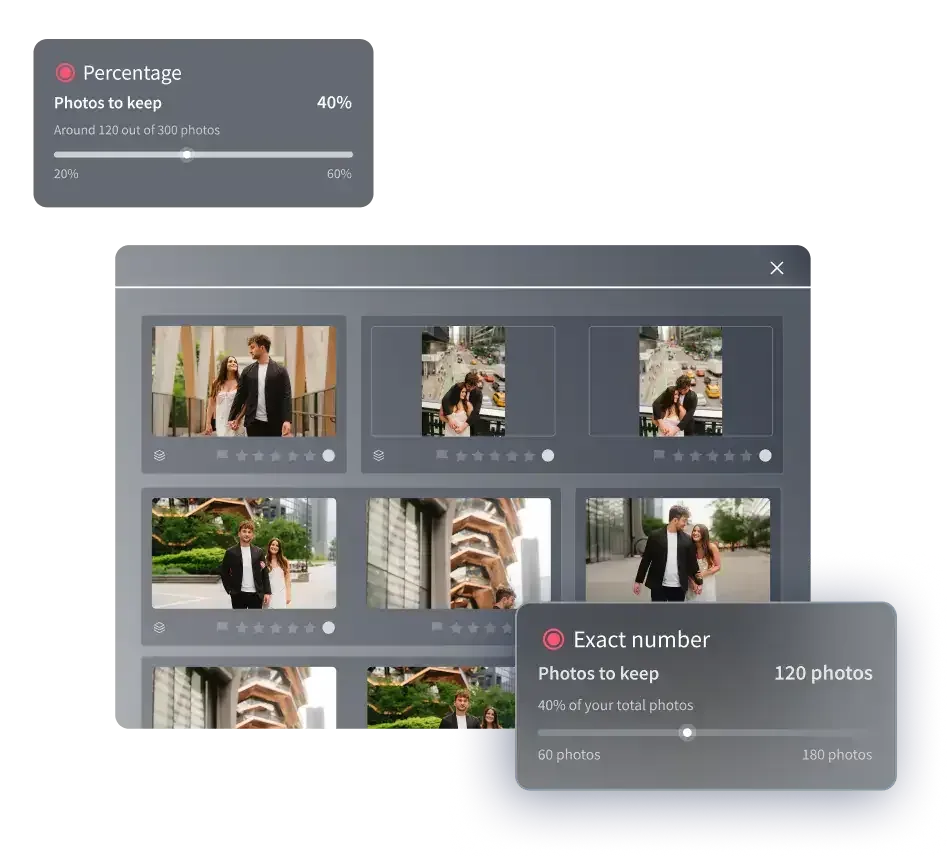
Manual two-pass culling is far faster than reviewing every frame equally, but on a ten-thousand-image day it is still hours of work. This is where an AI culling tool changes the economics. Instead of clicking through the rejection pass yourself, you let software do the first-pass triage: it detects closed eyes, flags soft frames, groups near-duplicate bursts, and surfaces the sharpest candidate in each group so your human attention lands only on the selection decisions that need it.
Imagen is built for exactly this high-volume reality. Its automated sports photo culling software runs your full import through an AI first pass in the cloud, groups similar frames, and marks likely rejects and likely keepers, so the mechanical part of the cull is handled before you sit down. AI filters such as blur and closed eyes help you narrow a shoot further. You still make the final calls, but you make them on a pre-sorted, pre-grouped take instead of a raw dump of twelve thousand frames. For sports photographers chasing a same-day deadline, compressing that first pass from hours to minutes is the whole game.
Because Imagen also learns your personal editing style, culling and grading live in one connected workflow. Once your keepers are chosen, the same platform applies your color and tone consistently across the entire shoot, so a night game and a day session both look like your work. Edited photos arrive in batches as they process, so you can start reviewing early frames while the rest finish. That continuity, from ingest to a graded, deliverable gallery, is what turns a punishing all-nighter into a manageable evening.
Build one repeatable workflow and reuse it every event
The point of all this is not any single trick. It is a fixed sequence you run identically at every event so it becomes muscle memory.
A dependable end-to-end sports workflow looks like this: shoot with burst discipline and locked white balance; ingest into a consistent event-based folder and naming structure; run an AI first pass to triage rejects and group bursts; do a fast human rejection pass on anything the software was unsure about; do a slow selection pass on the survivors to pick your peak-action keepers; then batch grade the final set with your style profile and export for delivery. Same steps, every time.
The consistency is what compounds. When the workflow never changes, you stop making decisions about the process and spend all your judgment on the images. A photographer who has run the same funnel fifty times can turn a tournament day around before breakfast, while a photographer improvising each edit is still culling at midnight.
What it costs to run culling and grading in the cloud
A cloud culling and editing platform is priced per image rather than as a heavy upfront license, which suits the variable volume of sports work. With Imagen, pay-as-you-go editing charges a monthly base fee plus a per-photo charge when you export, and exploring the tools is free. For a photographer whose frame count swings from a small club match to a multi-day tournament, per-image pricing means your tooling cost scales with the job instead of sitting fixed on your books.
It helps to think of the spend against the hours it returns. If an AI first pass saves you three or four hours on a big event, the per-image cost is trivial next to the value of delivering the same night and freeing your evening for the next booking. The math tilts further in your favor across a busy season, where those recovered hours add up to whole shooting days.
A few tasks culling tools do not do
It is worth being clear about scope so you build the rest of your kit sensibly. AI culling and batch grading handle selection, color, tone, and consistency at volume. They are not the tool for heavy compositing, removing a distracting object from the background of a frame, or rescuing a badly out-of-focus shot with deblurring. Those are jobs for a dedicated retouching or repair tool, applied to the handful of hero images that earn the extra effort, not to a whole gallery. Keeping culling fast and reserving pixel-level fixes for a separate, deliberate step is what keeps your turnaround short.
If you want to keep sharpening the workflow, it pairs well with tightening your capture technique and your grading presets, since every frame you avoid shooting and every edit you standardize is time you never have to spend in the cull.
What’s new in Imagen: Imagen now works as an intelligent, agentic Studio for professional photographers, so you cull, edit, review and export in one project, in any order. On a long game night, edited photos arrive in batches as they process, which lets you review early frames while the rest finish, and AI Profiles apply your personal style. The Studio is rolling out gradually as a beta.
Frequently asked questions
How long should culling a sports shoot take? With a two-pass manual workflow, expect a rough rule of a few seconds per surviving frame after a fast rejection pass, which on a ten-thousand-image day still runs into hours. Adding an AI first pass to triage rejects and group bursts is what compresses that into minutes of machine time plus a focused human selection pass, so a same-day gallery becomes realistic.
Will an AI culling tool throw away good frames? A well-built culling tool flags likely rejects and likely keepers rather than deleting anything for you. You keep final control. The software handles the mechanical triage of closed eyes, soft frames, and duplicate bursts, and you make the actual selection calls on a pre-sorted take, so nothing leaves the gallery without your sign-off.
Do I need to shoot differently to cull faster? Yes, and it is the highest-leverage change you can make. Short intentional bursts around the peak of the action, locked white balance for each lighting condition, and a consistent folder and naming scheme on ingest all reduce how many frames you sort and how much color varies across the shoot, which speeds up both culling and batch grading.
Can the same tool cull and grade my whole shoot? A desktop app with cloud AI processing that both culls and learns your editing style lets you run selection and grading in one connected workflow. Once your keepers are chosen, a personal style profile applies your color and tone consistently across the entire event. You can explore that, and try Imagen’s new Studio where you cull, edit and export in one project, on the Imagen homepage, which covers both AI culling and batch editing.
