
What is a BSI (Back-Illuminated) sensor?
Table of contents
As a professional photographer, you understand the constant hustle. It’s not just about capturing stunning images; it’s also about managing client expectations, marketing your services, and, of course, spending countless hours in post-production. The balance between artistic vision and business demands can be a challenging tightrope walk. What if there was a way to reclaim valuable time, ensure consistent quality, and focus more on what you love – creating beautiful photographs?
The Modern Photographer’s Balancing Act
The journey from capturing an image to delivering a final gallery is intricate and often time-consuming. Imagine a typical wedding shoot: hundreds, if not thousands, of frames. Each one needs careful review, selection, and meticulous editing. This process, while essential for quality, often becomes a bottleneck, limiting how many clients you can take on or how much time you have for personal projects and family.
We juggle various tasks:
- Culling: Sifting through thousands of photos to find the keepers. This requires sharp focus and can lead to decision fatigue.
- Editing: Applying your unique style consistently across an entire shoot, correcting colors, adjusting exposure, and refining details. This often involves repetitive actions.
- Client Communication: Managing inquiries, contracts, and delivery schedules.
- Marketing & Business Growth: Building your brand, updating your portfolio, and finding new clients.
The goal is always to deliver exceptional work without burning out. The key lies in finding efficient workflows that support, rather than hinder, your creative process. Technology has always played a role in photography, and today, Artificial Intelligence (AI) is stepping up to be a powerful partner for professionals seeking to optimize their operations.
Summary: Professional photographers face a constant struggle to balance capturing images with time-consuming post-production, client management, and business growth. The need for efficient workflows that maintain creative quality is paramount to avoid burnout and scale their business.
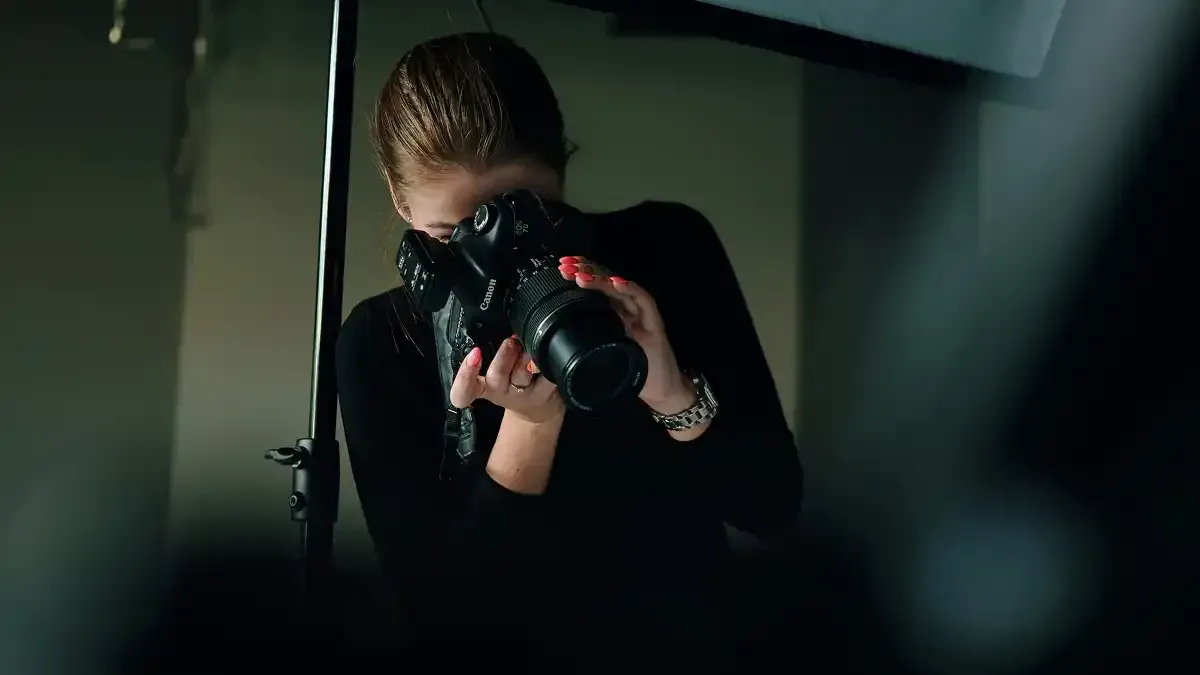
Culling Reimagined: Smart Selection with AI
One of the most tedious and time-intensive parts of any photography workflow is culling. After a long shoot, the last thing many photographers want to do is sit down and go through thousands of images, zoomed in, looking for the perfect shot, checking for focus, expression, and duplicates. This manual process is not only slow but can also be mentally exhausting.
The Challenge of Manual Culling
Manual culling typically involves:
- Importing all images into a catalog.
- Reviewing each image individually, often zooming in to check focus.
- Identifying and marking duplicates or near-duplicates.
- Discarding out-of-focus, poorly exposed, or unflattering shots.
- Dealing with subjective decisions that can lead to inconsistencies, especially on large projects or when you’re tired.
This method can consume hours, or even days, for a single major event like a wedding. It takes time away from actual shooting, client interaction, or personal life. The human eye can also tire, leading to missed opportunities or inefficient selections over extended periods.
How Imagen’s Culling Studio Transforms Workflow
Imagine having an intelligent assistant that could perform the initial sift for you, learning what you consider a “keeper” and flagging the rest. This is where Imagen’s Culling Studio comes into play. It’s designed to drastically reduce the time you spend on culling while maintaining the quality and vision you expect.
Imagen’s Culling Studio leverages advanced AI to analyze your entire shoot. It can:
- Identify and Group Similar Shots: Instead of seeing every single frame from a burst, the AI groups similar images together, allowing you to review them as a set and quickly pick the best one.
- Detect Technical Issues: The AI can automatically flag images that are out of focus, overexposed, underexposed, or have closed eyes, saving you the effort of finding these errors manually.
- Suggest Best Photos: Based on criteria like sharpness, composition, and expression, the AI provides intelligent suggestions for your best shots, speeding up your decision-making.
By automating the repetitive and analytical aspects of culling, Imagen’s Culling Studio empowers you to make final creative decisions faster and with greater confidence. This means less time staring at a screen and more time doing what you love, whether that’s shooting, connecting with clients, or enjoying your personal life. You can learn more about how it streamlines your selection process by visiting the Culling page and exploring the comprehensive guide to culling photographs.
Summary: Manual culling is a slow, error-prone, and mentally draining task. Imagen’s Culling Studio uses AI to automate initial selections, group similar images, and detect technical flaws, significantly speeding up the process and allowing photographers to focus on creative choices.
AI-Powered Editing: Consistency and Speed at Your Fingertips
Once you’ve culled your images, the next major hurdle is editing. Every photographer strives for a consistent look and feel across their entire body of work, a signature style that clients recognize and value. However, achieving this consistency manually, especially across hundreds or thousands of photos, can be a monumental task.
The Inconsistencies and Time Drain of Manual Editing
Traditional editing workflows often involve:
- Applying presets, then tweaking each image individually to account for varying lighting conditions, camera settings, and subjects.
- Performing repetitive adjustments like exposure, white balance, and contrast on large batches of photos.
- Struggling to maintain a uniform aesthetic throughout an entire gallery, especially when fatigue sets in.
- Spending countless hours on basic corrections that don’t directly contribute to your artistic expression.
This manual approach can lead to inconsistencies, especially when dealing with different photographers on a team or when revisiting older work. It can also cause significant delays in delivery, impacting client satisfaction and your business reputation.
Crafting Your Signature Look with Personal AI Profiles
Imagine an AI that not only understands your unique editing style but can also apply it across an entire catalog with precision and speed. That’s the core promise of Personal AI Profiles by Imagen. This technology learns from your existing edits, developing a custom profile that mirrors your artistic vision.
Here’s how it works:
- You provide the AI with a batch of your previously edited images (at least 5,000, for example).
- The AI analyzes your adjustments – your color preferences, exposure tendencies, contrast choices, and more – to create a unique profile tailored specifically to your style.
- Once your Personal AI Profile is built, you can upload new RAW files, and the AI will apply your learned style consistently and efficiently.
This process transforms batch editing from a repetitive chore into a streamlined operation. Whether you specialize in real estate photography, where speed and consistency in lighting are crucial, or volume photography for schools and sports, where thousands of images require uniform processing, AI editing ensures your brand’s look is always on point. This frees you to focus on the truly creative adjustments and artistic flourishes that differentiate your work. Discover more about this powerful tool on the AI photo editing tools page.
Beyond Stills: AI in Video Editing
The innovation doesn’t stop with still images. Recognizing the growing demand for video content among photographers, AI is now extending its capabilities to video editing. Just as AI can learn your editing style for photos, it can also assist in streamlining your video post-production. This includes tasks like color grading, stabilization, and even generating initial cuts based on your preferences, further cementing AI’s role as a comprehensive creative partner. Learn more about this exciting development by visiting the video editing page and reading about the transition from AI photo to AI video editing.
Summary: Manual photo editing is time-consuming and can lead to inconsistencies across large projects. Personal AI Profiles learn a photographer’s unique style from their past edits and apply it consistently and efficiently to new RAW files, dramatically speeding up the workflow. AI’s capabilities are also expanding to video editing, further enhancing efficiency for multi-media professionals.
The Power of an Integrated Platform: Beyond Individual Tools
In today’s fast-paced digital world, professional photographers often find themselves navigating a fragmented landscape of software and tools. One application for culling, another for editing, a third for cloud storage, and perhaps more for client delivery. This constant switching between programs can be inefficient, prone to errors, and frankly, a source of significant frustration. The feeling of “getting lost between software” is a common pain point for many.
This is precisely where the vision of a comprehensive, all-in-one platform becomes incredibly valuable. Imagine a single environment where all your post-production needs are met, from the initial selection of images to the final, polished edits. This integrated approach not only simplifies your workflow but also enhances overall efficiency and consistency.
When different components like Imagen’s Culling Studio, Personal AI Profiles for editing, and seamless cloud integration work together, the synergy is transformative. Instead of importing files into one program, culling, exporting, importing into another program, editing, and then exporting again, an integrated platform allows for a fluid, continuous process. For example:
- You upload your RAW files once.
- Imagen’s Culling Studio helps you make your selections quickly within the same ecosystem.
- Your chosen images are then seamlessly passed to the AI editing engine, where your custom Personal AI Profile applies your signature style.
- The finished edits are then ready for export or further client review, all within the same platform.
This cohesive workflow eliminates redundant steps, reduces the risk of file management errors, and saves a tremendous amount of time. It means less time troubleshooting software compatibility and more time focusing on your creative work and client satisfaction. An all-in-one solution is about more than just convenience; it’s about creating a truly optimized and stress-free post-production experience, empowering you to manage your entire workflow with unparalleled ease.
Summary: The frustration of “getting lost between software” for culling, editing, and storage is common. An integrated platform like Imagen combines Culling Studio and Personal AI Profiles into a seamless workflow, eliminating fragmented processes, saving time, and reducing errors for a truly optimized post-production experience.
Practical Applications and Real-World Impact
The theoretical benefits of AI in photography are compelling, but what does this mean for your day-to-day operations and your bottom line? The real impact of an AI-powered workflow is seen in tangible time savings, improved consistency, and ultimately, a more scalable and profitable business.
Case Studies in Efficiency
Consider the typical professional scenarios:
- The Wedding Photographer: A single wedding can produce 2,000+ RAW images. Manually culling and editing these could take 20-30 hours. With AI, a photographer could potentially reduce this to 5-7 hours, freeing up days for other client work or personal time. This means faster delivery, happier couples, and the ability to take on more bookings.
- The Real Estate Photographer: Delivering high-quality, consistent images for multiple properties daily is a race against time. AI ensures every room from every property has the same bright, clean, and inviting look, all within a fraction of the manual editing time. This allows for increased volume and quicker turnaround, which is critical in a fast-moving market.
- The Portrait or Brand Photographer: Maintaining a specific aesthetic across different sessions for a client, or across your entire portfolio, is crucial for branding. AI-powered editing ensures every portrait session reflects your unique style consistently, building a stronger brand identity and trust with your clients.
Maximizing Your Business Potential
The time saved by leveraging AI isn’t just a number; it’s an opportunity. It translates directly into:
- More Time for Shooting: With less time stuck at the computer, you can take on additional shoots, explore new creative projects, or simply focus on improving your craft.
- Enhanced Client Relations: Faster delivery times naturally lead to higher client satisfaction and positive referrals. When clients receive their galleries sooner, they are often more engaged and appreciative.
- Business Growth: The capacity to handle more projects without compromising quality means a direct increase in revenue potential. You can scale your business without scaling your work hours proportionally.
- Personal Well-being: Reducing repetitive tasks and the pressure of looming deadlines can significantly lower stress levels, allowing for a healthier work-life balance.
To illustrate the dramatic shift, let’s look at a comparative workflow for a substantial project:
| Task | Traditional Manual Workflow Time | AI-Enhanced Workflow Time | Approximate Time Saved |
|---|---|---|---|
| Initial Culling (2000 images) | 6 hours | 1 hour (AI assistance) | 5 hours |
| Basic Global Edits (Exposure, WB, Color) | 10 hours | 1 hour (AI profile application) | 9 hours |
| Review & Fine-tuning | 4 hours | 2 hours | 2 hours |
| Export & Final Prep | 1 hour | 0.5 hours | 0.5 hours |
| Total Estimated Time | 21 hours | 4.5 hours | 16.5 hours (approx. 78%) |
This table demonstrates how integrating AI into your workflow can significantly reduce post-production hours, allowing you to reallocate that time to other crucial business activities or personal pursuits. It’s a strategic move to work smarter, not just harder.
Summary: AI delivers real-world benefits: saving significant time for wedding, real estate, and portrait photographers, leading to increased capacity, improved client satisfaction, and business growth. An integrated AI workflow can cut post-production time by a substantial margin, freeing photographers to focus on creativity and their personal well-being.
Getting Started with Imagen: Your AI Partner
Adopting new technology can sometimes feel daunting, but integrating AI into your photography workflow with Imagen is designed to be straightforward and intuitive. The goal is to make the transition as smooth as possible, allowing you to quickly experience the benefits of a more efficient and consistent post-production process.
Your Path to AI-Enhanced Photography
The process generally involves a few simple steps:
- Upload Your Images: Begin by securely uploading your RAW files to the Imagen platform. The system is built to handle large volumes of data efficiently.
- AI Learning (for Personal Profiles): If you’re setting up your Personal AI Profile for editing, you’ll need to provide a dataset of your previously edited images (typically a minimum of 5,000 photos). This teaches the AI your unique style.
- Cull with Assistance: For culling, Imagen’s Culling Studio analyzes your raw files, groups similar images, and highlights potential issues, giving you an intelligent head start on your selections.
- AI Applies Your Style: Once your culling is done and your AI profile is ready, the AI gets to work, applying your learned editing style to your selected images with impressive speed and consistency.
- Review & Refine: You always have the final say. Review the AI-edited photos, make any minor adjustments if needed, and then export your perfectly polished images.
Imagen is more than just a tool; it’s a partner in your photographic journey. It’s built by photographers, for photographers, with an understanding of the unique challenges and creative aspirations of the profession. This commitment extends beyond the software itself, fostering a vibrant community where professional photographers can connect, share insights, and grow together. You can also explore the work of talented photographers using Imagen on the Talents page, offering inspiration and practical examples of what’s possible.
Summary: Getting started with Imagen is a simple process: upload images, let the AI learn your style (for editing), use Culling Studio for smart selections, and then allow AI to apply consistent edits. Finally, review and export. Imagen is a photographer-centric platform, supporting a growing community of professionals.
Embracing AI in your photography workflow is not about replacing your creativity; it’s about empowering it. By intelligently automating the repetitive and time-consuming aspects of culling and editing, AI tools like Imagen allow you to reclaim precious hours. These hours can be reinvested into perfecting your craft, connecting more deeply with clients, pursuing new artistic ventures, or simply enjoying a better work-life balance. Imagine the impact of consistently delivering high-quality, on-brand images faster than ever before. This is the future of professional photography—efficient, consistent, and creatively liberating. Discover how to transform your workflow and elevate your business today.
