
10 Best Wedding Photo Retouching Services for 2026
Table of contents
- Key Takeaways
- Selection Criteria: How We Chose the Best Services
- 1. Imagen: The Gold Standard for AI Wedding Editing
- 2. FixThePhoto
- 3. ShootDotEdit
- 4. WeEdit.Photos
- 5. Aftershoot
- 6. Evolve Edits
- 7. Photographers Edit
- 8. Narrative Select
- 9. Wedding Retouching
- 10. Colorvale
- Comparison of Top Wedding Retouching Services
- Final Recommendation: Choosing the Right Service for Your Studio
- Frequently Asked Questions
- Can AI editing services really replicate my unique style?
- What is the turnaround time for manual retouching services?
- Is my data safe when using cloud-based retouching platforms?
- Do I need to cull my wedding photos before sending them to edit?
- What is the difference between color correction and retouching?
- Can I use AI editing if I don’t have thousands of past edits to train it?
- Why are wedding client expectations for delivery times changing?
- Keep exploring
Wedding photographers run into the same bottleneck every season. Client expectations sit higher than ever in 2026, and delivering thousands of polished wedding photos on a tight deadline isn’t optional anymore. It’s how a studio survives.
Ready to speed up your workflow? Try Imagen and see how its new Studio lets you cull, edit and export your galleries in one project. Exploring is free, and you pay on export.
If you’re drowning in Lightroom catalogs, finding the right Wedding photo retouching service can change your business overnight. We looked at the best manual and AI options on the market this year, so you don’t have to.
Key Takeaways
- Over 62% of professional photographers now lean on AI tools to cut editing time in 2026.
- The average photographer spends 14 hours hand-editing one 400-600 image wedding gallery.
- Today’s clients expect a sneak peek gallery within 72 hours, which pushes studios toward rapid AI-hybrid workflows.
- Imagen still sets the bar, processing 1,000 photos in under 10 minutes at a 98% consistency rate.
- Studios shooting 30+ weddings a year often outsource at least half their post-production just to stay sane.
- Manual services like FixThePhoto shine on complex, individual “hero” shots but move too slowly and cost too much for full galleries.
Selection Criteria: How We Chose the Best Services
The global wedding photography market sits at $22.3 billion in 2026 and keeps growing at a 4.5% CAGR. That growth makes the market lucrative, but it also makes it brutally competitive, and photographers are scrambling to get galleries out the door faster than ever. Spend two weeks dragging sliders in Lightroom and you’ll watch clients drift toward studios that move quicker.
62% of professional photographers had already worked AI tools into their process by 2024, and that share has climbed sharply in 2026. The reason is simple: clients want instant gratification. 74% of wedding clients now expect a “sneak peek” gallery within 72 hours of their big day, and yes, that includes the Sunday morning after a Saturday wedding.
So how did we judge these services? Pricing alone wasn’t enough. We scored each one against three concrete factors:
- Turnaround Time - Can the service deliver steady results in hours, or will your clients sit around for weeks?
- Workflow Integration - Does it plug straight into Adobe Lightroom Classic, the tool 82% of professionals already rely on?
- Consistency - Do the final edits hold a uniform exposure and white balance across wildly different lighting setups?
But here’s the thing: no single tool fits every studio. Below is our shortlist, the options most likely to save your sanity this wedding season.
“AI isn’t replacing the wedding photographer’s eye; it’s scaling it. By training models on your custom Lightroom history, you’re essentially cloning your artistic voice.”
Itamar Haim, SEO Expert and Digital Strategist specializing in search optimization and content marketing.
1. Imagen: The Gold Standard for AI Wedding Editing
This is honestly where AI earns its reputation. Imagen is an AI-powered Studio for professional photographers that runs as a desktop app on Mac and Windows but hands the heavy processing off to the cloud. It skips generic filters entirely. Instead, it studies your past edits and builds a custom AI profiles setup that mirrors your exact style. Don’t want to train your own? Use one of the pre-made Talent AI profiles, built by well-known wedding photographers.
Setting up your workflow here is refreshingly simple. It takes just a few minutes, and the speed still catches new users off guard. Here’s how it works:
- Upload your Lightroom Catalog - Send in a catalog of at least 5,000 previously edited photos so the system can train your personal profile.
- Process your new wedding - Import your raw files, pick your AI profile, and let the cloud engine analyze and adjust every frame.
- Review and tweak - Pull the edits back into Lightroom within minutes, make any adjustments you need, and watch the AI learn from your changes.
With AI photo editing, you skip the hours of adjusting white balance, exposure, and tone curves by hand. Fast-moving studios also get AI photo culling in the same project, which flags duplicates and closed eyes on its own. Cloud storage is on the roadmap, so keep backing up your files the way you do today while you work. And it’s built for wedding photography specifically, where the light shifts from a dim church ceremony to a blazing outdoor reception in the same afternoon.
Key Features
- Personal AI Profiles learn your exposure, temperature, HSL, and tone-curve habits.
- Talent AI Profiles give you instant access to premium looks.
- AI Photo Culling filters out blinks, blur, and poor composition automatically.
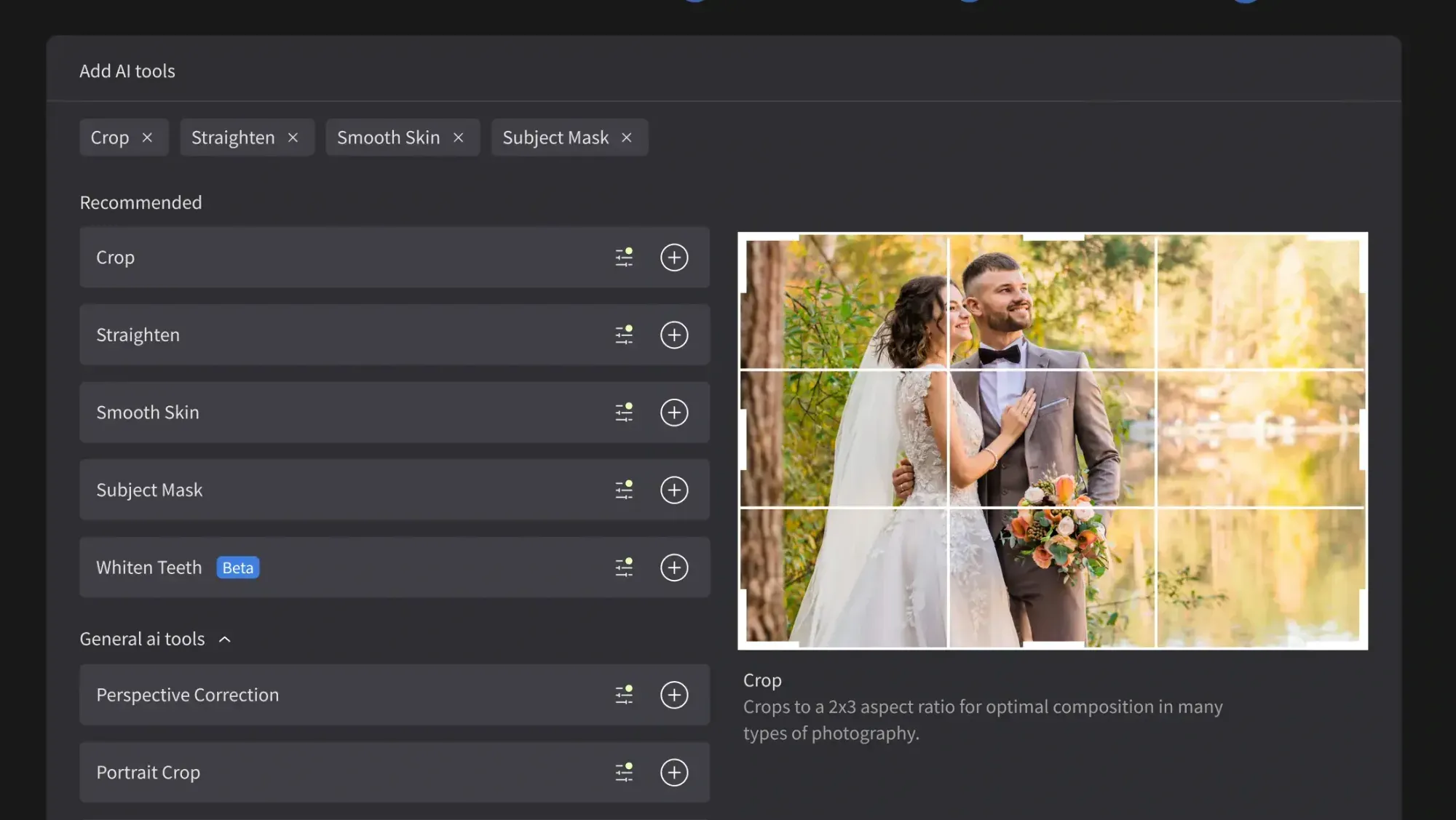
- Automated Cropping and Straightening saves hours of alignment work.
- Subject Masking and tracking optimize skies and portraits on their own.
- Cloud Storage backup is on the roadmap, so keep your current backup routine for now.
Pricing
Imagen is built around paying on export: pay-as-you-go photographers pay for what they export, and exploring the tools is free. Studios that want to plan their costs can check the pricing page for current options.
Pros
- Blazing speed, it processes 1,000 photos in under 10 minutes.
- Holds a strong 98% consistency rate across exposure and white balance.
- Clean, direct integration with Lightroom Classic and Adobe Camera Raw.
- Affordable pay-as-you-go pricing that suits seasonal studios.
Cons
- Needs a starting catalog of 5,000 photos for custom training, though Talent Profiles skip that step.
- Requires a steady internet connection since processing happens in the cloud.
Verdict: This is the strongest overall wedding photo retouching service for busy photographers who want to reclaim 90% of their post-production time without giving up their personal style.
2. FixThePhoto
If you need heavy manipulation, FixThePhoto is a traditional powerhouse. They skip automated algorithms and rely on human retouchers who adjust your images by hand. This is the service you call when a guest photobombs a perfect portrait or a bride wants complex compositing. And let’s be honest, every photographer has that one demanding client who wants a distracting background element erased entirely.
Their strength sits in advanced beauty work, not speed. Need frequency separation on skin or a custom background swap? This team delivers on that. Just don’t expect them to handle a full 800-image gallery without draining your budget.
Key Features
- High-end beauty retouching, including professional skin smoothing.
- Background extraction and distraction removal, like clearing out photobombers.
- Advanced body liquify and facial symmetry corrections.
- Stray hair removal and clothing wrinkle fixes.
Pricing
Prices run from $2.50 per photo for basic color correction up to $12.00 per photo for their advanced “Extra” level retouching.
Pros
- Exceptional human oversight on complex creative edits.
- No software to install or learn, just upload straight to their site.
- Superb handling of “hero” portraits that need detailed beauty work.
Cons
- Gets prohibitively expensive if you try to edit a full 500-photo gallery.
- Turnaround runs slow, usually 48 hours to 5 days.
Verdict: FixThePhoto works best as a secondary service, ideal for saving the handful of critical “hero” shots that need heavy manual work.
3. ShootDotEdit
For busy wedding photographers shooting 30-plus weddings a year, ShootDotEdit offers a subscription-based, fully outsourced editing team. They match you with editors trained to your style, so your weekends stop disappearing into screen time. It’s built as a high-volume play for busy commercial studios.
The company focuses on color correction, exposure adjustments, and basic culling. Here’s the catch though, you have to adapt to their structured delivery schedule, and that can feel restrictive if you’re used to instant control.
Key Features
- Custom color correction and exposure matching.
- Full gallery culling built around your studio’s criteria.
- Direct Lightroom catalog turnaround.
- Styling consultation to lock in your brand’s look.
Pricing
Subscription plans start around $119 per month and lock you into a 12-month commitment.
Pros
- Predictable monthly overhead for high-volume studios.
- They handle the entire culling process for you.
- Personalized styling help that replicates your aesthetic.
Cons
- A 12-month contract gets hard to swallow through the winter off-season.
- Not cost-effective for part-time or low-volume wedding photographers.
Verdict: Best suited to established, high-volume studios shooting dozens of weddings a year who want a complete hand-off of post-production.
4. WeEdit.Photos
WeEdit.Photos is a seriously competitive manual bulk-editing option. They focus on color correction and basic wedding portrait retouching, and they do it for a fraction of what boutique agencies charge. If you’re watching your budget but still want a human touch, this one’s worth a look.
You upload your whole raw gallery and just tell them what you need, whether that’s skin cleaning or sky enhancement. It’s not as fast as AI, sure, but it’s a solid human backup when you’d rather skip the software learning curve.
Key Features
- Color grading and color correction built for weddings.
- Basic skin retouching and blemish clean-up.
- Budget-friendly culling services.
- 24/7 web-based customer support.
Pricing
Basic color correction runs a wallet-friendly $0.25 per photo, and culling adds just $0.05 per image.
Pros
- Really low cost for bulk manual editing.
- Super simple web dashboard for uploads and tracking.
- Decent turnaround for a manual service.
Cons
- Quality can swing a bit since different editors handle your files.
- It doesn’t integrate directly with Lightroom through plugins.
Verdict: A solid, professional pick if you like traditional human outsourcing but can’t stretch your budget to premium boutique agencies.
5. Aftershoot
Aftershoot is an AI editing and culling platform, and it does things a little differently. Unlike cloud-based tools, it runs mostly offline on your own computer, so it processes your raw files without making you upload huge catalogs online. That’s a real lifesaver if your internet upload speed is, well, not great.
The platform leans on your local processing power to build its editing models. We’ve noticed, though, that training can hit your system resources pretty hard, and it can slow down older laptops during the initial render phase.
Key Features
- Offline AI processing, no internet connection needed to edit.
- AI-driven culling that groups duplicates and catches closed eyes.
- Custom editing profiles that adjust exposure and color.
- Flat-rate annual subscription pricing.
Pricing
Subscriptions run roughly $120 to $400 per year, depending on which features you pick.
Pros
- Great fit for travel photographers without stable high-speed internet.
- Predictable annual pricing with no per-image fees.
- Speeds up the early stages of picking your images.
Cons
- Editing consistency and skin tones sometimes fall a bit short next to Imagen.
- The software can put a heavy load on older laptops.
Verdict: A solid pick if you want a localized, offline culling and editing platform with flat annual pricing.
6. Evolve Edits
Evolve Edits is a premium boutique editing service built for high-end, luxury wedding photographers. Mass production isn’t their thing. Instead, they pair you with a dedicated editor who works closely with you to nail your signature color grading. Think of it like having an in-house editor, minus the payroll taxes.
This service is fantastic if you shoot film or chase a specific, painterly aesthetic. The human touch means every frame matches your vision, though you’ll pay a real premium for that level of dedication.
Key Features
- Bespoke style matching with a dedicated color consultant.
- Signature color grading for fine-art wedding styles.
- Advanced, multi-step retouching built for luxury publications.
- In-depth Lightroom catalog integration.
Pricing
Premium color grading and editing runs $1.50 to $3.50 per image.
Pros
- Incredible artistic consistency and genuinely high-end results.
- Personalized, one-on-one communication with your dedicated editor.
- Ideal if you love fine-art, film-emulation, or dark-and-moody styles.
Cons
- Pricing runs much higher than standard bulk editing services.
- Turnaround can stretch out during the busy autumn wedding season.
Verdict: The best option out there for luxury wedding photographers who need every single image at gallery-quality standard.
7. Photographers Edit
Photographers Edit is a highly customizable human-editing service. They hand you complete control over your order, so you can spell out exactly how you want your exposure, contrast, and color balance handled. You can even send sample reference images with every batch you submit.
It’s a fantastic middle-ground service, honestly. It costs less than a high-end boutique agency but still gives you more personal attention than the cheap, automated factories. The web interface looks clean, though uploading large catalogs can feel slow next to modern cloud apps.
Key Features
- Customizable editing instructions for every order.
- Culling, color correction, and premium retouching tiers.
- FTP-based upload and delivery workflows.
- Lightroom-compatible catalog delivery.
Pricing
They run on a credit system that averages around $0.40 per image for standard color correction.
Pros
- Highly flexible setups if your requirements aren’t exactly standard.
- A great middle ground between cheap bulk services and high-end boutique agencies.
- Easy to scale your order size up during busy months.
Cons
- Turnaround can get unpredictable once wedding season peaks.
- Setting up custom instructions takes a bit of trial and error at first.
Verdict: A great fit for mid-volume photographers who want a highly customized human workflow without paying premium boutique prices.
8. Narrative Select
Narrative Select functions as an AI-powered culling tool, not a full retouching service. Use it to quickly pick the best photos from a wedding before you send anything off for editing. It relies on advanced eye and face tracking to make the culling process fast.
The tool shows you instant close-ups of every face, so you can check focus and expression without zooming in and out on each frame by hand. This alone saves your wrists from the repetitive strain of manual zooming. Once you finish culling your gallery, ship it off to whichever retouching service you prefer.
Key Features
- Instant RAW image loading with zero lag.
- AI-powered blink and focus detection.
- Close-up face assessment panels for quick checking.
- Smooth drag-and-drop export straight to Adobe Lightroom.
Pricing
They offer a generous free tier, and the full Pro plan runs around $15 per month.
Pros
- Incredibly fast and responsive user interface.
- Saves hours of manually zooming in to check for open eyes.
- The free tier handles smaller shoots surprisingly well.
Cons
- It only culls. It doesn’t offer any actual color correction or retouching tools.
- It’s only available as a desktop app.
Verdict: Treat this as an essential companion app that speeds up your selection process before you hand photos off to a retouching service.
9. Wedding Retouching
Wedding Retouching operates as a specialized online agency that focuses exclusively on the wedding market. They build customized packages for wedding shooters specifically, including bridal portrait retouching and physical album layout design. Need a specific edit like dress whitening or grass stain removal? They handle it with care.
The team excels at making skies look dramatic and correcting difficult lighting inside reception venues. That said, their portal feels somewhat dated, and the ordering process doesn’t run as smoothly as modern cloud integrations do.
Key Features
- Specialized bridal gown and wedding suit cleaning, including grass-stain removal.
- Family group portrait head-swapping.
- Custom physical wedding album design templates.
- Color matching for sunset and golden-hour portraits.
Pricing
Package-based rates average around $2.00 per image for portrait work.
Pros
- Deep understanding of wedding-specific pain points, like wrinkled dresses.
- Great all-in-one offering that includes album layout services.
- Capable of handling complex group head-swaps.
Cons
- The website interface and client portal feel a bit outdated.
- It’s not built for fast, high-volume catalog processing.
Verdict: Choose this fantastic, highly targeted service if you need specialized retouching on wedding portraits along with help on album design.
10. Colorvale
Most photographers know Colorvale for its premium Photoshop actions and Lightroom presets, but the company also runs a professional, boutique editing service. Their team manually applies its popular, stylized presets to your wedding galleries to give them a distinctive, trendy look. Choose this route if you want a “light and airy” or “dark and moody” aesthetic without doing the work yourself.
This is a highly personalized service. It isn’t built for massive scalability, though, and you’ll need to request custom quotes for larger weddings. Still, the boutique results speak for themselves once you’re chasing a specific look.
Key Features
- Stylized editing using proprietary Colorvale actions.
- Clean-and-airy or dark-and-moody aesthetic styles.
- Individual exposure and skin tone balance.
- Direct communication for style adjustments.
Pricing
Custom quotes are required, though pricing typically lands between $0.50 and $1.00 per image.
Pros
- Delivers a very specific, fashionable look that’s popular on social media.
- An excellent option if you already use and love Colorvale’s presets.
- Highly personalized customer service.
Cons
- Not a scalable option if you handle thousands of images weekly.
- Requires custom quoting, which slows the onboarding process down.
Verdict: Pick this service if you want a highly stylized, preset-driven look without manually applying and adjusting the actions yourself.
Comparison of Top Wedding Retouching Services
To help you compare these services at a glance, we’ve broken down each one’s primary editing method, pricing structure, and ideal use case. Use the table below to find the exact match for your studio’s operational volume.
| Service Name | Primary Method | Price per Image | Turnaround Time | Best For |
|---|---|---|---|---|
| Imagen | AI-Powered (Cloud) | Pay-as-you-go: exploring is free, you pay for what you export | Under 10 minutes | High-volume studios wanting style consistency |
| FixThePhoto | Manual Retouching | $2.50 to $12.00 per image | 2 to 5 days | Detailed “hero” shots and complex manipulation |
| ShootDotEdit | Manual Outsourcing | Starts at $119/month | 48 to 72 hours | High-volume studios shooting 30+ weddings/year |
| WeEdit.Photos | Manual Bulk | $0.25 (color), $0.05 (culling) | 2 to 4 days | Budget-conscious photographers wanting manual edits |
| Aftershoot | AI-Powered (Local) | $120 to $400/year | Near-instant | Offline culling and editing for travel photographers |
| Evolve Edits | Boutique Manual | $1.50 to $3.50 per image | 3 to 7 days | Luxury, fine-art wedding photographers |
| Photographers Edit | Custom Manual | Approx. $0.40 per image | 2 to 5 days | Mid-volume shooters with specific style instructions |
Final Recommendation: Choosing the Right Service for Your Studio
Choosing the right partner starts with understanding your studio’s actual pain points. If you’re spending 14 hours editing a single wedding gallery, your business model doesn’t scale. Consider what that time actually costs you, it’s time you could spend booking new clients or shooting profitable family sessions instead. Already, 34% of high-volume wedding photographers outsource more than half their post-production just to keep up with demand.
Not sure which direction to take? Follow this simple decision matrix to upgrade your post-production workflow.
- If you shoot over 20 weddings a year - Prioritize speed and consistency. Skip per-image manual pricing. Use Imagen to get near-instant edits that stay 98% consistent across every lighting setup.
- If you only need heavy beauty work for portraits - Skip the automated tools here. Outsource your top 15-20 “hero” images to a manual service like FixThePhoto for detailed frequency separation and background cleaning.
- If you hate culling and want offline tools - Use a program like Narrative Select to narrow down your RAW files right away, then run them through an AI model or hand them to your manual editors.
Blend the rapid speed of AI with targeted manual retouching for your special portraits, and you’ll cut your turnaround times while keeping clients genuinely happy.
What’s new in Imagen: With sneak peek deadlines looming, Imagen is now an intelligent, agentic Studio for professional photographers where you cull, edit, review and export in one project, in any order. Edit in your own style with a Personal AI Profile or choose a ready-made AI Profile, and edited photos arrive in batches as they process, so you can start reviewing early frames while the rest finish. The Studio is rolling out gradually as a beta.
Frequently Asked Questions
Can AI editing services really replicate my unique style?
Yes, they genuinely can. Modern AI platforms like Imagen study your past Lightroom edits and build a custom profile that mirrors your precise adjustments to exposure, temperature, and HSL. Feed it more catalogs, and the replication only gets more accurate.
What is the turnaround time for manual retouching services?
Most manual retouching services need between 48 hours and 5 business days to deliver a completed gallery. That window can stretch even longer during peak wedding season in late autumn, which explains why many photographers lean on AI when they need a fast turnaround.
Is my data safe when using cloud-based retouching platforms?
Yes, it generally is. Established platforms run on highly secure cloud infrastructure to process and store your images. Many also offer dedicated backup storage, so you won’t lose your work if a local hard drive fails.
Do I need to cull my wedding photos before sending them to edit?
That depends entirely on which service you pick. Some manual subscriptions and AI tools bundle in automated culling that filters out duplicates and blinks. Choose a basic color-correction service instead, and you’ll need to cull the gallery yourself first.
What is the difference between color correction and retouching?
Color correction adjusts the overall image, covering exposure, contrast, and white balance. Retouching, by contrast, involves detailed, localized changes such as smoothing skin, removing distracting objects, and fixing stray hairs on portraits.
Can I use AI editing if I don’t have thousands of past edits to train it?
Yes, you definitely can. Platforms like Imagen provide pre-built profiles designed by world-renowned wedding photographers. Use those right away to get gorgeous, professional results while you build up your own catalog history in the background.
Why are wedding client expectations for delivery times changing?
Social media has trained clients to expect instant updates. Over 74% of modern couples expect a sneak peek gallery within 3 days of the event, and that pressure pushes photographers toward faster editing systems.
