
7 Best Virtual Staging Apps for Real Estate Photographers in 2026
Table of contents
- 10 Best Virtual Staging Apps for Real Estate Photographers in 2026
- Key Takeaways
- The Business Value of Virtual Staging for Professional Photographers
- Selection Criteria: How We Ranked the Best Virtual Staging Apps
- Imagen: Edit and Stage an Entire Listing in One Browser-Based Platform
- BoxBrownie: The High-Touch Manual Standard
- Apply Design: The Control Freak’s DIY Playground
- AI HomeDesign: The Fast Volume Engine
- Rooomy: Luxury Retail Integration for High-End Estates
- Stuccco: Interior Design Precision with Revisions
- Homestyler: Full 3D Modeling and AI Hybrid Powerhouse
- VisualStager: The Fast Web-Based Tablet Option
- Virtual Staging Solutions: Custom Architectural Blueprinting
- Preparing Your Base Files for Staging
- Comparison Table & Final Recommendation
- Frequently Asked Questions
- Is virtual staging legal in real estate listings?
- Can you virtually stage a property that’s still occupied?
- Do virtual staging apps work on 360-degree panorama photos?
- What file formats are best for virtual staging?
- Does virtual staging work for commercial offices and retail spaces?
- How do I make sure the scale of the virtual furniture is accurate?
- Can virtual staging show before-and-after renovation options?
- Why does my virtual staging look like a video game?
- How much should I charge my clients for virtual staging?
- Is it better to use human designers or automated AI?
- Keep exploring
10 Best Virtual Staging Apps for Real Estate Photographers in 2026
Empty rooms don’t sell houses anymore. Flat, vacant spaces push buyers to scroll straight past a listing on every major search portal, and the data backs that up. Most shoppers won’t give a bare room a second look.
Ready to edit and stage your listings faster? Start your free trial. No installation required.
So you need a way to stage these vacant listings fast, without spending thousands on physical furniture. Below, we rank the strongest staging tools on the market in 2026, starting with Imagen, which now handles both photo editing and virtual staging in one browser-based platform, then covering the dedicated staging specialists worth knowing.
Key Takeaways
- Virtual staging cuts your staging costs dramatically versus traditional physical staging, which typically runs between $2,000 and $5,000.
- First impressions form fast, since most buyers start their search online, and the first few seconds of viewing decide whether they click into a listing.
- Staging makes a real difference, and most buyer agents report it helps clients picture an empty room as their future home.
- AI tools deliver serious speed, with modern platforms generating a complete staged room in well under a minute.
- Consistent base editing matters, because staging elements look far more convincing once they’re placed on photos already color corrected by a platform like Imagen’s Image2Image.
- Profitable upselling lets photographers buy digital staging at a low per-photo cost and resell it to agents at a healthy markup.
The Business Value of Virtual Staging for Professional Photographers
Why does this matter in 2026? The real estate field moves fast, and if you’re a professional photographer, you can’t just hand over empty-room photos anymore. That’s a missed financial opportunity. Consider the math: a physical staging company will charge an agent between $2,000 and $5,000 to fill a home with temporary furniture, and that expense eats straight into their listing budget, money most agents would rather spend on marketing.
When you offer virtual staging, you solve a real problem for them. You can charge a solid markup per photo as an upsell, while your actual cost to produce that staged image stays low, assuming you’re using the right tool. That’s a genuinely profitable margin. Industry data suggests staged homes tend to sell faster than non-staged listings, and staged properties often command a higher selling price.
So why aren’t all photographers doing this already? Honestly, most worry about the time commitment. They picture hours spent tweaking lighting or aligning furniture legs with the floor. But modern software removes that headache entirely. You’ve got options ranging from fully managed, human-edited services all the way to instant AI generators.
Look, the numbers don’t lie. Research from the National Association of Realtors found that most active real estate agents already use digital staging on some listings. Skip it, and they’ll simply find another photographer who offers it. It really is that simple.
Selection Criteria: How We Ranked the Best Virtual Staging Apps
When you’re choosing an application, don’t just look at the price tag. A cheap tool that looks fake will damage your reputation fast. Buyers are sharp, and they can spot a low-effort 3D render from a mile away. If a photo looks like a screenshot from an old video game, it won’t build trust. It just makes the listing look cheap, and cheap listings sit on the market longer.
We tested the top applications on the market using a strict set of criteria. We wanted proof they actually work in real-world business settings. Here’s the evaluation system we used:
- Visual Realism - How convincing are the lighting, shadows, and textures? The furniture needs to match the room’s natural illumination.
- Production Speed - Can the platform deliver files fast enough for tight marketing deadlines? Acceptable turnarounds range from instant to 24 hours.
- Style Catalog Depth - Does the library cover multiple styles, such as Scandinavian, Farmhouse, Mid-Century Modern, and Industrial?
- Cost Efficiency - The per-image cost has to stay low enough to protect your margin when you upsell to agents.
We spent dozens of hours testing these applications on real listing photos, editing empty bedrooms, vacant kitchens, and sterile offices along the way. The results varied a lot, but the best tools clearly stood out from the pack.
“In 2026, real estate photographers can’t afford to waste hours on manual photo corrections. Visual speed and absolute style consistency are what differentiate profitable studios from those that go under.”
Itamar Haim, SEO Expert and Digital Strategist specializing in search optimization and content marketing.
Imagen: Edit and Stage an Entire Listing in One Browser-Based Platform
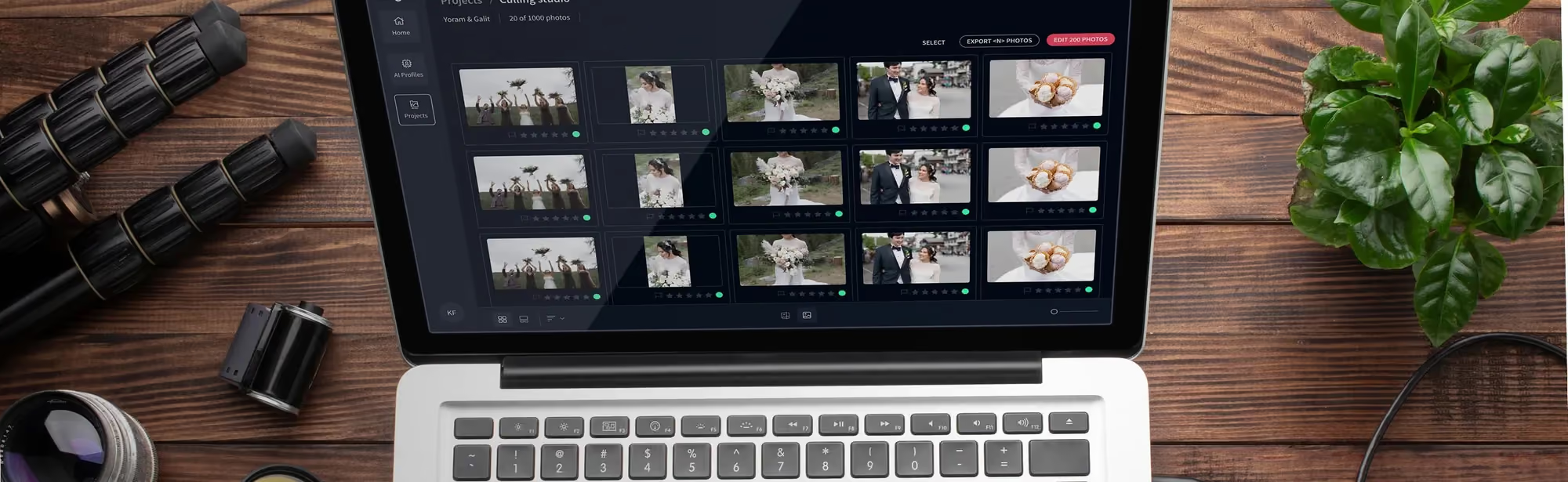
Before you get to the dedicated staging specialists below, it’s worth stopping on Imagen, because it now does both jobs. Imagen runs entirely in your browser, so there’s nothing to install and no Lightroom dependency to manage. You upload your listing photos, and Image2Image processes the whole batch at once, correcting exposure, white balance, and perspective so every room in the gallery matches the same clean look. That consistency is what makes staging elements look believable once you add them later.
For the photos that need something more, AI Assistant takes over. You describe the edit in plain language, and it handles it, including removing power lines, fixing rumpled bed sheets, converting a daytime exterior to twilight, blurring license plates for privacy, and virtual staging itself. Image2Image handles the batch, and AI Assistant handles the exceptions, so you’re not stuck choosing between a fast automated tool and a flexible one.
You can try it with 250 photos for free, no credit card required, and your first batch typically finishes in under 10 minutes. After the trial, pricing is pay-as-you-go at $0.32 per photo, and new accounts get 30% off their first month, which brings that down to $0.22 per photo. There are no contracts, and you only pay for the photos you actually edit that month. If you’re running a high-volume studio, the Teams plan covers 25,000 or more photos a year with volume pricing, a dedicated account manager, and priority processing.
Every listing includes 3 human revisions, so if an edit doesn’t look right, a photo expert fixes it inside the same app, with no separate email thread required. Output goes up to 6K resolution, and Imagen supports both RAW and JPEG. Privacy blur covers faces and license plates automatically, and every edited image carries a transparency watermark that discloses AI editing, which matters as rules like California’s AB 723 start requiring that disclosure. Taken together, it works less like a single editing tool and more like property marketing infrastructure for a real estate photo business, covering the batch, the exceptions, and the staging in one place. Start your free trial, no installation required, and see how your own listing photos look after one pass.
Key Features
- Imagen runs in your browser, so there’s no installation and no Lightroom dependency.
- Image2Image corrects color in batches and stays consistent across a full listing.
- AI Assistant handles plain-language edits, including virtual staging, object removal, and twilight conversion.
- Every listing gets 3 human revisions, output reaches up to 6K, and Imagen supports both RAW and JPEG.
- Privacy blur and an AI-disclosure transparency watermark come built into every edit.
Pros
- One platform handles editing and staging, so you don’t pass photos between separate tools.
- Signup is fast and self-serve, and the free 250-photo trial needs no credit card.
- Every photo in a listing gets the same correction pass, which keeps the gallery consistent.
BoxBrownie: The High-Touch Manual Standard
If you’ve been shooting properties for a while, you’ve almost certainly run into BoxBrownie. They’re a well-known name in manual staging, and they don’t rely on simple algorithms to guess where a coffee table should go. Instead, they employ digital artists who build and place every element by hand.
When you send a file to BoxBrownie, a designer studies the windows, calculates where the sun would hit the floor, and paints shadows underneath the furniture. Say you’re shooting a vacant craftsman home in Portland. An automated tool might struggle with the built-in shelving, but BoxBrownie’s team can build custom pieces that match the architectural style closely.
Key Features
- A guaranteed 24-hour turnaround on every standard staging order.
- Dozens of curated styles to choose from, including Urban Industrial and Coastal.
- Complementary edits thrown in, like sky replacement and item removal.
- Professional quality control, with senior designers checking every file before delivery.
Pricing stays simple here. There’s no monthly subscription to sign up for. You’ll pay a flat rate of $24 per photo, and this pay-as-you-go model works well if you only stage a handful of listings each month.
Pros
- Detailed realism, since real people design and shadow every single item.
- No monthly contract, which makes it ideal for seasonal freelancers.
- 24/7 support that handles edits and requests.
Cons
- Priced per photo rather than as a subscription, so cost scales directly with volume.
- No real-time editing, since you have to wait for the file to come back.
Apply Design: The Control Freak’s DIY Playground
If you’re the type of photographer who wants full control over the creative work, Apply Design is a strong option. It’s a web-based app built around a drag-and-drop 3D editor. You don’t need a background in 3D design to use it.
The software runs directly in your browser. You upload a photo, and the tool automatically detects the floor, walls, and ceiling. From there, you choose from a library of furniture and place each item yourself. Here’s how the process works, step by step:
- Upload a clean room photo into the web interface.
- Define the floor plane and room boundaries using the quick calibration tool.
- Browse the categorized catalog and pick a furniture set.
- Drag and drop the assets into the room, rotating and scaling each piece until it looks natural.
- Click render, and the cloud-based GPU engine bakes in the lighting for you.
The platform runs on a coin-based system. Each photo works out to roughly $7 to $10, a discount compared to full-service agencies, and it takes about 20 minutes to get your render back.
Key Features
- Real-time 3D placement with auto-snapping to the floor.
- A lighting and shadow engine that matches the source photo.
- Supports 360-degree interactive photo staging, too.
Pros
- A low cost per photo, which helps your profit margins.
- Instant feedback, since you see the furniture layout right away.
- Control over colors, placement, and style.
Cons
- Requires manual work, which eats into your shooting schedule.
- A learning curve before you master accurate scaling.
AI HomeDesign: The Fast Volume Engine
Let’s talk speed for a second. Sometimes an agent needs a home listed within the hour. They can’t wait 24 hours, and they’d rather not pay $30 a photo. This is where AI HomeDesign fits in. The virtual staging market is projected to keep growing quickly through the end of the decade, and speed like this is a big reason why.
This platform runs entirely on generative AI. It doesn’t lean on human designers. You upload an empty room, pick a design style (Contemporary’s a popular pick), and hit generate. Thirty seconds later, the tool has analyzed the space and dropped in a full set of matching furniture.
Picture this: you’re shooting a multi-unit apartment building in Chicago with ten identical vacant units. Instead of paying separately per unit, you run them all through AI HomeDesign and they’re staged before you finish your coffee.
Key Features
- Full staging in under 30 seconds, start to finish.
- Automatic room-type detection, so it knows a bedroom from an office.
- Generative decluttering that clears away mess before staging starts.
- Subscription tiers built for high-volume shooters.
Their pricing is subscription-based, starting at $50 a month. If you shoot high-volume real estate, your cost per photo can drop below $2, which is a meaningful cost advantage at scale.
Pros
- Fast, near-immediate delivery.
- Inexpensive once you’re running high volumes.
- No manual placement needed.
Cons
- Occasional visual errors are possible, like a floating chair leg, since there’s no human check before delivery.
- Less customization than you’d get with manual 3D editors.
Rooomy: Luxury Retail Integration for High-End Estates
When you’re dealing with luxury listings, basic digital furniture just won’t cut it. Buyers eyeing multi-million dollar properties expect real high-end taste. Rooomy carved out its own niche by partnering with luxury retailers like West Elm, Pottery Barn, and Restoration Hardware.
Instead of generic 3D models, Rooomy stages rooms with high-fidelity models of real furniture. That means if a buyer falls for the staged living room, they can buy those exact pieces through a direct link. That kind of retail integration isn’t common among staging tools.
Say you’re staging a high-end condo in Miami. You could drop in a velvet sectional, a marble coffee table, and designer light fixtures. The final render can look like an editorial design spread.
Key Features
- Real furniture models from brands people actually recognize.
- Direct purchase links, so buyers can shop right from the photo.
- Works with Matterport and 3D virtual tours too.
- A high-resolution 4K rendering engine.
This premium service starts at $49 per photo. It’s an investment, and the quality and brand integration matter for luxury real estate photographers.
Pros
- Photorealism that matches luxury marketing standards.
- A shoppable feature that adds real value for agents.
- Detailed texture work on leather, fabric, and wood.
Cons
- A high cost that mainly makes sense for premium listings.
- Turnaround runs 24 to 48 hours, longer than the instant AI engines.
Stuccco: Interior Design Precision with Revisions
Some agents are famously hard to please. They’ll ask you to move a chair two inches left, or swap a pillow color three times in a row. Use a standard DIY app and you’ll burn your own time on endless little edits. Stuccco addresses that by offering a high-touch service with unlimited revisions and a 100% money-back guarantee.
They employ interior designers who don’t just place furniture into a room. They build the layout using balance, scale, and color theory. Shooting an empty Craftsman house? They’ll pick warm woods and classic styles that respect the architecture.
Key Features
- Unlimited revisions until your client’s genuinely happy.
- Every room staged by a professional interior designer.
- Furniture matched to real, purchasable retail items.
- A 12 to 24-hour delivery guarantee.
Pricing is billed per photo, and the unlimited revisions make this a safe bet when you’re working with demanding clients who have strong opinions about design.
Pros
- Low financial risk, thanks to the money-back guarantee.
- Design quality that feels curated, not randomly generated.
- Direct communication, straight from your assigned designer.
Cons
- Pricing runs higher than the basic automated options.
- No instant-delivery option, so plan ahead.
Homestyler: Full 3D Modeling and AI Hybrid Powerhouse
Homestyler is a heavy-duty design ecosystem that’s grown into a capable AI hybrid engine. It started out as a professional floor-planning app, but now it blends 3D modeling with cloud rendering. It’s a solid pick if you want to offer more than basic staging.
With Homestyler, you can build an entire 3D virtual environment from scratch. Want to show an agent how an unfinished basement could become a home theater? Homestyler lets you build the walls, set the lighting, and place high-fidelity 3D assets in minutes.
Key Features
- An AI Designer tool that produces 4K renders in under two minutes.
- A floor plan to 3D model converter, start to finish.
- An online community sharing thousands of design templates.
- A mobile app for editing on a tablet.
They offer a free basic tier. The Pro subscription runs $19.90 a month, and it unlocks unlimited high-resolution renders.
Pros
- Solid value for a full-scale 3D design suite.
- Fast cloud rendering that won’t stress out your computer’s GPU.
- Hybrid options for both AI and manual editing.
Cons
- More complex than needed if all you want is basic furniture placement.
- Beginners may need time to learn the full toolset.
VisualStager: The Fast Web-Based Tablet Option
Want to edit on the go without lugging around a bulky laptop? VisualStager is a solid option. It’s a fully browser-based tool that runs well on iPads and mobile tablets. It skips complex 3D engines entirely, which keeps it lightweight.
Instead of relying on AI to place items, it gives you a drag-and-drop system. You calibrate the room’s perspective using manual lines, then place furniture from a catalog of over 5,000 pieces. Here’s the simple workflow:
- Open the app in your tablet browser and upload your room photo.
- Set the perspective grid using the ceiling and floor corners.
- Pick furniture models from the organized catalog.
- Drag and rotate items until they line up with the perspective grid.
- Export your final high-resolution JPEGs when you’re happy with it.
VisualStager charges $15 a month for the basic plan, and you’ll buy credit packs on top to export your images. It’s flexible and budget-friendly overall.
Key Features
- Over 5,000 drag-and-drop 3D furniture models.
- Lightweight code that runs smoothly on tablets.
- Handles 360-degree panoramic staging, too.
Pros
- Easy to use, with a flat learning curve.
- Useful for editing on the road between shoots.
- A large catalog that covers nearly every furniture category.
Cons
- Shadow rendering is simpler than what modern neural AI renderers produce.
- Needs careful manual alignment to keep scaling accurate.
Virtual Staging Solutions: Custom Architectural Blueprinting
Sometimes basic staging is not enough. When you work with custom home builders or developers, they may need you to construct an entire space that does not exist yet. They may ask you to swap drywall for exposed brick, install custom marble countertops, or add a virtual swimming pool to a bare dirt backyard.
Virtual Staging Solutions is the enterprise-level service built for these complex, heavy-duty edits. It does not simply paste chairs into a photo. It rebuilds properties virtually, straight from blueprints and architectural plans.
Consider a developer in Los Angeles with an unfinished modern home. Virtual Staging Solutions took the architectural drawings and built a photorealistic kitchen complete with custom cabinetry, professional appliances, and realistic outdoor views through the virtual windows.
Key Features
- Heavy-duty structural changes, including walls, flooring, and windows.
- A dedicated project manager to handle communication with your design team.
- Staging built directly from blueprints and CAD files, before construction even starts.
- Specialists in both high-end commercial and residential work.
This premium service costs $75 per photo. It is a notable investment, and it earns its keep for commercial work and high-end pre-construction marketing.
Pros
- Bespoke customization for structural changes automated tools don’t typically handle.
- Stains, textures, and construction details built to match real materials.
- Ideal for developers who are selling properties before they are built.
Cons
- Pricing sits well above the other options on this list.
- Production takes 2 to 3 business days for these bespoke builds.
Preparing Your Base Files for Staging
Let’s talk about the single biggest mistake real estate photographers make with digital staging, one that quietly costs them client trust. They take an unedited, raw photo straight from the camera and upload it directly into a staging app. That is a costly error, and it’s easy to avoid.
If your base photo has crooked vertical lines, yellow color casts from indoor lighting, or dark shadows near the windows, your virtual furniture will look fake. Digital furniture models render with clean white lighting and perfect geometry, so when you paste them onto a messy, uncorrected photo, the illusion breaks instantly.
To avoid this, build a fast, repeatable preparation workflow. This is where Imagen becomes useful. Imagen runs entirely in your browser, so there’s no plugin or desktop software to manage.
Its Image2Image model corrects a whole batch of listing photos in one pass, and it’s built specifically for real estate photography, not a generic photo filter. Here is the ideal preparation process using AI photo editing:
- Shoot your property brackets first, to capture the room’s full dynamic range.
- Upload the RAW or JPEG files directly into Imagen in your browser, no software install needed.
- Image2Image corrects color casts, balances the light, and straightens crooked walls across every photo in the batch.
- Export the clean, balanced files straight from the browser when the batch finishes.
- Upload those clean base photos into whichever staging tool you choose, or stay in Imagen and let AI Assistant handle the staging too.
Because your base photo is clean and properly exposed, the virtual staging software can match the lighting and angles precisely. The furniture ends up looking like it was actually in the room when you pressed the shutter. That is a big help for anyone doing serious real estate photography in 2026.
Comparison Table & Final Recommendation
With so many options on the table, start with Imagen if you want one browser-based platform that edits and stages an entire listing without extra software or a learning curve. From there, the right specialist depends on your business model and budget. If you shoot high-end luxury properties, a manual, designer-vetted option like BoxBrownie or Stuccco adds a human layer that AI alone doesn’t fully replace. If you handle hundreds of standard, lower-budget listings, Imagen’s per-photo pricing and the automated tools below keep your cost per listing low.
| Virtual Staging App | Pricing Model | Turnaround Time | Primary Use Case |
|---|---|---|---|
| Imagen | $0.32 per photo (30% off first month) | Under 10 minutes for first batch | Batch editing and AI virtual staging in one platform |
| BoxBrownie | $24 per photo | 24 Hours | Premium, hands-off staging |
| Apply Design | $7 to $10 per photo | 20 Minutes | High-volume DIY photographers |
| Stuccco | Per-photo pricing | 12 to 24 Hours | Luxury design and revisions |
| AI HomeDesign | From $50/month | Under 30 Seconds | Instant AI room staging |
| Rooomy | From $49 per photo | 24 to 48 Hours | Luxury brand integration |
| VisualStager | $15/month + credits | Instant (DIY) | Beginner-friendly drag-and-drop |
| Homestyler | Free to $19.90/month | Under 2 Minutes | Full 3D modeling and rendering |
| Virtual Staging Solutions | $75 per photo | 24 to 48 Hours | High-end bespoke customization |
Frequently Asked Questions
Is virtual staging legal in real estate listings?
Yes, it is completely legal, as long as you are not using it to hide serious structural problems. If there is a large crack in the drywall or water damage on the floor, you cannot use AI to cover it up. That counts as fraud. Always include a clear watermark or disclaimer on the photo stating that the image has been virtually staged. That single step protects you and keeps buyers informed.
Can you virtually stage a property that’s still occupied?
Yes, you absolutely can. You do not have to shoot a vacant house first. Just use a clean item-removal tool before you stage. Services like BoxBrownie, or modern AI tools, can remove the old, cluttered furniture before they place the new, clean pieces into the frame. This works especially well when sellers still have outdated furniture that does not photograph well.
Do virtual staging apps work on 360-degree panorama photos?
Many do, but check the specifications before you commit. Platforms like iStaging and VisualStager are built specifically to handle spherical projection, and they let you place furniture smoothly inside a 360-degree virtual tour without stretching the textures. Avoid standard flat-photo tools on panoramic shots, because the result will not look right.
What file formats are best for virtual staging?
Always use high-resolution JPEG or PNG files. Do not upload massive RAW files directly into DIY apps, because they will slow your browser to a crawl. If you use a manual service like BoxBrownie, they will happily accept RAW files and handle the editing for you. Either way, make sure your exposures are clean and balanced before you export.
Does virtual staging work for commercial offices and retail spaces?
Yes, it does, but do not use standard residential furniture for a commercial listing. Choose a high-end platform like Rooomy or Virtual Staging Solutions instead. Both maintain dedicated catalogs for office layouts, retail stores, and raw warehouse spaces, which makes it easy for commercial tenants to picture how they would use a vacant floor.
How do I make sure the scale of the virtual furniture is accurate?
If you are using a DIY app, set your perspective lines carefully. Do not just guess. If the perspective grid is not aligned with the floor corners, your virtual dining table will look like a toy. AI tools usually detect this automatically, but double-check their work before you send the photos to a client.
Can virtual staging show before-and-after renovation options?
Yes, and it is one of the best ways to upsell your services. Show a client what a kitchen looks like with outdated wooden cabinets, then show a virtually renovated version with white shaker cabinets and marble counters. This works especially well for selling fixer-uppers, since it shows buyers exactly what is possible with a little work.
Why does my virtual staging look like a video game?
That usually comes down to bad shadows and lighting. If your base photo has warm yellow light but the digital couch renders with cold white light, the two will not blend. That’s why editing your base photos first with a clean tool like Imagen makes the biggest difference, before you upload them to any staging platform. Clean lighting makes the biggest difference.
How much should I charge my clients for virtual staging?
Charge a healthy markup, always. If you pay a low per-photo rate on a platform like Apply Design, charge your agents several times that amount per image. It is a quick edit that adds real value, and most agents will not blink at that price, since they know physical staging would cost them thousands.
Is it better to use human designers or automated AI?
That depends on your deadline and your budget. If you have a luxury listing with real budget behind it, go with human editors. They paint shadows by hand in a way pure automation still cannot fully match. But if you have a low-budget rental that needs to go live today, an automated AI tool is the better call, since it is fast and cheap.
Start your free trial. No installation required.
