

RAW photo editing software for landscape photography: A Complete 2026 Guide
Table of contents
- Why RAW matters more for landscapes than almost any other genre
- Grading a whole series to one consistent look
- Handling HDR and high-contrast scenes
- Culling the brackets and near-duplicates
- Where dedicated tools and manual work take over
- How Imagen fits a landscape RAW workflow
- How to choose the right landscape RAW workflow
- Frequently Asked Questions
- Why should landscape photographers edit RAW files instead of JPEGs?
- Can batch editing software merge my bracketed HDR landscape shots?
- How does Imagen help with a high-volume landscape workflow?
- How much does Imagen cost, and can I try it for free?
- What landscape editing jobs still need a dedicated tool?
The best RAW photo editing software for landscape photography in 2026 is the software that protects the full dynamic range your camera captured, keeps a series of frames looking like one coherent body of work, and does it without turning every trip into a week at the desk. Landscape shooters work in RAW for a reason. A single sunrise holds detail in the shadowed foreground and the blown highlights of the sky at the same time, and only the RAW file carries enough information to balance both. This guide walks through what to look for, how a modern batch editing layer fits into a landscape workflow, and where a dedicated tool or a manual step still does the job better.
Landscape editing is not one task. It is tone and color grading, exposure balancing, consistency across a portfolio, culling the near-identical frames you bracketed, and, on high-contrast scenes, merging exposures into a single natural image. Different parts of that workflow are served best by different tools, so this guide is organized around the jobs rather than around any single product.
Why RAW matters more for landscapes than almost any other genre
A RAW file records the sensor data before the camera bakes in contrast, white balance, and sharpening. For a portrait shot in even studio light, that headroom is a convenience. For a landscape, it is the whole point. When you push the shadows of a foreground rock to reveal texture, or pull a bright sky back from pure white, you are spending the extra bit depth that only RAW preserves. Edit a compressed file instead and those recovered areas break apart into banding and noise.
Good landscape software gives you nondestructive control over that data. You want precise recovery of highlight and shadow detail, faithful color rendering for skies and foliage, and lens corrections for the wide-angle glass most landscape shooters favor. You also want white balance that holds true across a golden-hour sequence, because the light shifts by the minute and your frames should still read as one scene. Those fundamentals come first. Everything else, including automation, is built on top of a clean RAW foundation.
Grading a whole series to one consistent look
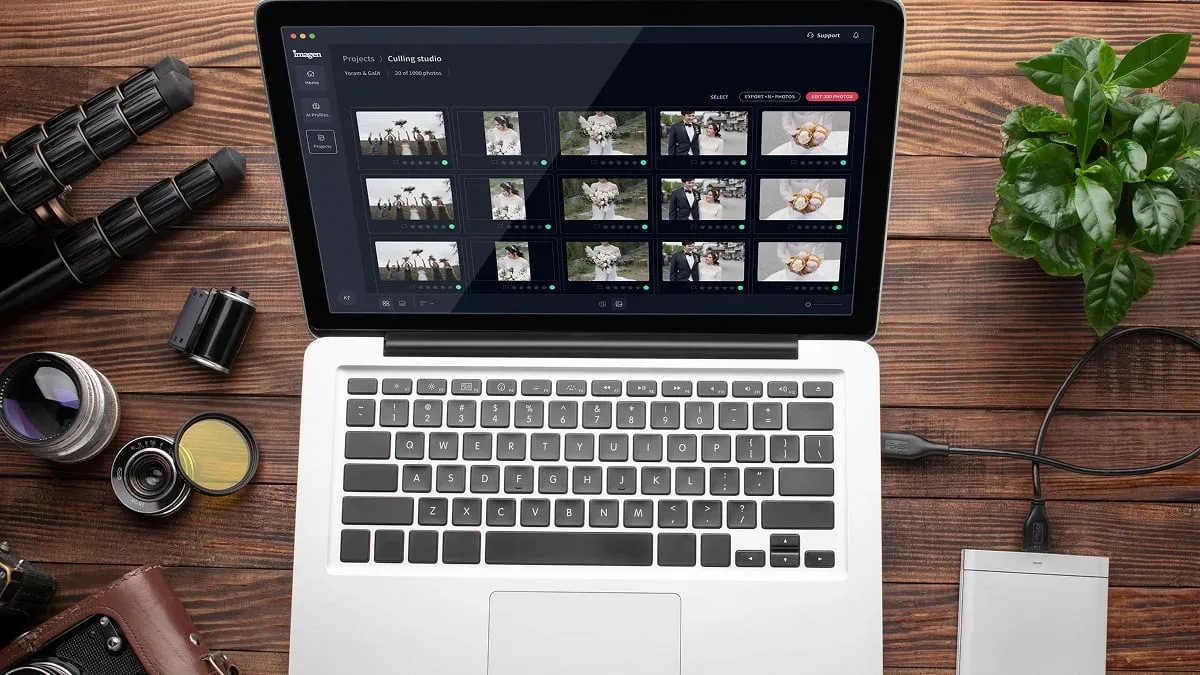
Most landscape photographers do not come home with one frame. They come home with a card full of a location shot across changing light, plus variations of composition and exposure at each spot. Editing those one by one, sliding the same corrections again and again, is where the hours disappear. This is exactly the part a batch editing layer is built to remove.
Imagen is a desktop app for Mac and Windows that applies color correction, exposure balancing, and white balance across an entire shoot in your own consistent style. You download and install it, and the AI processing runs in the cloud. You point it at the folder of RAW files, and a sunrise frame in cool shade and a mid-morning frame under harder light come back reading as one coherent set rather than a patchwork of separate edits. Your personal AI style stays with you, so the look you settle on for one trip carries forward to the next without you rebuilding it from scratch. For a photographer publishing a portfolio series or delivering a client a set of prints, that consistency is the difference between a gallery and a pile of unrelated images.
The honest boundary here is worth stating up front. This layer grades and balances the RAW files you actually captured. It does not invent detail, and it is not where you build a composite or blend separate exposures together. It is the fast, consistent tone and color pass over the whole set, which for most landscape libraries is the single biggest time sink.
Handling HDR and high-contrast scenes
Landscapes routinely exceed what a single exposure can hold. The classic answer is to bracket, capturing the same composition at several exposures, then merge them into one image that keeps both the shadow and the highlight detail. True HDR work of this kind, meaning the bracket merging, exposure blending, and deghosting that removes the ghosting from moving clouds or water between frames, is a separate and dedicated step. It is handled either by a purpose-built HDR merging tool or by hand with manual luminosity masks, and it is not part of a batch tone and color grading pass.
Treat it as its own stage in the workflow. Bracket in the field, merge with a dedicated HDR merging tool or blend the exposures manually, and produce a single natural-looking master frame from each high-contrast scene. Once you have that merged master, it flows into the rest of the pipeline like any other RAW or high-bit file, ready for the consistent grade and the final finishing. Keeping the merge as a distinct step, rather than expecting one tool to both blend exposures and grade the series, is what keeps skies believable and avoids the over-cooked look that gives HDR a bad name.
Culling the brackets and near-duplicates
Bracketing multiplies your frame count fast. Three or five exposures per composition, several compositions per location, and a day of shooting balloons into hundreds of files, many of them near-identical. Before any editing happens, that set has to be narrowed to the keepers.
Imagen includes AI culling that narrows near-duplicate bursts (or you can cull manually for free), so the ten variations of one composition collapse to the frames actually worth grading. Running the cull first means you are not spending edit time on brackets you will never use, and you reach a clean shortlist before the tone and color pass begins. For landscape shooters who bracket heavily, culling and batch grading in one flow removes the two slowest manual chores in the same pass.
Where dedicated tools and manual work take over
Automation has clear edges, and knowing them keeps your expectations honest. Several landscape jobs sit outside a batch grading layer and belong to specialized tools or careful manual work.
Sharpening a soft frame, reducing high-ISO noise from a long blue-hour exposure, and upscaling a file for a large gallery print are the domain of dedicated detail-enhancement tools trained for exactly that. They improve capture quality within limits, and they cannot restore focus that was never there. Geometry and perspective correction beyond standard lens profiles, the kind that straightens a converging horizon or fixes keystoning on a distant ridge, is precision work for a dedicated corrective tool. And any true compositing, such as replacing a flat sky wholesale or blending elements from different frames into one, is manual layer-based work by design. A batch grading layer does not do these jobs and should not claim to. It grades and finishes what the sensor recorded, and it hands the specialist tasks to the specialist tools.
How Imagen fits a landscape RAW workflow
Put the pieces in order and the workflow is straightforward. Cull the shoot down to keepers, merge any bracketed high-contrast scenes into single masters with your dedicated HDR step, then run the whole set through a consistent tone and color grade so the series reads as one. That middle-to-final stretch, the culling and the consistent grade over RAW files, is where Imagen earns its place in a landscape pipeline, now with culling, editing and export together in one Studio project.
It works on RAW files directly, applies your personal AI style across the entire set, and culls the volume first. Pricing is pay-as-you-go, with a monthly base fee plus a charge for the photos you export, and you see every edit in the gallery before you export, so you can run a real trip through it before you commit. The tool does not sharpen or deblur, does not merge brackets or blend exposures, and does not replace skies. It handles the consistent grade and the culling, which for a heavily bracketed landscape library is the part that costs the most time.
How to choose the right landscape RAW workflow
Start with your volume and the kind of scenes you shoot. If you come home with large sets from each location and consistency across the series is what matters, a batch grading layer over your RAW files removes the biggest bottleneck and keeps the look coherent. If your work centers on single high-contrast vistas, budget for a dedicated HDR merging step, whether a purpose-built tool or manual luminosity masks, and treat that as its own stage. If your frames often need heavy sharpening, noise reduction, or big-print upscaling, plan on a specialist detail-enhancement tool for those files.
Most working landscape photographers run more than one tool, and that is the sane approach. Cull and grade the whole set fast for consistency, merge the bracketed scenes in a dedicated HDR step, and route the occasional file that needs deep sharpening or perspective surgery to a specialist. The goal is not to crown a single winner. It is to match each stage to the tool that does it best and to stop spending evenings on work that a consistent batch pass could finish before dinner.
If your other work spans weddings and events, three companion guides go deeper on adjacent parts of the pipeline. See HDR editing software for wedding photography, RAW photo editing software for wedding photography, and HDR editing software for event photography. You can also browse the full library of photography workflow tips for more on batch editing, culling, and consistent grading.
What’s new in Imagen: Imagen is now an intelligent, agentic Studio for professional photographers, one project where you cull, edit, review and export in any order. For landscape RAW files, edited photos arrive in batches as they process so you can start reviewing early frames, and the built-in editor (Beta) is there for manual sliders, a histogram, crop and straighten. Imagen works alongside Lightroom, and the Studio is rolling out gradually as a beta.
Frequently Asked Questions
Why should landscape photographers edit RAW files instead of JPEGs?
RAW files record the full sensor data before the camera applies contrast, color, and sharpening, which gives you the headroom to recover shadow detail in a dark foreground and pull back a bright sky without banding or noise. Landscapes routinely hold extreme contrast in a single frame, so that extra latitude is essential. Editing a compressed JPEG instead breaks apart in exactly the recovered areas landscape work depends on.
Can batch editing software merge my bracketed HDR landscape shots?
No. True HDR work, meaning bracket merging, exposure blending, and deghosting, is a separate dedicated step handled by a purpose-built HDR merging tool or by hand with manual luminosity masks. A batch editing layer like Imagen grades and balances tone and color across your files, but it does not blend separate exposures into one image. Merge the brackets first, then run the merged masters through the consistent grade.
How does Imagen help with a high-volume landscape workflow?
Imagen culls near-duplicate bursts and applies color correction, exposure balancing, and white balance across an entire shoot in your consistent style, working from reusable style profiles directly on RAW files. The first batch finishes in under 10 minutes, so a card full of a location shot across changing light comes back reading as one coherent series rather than a set of separate edits. It does not sharpen, merge brackets, or replace skies.
How much does Imagen cost, and can I try it for free?
Imagen is pay-as-you-go, with a monthly base fee plus a charge for the photos you export. You see every edit in the gallery before you export, so you can run a full trip through it before committing, and you pay for the photos you export. Imagen also offers a free trial.
What landscape editing jobs still need a dedicated tool?
Sharpening soft frames, reducing high-ISO noise, and upscaling for large prints belong to dedicated detail-enhancement tools, and they work within limits rather than restoring focus that was never captured. Perspective and geometry correction beyond standard lens profiles is precision work for a corrective tool, and true compositing such as full sky replacement is manual layer-based work. A batch grading layer handles the consistent tone and color pass and hands these specialist jobs to specialist tools.

