
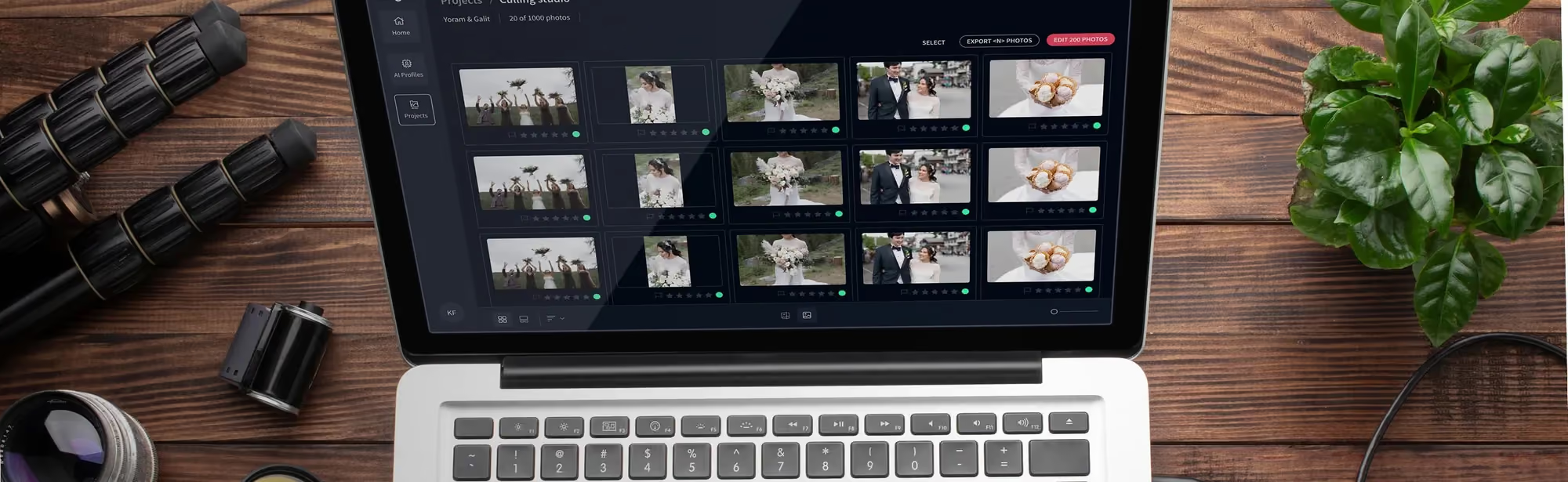
How to Overcome Decision Fatigue When Culling Photos (2026
Table of contents
- How to Overcome Decision Fatigue When Culling Photos (2026)
- Key Takeaways
- What Exactly Is Decision Fatigue in Photography?
- The Invisible Toll: How 35,000 Daily Choices Impact Your Culling
- Manual Culling vs. AI: A Time-Based Breakdown
- Reclaiming 90% of Your Time with AI-Powered Culling
- Understanding Hick’s Law: The Science Behind Culling Paralysis
- How AI Grouping and Ranking Simplifies Your Choices
- The Link Between Backlogs and Burnout (Hint: It’s Culling)
- The Financial Case: Calculating the True Cost of Manual Culling
- Implementing an AI Culling Workflow Step-by-Step
- Beyond Culling: Integrating AI into Your Entire Post-Production
- Frequently Asked Questions
- Can I trust an AI to make creative choices for me?
- How much does AI culling typically cost?
- What happens if the AI makes a mistake and rejects a good photo?
- How long does it take for an AI to learn my preferences?
- Does AI culling work for all types of photography?
- Do I need a powerful computer to run AI culling?
- Can I customize how the AI culls my photos?
- Is it difficult to integrate AI culling with my existing workflow?
How to Overcome Decision Fatigue When Culling Photos (2026)
You’ve just finished a 10-hour wedding shoot. You’re exhausted but accomplished, with thousands of photos on your memory cards. But the real work, the part that drains your creative energy far more than the shoot itself, is just beginning: culling. The endless cycle of choosing ‘keep’ or ‘delete’ slowly wears you down, a process known as decision fatigue.
It’s a silent career killer for photographers, turning passion into a chore. But it doesn’t have to be this way. Modern tools have transformed this grueling process from a multi-hour ordeal into a quick, automated step. This guide breaks down how you can reclaim your time, protect your mental energy, and get back to the creative work you love by fundamentally changing how you cull.
Key Takeaways
- Decision fatigue stems from the 35,000+ conscious decisions the average person makes daily; a single wedding shoot can add another 3,000 micro-decisions to that total.
- Manual culling for a typical wedding shoot (around 2,500 photos) takes professionals between 3 and 6 hours, a significant drain on time and creative resources.
- AI-powered tools like AI photo culling from Imagen can reduce culling time by up to 90%, often processing 1,500 photos in under 10 minutes.
- Hick’s Law explains that more choices increase decision time; AI culling reduces cognitive load by nearly 70% by grouping similar photos and highlighting the best ones.
- Post-processing backlog is the number one stressor contributing to the 52% burnout rate among professional photographers. Automating culling directly addresses this primary pain point.
- The opportunity cost of manual culling can be over $500 per shoot in lost billable hours, whereas AI culling costs only a small charge per exported photo.
What Exactly Is Decision Fatigue in Photography?
Think of your willpower and decision-making ability like a phone battery. You start the day at 100%. Every choice you make, big or small, drains a little bit of that power. What to wear? 1% gone. What to eat for breakfast? Another 1%. By the time you sit down to cull a gallery of 3,000 photos, your battery might already be at 60%.
Now, you face a relentless barrage of micro-decisions. Is this shot in focus? Is the composition better in this one or that one? Is her eye slightly closed? Each question, each comparison, drains more of your battery. After an hour, you’re at 20%. Your choices become slower, less confident. You start making mistakes, either keeping mediocre shots you’ll have to cull again later or deleting potential gems because you’re just too tired to look closely.
This isn’t just feeling tired; it’s a documented psychological phenomenon. The quality of your decisions deteriorates as you make more of them. For photographers, this is a disaster. Your culling choices directly impact the quality of the final gallery you deliver to a client. A fatigued cull leads to a weaker portfolio, and a weaker portfolio hurts your business. It’s a vicious cycle where the very process meant to refine your work ends up compromising it.
The Invisible Toll: How 35,000 Daily Choices Impact Your Culling
It’s not just about the photos. Research from Cornell University confirms the average adult makes around 35,000 conscious decisions every single day. This forms the baseline of your cognitive load before you even open Adobe Lightroom. Your photography work doesn’t happen in a vacuum; it happens on top of all that other mental noise.
Let’s break down what this looks like during a manual cull. You aren’t making one big decision; you’re making thousands of tiny ones. For every single photo, you’re subconsciously asking:
- Is the subject’s expression good?
- Are the eyes open and sharp?
- Is the focus critically sharp where it needs to be?
- How is the lighting? Is it salvageable in post?
- Is the composition compelling?
- Does this photo tell part of the story?
- Is there a nearly identical (but slightly better) one right next to it?
For a 2,500-photo wedding gallery, you’re running through this mental checklist over and over again. It’s an exhausting marathon of critical analysis. After the first 500 images, your judgment starts to cloud. After 1,000, you’re just looking for reasons to reject a photo quickly. This is where inconsistency creeps in. A photo you might have rated as a ‘keeper’ in the first 10 minutes might get rejected two hours later simply because your brain is tired of making choices. You’re no longer curating based on peak creative judgment; you’re just trying to get to the end.
Manual Culling vs. AI: A Time-Based Breakdown
The difference between manual and automated culling isn’t just incremental; it’s a fundamental shift in how you spend your time. We’re talking about hours versus minutes. Look, your time is your most valuable asset, and how you allocate it determines your business’s growth and your personal well-being. Wasting it on a repetitive, draining task is a massive opportunity cost.
To put it in perspective, here’s a direct comparison of the two approaches for a standard 2,000-photo portrait session. The numbers don’t lie, and they paint a stark picture of inefficiency.
| Metric | Manual Culling Process | AI-Powered Culling (Using Imagen) |
|---|---|---|
| Time Investment | 3 to 5 hours on average. | Under 15 minutes for processing. |
| Cognitive Load | Extremely high; requires thousands of micro-decisions, leading to fatigue. | Very low; the AI makes the initial selections, you make the final high-level review. |
| Consistency | Decreases over time as fatigue sets in. The first 100 photos are judged differently than the last 100. | 100% consistent. The AI applies the same criteria objectively from the first photo to the last. |
| Grouping & Sorting | A manual, tedious process of color-labeling or flagging similar shots. | Automatic. The AI groups visually similar photos and presents the best one for you. |
| Error Rate | Higher. It’s easy to miss focus issues or closed eyes when moving quickly through thousands of photos. | Minimal. AI excels at spotting technical flaws like blurriness or closed eyes. |
| Cost | Seems ‘free’ but has a high opportunity cost ($300-$500 in lost time). | Pay on export. |
The table makes it obvious. Manual culling forces you to trade your most creative hours for a task that a machine can do better, faster, and more consistently. That’s just not a smart trade.
Reclaiming 90% of Your Time with AI-Powered Culling
So, what does a 90% reduction in culling time actually mean for your business? It’s not just about getting one task done faster. It’s about completely restructuring your post-production calendar and freeing up mental space for what matters.
When you eliminate the 3 to 6-hour culling session that typically follows a shoot, you create a domino effect of positive outcomes. Instead of dreading the post-shoot workload, you can move directly from the high of a successful shoot into the creative flow of editing. The buffer of dread is gone.
Here’s what you can do with those reclaimed hours each week:
- Client Communication and Acquisition: You can spend that time writing personalized thank you notes, preparing client sneak peeks (which you can do faster now), or following up on new leads. One extra booking a month because you had time for marketing could pay for your AI tools for the entire year.
- Skill Development: Those hours could be spent on education. Take an online course on advanced lighting, practice a new editing technique, or watch tutorials on marketing. Investing in your skills directly translates to higher-quality work and higher rates.
- Rest and Recovery: The 2026 PPA Survey identified burnout as a critical issue, with 52% of photographers reporting symptoms. Using those reclaimed hours to rest, spend time with family, or pursue a hobby is a direct investment in your long-term career sustainability. A rested creative is a better creative.
Tools like Imagen don’t just sell software; they sell time and mental freedom. By delegating the most repetitive part of your job to an AI, you’re buying back the capacity to be a business owner, an artist, and a person outside of your work.
Understanding Hick’s Law: The Science Behind Culling Paralysis
Ever find yourself staring at ten nearly identical photos from a burst sequence, completely unable to decide which one is the best? That feeling of paralysis is explained by a psychological principle called Hick’s Law.
Here’s the deal: Hick’s Law states that the time it takes to make a decision increases logarithmically with the number of choices available. It sounds complicated, but it’s simple. More choices = more time + more stress.
- Choosing between 2 photos is fast. Your brain can quickly compare them.
- Choosing between 5 photos is noticeably slower. You’ve to compare each one to the others.
- Choosing the single best shot from 10 photos can feel impossible. The subtle differences become overwhelming, and you’re terrified of making the wrong choice.
This is precisely what happens during manual culling. You’re not just deciding ‘keep’ or ‘delete’. You’re constantly applying Hick’s Law to small groups of photos. Which of these three family portraits has the best smile? Which of these five ceremony shots has the least distracting background? These decisions stack up, and the cognitive load becomes immense. Research shows that reducing a choice set from ten options down to just two can reduce the cognitive effort required by as much as 70%. This is the secret to fighting decision fatigue. It isn’t about making decisions faster; it’s about making fewer decisions.
How AI Grouping and Ranking Simplifies Your Choices
So if the key is to make fewer decisions, how do you achieve that without sacrificing quality? You apply technology that understands the principles of Hick’s Law. This is where AI culling becomes so powerful. It doesn’t just pick photos; it curates your choices for you.
Pro Tip: Before running an AI cull, do a quick pass and reject any photos that are complete throwaways (e.g., test shots, accidental misfires). This gives the AI a cleaner set to work with and can slightly improve the speed and accuracy of its results.
An advanced AI photo culling tool like the one from Imagen tackles this problem in several intelligent ways:
- Automated Grouping: The first thing the AI does is analyze the entire photo set and group visually similar images together. All those burst shots from the first kiss? They’re now in one neat little stack. You no longer have to manually find and compare them. The AI has already done the heavy lifting.
- Objective Quality Scoring: Within each group, the AI objectively analyzes each photo for critical factors. It checks for focus, subject clarity, and whether eyes are open or closed. It’s not subjective; it’s pure data analysis. Is the eyeball sharp? Yes or no. Is the subject blinking? Yes or no.
- Smart Ranking: After scoring, the AI ranks the photos within each group and flags the single best option. When you open your gallery, you aren’t presented with ten identical photos. You’re shown one ‘winner’ and the others are collapsed behind it, already marked for rejection. You’ve gone from a paralyzing 10-choice decision to a simple ‘yes’ or ‘no’ on the AI’s top pick.
By pre-processing your gallery this way, the AI fundamentally changes your job. You’re no longer the one making thousands of low-level, repetitive choices. You’re the final curator, the creative director who simply approves or overrides the AI’s high-quality recommendations. It lets you operate at a strategic level instead of getting bogged down in the weeds.
The Link Between Backlogs and Burnout (Hint: It’s Culling)
Why do so many photographers burn out? It’s rarely because they’ve lost their passion for shooting. More often, it’s because they’re crushed under the weight of their post-production backlog. That ever-growing pile of ‘To Be Culled’ and ‘To Be Edited’ folders creates a constant, low-level anxiety. A 2026 report on the photography industry found that this backlog is the #1 stressor for professionals.
Culling is the bottleneck. It’s the first and most time-consuming hurdle in the post-production process. When it takes 5 hours to just start editing a project, projects pile up. A busy wedding season can leave you with a backlog that feels insurmountable. This has serious psychological consequences:
- Constant Guilt: You feel guilty when you’re working because you’re not with your family, and you feel guilty when you’re with your family because you’re not working on your backlog.
- Loss of Motivation: Facing a mountain of culling work makes it hard to feel excited about the next shoot, as you know it will just add to the pile.
- Imposter Syndrome: You start to feel like you can’t keep up, that you’re not as efficient as other photographers, which can erode your confidence.
- Delayed Delivery: A huge backlog inevitably leads to longer turnaround times for clients, which can damage your reputation and client relationships.
Automating the culling process is the most effective way to break this cycle. By turning a 5-hour task into a 10-minute one, you eliminate the bottleneck. Photos move from import to editing almost immediately. This psychological shift is massive. An empty ‘To Cull’ folder provides a sense of control and accomplishment, directly combating the feelings of being overwhelmed that lead to burnout.
The Financial Case: Calculating the True Cost of Manual Culling
Many photographers resist paying for AI tools because they think, “Why pay for something I can do myself?” This is a classic business mistake: ignoring the concept of opportunity cost. Your time has a dollar value. Every hour you spend on a low-value, repetitive task is an hour you can’t spend on a high-value, revenue-generating one.
Let’s do some simple math. Assume your time is worth $100/hour (a conservative estimate for a professional photographer).
- A typical wedding shoot requires, let’s say, 5 hours of manual culling.
- The opportunity cost of that time is 5 hours x $100/hour = $500.
- That’s $500 worth of time you could have spent marketing, meeting a new client, shooting a headshot session, or improving your website’s SEO.
Now, let’s look at the cost of an AI solution. According to current Imagen pricing, you can pay as you go: you pay for the photos you export. Sliders, crops, and masks you do yourself are always free. So you’re faced with a choice:
- Option A: Spend $0 and lose $500 in potential revenue. (Net loss: $500)
- Option B: Pay a small charge per exported photo and gain back 5 hours to generate new revenue. (Net gain: close to $500)
This isn’t even factoring in the cost of burnout or the value of your personal time. When you look at it this way, manual culling isn’t free. It’s often the most expensive thing you do in your business. Paying for an efficient AI tool isn’t an expense; it’s one of the highest-ROI investments you can make.
Implementing an AI Culling Workflow Step-by-Step
Switching to an AI-powered workflow might sound intimidating, but it’s remarkably straightforward. The entire process is designed to integrate directly with the tools you already use, like Adobe Lightroom Classic. It doesn’t replace your creative control; it just handles the grunt work first.
Here’s a step-by-step guide to getting started with Imagen’s AI Culling:
- Create an Account and Download the App: The first step is to sign up for an Imagen account and download the desktop app, now an intelligent Studio where you cull, edit and export in one project. The installation is simple and walks you through the initial setup.
- Connect Your Lightroom Catalog: Once installed, you’ll connect the Imagen app to your Adobe Lightroom Classic catalog. This is a crucial step, as Imagen works directly with your existing folders and collections. It’s a non-destructive process, so your original files and catalog are always safe.
- Upload a Project for Culling: Create a new project in the Imagen app and select the folder of RAW photos you want to cull. You don’t have to upload the high-res photos themselves; the app is smart enough to work with previews to keep things fast. Run AI culling, or skip it and cull manually for free.
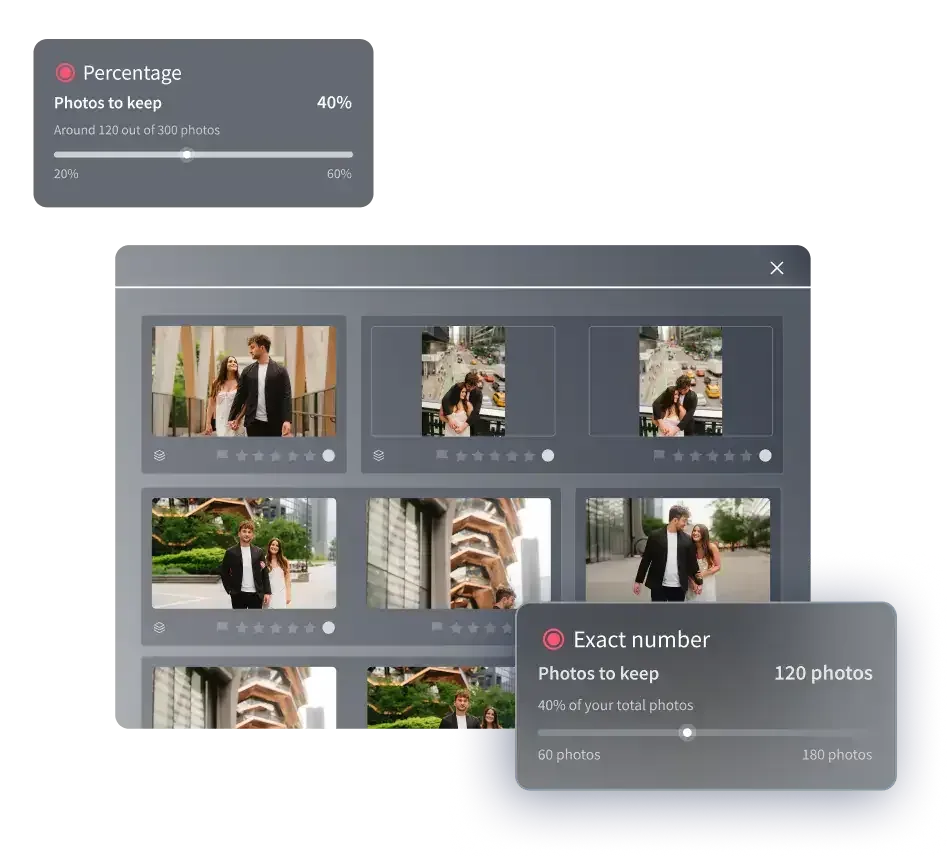
- Set Your Preferences (Optional but Recommended): Before you start the cull, you can fine-tune the AI’s preferences. You can tell it how aggressively to cull and specify if you want it to group duplicates, blurry shots, and photos with closed eyes. You can even have it pre-select the best photos for you.
- Run the AI Cull: Click ‘Cull,’ and the AI gets to work. This is where the powerful happens. A project that would have taken you hours is analyzed in minutes. You can go grab a coffee while it works. The app will notify you when it’s done.
- Review and Download the Results: Once the culling is complete, the results are sent back to your Lightroom catalog. The AI’s choices are applied using standard Lightroom metadata: star ratings and color labels. Rejected photos are typically marked with a ‘reject’ flag or a red label, while the best photos are given a 5-star rating.
- Make Your Final Selections: Your job now is to do a quick final review. Filter your gallery to see only the AI’s top picks (the 5-star photos). Instead of looking at 3,000 images, you might be looking at 500. You can quickly scan these, make any minor adjustments, and you’re ready for editing. You always have the final say.
Pro Tip: For your first few projects, try culling manually after the AI has finished and compare your choices. This builds trust in the system as you see how often its selections align with your own, and it helps you understand how the AI ‘thinks’ so you can better adjust its settings in the future.
Beyond Culling: Integrating AI into Your Entire Post-Production
Overcoming decision fatigue in culling is just the first step. The real transformation happens when you see automation not as a single tool, but as an integrated system that handles your entire post-production pipeline. Once your photos are culled, the next major time sink is editing. And just like with culling, AI is ready to take over the repetitive parts of that process, too.
After using AI to select your best photos, the logical next step is to use AI photo editing. Here’s how it fits together:
- Personal AI Profiles: Imagen can analyze thousands of your previously edited photos from your Lightroom catalog to learn your unique editing style. It creates a Personal AI Profile that can apply your specific look-your exposure preferences, color grading, tone curves, everything-to new photos with incredible accuracy.
- One-Click Editing: After culling, you can send the selected photos to be edited by your Personal AI Profile. The system automatically adjusts white balance, exposure, contrast, and more, all based on your style. A gallery that would take 8-10 hours to edit can be done in under 20 minutes.
- Final Touches: The AI gets you 95% of the way there. Your job is to open the edited gallery, apply any final creative touches, check the cropping, and ensure everything is perfect. You’re no longer a technician; you’re the artist providing the final polish.
- Secure Backup and Delivery: The final piece of the puzzle is backup and delivery. Imagen’s Cloud Storage backup is on the roadmap, so for now keep your RAWs and edits backed up with your usual setup, such as external drives, a NAS or a cloud service, and deliver galleries through your usual gallery tool.
This creates a smooth flow from camera to client, minimizing manual, repetitive tasks at every stage.
The future of professional photography isn’t about replacing artists with algorithms. It’s about building a collaborative workflow where AI handles the repetitive, technical tasks, freeing up the photographer to focus exclusively on creativity, client relationships, and business growth. An integrated system for culling, editing, and export is the key to achieving this efficiency.
Itamar Haim, AI Photography Workflow Specialist
What’s new in Imagen: Imagen is now an intelligent, agentic Studio for professional photographers, where culling sits in one project with editing, review and export. To cut decision fatigue, use AI culling for a first pass, narrow a shoot with AI filters such as blur and closed eyes, or skip the AI and cull manually for free. An assistant can also find photos when you ask in plain language. The Imagen Studio is rolling out gradually in beta.
Frequently Asked Questions
Can I trust an AI to make creative choices for me?
You’re always in control. AI culling tools don’t make final creative decisions; they make objective technical selections based on sharpness, closed eyes, and composition. You perform the final review, but on a much smaller, pre-filtered set of photos, which saves you hours.
How much does AI culling typically cost?
Pricing is usually on a per-photo basis or via a subscription. With a pay-as-you-go model like Imagen’s, you pay for the photos you export. Subscription plans from other tools can offer unlimited culling, which can be cost-effective for high-volume photographers.
What happens if the AI makes a mistake and rejects a good photo?
AI culling is non-destructive. Photos are typically marked with a ‘reject’ flag or a color label in Lightroom, not permanently deleted. You can easily review the AI’s rejections in a single folder to ensure no ‘gem’ was accidentally overlooked.
How long does it take for an AI to learn my preferences?
For culling, the AI works out of the box using highly trained models. For AI editing, a tool like Imagen creates a Personal AI Profile by analyzing at least 3,000 of your previously edited photos. The training process itself is handled on their servers and usually takes a day or two.
Does AI culling work for all types of photography?
Yes, it’s incredibly versatile. While it’s most popular for high-volume genres like wedding photography and events, it’s also highly effective for portraits, sports, and real estate. Any situation where you take multiple shots to get the perfect one is an ideal use case.
Do I need a powerful computer to run AI culling?
Not necessarily. Most of the heavy processing is done in the cloud on the company’s servers. The application on your computer is lightweight and primarily manages the upload and download of the culling results to your Lightroom catalog, so it won’t bog down your machine.
Can I customize how the AI culls my photos?
Absolutely. Most platforms, including Imagen, allow you to set preferences. You can adjust the strictness of the culling, decide whether to group photos, and choose how results are labeled in Lightroom, giving you significant control over the outcome.
Is it difficult to integrate AI culling with my existing workflow?
No, it’s designed to be simple. The tools integrate directly with Adobe Lightroom Classic. The AI applies standard Lightroom ratings and labels, so you don’t have to learn a new organizational system. It fits right into the workflow you already have.
