

Lightroom vs Darktable: Which Photo Editor is Best in 2026?
Table of contents
- Key Takeaways
- At a Glance: Feature Comparison
- Pricing and Ownership Models
- User Interface and Learning Curve
- AI Capabilities and Automation
- Performance and Hardware Optimization
- Asset Management and Ecosystem
- Which Should You Choose? The 2026 Verdict
- Frequently Asked Questions
- Can Darktable read my Lightroom edits?
- Is Darktable a good choice for professional wedding photographers?
- Does Lightroom’s subscription include Photoshop?
- How difficult is it to switch from Lightroom to Darktable?
- Can I use Lightroom presets in Darktable?
- Is my data safe in Lightroom’s cloud?
- Does Darktable support tethered shooting?
- What are the hardware requirements for Darktable’s OpenCL support?
Choosing a photo editor is a foundational decision for any photographer. For years, the debate has centered on two titans: the industry-standard subscription service and the powerful open-source underdog. It’s a classic battle of polish and price, ecosystem and extensibility.
On one side, you’ve Adobe Lightroom, the dominant force with a staggering 48% market share in the professional photo editing world. It’s known for its user-friendly interface, smooth cloud integration, and a growing suite of AI tools. On the other, there’s Darktable, the completely free, community-driven alternative that offers incredible technical depth and control for those willing to master its steep learning curve.
Key Takeaways
- Cost is the Biggest Differentiator: Lightroom operates on a subscription model, costing $119 to $240 annually, while Darktable is 100% free forever, supported only by donations.
- Lightroom Leads in AI: Adobe’s investment in AI gives Lightroom features like Generative Remove and AI Masking with an 89% accuracy rate, which Darktable completely lacks.
- Darktable Offers Deeper Control: With over 60 processing modules and a 32-bit floating-point pipeline, Darktable gives technical users unparalleled control over the editing process.
- Performance Varies by Hardware: On modern Apple Silicon, Lightroom is faster, exporting 100 RAWs in 2 minutes and 15 seconds versus Darktable’s 3 minutes and 10 seconds. However, Darktable excels on Linux and with powerful GPUs via OpenCL.
- Ecosystem Matters: Lightroom’s major advantage is its ecosystem, with over 100 million downloads of Lightroom Mobile and smooth cloud syncing that Darktable can’t match.
- Camera Support is Key: Lightroom officially supports over 1,100 camera models and 1,500 lenses, providing more reliable out-of-the-box compatibility for new gear.
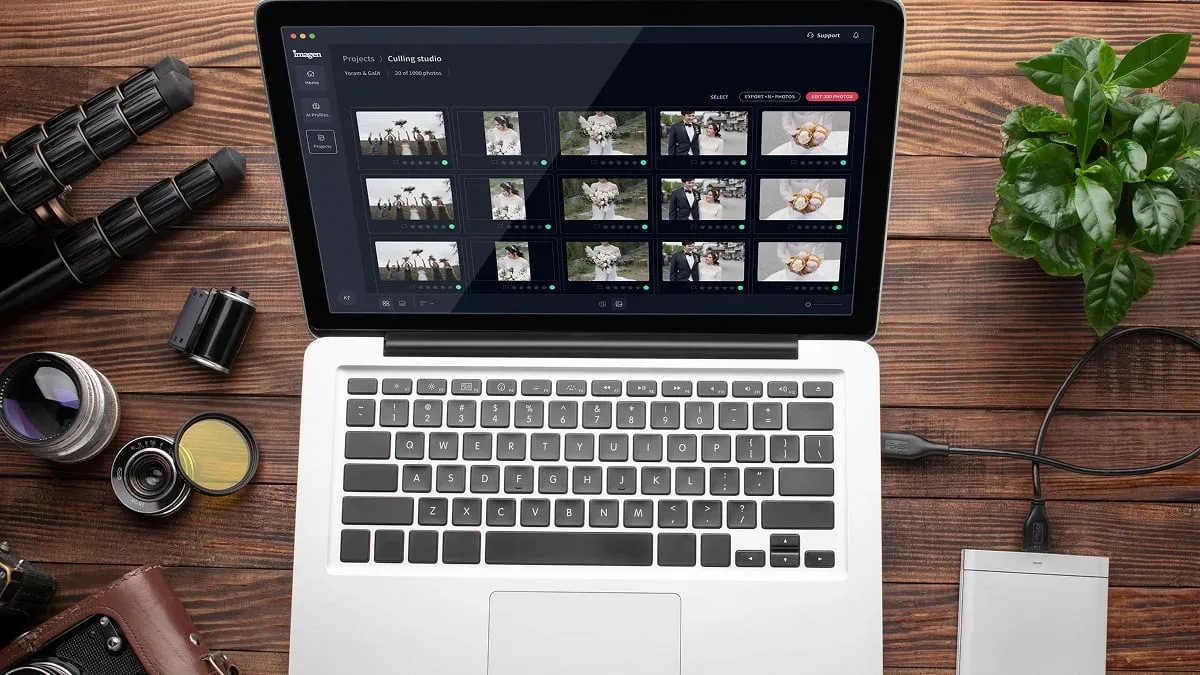
- Automation Extends Lightroom: For professionals, Lightroom’s workflow can be further accelerated with third-party tools like Imagen, which uses AI to learn your personal editing style, a feature unavailable in the Darktable ecosystem.
At a Glance: Feature Comparison
Before we explore the granular details, it’s helpful to see how these two editors stack up on the most critical features. It’s not just about what they can do, but how they do it. The philosophies behind their designs are fundamentally different, and that shows in every feature.
One is built for mainstream professional workflows, prioritizing speed and ease of use. The other is built for technical purists who demand absolute control and transparency. Here’s a high-level look.
| Feature | Adobe Lightroom | Darktable |
|---|---|---|
| Pricing Model | Subscription-based ($11.99+/month) | Completely Free (Open Source, GPLv3) |
| Platform Availability | Windows, macOS, iOS, Android, Web | Windows, macOS, Linux, BSD |
| AI Features | Yes (AI Denoise, AI Masking, Generative Remove) | No native AI features; requires manual control |
| Cloud Sync & Mobile App | Yes, core to the ecosystem (Lightroom CC) | No, it’s a desktop-only, local-first application |
| Camera & Lens Support | Extensive, over 1,500+ lens profiles | Good, but often lags behind on new models |
| Target User | Professional Photographers, Hobbyists | Technical Hobbyists, Linux Users, Anti-Subscription Pros |
Pricing and Ownership Models
Money talks. And in the software world, it speaks in two different languages: subscription and free. This is the most significant and immediate difference between Lightroom and Darktable, and it dictates more than just your yearly budget; it defines your relationship with the software.
The Adobe Subscription Tax
With Lightroom, you don’t own the software. You rent it. The entry point is the Adobe Lightroom plan at $11.99 per month, or the Photography Plan with Photoshop at $19.99 per month, both with 1TB of cloud storage. That’s a recurring annual cost of $143.88 to $239.88. Over five years, you’re looking at an investment of about $720 to $1,200. If you stop paying, you lose access to the Develop module, effectively locking your RAW files from future edits.
This model has its benefits. You get continuous updates, access to new features, cloud storage, and the mobile ecosystem. But it also creates a dependency. The high 78% retention rate for subscription software isn’t just because people love it; it’s because the ecosystem is designed to keep you in. Need more storage? That’s another $10 per month per terabyte. It’s a predictable expense, but it’s a perpetual one.
The True Cost of “Free” in Darktable
Darktable is, and always will be, free. It’s developed under the GPLv3 license, meaning you can download it, use it, modify it, and share it without paying a dime. Its development is funded by community donations. This is incredibly appealing, especially as the open-source software market is projected to grow at a CAGR of 16.2% through 2026. There are no recurring fees, no feature unlocks, and no corporation deciding when your software becomes obsolete.
But “free” doesn’t mean “zero cost.” The price you pay is in time and effort. There’s no official support line to call. If you hit a bug, you file a report and wait for the community. The learning curve is notoriously steep. You’re investing your own time to learn its complex modules, which can be a significant hidden cost for a working professional whose time is billable.
User Interface and Learning Curve
How a tool feels in your hands is just as important as what it can do. The user experience of Lightroom is polished and guided, while Darktable offers a sprawling workshop of powerful, but often intimidating, tools. They aren’t just different interfaces; they represent opposing philosophies of photo editing.
The Lightroom Workflow: Designed for Speed
Lightroom is built around a simple, two-part concept: Library and Develop. You import and organize in one space, and you edit in another. The panels are logical and persistent. Sliders for exposure, contrast, and highlights are exactly where you expect them to be. It’s an interface refined over nearly two decades to be intuitive for photographers.
Here’s the typical process:
- Import Photos: Connect a card, select photos, apply basic presets or metadata on import.
- Cull and Organize: Use flags, stars, and color labels in the Library module to quickly sort thousands of photos.
- Develop and Edit: Move to the Develop module, where tools are grouped into panels like Basic, Tone Curve, HSL/Color, and Masking. The flow is top-to-bottom and very linear.
This structured approach is designed for efficiency. A wedding photographer can process an entire event without ever feeling lost in the interface. It’s predictable, stable, and fast to learn.
Darktable’s Module System: For the Technical Purist
Darktable throws the guided workflow out the window. Instead, it gives you a collection of over 60 distinct processing modules. These aren’t just “sliders”; they’re complex tools like “filmic rgb,” “color balance rgb,” and “tone equalizer.” It operates on a “scene-referred” workflow, which is technically more accurate in preserving an image’s dynamic range but is completely foreign to anyone coming from Lightroom’s “display-referred” world.
The interface is customizable but dense. You build your own editing process by activating and ordering modules. Want to adjust exposure? You could use the “exposure” module, or you could do it within “filmic rgb,” or even with a tone curve in the “tone equalizer.” This freedom is powerful for engineers and physicists who appreciate the mathematical precision, but it’s a recipe for confusion for many creatives. The learning curve isn’t just steep; it’s a cliff.
AI Capabilities and Automation
Here’s where the comparison becomes less of a fair fight and more of a rout. In 2026, artificial intelligence isn’t a gimmick; it’s a fundamental part of a productive workflow. A recent study found that 72% of professional photographers now use AI tools to cut their editing time in half. Adobe has invested billions in its Sensei and Firefly AI platforms, and it shows. Darktable, being community-driven, has almost nothing in this department.
Adobe Firefly and Generative AI
Lightroom’s AI toolkit is genuinely impressive and saves a massive amount of time on tedious tasks. You’ll find AI woven into several key areas:
- AI Masking: With one click, you can select a subject, sky, or background. Adobe’s “Select Subject” boasts an 89% accuracy rate, even on complex edges like hair. This turns a five-minute manual masking job into a five-second automated one.
- Generative Remove: Need to remove a distracting tourist or a piece of trash from a photo? The Generative Remove tool lets you circle the object and fills the space contextually. It’s not perfect, but it handles complex backgrounds far better than a simple content-aware fill.
- Denoise AI: This tool removes noise from high-ISO photos while preserving detail, a task that used to require dedicated third-party apps.
These features aren’t just for convenience. They directly translate to more time shooting and less time behind a computer screen.
AI isn’t about replacing the photographer’s creative decisions. It’s about eliminating the 80% of repetitive tasks-like initial exposure, white balance, and masking-that consume hours of our time. A truly effective AI tool learns your specific aesthetic and applies it consistently, freeing you up to focus on the final 20% of creative refinement.
Itamar Haim, AI Photography Workflow Specialist
The Imagen Advantage for Lightroom Users
Even with its native AI, Lightroom’s automation stops at individual tasks. It doesn’t learn your end-to-end style. This is where a tool like Imagen becomes a critical part of the professional ecosystem. It integrates directly with your Lightroom catalog to provide a level of automation that Adobe doesn’t offer.
Imagen’s AI photo editing works by analyzing thousands of your previously edited photos to create a Personal AI Profile. This profile learns your unique taste in color, tone, and contrast. When you import a new shoot, you can apply your profile, and Imagen edits the entire batch in minutes, matching your style with stunning accuracy. Data shows it can process 1,000 photos in under 10 minutes, a 90% speed increase over manual editing. It’s an approach that combines the consistency of presets with the dynamic adjustments of AI.
Darktable’s Manual Approach
Darktable has no native AI features. Zero. Denoising, masking, and object removal are entirely manual processes. There are modules that are incredibly effective at these tasks (like the “denoise (profiled)” module or the powerful drawn and parametric masks), but they all require significant user input and skill. While its developer community is strong, with over 8,500 stars on GitHub, the focus remains on core processing and manual tools, not AI-driven shortcuts.
Performance and Hardware Optimization
A photo editor is only as good as it’s fast. Laggy sliders, slow exports, and stuttering previews can ruin a workflow. Both Lightroom and Darktable have made strides in performance, but they excel on different types of hardware due to their underlying architecture.
Lightroom: Optimized for Silicon and Multi-threading
Adobe has worked closely with Apple and Intel to optimize Lightroom for modern processors. If you’re using a recent Mac with Apple Silicon (M1, M2, M3) or a high-end Windows machine with a multi-core CPU, Lightroom is incredibly responsive. This optimization is evident in export speeds. Recent benchmarks on an M3 Max chip showed Lightroom Classic exporting 100 45MP RAW files in just 2 minutes and 15 seconds. It’s built to take advantage of the specific hardware accelerators in the latest consumer and pro-grade computers.
The downside? It can feel sluggish on older or lower-spec machines. Its reliance on a large, sometimes heavy, catalog file can also lead to slowdowns over time if not properly managed.
Darktable: The Linux King and OpenCL Power
Darktable’s performance story is tied to two things: Linux and your graphics card. It’s, without a doubt, the best-performing photo editor on the Linux operating system. It’s developed primarily on Linux, and it shows. But its real power on any OS comes from OpenCL, a framework that allows it to offload processing tasks to a dedicated GPU.
If you’ve a powerful NVIDIA or AMD graphics card, Darktable can be blazingly fast. The pixel pipeline operations are sent directly to the GPU, making slider adjustments instantaneous. However, there’s a huge catch: without a supported GPU, performance craters. The Darktable wiki warns that users without a dedicated GPU can see a 400% increase in processing time. On the same M3 Max machine from the test above, Darktable took 3 minutes and 10 seconds to export the same batch of photos, nearly 40% slower than Lightroom, because its OpenCL implementation isn’t as mature on Apple’s unified memory architecture.
Asset Management and Ecosystem
Editing is only half the battle. A modern photographer needs a strong system for organizing, finding, and accessing tens or even hundreds of thousands of photos across multiple devices. Here, Lightroom’s cloud-centric ecosystem provides a massive advantage over Darktable’s strictly local approach.
Cloud vs. Local Storage
This is a philosophical divide. Do you want your photos everywhere, or do you want them securely on your own drives?
Lightroom offers both worlds:
- Lightroom (Cloud): This version automatically uploads all your original RAW files to Adobe’s cloud. Your entire library is accessible and editable with full-power tools on your phone, tablet, laptop, or web browser. It’s incredibly convenient, and with Lightroom Mobile surpassing 100 million downloads on Android alone, it’s a proven workflow.
- Lightroom Classic: This is the traditional desktop-focused app where your files live on local drives. However, you can still sync “Smart Previews” (smaller, editable proxy files) to the cloud, allowing you to edit on the go and have the changes sync back to your main computer.
Darktable is 100% local. Your photos and your edit database live on your computer’s hard drive. There’s no cloud sync, no mobile app, and no web interface. To work on another computer, you’ve to manually transfer the photos and the sidecar files or database. This is great for privacy and for people who don’t want to rely on an internet connection, but it’s a deal-breaker for anyone who needs to edit or show photos while traveling.
Catalog Stability and Portability
How do these programs keep track of your edits? Both use a combination of a central database and sidecar files.
Both Lightroom and Darktable can write changes to XMP sidecar files. These are small text files that live alongside your RAW files and contain all the editing instructions. This is great for backup and interoperability. If your main catalog file gets corrupted, the XMP files contain all your work.
For large catalogs (100,000+ photos), Lightroom Classic’s catalog can sometimes become slow or prone to corruption if not regularly optimized. Darktable’s database is generally considered very stable, but its “collections” and tagging system aren’t as intuitive as Lightroom’s keyword and metadata tools. For pure organizational power and searchability, Lightroom’s Library module is still the industry leader.
Which Should You Choose? The 2026 Verdict
So, after all the analysis, which editor is right for you? There’s no single answer. It depends entirely on your budget, your technical skill, your operating system, and what you value most in your workflow. Honestly, it’s a choice between a paid service that saves you time and a free tool that gives you control.
Let’s break it down into clear recommendations based on common photographer profiles.
Choose Lightroom If…
You should choose Adobe Lightroom if you fit one of these descriptions:
- You’re a Working Professional: Time is money. Lightroom’s speed, intuitive workflow, and powerful AI features are designed to get you from import to delivery as fast as possible. Paired with an AI editing service like Imagen, it creates a productivity engine that Darktable simply can’t compete with for high-volume work like wedding photography or events.
- You Need a Multi-Device Workflow: If you edit on a desktop, a laptop, and an iPad, Lightroom’s cloud ecosystem is indispensable. The ability to cull on your phone, edit on your tablet, and finalize on your desktop is a powerful advantage.
- You Value Ease of Use and Support: You want software that works out of the box with minimal fuss. You want official support for new cameras on day one and a wealth of tutorials available everywhere. The subscription fee is a price you’re willing to pay for that peace of mind.
Choose Darktable If…
You should choose Darktable if your priorities align with these points:
- You’re on a Tight Budget (or Hate Subscriptions): This is the most obvious reason. If you can’t or won’t pay about $144 a year for software, Darktable gives you professional-grade tools for free. Forever.
- You Are a Linux User: While Lightroom can be run on Linux through virtual machines, it’s not a native experience. Darktable is the undisputed king of RAW photo editing on Linux, offering the best performance and stability.
- You Want Total Technical Control: If you’re the kind of person who wants to understand the mathematics behind demosaicing algorithms and control the exact order of operations in your pixel pipeline, Darktable is built for you. Its modular, scene-referred workflow is a technical playground that rewards deep knowledge.
Frequently Asked Questions
Can Darktable read my Lightroom edits?
No, not directly. Darktable can’t interpret the settings in a Lightroom catalog. However, if you’ve saved your Lightroom edits to XMP sidecar files, Darktable can read some of the basic metadata like star ratings, color labels, and tags, but not the actual edit adjustments.
Is Darktable a good choice for professional wedding photographers?
It can be, but it’s rare. The steep learning curve and lack of AI automation and efficient culling tools make it much slower for high-volume work. Most professionals choose Lightroom for its speed and ecosystem, often augmenting it with tools for AI photo culling and editing.
Does Lightroom’s subscription include Photoshop?
It depends on the plan. The $11.99/month Lightroom plan doesn’t, but the $19.99/month Adobe Photography Plan includes Lightroom Classic, Lightroom (cloud-based), and Photoshop. This provides a complete photo editing package from organization to deep pixel-level retouching.
How difficult is it to switch from Lightroom to Darktable?
It’s very difficult. The workflow, terminology, and underlying processing engine are completely different. You’ll need to unlearn years of Lightroom habits and spend considerable time learning Darktable’s modules like “filmic rgb” and “color calibration.”
Can I use Lightroom presets in Darktable?
No. Lightroom presets are in a proprietary format (.lrtemplate or .xmp) that’s not compatible with Darktable’s style system. You would need to find or create new styles specifically for Darktable to replicate your looks.
Is my data safe in Lightroom’s cloud?
Adobe uses industry-standard encryption and security practices for its cloud services. Your photos are generally very safe. However, like any cloud service, it’s not immune to breaches, and many photographers still prefer to keep their original files on local drives for ultimate control and privacy.
Does Darktable support tethered shooting?
Yes, Darktable has strong support for tethered shooting, allowing you to connect your camera directly to your computer and have photos appear in the app as you shoot. Its support is often praised, especially within the Linux community.
What are the hardware requirements for Darktable’s OpenCL support?
You’ll need a dedicated graphics card from NVIDIA or AMD with up-to-date drivers. Integrated graphics (like Intel HD/Iris) are generally not powerful enough. The Darktable website maintains a list of user-reported GPU compatibility.

